-
1C
-
Agda
-
Agile/Scrum
-
Alef
-
APL
-
Assembler
-
AWK
-
Basic
-
Beta Programming Language
-
Big Data/DataScience
-
C
-
C#
-
C++
-
Cobol
-
Crystal
-
CSS
-
D
-
Dart
-
DataBase (SQL)
-
Delphi
-
F#
-
Flutter
-
Fortran
-
GameDev
-
Git
-
Go (Golang)
-
GPT/AI/ИИ
-
Hacking and Security
-
Haskell
-
HTML
-
Java
-
JavaScript (JS)
-
Julia
-
Kotlin
-
Machine Learning (ML)
-
Natural language processing (NLP)
-
.NET (.NET Core)
-
Pascal
-
PHP
-
Python
-
R
-
Ruby
-
Rust
-
Scratch
-
Swift
-
UML
-
UX/UI
-
Visual Basic
-
Wolfram
-
XML
-
АСУ
-
Проектирование/System Design
-
Сети/Network
-
Статьи
-
Схемотехника/электронные схемы
-
1C
-
Agda
-
Agile/Scrum
-
Alef
-
APL
-
Assembler
-
AWK
-
Basic
-
Beta Programming Language
-
Big Data/DataScience
-
C
-
C#
-
C++
-
Cobol
-
Crystal
-
CSS
-
D
-
Dart
-
DataBase (SQL)
-
Delphi
-
F#
-
Flutter
-
Fortran
-
GameDev
-
Git
-
Go (Golang)
-
GPT/AI/ИИ
-
Hacking and Security
-
Haskell
-
HTML
-
Java
-
JavaScript (JS)
-
Julia
-
Kotlin
-
Machine Learning (ML)
-
Natural language processing (NLP)
-
.NET (.NET Core)
-
Pascal
-
PHP
-
Python
-
R
-
Ruby
-
Rust
-
Scratch
-
Swift
-
UML
-
UX/UI
-
Visual Basic
-
Wolfram
-
XML
-
АСУ
-
Проектирование/System Design
-
Сети/Network
-
Статьи
-
Схемотехника/электронные схемы
Меню
Learn R: As a Language. 2 Ed
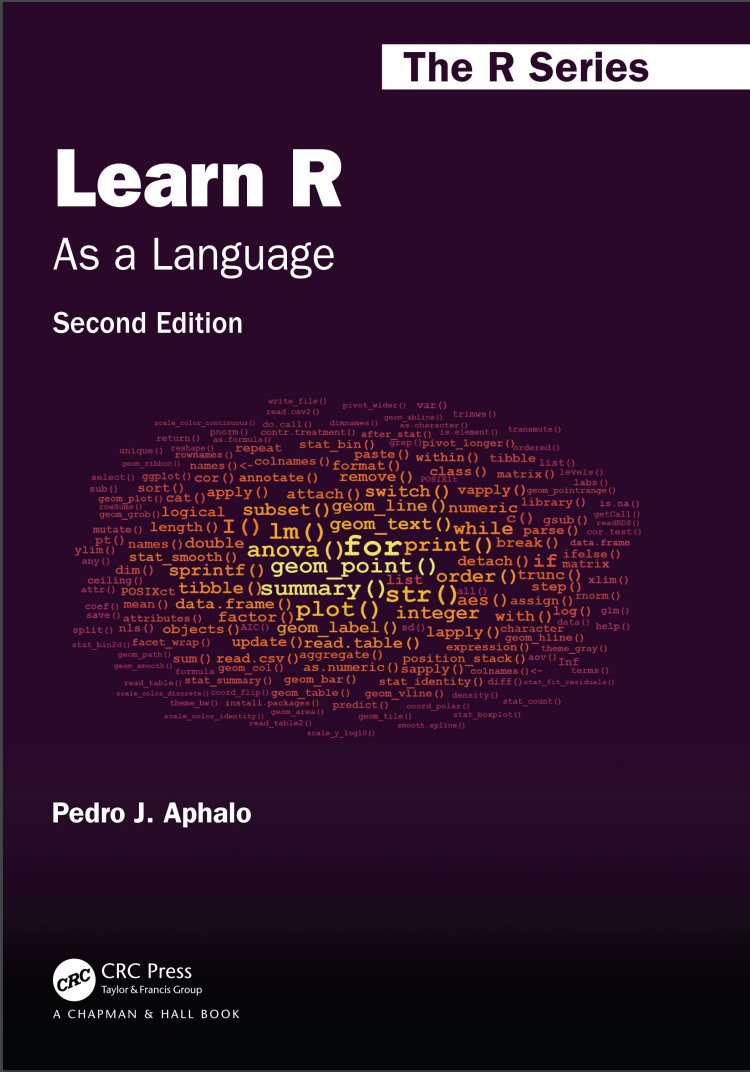
Автор: Aphalo Pedro J.
Дата выхода: 2024
Издательство: CRC Press is an imprint of Taylor & Francis Group, LLC
Количество страниц: 465
Размер файла: 5,3 МБ
Тип файла: PDF
Добавил: codelibs
Проверить на вирусыCover....1
Half Title....2
Series Page....3
Title Page....1
Copyright Page....4
Contents....5
List of Figures....11
List of Tables....13
Preface....15
1. Using the Book to Learn R....19
1.1. Aims of This Chapter....19
1.2. Approach and Structure....19
1.3. Typographic and Naming Conventions....21
1.3.1. Call-outs....21
1.3.2. Code conventions and syntax highlighting....22
1.3.3. Diagrams....22
1.4. Finding Answers to Problems....23
1.4.1. What are the options?....23
1.4.2. R’s built-in help....23
1.4.3. Online forums....24
1.5. Further Reading....26
2. R: The Language and the Program....27
2.1. Aims of This Chapter....27
2.2. What is R?....28
2.2.1. R as a language....28
2.2.2. R as a computer program....29
2.3. Using R....30
2.3.1. Editors and IDEs....30
2.3.2. R sessions and workspaces....32
2.3.3. Using R interactively....33
2.3.4. Using R in a “batch job”....35
2.4. Reproducible Data Analysis with R....36
2.5. Getting Ready to Use R....38
2.6. Further Reading....39
3. Base R: “Words” and “Sentences”....41
3.1. Aims of This Chapter....41
3.2. Natural and Computer Languages....42
3.3. Numeric Values and Arithmetic....42
3.4. Character Values....59
3.5. Logical Values and Boolean Algebra....67
3.6. Comparison Operators and Operations....70
3.7. Sets and Set Operations....73
3.8. The Mode and Class of Objects....77
3.9. Type Conversions....78
3.10. Vector Manipulation....82
3.11. Matrices and Multidimensional Arrays....88
3.12. Factors....97
3.13. Further Reading....102
4. Base R: “Collective Nouns”....103
4.1. Aims of This Chapter....103
4.2. Data from Surveys and Experiments....104
4.3. Lists....104
4.3.1. Member extraction, deletion and insertion....105
4.3.2. Nested lists....109
4.4. Data Frames....112
4.4.1. Sub-setting data frames....120
4.4.2. Summarising and splitting data frames....123
4.4.3. Re-arranging columns and rows....125
4.4.4. Re-encoding or adding variables....127
4.4.5. Operating within data frames....128
4.5. Reshaping and Editing Data Frames....130
4.6. Attributes of R Objects....132
4.7. Saving and Loading Data....136
4.7.1. Data sets in R and packages....136
4.7.2. .rda files....136
4.7.3. .rds files....138
4.7.4. dput()....139
4.8. Plotting....139
4.8.1. Plotting data....139
4.8.2. Graphical output....140
4.9. Further Reading....142
5. Base R: “Paragraphs” and “Essays”....143
5.1. Aims of This Chapter....143
5.2. Writing Scripts....143
5.2.1. What is a script?....144
5.2.2. How do we use a script?....145
5.2.3. How to write a script....146
5.2.4. The need to be understandable to people....147
5.2.5. Debugging scripts....148
5.3. Compound Statements....150
5.4. Function Calls....151
5.5. Data Pipes....152
5.6. Conditional Evaluation....156
5.6.1. Non-vectorised if, else and switch....156
5.6.2. Vectorised ifelse()....162
5.7. Iteration....164
5.7.1. for loops....164
5.7.2. while loops....168
5.7.3. repeat loops....170
5.7.4. Nesting of loops....171
5.8. Apply Functions....172
5.8.1. Applying functions to vectors, lists and data frames....172
5.8.2. Applying functions to matrices and arrays....175
5.9. Functions that Replace Loops....177
5.10. The Multiple Faces of Loops....178
5.11. Iteration When Performance Is Important....180
5.12. Object Names as Character Strings....184
5.13. Clean-Up....185
5.14. Further Reading....186
6. Base R: Adding New “Words”....187
6.1. Aims of This Chapter....187
6.2. Defining Functions and Operators....187
6.2.1. Scope of names....191
6.2.2. Ordinary functions....192
6.2.3. Operators....193
6.3. Objects, Classes and Methods....194
6.4. Packages....197
6.4.1. Sharing of R-language extensions....197
6.4.2. Download, installation and use....198
6.4.3. Finding suitable packages....201
6.4.4. How packages work....202
6.5. Further Reading....203
7. Base R: “Verbs” and “Nouns” for Statistics....205
7.1. Aims of This Chapter....205
7.2. Statistical Summaries....206
7.3. Standard Probability Distributions....207
7.3.1. Density from parameters....208
7.3.2. Probabilities from parameters and quantiles....208
7.3.3. Quantiles from parameters and probabilities....209
7.3.4. “Random” draws from a distribution....210
7.4. Observed Probability Distributions....211
7.5. “Random” Sampling....212
7.6. Correlation....213
7.6.1. Pearson’s 𝑟....213
7.6.2. Kendall’s 𝜏 and Spearman’s 𝜌....215
7.7. 𝑡-test....215
7.8. Model Fitting in R....217
7.9. Fitting Linear Models....218
7.9.1. Regression....220
7.9.2. Analysis of variance, ANOVA....226
7.9.3. Analysis of covariance, ANCOVA....231
7.9.4. Model update and selection....231
7.10. Generalised Linear Models....235
7.11. Non-Linear Regression....238
7.12. Splines and Local Regression....241
7.13. Model Formulas....244
7.14. Time Series....250
7.15. Multivariate Statistics....254
7.15.1. Multivariate analysis of variance....254
7.15.2. Principal components analysis....254
7.15.3. Multidimensional scaling....256
7.15.4. Cluster analysis....258
7.16. Further Reading....259
8. R Extensions: Data Wrangling....261
8.1. Aims of This Chapter....261
8.2. Introduction....262
8.3. Packages Used in This Chapter....264
8.4. Replacements for data.frame....265
8.4.1. Package ‘data.table’....265
8.4.2. Package ‘tibble’....265
8.5. Data Pipes....271
8.5.1. ‘magrittr’....271
8.5.2. ‘wrapr’....271
8.5.3. Comparing pipes....272
8.6. Reshaping with ‘tidyr’....274
8.7. Data Manipulation with ‘dplyr’....277
8.7.1. Row-wise manipulations....277
8.7.2. Group-wise manipulations....280
8.7.3. Joins....282
8.8. Times and Dates with ‘lubridate’....285
8.9. Further Reading....288
9. R Extensions: Grammar of Graphics....289
9.1. Aims of This Chapter....289
9.2. Packages Used in This Chapter....289
9.3. The Components of a Plot....290
9.4. The Grammar of Graphics....291
9.4.1. The words of the grammar....292
9.4.2. The workings of the grammar....294
9.4.3. Plot construction....296
9.4.4. Plots as R objects....304
9.4.5. Scales and mappings....306
9.5. Geometries....312
9.5.1. Point....312
9.5.2. Rug....317
9.5.3. Line and area....318
9.5.4. Column....321
9.5.5. Tiles....322
9.5.6. Simple features (sf)....324
9.5.7. Text....324
9.5.8. Plot insets....329
9.6. Statistics....333
9.6.1. Functions....334
9.6.2. Summaries....335
9.6.3. Smoothers and models....338
9.6.4. Frequencies and counts....342
9.6.5. Density functions....344
9.6.6. Box and whiskers plots....346
9.6.7. Violin plots....347
9.7. Flipped Plot Layers....348
9.8. Facets....353
9.9. Positions....357
9.10. Scales....359
9.10.1. Axis and key labels....360
9.10.2. Continuous scales....362
9.10.3. Time and date scales for 𝑥 and 𝑦....369
9.10.4. Discrete scales for 𝑥 and 𝑦....371
9.10.5. Size and line width....372
9.10.6. Colour and fill....373
9.10.7. Continuous colour-related scales....375
9.10.8. Discrete colour-related scales....375
9.10.9. Binned scales....375
9.10.10. Identity scales....376
9.11. Adding Annotations....377
9.12. Coordinates and Circular Plots....380
9.12.1. Wind-rose plots....380
9.12.2. Pie charts....382
9.13. Themes....382
9.13.1. Complete themes....383
9.13.2. Incomplete themes....385
9.13.3. Defining a new theme....386
9.14. Composing Plots....387
9.15. Using plotmath Expressions....389
9.16. Creating Complex Data Displays....395
9.17. Creating Sets of Plots....395
9.17.1. Saving plot layers and scales in variables....395
9.17.2. Saving plot layers and scales in lists....396
9.17.3. Using functions as building blocks....396
9.18. Generating Output Files....397
9.19. Debugging Ggplots....398
9.20. Further Reading....399
10. Base R and Extensions: Data Sharing....401
10.1. Aims of This Chapter....401
10.2. Introduction....402
10.3. Packages Used in This Chapter....402
10.4. File Names and Operations....403
10.5. Opening and Closing File Connections....406
10.6. Plain-Text Files....406
10.6.1. Base R and ‘utils’....408
10.6.2. ‘readr’....413
10.7. XML and HTML Files....416
10.7.1. ‘xml2’....416
10.8. GPX Files....417
10.9. Worksheets....417
10.9.1. CSV files as middlemen....418
10.9.2. ‘readxl’....419
10.9.3. ‘xlsx’....420
10.9.4. ‘readODS’....421
10.10. Statistical Software....422
10.10.1. ‘foreign’....422
10.10.2. ‘haven’....423
10.11. NetCDF Files....424
10.11.1. ‘ncdf4’....425
10.11.2. ‘tidync’....426
10.12. Remotely Located Data....428
10.13. Databases....430
10.14. Data Acquisition from Physical Devices....431
10.14.1. ‘jsonlite’....431
10.15. Further Reading....432
Bibliography....433
General Index....437
Alphabetic Index of R Names....449
Index of R Names by Category....457
Frequently Asked Questions....465
Learning a computer language like R can be either frustrating, fun, or boring. Having fun requires challenges that wake up the learner’s curiosity but also provide an emotional reward on overcoming them. This book is designed so that it includes smaller and bigger challenges, in what I call playgrounds, in the hope that all readers will enjoy their path to R fluency. Fluency in the use of a language is a skill that is acquired through practice and exploration. Although rarely mentioned separately, fluency in a computer programming language involves both writing and reading. The parallels between natural and computer languages are many, but differences are also important. For students and professionals in the biological sciences, humanities, and many applied fields, recognizing the parallels between R and natural languages should help them feel at home with R. The approach I use is similar to that of a travel guide, encouraging exploration and describing the available alternatives and how to reach them. The intention is to guide the reader through the R landscape of 2020 and beyond.
Features
- R as it is currently used
- Few prescriptive rules―mostly the author’s preferences together with alternatives
- Explanation of the R grammar emphasizing the "R way of doing things"
- Tutoring for "programming in the small" using scripts
- The grammar of graphics and the grammar of data described as grammars
- Examples of data exchange between R and the foreign world using common file formats
- Coaching for becoming an independent R user, capable of both writing original code and solving future challenges
- What makes this book different from others:
- Tries to break the ice and help readers from all disciplines feel at home with R
- Does not make assumptions about what the reader will use R for
- Attempts to do only one thing well: guide readers into becoming fluent in the R language


