-
1C
-
Agda
-
Agile/Scrum
-
Alef
-
APL
-
Assembler
-
AWK
-
Basic
-
Beta Programming Language
-
Big Data/DataScience
-
C
-
C#
-
C++
-
Cobol
-
Crystal
-
CSS
-
D
-
Dart
-
DataBase (SQL)
-
Delphi
-
F#
-
Flutter
-
Fortran
-
GameDev
-
Git
-
Go (Golang)
-
GPT/AI/ИИ
-
Hacking and Security
-
Haskell
-
HTML
-
Java
-
JavaScript (JS)
-
Julia
-
Kotlin
-
Machine Learning (ML)
-
Natural language processing (NLP)
-
.NET (.NET Core)
-
Pascal
-
PHP
-
Python
-
R
-
Ruby
-
Rust
-
Scratch
-
Swift
-
UML
-
UX/UI
-
Visual Basic
-
Wolfram
-
XML
-
АСУ
-
Проектирование/System Design
-
Сети/Network
-
Статьи
-
Схемотехника/электронные схемы
-
1C
-
Agda
-
Agile/Scrum
-
Alef
-
APL
-
Assembler
-
AWK
-
Basic
-
Beta Programming Language
-
Big Data/DataScience
-
C
-
C#
-
C++
-
Cobol
-
Crystal
-
CSS
-
D
-
Dart
-
DataBase (SQL)
-
Delphi
-
F#
-
Flutter
-
Fortran
-
GameDev
-
Git
-
Go (Golang)
-
GPT/AI/ИИ
-
Hacking and Security
-
Haskell
-
HTML
-
Java
-
JavaScript (JS)
-
Julia
-
Kotlin
-
Machine Learning (ML)
-
Natural language processing (NLP)
-
.NET (.NET Core)
-
Pascal
-
PHP
-
Python
-
R
-
Ruby
-
Rust
-
Scratch
-
Swift
-
UML
-
UX/UI
-
Visual Basic
-
Wolfram
-
XML
-
АСУ
-
Проектирование/System Design
-
Сети/Network
-
Статьи
-
Схемотехника/электронные схемы
Меню
Prototyping Python Dashboards for Scientists and Engineers: Build and Deploy a Complete Dashboard with Python
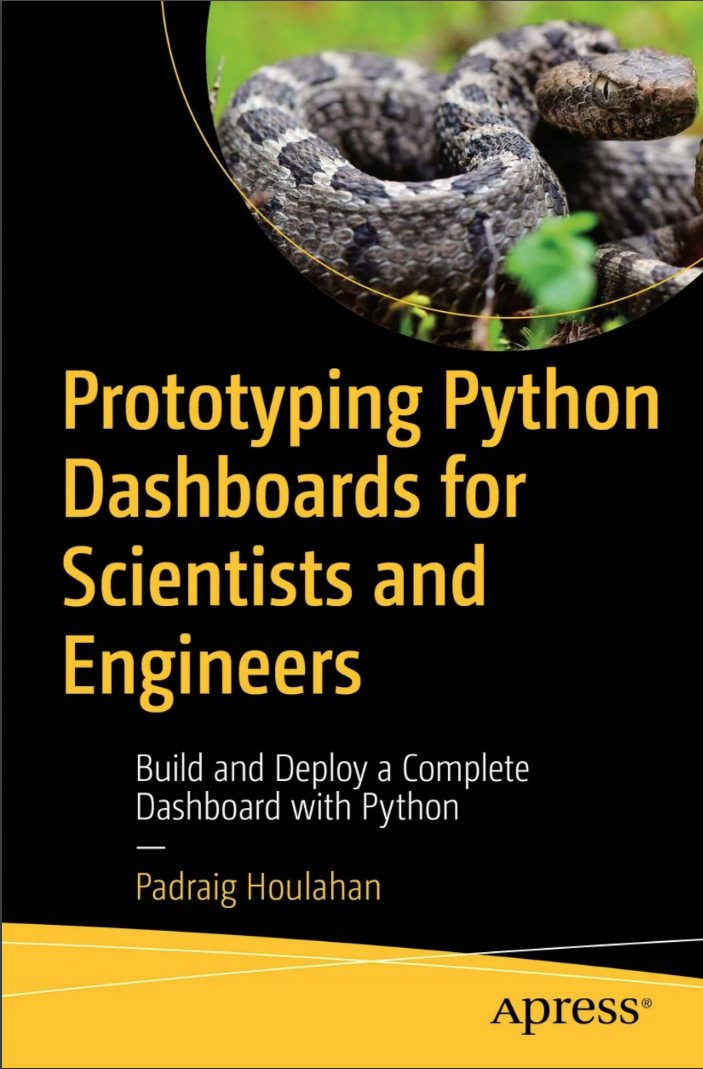
Автор: Houlahan Padraig
Дата выхода: 2024
Издательство: Apress Media, LLC.
Количество страниц: 250
Размер файла: 3,8 МБ
Тип файла: PDF
Добавил: codelibs
Проверить на вирусыTable of Contents....6
About the Author....17
About the Technical Reviewer....18
Acknowledgments....19
Introduction....20
Chapter 1: Working with Python....33
Coding Design: Python and OOD....33
Python Data Types....36
Lists, Tuples, and Sets....38
Dictionaries....41
Series....43
Dataframes....44
Building Dataframes....45
Accessing Dataframe Rows and Columns....50
Using loc[ ] and iloc[ ] to Access by Position....52
Filtering – Extracting Elements by Value....54
The Spyder IDE....57
Summary....59
Chapter 2: Reactive Programming with PLOTLY and DASH....59
Getting Started with PLOTLY....59
Getting Started with DASH....65
Summary....71
Chapter 3: Working with Online Data....72
About the ATADS Dataset....72
ATADS Screen Scraping....78
Converting Excel to CSV with Data Cleanup....81
Managing and Keeping Our Files Up to Date....82
Summary....84
Chapter 4: Planning the Dashboard Prototype....84
Overview....84
Project Tasks....88
Trends and Forecasts....90
Other Design Considerations....92
Summary....93
Chapter 5: Our First Dashboard....94
The atads.py File....95
The atads_layout Class....98
The atads_figures Class....101
Initialization....101
Variable Name Management....102
Miscellaneous Variable Initialization....104
Class Methods....104
I/O and Variable Name Utilities....105
The update_mainchart() Method....106
Methods for Drawing Raw and Smoothed Data....108
Methods to Enhance Chart Visual Appeal....110
Methods to Add Polynomial Curve Fits....112
Fine-Tuning with CSS....117
Summary....121
Chapter 6: Dashboard Enhancements....122
Adding the Banner and the Instruction Panels....125
Monthly and Weekday Histogram Panels....129
The Spectrum Panel....134
Quantifying Weekly and Seasonal Effects....139
The Final ATADS Dashboard....148
Summary....149
Chapter 7: Hosting an Application on a UNIX Server....150
Creating the Python Environment....152
Running a Flask Application....155
Using uWSGI....157
Using GUNICORN....159
Summary....160
Chapter 8: Deploying Your Project As a UNIX Service....160
Creating a Hello World System Service....162
Using NGINX to Share Your Hello World App....164
Adding the Dashboard Project to Your Server....167
Creating the Dashboard System Service and Deploying with NGINX....169
Securing Your Server....172
Summary....174
Chapter 9: The BTS T100 Dataset: Interacting Controls and Tables....174
The BTS T100dm Dataset....175
Prototyping a T100dm Display....175
Managing Modes and Interacting Menus....181
Figures and Tables....184
Summary....187
Chapter 10: Creating a Web Portal....187
Troubleshooting WordPress....193
Summary....200
Chapter 11: Using Our Dashboard for Data Visualization and Analysis....200
Airport Type, Trends, and Location....201
Airshows and Seasonal – Using Spectra....203
Incorporating Models....210
Media, Presentations, Reports, and Projects....214
Summary....218
Chapter 12: Afterword....218
Appendix A: Utilities for Managing ATADS Data....220
Notes....231
Data Update Process....232
Index....232
Create interactive and data-driven dashboards using Python. This hands-on guide is a practical resource for those (with modest programming skills) in scientific and engineering fields looking to leverage Python's power for data visualization and analysis in a user-friendly dashboard format.
You’ll begin by gaining a fundamental understanding of Python programming, including data types, lists, dictionaries, and data structures. The book then delves into the world of reactive programming with Plotly and Dash, offering a hands-on approach to building interactive web-based dashboards. Next, you’ll see how to work with online data, how to scrape and clean datasets, and keep files up-to-date.
The book also guides you through planning a dashboard prototype, outlining project tasks, trends, forecasts, spectra, and other design considerations. It concludes with a discussion of how the dashboard can be used for data visualization of real data, explaining the usefulness of tools such as spectra.By providing detailed examples for download and customization, Prototyping Python Dashboards for Scientists and Engineers will equip you with the skills needed to jumpstart your own development efforts.
What You’ll Learn
- Design a dashboard with Python
- Convert and filter Excel formatted files to produce CSV files
- Create browser-served graphics with PLOTLY
- Generate polynomial trend lines for forecasting
- Build a Unix service to share your dashboard
Who This Book Is For
Scientists, engineers, students, programmers, and data enthusiasts who aspire to harness Python's potential for data visualization and analysis through the creation of interactive dashboards. Many will be pragmatic programmers with modest skills and limited resources who mainly want to see a working solution they could emulate.


