-
1C
-
Agda
-
Agile/Scrum
-
Alef
-
APL
-
Assembler
-
AWK
-
Basic
-
Beta Programming Language
-
Big Data/DataScience
-
C
-
C#
-
C++
-
Cobol
-
Crystal
-
CSS
-
D
-
Dart
-
DataBase (SQL)
-
Delphi
-
F#
-
Flutter
-
Fortran
-
GameDev
-
Git
-
Go (Golang)
-
GPT/AI/ИИ
-
Hacking and Security
-
Haskell
-
HTML
-
Java
-
JavaScript (JS)
-
Julia
-
Kotlin
-
Machine Learning (ML)
-
Natural language processing (NLP)
-
.NET (.NET Core)
-
Pascal
-
PHP
-
Python
-
R
-
Ruby
-
Rust
-
Scratch
-
Swift
-
UML
-
UX/UI
-
Visual Basic
-
Wolfram
-
XML
-
АСУ
-
Проектирование/System Design
-
Сети/Network
-
Статьи
-
Схемотехника/электронные схемы
-
1C
-
Agda
-
Agile/Scrum
-
Alef
-
APL
-
Assembler
-
AWK
-
Basic
-
Beta Programming Language
-
Big Data/DataScience
-
C
-
C#
-
C++
-
Cobol
-
Crystal
-
CSS
-
D
-
Dart
-
DataBase (SQL)
-
Delphi
-
F#
-
Flutter
-
Fortran
-
GameDev
-
Git
-
Go (Golang)
-
GPT/AI/ИИ
-
Hacking and Security
-
Haskell
-
HTML
-
Java
-
JavaScript (JS)
-
Julia
-
Kotlin
-
Machine Learning (ML)
-
Natural language processing (NLP)
-
.NET (.NET Core)
-
Pascal
-
PHP
-
Python
-
R
-
Ruby
-
Rust
-
Scratch
-
Swift
-
UML
-
UX/UI
-
Visual Basic
-
Wolfram
-
XML
-
АСУ
-
Проектирование/System Design
-
Сети/Network
-
Статьи
-
Схемотехника/электронные схемы
Меню
Numeric Python: Python Data Analysis with NumPy, Pandas, and Matplotlib
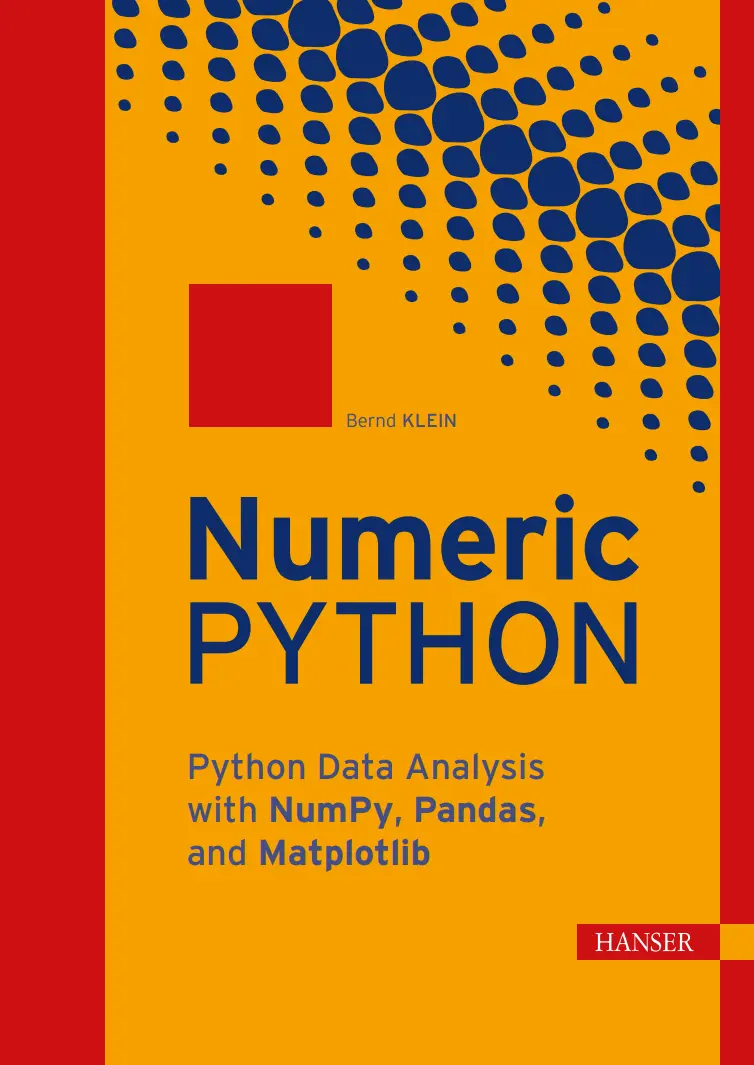
Автор: Klein Bernd
Дата выхода: 2026
Издательство: Carl Hanser Verlag GmbH & Co. KG
Количество страниц: 576
Размер файла: 17,6 МБ
Тип файла: PDF
Добавил: codelibs
Проверить на вирусыContents....7
Preface....19
1 Introduction....23
1.1 The Right Choice....23
1.2 Structure of the Book....24
1.3 This Book and the Tools Behind It....25
1.4 Download the Examples....25
1.5 About the Author....26
1.6 Suggestions and Feedback....26
2 Numerical Programming....27
2.1 Definition of Numerical Programming....27
2.2 Overview....27
2.3 The Relationship Between Python, NumPy, Matplotlib, SciPy, and Pandas....28
2.4 Python – An Alternative to MATLAB....29
3 Installation of NumPy, Matplotlib, Pandas, and JupyterLab....31
3.1 Introduction....31
3.2 Installation with conda and Miniconda....32
3.3 Installation with pip....33
3.4 Starting JupyterLab....33
3.5 Why JupyterLab?....34
Part I NumPy....35
4 NumPy Introduction....37
4.1 Overview....37
4.1.1 What is NumPy?....37
4.1.2 A simple example....38
4.2 Comparison of NumPy Data Structures and Lists....39
4.2.1 Key Differences....39
4.2.2 Memory Requirements....40
4.2.3 Time Comparison Between Lists and NumPy Arrays....43
5 Creation and Structure of Arrays....45
5.1 Dimensions....45
5.1.1 Zero-Dimensional Arrays in NumPy....45
5.1.2 One-Dimensional Array....46
5.1.3 Two- and Multi-Dimensional Arrays....46
5.2 Shape of an Array....47
5.3 Indexing and Slicing Operator....48
5.4 Three-Dimensional Arrays....54
5.5 Array Creation Functions....57
5.5.1 arange....57
5.5.2 linspace....59
5.6 Arrays with Zeros and Ones....60
5.7 Identity Matrix....62
5.7.1 The identity Function....62
5.7.2 The eye Function....63
5.8 Data Types....64
5.9 Copying Arrays....66
5.9.1 numpy.copy(A) and A.copy()....66
5.9.2 Contiguous Arrays....66
5.10 Exercises....69
6 Data Type Object: dtype....71
6.1 dtype....71
6.2 Structured Arrays....73
6.3 Input and Output of Structured Arrays....76
6.4 Unicode Strings in Arrays....78
6.5 Renaming Column Names....79
6.6 Replacing Column Values....79
6.7 More Complex Example....80
6.8 Exercises....82
7 Combining and Reshaping Arrays....83
7.1 Reduction and Reshaping of Arrays....83
7.1.1 flatten....84
7.1.2 ravel....84
7.1.3 Differences between ravel and flatten....85
7.1.4 reshape....86
7.2 Adding Dimensions....88
7.3 Concatenation and Stacking of Arrays....88
7.3.1 concatenate....89
7.3.2 stack....91
7.3.3 dstack....94
7.3.4 vstack....97
7.3.5 hstack....98
7.4 dsplit....100
7.5 Repeating Arrays with tile....101
7.6 Exercises....104
8 Numerical Operations on NumPy Arrays....105
8.1 Operations with Scalars....105
8.2 Operations between and on Arrays....107
8.3 Matrix Multiplication and Dot Product....108
8.3.1 Definition of the dot Function....108
8.3.2 Examples of the dot Function....109
8.3.3 The dot Product in the Three-Dimensional Case....110
8.4 Comparison Operators....116
8.5 Logical Operators....116
8.6 Broadcasting....117
8.6.1 Row-wise Broadcasting....118
8.6.2 Column-wise Broadcasting....121
8.6.3 Broadcasting with Two One-Dimensional Arrays....124
8.7 Distance Matrix....125
8.8 ufuncs....126
8.8.1 Application of ufuncs....127
8.8.2 Output Parameters in ufuncs....129
8.8.3 accumulate....131
8.8.4 reduce....133
8.8.5 outer....134
8.8.6 at....135
8.9 Exercises....135
9 Statistics and Probability....137
9.1 Introduction....137
9.2 Functions Based on the random Module....138
9.2.1 True Random Numbers....139
9.2.2 Generating a List of Random Numbers....139
9.2.3 Random Integers....141
9.2.4 Samples or Selections....141
9.2.5 Random Intervals....142
9.2.6 Seed or Initial Value....143
9.2.7 Weighted Random Selection....144
9.2.8 Sampling with Python....147
9.2.9 Cartesian Choice....149
9.2.10 Cartesian Product....149
9.2.11 Cartesian Choice: cartesian_choice....149
9.2.12 Gaussian Normal Distribution....152
9.2.13 Exercise with Binary Transmitter....155
9.3 The random Submodule of NumPy....158
9.3.1 Randomly generating integers and floats....158
9.3.2 numpy.random.choice....160
9.3.3 numpy.random.random_sample....162
9.4 Synthetic Sales Figures....163
9.5 Exercises....165
10 Boolean Masking and Indexing....167
10.1 Fancy Indexing....169
10.2 Indexing with an Integer Array....170
10.3 nonzero and where....170
10.4 Example Applications with np.where....171
10.5 Exercises....173
11 Reading and Writing Data Files....175
11.1 Saving text files with savetxt....176
11.2 Loading text files with loadtxt....177
11.2.1 loadtxt without parameters....177
11.2.2 Custom delimiters....178
11.2.3 Selective column reading....178
11.2.4 Data conversion during import....179
11.3 tofile....181
11.4 fromfile....181
11.5 Recommended methods....183
11.6 Another option: genfromtxt....183
Part II Matplotlib....185
12 Introduction....187
12.1 A first example....188
12.2 Format parameters of plot....189
12.3 Multiple data series with axis labels....191
13 Object-Oriented Plotting....193
13.1 Creating a Figure and Axes....195
13.2 Axis Labels and Title....196
13.3 The Plot Method....198
13.4 Axis Ranges....199
13.5 Plotting Multiple Functions....201
13.6 Scatter Plots....203
13.7 Filling Areas....206
13.8 Exercises....209
14 Multiple Plots and Dual Axes....211
14.1 Subplots with subplot....212
14.2 Flexible Layouts with GridSpec....219
14.3 Dual Axes....226
14.4 Exercises....228
15 Axes and Tick Marks....229
15.1 Axes and Spines....229
15.2 Changing Axis Labels....235
15.3 Adjustment of Tick Labels....236
16 Legends and Annotations....237
16.1 Adding a Legend....237
16.2 Annotations....241
16.3 Exercises....248
17 Contour Plots....249
17.1 Creating a Meshgrid....250
17.2 Functions on Meshgrids....251
17.3 Contour Without Meshgrid....253
17.4 Adjusting Line Styles and Colors....254
17.5 Filled Contours....256
17.6 Custom Colors....257
17.7 Levels....258
17.8 Other Grids....259
17.8.1 Meshgrid in More Detail....259
17.8.2 mgrid....261
17.8.3 ogrid....262
17.9 imshow....264
17.10 Exercises....265
18 Histograms and Diagrams....267
18.1 Histograms....268
18.2 Column Charts....272
18.3 Bar Charts....274
18.4 Grouped Bar Charts....275
18.5 xkcd Mode....278
18.6 Pie Charts....280
18.7 Stacked Charts....281
18.8 Exercises....282
Part III Pandas....285
19 Pandas:Series....287
19.1 Basics of the Series data structure....288
19.2 Access and indexing....291
19.3 Value manipulation with apply....293
19.4 Series from Dictionaries....294
19.5 NaN – Missing Data....295
19.5.1 Checking for missing values....296
19.5.2 Relation between NaN and None....296
19.5.3 Filtering missing data....297
19.5.4 Filling missing data....298
19.5.5 Comparison of different interpolation methods....301
19.6 Exercises....302
20 DataFrame....303
20.1 A first example....304
20.2 Relation to Series....305
20.3 Manipulating Column Names....306
20.4 DataFrames from Dictionaries....307
20.5 Accessing Columns....310
20.6 Row Selection....310
20.6.1 loc....310
20.6.2 query....312
20.7 Modification of DataFrames....314
20.7.1 Inserting Columns....315
20.7.2 Replacing Columns....319
20.7.3 Replacing Rows....320
20.7.4 Modifying Individual Values with at and iat....320
20.8 Changing the Index....321
20.8.1 Reordering Columns and Index....322
20.8.2 Renaming Columns....324
20.8.3 Using a Column as Index....324
20.9 Sums and Cumulative Sums....325
20.9.1 Empty Columns and Filling Them Later....327
20.10 Sorting....328
20.11 Exercises....330
21 Styling....333
21.1 Introduction....333
21.2 Separating Data and Presentation....334
21.3 The .style Property....334
21.3.1 Basic Formatting with .format....335
21.4 Maximum Values in Rows and Columns....335
21.5 Applying a Color Gradient....337
21.5.1 Applying Bar Charts Inside Cells....338
21.6 Exercises....339
22 File Processing....341
22.1 DSV CSV Files....341
22.1.1 Reading CSV and DSV Files....342
22.1.2 Writing CSV Files....343
22.1.3 Example with a Non-Standard CSV File....347
22.2 Reading and Writing JSON Files....350
22.3 Reading and Writing Excel Files....350
22.4 Exercises....351
23 Pandas: groupby....353
23.1 Groupby with Series....354
23.2 How groupby Works....356
23.3 GroupBy with DataFrames....357
23.3.1 GroupBy with Function....359
23.3.2 Example with File....362
23.4 Exercises....363
24 Pivot Tables....367
24.1 Pivot Function in Pandas....367
24.2 Pivot Call Without Values for values....370
24.3 The Function pivot_table in Pandas....371
24.4 Pivoting on the Titanic Data....372
24.5 Exercises....376
25 Handling NaN....377
25.1 nan in Python....377
25.2 NaN in Pandas....378
25.2.1 Example with NaNs....381
25.3 Using dropna()....384
25.4 Exercises....386
26 Binning....387
26.1 Introduction....387
26.2 Binning with Pandas....388
26.2.1 Binning with cut....388
26.2.2 Creating an IntervalIndex object....390
26.2.3 More about pd.cut....391
26.2.4 Memory optimization with Categorical....392
26.2.5 Binning with labels....392
26.3 Exercises....393
27 Multi-level Indexing....395
27.1 Introduction....395
27.2 Multi-level indexed Series objects....396
27.3 Multi-level indexing through list multiplication....397
27.4 Other ways of creating indices....398
27.5 Access methods....400
27.6 Three-level indices....403
27.7 Relation to DataFrames....405
27.7.1 Manual approach with pd.concat....405
27.7.2 unstack and stack....406
27.8 Swapping multi-level indices....410
27.9 Exercises....411
28 Data Visualization with Pandas....413
28.1 Introduction....413
28.2 Line Charts in Pandas....414
28.2.1 Series....414
28.2.2 DataFrames....416
28.2.3 Secondary Axes (Twin Axes)....419
28.2.4 Multiple Y-Axes....420
28.2.5 Converting String Columns to Floats....422
28.3 Bar Charts in Pandas....423
28.3.1 A Simple Example....423
28.3.2 Bar Chart for Programming Language Usage....424
28.3.3 Coloring a Bar Chart....426
28.4 Pie Charts in Pandas....427
28.4.1 A Simple Example....427
28.5 Area Plot with area....429
28.6 Exercises....430
29 Time and Date....431
29.1 Introduction....431
29.2 Python Standard Modules for Time Data....432
29.2.1 The date Class....432
29.2.2 The time Class....434
29.3 The datetime Class....435
29.4 Difference Between Times....437
29.4.1 Converting datetime Objects to Strings....438
29.4.2 Conversion with strftime....438
29.5 Output in Local Language....439
29.6 Creating datetime Objects from Strings....441
30 Time Series....443
30.1 Introduction....443
30.2 Time Series and Python....444
30.3 Creating Date Ranges....446
30.4 Date Ranges with Time Components....449
30.5 Exercises....450
Part IV Applications....451
31 Image Processing Techniques....453
31.1 Introduction....453
31.2 Loading and Displaying Images....454
31.3 Histograms of Color Values....456
31.4 Image Cropping....458
31.5 Geometric Transformations....458
31.6 Filtering....460
31.7 Lightening and Toning Images....465
31.8 Tiling....473
31.9 Watermarking with np.where....474
31.10 Another Example of Watermarking with np.where....476
31.11 Exercises....479
32 Financial Management with Pandas....481
32.1 Budget Book....481
32.1.1 Budget Book with CSV File....482
32.1.2 Excel budget book with Chart of Accounts....485
32.1.3 Analysis of the Excel budget book....487
32.2 Income and expenditure statement....489
32.2.1 Journal File....490
32.2.2 Analysis and Visualization of the Data....491
32.2.3 Tax Totals....496
Part V Solutions to the Exercises....499
33 Solutions to the Exercises....501
33.1 Solutions to Chapter 5 (Creation and Structure of Arrays)....501
33.2 Solutions to Chapter 6 (Data Type Object: dtype)....503
33.3 Solutions to Chapter 7 (Combining and Reshaping Arrays)....505
33.4 Solutions to Chapter 8 (Numerical Operations on NumPy Arrays)....508
33.5 Solutions to Chapter 9 (Statistics and Probability)....511
33.6 Solutions to Chapter 10 (Boolean Masking and Indexing)....516
33.7 Solutions to Chapter 13 (Object-Oriented Plotting)....518
33.8 Solutions to Chapter 14 (Multiple Plots and Dual Axes)....521
33.9 Solutions to Chapter 16 (Legends and Annotations)....523
33.10 Solutions to Chapter 17 (Contour Plots)....525
33.11 Solutions to Chapter 18 (Histograms and Diagrams)....529
33.12 Solutions to Chapter 19 (Pandas:Series)....533
33.13 Solutions to Chapter 20 (DataFrame)....537
33.14 Solutions to Chapter 21 (Styling)....542
33.15 Solutions to Chapter 22 (File Processing)....544
33.16 Solutions to Chapter 23 (Pandas: groupby)....549
33.17 Solutions to Chapter 24 (Pivot Tables)....554
33.18 Solutions to Chapter 25 (Handling NaN)....555
33.19 Solutions to Chapter 26 (Binning)....556
33.20 Solutions to Chapter 27 (Multi-level Indexing)....557
33.21 Solutions to Chapter 28 (Data Visualization with Pandas)....562
33.22 Solutions to Chapter 30 (Time Series)....564
33.23 Solutions to Chapter 31 (Image Processing Techniques)....565
Index....567
Produktinformationen "Numeric Python"
- Numerical computing with NumPy arrays, dtypes, vectorized operations
- Data analysis using Pandas DataFrames, grouping, pivoting, and time series
- Scientific visualization with Matplotlib plots, layouts, and contour graphics
- Real-world data work: files, missing data, binning, and indexing
- Applied Python: image processing, probability, and practical projects
This book teaches the Python fundamentals required to solve numerical problems in data science and machine learning.
The first part focuses on NumPy as the foundation of numerical programming, covering arrays as the core data type, numerical operations, broadcasting, and universal functions, as well as statistics, probability, Boolean masking, and file handling.
The second part is devoted to data visualization with Matplotlib, ranging from core concepts to line, bar, histogram, and contour plots. The third part introduces Pandas, including Series and DataFrames, importing and exporting Excel, CSV, and JSON files, handling missing data, and visualization directly within Pandas.
The fourth part presents practical applications, including a household budget project, an incomeexpenditure analysis, and an introduction to image processing.
The book concludes with a fifth part containing solutions to the numerous exercises that accompany almost every one of the 33 chapters.
WHAT‘S INSIDE
Numerical operations on multidimensional arrays/Broadcasting and universal functions (ufuncs)/Discrete & continuous plots/Bar charts, histograms, and contour plots/Series and DataFrames/Working with Excel, CSV, and JSON files/Handling missing data (NaN)/Data visualization techniques/Image processing funda mentals/Budget tracking and incomeexpenditure analysis


