-
1C
-
Agda
-
Agile/Scrum
-
Alef
-
APL
-
Assembler
-
AWK
-
Basic
-
Beta Programming Language
-
Big Data/DataScience
-
C
-
C#
-
C++
-
Cobol
-
Crystal
-
CSS
-
D
-
Dart
-
DataBase (SQL)
-
Delphi
-
F#
-
Flutter
-
Fortran
-
GameDev
-
Git
-
Go (Golang)
-
GPT/AI/ИИ
-
Hacking and Security
-
Haskell
-
HTML
-
Java
-
JavaScript (JS)
-
Julia
-
Kotlin
-
Machine Learning (ML)
-
Natural language processing (NLP)
-
.NET (.NET Core)
-
Pascal
-
PHP
-
Python
-
R
-
Ruby
-
Rust
-
Scratch
-
Swift
-
UML
-
UX/UI
-
Visual Basic
-
Wolfram
-
XML
-
АСУ
-
Проектирование/System Design
-
Сети/Network
-
Статьи
-
Схемотехника/электронные схемы
-
1C
-
Agda
-
Agile/Scrum
-
Alef
-
APL
-
Assembler
-
AWK
-
Basic
-
Beta Programming Language
-
Big Data/DataScience
-
C
-
C#
-
C++
-
Cobol
-
Crystal
-
CSS
-
D
-
Dart
-
DataBase (SQL)
-
Delphi
-
F#
-
Flutter
-
Fortran
-
GameDev
-
Git
-
Go (Golang)
-
GPT/AI/ИИ
-
Hacking and Security
-
Haskell
-
HTML
-
Java
-
JavaScript (JS)
-
Julia
-
Kotlin
-
Machine Learning (ML)
-
Natural language processing (NLP)
-
.NET (.NET Core)
-
Pascal
-
PHP
-
Python
-
R
-
Ruby
-
Rust
-
Scratch
-
Swift
-
UML
-
UX/UI
-
Visual Basic
-
Wolfram
-
XML
-
АСУ
-
Проектирование/System Design
-
Сети/Network
-
Статьи
-
Схемотехника/электронные схемы
Меню
Make games with Python: Create your own entertainment with Raspberry Pi. 2 Ed
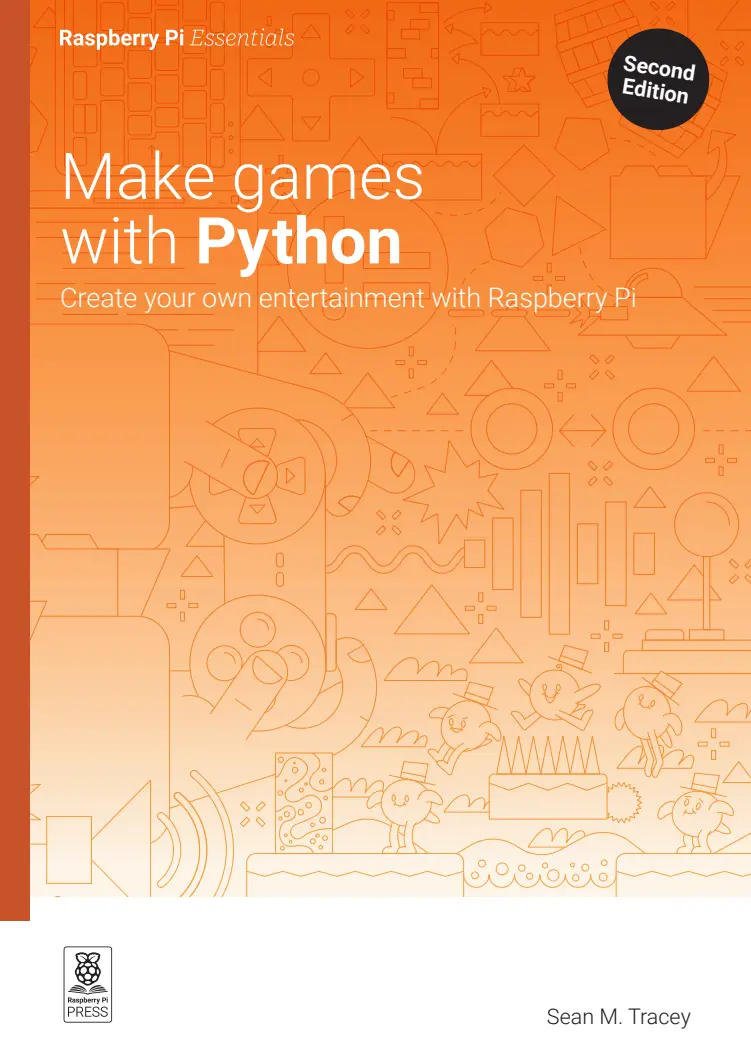
Автор: Tracey Sean M.
Дата выхода: 2025
Издательство: Raspberry Pi Press
Количество страниц: 167
Размер файла: 1,4 МБ
Тип файла: PDF
Добавил: codelibs
Проверить на вирусыMake games with Python, 2nd Edition....2
Table of Contents....4
Welcome....6
About the author....8
Colophon....8
Raspberry Pi Press....9
Raspberry Pi Official Magazine....9
Draw Shapes and Paths....12
Installing Python and Pygame....12
WINDOWS TERMINAL AND POWERSHELL....13
Quick Tip....14
Creating shapes & paths....15
Understanding hello.py....15
TUPLE....16
LINE WIDTH....18
Adding more shapes....18
Drawing circles....20
A new path....23
Animate Shapes and Paths....28
Moving shapes in time and space....28
Quick Tip....29
Moving in all directions....32
Quick Tip....35
Animating other properties....36
Changing colour over time....38
Take control: keyboard, mouse, and gamepad....42
Pygame keyboard input....43
Move()....44
Processing events....47
Quick Tip....47
Pygame mouse input....49
Checking the square....50
Quick Tip....51
Pygame gamepad input....54
What youve learned....55
Your first game....58
How does the game work?....59
What is a class?....59
Variables and prerequisites....64
The player....65
The platforms....68
Starting and stopping the game....70
The main game loop....71
BLITTING....73
Pygame Soundboard....76
First things first....77
Mix it up with Pygame mixer....78
Our first sound....78
Here a button, there a button, EVERYWHERE a button!....80
Pythons iterators....81
Drawing our buttons....82
Clicking buttons....83
ITS LOUD! Oh its quiet now....84
Physics and forces....90
Understanding gravity....91
So, what is this gravity business, anyway?....92
V is for vector....93
A speedy overview....94
Planetary metadata....95
Setting up....97
Click here for planets....97
The movement of the Spheres....99
Tying it all together....102
Rounding up....106
Physics and Collisions....108
So, what are we making?....108
What do we need to know to simulate a collision?....112
THANKS....112
The angle of incidence....114
Bounce!....115
Motion....118
MIX AND MATCH....118
Freds Bad Day....124
This is Fred....130
This is Freds nemesis....134
BASH! CRASH! THUMP!....135
Recap....137
The Aliens Are Trying to Kill Me!....140
Aliens.py....141
Ships.py....146
Quick Tip....146
Projectiles.py....151
What next?....152
The Aliens Are Here and Theyre Coming in Waves!....154
A tour at warp speed....155
Quick Tip....155
Lets take a look at a matrix....156
Launch wave!....158
Quick Tip....162
Full power to the forward deflector shields!....162
Thats all, folks!....166
Learning to code your own shoot-'em-up game is infinitely more satisfying than beating any end-of-level boss.
This essential guide teaches how to develop games with Python and Pygame. Gain a better understanding of the games you play, and build the skills to create games of your own, including how to:
- Create shapes and paths
- Move sprites and detect collisions
- Handle keyboard, mouse, and gamepad input
- Add sound and music
- Simulate physics and forces
Tested to run on the latest Raspberry Pi hardware and operating system, the games and instructions in this book work on Windows, macOS, or Linux.
The Raspberry Pi Essentials series offers concise, hands-on learning to the most popular activities for Raspberry Pi's computers and add-on boards. Also available in the series:
- Conquer the command line
- Simple electronics with GPIO Zero
- AI projects with Raspberry Pi
- Experiment with the Sense HAT


