-
1C
-
Agda
-
Agile/Scrum
-
Alef
-
APL
-
Assembler
-
AWK
-
Basic
-
Beta Programming Language
-
Big Data/DataScience
-
C
-
C#
-
C++
-
Cobol
-
Crystal
-
CSS
-
D
-
Dart
-
DataBase (SQL)
-
Delphi
-
F#
-
Flutter
-
Fortran
-
GameDev
-
Git
-
Go (Golang)
-
GPT/AI/ИИ
-
Hacking and Security
-
Haskell
-
HTML
-
Java
-
JavaScript (JS)
-
Julia
-
Kotlin
-
Machine Learning (ML)
-
Natural language processing (NLP)
-
.NET (.NET Core)
-
Pascal
-
PHP
-
Python
-
R
-
Ruby
-
Rust
-
Scratch
-
Swift
-
UML
-
UX/UI
-
Visual Basic
-
Wolfram
-
XML
-
АСУ
-
Проектирование/System Design
-
Сети/Network
-
Статьи
-
Схемотехника/электронные схемы
-
1C
-
Agda
-
Agile/Scrum
-
Alef
-
APL
-
Assembler
-
AWK
-
Basic
-
Beta Programming Language
-
Big Data/DataScience
-
C
-
C#
-
C++
-
Cobol
-
Crystal
-
CSS
-
D
-
Dart
-
DataBase (SQL)
-
Delphi
-
F#
-
Flutter
-
Fortran
-
GameDev
-
Git
-
Go (Golang)
-
GPT/AI/ИИ
-
Hacking and Security
-
Haskell
-
HTML
-
Java
-
JavaScript (JS)
-
Julia
-
Kotlin
-
Machine Learning (ML)
-
Natural language processing (NLP)
-
.NET (.NET Core)
-
Pascal
-
PHP
-
Python
-
R
-
Ruby
-
Rust
-
Scratch
-
Swift
-
UML
-
UX/UI
-
Visual Basic
-
Wolfram
-
XML
-
АСУ
-
Проектирование/System Design
-
Сети/Network
-
Статьи
-
Схемотехника/электронные схемы
Меню
Web Development with Django: A definitive guide to building modern Python web applications using Django 4. 2 Ed
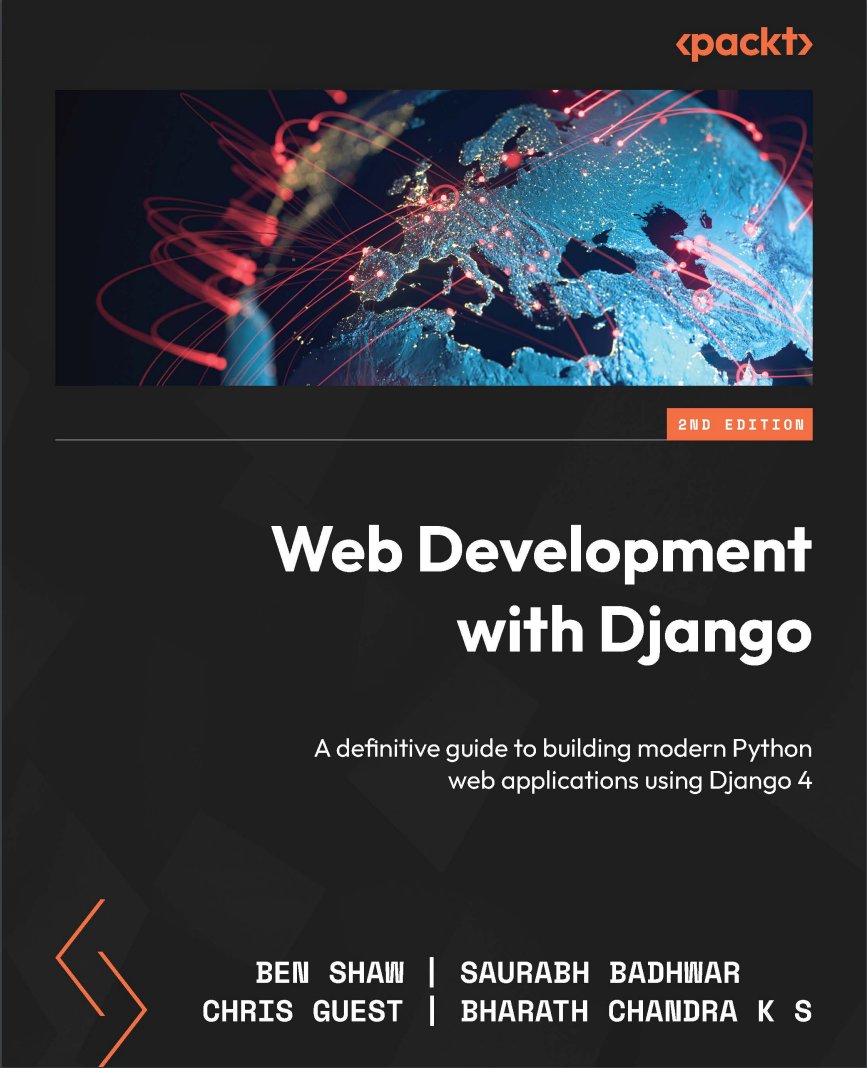
Автор: Badhwar Saurabh , Chandra K S Bharath , Guest Chris , Shaw Ben
Дата выхода: 2023
Издательство: Packt Publishing Limited
Количество страниц: 764
Размер файла: 9,1 МБ
Тип файла: PDF
Добавил: codelibs
Проверить на вирусы Дополнительные материалыCover....1
Title Page....2
Copyright and Credits....3
Dedication....4
Contributors....5
Table of Contents....8
Preface....18
Chapter 1: Introduction to Django....24
Technical requirements....25
Scaffolding a Django project and app....25
Exercise 1.01 – creating a project and app, and starting the development server ....27
Understanding the model-view-template paradigm....30
Models....30
Views....31
Templates....31
MVT in practice....31
An introduction to HTTP....34
Processing a request....38
Exploring the Django project structure....39
The myproject directory....41
Django development server....42
Django apps....42
PyCharm setup....44
Exercise 1.02 – project setup in PyCharm....44
Introducing Django views....53
Exploring URL mapping detail....54
Exercise 1.03 – writing a view and mapping a URL to it....55
Working with GET, POST, and QueryDict objects....59
Exercise 1.04 – exploring GET values and QueryDict objects....61
Exploring Django settings....63
Referring to Django Settings in Your Code....65
Finding HTML templates in app directories....66
Exercise 1.05 – creating a templates directory and a base template....66
Rendering a template with the render function....70
Exercise 1.06 – rendering a template in a view....70
Rendering variables in templates....72
Exercise 1.07 – using variables in templates....72
Debugging and dealing with errors....75
Exceptions....75
Exercise 1.08 – generating and viewing exceptions....77
Debugging....78
Exercise 1.09 – debugging your code....79
Activity 1.01 – creating a site welcome screen....83
Activity 1.02 – a book search scaffold....84
Summary....86
Chapter 2: Models and Migrations....88
Technical requirements....89
Understanding and using databases....89
Relational databases....90
Non-relational databases....90
Database operations using SQL....91
Data types in relational databases....91
Exercise 2.01 – creating a book database....91
Understanding CRUD operations using SQL....95
SQL create operations....96
SQL read operations....96
SQL update operations....97
SQL delete Operations....98
Exploring Django ORM....98
Database configuration and creating Django applications....99
Django apps....100
Django migration....101
Creating Django models and migrations....103
Field options....105
Primary keys....107
Relationships....109
Adding the Review model....113
Model methods....115
Migrating the reviews app....116
Django’s database CRUD operations....118
Exercise 2.02 – creating an entry in the bookr database....119
Exercise 2.03 – using the create() method to create an entry....120
Creating an object with a foreign key....121
Exercise 2.04 – creating records for a many-to-one relationship....121
Exercise 2.05 – creating records with many-to-many relationships....123
Exercise 2.06 – a many-to-many relationship using the add() method....124
Using the create() and set() methods for many-to-many relationships....125
Read operations....126
Exercise 2.07 – using the get() method to retrieve an object....126
Returning an object using the get() method....127
Exercise 2.08 – using the all() method to retrieve a set of objects....128
Retrieving objects by filtering....128
Exercise 2.09 – using the filter() method to retrieve objects....129
Filtering by field lookups....129
Using pattern matching for filtering operations....130
Retrieving objects by using the exclude() method....131
Retrieving objects using the order_by() method....131
Querying across relationships....134
Querying using foreign keys....134
Querying using the model name....134
Querying across foreign key relationships using the object instance....135
Exercise 2.10 – querying across a many-to-many relationship using the field lookup....135
Exercise 2.11 – a many-to-many query using objects....136
Exercise 2.12 – a many-to-many query using the set() method....136
Exercise 2.13 – using the update() method....137
Exercise 2.14 – using the delete() method....138
Bulk create and bulk update operations....138
Exercise 2.15 – creating multiple records using bulk_create....139
Exercise 2.16 – updating multiple records using bulk_update....140
Performing complex lookups using Q objects....140
Exercise 2.17 – performing a complex query using a Q object....141
Exercise 2.18 – verifying whether a queryset contains a given object....141
Activity 2.01 – creating models for a project management application....143
Populating the Bookr project’s database....143
Summary....144
Chapter 3: URL Mapping, Views, and Templates....146
Technical requirements....147
Understanding function-based views....147
Understanding class-based views....147
URL configuration....148
Exercise 3.01 – implementing a simple function-based view....150
Working with Django templates....153
Exercise 3.02 – using templates to display a greeting message....155
Django’s template language....157
Exercise 3.03 – displaying a list of books and reviews....159
Template inheritance....162
Template styling with Bootstrap....163
Exercise 3.04 – adding template inheritance and a Bootstrap navigation bar....165
Activity 3.01 – implementing the book details view....167
Summary....169
Chapter 4: An Introduction to Django Admin....170
Technical requirements....172
Creating a superuser account....172
Exercise 4.01 – creating a superuser account....172
CRUD operations using the Django admin app....174
Create....175
Retrieve....177
Update....179
Delete....181
Managing Django users and groups....182
Exercise 4.02 – adding and modifying users and groups through the admin app....183
Registering models with the admin app....188
Registering the reviews model....189
Change lists....190
The Change publisher page....191
The Book change page....195
Exercise 4.03 – foreign keys and deletion behavior in the admin app....198
Customizing the admin interface....200
Site-wide Django admin customizations....200
Customizing the ModelAdmin classes....210
The list display fields....211
The display decorator....217
The filter....218
Exercise 4.04 – adding the date list_filter and date_hierarchy filters....219
The search bar....222
Excluding and grouping fields....225
Activity 4.03 – customizing the Model admins....229
Summary....232
Chapter 5: Serving Static Files....234
Technical requirements....236
Static file serving....236
Introduction to Static Files Finder....237
Static file finders – use during a request....238
AppDirectoriesFinder....238
Static file namespacing....239
Exercise 5.01 – serving a file from an app directory....241
Generating static URLs with the static template tag....245
Exercise 5.02 – using the static template tag....249
FileSystemFinder....252
Exercise 5.03 – serving from a project static directory....253
Static file finders – use during collectstatic....256
Exercise 5.04 – collecting static files for production....258
STATICFILES_DIRS prefixed mode....259
The findstatic command....262
Exercise 5.05 – finding files using findstatic....263
Serving the latest files (for cache invalidation)....266
Exercise 5.06 – exploring the ManifestFilesStorage storage engine....268
Custom storage engines....272
Activity 5.01 – adding a Reviews logo....275
Activity 5.02 – CSS enhancements....277
Activity 5.03 – adding a global logo....279
Summary....281
Chapter 6: Forms....282
Technical requirements....282
What is a form?....283
The form element....285
Types of inputs....286
Exercise 6.01 – building a form in HTML....287
Form security with Cross-Site Request Forgery Protection....295
Accessing data in the View....299
Exercise 6.02 – working with POST data in a view....299
Choosing between GET or POST....303
Why use GET when we can put parameters in the URL mappings?....305
The Django Forms library....306
Defining a form....307
Rendering a form in a template....318
Exercise 6.03 – building and rendering a Django form....323
Validating forms and retrieving Python values....328
Exercise 6.04 – validating forms in a view....331
Built-in field validation....334
Exercise 6.05 – adding extra field validation....335
Activity 1 – Book Search....337
Summary....341
Chapter 7: Advanced Form Validation and Model Forms....342
Technical requirements....343
Custom field validation and cleaning....343
Custom validators....343
Cleaning methods....345
Multi-field validation....346
Exercise 7.01 – custom clean and validation methods....350
Adding placeholders and initial values....359
Exercise 7.02 – placeholders and initial values....361
Creating or editing Django models....363
The ModelForm class....365
Exercise 7.03 – creating and editing a publisher....369
Activity 7.01 – styling and integrating the publisher form....375
Activity 7.02 – Review Creation UI....379
Summary....386
Chapter 8: Media Serving and File Uploads....388
Technical requirements....389
Settings for media uploads and serving....389
Serving media files in development....389
Exercise 8.01 – configuring media storage and serving....390
Context processors and using MEDIA_URL in templates....394
Exercise 8.02 – template settings and using MEDIA_URL in templates....396
File uploads using HTML forms....399
Working with uploaded files in a view....401
Exercise 8.03 – file upload and download....404
File uploads with Django forms....408
Exercise 8.04 – file uploads with a Django form....409
Image uploads with Django forms....414
Resizing an image with Pillow....416
Exercise 8.05 – image uploads using Django forms....417
Serving uploaded (and other) files using Django....420
Storing files on model instances....421
Storing images on model instances....425
Working with FieldFile....426
Referring to media in templates....431
ModelForms and file uploads....437
Exercise 8.07 – file and image uploads using ModelForm....439
Handling file saving....442
Activity 8.01 – image and PDF upload of books....444
Activity 8.02 – displaying the cover and sample link....448
Summary....450
Chapter 9: Sessions and Authentication....452
Technical requirements....453
Middleware....453
Middleware modules....454
Implementing authentication views and templates....456
Exercise 9.01 – repurposing the Admin app login template....461
Password storage in Django....464
The profile page and the request.user object....464
Exercise 9.02 – adding a profile page....465
Authentication decorators and redirection....467
Exercise 9.03 – adding authentication decorators to the views....470
Enhancing templates with authentication data....473
Exercise 9.04 – toggling login and logout links in the base template ....473
Activity 9.01 – authentication-based content using conditional blocks in templates ....475
Sessions....477
The session engine....477
Do you need to flag cookie content?....478
Pickle or JSON storage?....479
Exercise 9.05 – examining the session key....480
Storing data in sessions....484
Exercise 9.06 – storing recently viewed books in sessions....485
Activity 9.02 – using session storage for the Book Search page....490
Summary....492
Chapter 10: Advanced Django Admin and Customizations....494
Technical requirements....495
Customizing the admin site....495
Discovering admin files in Django....495
Django’s AdminSite class....496
Exercise 10.01 – creating a custom admin site for Bookr....498
Overriding the default admin.site....501
Exercise 10.02 – overriding the default admin site....501
Customizing admin site text using AdminSite attributes....503
Customizing admin site templates....504
Exercise 10.03 – customizing the logout template for the Bookr admin site....506
Adding views to the admin site....508
Creating the view function....508
Accessing common template variables....509
Mapping URLs for the custom view....509
Restricting custom views to the admin site....510
Exercise 10.04 – adding custom views to the admin site....511
Passing additional keys to templates using template variables....514
Activity 10.01 – building a custom admin dashboard with a built-in search....515
Summary....517
Chapter 11: Advanced Templating and Class-Based Views....518
Technical requirements....519
Template filters....519
Custom template filters....520
Creating custom template filters....521
Implementing the custom filter function....522
Using custom filters inside templates....522
Exercise 11.01 – Creating a custom template filter....523
String filters....526
Template tags....527
The types of template tags....528
Simple tags....528
Creating a simple template tag....528
Exercise 11.02 – Creating a custom simple tag....530
Inclusion tags....533
Exercise 11.03 – Building a custom inclusion tag....535
Django views....538
Class-based views....538
Exercise 11.04 – Creating a book catalog using a CBV....540
CRUD operations with CBVs....546
The Read view....547
Activity 11.01 – Rendering details on the user profile page using inclusion tags....551
Summary....553
Chapter 12: Building a REST API....554
Technical requirements....555
Understanding REST APIs....555
Django REST framework....555
Installation and configuration....556
Functional API views....556
Understanding serializers....559
Class-based API views and generic views....562
Activity 12.01 – creating an API endpoint for a top contributors page....567
Simplifying the code using ViewSets....568
URL configuration using routers and Viewsets....569
Exercise 12.04 – using ViewSets and routers....569
Implementing authentication....573
Token-based authentication....574
Exercise 12.05 – omplementing token-based authentication for Bookr APIs....574
Summary....579
Chapter 13: Generating CSV, PDF, and Other Binary Files....580
Technical requirements....581
Working with CSV files inside Python....581
Working with Python’s csv module....581
Reading data from a CSV file....581
Exercise 13.0 – reading a CSV file with Python....582
Writing to CSV files using Python....585
Exercise 13.02 – generating a CSV file using Python’s csv module....586
A better way to read and write CSV files....589
Working with Excel files in Python....591
Binary file formats for data exports....592
Working with XLSX files using the XlsxWriter package....592
XLSX files....592
Exercise 13.03 – creating XLSX files in Python....595
Working with PDF files in Python....598
Converting web pages into PDFs....598
Exercise 13.04 – generating a PDF version of a web page in Python....598
Playing with graphs in Python....601
Integrating plotly with Django....606
Integrating visualizations with Django....606
Exercise 13.06 – visualizing a user’s reading history on the user’s profile page....606
Activity 13.01 – exporting the books read by a user as an XLSLX file....612
Summary....613
Chapter 14: Testing Your Django Applications....614
Technical requirements....615
Importance of testing....615
Automation testing....615
Testing in Django....616
Implementing test cases....617
Unit testing in Django....617
Utilizing assertions....617
Exercise 14.01 – writing a simple unit test....619
Performing pre-test setup and cleanup after every test case run....621
Testing Django models....622
Exercise 14.02 – testing Django models....622
Testing Django views....626
Exercise 14.03 – writing unit tests for Django views....627
Testing views with authentication....630
Exercise 14.04 – writing test cases to validate authenticated users....631
Django RequestFactory....635
Exercise 14.05 – using RequestFactory to test views....635
Testing class-based views....638
Test case classes in Django....638
The SimpleTestCase class....639
The TransactionTestCase class....639
The LiveServerTestCase class....639
Modularizing test code....640
Activity 14.01 – testing models and views in Bookr....641
Summary....642
Chapter 15: Django Third-Party Libraries....644
Technical requirements....645
Environment variables....645
django-configurations....648
manage.py changes....650
Configuration from environment variables....651
Exercise 15.01 – Django configurations setup....652
dj-database-url....656
Exercise 15.02 – dj-database-url and setup....660
The Django Debug Toolbar....661
Exercise 15.03 – setting up the Django Debug Toolbar....678
django-crispy-forms....681
The crispy filter....682
The crispy template Tag....683
Exercise 15.04 – using Django Crispy Forms with SearchForm....685
django-allauth....690
django-allauth installation and setup....693
Initiating authentication with django-allauth....696
Other django-allauth features....696
Activity 15.01 – using FormHelper to update forms....697
Summary....700
Chapter 16: Using a Frontend JavaScript Library with Django....702
Technical requirements....702
JavaScript frameworks....703
An introduction to JavaScript ....705
Loading JavaScript....705
Variables and constants....706
Working with React....711
Components....712
Exercise 16.01 – setting up a React example....717
JSX – a JavaScript syntax extension....720
Exercise 16.02 – JSX and Babel....722
JSX properties....723
Exercise 16.03 – React component properties....724
JavaScript promises....726
The fetch function....727
Exercise 16.04 – fetching and rendering books....731
The verbatim template tag....735
Activity 16.01 – reviews preview....736
Summary....742
Index....744
Other Books You May Enjoy....759
Do you want to develop reliable and secure applications that stand out from the crowd without spending hours on boilerplate code? You've made the right choice trusting the Django framework, and this book will tell you why. Often referred to as a "batteries included" web development framework, Django comes with all the core features needed to build a standalone application. Web Development with Django will take you through all the essential concepts and help you explore its power to build real-world applications using Python.
Throughout the book, you'll get the grips with the major features of Django by building a website called Bookr - a repository for book reviews. This end-to-end case study is split into a series of bitesize projects presented as exercises and activities, allowing you to challenge yourself in an enjoyable and attainable way. As you advance, you'll acquire various practical skills, including how to serve static files to add CSS, JavaScript, and images to your application, how to implement forms to accept user input, and how to manage sessions to ensure a reliable user experience. You'll cover everyday tasks that are part of the development cycle of a real-world web application.
By the end of this Django book, you'll have the skills and confidence to creatively develop and deploy your own projects.
What you will learn
- Create a new application and add models to describe your data
- Use views and templates to control behavior and appearance
- Implement access control through authentication and permissions
- Develop practical web forms to add features such as file uploads
- Build a RESTful API and JavaScript code that communicates with it
- Connect to a database such as PostgreSQL
Who this book is for
This book is for programmers looking to enhance their web development skills using the Django framework. To fully understand the concepts explained in this book, basic knowledge of Python programming as well as familiarity with JavaScript, HTML, and CSS is assumed.


