-
1C
-
Agda
-
Agile/Scrum
-
Alef
-
APL
-
Assembler
-
AWK
-
Basic
-
Beta Programming Language
-
Big Data/DataScience
-
C
-
C#
-
C++
-
Cobol
-
Crystal
-
CSS
-
D
-
Dart
-
DataBase (SQL)
-
Delphi
-
F#
-
Flutter
-
Fortran
-
GameDev
-
Git
-
Go (Golang)
-
GPT/AI/ИИ
-
Hacking and Security
-
Haskell
-
HTML
-
Java
-
JavaScript (JS)
-
Julia
-
Kotlin
-
Machine Learning (ML)
-
Natural language processing (NLP)
-
.NET (.NET Core)
-
Pascal
-
PHP
-
Python
-
R
-
Ruby
-
Rust
-
Scratch
-
Swift
-
UML
-
UX/UI
-
Visual Basic
-
Wolfram
-
XML
-
АСУ
-
Проектирование/System Design
-
Сети/Network
-
Статьи
-
Схемотехника/электронные схемы
-
1C
-
Agda
-
Agile/Scrum
-
Alef
-
APL
-
Assembler
-
AWK
-
Basic
-
Beta Programming Language
-
Big Data/DataScience
-
C
-
C#
-
C++
-
Cobol
-
Crystal
-
CSS
-
D
-
Dart
-
DataBase (SQL)
-
Delphi
-
F#
-
Flutter
-
Fortran
-
GameDev
-
Git
-
Go (Golang)
-
GPT/AI/ИИ
-
Hacking and Security
-
Haskell
-
HTML
-
Java
-
JavaScript (JS)
-
Julia
-
Kotlin
-
Machine Learning (ML)
-
Natural language processing (NLP)
-
.NET (.NET Core)
-
Pascal
-
PHP
-
Python
-
R
-
Ruby
-
Rust
-
Scratch
-
Swift
-
UML
-
UX/UI
-
Visual Basic
-
Wolfram
-
XML
-
АСУ
-
Проектирование/System Design
-
Сети/Network
-
Статьи
-
Схемотехника/электронные схемы
Меню
Using Stable Diffusion with Python: Leverage Python to control and automate high-quality AI image generation using Stable Diffusion
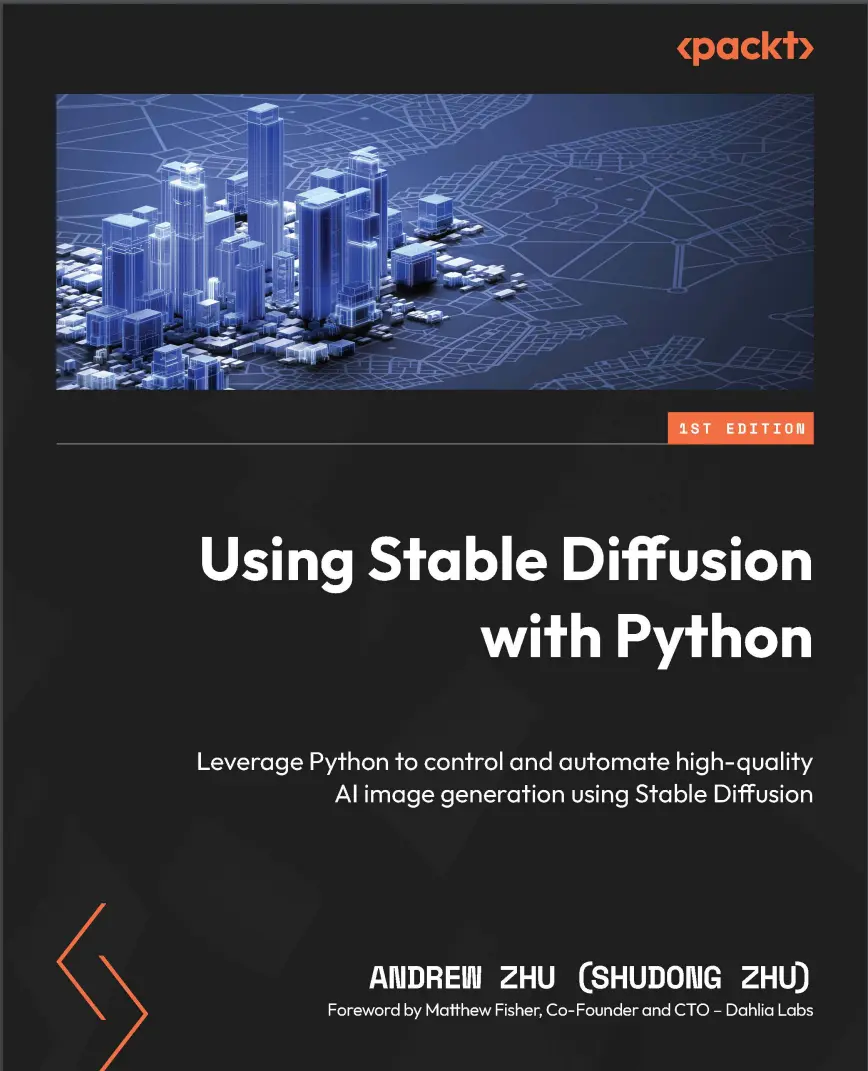
Автор: Zhu Andrew
Дата выхода: 2024
Издательство: Packt Publishing Limited
Количество страниц: 352
Размер файла: 5,5 МБ
Тип файла: PDF
Добавил: codelibs
Проверить на вирусы Дополнительные материалыTitle Page....2
Copyright and Credits....3
Dedication....4
Foreword....5
Contributors....6
Table of Contents....8
Preface....16
Part 1 – A Whirlwind of Stable Diffusion....22
Chapter 1: Introducing Stable Diffusion....24
Evolution of the Diffusion model....26
Before Transformer and Attention....26
Transformer transforms machine learning....27
CLIP from OpenAI makes a big difference....27
Generate images....28
DALL-E 2 and Stable Diffusion....29
Why Stable Diffusion....29
Which Stable Diffusion to use....29
Why this book....30
References....31
Chapter 2: Setting Up the Environment for Stable Diffusion....32
Hardware requirements to run Stable Diffusion....33
GPU....34
System memory....34
Storage....34
Software requirements....34
CUDA installation....34
Installing Python for Windows, Linux, and macOS....36
Installing PyTorch....38
Running a Stable Diffusion pipeline....39
Using Google Colaboratory....40
Using Google Colab to run a Stable Diffusion pipeline....41
Summary....43
References....43
Chapter 3: Generating Images Using Stable Diffusion....44
Logging in to Hugging Face....45
Generating an image....45
Generation seed....46
Sampling scheduler....47
Changing a model....50
Guidance scale....51
Summary....52
References....53
Chapter 4: Understanding the Theory Behind Diffusion Models....54
Understanding the image-to-noise process....55
A more efficient forward diffusion process....59
The noise-to-image training process....61
The noise-to-image sampling process....63
Understanding Classifier Guidance denoising....64
Summary....65
References....65
Chapter 5: Understanding How Stable Diffusion Works....68
Stable Diffusion in latent space....69
Generating latent vectors using diffusers....72
Generating text embeddings using CLIP....75
Initializing time step embeddings....77
Initializing the Stable Diffusion UNet....78
Implementing a text-to-image Stable Diffusion inference pipeline....79
Implementing a text-guided image-to-image Stable Diffusion inference pipeline....83
Summary....84
References....84
Additional reading....85
Chapter 6: Using Stable Diffusion Models....86
Technical requirements....86
Loading the Diffusers model....87
Loading model checkpoints from safetensors and ckpt files....88
Using ckpt and safetensors files with Diffusers....88
Turning off the model safety checker....89
Converting the checkpoint model file to the Diffusers format....90
Using Stable Diffusion XL....91
Summary....95
References....95
Part 2 – Improving Diffusers with Custom Features....98
Chapter 7: Optimizing Performance and VRAM Usage....100
Setting the baseline....100
Optimization solution 1 – using the float16 or bfloat16 data type....101
Optimization solution 2 – enabling VAE tiling....102
Optimization solution 3 – enabling Xformers or using PyTorch 2.0....103
Optimization solution 4 – enabling sequential CPU offload....104
Optimization solution 5 – enabling model CPU offload....106
Optimization solution 6 – Token Merging (ToMe)....107
Summary....108
References....108
Chapter 8: Using Community-Shared LoRAs....110
Technical requirements....111
How does LoRA work?....111
Using LoRA with Diffusers....112
Applying a LoRA weight during loading....114
Diving into the internal structure of LoRA....117
Finding the A and B weight matrix from the LoRA file....118
Finding the corresponding checkpoint model layer name....119
Updating the checkpoint model weights....121
Making a function to load LoRA....122
Why LoRA works....125
Summary....126
References....127
Chapter 9: Using Textual Inversion....128
Diffusers inference using TI....129
How TI works....131
Building a custom TI loader....132
TI in the pt file format....133
TI in bin file format....133
Detailed steps to build a TI loader....134
Putting all of the code together....136
Summary....138
References....139
Chapter 10: Overcoming 77-Token Limitations and Enabling Prompt Weighting....140
Understanding the 77-token limitation....141
Overcoming the 77-tokens limitation....142
Putting all the code together into a function....145
Enabling long prompts with weighting....149
Verifying the work....158
Overcoming the 77-token limitation using community pipelines....159
Summary....161
References....161
Chapter 11: Image Restore and Super-Resolution....162
Understanding the terminologies....163
Upscaling images using Img2img diffusion....164
One-step super-resolution....164
Multiple-step super-resolution....168
A super-resolution result comparison....169
Img-to-Img limitations....170
ControlNet Tile image upscaling....170
Steps to use ControlNet Tile to upscale an image....171
The ControlNet Tile upscaling result....173
Additional ControlNet Tile upscaling samples....174
Summary....179
References....179
Chapter 12: Scheduled Prompt Parsing....180
Technical requirements....180
Using the Compel package....180
Building a custom scheduled prompt pipeline....184
A scheduled prompt parser....184
Filling in the missing steps....187
A Stable Diffusion pipeline supporting scheduled prompts....189
Summary....197
References....197
Part 3 – Advanced Topics....198
Chapter 13: Generating Images with ControlNet....200
What is ControlNet and how is it different?....200
Usage of ControlNet....202
Using multiple ControlNets in one pipeline....206
How ControlNet works....208
Further usage....210
More ControlNets with SD....210
SDXL ControlNets....210
Summary....214
References....215
Chapter 14: Generating Video Using Stable Diffusion....216
Technical requirements....217
The principles of text-to-video generation....217
Practical applications of AnimateDiff....219
Utilizing Motion LoRA to control animation motion....221
Summary....222
References....223
Chapter 15: Generating Image Descriptions Using BLIP-2 and LLaVA....224
Technical requirements....224
BLIP-2 – Bootstrapping Language-Image Pre-training....226
How BLIP-2 works....226
Using BLIP-2 to generate descriptions....227
LLaVA – Large Language and Vision Assistant....228
How LLaVA works....228
Installing LLaVA....229
Using LLaVA to generate image descriptions....229
Summary....232
References....233
Chapter 16: Exploring Stable Diffusion XL....234
What’s new in SDXL?....234
The VAE of the SDXL....235
The UNet of SDXL....236
Two text encoders in SDXL....237
The two-stage design....240
Using SDXL....240
Use SDXL community models....240
Using SDXL image-to-image to enhance an image....241
Using SDXL LoRA models....243
Using SDXL with an unlimited prompt....245
Summary....247
References....247
Chapter 17: Building Optimized Prompts for Stable Diffusion....248
What makes a good prompt?....248
Be clear and specific....249
Be descriptive....251
Using consistent terminology....253
Reference artworks and styles....255
Incorporate negative prompts....256
Iterate and refine....257
Using LLMs to generate better prompts....258
Summary....269
References....269
Part 4 – Building Stable Diffusion into an Application....270
Chapter 18: Applications – Object Editing and Style Transferring....272
Editing images using Stable Diffusion....272
Replacing image background content....273
Removing the image background....276
Object and style transferring....278
Loading up a Stable Diffusion pipeline with IP-Adapter....279
Transferring style....280
Summary....282
References....282
Chapter 19: Generation Data Persistence....284
Exploring and understanding the PNG file structure....284
Saving extra text data in a PNG image file....286
PNG extra data storage limitation....289
Summary....289
References....289
Chapter 20: Creating Interactive User Interfaces....290
Introducing Gradio....291
Getting started with Gradio....291
Gradio fundamentals....294
Gradio Blocks....294
Inputs and outputs....295
Building a progress bar....296
Building a Stable Diffusion text-to-image pipeline with Gradio....297
Summary....300
References....300
Chapter 21: Diffusion Model Transfer Learning....302
Technical requirements....303
Training a neural network model with PyTorch....303
Preparing the training data....304
Preparing for training....304
Training a model....306
Training a model with Hugging Face’s Accelerate....307
Applying Hugging Face’s Accelerate....308
Putting code together....308
Training a model with multiple GPUs using Accelerate....309
Training a Stable Diffusion V1.5 LoRA....313
Defining training hyperparameters....314
Preparing the Stable Diffusion components....316
Loading the training data....317
Defining the training components....321
Training a Stable Diffusion V1.5 LoRA....323
Kicking off the training....328
Verifying the result....328
Summary....330
References....331
Chapter 22: Exploring Beyond Stable Diffusion....332
What sets this AI wave apart....333
The enduring value of mathematics and programming....334
Staying current with AI innovations....335
Cultivating responsible, ethical, private, and secure AI....337
Our evolving relationship with AI....338
Summary....338
References....339
Index....340
Other Books You May Enjoy....349
Stable Diffusion is a game-changing AI tool for image generation, enabling you to create stunning artwork with code. However, mastering it requires an understanding of the underlying concepts and techniques. This book guides you through unlocking the full potential of Stable Diffusion with Python.
Starting with an introduction to Stable Diffusion, you'll explore the theory behind diffusion models, set up your environment, and generate your first image using diffusers. You'll learn how to optimize performance, leverage custom models, and integrate community-shared resources like LoRAs, textual inversion, and ControlNet to enhance your creations. After covering techniques such as face restoration, image upscaling, and image restoration, you'll focus on unlocking prompt limitations, scheduled prompt parsing, and weighted prompts to create a fully customized and industry-level Stable Diffusion application. This book also delves into real-world applications in medical imaging, remote sensing, and photo enhancement. Finally, you'll gain insights into extracting generation data, ensuring data persistence, and leveraging AI models like BLIP for image description extraction.
By the end of this book, you'll be able to use Python to generate and edit images and leverage solutions to build Stable Diffusion apps for your business and users.
What you will learn
- Explore core concepts and applications of Stable Diffusion and set up your environment for success
- Refine performance, manage VRAM usage, and leverage community-driven resources like LoRAs and textual inversion
- Harness the power of ControlNet, IP-Adapter, and other methodologies to generate images with unprecedented control and quality
- Explore developments in Stable Diffusion such as video generation using AnimateDiff
- Write effective prompts and leverage LLMs to automate the process
- Discover how to train a Stable Diffusion LoRA from scratch
Who this book is for
If you're looking to gain control over AI image generation, particularly through the diffusion model, this book is for you. Moreover, data scientists, ML engineers, researchers, and Python application developers seeking to create AI image generation applications based on the Stable Diffusion framework can benefit from the insights provided in the book.


