-
1C
-
Agda
-
Agile/Scrum
-
Alef
-
APL
-
Assembler
-
AWK
-
Basic
-
Beta Programming Language
-
Big Data/DataScience
-
C
-
C#
-
C++
-
Cobol
-
Crystal
-
CSS
-
D
-
Dart
-
DataBase (SQL)
-
Delphi
-
F#
-
Flutter
-
Fortran
-
GameDev
-
Git
-
Go (Golang)
-
GPT/AI/ИИ
-
Hacking and Security
-
Haskell
-
HTML
-
Java
-
JavaScript (JS)
-
Julia
-
Kotlin
-
Machine Learning (ML)
-
Natural language processing (NLP)
-
.NET (.NET Core)
-
Pascal
-
PHP
-
Python
-
R
-
Ruby
-
Rust
-
Scratch
-
Swift
-
UML
-
UX/UI
-
Visual Basic
-
Wolfram
-
XML
-
АСУ
-
Проектирование/System Design
-
Сети/Network
-
Статьи
-
Схемотехника/электронные схемы
-
1C
-
Agda
-
Agile/Scrum
-
Alef
-
APL
-
Assembler
-
AWK
-
Basic
-
Beta Programming Language
-
Big Data/DataScience
-
C
-
C#
-
C++
-
Cobol
-
Crystal
-
CSS
-
D
-
Dart
-
DataBase (SQL)
-
Delphi
-
F#
-
Flutter
-
Fortran
-
GameDev
-
Git
-
Go (Golang)
-
GPT/AI/ИИ
-
Hacking and Security
-
Haskell
-
HTML
-
Java
-
JavaScript (JS)
-
Julia
-
Kotlin
-
Machine Learning (ML)
-
Natural language processing (NLP)
-
.NET (.NET Core)
-
Pascal
-
PHP
-
Python
-
R
-
Ruby
-
Rust
-
Scratch
-
Swift
-
UML
-
UX/UI
-
Visual Basic
-
Wolfram
-
XML
-
АСУ
-
Проектирование/System Design
-
Сети/Network
-
Статьи
-
Схемотехника/электронные схемы
Меню
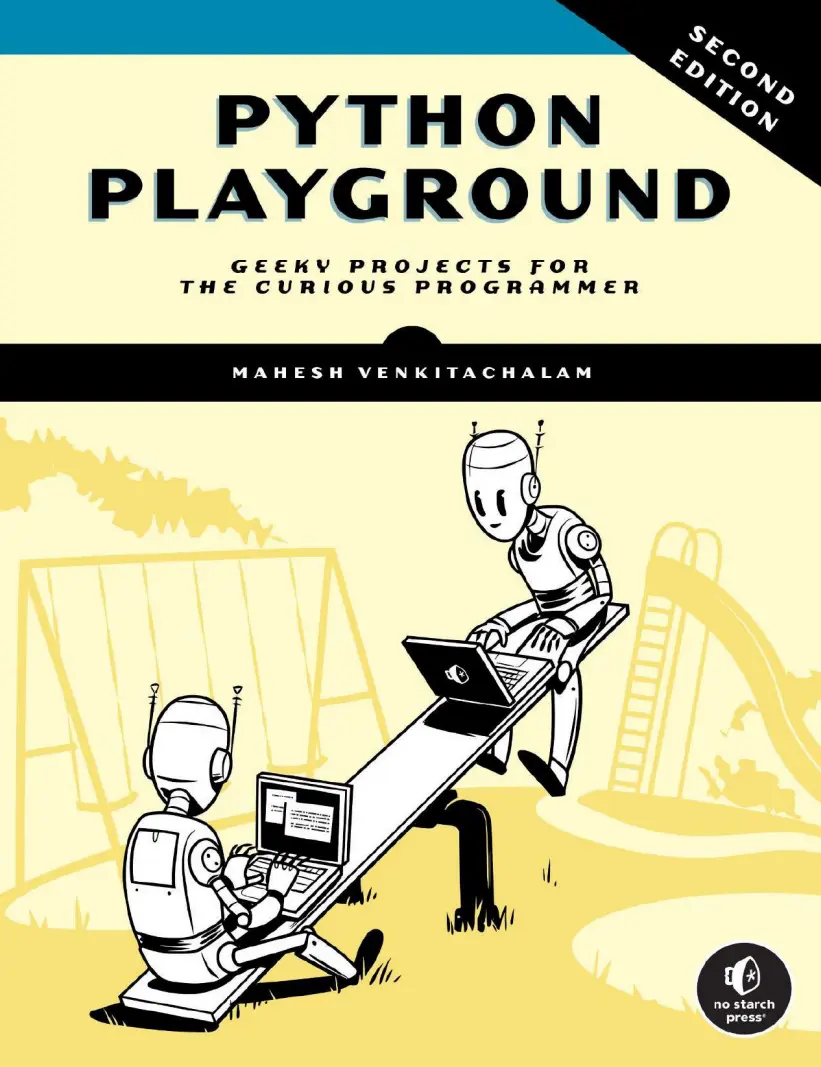
Python Playground: Geeky Projects for the Curious. 2 Ed
Автор: Venkitachalam Mahesh
Дата выхода: 2024
Издательство: No Starch Press, Inc.
Количество страниц: 608
Размер файла: 5,3 МБ
Тип файла: PDF
Добавил: codelibs
Проверить на вирусыContents
Introduction
Section 1: Auditing
What's Covered?
Planning Your Auditing Strategy
Getting Into the Right Mindset
Recording Your Findings
Automated Tooling
PHP Insights
Enlightn
Larastan
Style CI
Code Coverage
Manual Auditing
Investigating "raw" Database Queries
Finding Incorrect Authorisation
Checking Validation
Finding "Fake Facades"
Finding Business Logic in Helpers
Finding N+1 Queries
Finding Controllers That Use Other Controllers
Finding Logic and Queries in Blade Views
Finding Hard-Coded Credentials
Check Open Package Routes
Reviewing Project Documentation
Section 2: Testing
What's Covered?
Planning Your Testing Strategy
The Benefits of Writing Tests
Spotting Bugs Early
Making Future Work and Refactoring Easier
Changing the Way You Approach Writing Code
Tests-As-Documentation
Prove That Bugs Exist
Structuring Your Tests
Directory Structure
Choosing What To Test
Test Structure
Data Providers
Writing the Tests
Prioritising Mission-Critical Tests First
Writing the Rest of the Tests
Benefits of Writing the Easy Tests First
Preventing Test Fatigue
Testing Your UI with Laravel Dusk
Installation
Testing a Simple Form
Dusk Pages and Selectors
Running Failed Tests and Groups
Creating a CI Workflow Using GitHub Actions
Using an .env.ci File
Running the Test Suite
Larastan
Laravel Dusk
Output
Section 3: Fixing
What's Covered?
Planning Your Fixing Strategy
Using an Error Reporting System
Types of Errors
The Benefits of an Automated Error Reporting System
Error Reporting Using Flare
Uptime Checking, Queue Monitoring, and Scheduler Monitoring
Uptime Monitoring with Oh Dear
Scheduler Monitoring with Oh Dear
Queue Monitoring with Oh Dear
Updating PHP, Laravel, and Packages
Upgrading in Small Increments
Automating the Upgrade Using Laravel Shift
Planning Upgrades Early
Using a Suitable Local Development Environment
Using Tests to Fix Bugs
What is Test-Driven Development?
The Advantages of Test-Driven Development
The Disadvantages of Test-Driven Development
Fixing a Real Bug Using Test-Driven Development
Safely Removing Dead Code
Checking the Version Control History
Scream Test
Logging or Reporting the Usage
Removing the Code with an Atomic Commit
Section 4: Improving
What's Covered?
Planning Your Improvement Strategy
Making the Most of PHP's Type System
Using Type Hints and Return Types
Union Types
Type Hints and Return Types in Closures
DRYing Up Your Code
Advantages of DRYing Up Your Code
When to DRY Up Your Code
Refactoring Conditions
Reducing Indented Code
Replacing if and elseif with match
Using the Nullsafe Operator
Using Database Transactions
Adding the Database Transactions
Manually Using Database Transactions
Tips for Interacting with Third-Party Services
Using Automatic or Manual Transactions
Dispatching Queued Jobs inside Database Transactions
Improving the Testability of Your Code
Using Objects Over Arrays
Final Words
Discount Codes
Flare
Oh Dear
StyleCI
Laravel Security In Depth
Put the fun back in Python programming and build your skills as you create 3D simulations and graphics, speech-recognition machine-learning systems, IoT devices, and more.
The fully updated 2nd edition is here, now with 5 brand-new projects!
Harness the power of Python as you turn code into tangible creations with Python Playground, a collection of 15 inventive projects that will expand your programming horizons, spark your curiosity, and elevate your coding skills.
Go beyond the basics as you write programs to generate art and music, simulate real-world phenomena, and interact with hardware, all through the use of Python and common libraries such as numpy, matplotlib, and Pillow.
As you work through the book’s projects, you will:
Craft intricate Spirograph-like designs with parametric equations and the turtle module
Generate music by synthesizing plucked string sounds
Transform everyday images into ASCII art, photomosaics, and eye-popping autostereograms
Design engaging cellular automata and flocking simulations
Explore the realm of 3D graphics, from basic shape rendering to visualizing MRI scan data
Build a Raspberry Pi–powered laser show that dances along with music
New to this edition: We’ve expanded your playground with five new projects: you’ll draw fractals, bring Conway’s Game of Life into 3D space, and use a Raspberry Pi and Python to create a musical instrument, an IoT garden monitor, and even a machine learning–driven speech recognition system.
Whether you’re a seasoned professional or just getting started, you’ll find Python Playground to be a great way to learn, experiment with, and master this versatile programming language.
Covers Python 3.x


