-
1C
-
Agda
-
Agile/Scrum
-
Alef
-
APL
-
Assembler
-
AWK
-
Basic
-
Beta Programming Language
-
Big Data/DataScience
-
C
-
C#
-
C++
-
Cobol
-
Crystal
-
CSS
-
D
-
Dart
-
DataBase (SQL)
-
Delphi
-
F#
-
Flutter
-
Fortran
-
GameDev
-
Git
-
Go (Golang)
-
GPT/AI/ИИ
-
Hacking and Security
-
Haskell
-
HTML
-
Java
-
JavaScript (JS)
-
Julia
-
Kotlin
-
Machine Learning (ML)
-
Natural language processing (NLP)
-
.NET (.NET Core)
-
Pascal
-
PHP
-
Python
-
R
-
Ruby
-
Rust
-
Scratch
-
Swift
-
UML
-
UX/UI
-
Visual Basic
-
Wolfram
-
XML
-
АСУ
-
Проектирование/System Design
-
Сети/Network
-
Статьи
-
Схемотехника/электронные схемы
-
1C
-
Agda
-
Agile/Scrum
-
Alef
-
APL
-
Assembler
-
AWK
-
Basic
-
Beta Programming Language
-
Big Data/DataScience
-
C
-
C#
-
C++
-
Cobol
-
Crystal
-
CSS
-
D
-
Dart
-
DataBase (SQL)
-
Delphi
-
F#
-
Flutter
-
Fortran
-
GameDev
-
Git
-
Go (Golang)
-
GPT/AI/ИИ
-
Hacking and Security
-
Haskell
-
HTML
-
Java
-
JavaScript (JS)
-
Julia
-
Kotlin
-
Machine Learning (ML)
-
Natural language processing (NLP)
-
.NET (.NET Core)
-
Pascal
-
PHP
-
Python
-
R
-
Ruby
-
Rust
-
Scratch
-
Swift
-
UML
-
UX/UI
-
Visual Basic
-
Wolfram
-
XML
-
АСУ
-
Проектирование/System Design
-
Сети/Network
-
Статьи
-
Схемотехника/электронные схемы
Меню
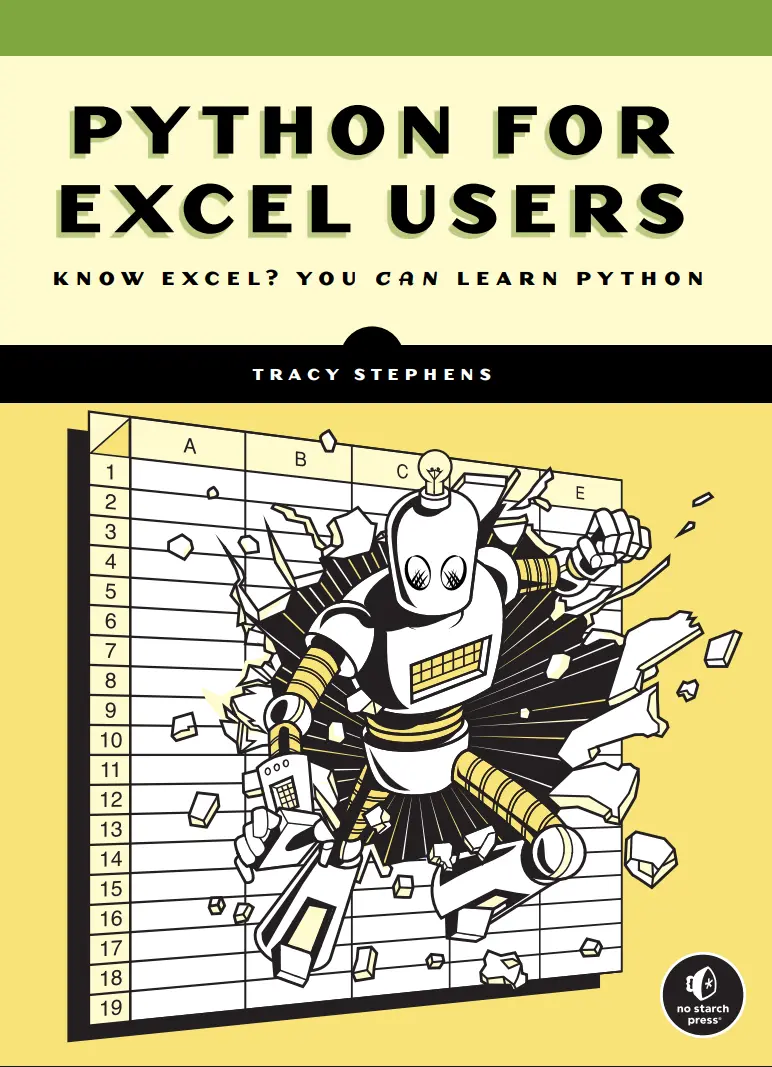
Python for Excel Users: Know Excel? You Can Learn Python
Автор: Stephens Tracy
Дата выхода: 2025
Издательство: No Starch Press, Inc.
Количество страниц: 345
Размер файла: 2,3 МБ
Тип файла: PDF
Добавил: codelibs
Проверить на вирусыAbout the Author....9
Brief Contents....11
Contents in Detail....13
Introduction....21
Who This Book Is For....22
How Spreadsheets Can Hold You Back....23
Detecting Errors....24
Documenting Your Work....25
Collaborating with Others....26
Integrating Modern AI Tools....27
The Benefits of Using Python vs. Excel....27
Speed....28
Modularity....30
Automation....30
Interoperability....32
Security....33
Alternatives to Python....34
VBA....34
Python in Excel....35
What's in This Book....36
PART I: GETTING STARTED WITH PYTHON....39
Chapter 1: Setting Up Your Coding Environment....41
Why a Well-Configured Installation Matters....41
Using the Command Line....42
Navigating Directories and Subdirectories....43
Manipulating Files....47
Customizing and Storing System Settings....48
Working Within Corporate IT Policies....51
Installing Python....52
Running the Installer....52
Verifying the Installation....54
Running Some Code....55
Getting Started with Python Libraries....56
Tools to Simplify Writing Code....57
Important Features....58
Popular Python Editors....59
VS Code Installation....59
Conclusion....61
Chapter 2: Coding Fundamentals Explained Through Excel....63
What Is Code?....64
Objects and Variables....65
Rules of Python Syntax....66
Case Sensitivity....66
Indentation....66
Comments....67
Statements and Assignments....67
Testing Examples in VS Code....68
Basic Data Types....69
Boolean Variables....69
Integers and Floats....69
Strings and Characters....70
None....72
Operators....72
Arithmetic Operators....72
Comparison Operators....73
Logical Operators....73
Composite Data Types....74
Lists....74
Tuples....75
Dictionaries....76
Functions and Methods....77
Common String Methods....78
Common List Methods....78
Common Dict Methods....79
Conditionals....79
if Statements....80
else Clauses....81
elif Clauses....81
Nested Conditionals....82
Representing Dates and Times....83
Internal Representation of Dates in Excel....83
The datetime Library....84
Conclusion....88
Chapter 3: Automating Tasks witih Python Scripts....89
What Are Scripts?....89
When to Use a Script....90
Parts of a Script....91
Loops....92
for Loops....92
List Comprehensions....94
Loop Controls....95
while Loops....97
User-Defined Functions....97
Arguments....98
Scope....100
Returns....100
Modifier Functions....102
Functionalizing Logic....103
Building and Running a Complete Script....104
Running a Script on the Command Line....107
Importing a Script as a Module....108
Using a Main Block....109
Passing System Arguments....110
Conclusion....111
Chapter 4: Tracking Changes with Version Control....113
Why Use Version Control?....114
What Is Git?....115
Why Git Works Best with Code....115
Git vs. GitHub....116
Working Within Git Repositories....116
Centralizing Your Work in a Single Folder....116
Navigating Local and Remote Repositories....118
Maintaining a .gitignore File....119
Setting Up a Git Repository....120
Installing Git....120
Configuring Git....120
Creating a New Git Repository....121
Tracking Changes to Files....122
Git's Staging Area....122
Commits....123
Syncing Local and Remote Repositories....124
fetch....124
pull....124
push....124
Managing Histories....125
The Main Branch....125
Feature Branches....125
Merges....126
Conflicts....126
Best Practices for Using Git....128
Troubleshooting with Status Messages....129
Integrating Git with VS Code....130
How Git Works....130
Directed Acyclic Graphs....130
Hashing....131
Conclusion....131
PART II: WORKING WITH DATA....133
Chapter 5: Data Analysis Made Interactive....135
What Are Jupyter Notebooks?....136
Code Cells....136
Markdown Cells....137
Raw Text Cells....138
The JupyterLab Code Editor....139
Installing JupyterLab....139
Launching JupyterLab....139
Creating a Jupyter Notebook....140
Closing a Jupyter Notebook....141
Building a Jupyter Notebook....141
Scripts and Notebooks Working Together....143
Version Control with Jupyter Notebooks....145
Conclusion....145
Chapter 6: Analyzing and Transforming Data....147
Efficient Data Analysis with pandas....148
Series and DataFrames....148
pandas and Jupyter Notebooks....149
Getting Started with pandas....149
Creating a DataFrame from Scratch....150
Reading Data from a File into a DataFrame....152
Working with pandas Data Types....153
Moving Between Excel and pandas....154
Using the Clipboard....155
Using openpyxl....156
Manipulating and Transforming Data....156
Accessing Values....156
Updating Values....158
Sorting Datasets....159
Manipulating Data....159
Handling Missing Data....162
Combining DataFrames....163
Aggregating Data....166
Easily Reshaping Data with pandas....167
Grouping....167
Pivoting....168
Conclusion....169
Chapter 7: Working with Databases....171
Why Use a Database?....172
How Databases Work....173
Incorporating Databases into Your Workflow....173
Where Databases Live....173
How to Access Corporate Databases....174
The Costs of a Database Connection....174
Relational Databases and SQL Workflows....175
Database Management Systems....175
Sandbox Environments....176
Creating a Practice Database....176
Installing PostgreSQL....176
Managing Users and Databases....178
Using PostgreSQL in VS Code....179
Creating and Editing Tables....180
Creating a Table....181
Altering a Table's Structure....182
Dropping a Table....183
Adding Rows....183
Updating Records....183
Deleting Data....184
Retrieving Database Data....184
Selections....184
Filters....186
Joins....188
Column Transformations....192
Aggregations....192
Groupings....193
Structuring Complex Queries....194
Automating Database Tasks with Python and SQL....195
Installing Psycopg 2....196
Connecting to PostgreSQL from Python....196
Running a Query from Python....197
Closing the Database Connection....198
Conclusion....198
Chapter 8: Retrieving Data from the Internet....199
What Is an API?....200
REST APIs....200
Other Types of APIs....201
Making Requests and Handling Responses....201
Internet Communication Protocols....201
Request Types....203
Response Types....204
Simplifying Requests with the Requests Library....207
Making an API Request....207
Adding Arguments....208
Building in Error Handling....209
try...except Blocks....210
Common Errors....211
Breaking Large Requests into Smaller Parts....212
Handling Authentication....214
API Keys....215
OAuth....217
Streamlining Your Requests with Reusable Functions....218
Conclusion....221
Chapter 9: Creating Charts and Visuals....223
Charting with Excel vs. Python....224
Integration into a Broader Workflow....224
Reusability....224
Version Control....225
Customization....225
Standardization....225
Charting Libraries in Python....226
Using Plotly in Jupyter Notebooks....227
Installing and Importing Plotly....227
Creating Simple Charts....227
An Example Dataset....228
A Basic Line Chart....229
A Multi-Trace Line Chart....231
A Basic Bar Chart....232
A Multi-Trace Bar Chart....234
Saving Charts as Images....236
Charting Multidimensional Data....236
Elevating Charts with Custom Styling....238
Layout Properties....239
Themes....243
Using Plotly's Interactivity Features....247
Conclusion....248
Chapter 10: Building Interactive Reports....249
Why Use Interactive Reports....249
Creating Interactive Reports with Dash....250
When Interactive Reports Make Sense....250
How to Choose the Right Framework....251
Dash Basics....252
Installing Dash....253
Setting Up a Dashboard....253
Deploying a Dashboard Locally....254
Web Development Concepts and Dash....254
HTML Basics....255
HTML in Dash....257
CSS Basics....259
CSS in Dash....260
Integrating Plotly and Dash....261
Functionalizing Plotly Charts....261
Embedding a Chart in a Dashboard....263
Enabling User Selections....264
Updating Charts with Callbacks....264
Putting It All Together....266
Sharing Your Reports with Others....268
Conclusion....269
PART III: WRITING BETTER CODE....271
Chapter 11: Organizing Your Code with Classes....273
From Rows and Columns to Classes....274
Examples of Classes in Common Python Libraries....275
Custom Classes....275
Programming with Objects to Stay Organized....277
Reusability....281
Extendability....282
Encapsulation....283
Inheritance....287
Conclusion....293
Chapter 12: Finding and Fixing Errors....295
The Art of Debugging....295
Debugging Inside the VS Code Editor....296
Breakpoints....297
The Debug Panel....298
The Debug Console....300
Debugging Code with Errors....301
The Step Out Command....301
The Step Into Command....302
Pausing Code at the Right Moment....303
Debugging with Different Inputs....304
The Process of Testing Code....305
Assertions....306
The unittest Module....307
Identifying Test Cases....309
Conclusion....310
Chapter 13: Three Good Coding Habits....311
Simpler Code Is Better Code....312
Too Many Conditions....312
Mixed Scopes....314
Inconsistency....315
Confusing Variable Names....315
Repetition....316
Making Code Manageable....317
The Right Amount of Modularization....318
Too Much Modularization....319
First Make It Run, Then Make It Better....320
Conclusion....321
Afterword....323
Index....325
Back cover....345
When Excel isn’t enough, it’s time to learn Python.
If you’re comfortable in Excel, but you’ve hit a wall—slow files, broken formulas, hours spent on repetitive tasks—this book offers a way forward. It shows you how to take the work you already do in spreadsheets and make it faster, smarter, and more powerful with Python.
You’ll start by setting up your environment and getting comfortable with Python through short, Excel-inspired exercises. From there, you’ll gradually move into writing scripts that automate manual work, structure your data, and generate consistent results—no prior programming knowledge required.
You’ll use your preexisting Excel skills to learn how to:
- Translate spreadsheet logic into Python code
- Use pandas to clean, reshape, and filter data
- Automate reports you’d normally build by hand
- Read and write Excel files directly from Python
- Connect to databases and APIs
- Create professional visualizations with Plotly and Dash
- Organize code into sharable modules and write simple tests
Throughout the book, you’ll find practical examples that show why and how to move your work out of spreadsheets and into scripts, and how to resolve issues along the way.
Author Tracy Stephens has extensive practical experience with both Excel and Python. Her approach is grounded in real workflows, and she introduces each concept through tasks you’ve likely handled in Excel.
This book won’t ask you to replace everything you do in spreadsheets, but it will help you use Python to work faster, more reliably, and with greater flexibility than you ever could with Excel.


