-
1C
-
Agda
-
Agile/Scrum
-
Alef
-
APL
-
Assembler
-
AWK
-
Basic
-
Beta Programming Language
-
Big Data/DataScience
-
C
-
C#
-
C++
-
Cobol
-
Crystal
-
CSS
-
D
-
Dart
-
DataBase (SQL)
-
Delphi
-
F#
-
Flutter
-
Fortran
-
GameDev
-
Git
-
Go (Golang)
-
GPT/AI/ИИ
-
Hacking and Security
-
Haskell
-
HTML
-
Java
-
JavaScript (JS)
-
Julia
-
Kotlin
-
Machine Learning (ML)
-
Natural language processing (NLP)
-
.NET (.NET Core)
-
Pascal
-
PHP
-
Python
-
R
-
Ruby
-
Rust
-
Scratch
-
Swift
-
UML
-
UX/UI
-
Visual Basic
-
Wolfram
-
XML
-
АСУ
-
Проектирование/System Design
-
Сети/Network
-
Статьи
-
Схемотехника/электронные схемы
-
1C
-
Agda
-
Agile/Scrum
-
Alef
-
APL
-
Assembler
-
AWK
-
Basic
-
Beta Programming Language
-
Big Data/DataScience
-
C
-
C#
-
C++
-
Cobol
-
Crystal
-
CSS
-
D
-
Dart
-
DataBase (SQL)
-
Delphi
-
F#
-
Flutter
-
Fortran
-
GameDev
-
Git
-
Go (Golang)
-
GPT/AI/ИИ
-
Hacking and Security
-
Haskell
-
HTML
-
Java
-
JavaScript (JS)
-
Julia
-
Kotlin
-
Machine Learning (ML)
-
Natural language processing (NLP)
-
.NET (.NET Core)
-
Pascal
-
PHP
-
Python
-
R
-
Ruby
-
Rust
-
Scratch
-
Swift
-
UML
-
UX/UI
-
Visual Basic
-
Wolfram
-
XML
-
АСУ
-
Проектирование/System Design
-
Сети/Network
-
Статьи
-
Схемотехника/электронные схемы
Меню
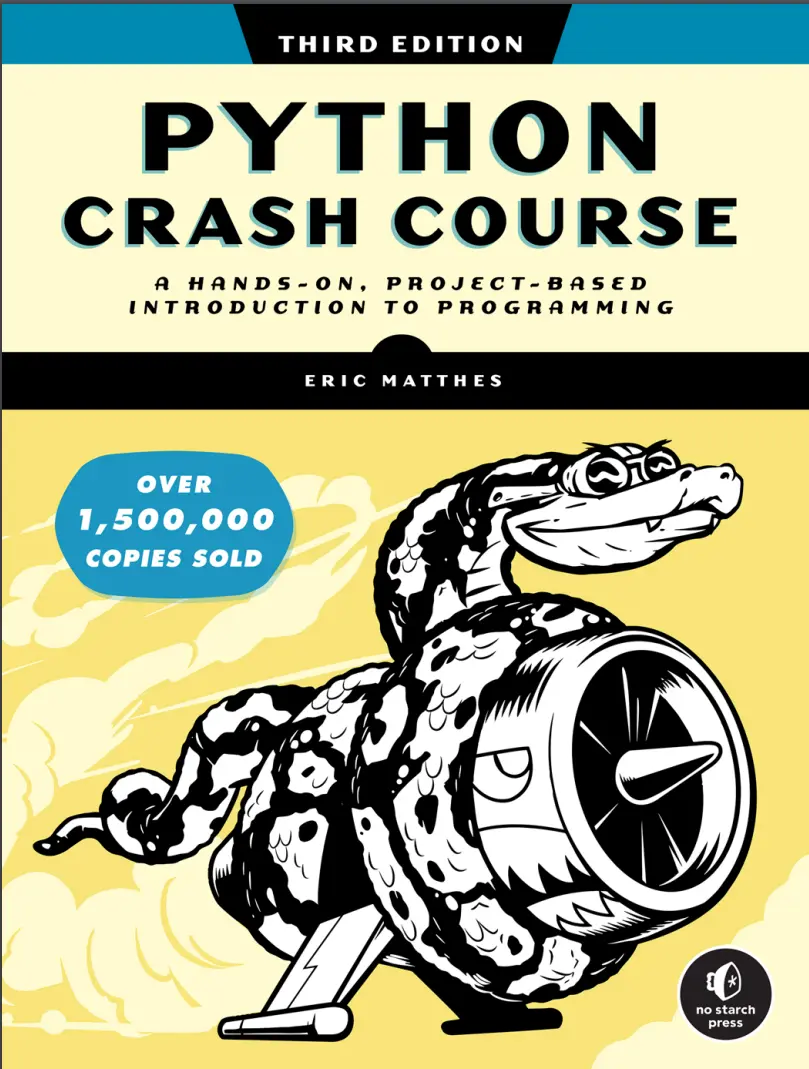
Python Crash Course: A Hands-On, Project-Based Introduction to Programming. 3 Ed
Автор: Matthes Eric
Дата выхода: 2023
Издательство: No Starch Press, Inc.
Количество страниц: 554
Размер файла: 5,4 МБ
Тип файла: PDF
Добавил: codelibs
Проверить на вирусыCover....1
Praise for Python Crash Course....3
Copyright....6
Dedication....7
About the Author and Technical Reviewer....9
Brief Contents....11
Contents in Detail....13
Preface to the Third Edition....29
Acknowledgments....33
Introduction....35
Who Is This Book For?....36
What Can You Expect to Learn?....36
Online Resources....37
Why Python?....38
Part I: Basics....39
Chapter 1: Getting Started....41
Setting Up Your Programming Environment....41
Python Versions....42
Running Snippets of Python Code....42
About the VS Code Editor....42
Python on Different Operating Systems....43
Python on Windows....43
Python on macOS....45
Python on Linux....46
Running a Hello World Program....47
Installing the Python Extension for VS Code....47
Running hello_world.py....48
Troubleshooting....48
Running Python Programs from a Terminal....49
On Windows....50
On macOS and Linux....50
Exercise 1-1: python.org....51
Exercise 1-2: Hello World Typos....51
Exercise 1-3: Infinite Skills....51
Summary....51
Chapter 2: Variables and Simple Data Types....53
What Really Happens When You Run hello_world.py....53
Variables....54
Naming and Using Variables....55
Avoiding Name Errors When Using Variables....55
Variables Are Labels....56
Exercise 2-1: Simple Message....57
Exercise 2-2: Simple Messages....57
Strings....57
Changing Case in a String with Methods....58
Using Variables in Strings....58
Adding Whitespace to Strings with Tabs or Newlines....59
Stripping Whitespace....60
Removing Prefixes....61
Avoiding Syntax Errors with Strings....62
Exercise 2-3: Personal Message....63
Exercise 2-4: Name Cases....63
Exercise 2-5: Famous Quote....63
Exercise 2-6: Famous Quote 2....63
Exercise 2-7: Stripping Names....63
Exercise 2-8: File Extensions....63
Numbers....64
Integers....64
Floats....64
Integers and Floats....65
Underscores in Numbers....66
Multiple Assignment....66
Constants....66
Exercise 2-9: Number Eight....67
Exercise 2-10: Favorite Number....67
Comments....67
How Do You Write Comments?....67
What Kinds of Comments Should You Write?....67
Exercise 2-11: Adding Comments....68
The Zen of Python....68
Exercise 2-12: Zen of Python....69
Summary....70
Chapter 3: Introducing Lists....71
What Is a List?....71
Accessing Elements in a List....72
Index Positions Start at 0, Not 1....72
Using Individual Values from a List....73
Exercise 3-1: Names....74
Exercise 3-2: Greetings....74
Exercise 3-3: Your Own List....74
Modifying, Adding, and Removing Elements....74
Modifying Elements in a List....74
Adding Elements to a List....75
Removing Elements from a List....76
Exercise 3-4: Guest List....79
Exercise 3-5: Changing Guest List....80
Exercise 3-6: More Guests....80
Exercise 3-7: Shrinking Guest List....80
Organizing a List....80
Sorting a List Permanently with the sort() Method....81
Sorting a List Temporarily with the sorted() Function....81
Printing a List in Reverse Order....82
Finding the Length of a List....82
Exercise 3-8: Seeing the World....83
Exercise 3-9: Dinner Guests....83
Exercise 3-10: Every Function....83
Avoiding Index Errors When Working with Lists....84
Exercise 3-11: Intentional Error....85
Summary....85
Chapter 4: Working with Lists....87
Looping Through an Entire List....87
A Closer Look at Looping....88
Doing More Work Within a for Loop....89
Doing Something After a for Loop....90
Avoiding Indentation Errors....91
Forgetting to Indent....91
Forgetting to Indent Additional Lines....92
Indenting Unnecessarily....92
Indenting Unnecessarily After the Loop....93
Forgetting the Colon....93
Exercise 4-1: Pizzas....94
Exercise 4-2: Animals....94
Making Numerical Lists....94
Using the range() Function....95
Using range() to Make a List of Numbers....96
Simple Statistics with a List of Numbers....97
List Comprehensions....97
Exercise 4-3: Counting to Twenty....98
Exercise 4-4: One Million....98
Exercise 4-5: Summing a Million....98
Exercise 4-6: Odd Numbers....98
Exercise 4-7: Threes....98
Exercise 4-8: Cubes....98
Exercise 4-9: Cube Comprehension....98
Working with Part of a List....99
Slicing a List....99
Looping Through a Slice....100
Copying a List....101
Exercise 4-10: Slices....103
Exercise 4-11: My Pizzas, Your Pizzas....103
Exercise 4-12: More Loops....103
Tuples....103
Defining a Tuple....103
Looping Through All Values in a Tuple....104
Writing Over a Tuple....105
Exercise 4-13: Buffet....105
Styling Your Code....106
The Style Guide....106
Indentation....106
Line Length....107
Blank Lines....107
Other Style Guidelines....107
Exercise 4-14: PEP 8....108
Exercise 4-15: Code Review....108
Summary....108
Chapter 5: if Statements....109
A Simple Example....110
Conditional Tests....110
Checking for Equality....110
Ignoring Case When Checking for Equality....111
Checking for Inequality....112
Numerical Comparisons....112
Checking Multiple Conditions....113
Checking Whether a Value Is in a List....114
Checking Whether a Value Is Not in a List....114
Boolean Expressions....115
Exercise 5-1: Conditional Tests....115
Exercise 5-2: More Conditional Tests....116
if Statements....116
Simple if Statements....116
if-else Statements....117
The if-elif-else Chain....118
Using Multiple elif Blocks....119
Omitting the else Block....120
Testing Multiple Conditions....120
Exercise 5-3: Alien Colors #1....122
Exercise 5-4: Alien Colors #2....122
Exercise 5-5: Alien Colors #3....122
Exercise 5-6: Stages of Life....122
Exercise 5-7: Favorite Fruit....123
Using if Statements with Lists....123
Checking for Special Items....123
Checking That a List Is Not Empty....124
Using Multiple Lists....125
Exercise 5-8: Hello Admin....126
Exercise 5-9: No Users....126
Exercise 5-10: Checking Usernames....126
Exercise 5-11: Ordinal Numbers....126
Styling Your if Statements....127
Exercise 5-12: Styling if Statements....127
Exercise 5-13: Your Ideas....127
Summary....127
Chapter 6: Dictionaries....129
A Simple Dictionary....130
Working with Dictionaries....130
Accessing Values in a Dictionary....130
Adding New Key-Value Pairs....131
Starting with an Empty Dictionary....132
Modifying Values in a Dictionary....132
Removing Key-Value Pairs....134
A Dictionary of Similar Objects....134
Using get() to Access Values....135
Exercise 6-1: Person....136
Exercise 6-2: Favorite Numbers....136
Exercise 6-3: Glossary....137
Looping Through a Dictionary....137
Looping Through All Key-Value Pairs....137
Looping Through All the Keys in a Dictionary....139
Looping Through a Dictionary’s Keys in a Particular Order....140
Looping Through All Values in a Dictionary....141
Exercise 6-4: Glossary 2....142
Exercise 6-5: Rivers....143
Exercise 6-6: Polling....143
Nesting....143
A List of Dictionaries....143
A List in a Dictionary....146
A Dictionary in a Dictionary....148
Exercise 6-7: People....149
Exercise 6-8: Pets....149
Exercise 6-9: Favorite Places....149
Exercise 6-10: Favorite Numbers....149
Exercise 6-11: Cities....149
Exercise 6-12: Extensions....149
Summary....149
Chapter 7: User Input and while Loops....151
How the input() Function Works....152
Writing Clear Prompts....152
Using int() to Accept Numerical Input....153
The Modulo Operator....154
Exercise 7-1: Rental Car....155
Exercise 7-2: Restaurant Seating....155
Exercise 7-3: Multiples of Ten....155
Introducing while Loops....155
The while Loop in Action....155
Letting the User Choose When to Quit....156
Using a Flag....158
Using break to Exit a Loop....159
Using continue in a Loop....160
Avoiding Infinite Loops....160
Exercise 7-4: Pizza Toppings....161
Exercise 7-5: Movie Tickets....161
Exercise 7-6: Three Exits....161
Exercise 7-7: Infinity....161
Using a while Loop with Lists and Dictionaries....162
Moving Items from One List to Another....162
Removing All Instances of Specific Values from a List....163
Filling a Dictionary with User Input....163
Exercise 7-8: Deli....165
Exercise 7-9: No Pastrami....165
Exercise 7-10: Dream Vacation....165
Summary....165
Chapter 8: Functions....167
Defining a Function....168
Passing Information to a Function....168
Arguments and Parameters....169
Exercise 8-1: Message....169
Exercise 8-2: Favorite Book....169
Passing Arguments....169
Positional Arguments....170
Keyword Arguments....171
Default Values....172
Equivalent Function Calls....173
Avoiding Argument Errors....174
Exercise 8-3: T-Shirt....174
Exercise 8-4: Large Shirts....175
Exercise 8-5: Cities....175
Return Values....175
Returning a Simple Value....175
Making an Argument Optional....176
Returning a Dictionary....177
Using a Function with a while Loop....178
Exercise 8-6: City Names....179
Exercise 8-7: Album....180
Exercise 8-8: User Albums....180
Passing a List....180
Modifying a List in a Function....181
Preventing a Function from Modifying a List....183
Exercise 8-9: Messages....184
Exercise 8-10: Sending Messages....184
Exercise 8-11: Archived Messages....184
Passing an Arbitrary Number of Arguments....184
Mixing Positional and Arbitrary Arguments....185
Using Arbitrary Keyword Arguments....186
Exercise 8-12: Sandwiches....187
Exercise 8-13: User Profile....187
Exercise 8-14: Cars....187
Storing Your Functions in Modules....187
Importing an Entire Module....188
Importing Specific Functions....189
Using as to Give a Function an Alias....189
Using as to Give a Module an Alias....190
Importing All Functions in a Module....190
Styling Functions....191
Exercise 8-15: Printing Models....192
Exercise 8-16: Imports....192
Exercise 8-17: Styling Functions....192
Summary....192
Chapter 9: Classes....195
Creating and Using a Class....196
Creating the Dog Class....196
The __init__() Method....197
Making an Instance from a Class....197
Exercise 9-1: Restaurant....200
Exercise 9-2: Three Restaurants....200
Exercise 9-3: Users....200
Working with Classes and Instances....200
The Car Class....200
Setting a Default Value for an Attribute....201
Modifying Attribute Values....202
Exercise 9-4: Number Served....204
Exercise 9-5: Login Attempts....205
Inheritance....205
The __init__() Method for a Child Class....205
Defining Attributes and Methods for the Child Class....207
Overriding Methods from the Parent Class....208
Instances as Attributes....208
Modeling Real-World Objects....210
Exercise 9-6: Ice Cream Stand....211
Exercise 9-7: Admin....211
Exercise 9-8: Privileges....211
Exercise 9-9: Battery Upgrade....211
Importing Classes....211
Importing a Single Class....212
Storing Multiple Classes in a Module....213
Importing Multiple Classes from a Module....214
Importing an Entire Module....214
Importing All Classes from a Module....215
Importing a Module into a Module....215
Using Aliases....216
Finding Your Own Workflow....217
Exercise 9-10: Imported Restaurant....217
Exercise 9-11: Imported Admin....217
Exercise 9-12: Multiple Modules....217
The Python Standard Library....217
Exercise 9-13: Dice....218
Exercise 9-14: Lottery....218
Exercise 9-15: Lottery Analysis....218
Exercise 9-16: Python Module of the Week....218
Styling Classes....219
Summary....219
Chapter 10: Files and Exceptions....221
Reading from a File....222
Reading the Contents of a File....222
Relative and Absolute File Paths....224
Accessing a File’s Lines....224
Working with a File’s Contents....225
Large Files: One Million Digits....226
Is Your Birthday Contained in Pi?....227
Exercise 10-1: Learning Python....227
Exercise 10-2: Learning C....228
Exercise 10-3: Simpler Code....228
Writing to a File....228
Writing a Single Line....228
Writing Multiple Lines....229
Exercise 10-4: Guest....230
Exercise 10-5: Guest Book....230
Exceptions....230
Handling the ZeroDivisionError Exception....230
Using try-except Blocks....231
Using Exceptions to Prevent Crashes....231
The else Block....232
Handling the FileNotFoundError Exception....233
Analyzing Text....234
Working with Multiple Files....235
Failing Silently....236
Deciding Which Errors to Report....237
Exercise 10-6: Addition....238
Exercise 10-7: Addition Calculator....238
Exercise 10-8: Cats and Dogs....238
Exercise 10-9: Silent Cats and Dogs....238
Exercise 10-10: Common Words....238
Storing Data....239
Using json.dumps() and json.loads()....239
Saving and Reading User-Generated Data....240
Refactoring....242
Exercise 10-11: Favorite Number....244
Exercise 10-12: Favorite Number Remembered....244
Exercise 10-13: User Dictionary....244
Exercise 10-14: Verify User....244
Summary....245
Chapter 11: Testing Your Code....247
Installing pytest with pip....248
Updating pip....248
Installing pytest....249
Testing a Function....249
Unit Tests and Test Cases....250
A Passing Test....250
Running a Test....251
A Failing Test....252
Responding to a Failed Test....253
Adding New Tests....254
Exercise 11-1: City, Country....255
Exercise 11-2: Population....255
Testing a Class....255
A Variety of Assertions....255
A Class to Test....256
Testing the AnonymousSurvey Class....258
Using Fixtures....259
Exercise 11-3: Employee....261
Summary....261
Part II: Projects....263
Chapter 12: A Ship That Fires Bullets....265
Planning Your Project....266
Installing Pygame....266
Starting the Game Project....267
Creating a Pygame Window and Responding to User Input....267
Controlling the Frame Rate....268
Setting the Background Color....269
Creating a Settings Class....270
Adding the Ship Image....271
Creating the Ship Class....272
Drawing the Ship to the Screen....273
Refactoring: The _check_events() and _update_screen() Methods....275
The _check_events() Method....275
The _update_screen() Method....275
Exercise 12-1: Blue Sky....276
Exercise 12-2: Game Character....276
Piloting the Ship....276
Responding to a Keypress....276
Allowing Continuous Movement....277
Moving Both Left and Right....279
Adjusting the Ship’s Speed....280
Limiting the Ship’s Range....281
Refactoring _check_events()....282
Pressing Q to Quit....282
Running the Game in Fullscreen Mode....283
A Quick Recap....283
alien_invasion.py....284
settings.py....284
ship.py....284
Exercise 12-3: Pygame Documentation....284
Exercise 12-4: Rocket....284
Exercise 12-5: Keys....284
Shooting Bullets....285
Adding the Bullet Settings....285
Creating the Bullet Class....285
Storing Bullets in a Group....286
Firing Bullets....287
Deleting Old Bullets....288
Limiting the Number of Bullets....289
Creating the _update_bullets() Method....290
Exercise 12-6: Sideways Shooter....291
Summary....291
Chapter 13: Aliens!....293
Reviewing the Project....294
Creating the First Alien....294
Creating the Alien Class....295
Creating an Instance of the Alien....295
Building the Alien Fleet....297
Creating a Row of Aliens....297
Refactoring _create_fleet()....298
Adding Rows....299
Exercise 13-1: Stars....301
Exercise 13-2: Better Stars....301
Making the Fleet Move....301
Moving the Aliens Right....301
Creating Settings for Fleet Direction....302
Checking Whether an Alien Has Hit the Edge....303
Dropping the Fleet and Changing Direction....303
Exercise 13-3: Raindrops....304
Exercise 13-4: Steady Rain....304
Shooting Aliens....304
Detecting Bullet Collisions....305
Making Larger Bullets for Testing....306
Repopulating the Fleet....306
Speeding Up the Bullets....307
Refactoring _update_bullets()....307
Exercise 13-5: Sideways Shooter Part 2....308
Ending the Game....308
Detecting Alien-Ship Collisions....308
Responding to Alien-Ship Collisions....309
Aliens That Reach the Bottom of the Screen....311
Game Over!....312
Identifying When Parts of the Game Should Run....313
Exercise 13-6: Game Over....313
Summary....313
Chapter 14: Scoring....315
Adding the Play Button....316
Creating a Button Class....316
Drawing the Button to the Screen....317
Starting the Game....319
Resetting the Game....319
Deactivating the Play Button....320
Hiding the Mouse Cursor....320
Exercise 14-1: Press P to Play....321
Exercise 14-2: Target Practice....321
Leveling Up....321
Modifying the Speed Settings....321
Resetting the Speed....323
Exercise 14-3: Challenging Target Practice....324
Exercise 14-4: Difficulty Levels....324
Scoring....324
Displaying the Score....324
Making a Scoreboard....325
Updating the Score as Aliens Are Shot Down....327
Resetting the Score....327
Making Sure to Score All Hits....328
Increasing Point Values....328
Rounding the Score....329
High Scores....330
Displaying the Level....332
Displaying the Number of Ships....334
Exercise 14-5: All-Time High Score....337
Exercise 14-6: Refactoring....337
Exercise 14-7: Expanding the Game....337
Exercise 14-8: Sideways Shooter, Final Version....337
Summary....337
Chapter 15: Generating Data....339
Installing Matplotlib....340
Plotting a Simple Line Graph....340
Changing the Label Type and Line Thickness....341
Correcting the Plot....343
Using Built-in Styles....344
Plotting and Styling Individual Points with scatter()....344
Plotting a Series of Points with scatter()....346
Calculating Data Automatically....346
Customizing Tick Labels....347
Defining Custom Colors....348
Using a Colormap....348
Saving Your Plots Automatically....349
Exercise 15-1. Cubes....349
Exercise 15-2: Colored Cubes....349
Random Walks....350
Creating the RandomWalk Class....350
Choosing Directions....350
Plotting the Random Walk....351
Generating Multiple Random Walks....352
Styling the Walk....353
Exercise 15-3: Molecular Motion....357
Exercise 15-4: Modified Random Walks....357
Exercise 15-5: Refactoring....357
Rolling Dice with Plotly....357
Installing Plotly....358
Creating the Die Class....358
Rolling the Die....358
Analyzing the Results....359
Making a Histogram....360
Customizing the Plot....361
Rolling Two Dice....362
Further Customizations....363
Rolling Dice of Different Sizes....364
Saving Figures....365
Exercise 15-6: Two D8s....366
Exercise 15-7: Three Dice....366
Exercise 15-8: Multiplication....366
Exercise 15-9: Die Comprehensions....366
Exercise 15-10: Practicing with Both Libraries....366
Summary....366
Chapter 16: Downloading Data....367
The CSV File Format....368
Parsing the CSV File Headers....368
Printing the Headers and Their Positions....369
Extracting and Reading Data....370
Plotting Data in a Temperature Chart....370
The datetime Module....371
Plotting Dates....372
Plotting a Longer Timeframe....374
Plotting a Second Data Series....374
Shading an Area in the Chart....375
Error Checking....376
Downloading Your Own Data....379
Exercise 16-1: Sitka Rainfall....380
Exercise 16-2: Sitka–Death Valley Comparison....380
Exercise 16-3: San Francisco....380
Exercise 16-4: Automatic Indexes....380
Exercise 16-5: Explore....380
Mapping Global Datasets: GeoJSON Format....380
Downloading Earthquake Data....381
Examining GeoJSON Data....381
Making a List of All Earthquakes....383
Extracting Magnitudes....384
Extracting Location Data....384
Building a World Map....385
Representing Magnitudes....386
Customizing Marker Colors....387
Other Color Scales....388
Adding Hover Text....388
Exercise 16-6: Refactoring....390
Exercise 16-7: Automated Title....390
Exercise 16-8: Recent Earthquakes....390
Exercise 16-9: World Fires....390
Summary....390
Chapter 17: Working with APIs....393
Using an API....393
Git and GitHub....394
Requesting Data Using an API Call....394
Installing Requests....395
Processing an API Response....395
Working with the Response Dictionary....396
Summarizing the Top Repositories....399
Monitoring API Rate Limits....400
Visualizing Repositories Using Plotly....400
Styling the Chart....402
Adding Custom Tooltips....403
Adding Clickable Links....404
Customizing Marker Colors....405
More About Plotly and the GitHub API....406
The Hacker News API....406
Exercise 17-1: Other Languages....409
Exercise 17-2: Active Discussions....409
Exercise 17-3: Testing python_repos.py....410
Exercise 17-4: Further Exploration....410
Summary....410
Chapter 18: Getting Started with Django....411
Setting Up a Project....412
Writing a Spec....412
Creating a Virtual Environment....412
Activating the Virtual Environment....413
Installing Django....413
Creating a Project in Django....414
Creating the Database....414
Viewing the Project....415
Exercise 18-1: New Projects....416
Starting an App....417
Defining Models....417
Activating Models....418
The Django Admin Site....419
Defining the Entry Model....422
Migrating the Entry Model....423
Registering Entry with the Admin Site....423
The Django Shell....424
Exercise 18-2: Short Entries....425
Exercise 18-3: The Django API....426
Exercise 18-4: Pizzeria....426
Making Pages: The Learning Log Home Page....426
Mapping a URL....426
Writing a View....428
Writing a Template....428
Exercise 18-5: Meal Planner....430
Exercise 18-6: Pizzeria Home Page....430
Building Additional Pages....430
Template Inheritance....430
The Topics Page....432
Individual Topic Pages....435
Exercise 18-7: Template Documentation....438
Exercise 18-8: Pizzeria Pages....438
Summary....438
Chapter 19: User Accounts....441
Allowing Users to Enter Data....442
Adding New Topics....442
Adding New Entries....446
Editing Entries....450
Exercise 19-1: Blog....453
Setting Up User Accounts....453
The accounts App....453
The Login Page....454
Logging Out....457
The Registration Page....458
Exercise 19-2: Blog Accounts ....461
Allowing Users to Own Their Data....461
Restricting Access with @login_required....461
Connecting Data to Certain Users....463
Restricting Topics Access to Appropriate Users....465
Protecting a User’s Topics....466
Protecting the edit_entry Page....467
Associating New Topics with the Current User....467
Exercise 19-3: Refactoring....468
Exercise 19-4: Protecting new_entry....468
Exercise 19-5: Protected Blog....468
Summary....468
Chapter 20: Styling and Deploying an App....471
Styling Learning Log....472
The django-bootstrap5 App....472
Using Bootstrap to Style Learning Log....472
Modifying base.html....473
Styling the Home Page Using a Jumbotron....478
Styling the Login Page....479
Styling the Topics Page....480
Styling the Entries on the Topic Page....481
Exercise 20-1: Other Forms....483
Exercise 20-2: Stylish Blog....483
Deploying Learning Log....483
Making a Platform.sh Account....483
Installing the Platform.sh CLI....484
Installing platformshconfig....484
Creating a requirements.txt File....484
Additional Deployment Requirements....485
Adding Configuration Files....485
Modifying settings.py for Platform.sh....489
Using Git to Track the Project’s Files....489
Creating a Project on Platform.sh....491
Pushing to Platform.sh....493
Viewing the Live Project....494
Refining the Platform.sh Deployment....494
Creating Custom Error Pages....497
Ongoing Development....498
Deleting a Project on Platform.sh....499
Exercise 20-3: Live Blog....499
Exercise 20-4: Extended Learning Log....500
Summary....500
Appendix A: Installation and Troubleshooting....501
Python on Windows....501
Using py Instead of python....501
Rerunning the Installer....502
Python on macOS....502
Accidentally Installing Apple’s Version of Python....502
Python 2 on Older Versions of macOS....503
Python on Linux....503
Using the Default Python Installation....503
Installing the Latest Version of Python....503
Checking Which Version of Python You’re Using....504
Python Keywords and Built-in Functions....504
Python Keywords....504
Python Built-in Functions....505
Appendix B: Text Editors and IDEs....507
Working Efficiently with VS Code....508
Configuring VS Code....508
VS Code Shortcuts....511
Other Text Editors and IDEs....512
IDLE....512
Geany....512
Sublime Text....512
Emacs and Vim....513
PyCharm....513
Jupyter Notebooks....513
Appendix C: Getting Help....515
First Steps....515
Try It Again....516
Take a Break....516
Refer to This Book’s Resources....516
Searching Online....517
Stack Overflow....517
The Official Python Documentation....517
Official Library Documentation....518
r/learnpython....518
Blog Posts....518
Discord....518
Slack....519
Appendix D: Using Git for Version Control....521
Installing Git....522
Configuring Git....522
Making a Project....522
Ignoring Files....522
Initializing a Repository....523
Checking the Status....523
Adding Files to the Repository....524
Making a Commit....524
Checking the Log....525
The Second Commit....525
Abandoning Changes....526
Checking Out Previous Commits....527
Deleting the Repository....529
Appendix E: Troubleshooting Deployments....531
Understanding Deployments....532
Basic Troubleshooting....532
Follow Onscreen Suggestions....533
Read the Log Output....534
OS-Specific Troubleshooting....535
Deploying from Windows....535
Deploying from macOS....537
Deploying from Linux....537
Other Deployment Approaches....538
Index....541
Resources....553
Back Cover....554
Python Crash Course is the world’s best-selling guide to the Python programming language. This fast-paced, thorough introduction will have you writing programs, solving problems, and developing functioning applications in no time.You’ll start by learning basic programming concepts, such as variables, lists, classes, and loops, and practice writing clean code with exercises for each topic. You’ll also learn how to make your programs interactive and test your code safely before adding it to a project. You’ll put your new knowledge into practice by creating a Space Invaders–inspired arcade game, building a set of data visualizations with Python’s handy libraries, and deploying a simple application online.
As you work through the book, you’ll learn how to:
- Use powerful Python libraries and tools, including pytest, Pygame, Matplotlib, Plotly, and Django
- Make increasingly complex 2D games that respond to keypresses and mouse clicks
- Generate interactive data visualizations using a variety of datasets
- Build apps that allow users to create accounts and manage their own data, and deploy your apps online
- Troubleshoot coding errors and solve common programming problems
New to this edition: This third edition is completely revised to reflect the latest in Python code. New and updated coverage includes VS Code for text editing, the pathlib module for file handling, pytest for testing your code, as well as the latest features of Matplotlib, Plotly, and Django.If you’ve been thinking about digging into programming, Python Crash Course will provide you with the skills to write real programs fast. Why wait any longer? Start your engines and code!


