-
1C
-
Agda
-
Agile/Scrum
-
Alef
-
APL
-
Assembler
-
AWK
-
Basic
-
Beta Programming Language
-
Big Data/DataScience
-
C
-
C#
-
C++
-
Cobol
-
Crystal
-
CSS
-
D
-
Dart
-
DataBase (SQL)
-
Delphi
-
F#
-
Flutter
-
Fortran
-
GameDev
-
Git
-
Go (Golang)
-
GPT/AI/ИИ
-
Hacking and Security
-
Haskell
-
HTML
-
Java
-
JavaScript (JS)
-
Julia
-
Kotlin
-
Machine Learning (ML)
-
Natural language processing (NLP)
-
.NET (.NET Core)
-
Pascal
-
PHP
-
Python
-
R
-
Ruby
-
Rust
-
Scratch
-
Swift
-
UML
-
UX/UI
-
Visual Basic
-
Wolfram
-
XML
-
АСУ
-
Проектирование/System Design
-
Сети/Network
-
Статьи
-
Схемотехника/электронные схемы
-
1C
-
Agda
-
Agile/Scrum
-
Alef
-
APL
-
Assembler
-
AWK
-
Basic
-
Beta Programming Language
-
Big Data/DataScience
-
C
-
C#
-
C++
-
Cobol
-
Crystal
-
CSS
-
D
-
Dart
-
DataBase (SQL)
-
Delphi
-
F#
-
Flutter
-
Fortran
-
GameDev
-
Git
-
Go (Golang)
-
GPT/AI/ИИ
-
Hacking and Security
-
Haskell
-
HTML
-
Java
-
JavaScript (JS)
-
Julia
-
Kotlin
-
Machine Learning (ML)
-
Natural language processing (NLP)
-
.NET (.NET Core)
-
Pascal
-
PHP
-
Python
-
R
-
Ruby
-
Rust
-
Scratch
-
Swift
-
UML
-
UX/UI
-
Visual Basic
-
Wolfram
-
XML
-
АСУ
-
Проектирование/System Design
-
Сети/Network
-
Статьи
-
Схемотехника/электронные схемы
Меню
Pro Oracle Database 23c Administration: Manage and Safeguard Your Organization’s Data. 4 Ed
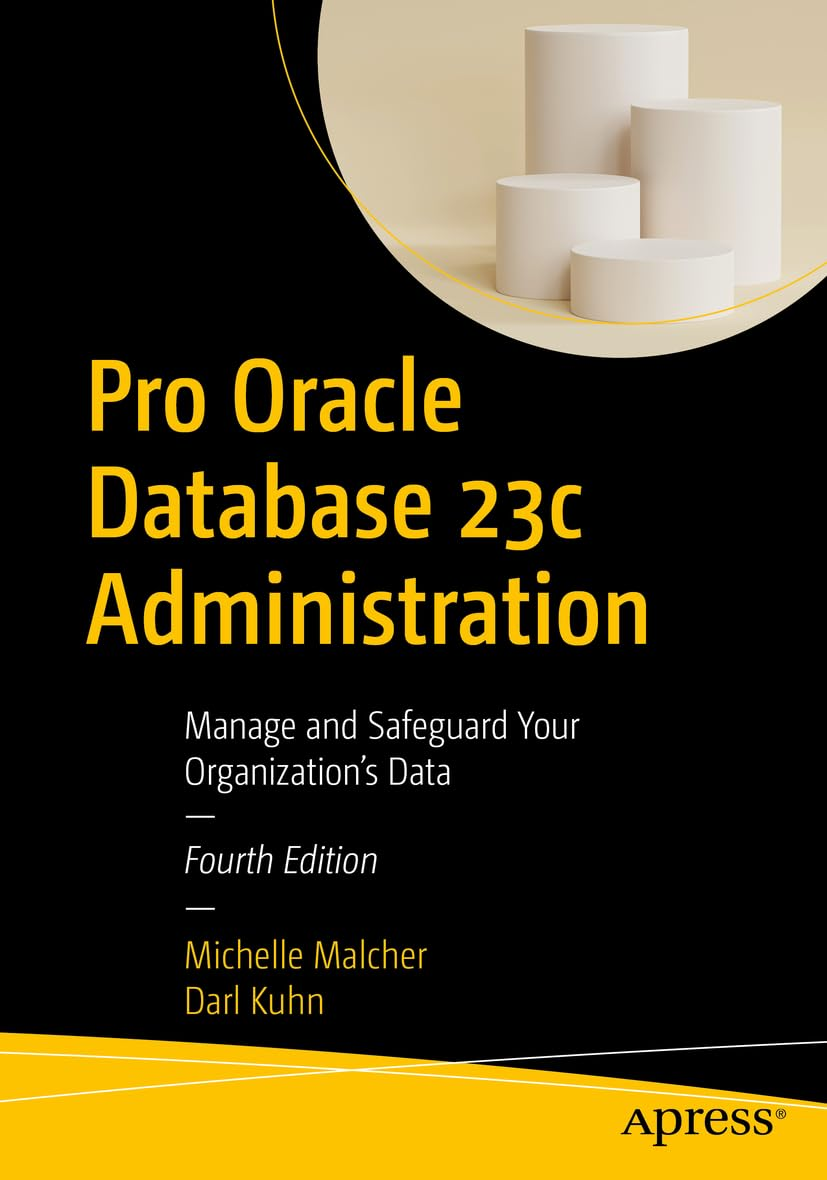
Автор: Kuhn Darl , Malcher Michelle
Дата выхода: 2024
Издательство: Apress Media, LLC.
Количество страниц: 716
Размер файла: 4,3 МБ
Тип файла: PDF
Добавил: codelibs
Проверить на вирусыTable of Contents....4
About the Authors....63
About the Technical Reviewer....64
Acknowledgments....65
Introduction....65
Chapter 1: Installing the Oracle Binaries....67
Understanding the OFA....68
Oracle Inventory Directory....71
Oracle Base Directory....72
Oracle Home and Grid Directories....72
Oracle Network Files Directory....73
Fast Recovery Area Directory....73
Installing Oracle....74
Step 1: Create the OS Groups and Users....76
Step 2: Ensure That the OS Is Adequately Configured....80
Step 3: Obtain the Oracle Installation Software....83
Step 4: Unzip the Files....83
Installing Remotely with the Graphical Installer....83
Step 5: Run the Installer for Grid....84
Step 6: Run the Installer for Database....90
Step 7: Save the Response File for Additional Installations....92
Step 8: Troubleshoot Any Issues....93
Step 9: Apply Any Additional Patches....93
Installing in the Cloud....94
Chapter 2: Creating a Database....97
Using the Database Configuration Assistant....99
Setting OS Variables....104
Understanding oratab....105
Using oraenv....106
Taking Another Approach to oraenv....107
Creating a Database....110
Creating a Database Using a SQL Statement....112
Database vs. Instance....118
Stopping and Starting the Database....119
Understanding OS Authentication....119
Starting the Database....120
Stopping the Database....123
Configuring the Listener....125
Using the Net Configuration Assistant....126
Connecting to a Database Through the Network....127
Creating a Password File....128
How Many Database Instances on One Server?....130
Understanding Oracle Architecture....132
Dropping a Database....135
Exercising Caution....136
Creating the Database in the Cloud....138
Autonomous Shared/Serverless....139
Autonomous Dedicated....140
Summary....141
Chapter 3: Configuring an Efficient Environment....141
Customizing Your OS Command Prompt....142
Customizing Your SQL Prompt....145
Creating Shortcuts for Frequently Used Commands....146
Using Aliases....146
Locating the Alert Log....147
Using a Function....148
Rerunning Commands Quickly....150
Scrolling with the Up and Down Arrow Keys....150
Using Ctrl+P and Ctrl+N....151
Listing the Command History....151
Searching in Reverse....152
Setting the Command Editor....152
Developing Standard Scripts....153
dba_setup....154
conn.bsh....155
filesp.bsh....156
top.sql....159
lock.sql....160
users.sql....164
Organizing Scripts....165
Step 1: Create Directories....165
Step 2: Copy Files to Directories....166
Step 3: Configure the Startup File....166
Automating Scripts....167
Chapter 4: Tablespaces and Data Files....169
Understanding the First Five....171
Need for More Tablespaces....172
Container Tablespaces....173
Creating Tablespaces....176
Creating a Bigfile Tablespace....178
Renaming a Tablespace....179
Changing the Write Mode....180
Dropping a Tablespace....181
Using Oracle Managed Files....182
Displaying the Tablespace Size....184
Displaying Oracle Error Messages and Actions....185
Altering Tablespace Size....186
Additional Data File Operations....187
Move SYSTEM and UNDO....188
Using ASM for Tablespaces....188
Chapter 5: Managing Control Files, Online Redo Logs, and Archivelogs....191
Managing Control Files....191
Displaying the Contents of a Control File....194
Viewing Names and Locations of Control Files....196
Adding a Control File....196
Moving a Control File....200
Removing a Control File....201
Online Redo Logs....202
Displaying Online Redo Log Information....205
Determining the Optimal Size of Redo Logs....207
Determining the Optimal Number of Redo Log Groups....208
Adding Online Redo Log Groups....211
Resizing and Dropping Online Redo Log Groups....211
Controlling the Generation of Redo....213
Implementing Archivelog Mode....214
Marking Architectural Decisions....215
Setting the Archive Redo File Locations....216
Using the FRA for Archive Log Files....218
Enabling Archivelog Mode....220
Disabling Archivelog Mode....220
Reacting to Lack of Disk Space for Archive Logs....221
Backing Up Archive Redo Log Files....223
Summary....224
Chapter 6: Users and Basic Security....224
Types of Users....224
Managing Default Users....227
Default Accounts as Schema-Only....228
SYS vs. SYSTEM....228
Passwords....229
Creating Users....231
Choosing a Username and Authentication Method....231
Creating a User with Database Authentication....232
Creating a User with OS Authentication....233
Configuring a Centrally Managed User....234
Common and Local Users....235
Understanding Schemas vs. Users....237
Schema-Only Accounts....238
Assigning Default Permanent and Temporary Tablespaces....239
Modifying Users....240
Dropping Users....241
Profiles....242
Limiting Database Resource Usage....243
Managing Privileges....245
Assigning Database System Privileges....245
Assigning Database Object Privileges....246
Grouping and Assigning Privileges....247
Schema Privileges....248
PL/SQL and Roles....249
Chapter 7: Tables and Constraints....251
Understanding Table Types....251
Understanding Data Types....255
Character....256
VARCHAR....256
CHAR....257
NVARCHAR2 and NCHAR....258
Numeric....258
JSON....260
Date/Time....261
INTERVAL....262
RAW....262
ROWID....263
LOB....263
Creating a Table....264
Creating a Heap-Organized Table....266
Table Recommendations....267
Implementing Virtual Columns....268
Implementing Invisible Columns....270
Creating Blockchain Tables....270
Making Read-Only Tables....271
Using an Identity Column....272
Default Parallel SQL Execution....274
Compressing Table Data....276
Avoiding Redo Creation....277
Creating a Table from a Query....279
Enabling DDL Logging....279
Modifying a Table....280
Obtaining the Needed Lock....280
Renaming a Table....282
Adding a Column....282
Altering a Column....282
Renaming a Column....282
Dropping a Column....282
Displaying Table DDL....284
Dropping a Table....286
Undropping a Table....287
Removing Data from a Table....288
Moving a Table....289
Oracle ROWID....291
Creating a Temporary Table Global Temporary Table....292
Temporary Table Redo....293
Private Temporary Tables....294
Creating an Index-Organized Table....295
Managing Constraints....296
Creating Primary Key Constraints....298
Enforcing Unique Key Values....299
Creating Foreign Key Constraints....301
Checking for Specific Data Conditions....303
Enforcing NOT NULL Conditions....304
Disabling Constraints....305
Enabling Constraints....308
Chapter 8: Indexes....312
Deciding When to Create an Index....314
Proactively Creating Indexes....314
Reactively Creating Indexes....316
Planning for Robustness....319
Determining Which Type of Index to Use....320
Estimating the Size of an Index Before Creation....322
Creating Indexes and Temporary Tablespace Space....324
Creating Separate Tablespaces for Indexes....324
Establishing Naming Standards....326
Creating Indexes....327
Creating B-tree Indexes....327
Viewing Index Metadata....330
Creating Concatenated Indexes....331
Creating Multiple Indexes on the Same Set of Columns....332
Implementing Function-Based Indexes....333
Creating Unique Indexes....334
Implementing Bitmap Indexes....336
Creating Bitmap Join Indexes....337
Implementing Reverse-Key Indexes....338
Creating Key-Compressed Indexes....339
Parallelizing Index Creation....340
Avoiding Redo Generation When Creating an Index....341
Implementing Invisible Indexes....343
Making an Existing Index Invisible....343
Guaranteeing Application Behavior Is Unchanged When You Add an Index....344
Maintaining Indexes....345
Renaming an Index....346
Displaying Code to Re-create an Index....346
Rebuilding an Index....347
Making Indexes Unusable....348
Dropping an Index....349
Indexing Foreign Key Columns....349
Implementing an Index on a Foreign Key Column....350
Determining Whether Foreign Key Columns Are Indexed....351
Table Locks and Foreign Keys....354
Chapter 9: Views, Duality Views, and Materialized Views....356
Implementing Views....357
Creating a View....357
Updatable Join Views....359
Modifying and Dropping a View....362
JSON Relational Duality Views....363
Materialized Views....376
MV Terminology....376
Creating Basic Materialized Views....380
Going Beyond the Basics....385
Creating an Unpopulated MV....385
Creating an MV Refreshed on Commit....386
Creating a Never Refreshable MV....387
Creating MVs for Query Rewrite....388
Creating a Fast Refreshable MV Based on a Complex Query....389
Real-Time Materialized Views....394
Oracle Views....395
Chapter 10: Data Dictionary Fundamentals....395
Data Dictionary Architecture....396
Static Views....396
Dynamic Performance Views....399
A Different View of Metadata....401
A Few Creative Uses of the Data Dictionary....404
Derivable Documentation....404
Displaying User Information....407
Determining Your Environment’s Details....409
Displaying Table Row Counts....410
Showing Primary Key and Foreign Key Relationships....412
Displaying Object Dependencies....414
The Dual Table....418
Chapter 11: Large Objects....419
Describing LOB Types....419
Illustrating LOBs, Locators, Indexes, and Chunks....421
SecureFiles....423
Creating a Table with a LOB Column....425
Implementing a Partitioned LOB....426
Maintaining LOB Columns....430
Moving a LOB Column....430
Adding a LOB Column....431
Removing a LOB Column....431
Caching LOBs....432
Storing LOBs In and Out of a Row....432
Viewing LOB Metadata....434
Loading LOBs....435
Loading a CLOB....435
Reading BFILEs....439
Chapter 12: Containers and Pluggables....439
Paradigm Shift....445
Administrating the Root Container (CDB)....446
Connecting to the Root Container....447
Network Connections....447
Displaying Currently Connected Container Information....448
Starting/Stopping the Root Container....449
Create Common Users....450
Creating Common Roles....452
Creating Local Users and Roles....452
Switching Containers....453
PDB Open Modes....453
Open Order for PDBs....455
Starting/Stopping a PDB....455
Creating a Pluggable Database Within a CDB....456
Cloning the Seed Database....457
Cloning an Existing PDB....457
Local....458
Remote....458
Refreshable Clone....459
Cloning from a Non-CDB Database....459
Unplugging a PDB from a CDB....461
Plugging an Unplugged PDB into a CDB....462
Relocating a PDB....463
Checking the Status of Pluggable Databases....464
Administrating Pluggable Databases....465
Connecting to a PDB....465
Managing a Listener in a PDB Environment....466
Modifying Initialization Parameters Specific to a PDB....467
Renaming a PDB....468
Limiting the Amount of Space Consumed by PDB....469
Restricting Changes to SYSTEM at PDB....469
Viewing PDB History....470
Dropping a PDB....471
Chapter 13: RMAN Backups and Reporting....473
Understanding RMAN....474
Types of Backups with RMAN....478
Starting RMAN....479
RMAN Architectural Decisions....481
Run RMAN Remotely or Locally....482
Specify the Backup User....482
Use Online Backups....483
Set the Archivelog Destination and File Format....483
Configure Channel Format....483
Set the Autobackup of the Control File....484
Back Up Archivelogs....485
Determine the Location for the Snapshot Control File....486
Use a Recovery Catalog....486
Configure RMAN’s Backup Retention Policy....487
Delete Backups, Based on Retention Policy....487
Use Backup Sets or Image Copies....488
Use Incremental Backups....489
Use Block Change Tracking....489
Configure Informational Output....490
Put It Together in a Script....490
Check for Corruption....492
Using VALIDATE....493
Using BACKUP … VALIDATE....494
Using RESTORE … VALIDATE....494
Using a Recovery Catalog....495
Creating a Recovery Catalog....495
Registering a Target Database....497
Backing Up the Recovery Catalog....498
Synchronizing the Recovery Catalog....498
Recovery Catalog Versions....499
Dropping a Recovery Catalog....499
Querying for Output in the Data Dictionary....500
RMAN Reporting....500
Using LIST....502
Using REPORT....503
Using SQL....503
Chapter 14: RMAN Restore and Recovery....510
Determining Whether Media Recovery Is Required....511
Determining What to Restore....513
How the Process Works....513
Using Data Recovery Advisor....515
Listing Failures....515
Suggesting Corrective Action....516
Repairing Failures....518
Changing the Status of a Failure....519
Complete Recovery....519
Previewing Backups Used for Recovery....519
Validating Backup Files Before Restoring....522
Testing Media Recovery....522
Restoring and Recovering the Entire Database....523
Using the Backup Control File....524
Restoring and Recovering Tablespaces....525
Restoring Tablespaces While the Database Is Open....525
Restoring Tablespaces While the Database Is in Mount Mode....525
Restoring Read-Only Tablespaces....526
Restoring Temporary Tablespaces....526
Restoring and Recovering Data Files....527
Restoring and Recovering Data Files While the Database Is Open....527
Restoring and Recovering Data Files While the Database Is Not Open....528
Restoring Data Files to Nondefault Locations....529
Performing Block-Level Recovery....530
Restoring a Container Database and Its Pluggable Databases....532
Restoring and Recovering Root Container Data Files....532
Restoring and Recovering a Pluggable Database....533
Restoring Archivelog Files....534
Restoring to the Default Location....535
Restoring to a Nondefault Location....535
Restoring a Control File....536
Using an Autobackup....537
Specifying a Backup Filename....538
Restoring the Spfile....538
Incomplete Recovery....540
Determining the Type of Incomplete Recovery....543
Performing Time-Based Recovery....544
Performing Log Sequence–Based Recovery....545
Performing SCN-Based Recovery....545
Restoring to a Restore Point....546
Restoring Tables to a Previous Point....547
Flashback....548
Flashing Back a Table....548
FLASHBACK TABLE TO BEFORE DROP....550
Flashing Back a Table to a Previous Point in Time....550
FLASHBACK TABLE TO SCN....551
FLASHBACK TABLE TO TIMESTAMP....551
FLASHBACK TABLE TO RESTORE POINT....552
FLASHBACK DATABASE....552
Restoring and Recovering to a Different Server....554
Chapter 15: External Tables....557
SQL*Loader vs. External Tables....558
External Table Types....560
Creating External Tables....560
Loading CSV Files into the Database....561
Create a Directory Object and Granting Access....562
Create Table....562
Generating SQL to Create an External Table....564
Viewing External Table Metadata....567
Loading a Regular Table from the External Table....568
External Tables with Oracle Cloud Database....570
DBMS_CLOUD Create Table....570
Inline SQL from External Table....571
Unloading and Loading Data Using an External Table....572
Oracle Data Pump....574
Data Pump Architecture....575
Taking an Export....576
Import a Table....577
Use a Parameter File....578
Export and Import an Entire Database....580
Schema Level....580
Table Level....580
Tablespace Level....582
Export Tablespace Metadata....582
Specifying a Query....583
Exclude Objects from Export or Import....584
List Contents of Dump Files....585
Monitoring Data Pump Jobs....586
Chapter 16: Automation and Troubleshooting....587
Automating Jobs with Oracle Scheduler....588
Creating and Scheduling a Job....589
Viewing Job Details....590
Modifying Job Logging History....591
Modifying a Job....591
Stopping a Job....592
Disabling a Job....592
Enabling a Job....592
Copying a Job....593
Running a Job Manually....593
Deleting a Job....594
Examples of Automated DBA Jobs....594
Starting and Stopping the Database and Listener....596
Checking for Archivelog Destination Fullness....597
Checking for Locked Production Accounts....600
Checking for Too Many Processes....601
Verifying the Integrity of RMAN Backups....603
Autonomous Database....605
Database Troubleshooting....607
Quickly Triaging....607
Checking Database Availability....608
Locating the Alert Log and Trace Files....610
Inspecting the Alert Log....611
Viewing the Alert Log via OS Tools....611
Identifying Bottlenecks via OS Utilities....612
Identifying System Bottlenecks....613
Using vmstat....614
Using top....615
Mapping an Operating System Process to a SQL Statement....615
Finding Resource-Intensive SQL Statements....617
SQL Plan Management....618
Running Oracle Diagnostic Utilities....620
Using AWR....623
Using ADDM....623
Using ASH....625
Using Statspack....625
Detecting and Resolving Locking Issues....626
Resolving Open-Cursor Issues....628
Troubleshooting Undo Tablespace Issues....629
Determining Whether the Undo Is Correctly Sized....630
Handling Temporary Tablespace Issues....631
Determining Whether Temporary Tablespace Is Sized Correctly....632
Chapter 17: Migration to Multitenant and Fleet Management....633
Migration to Multitenant....634
Plug-In Method....636
No-Copy or Copy Options....638
Fleet Management....640
Oracle Fleet Patching and Provisioning....640
Types of Patching....641
FPP Steps....641
User Groups....644
Methods of Patching....644
Fleet Management with Autonomous....645
Provisioning....645
Policies....646
Network....647
Exadata Infrastructure....648
Monitoring....654
Chapter 18: Data Management....655
Models....655
JSON....657
Graph....660
Machine Learning....661
Data Studio....667
DBMS_CLOUD....668
REST and ORDS....671
Data Sharing....675
Index....678
Master Oracle Database administration in both on-premises and cloud environments. This new edition covers the tasks you’ll need to perform to keep your databases stable, tuned, and running. The book also includes administrative tasks specific to cloud environments, including the Oracle Autonomous Database running in the Oracle Cloud Infrastructure. New in this edition is help for DBAs who are becoming involved in data management, and a look at the idea of a converged database and what that means in handling various data types and workloads. The book covers some of the machine learning features now in Oracle and shows how the same SQL that you know for database administration also helps you with data management tasks. The information in this book helps you to apply the right solution at the right time, mitigating risk and making robust choices that protect your data and avoid midnight phone calls.
Data management is increasingly a DBA function, and DBAs are often called upon for help in getting data loaded into analytics environments such as a data lakehouse or a data mesh. This book addresses this fast-growing new role for database administrators and helps you build on your existing knowledge to make the transition into a new skill set that is in high demand. You’ll learn how to look at data optimization from the standpoint of data analysis and machine learning so that you can be seen as a key player in preparing your organization’s data for those type of activities. You’ll know how to pull back information from a combination of relational tables and JSON structures. You’ll become familiar with the tools that Oracle Database provides to make analytics easier and more straightforward. And you’ll learn simpler ways to manage time-based tables that eliminate the need for painfully creating triggers to track the history of row changes over time.
This book builds your skills as an Oracle Database administrator with the aim of helping you to be seen as a key player in data management as your organization pivots toward cloud computing and a greater use of machine learning and analytics technologies.
What You'll Learn
- Configure and manage Oracle 23c databases both on-premises and in the cloud
- Meet your DBA responsibilities in the Oracle Cloud and with Database Cloud Services
- Perform administrative tasks for Autonomous Database dedicated environments
- Perform DBA tasks and effectively use data management tools
- Migrate from on-premises to the Oracle Cloud Infrastructure
- Troubleshoot issues with Oracle 23c databases and quickly solve performance problems
- Architect cloud, on-premises, hybrid, and multi-cloud database environments
Who This Book Is For
Oracle database administrators (DBAs) who want to be current with the new features in Oracle Database 23c. For any DBA who is tasked with managing Oracle databases in cloud, hybrid cloud, and multi-cloud configurations. Also helpful for data architects who are designing analytic solutions in data lakehouse and data mesh environments.


