-
1C
-
Agda
-
Agile/Scrum
-
Alef
-
APL
-
Assembler
-
AWK
-
Basic
-
Beta Programming Language
-
Big Data/DataScience
-
C
-
C#
-
C++
-
Cobol
-
Crystal
-
CSS
-
D
-
Dart
-
DataBase (SQL)
-
Delphi
-
F#
-
Flutter
-
Fortran
-
GameDev
-
Git
-
Go (Golang)
-
GPT/AI/ИИ
-
Hacking and Security
-
Haskell
-
HTML
-
Java
-
JavaScript (JS)
-
Julia
-
Kotlin
-
Machine Learning (ML)
-
Natural language processing (NLP)
-
.NET (.NET Core)
-
Pascal
-
PHP
-
Python
-
R
-
Ruby
-
Rust
-
Scratch
-
Swift
-
UML
-
UX/UI
-
Visual Basic
-
Wolfram
-
XML
-
АСУ
-
Проектирование/System Design
-
Сети/Network
-
Статьи
-
Схемотехника/электронные схемы
-
1C
-
Agda
-
Agile/Scrum
-
Alef
-
APL
-
Assembler
-
AWK
-
Basic
-
Beta Programming Language
-
Big Data/DataScience
-
C
-
C#
-
C++
-
Cobol
-
Crystal
-
CSS
-
D
-
Dart
-
DataBase (SQL)
-
Delphi
-
F#
-
Flutter
-
Fortran
-
GameDev
-
Git
-
Go (Golang)
-
GPT/AI/ИИ
-
Hacking and Security
-
Haskell
-
HTML
-
Java
-
JavaScript (JS)
-
Julia
-
Kotlin
-
Machine Learning (ML)
-
Natural language processing (NLP)
-
.NET (.NET Core)
-
Pascal
-
PHP
-
Python
-
R
-
Ruby
-
Rust
-
Scratch
-
Swift
-
UML
-
UX/UI
-
Visual Basic
-
Wolfram
-
XML
-
АСУ
-
Проектирование/System Design
-
Сети/Network
-
Статьи
-
Схемотехника/электронные схемы
Меню
SQL Server 2025 Query Performance Tuning: Troubleshoot and Optimize Query Performance. 7 Ed
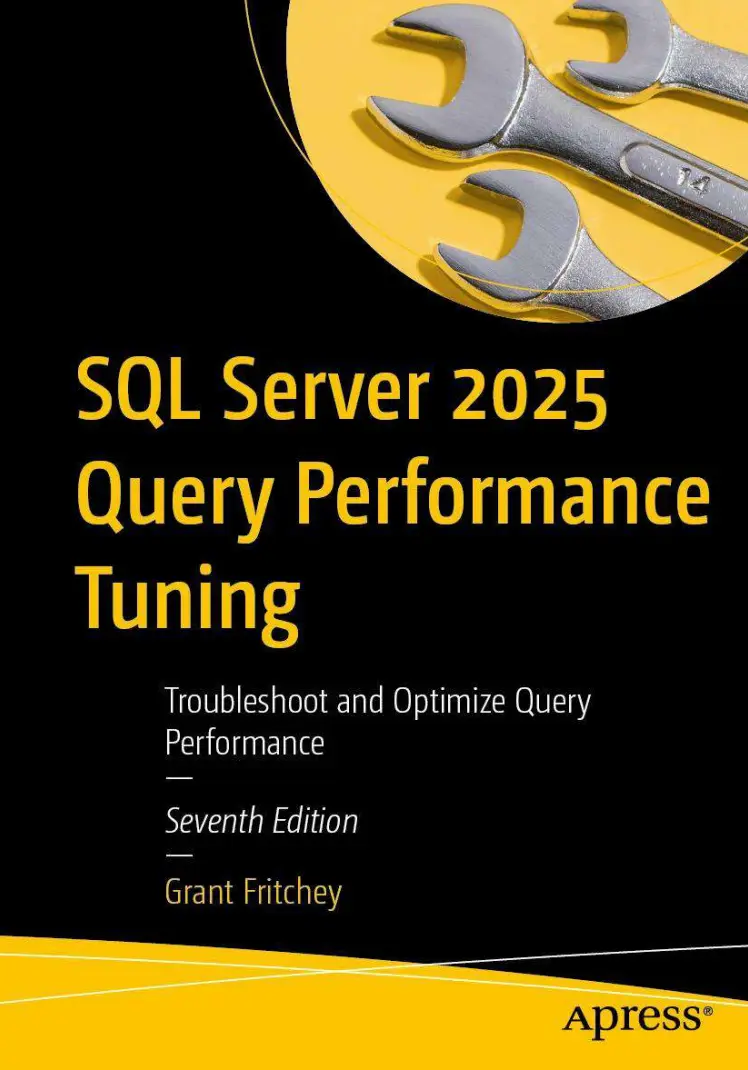
Автор: Fritchey Grant
Дата выхода: 2026
Издательство: Apress Media, LLC.
Количество страниц: 750
Размер файла: 10,8 МБ
Тип файла: PDF
Добавил: codelibs
Проверить на вирусыContents....5
About the Author....20
About the Technical Reviewer....21
Acknowledgments....22
Introduction....23
Chapter 1: Query Performance Tuning....24
The Query Performance Tuning Process....27
Performance Issues....27
A Repetitive Process....30
Understanding What Defines “Good Enough”....34
Establishing Comparison Points....34
Most Likely Performance Issues....36
Common Performance Issues....37
Insufficient or Poor Indexes....38
Inaccurate or Missing Statistics....38
Bad T-SQL....39
Problematic Execution Plans....39
Excessive Blocking....40
Deadlocks....40
Non–Set-Based Operations....41
Incorrect Database Design....41
Poor Execution Plan Reuse....42
Frequent Recompilation of Queries....42
Summary....43
Chapter 2: Execution Plan Generation and the Query Optimizer....44
The Query Optimization Process....44
Optimization Preparation....45
Parsing....46
Binding....47
Optimization....50
Simplification....51
Trivial Plan Match....51
Optimization Phases....51
Generating Parallel Execution Plans....56
Execution Plan Caching....60
Aging of the Execution Plan....60
Summary....61
Chapter 3: Methods for Capturing Query Performance Metrics....62
Methods to Capture Query Performance Metrics....63
Include Client Statistics....63
Connection Properties....64
SET STATISTICS TIME/IO....64
QueryTimeStats in the Execution Plan....65
Trace Events (Profiler)....65
Dynamic Management Views....66
Actively Executing Queries....67
Previously Executed Queries....68
Query Store....70
Extended Events....70
Creating an Extended Events Session....71
Adding and Configuring Events....74
Adding Global Fields to Events....79
Using Predicates with Events....80
Optional Event Fields....83
Defining Targets....85
Using the event_file Target....86
Using the histogram Target....88
Working with Sessions....89
Adding Causality Tracking....90
Scripting Extended Events....91
Live Data Explorer Window....93
Filtering Live Data....98
Aggregating Live Data....100
General Recommendations for Using Extended Events....103
Set Max File Size Appropriately....104
Avoid Debug Events....104
Avoid the Use of No_Event_Loss....104
Summary....105
Chapter 4: Analyzing Query Behavior Using Execution Plans....106
Estimated vs. Actual Execution Plans....107
Capturing Execution Plans....108
SQL Server Management Studio....108
Dynamic Management Views....111
Query Store....113
Extended Events....114
What Is Inside an Execution Plan....116
Reading an Execution Plan....123
What Do You Look for in an Execution Plan?....125
First Operator....126
Warnings....127
Most Costly Operations....130
Fat Pipes....131
Extra Operators....131
Scans....133
Estimate vs. Actual....133
After the Signposts....136
Tools That Assist You with Execution Plans....136
SQL Server Management Studio....137
Find Node....138
Compare Plans....141
Live Query Statistics....145
Third Party....148
SolarWinds Plan Explorer....148
Supratimas....148
Paste The Plan....149
AI....149
Summary....149
Chapter 5: Statistics, Data Distribution, and Cardinality....150
Statistics in the Query Optimization Process....151
Statistics on Rowstore Indexed Columns....151
Benefits of Updated Statistics....153
Drawbacks of Outdated Statistics....158
Statistics on Nonindexed Columns....160
Benefits of Statistics on a Nonindexed Column....160
Comparing Performance with Missing Statistics....167
Analyzing Statistics....169
Header....170
Density....171
Histogram....172
Cardinality....173
Statistics on a Multicolumn Index....177
Statistics on a Filtered Index....180
Controlling the Cardinality Estimator....182
Statistics Maintenance....185
Auto Create Statistics....186
Auto Update Statistics....186
Auto Update Statistics Asynchronously....186
Manual Maintenance....187
Manage Statistics Settings....188
Create Statistics Manually....190
Analyzing the Effectiveness of Statistics for a Query....191
Resolving a Missing Statistics Issue....192
Resolving an Outdated Statistics Issue....197
Recommendations on Statistics....200
Backward Compatibility of Statistics....200
Auto Create Statistics....200
Auto Update Statistics....200
Auto Update Statistics Asynchronously....201
Amount of Sampling to Collect Statistics....201
Summary....202
Chapter 6: Using the Query Store for Query Performance and Execution Plans....203
Query Store Function and Design....204
Information Collected by the Query Store....206
Query Runtime Data....210
Controlling the Query Store....212
Capture Mode....214
Query Store Reporting....216
Plan Forcing....222
Forcing Query Hints....224
Optimized Plan Forcing....225
Query Store for Upgrades....226
Summary....228
Chapter 7: Execution Plan Cache Behavior....229
Querying the Plan Cache....229
Execution Plan Caching and Plan Reuse....231
Ad Hoc Workload....232
Optimize for Ad Hoc Workloads....235
Simple Parameterization....237
Forced Parameterization....241
Prepared Workload....243
Stored Procedure....244
When Stored Procedures Are Compiled....246
Performance Benefits of Stored Procedures....247
Nonperformance Benefits of Stored Procedures....248
sp_executesql....248
Prepare/Execute Model....251
Query Hash and Query Plan Hash....252
Execution Plan Cache Recommendations....256
Explicitly Parameterize Values in Your Query....257
Use Stored Procedures Where You Can....257
Use sp_executesql As an Alternative to Stored Procedures....257
Take Advantage of the Prepare/Execute Model....258
Avoid Ad Hoc Queries....258
Enable Optimize for Ad Hoc....258
Summary....258
Chapter 8: Query Recompilation....260
Benefits and Drawbacks of Recompilation....260
Identifying the Statement Being Recompiled....265
Analyzing Causes of Recompilation....266
Deferred Object Resolution....269
Recompilation on a Table....269
Recompilation on a Temporary Table....270
Avoiding Recompiles....272
Avoid Interleaving DDL and DML Statements....272
Reduce Recompilation Caused by Statistics Changes....274
Use the KEEPFIXED PLAN Hint....275
Disable Automatic Statistics Maintenance on a Table....277
Use Table Variables....278
Use Temporary Tables Across Multiple Scopes....280
Avoid Changing SET Options Within a Batch....281
Controlling Recompile Results....282
Plan Forcing....283
Query Hints....283
Plan Guides....286
Hint Forcing....290
Summary....290
Chapter 9: Index Architecture....291
What Is a Rowstore Index?....291
The Benefits of Indexes....295
Index Overhead....297
What Is a Columnstore Index?....300
Columnstore Index Storage....301
Index-Design Recommendations....302
Type of Query Processing Being Performed....303
Determine Filtering Criteria....303
Use Narrow Indexes....306
Consider Selectivity of the Data....309
Determine the Data Type....312
Consider Column Order....312
Determine Data Storage....316
Ask an AI....316
Rowstore Index Behavior....316
Clustered Indexes....316
Heap Tables....317
Relationships with Nonclustered Indexes....317
Clustered Index Recommendations....320
Create the Clustered Index First....320
Keep Clustered Indexes Narrow....320
Rebuild the Clustered Index in a Single Step....323
Where Possible, Make the Clustered Index Unique....323
When to Use a Clustered Index....323
Accessing the Data Directly....323
Retrieving Pre-sorted Data....324
Poor Design Practices for a Clustered Index....326
Frequently Updated Columns....326
Wide Keys....327
Nonclustered Indexes....327
Nonclustered Index Maintenance....328
Defining the Lookup Operation....328
Nonclustered Index Recommendations....328
When to Use a Nonclustered Index....329
When Not to Use a Nonclustered Index....329
Columnstore Index Behavior....330
Columnstore Recommendations....337
Missing Indexes....337
Summary....340
Chapter 10: Index Behaviors....341
Covering Indexes....341
A Pseudoclustered Index....344
Recommendations....344
Index Intersection....344
Index Joins....348
Filtered Indexes....350
Indexed Views....354
Benefit....354
Overhead....355
Usage Scenarios....356
Index Compression....360
Index Characteristics....362
Different Column Sort Order....362
Index on Computed Columns....363
CREATE INDEX Statement Processed As a Query....363
Parallel Index Creation....364
Online Index Creation....364
Considering the Database Engine Tuning Advisor....364
OPTIMIZE_FOR_SEQUENTIAL_KEY....365
Resumable Indexes and Constraints....365
Special Index Types....366
Full-Text....367
Spatial....367
XML....368
Vector....368
Summary....369
Chapter 11: Key Lookups and Solutions....370
Purpose of Lookups....370
Performance Issues Caused by Lookups....372
Analysis of the Causes of Lookups....373
Techniques to Resolve Lookups....376
Create a Clustered Index....376
Use a Covering Index....376
Take Advantage of Index Joins....380
Summary....382
Chapter 12: Dealing with Index Fragmentation....384
Causes of Rowstore Fragmentation....385
How Fragmentation Occurs in Rowstore Indexes....385
Page Split from an UPDATE Statement....387
Page Split by an INSERT Statement....389
How Fragmentation Occurs in Columnstore Indexes....390
Fragmentation Overhead....392
Rowstore Overhead....393
Columnstore Overhead....396
Analyzing the Amount of Fragmentation....397
Analyzing the Fragmentation of a Small Table....401
Fragmentation Resolutions....402
Drop and Recreate the Index....402
Recreating the Index with the DROP_EXISTING Clause....403
Execute the ALTER INDEX REBUILD Command....404
Execute the ALTER INDEX REORGANIZE Command....405
Defragmentation and Partitions....412
Significance of the Fill Factor....414
Automatic Maintenance....418
Summary....418
Chapter 13: Parameter-Sensitive Queries: Causes and Solutions....419
How Does Parameter Sniffing Work?....419
Identifying Queries That Are Sensitive to Parameter Values....425
Mechanisms for Addressing Plan-Sensitive Queries....430
Disable Parameter Sniffing....430
Local Variables....432
Recompile....432
OPTIMIZE FOR Query Hint....433
Force Plan....436
Multiplan....437
Summary....446
Chapter 14: Query Design Analysis....448
Query Design Recommendations....448
Keep Your Result Sets Small....449
Limit the Columns in Your SELECT List....449
Filter Your Data Through a WHERE Clause....451
Use Indexes Effectively....452
Use Effective Search Conditions....452
BETWEEN vs. IN/OR....453
LIKE Condition....458
!< Condition vs. >= Condition....458
Avoid Operations on Columns....460
Custom Scalar UDF....465
Minimize Optimizer Hints....470
JOIN Hint....471
INDEX Hints....476
Using Domain and Referential Integrity....477
NOT NULL Constraint....477
User-Defined Constraints....480
Declarative Referential Integrity....482
Summary....487
Chapter 15: Reduce Query Resource Use....488
Avoiding Resource-Intensive Queries....488
Use Appropriate Data Types....489
Test EXISTS Over COUNT(*) to Verify Data Existence....492
Favor UNION ALL Over UNION....495
Ensure Indexes Are Used for Aggregate and Sort Operations....498
Be Cautious with Local Variables in a Batch Query....499
Stored Procedure Names Actually Matter....503
Reducing Network Overhead Where Possible....503
Execute Multiple Queries in Sets....504
Use SET NOCOUNT....504
Techniques to Reduce Transaction Cost of a Query....505
Reduce Logging Overhead....505
Reduce Lock Overhead....508
Mark the Database As READ_ONLY....508
Use Snapshot Isolation....509
Prevent SELECT Statements from Requesting a Lock....509
Summary....510
Chapter 16: Blocking and Blocked Processes....511
Blocking Fundamentals....511
A Short Discussion of Terminology....512
Introducing Blocking....513
Transactions and ACID Properties....514
Atomicity....514
SET XACT_ABORT ON....516
Explicit Rollback....517
Consistency....518
Isolation....518
Durability....519
Lock Types....519
Row Locks....520
Key Locks....522
Page Locks....523
Extent Locks....524
Heap or B-Tree Locks....524
Rowgroup Locks....524
Table Locks....524
Transaction Locks....525
Database Locks....525
Lock Operations and Modes....525
Lock Escalation....526
Lock Modes....527
Shared (S) Mode....527
Update (U) Mode....528
Exclusive (X) Mode....533
Intent Shared (IS), Intent Exclusive (IX), and Shared with Intent Exclusive (SIX) Modes....533
Schema Modification (Sch-M) and Schema Stability (Sch-S) Modes....534
Bulk Update (BU) Mode....535
Key-Range Mode....535
Lock Compatibility....535
Isolation Levels....536
Read Uncommitted....536
Read Committed....538
Repeatable Read....540
Serializable....542
Snapshot....544
Optimized Locking....544
TransactionID Locking....545
Lock After Qualification....547
Effect of Indexes on Locking....549
Effect of a Nonclustered Index....549
Effects of a Clustered Index....551
Capturing Blocking Information....552
Capturing Blocking Information Using T-SQL....553
Extended Events and the blocked_process_report Event....555
Recommendations to Reduce Blocking....560
Summary....562
Chapter 17: Causes and Solutions for Deadlocks....563
Deadlock Fundamentals....563
Choosing the Deadlock Victim....565
Analyzing the Causes of Deadlocks....566
Capturing Deadlock Information....566
Trace Flag....567
Extended Events....569
Analyzing the Deadlock Graph....570
Error Handling for Deadlocks....580
Mechanisms to Prevent Deadlocks....581
Access Resources in the Same Order....581
Decrease the Amount of Resources Accessed....582
Convert a Nonclustered Index to a Clustered Index....582
Use a Covering Index....582
Minimize Lock Contention....583
Implement Row Versioning....583
Decrease the Isolation Level....583
Enable Optimized Locking....583
Use Locking Hints....584
Tune the Queries....584
Summary....584
Chapter 18: Row-by-Row Processing from Cursors and Other Causes....586
Cursor Fundamentals....586
Cursor Location....587
Client-Side Cursors....587
Server-Side Cursors....588
Cursor Concurrency....588
Read-Only....589
Optimistic....589
Scroll Locks....590
Cursor Types....590
Forward-Only Cursors....591
Static Cursors....592
Keyset-Driven Cursors....592
Dynamic Cursors....593
WHILE Loop....594
Cursor Cost Comparison....596
Cost Comparison Based on Location....596
Client-Side Cursors....596
Server-Side Cursors....597
Cost Comparison Based on Concurrency....598
Read-Only....598
Optimistic....598
Scroll Locks....600
Cost Comparison Based on Cursor Type....600
Forward-Only Cursors....601
Fast-Forward-Only Cursor....601
Static Cursors....602
Keyset-Driven Cursors....602
Dynamic Cursor....603
Default Result Set....604
Benefits....605
Multiple Active Result Sets....606
Drawbacks....606
Cursor Overhead....609
Cursor Recommendations....612
Summary....614
Chapter 19: Memory-Optimized OLTP Tables and Procedures....615
In-Memory OLTP Fundamentals....615
System Requirements....617
Basic Setup....617
Creating Tables....619
In-Memory Table Variables....624
In-Memory Indexes....627
Hash Index....627
Nonclustered Indexes....630
Columnstore Index....632
Statistics Maintenance....632
Natively Compiled Stored Procedures....634
Recommendations....637
Baselines....637
Correct Workload....637
Memory Optimization Advisor....638
Native Compilation Advisor....643
Summary....645
Chapter 20: Graph Databases....646
Introduction to Graph Databases....646
Querying Graph Data....660
Shortest Path....662
Performance Considerations of Graph Data....665
Summary....667
Chapter 21: Intelligent Query Processing....668
Adaptive Query Processing....669
Interleaved Execution....669
Query Processing Feedback....680
Memory Grants....680
Cardinality Estimates....684
Degree of Parallelism (DOP) Feedback....689
Feedback Persistence....694
Approximate Query Processing....694
APPROX_COUNT_DISTINCT....695
APPROX_PERCENTILE_CONT and APPROX_PERCENTILE_DISC....695
Table Variable Deferred Compilation....697
Scalar User-Defined Function Inlining....700
Summary....705
Chapter 22: Automated Tuning in Azure and SQL Server....706
Automatic Plan Correction....706
Tuning Recommendations....707
Enabling Automatic Tuning....713
Azure Portal....714
SQL Server....716
Automatic Tuning in Action....717
Azure SQL Database Automatic Index Management....718
Summary....724
Chapter 23: A Query Tuning Methodology....725
Database Design....725
Use Entity-Integrity Constraints....726
Maintain Domain and Referential Integrity Constraints....729
Adopt Index-Design Best Practices....732
Avoid the Use of the “sp_” Prefix for Stored Procedure Names....734
Minimize the Use of Triggers....734
Put Tables into In-Memory Storage....734
Use Columnstore Indexes....735
Take Advantage of Graph Storage....735
Use Appropriate Data Types....735
Configuration Settings....735
Memory Configuration Options....736
Cost Threshold for Parallelism....736
Max Degree of Parallelism....737
Optimize for Ad Hoc Workloads....738
Blocked Process Threshold....738
Database Compression....738
Database Administration....738
Keep Statistics Up to Date....739
Maintain a Minimum Amount of Index Fragmentation....739
Avoid Database Functions Such As AUTO_CLOSE or AUTO_SHRINK....740
Query Design....740
Use the Command SET NOCOUNT ON....741
Explicitly Define the Owner of an Object....741
Avoid Non-sargable Search Conditions....741
Avoid Large IN Clauses....743
Avoid a Large Number of OR Clauses....743
Avoid Arithmetic Expressions on Filter Clauses....743
Avoid Optimizer Hints....745
Stay Away from Nesting Views....745
Ensure No Implicit Data Type Conversions....745
Minimize Logging Overhead....746
Adopt Best Practices for Reusing Execution Plans....746
Caching Execution Plans Effectively....747
Minimize Recompilation of Execution Plans....747
Adopt Best Practices for Database Transactions....748
Eliminate or Reduce the Overhead of Database Cursors....748
Use Natively Compiled Stored Procedures....749
Take Advantage of Columnstore for Analytical Queries....749
Enable the Query Store....749
Summary....750
A new era of SQL Server is here, and this latest edition of Grant Fritchey’s best-selling dive into SQL Server query performance can ensure your queries keep up.
The fundamentals are still here: You’ll learn how statistics and indexes impact performance, how to identify poorly performing queries, and how to discover effective solutions. But this new edition also includes advanced features unique to SQL Server 2025, such as AI integration for automatic tuning, insights on using extended events, automatic execution plan correction, and more. It’s a must-have resource designed to empower you to troubleshoot slow-performing queries and make them run faster than ever.
The book is a treasure trove of instruction, insight, and advice. As you dive in, you’ll encounter key fundamentals, from statistics and data distribution to cardinality and parameter sniffing, and learn to analyze and design your indexes and queries using best practices that prevent performance problems before they occur. You’ll also explore advanced features like Query Store for managing and controlling execution plans, automated performance tuning, and memory-optimized OLTP tables and procedures—and learn how SQL Server 2025 makes it all more powerful and automatable than ever.
What You Will Learn
- Use Query Store to understand and easily change query performance
- Recognize and eliminate bottlenecks leading to slow performance
- Tune queries whether on-premises, in containers, or on cloud platform providers
- Implement best practices in T-SQL to minimize performance risk
- Design in the performance that you need through careful query and index design
- Understand how built-in, automatic tuning can assist your performance enhancement efforts
- Protect query performance during upgrades to the newer versions of SQL Server
Who This Book Is For
Developers and database administrators with responsibility for query performance in SQL Server environments, and anyone responsible for writing or creating T-SQL queries and in need of insight into bottlenecks—including how to identify them, understand them, and eliminate them


