-
1C
-
Agda
-
Agile/Scrum
-
Alef
-
APL
-
Assembler
-
AWK
-
Basic
-
Beta Programming Language
-
Big Data/DataScience
-
C
-
C#
-
C++
-
Cobol
-
Crystal
-
CSS
-
D
-
Dart
-
DataBase (SQL)
-
Delphi
-
F#
-
Flutter
-
Fortran
-
GameDev
-
Git
-
Go (Golang)
-
GPT/AI/ИИ
-
Hacking and Security
-
Haskell
-
HTML
-
Java
-
JavaScript (JS)
-
Julia
-
Kotlin
-
Machine Learning (ML)
-
Natural language processing (NLP)
-
.NET (.NET Core)
-
Pascal
-
PHP
-
Python
-
R
-
Ruby
-
Rust
-
Scratch
-
Swift
-
UML
-
UX/UI
-
Visual Basic
-
Wolfram
-
XML
-
АСУ
-
Проектирование/System Design
-
Сети/Network
-
Статьи
-
Схемотехника/электронные схемы
-
1C
-
Agda
-
Agile/Scrum
-
Alef
-
APL
-
Assembler
-
AWK
-
Basic
-
Beta Programming Language
-
Big Data/DataScience
-
C
-
C#
-
C++
-
Cobol
-
Crystal
-
CSS
-
D
-
Dart
-
DataBase (SQL)
-
Delphi
-
F#
-
Flutter
-
Fortran
-
GameDev
-
Git
-
Go (Golang)
-
GPT/AI/ИИ
-
Hacking and Security
-
Haskell
-
HTML
-
Java
-
JavaScript (JS)
-
Julia
-
Kotlin
-
Machine Learning (ML)
-
Natural language processing (NLP)
-
.NET (.NET Core)
-
Pascal
-
PHP
-
Python
-
R
-
Ruby
-
Rust
-
Scratch
-
Swift
-
UML
-
UX/UI
-
Visual Basic
-
Wolfram
-
XML
-
АСУ
-
Проектирование/System Design
-
Сети/Network
-
Статьи
-
Схемотехника/электронные схемы
Меню
Object-Oriented Python: Master OOP by Building Games and GUIs
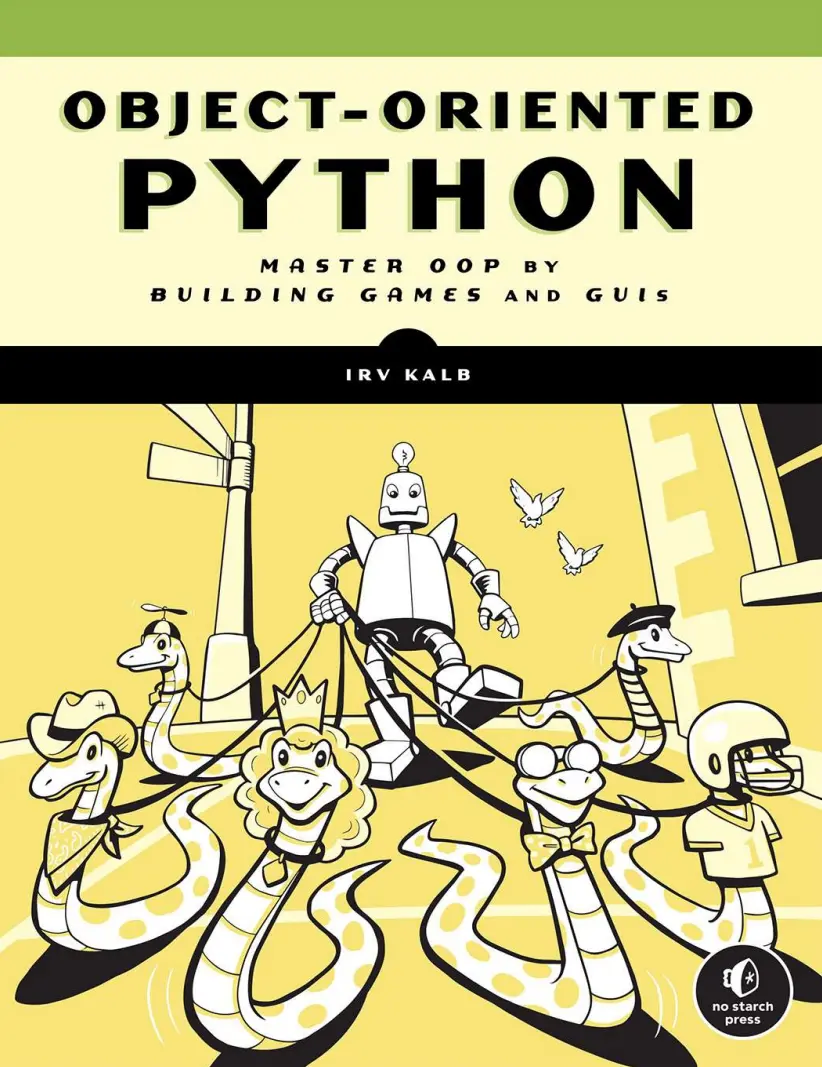
Автор: Kalb Irv
Дата выхода: 2022
Издательство: No Starch Press, Inc.
Количество страниц: 541
Размер файла: 2,4 МБ
Тип файла: PDF
Добавил: codelibs
Проверить на вирусыTitle Page....13
Copyright....14
Dedication....16
About the Author....17
Acknowledgments....18
Introduction....20
Who Is This Book For?....22
Python Version(s) and Installation....22
How Will I Explain OOP?....24
What’s in the Book....24
Development Environments....27
Widgets and Example Games....27
Part I: Introducing Object-oriented Programming....29
Chapter 1: Procedural Python Examples....30
Higher or Lower Card Game....31
Representing the Data....31
Implementation....32
Reusable Code....35
Bank Account Simulations....35
Analysis of Required Operations and Data....36
Implementation 1—Single Account Without Functions....36
Implementation 2—Single Account with Functions....39
Implementation 3—Two Accounts....42
Implementation 4—Multiple Accounts Using Lists....44
Implementation 5—List of Account Dictionaries....47
Common Problems with Procedural Implementation....50
Object-Oriented Solution—First Look at a Class....51
Summary....52
Chapter 2: Modeling Physical Objects with Object-Oriented Programming....54
Building Software Models of Physical Objects....55
State and Behavior: Light Switch Example....55
Classes, Objects, and Instantiation....60
Writing a Class in Python....61
Scope and Instance Variables....63
Differences Between Functions and Methods....65
Creating an Object from a Class....65
Calling Methods of an Object....67
Creating Multiple Instances from the Same Class....68
Python Data Types Are Implemented as Classes....70
Definition of an Object....71
Building a Slightly More Complicated Class....71
Representing a More Complicated Physical Object as a Class....74
Passing Arguments to a Method....80
Multiple Instances....82
Initialization Parameters....84
Classes in Use....86
OOP as a Solution....87
Summary....88
Chapter 3: Mental Models of Objects and the Meaning of “self”....89
Revisiting the DimmerSwitch Class....89
High-Level Mental Model #1....91
A Deeper Mental Model #2....92
What Is the Meaning of “self”?....97
Summary....101
Chapter 4: Managing Multiple Objects....103
Bank Account Class....103
Importing Class Code....106
Creating Some Test Code....108
Creating Multiple Accounts....108
Multiple Account Objects in a List....111
Multiple Objects with Unique Identifiers....113
Building an Interactive Menu....116
Creating an Object Manager Object....118
Building the Object Manager Object....120
Main Code That Creates an Object Manager Object....123
Better Error Handling with Exceptions....126
try and except....126
The raise Statement and Custom Exceptions....127
Using Exceptions in Our Bank Program....128
Account Class with Exceptions....128
Optimized Bank Class....130
Main Code That Handles Exceptions....132
Calling the Same Method on a List of Objects....134
Interface vs. Implementation....136
Summary....136
Part II: Graphical User interfaces with Pygame....138
Chapter 5: Introduction to Pygame....139
Installing Pygame....140
Window Details....141
The Window Coordinate System....142
Pixel Colors....147
Event-Driven Programs....148
Using Pygame....150
Bringing Up a Blank Window....151
Drawing an Image....155
Detecting a Mouse Click....158
Handling the Keyboard....162
Creating a Location-Based Animation....167
Using Pygame rects....170
Playing Sounds....174
Playing Sound Effects....174
Playing Background Music....175
Drawing Shapes....177
Reference for Primitive Shapes....180
Summary....183
Chapter 6: Object-Oriented Pygame....184
Building the Screensaver Ball with OOP Pygame....184
Creating a Ball Class....185
Using the Ball Class....187
Creating Many Ball Objects....189
Creating Many, Many Ball Objects....191
Building a Reusable Object-Oriented Button....192
Building a Button Class....193
Main Code Using a SimpleButton....196
Creating a Program with Multiple Buttons....198
Building a Reusable Object-Oriented Text Display....200
Steps to Display Text....200
Creating a SimpleText Class....201
Demo Ball with SimpleText and SimpleButton....203
Interface vs. Implementation....205
Callbacks....206
Creating a Callback....207
Using a Callback with SimpleButton....208
Summary....211
Chapter 7: Pygame GUI Widgets....213
Passing Arguments into a Function or Method....213
Positional and Keyword Parameters....215
Additional Notes on Keyword Parameters....216
Using None as a Default Value....218
Choosing Keywords and Default Values....219
Default Values in GUI Widgets....220
The pygwidgets Package....220
Setting Up....222
Overall Design Approach....222
Adding an Image....224
Adding Buttons, Checkboxes, and Radio Buttons....225
Text Output and Input....229
Other pygwidgets Classes....232
pygwidgets Example Program....233
The Importance of a Consistent API....234
Summary....235
Part III: Encapsulation, Polymorphism, and Inheritance....236
Chapter 8: Encapsulation....237
Encapsulation with Functions....237
Encapsulation with Objects....238
Objects Own Their Data....239
Interpretations of Encapsulation....240
Direct Access and Why You Should Avoid It....240
Strict Interpretation with Getters and Setters....246
Safe Direct Access....248
Making Instance Variables More Private....249
Implicitly Private....249
More Explicitly Private....250
Decorators and @property....251
Encapsulation in pygwidgets Classes....256
A Story from the Real World....257
Abstraction....258
Summary....262
Chapter 9: Polymorphism....263
Sending Messages to Real-World Objects....264
A Classic Example of Polymorphism in Programming....264
Example Using Pygame Shapes....266
The Square Shape Class....267
The Circle and Triangle Shape Classes....269
The Main Program Creating Shapes....272
Extending a Pattern....274
pygwidgets Exhibits Polymorphism....275
Polymorphism for Operators....276
Magic Methods....277
Comparison Operator Magic Methods....278
A Rectangle Class with Magic Methods....280
Main Program Using Magic Methods....282
Math Operator Magic Methods....285
Vector Example....285
Creating a String Representation of Values in an Object....288
A Fraction Class with Magic Methods....291
Summary....295
Chapter 10: Inheritance....297
Inheritance in Object-Oriented Programming....298
Implementing Inheritance....300
Employee and Manager Example....301
Base Class: Employee....301
Subclass: Manager....302
Test Code....305
The Client’s View of a Subclass....306
Real-World Examples of Inheritance....308
InputNumber....308
DisplayMoney....312
Example Usage....315
Multiple Classes Inheriting from the Same Base Class....319
Abstract Classes and Methods....324
How pygwidgets Uses Inheritance....329
Class Hierarchy....332
The Difficulty of Programming with Inheritance....334
Summary....335
Chapter 11: Managing Memory Used by Objects....337
Object Lifetime....337
Reference Count....338
Garbage Collection....346
Class Variables....346
Class Variable Constants....347
Class Variables for Counting....348
Putting It All Together: Balloon Sample Program....349
Module of Constants....353
Main Program Code....354
Balloon Manager....357
Balloon Class and Objects....360
Managing Memory: Slots....364
Summary....367
Part IV: Using OOP in Game Development....368
Chapter 12: Card Games....370
The Card Class....371
The Deck Class....374
The Higher or Lower Game....377
Main Program....377
Game Object....379
Testing with __name__....383
Other Card Games....385
Blackjack Deck....385
Games with Unusual Card Decks....385
Summary....386
Chapter 13: Timers....387
Timer Demonstration Program....388
Three Approaches for Implementing Timers....389
Counting Frames....389
Timer Event....390
Building a Timer by Calculating Elapsed Time....392
Installing pyghelpers....394
The Timer Class....395
Displaying Time....398
CountUpTimer....399
CountDownTimer....403
Summary....404
Chapter 14: Animation....405
Building Animation Classes....405
SimpleAnimation Class....406
SimpleSpriteSheetAnimation Class....411
Merging Two Classes....417
Animation Classes in pygwidgets....417
Animation Class....418
SpriteSheetAnimation Class....420
Common Base Class: PygAnimation....422
Example Animation Program....423
Summary....425
Chapter 15: Scenes....427
The State Machine Approach....427
A pygame Example with a State Machine....430
A Scene Manager for Managing Many Scenes....438
A Demo Program Using a Scene Manager....439
The Main Program....442
Building the Scenes....444
A Typical Scene....448
Rock, Paper, Scissors Using Scenes....450
Communication Between Scenes....455
Requesting Information from a Target Scene....456
Sending Information to a Target Scene....457
Sending Information to All Scenes....457
Testing Communications Among Scenes....458
Implementation of the Scene Manager....458
run() Method....460
Main Methods....462
Communication Between Scenes....463
Summary....465
Chapter 16: Full Game: Dodger....467
Modal Dialogs....467
Yes/No and Alert Dialogs....468
Answer Dialogs....472
Building a Full Game: Dodger....475
Game Overview....475
Implementation....476
Extensions to the Game....500
Summary....501
Chapter 17: Design Patterns and Wrap-Up....502
Model View Controller....502
File Display Example....503
Statistical Display Example....504
Advantages of the MVC Pattern....510
Wrap-Up....512
Index....514
Object-Oriented Python is an intuitive and thorough guide to mastering object-oriented programming from the ground up. You’ll cover the basics of building classes and creating objects, and put theory into practice using the pygame package with clear examples that help visualize the object-oriented style. You’ll explore the key concepts of object-oriented programming — encapsulation, polymorphism, and inheritance — and learn not just how to code with objects, but the absolute best practices for doing so. Finally, you’ll bring it all together by building a complex video game, complete with full animations and sounds. The book covers two fully functional Python code packages that will speed up development of graphical user interface (GUI) programs in Python.


