-
1C
-
Agda
-
Agile/Scrum
-
Alef
-
APL
-
Assembler
-
AWK
-
Basic
-
Beta Programming Language
-
Big Data/DataScience
-
C
-
C#
-
C++
-
Cobol
-
Crystal
-
CSS
-
D
-
Dart
-
DataBase (SQL)
-
Delphi
-
F#
-
Flutter
-
Fortran
-
GameDev
-
Git
-
Go (Golang)
-
GPT/AI/ИИ
-
Hacking and Security
-
Haskell
-
HTML
-
Java
-
JavaScript (JS)
-
Julia
-
Kotlin
-
Machine Learning (ML)
-
Natural language processing (NLP)
-
.NET (.NET Core)
-
Pascal
-
PHP
-
Python
-
R
-
Ruby
-
Rust
-
Scratch
-
Swift
-
UML
-
UX/UI
-
Visual Basic
-
Wolfram
-
XML
-
АСУ
-
Проектирование/System Design
-
Сети/Network
-
Статьи
-
Схемотехника/электронные схемы
-
1C
-
Agda
-
Agile/Scrum
-
Alef
-
APL
-
Assembler
-
AWK
-
Basic
-
Beta Programming Language
-
Big Data/DataScience
-
C
-
C#
-
C++
-
Cobol
-
Crystal
-
CSS
-
D
-
Dart
-
DataBase (SQL)
-
Delphi
-
F#
-
Flutter
-
Fortran
-
GameDev
-
Git
-
Go (Golang)
-
GPT/AI/ИИ
-
Hacking and Security
-
Haskell
-
HTML
-
Java
-
JavaScript (JS)
-
Julia
-
Kotlin
-
Machine Learning (ML)
-
Natural language processing (NLP)
-
.NET (.NET Core)
-
Pascal
-
PHP
-
Python
-
R
-
Ruby
-
Rust
-
Scratch
-
Swift
-
UML
-
UX/UI
-
Visual Basic
-
Wolfram
-
XML
-
АСУ
-
Проектирование/System Design
-
Сети/Network
-
Статьи
-
Схемотехника/электронные схемы
Меню
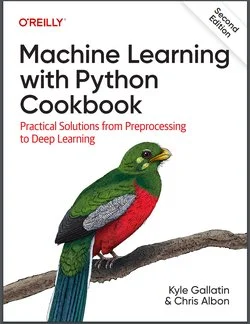
Machine Learning with Python Cookbook: Practical Solutions from Preprocessing to Deep Learning. 2 Ed
Автор: Albon Chris , Gallatin Kyle
Дата выхода: 2023
Издательство: O’Reilly Media, Inc.
Количество страниц: 535
Размер файла: 6,7 МБ
Тип файла: PDF
Добавил: codelibs
Проверить на вирусыPreface....5
Conventions Used in This Book....5
Using Code Examples....6
O’Reilly Online Learning....7
How to Contact Us....7
Acknowledgments....8
1. Working with Vectors, Matrices, and Arrays in NumPy....10
1.0. Introduction....10
1.1. Creating a Vector....10
1.2. Creating a Matrix....11
1.3. Creating a Sparse Matrix....12
1.4. Preallocating NumPy Arrays....14
1.5. Selecting Elements....15
1.6. Describing a Matrix....17
1.7. Applying Functions over Each Element....17
1.8. Finding the Maximum and Minimum Values....19
1.9. Calculating the Average, Variance, and Standard Deviation....20
1.10. Reshaping Arrays....21
1.11. Transposing a Vector or Matrix....22
1.12. Flattening a Matrix....23
1.13. Finding the Rank of a Matrix....24
1.14. Getting the Diagonal of a Matrix....25
1.15. Calculating the Trace of a Matrix....26
1.16. Calculating Dot Products....27
1.17. Adding and Subtracting Matrices....28
1.18. Multiplying Matrices....29
1.19. Inverting a Matrix....30
1.20. Generating Random Values....31
2. Loading Data....34
2.0. Introduction....34
2.1. Loading a Sample Dataset....34
2.2. Creating a Simulated Dataset....36
2.3. Loading a CSV File....40
2.4. Loading an Excel File....41
2.5. Loading a JSON File....42
2.6. Loading a Parquet File....43
2.7. Loading an Avro File....44
2.8. Querying a SQLite Database....46
2.9. Querying a Remote SQL Database....47
2.10. Loading Data from a Google Sheet....49
2.11. Loading Data from an S3 Bucket....50
2.12. Loading Unstructured Data....51
3. Data Wrangling....53
3.0. Introduction....53
3.1. Creating a Dataframe....55
3.2. Getting Information about the Data....56
3.3. Slicing DataFrames....59
3.4. Selecting Rows Based on Conditionals....63
3.5. Sorting Values....65
3.6. Replacing Values....66
3.7. Renaming Columns....68
3.8. Finding the Minimum, Maximum, Sum, Average, and Count....71
3.9. Finding Unique Values....72
3.10. Handling Missing Values....74
3.11. Deleting a Column....76
3.12. Deleting a Row....79
3.13. Dropping Duplicate Rows....81
3.14. Grouping Rows by Values....84
3.15. Grouping Rows by Time....86
3.16. Aggregating Operations and Statistics....89
3.17. Looping over a Column....92
3.18. Applying a Function over All Elements in a Column....93
3.19. Applying a Function to Groups....94
3.20. Concatenating DataFrames....95
3.21. Merging DataFrames....97
4. Handling Numerical Data....102
4.0. Introduction....102
4.1. Rescaling a Feature....102
4.2. Standardizing a Feature....104
4.3. Normalizing Observations....106
4.4. Generating Polynomial and Interaction Features....108
4.5. Transforming Features....110
4.6. Detecting Outliers....112
4.7. Handling Outliers....114
4.8. Discretizating Features....117
4.9. Grouping Observations Using Clustering....119
4.10. Deleting Observations with Missing Values....121
4.11. Imputing Missing Values....123
5. Handling Categorical Data....127
5.0. Introduction....127
5.1. Encoding Nominal Categorical Features....128
5.2. Encoding Ordinal Categorical Features....131
5.3. Encoding Dictionaries of Features....134
5.4. Imputing Missing Class Values....137
5.5. Handling Imbalanced Classes....139
6. Handling Text....144
6.0. Introduction....144
6.1. Cleaning Text....144
6.2. Parsing and Cleaning HTML....147
6.3. Removing Punctuation....148
6.4. Tokenizing Text....149
6.5. Removing Stop Words....150
6.6. Stemming Words....152
6.7. Tagging Parts of Speech....153
6.8. Performing Named-Entity Recognition....155
6.9. Encoding Text as a Bag of Words....157
6.10. Weighting Word Importance....160
6.11. Using Text Vectors to Calculate Text Similarity in a Search Query....162
6.12. Using a Sentiment Analysis Classifier....164
7. Handling Dates and Times....166
7.0. Introduction....166
7.1. Converting Strings to Dates....166
7.2. Handling Time Zones....168
7.3. Selecting Dates and Times....170
7.4. Breaking Up Date Data into Multiple Features....171
7.5. Calculating the Difference Between Dates....173
7.6. Encoding Days of the Week....174
7.7. Creating a Lagged Feature....175
7.8. Using Rolling Time Windows....176
7.9. Handling Missing Data in Time Series....178
8. Handling Images....183
8.0. Introduction....183
8.1. Loading Images....183
8.2. Saving Images....186
8.3. Resizing Images....187
8.4. Cropping Images....188
8.5. Blurring Images....190
8.6. Sharpening Images....193
8.7. Enhancing Contrast....194
8.8. Isolating Colors....196
8.9. Binarizing Images....198
8.10. Removing Backgrounds....200
8.11. Detecting Edges....203
8.12. Detecting Corners....205
8.13. Creating Features for Machine Learning....209
8.14. Encoding Color Histograms as Features....212
8.15. Using Pretrained Embeddings as Features....216
8.16. Detecting Objects with OpenCV....218
8.17. Classifying Images with Pytorch....220
9. Dimensionality Reduction Using Feature Extraction....223
9.0. Introduction....223
9.1. Reducing Features Using Principal Components....224
9.2. Reducing Features When Data Is Linearly Inseparable....227
9.3. Reducing Features by Maximizing Class Separability....231
9.4. Reducing Features Using Matrix Factorization....234
9.5. Reducing Features on Sparse Data....235
10. Dimensionality Reduction Using Feature Selection....239
10.0. Introduction....239
10.1. Thresholding Numerical Feature Variance....240
10.2. Thresholding Binary Feature Variance....241
10.3. Handling Highly Correlated Features....243
10.4. Removing Irrelevant Features for Classification....245
10.5. Recursively Eliminating Features....248
11. Model Evaluation....252
11.0. Introduction....252
11.1. Cross-Validating Models....252
11.2. Creating a Baseline Regression Model....257
11.3. Creating a Baseline Classification Model....259
11.4. Evaluating Binary Classifier Predictions....261
11.5. Evaluating Binary Classifier Thresholds....265
11.6. Evaluating Multiclass Classifier Predictions....269
11.7. Visualizing a Classifier’s Performance....271
11.8. Evaluating Regression Models....274
11.9. Evaluating Clustering Models....276
11.10. Creating a Custom Evaluation Metric....278
11.11. Visualizing the Effect of Training Set Size....280
11.12. Creating a Text Report of Evaluation Metrics....283
11.13. Visualizing the Effect of Hyperparameter Values....284
12. Model Selection....288
12.0. Introduction....288
12.1. Selecting the Best Models Using Exhaustive Search....289
12.2. Selecting the Best Models Using Randomized Search....291
12.3. Selecting the Best Models from Multiple Learning Algorithms....294
12.4. Selecting the Best Models When Preprocessing....297
12.5. Speeding Up Model Selection with Parallelization....299
12.6. Speeding Up Model Selection Using Algorithm-Specific Methods....301
12.7. Evaluating Performance After Model Selection....303
13. Linear Regression....306
13.0. Introduction....306
13.1. Fitting a Line....306
13.2. Handling Interactive Effects....308
13.3. Fitting a Nonlinear Relationship....311
13.4. Reducing Variance with Regularization....314
13.5. Reducing Features with Lasso Regression....317
14. Trees and Forests....319
14.0. Introduction....319
14.1. Training a Decision Tree Classifier....319
14.2. Training a Decision Tree Regressor....321
14.3. Visualizing a Decision Tree Model....323
14.4. Training a Random Forest Classifier....325
14.5. Training a Random Forest Regressor....327
14.6. Evaluating Random Forests with Out-of-Bag Errors....329
14.7. Identifying Important Features in Random Forests....330
14.8. Selecting Important Features in Random Forests....333
14.9. Handling Imbalanced Classes....335
14.10. Controlling Tree Size....337
14.11. Improving Performance Through Boosting....339
14.12. Training an XGBoost Model....341
14.13. Improving Real-Time Performance with LightGBM....343
15. K-Nearest Neighbors....345
15.0. Introduction....345
15.1. Finding an Observation’s Nearest Neighbors....345
15.2. Creating a K-Nearest Neighbors Classifier....348
15.3. Identifying the Best Neighborhood Size....350
15.4. Creating a Radius-Based Nearest Neighbors Classifier....352
15.5. Finding Approximate Nearest Neighbors....353
15.6. Evaluating Approximate Nearest Neighbors....358
16. Logistic Regression....360
16.0. Introduction....360
16.1. Training a Binary Classifier....360
16.2. Training a Multiclass Classifier....362
16.3. Reducing Variance Through Regularization....363
16.4. Training a Classifier on Very Large Data....365
16.5. Handling Imbalanced Classes....366
17. Support Vector Machines....369
17.0. Introduction....369
17.1. Training a Linear Classifier....369
17.2. Handling Linearly Inseparable Classes Using Kernels....372
17.3. Creating Predicted Probabilities....377
17.4. Identifying Support Vectors....379
17.5. Handling Imbalanced Classes....381
18. Naive Bayes....383
18.0. Introduction....383
18.1. Training a Classifier for Continuous Features....384
18.2. Training a Classifier for Discrete and Count Features....386
18.3. Training a Naive Bayes Classifier for Binary Features....388
18.4. Calibrating Predicted Probabilities....389
19. Clustering....392
19.0. Introduction....392
19.1. Clustering Using K-Means....392
19.2. Speeding Up K-Means Clustering....396
19.3. Clustering Using Mean Shift....397
19.4. Clustering Using DBSCAN....398
19.5. Clustering Using Hierarchical Merging....401
20. Tensors with PyTorch....403
20.0. Introduction....403
20.1. Creating a Tensor....403
20.2. Creating a Tensor from NumPy....404
20.3. Creating a Sparse Tensor....405
20.4. Selecting Elements in a Tensor....406
20.5. Describing a Tensor....408
20.6. Applying Operations to Elements....409
20.7. Finding the Maximum and Minimum Values....410
20.8. Reshaping Tensors....411
20.9. Transposing a Tensor....412
20.10. Flattening a Tensor....413
20.11. Calculating Dot Products....414
20.12. Multiplying Tensors....415
21. Neural Networks....417
21.0. Introduction....417
21.1. Using Autograd with PyTorch....419
21.2. Preprocessing Data for Neural Networks....420
21.3. Designing a Neural Network....422
21.4. Training a Binary Classifier....427
21.5. Training a Multiclass Classifier....430
21.6. Training a Regressor....433
21.7. Making Predictions....436
21.8. Visualize Training History....438
21.9. Reducing Overfitting with Weight Regularization....441
21.10. Reducing Overfitting with Early Stopping....443
21.11. Reducing Overfitting with Dropout....447
21.12. Saving Model Training Progress....450
21.13. Tuning Neural Networks....452
21.14. Visualizing Neural Networks....455
22. Neural Networks for Unstructured Data....459
22.0. Introduction....459
22.1. Training a Neural Network for Image Classification....460
22.2. Training a Neural Network for Text Classification....463
22.3. Fine-Tuning a Pretrained Model for Image Classification....465
22.4. Fine-Tuning a Pretrained Model for Text Classification....468
23. Saving, Loading, and Serving Trained Models....472
23.0. Introduction....472
23.1. Saving and Loading a scikit-learn Model....472
23.2. Saving and Loading a TensorFlow Model....474
23.3. Saving and Loading a PyTorch Model....476
23.4. Serving scikit-learn Models....478
23.5. Serving TensorFlow Models....480
23.6. Serving PyTorch Models in Seldon....483
Index....488
About the Authors....534
This practical guide provides more than 200 self-contained recipes to help you solve machine learning challenges you may encounter in your work. If you're comfortable with Python and its libraries, including pandas and scikit-learn, you'll be able to address specific problems, from loading data to training models and leveraging neural networks.
Each recipe in this updated edition includes code that you can copy, paste, and run with a toy dataset to ensure that it works. From there, you can adapt these recipes according to your use case or application. Recipes include a discussion that explains the solution and provides meaningful context.
Go beyond theory and concepts by learning the nuts and bolts you need to construct working machine learning applications.
You'll find recipes for:
- Vectors, matrices, and arrays
- Working with data from CSV, JSON, SQL, databases, cloud storage, and other sources
- Handling numerical and categorical data, text, images, and dates and times
- Dimensionality reduction using feature extraction or feature selection
- Model evaluation and selection
- Linear and logical regression, trees and forests, and k-nearest neighbors
- Supporting vector machines (SVM), naäve Bayes, clustering, and tree-based models
- Saving, loading, and serving trained models from multiple frameworks


