-
1C
-
Agda
-
Agile/Scrum
-
Alef
-
APL
-
Assembler
-
AWK
-
Basic
-
Beta Programming Language
-
Big Data/DataScience
-
C
-
C#
-
C++
-
Cobol
-
Crystal
-
CSS
-
D
-
Dart
-
DataBase (SQL)
-
Delphi
-
F#
-
Flutter
-
Fortran
-
GameDev
-
Git
-
Go (Golang)
-
GPT/AI/ИИ
-
Hacking and Security
-
Haskell
-
HTML
-
Java
-
JavaScript (JS)
-
Julia
-
Kotlin
-
Machine Learning (ML)
-
Natural language processing (NLP)
-
.NET (.NET Core)
-
Pascal
-
PHP
-
Python
-
R
-
Ruby
-
Rust
-
Scratch
-
Swift
-
UML
-
UX/UI
-
Visual Basic
-
Wolfram
-
XML
-
АСУ
-
Проектирование/System Design
-
Сети/Network
-
Статьи
-
Схемотехника/электронные схемы
-
1C
-
Agda
-
Agile/Scrum
-
Alef
-
APL
-
Assembler
-
AWK
-
Basic
-
Beta Programming Language
-
Big Data/DataScience
-
C
-
C#
-
C++
-
Cobol
-
Crystal
-
CSS
-
D
-
Dart
-
DataBase (SQL)
-
Delphi
-
F#
-
Flutter
-
Fortran
-
GameDev
-
Git
-
Go (Golang)
-
GPT/AI/ИИ
-
Hacking and Security
-
Haskell
-
HTML
-
Java
-
JavaScript (JS)
-
Julia
-
Kotlin
-
Machine Learning (ML)
-
Natural language processing (NLP)
-
.NET (.NET Core)
-
Pascal
-
PHP
-
Python
-
R
-
Ruby
-
Rust
-
Scratch
-
Swift
-
UML
-
UX/UI
-
Visual Basic
-
Wolfram
-
XML
-
АСУ
-
Проектирование/System Design
-
Сети/Network
-
Статьи
-
Схемотехника/электронные схемы
Меню
Hands-On Application Development with PyCharm: Build applications like a pro with the ultimate python development tool. 2 Ed
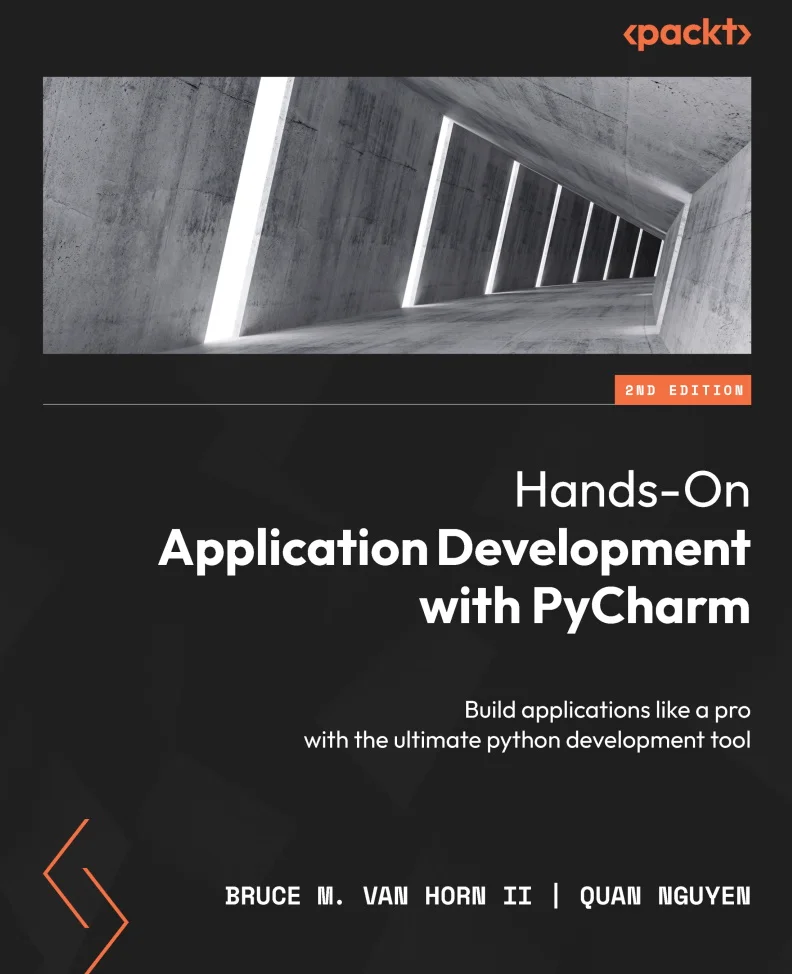
Автор: Nguyen Quan , Van Horn Bruce M. II
Дата выхода: 2023
Издательство: Packt Publishing Limited
Количество страниц: 652
Размер файла: 35,7 МБ
Тип файла: PDF
Добавил: codelibs
Проверить на вирусыCover....1
Title Page....2
Copyright and Credits....3
Contributors....5
Table of Contents....8
Preface....18
Part 1: The Basics of PyCharm....26
Introduction to PyCharm – the Most Popular IDE for Python....28
Technical requirements....31
The continued success of Python....32
The philosophy of IDEs....33
PyCharm as a Python IDE....38
Intelligent coding assistance....40
Streamlined programming tools....43
Web development options....50
Scientific computing support....50
Understanding the Professional, Community, and Educational editions....51
Summary....53
Questions....53
Further reading....54
Installing and Configuring PyCharm....56
Technical requirements....57
Downloading PyCharm the traditional way....58
JetBrains Toolbox....59
Installing Toolbox in Windows....60
Installing Toolbox in macOS....60
Installing PyCharm with Toolbox....61
Launching PyCharm using Toolbox....63
Installing an alternate version or uninstalling....63
Updating PyCharm using Toolbox....64
Launching and registering PyCharm....65
Setting up PyCharm....66
Appearance and behavior....68
Working with projects....78
Creating a new project....78
Running a PyCharm project....83
Cloning this book’s code from GitHub....85
Setting up your GitHub account....86
Cloning the book’s repository....87
Summary....88
Questions....90
Further reading....90
Part 2: Improving Your Productivity....92
Customizing Interpreters and Virtual Environments....94
Technical requirements....96
Virtual environments....97
Creating a virtual environment by hand....98
Creating a project in PyCharm (revisited)....100
Using an existing virtual environment....103
Changing the interpreter for a project....105
Activating virtualenv....107
Using the integrated terminal....107
Working with the REPL in the console window....109
Working with third-party package libraries....111
Adding third-party libraries in PyCharm....113
Removing third-party libraries in PyCharm....115
Using a requirements.txt file....116
The new Python Packages window....117
Professional features important to virtual environments....119
Importing projects into PyCharm....120
Importing a project cloned from a repository....123
Dealing with invalid interpreters....125
Working with run configurations....128
PyCharm’s project files....132
Summary....134
Questions....135
Further reading....135
Editing and Formatting with Ease in PyCharm....136
Technical requirements....137
Code analysis, inspection, and suggestion....137
It duzunt assewm yew cna spel....139
It understands your code....140
Postfix code completion....141
Hippie completion....143
Indexing....145
Power Save Mode....146
Customizing code completion....147
Match case....148
Sorting suggestions alphabetically....149
Machine learning assisted completions....150
Showing the documentation popup in [...] ms....151
Parameter info....151
Code analysis and automated fixes....152
Problem detection....153
Syntax errors....156
Duplicated code....156
PEP-8 problems....157
Dead code....157
Method signature mismatches....157
The road to good code is paved with PyCharm’s intentions....158
Refactoring....160
What is refactoring?....160
Refactoring tools in PyCharm....160
Documentation....175
Working with docstrings....176
Summary....181
Questions....182
Further reading....182
Version Control with Git in PyCharm....184
Technical requirements....185
Version control and Git essentials....185
Setting up Git on your computer....187
Setting your default username and email address....187
Generating an SSH key....188
Adding your SSH key to your GitHub account....189
Setting up a repository manually....189
Master versus main branches in GitHub....190
Manually initializing the repository....191
Working with remotes....193
Adding a remote on GitHub....193
The first push....194
Making, committing, and pushing a change....194
Working with Git in the IDE....195
Version control in PyCharm....195
Creating a new project from scratch using VCS tooling in PyCharm....199
Initializing the local Git repository....200
Adding a remote on GitHub....202
Adding project files....204
Adding a .gitignore file....204
Pulling and pushing....208
Branching and merging....210
Creating a branch....211
Switching between branches....211
Merging....212
Viewing the branch diagram....212
Diffs and conflict resolution....213
Viewing diffs....218
Summary....219
Questions....219
Further reading....220
Seamless Testing, Debugging, and Profiling....222
Technical requirements....223
Testing, testing, 1-2-3....223
Unit testing in Python using PyCharm....224
Choosing a test library....226
Adding a bank account class....227
Testing the bank account class....228
Running the tests....230
Fixing the failing tests....232
Testing the fault paths....233
Generating tests automatically....234
Generating the transaction test....235
Working with PyCharm’s debugger....243
Using the debugger to find and fix our test problem....246
Checking test coverage....249
Test coverage output....255
Profiling performance....256
Profiling in PyCharm....256
Comparing performance versus the built-in sum() function....259
Viewing the call graph....260
Navigating using the performance profile....261
Performance cProfile snapshots....261
Summary....262
Questions....263
Further reading....263
Part 3: Web Development in PyCharm....264
Web Development with JavaScript, HTML, and CSS....266
Technical requirements....267
Introduction to HTML, JavaScript, and CSS....267
Writing code with HTML....268
Creating HTML in PyCharm....270
Creating an empty project....270
Previewing web pages....273
Reloading the browser view on save....274
Using the PyCharm HTML preview....275
Configuring the available browsers....275
Navigating structure code with the structure window....276
Adding the CSS....277
Using color selectors....279
Adding JavaScript....280
Adding some JavaScript code....280
Adding the elements to the HTML file....281
Debugging client-side JavaScript....282
Working with Emmet templating....284
HTML project types in PyCharm Professional....285
HTML 5 Boilerplate....285
Previewing and editing graphics with external tools....287
Uploading your site to a server....288
Creating a Bootstrap project....296
Working with modern JavaScript and NodeJS....297
Creating a NodeJS project....297
Creating a React project....297
Other frontend frameworks....298
Summary....299
Questions....299
Building a Dynamic Web Application with Flask....300
Technical requirements....301
Web basics – client-server architecture....302
Exploring the request-response mechanism in HTTP – how clients and servers communicate....304
What is Flask?....306
Request-response handling and routing with Werkzeug....307
Templating with Jinja2....308
A note on naming files and folders....309
Creating a Flask application in PyCharm Professional....310
Creating a dynamic web application....312
Setting up the static parts....312
Running the Flask app....317
Let’s make it look a little better....321
Adding some CSS....323
Making the page dynamic....324
Editor enhancements for working with Flask and Jinja2....327
Summary....328
Further reading....329
Creating a RESTful API with FastAPI....330
Technical requirements....333
There is no REST in a wicked stateless world....333
Creating a FastAPI project in PyCharm Professional....337
Running the FastAPI project....339
Working with PyCharm’s HTTP Requests....342
Examining the details of the return....344
We just generated a new run configuration....347
Using Before launch actions in run configurations....348
Working with HTTP Request environments....353
Let’s get CRUDdier and then get testier!....356
Getting testier....359
Creating the tests....363
Editing and debugging a full stack app by attaching projects....365
Creating a React app in a separate project....365
Attaching the project to your FastAPI project we created earlier....367
Summary....369
Questions....369
Further reading....370
More Full Stack Frameworks – Django and Pyramid....372
Technical requirements....373
What’s all this fuss about Django?....373
Django framework components....375
Creating a Django project....377
Structure of a Django project....378
Initial configuration....379
Running the Django project....380
Creating Django models....382
Performing migrations using manage.py....385
The Django admin interface....389
Creating a superuser and logging in....390
Adding the Author and Book models to the admin interface....392
Creating Django views....394
What’s with the weird Python icon in the template gutter?....397
Run it!....398
Building Pyramid applications with PyCharm....398
Creating a Pyramid project....399
Summary....402
Questions....403
Further reading....403
Understanding Database Management in PyCharm....404
Technical requirements....406
Relational databases in a nutshell....406
Structured Query Language....407
The two halves of SQL....408
Relationships....409
More relational structures....411
Database terminology uses simple English plurals....412
Database tooling in PyCharm....413
Setting up a MySQL database server with Docker....413
Installing and running the MySQL container....414
Stopping and starting the container....415
Connecting to data sources using PyCharm....416
Creating a new database....419
Setting the SQL dialect (this is crucial)....421
Grouping and color coding data sources....422
Database design and manipulation....428
Creating a table....428
Altering existing structures....437
Generating scripts....440
Querying the data source using SQL....442
Ad hoc queries....442
Generating SQL statements....444
Running the query....446
Exporting query results....448
Working with SQL files....449
Summary....450
Further reading....451
Part 4: Data Science with PyCharm....452
Turning On Scientific Mode....454
Technical requirements....455
Creating a scientific project in PyCharm....455
Additional configuration for science projects in PyCharm....458
Markdown plugins....460
Adding images....462
Installing the CSV plugin....463
Installing the cell mode plugin....464
Installing packages....465
Backfill your requirements.txt file....467
Adding some sciency code....467
Toggling scientific mode....469
Understanding the advanced features of PyCharm’s scientific projects....471
The documentation viewer....471
Using code cells in PyCharm....473
Using PyCharm code cells....474
The cell mode plugin....476
Summary....477
Questions....478
Dynamic Data Viewing with SciView and Jupyter....480
Technical requirements....480
Data viewing made easy with PyCharm’s SciView panel....481
Viewing and working with plots....482
Heatmaps and correlational data....484
Viewing and working with data....487
Filtering in the Data tab....491
Understanding IPython and magic commands....495
Installing and setting up IPython....496
Introducing IPython magic commands....498
Leveraging Jupyter notebooks....502
Understanding Jupyter basics....503
The idea of iterative development....503
Jupyter notebooks in PyCharm....505
Creating a notebook and adding our code....505
Documenting with Markdown and LaTeX....507
Adding our plots....509
Executing the cells....509
Odds and ends....513
Summary....515
Questions....515
Building a Data Pipeline in PyCharm....516
Technical requirements....517
Working with datasets....517
Starting with a question....518
Archived user data....519
Tappy data....520
Data collection....522
Downloading from an external source....523
Manually collecting/web scraping....523
Collecting data via third parties....523
Database exports....523
Version control for datasets....524
Using Git Large File Support....524
Data cleansing and preprocessing....529
A toxic data example peripherally involving ninjas....529
Exploratory analysis in PyCharm....530
Data cleansing....538
Exploring the second dataset....543
Refactoring for scale....548
Data analysis and insights....552
Starting the notebook and reading in our processed data....553
Using charts and graphs....554
Machine learning-based insights....559
Scripts versus notebooks in data science....562
Summary....563
Questions....563
Further reading....564
Part 5: Plugins and Conclusion....566
More Possibilities with Plugins....568
Technical requirements....568
Bundled plugins and JetBrains Marketplace....569
The plugins window....569
Bundled plugins....570
JetBrains Marketplace....571
Making your own plugins....571
Requiring plugins for your projects....572
Useful miscellaneous plugins....573
Code with me (and never be lonely again)....577
Remote development....579
Configuring remote development in PyCharm....581
Creating a remote project....587
Let’s try that again....591
Creating a virtual environment on the remote....593
Other considerations....593
Working with Docker....594
The bundled Docker plugin....595
Create the project....595
Add a Docker run configuration....597
Summary....602
Your Next Steps with PyCharm....604
Miscellaneous topics in PyCharm....605
Remote virtual environments....605
Working with HashiCorp Vagrant....606
Tracking your time....612
TODO list....615
Macros....615
Notifications....618
New features in 2023.2....618
Black integration....621
GitLab integration....623
Run anywhere....624
AI Assistant....625
Jupyter Notebook support for Polars....629
Summary and closing remarks....629
Further reading....632
Index....634
Other Books You May Enjoy....1
In the quest to develop robust, professional-grade software with Python and meet tight deadlines, it’s crucial to have the best tools at your disposal. In this second edition of Hands-on Application Development with PyCharm, you’ll learn tips and tricks to work at a speed and proficiency previously reserved only for elite developers.
To achieve that, you’ll be introduced to PyCharm, the premiere professional integrated development environment for Python programmers among the myriad of IDEs available. Regardless of how Python is utilized, whether for general automation scripting, utility creation, web applications, data analytics, machine learning, or business applications, PyCharm offers tooling that simplifies complex tasks and streamlines common ones. In this book, you'll find everything you need to harness PyCharm's full potential and make the most of Pycharm's productivity shortcuts. The book comprehensively covers topics ranging from installation and customization to web development, database management, and data analysis pipeline development helping you become proficient in Python application development in diverse domains.
By the end of this book, you’ll have discovered the remarkable capabilities of PyCharm and how you can achieve a new level of capability and productivity.
What you will learn
- Explore basic and advanced PyCharm features
- Set up, configure, and customize your Python projects in PyCharm
- Develop web applications with Flask, Django, FastAPI, and Pyramid
- Discover PyCharm's capabilities for database management and data visualization
- Explore code automation, debugging, and remote development in PyCharm
- Perform data science tasks using Jupyter notebooks, NumPy, and pandas
Who this book is for
This book is for Python practitioners and learners looking to boost their productivity and proficiency by harnessing the features and capabilities of PyCharm, all while gaining insights into best practices for modern application development. Basic knowledge of Python is required, making the book accessible to both newcomers and experienced Python developers.


