-
1C
-
Agda
-
Agile/Scrum
-
Alef
-
APL
-
Assembler
-
AWK
-
Basic
-
Beta Programming Language
-
Big Data/DataScience
-
C
-
C#
-
C++
-
Cobol
-
Crystal
-
CSS
-
D
-
Dart
-
DataBase (SQL)
-
Delphi
-
F#
-
Flutter
-
Fortran
-
GameDev
-
Git
-
Go (Golang)
-
GPT/AI/ИИ
-
Hacking and Security
-
Haskell
-
HTML
-
Java
-
JavaScript (JS)
-
Julia
-
Kotlin
-
Machine Learning (ML)
-
Natural language processing (NLP)
-
.NET (.NET Core)
-
Pascal
-
PHP
-
Python
-
R
-
Ruby
-
Rust
-
Scratch
-
Swift
-
UML
-
UX/UI
-
Visual Basic
-
Wolfram
-
XML
-
АСУ
-
Проектирование/System Design
-
Сети/Network
-
Статьи
-
Схемотехника/электронные схемы
-
1C
-
Agda
-
Agile/Scrum
-
Alef
-
APL
-
Assembler
-
AWK
-
Basic
-
Beta Programming Language
-
Big Data/DataScience
-
C
-
C#
-
C++
-
Cobol
-
Crystal
-
CSS
-
D
-
Dart
-
DataBase (SQL)
-
Delphi
-
F#
-
Flutter
-
Fortran
-
GameDev
-
Git
-
Go (Golang)
-
GPT/AI/ИИ
-
Hacking and Security
-
Haskell
-
HTML
-
Java
-
JavaScript (JS)
-
Julia
-
Kotlin
-
Machine Learning (ML)
-
Natural language processing (NLP)
-
.NET (.NET Core)
-
Pascal
-
PHP
-
Python
-
R
-
Ruby
-
Rust
-
Scratch
-
Swift
-
UML
-
UX/UI
-
Visual Basic
-
Wolfram
-
XML
-
АСУ
-
Проектирование/System Design
-
Сети/Network
-
Статьи
-
Схемотехника/электронные схемы
Меню
DuckDB in Action
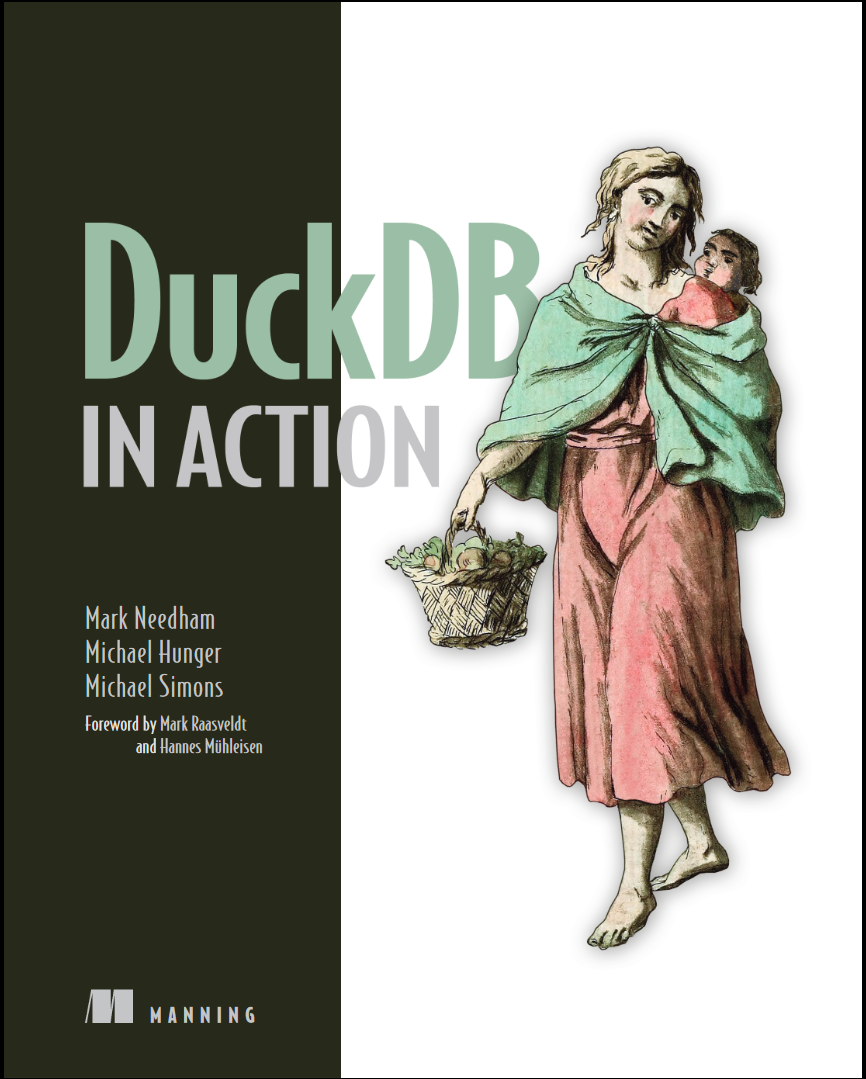
Автор: Hunger Michael , Needham Mark , Simons Michael
Дата выхода: 2024
Издательство: Manning Publications Co.
Количество страниц: 314
Размер файла: 4,6 МБ
Тип файла: PDF
Добавил: codelibs
Проверить на вирусы Дополнительные материалыDuckDB in Action....1
brief contents....8
contents....9
foreword....14
preface....16
acknowledgments....17
about this book....19
Who should read this book....19
How this book is organized: A road map....19
About the code....20
liveBook discussion forum....20
about the authors....22
about the cover illustration....24
1 An introduction to DuckDB....25
1.1 What is DuckDB?....26
1.2 Why should you care about DuckDB?....27
1.3 When should you use DuckDB?....28
1.4 When should you not use DuckDB?....29
1.5 Use cases....29
1.6 Where does DuckDB fit in?....30
1.7 Steps of the data processing flow....31
1.7.1 Data formats and sources....31
1.7.2 Data structures....32
1.7.3 Developing the SQL....32
1.7.4 Using or processing the results....33
Summary....35
2 Getting started with DuckDB....36
2.1 Supported environments....36
2.2 Installing the DuckDB CLI....37
2.2.1 macOS....37
2.2.2 Linux and Windows....37
2.3 Using the DuckDB CLI....37
2.3.1 SQL statements....38
2.3.2 Dot commands....38
2.3.3 CLI arguments....39
2.4 DuckDB’s extension system....39
2.5 Analyzing a CSV file with the DuckDB CLI....41
2.5.1 Result modes....42
Summary....45
3 Executing SQL queries....46
3.1 A quick SQL recap....47
3.2 Analyzing energy production....47
3.2.1 Downloading the dataset....48
3.2.2 The target schema....49
3.3 Data definition language queries....50
3.3.1 The CREATE TABLE statement....50
3.3.2 The ALTER TABLE statement....52
3.3.3 The CREATE VIEW statement....53
3.3.4 The DESCRIBE statement....54
3.4 Data manipulation language queries....55
3.4.1 The INSERT statement....55
3.4.2 Merging data....59
3.4.3 The DELETE statement....60
3.4.4 The SELECT statement....60
3.5 DuckDB-specific SQL extensions....74
3.5.1 Dealing with SELECT....74
3.5.2 Inserting by name....77
3.5.3 Accessing aliases everywhere....78
3.5.4 Grouping and ordering by all relevant columns....78
3.5.5 Sampling data....79
3.5.6 Functions with optional parameters....80
Summary....80
4 Advanced aggregation and analysis of data....82
4.1 Pre-aggregating data while ingesting....83
4.2 Summarizing data....85
4.3 On subqueries....86
4.3.1 Subqueries as expressions....88
4.4 Grouping sets....90
4.5 Window functions....93
4.5.1 Defining partitions....95
4.5.2 Framing....98
4.5.3 Named windows....99
4.5.4 Accessing preceding or following rows in a partition....101
4.6 Conditions and filtering outside the WHERE clause....102
4.6.1 Using the HAVING clause....103
4.6.2 Using the QUALIFY clause....104
4.6.3 Using the FILTER clause....105
4.7 The PIVOT statement....106
4.8 Using the ASOF JOIN....110
4.9 Using table functions....114
4.10 Using LATERAL joins....117
Summary....121
5 Exploring data without persistence....122
5.1 Why use a database without persisting any data?....123
5.2 Inferring file type and schema....123
5.2.1 A note on CSV parsing....125
5.3 Shredding nested JSON....126
5.4 Translating CSV to Parquet....132
5.5 Analyzing and querying Parquet files....137
5.6 Querying SQLite and other databases....140
5.7 Working with Excel files....144
Summary....146
6 Integrating with the Python ecosystem....147
6.1 Getting started....148
6.1.1 Installing the Python package....148
6.1.2 Opening up a database connection....148
6.2 Using the relational API....149
6.2.1 Ingesting CSV data with the Python API....150
6.2.2 Composing queries....152
6.2.3 SQL querying....157
6.3 Querying pandas DataFrames....158
6.4 User-defined functions....160
6.5 Interoperability with Apache Arrow and Polars....165
Summary....167
7 DuckDB in the cloud with MotherDuck....168
7.1 Introduction to MotherDuck....169
7.1.1 How it works....169
7.1.2 Why use MotherDuck?....170
7.2 Getting started with MotherDuck....171
7.2.1 Using MotherDuck through the UI....172
7.2.2 Connecting to MotherDuck with DuckDB via token-based authentication....172
7.3 Making the best possible use of MotherDuck....174
7.3.1 Uploading databases to MotherDuck....174
7.3.2 Creating databases in MotherDuck....176
7.3.3 Sharing databases....177
7.3.4 Managing S3 secrets and loading Data from S3 buckets....180
7.3.5 Optimizing data ingestion and MotherDuck usage....180
7.3.6 Querying your data with AI....181
7.3.7 Integrations....185
Summary....186
8 Building data pipelines with DuckDB....187
8.1 Data pipelines and the role of DuckDB....188
8.2 Data ingestion with dlt....189
8.2.1 Installing a supported source....190
8.2.2 Building a pipeline....191
8.2.3 Exploring pipeline metadata....194
8.3 Data transformation and modeling with dbt....195
8.3.1 Setting up a dbt project....196
8.3.2 Defining sources....197
8.3.3 Describing transformations with models....197
8.3.4 Testing transformations and pipelines....200
8.3.5 Transforming all CSV files....202
8.4 Orchestrating data pipelines with Dagster....206
8.4.1 Defining assets....207
8.4.2 Running pipelines....209
8.4.3 Managing dependencies in a pipeline....210
8.4.4 Advanced computation in assets....213
8.4.5 Uploading to MotherDuck....215
Summary....216
9 Building and deploying data apps....217
9.1 Building a custom data app with Streamlit....218
9.1.1 What is Streamlit?....219
9.1.2 Building our app....219
9.1.3 Using Streamlit components....221
9.1.4 Visualizing data using plot.ly....225
9.1.5 Deploying our app on the Community Cloud....228
9.2 Building a BI dashboard with Apache Superset....231
9.2.1 What is Apache Superset?....231
9.2.2 Superset’s workflow....233
9.2.3 Creating our first dashboard....234
9.2.4 Creating a dataset from an SQL query....240
9.2.5 Exporting and importing dashboards....244
Summary....245
10 Performance considerations for large datasets....247
10.1 Loading and querying the full Stack Overflow database....248
10.1.1 Data dump and extraction....248
10.1.2 The data model....250
10.1.3 Exploring the CSV file data....252
10.1.4 Loading the data into DuckDB....254
10.1.5 Fast exploratory queries on large tables....257
10.1.6 Posting on weekdays....260
10.1.7 Using enums for tags....262
10.2 Query planning and execution....267
10.2.1 Planner and optimizer....267
10.2.2 Runtime and vectorization....267
10.2.3 Visualizing query plans with Explain and Explain Analyze....269
10.3 Exporting the Stack Overflow data to Parquet....272
10.4 Exploring the New York Taxi dataset from Parquet files....275
10.4.1 Configuring credentials for S3 access....276
10.4.2 Auto-inferring file types....276
10.4.3 Exploring Parquet schema....277
10.4.4 Creating views....278
10.4.5 Analyzing the data....279
10.4.6 Making use of the taxi dataset....283
Summary....284
11 Conclusion....286
11.1 What we have learned in this book....286
11.2 Upcoming stable versions of DuckDB....287
11.3 Aspects we did not cover....287
11.4 Where can you learn more?....288
11.5 What is the future of data engineering with DuckDB?....288
appendix Client APIs for DuckDB....289
A.1 Officially supported languages....290
A.2 A word on concurrency....291
A.3 Use cases....292
A.4 Importing large amounts of data....292
A.5 Using DuckDB from Java via the JDBC Driver....293
A.5.1 Understanding the general usage pattern....295
A.5.2 Using multiple connections from several threads....296
A.5.3 Using DuckDB as a tool for data processing from Java....299
A.5.4 Inserting large amounts of data....300
A.6 Additional connection options....302
Summary....303
index....305
Symbols....305
A....305
B....305
C....305
D....306
E....307
F....307
G....308
H....308
I....308
J....308
L....308
M....309
N....309
O....309
P....309
Q....310
R....310
S....310
T....311
U....311
V....312
W....312
X....312
Y....312
Z....312
DuckDB in Action - back....314
DuckDB is a cutting-edge SQL database that makes it incredibly easy to analyze big data sets right from your laptop. In DuckDB in Action you’ll learn everything you need to know to get the most out of this awesome tool, keep your data secure on prem, and save you hundreds on your cloud bill. From data ingestion to advanced data pipelines, you’ll learn everything you need to get the most out of DuckDB—all through hands-on examples.
Open up DuckDB in Action and learn how to:
- Read and process data from CSV, JSON and Parquet sources both locally and remote
- Write analytical SQL queries, including aggregations, common table expressions, window functions, special types of joins, and pivot tables
- Use DuckDB from Python, both with SQL and its "Relational"-API, interacting with databases but also data frames
- Prepare, ingest and query large datasets
- Build cloud data pipelines
- Extend DuckDB with custom functionality
Pragmatic and comprehensive, DuckDB in Action introduces the DuckDB database and shows you how to use it to solve common data workflow problems. You won’t need to read through pages of documentation—you’ll learn as you work. Get to grips with DuckDB's unique SQL dialect, learning to seamlessly load, prepare, and analyze data using SQL queries. Extend DuckDB with both Python and built-in tools such as MotherDuck, and gain practical insights into building robust and automated data pipelines.
About the technology
DuckDB makes data analytics fast and fun! You don’t need to set up a Spark or run a cloud data warehouse just to process a few hundred gigabytes of data. DuckDB is easily embeddable in any data analytics application, runs on a laptop, and processes data from almost any source, including JSON, CSV, Parquet, SQLite and Postgres.
About the book
DuckDB in Action guides you example-by-example from setup, through your first SQL query, to advanced topics like building data pipelines and embedding DuckDB as a local data store for a Streamlit web app. You’ll explore DuckDB’s handy SQL extensions, get to grips with aggregation, analysis, and data without persistence, and use Python to customize DuckDB. A hands-on project accompanies each new topic, so you can see DuckDB in action.
What's inside
- Prepare, ingest and query large datasets
- Build cloud data pipelines
- Extend DuckDB with custom functionality
- Fast-paced SQL recap: From simple queries to advanced analytics
About the reader
For data pros comfortable with Python and CLI tools.


