-
1C
-
Agda
-
Agile/Scrum
-
Alef
-
APL
-
Assembler
-
AWK
-
Basic
-
Beta Programming Language
-
Big Data/DataScience
-
C
-
C#
-
C++
-
Cobol
-
Crystal
-
CSS
-
D
-
Dart
-
DataBase (SQL)
-
Delphi
-
F#
-
Flutter
-
Fortran
-
GameDev
-
Git
-
Go (Golang)
-
GPT/AI/ИИ
-
Hacking and Security
-
Haskell
-
HTML
-
Java
-
JavaScript (JS)
-
Julia
-
Kotlin
-
Machine Learning (ML)
-
Natural language processing (NLP)
-
.NET (.NET Core)
-
Pascal
-
PHP
-
Python
-
R
-
Ruby
-
Rust
-
Scratch
-
Swift
-
UML
-
UX/UI
-
Visual Basic
-
Wolfram
-
XML
-
АСУ
-
Проектирование/System Design
-
Сети/Network
-
Статьи
-
Схемотехника/электронные схемы
-
1C
-
Agda
-
Agile/Scrum
-
Alef
-
APL
-
Assembler
-
AWK
-
Basic
-
Beta Programming Language
-
Big Data/DataScience
-
C
-
C#
-
C++
-
Cobol
-
Crystal
-
CSS
-
D
-
Dart
-
DataBase (SQL)
-
Delphi
-
F#
-
Flutter
-
Fortran
-
GameDev
-
Git
-
Go (Golang)
-
GPT/AI/ИИ
-
Hacking and Security
-
Haskell
-
HTML
-
Java
-
JavaScript (JS)
-
Julia
-
Kotlin
-
Machine Learning (ML)
-
Natural language processing (NLP)
-
.NET (.NET Core)
-
Pascal
-
PHP
-
Python
-
R
-
Ruby
-
Rust
-
Scratch
-
Swift
-
UML
-
UX/UI
-
Visual Basic
-
Wolfram
-
XML
-
АСУ
-
Проектирование/System Design
-
Сети/Network
-
Статьи
-
Схемотехника/электронные схемы
Меню
Data Visualization with Python and JavaScript: Scrape, Clean, Explore, and Transform Your Data. 2 Ed
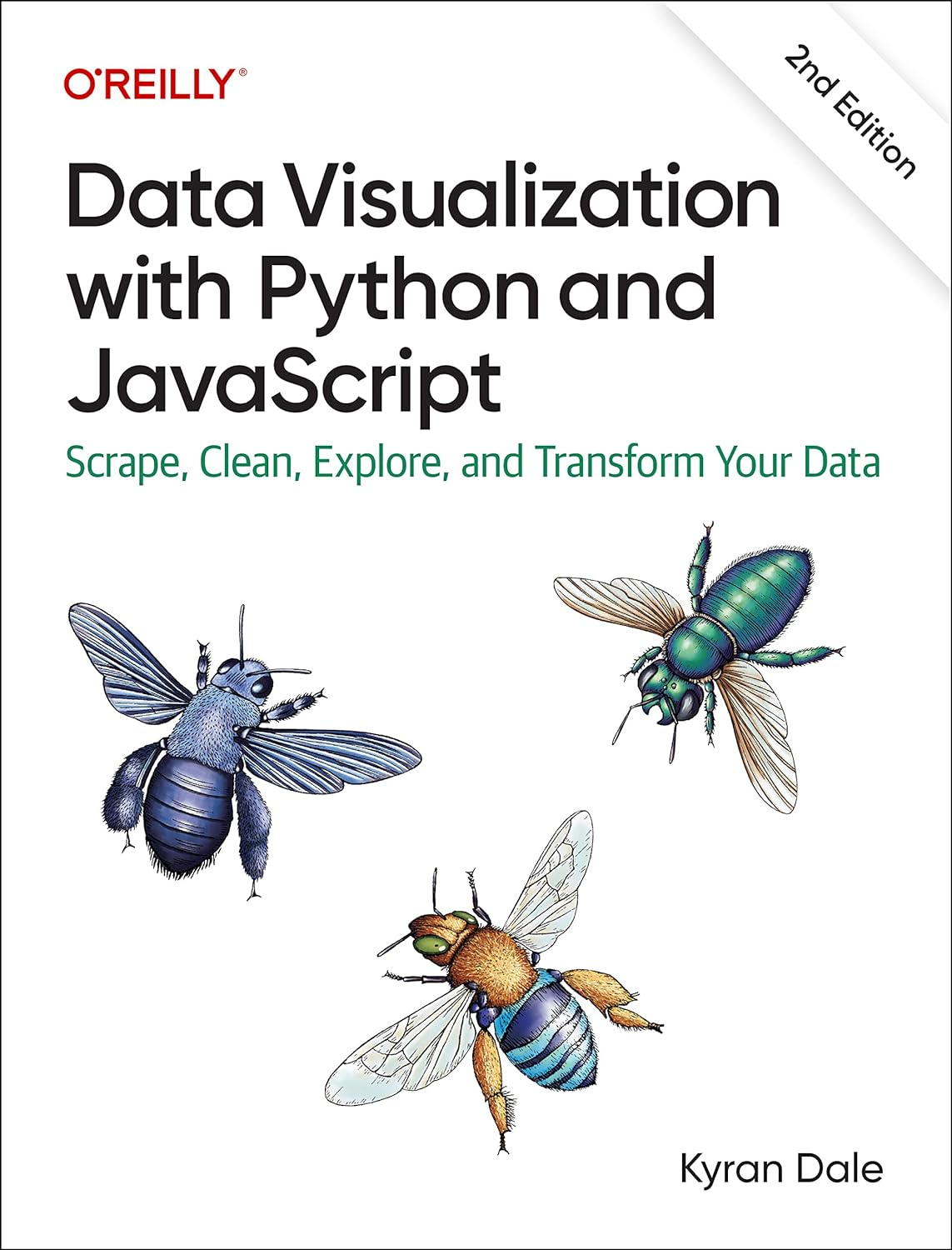
Автор: Kyran Dale
Дата выхода: 2023
Издательство: O’Reilly Media, Inc.
Количество страниц: 732
Размер файла: 9,3 МБ
Тип файла: PDF
Добавил: codelibs
Проверить на вирусыPreface....5
Part I: Basic Toolkit....6
Part II: Getting Your Data....7
Part III: Cleaning and Exploring Data with pandas....8
Part IV: Delivering the Data....9
Part V: Visualizing Your Data with D3 and Plotly....10
The Second Edition....11
Conventions Used in This Book....13
Using Code Examples....14
O’Reilly Online Learning....14
How to Contact Us....15
Acknowledgments....16
Second Edition....16
Introduction....18
Who This Book Is For....19
Minimal Requirements to Use This Book....22
Why Python and JavaScript?....23
Why Not Python in the Browser?....24
Why Python for Data Processing....25
Python’s Getting Better All the Time....26
What You’ll Learn....27
The Choice of Libraries....28
Preliminaries....28
The Dataviz Toolchain....29
1. Scraping Data with Scrapy....30
2. Cleaning Data with pandas....30
3. Exploring Data with pandas and Matplotlib....31
4. Delivering Your Data with Flask....31
5. Transforming Data into Interactive Visualizations with Plotly and D3....32
Smaller Libraries....32
Using the Book....34
A Little Bit of Context....34
Summary....38
Recommended Books....38
I. Basic Toolkit....40
1. Development Setup....41
The Accompanying Code....41
Python....41
Anaconda....42
Installing Extra Libraries....43
Virtual Environments....43
JavaScript....45
Content Delivery Networks....45
Installing Libraries Locally....46
Databases....46
Getting MongoDB Up and Running....47
Easy MongoDB with Docker....48
Integrated Development Environments....49
Summary....50
2. A Language-Learning Bridge Between Python and JavaScript....51
Similarities and Differences....51
Interacting with the Code....53
Python....53
JavaScript....54
Basic Bridge Work....56
Style Guidelines, PEP 8, and use strict....56
CamelCase Versus Underscore....56
Importing Modules, Including Scripts....57
JavaScript Modules....60
Keeping Your Namespaces Clean....61
Outputting “Hello World!”....63
Simple Data Processing....63
String Construction....65
Significant Whitespace Versus Curly Brackets....67
Comments and Doc-Strings....68
Declaring Variables Using let or var....69
Strings and Numbers....69
Booleans....70
Data Containers: dicts, objects, lists, Arrays....71
Functions....73
Iterating: for Loops and Functional Alternatives....74
Conditionals: if, else, elif, switch....77
File Input and Output....77
Classes and Prototypes....78
Differences in Practice....85
Method Chaining....85
Enumerating a List....86
Tuple Unpacking....87
Collections....88
Underscore....89
Functional Array Methods and List Comprehensions....91
Map, Reduce, and Filter with Python’s Lambdas....93
JavaScript Closures and the Module Pattern....94
A Cheat Sheet....98
Summary....100
3. Reading and Writing Data with Python....103
Easy Does It....103
Passing Data Around....104
Working with System Files....105
CSV, TSV, and Row-Column Data Formats....106
JSON....110
Dealing with Dates and Times....111
SQL....114
Creating the Database Engine....115
Defining the Database Tables....116
Adding Instances with a Session....118
Querying the Database....120
Easier SQL with Dataset....123
MongoDB....126
Dealing with Dates, Times, and Complex Data....131
Summary....133
4. Webdev 101....135
The Big Picture....135
Single-Page Apps....136
Tooling Up....136
The Myth of IDEs, Frameworks, and Tools....139
A Text-Editing Workhorse....140
Browser with Development Tools....141
Terminal or Command Prompt....141
Building a Web Page....142
Serving Pages with HTTP....142
The DOM....143
The HTML Skeleton....144
Marking Up Content....145
CSS....148
JavaScript....151
Data....151
Chrome DevTools....152
The Elements Tab....152
The Sources Tab....153
Other Tools....154
A Basic Page with Placeholders....154
Positioning and Sizing Containers with Flex....158
Filling the Placeholders with Content....165
Scalable Vector Graphics....167
The Element....168
Circles....168
Applying CSS Styles....169
Lines, Rectangles, and Polygons....170
Text....172
Paths....174
Scaling and Rotating....177
Working with Groups....178
Layering and Transparency....179
JavaScripted SVG....181
Summary....183
II. Getting Your Data....185
5. Getting Data Off the Web with Python....187
Getting Web Data with the Requests Library....187
Getting Data Files with Requests....188
Using Python to Consume Data from a Web API....191
Consuming a RESTful Web API with Requests....193
Getting Country Data for the Nobel Dataviz....196
Using Libraries to Access Web APIs....198
Using Google Spreadsheets....198
Using the Twitter API with Tweepy....201
Scraping Data....204
Why We Need to Scrape....204
Beautiful Soup and lxml....205
A First Scraping Foray....206
Getting the Soup....207
Selecting Tags....208
Crafting Selection Patterns....210
Caching the Web Pages....214
Scraping the Winners’ Nationalities....215
Summary....218
6. Heavyweight Scraping with Scrapy....220
Setting Up Scrapy....221
Establishing the Targets....223
Targeting HTML with Xpaths....224
Testing Xpaths with the Scrapy Shell....225
Selecting with Relative Xpaths....229
A First Scrapy Spider....231
Scraping the Individual Biography Pages....239
Chaining Requests and Yielding Data....242
Caching Pages....242
Yielding Requests....243
Scrapy Pipelines....247
Scraping Text and Images with a Pipeline....248
Specifying Pipelines with Multiple Spiders....256
Summary....257
III. Cleaning and Exploring Data with pandas....259
7. Introduction to NumPy....261
The NumPy Array....262
Creating Arrays....264
Array Indexing and Slicing....265
A Few Basic Operations....267
Creating Array Functions....269
Calculating a Moving Average....270
Summary....271
8. Introduction to pandas....273
Why pandas Is Tailor-Made for Dataviz....273
Why pandas Was Developed....273
Categorizing Data and Measurements....274
The DataFrame....276
Indices....277
Rows and Columns....278
Selecting Groups....279
Creating and Saving DataFrames....280
JSON....282
CSV....283
Excel Files....285
SQL....287
MongoDB....289
Series into DataFrames....291
Summary....295
9. Cleaning Data with pandas....297
Coming Clean About Dirty Data....297
Inspecting the Data....299
Indices and pandas Data Selection....303
Selecting Multiple Rows....305
Cleaning the Data....307
Finding Mixed Types....308
Replacing Strings....308
Removing Rows....310
Finding Duplicates....312
Sorting Data....314
Removing Duplicates....316
Dealing with Missing Fields....321
Dealing with Times and Dates....323
The Full clean_data Function....328
Adding the born_in column....329
Merging DataFrames....331
Saving the Cleaned Datasets....333
Summary....335
10. Visualizing Data with Matplotlib....337
pyplot and Object-Oriented Matplotlib....337
Starting an Interactive Session....338
Interactive Plotting with pyplot’s Global State....339
Configuring Matplotlib....341
Setting the Figure’s Size....342
Points, Not Pixels....342
Labels and Legends....342
Titles and Axes Labels....343
Saving Your Charts....345
Figures and Object-Oriented Matplotlib....346
Axes and Subplots....346
Plot Types....351
Bar Charts....351
Scatter Plots....355
seaborn....358
FacetGrids....362
PairGrids....366
Summary....368
11. Exploring Data with pandas....370
Starting to Explore....371
Plotting with pandas....373
Gender Disparities....375
Unstacking Groups....376
Historical Trends....379
National Trends....383
Prize Winners Per Capita....384
Prizes by Category....386
Historical Trends in Prize Distribution....388
Age and Life Expectancy of Winners....395
Age at Time of Award....395
Life Expectancy of Winners....398
Increasing Life Expectancies over Time....401
The Nobel Diaspora....402
Summary....404
IV. Delivering the Data....406
12. Delivering the Data....408
Serving the Data....409
Organizing Your Flask Files....410
Serving Data with Flask....411
Delivering Data Files....415
Dynamic Data with Flask APIs....420
A Simple Data API with Flask....420
Using Static or Dynamic Delivery....422
Summary....423
13. RESTful Data with Flask....424
The Tools for a RESTful Job....424
Creating the Database....425
A Flask RESTful Data Server....426
Serializing with marshmallow....427
Adding our RESTful API Routes....428
Posting Data to the API....432
Extending the API with MethodViews....435
Paginating the Data Returns....437
Deploying the API Remotely with Heroku....441
CORS....443
Consuming the API Using JavaScript....444
Summary....445
V. Visualizing Your Data with D3 and Plotly....447
14. Bringing Your Charts to the Web with Matplotlib and Plotly....449
Static Charts with Matplotlib....449
Adapting to Screen Sizes....453
Using Remote Images or Assets....454
Charting with Plotly....454
Basic Charts....455
Plotly Express....456
Plotly Graph-Objects....457
Mapping with Plotly....459
Adding Custom Controls with Plotly....464
From Notebook to Web with Plotly....467
Native JavaScript Charts with Plotly....471
Fetching JSON Files....474
User-Driven Plotly with JavaScript and HTML....478
Summary....482
15. Imagining a Nobel Visualization....484
Who Is It For?....484
Choosing Visual Elements....485
Menu Bar....486
Prizes by Year....487
A Map Showing Selected Nobel Countries....488
A Bar Chart Showing Number of Winners by Country....489
A List of the Selected Winners....490
A Mini-Biography Box with Picture....491
The Complete Visualization....492
Summary....493
16. Building a Visualization....495
Preliminaries....496
Core Components....496
Organizing Your Files....496
Serving the Data....497
The HTML Skeleton....498
CSS Styling....501
The JavaScript Engine....505
Importing the Scripts....506
Modular JS with Imports....507
Basic Data Flow....508
The Core Code....509
Initializing the Nobel Prize Visualization....511
Ready to Go....512
Data-Driven Updates....514
Filtering Data with Crossfilter....516
Running the Nobel Prize Visualization App....520
Summary....521
17. Introducing D3—The Story of a Bar Chart....523
Framing the Problem....524
Working with Selections....524
Adding DOM Elements....528
Leveraging D3....535
Measuring Up with D3’s Scales....535
Quantitative Scales....536
Ordinal Scales....539
Unleashing the Power of D3 with Data Binding/Joining....541
Updating the DOM with Data....542
Putting the Bar Chart Together....546
Axes and Labels....548
Transitions....555
Updating the Bar Chart....560
Summary....560
18. Visualizing Individual Prizes....562
Building the Framework....562
Scales....563
Axes....564
Category Labels....565
Nesting the Data....567
Adding the Winners with a Nested Data-Join....570
A Little Transitional Sparkle....574
Updating the Bar Chart....576
Summary....576
19. Mapping with D3....578
Available Maps....578
D3’s Mapping Data Formats....579
GeoJSON....580
TopoJSON....582
Converting Maps to TopoJSON....583
D3 Geo, Projections, and Paths....584
Projections....586
Paths....588
graticules....590
Putting the Elements Together....590
Updating the Map....594
Adding Value Indicators....598
Our Completed Map....600
Building a Simple Tooltip....601
Updating the Map....606
Summary....606
20. Visualizing Individual Winners....608
Building the List....609
Building the Bio-Box....612
Updating the Winners List....615
Summary....616
21. The Menu Bar....617
Creating HTML Elements with D3....617
Building the Menu Bar....618
Building the Category Selector....619
Adding the Gender Selector....622
Adding the Country Selector....623
Wiring Up the Metric Radio Button....627
Summary....628
22. Conclusion....630
Recap....630
Part I: Basic Toolkit....630
Part II: Getting Your Data....631
Part III: Cleaning and Exploring Data with pandas....632
Part IV: Delivering the Data....633
Part V: Visualizing Your Data with D3 and Plotly....634
Future Progress....635
Visualizing Social Media Networks....636
Machine-Learning Visualizations....636
Final Thoughts....637
A. D3’s enter/exit Pattern....639
The enter Method....640
Accessing the Bound Data....645
Index....647
About the Author....730
How do you turn raw, unprocessed, or malformed data into dynamic, interactive web visualizations? In this practical book, author Kyran Dale shows data scientists and analysts--as well as Python and JavaScript developers--how to create the ideal toolchain for the job. By providing engaging examples and stressing hard-earned best practices, this guide teaches you how to leverage the power of best-of-breed Python and JavaScript libraries.
Python provides accessible, powerful, and mature libraries for scraping, cleaning, and processing data. And while JavaScript is the best language when it comes to programming web visualizations, its data processing abilities can't compare with Python's. Together, these two languages are a perfect complement for creating a modern web-visualization toolchain. This book gets you started.
You'll learn how to:
- Obtain data you need programmatically, using scraping tools or web APIs: Requests, Scrapy, Beautiful Soup
- Clean and process data using Python's heavyweight data processing libraries within the NumPy ecosystem: Jupyter notebooks with pandas+Matplotlib+Seaborn
- Deliver the data to a browser with static files or by using Flask, the lightweight Python server, and a RESTful API
- Pick up enough web development skills (HTML, CSS, JS) to get your visualized data on the web
- Use the data you've mined and refined to create web charts and visualizations with Plotly, D3, Leaflet, and other libraries.


