-
1C
-
Agda
-
Agile/Scrum
-
Alef
-
APL
-
Assembler
-
AWK
-
Basic
-
Beta Programming Language
-
Big Data/DataScience
-
C
-
C#
-
C++
-
Cobol
-
Crystal
-
CSS
-
D
-
Dart
-
DataBase (SQL)
-
Delphi
-
F#
-
Flutter
-
Fortran
-
GameDev
-
Git
-
Go (Golang)
-
GPT/AI/ИИ
-
Hacking and Security
-
Haskell
-
HTML
-
Java
-
JavaScript (JS)
-
Julia
-
Kotlin
-
Machine Learning (ML)
-
Natural language processing (NLP)
-
.NET (.NET Core)
-
Pascal
-
PHP
-
Python
-
R
-
Ruby
-
Rust
-
Scratch
-
Swift
-
UML
-
UX/UI
-
Visual Basic
-
Wolfram
-
XML
-
АСУ
-
Проектирование/System Design
-
Сети/Network
-
Статьи
-
Схемотехника/электронные схемы
-
1C
-
Agda
-
Agile/Scrum
-
Alef
-
APL
-
Assembler
-
AWK
-
Basic
-
Beta Programming Language
-
Big Data/DataScience
-
C
-
C#
-
C++
-
Cobol
-
Crystal
-
CSS
-
D
-
Dart
-
DataBase (SQL)
-
Delphi
-
F#
-
Flutter
-
Fortran
-
GameDev
-
Git
-
Go (Golang)
-
GPT/AI/ИИ
-
Hacking and Security
-
Haskell
-
HTML
-
Java
-
JavaScript (JS)
-
Julia
-
Kotlin
-
Machine Learning (ML)
-
Natural language processing (NLP)
-
.NET (.NET Core)
-
Pascal
-
PHP
-
Python
-
R
-
Ruby
-
Rust
-
Scratch
-
Swift
-
UML
-
UX/UI
-
Visual Basic
-
Wolfram
-
XML
-
АСУ
-
Проектирование/System Design
-
Сети/Network
-
Статьи
-
Схемотехника/электронные схемы
Меню
Data Analysis with Python and PySpark
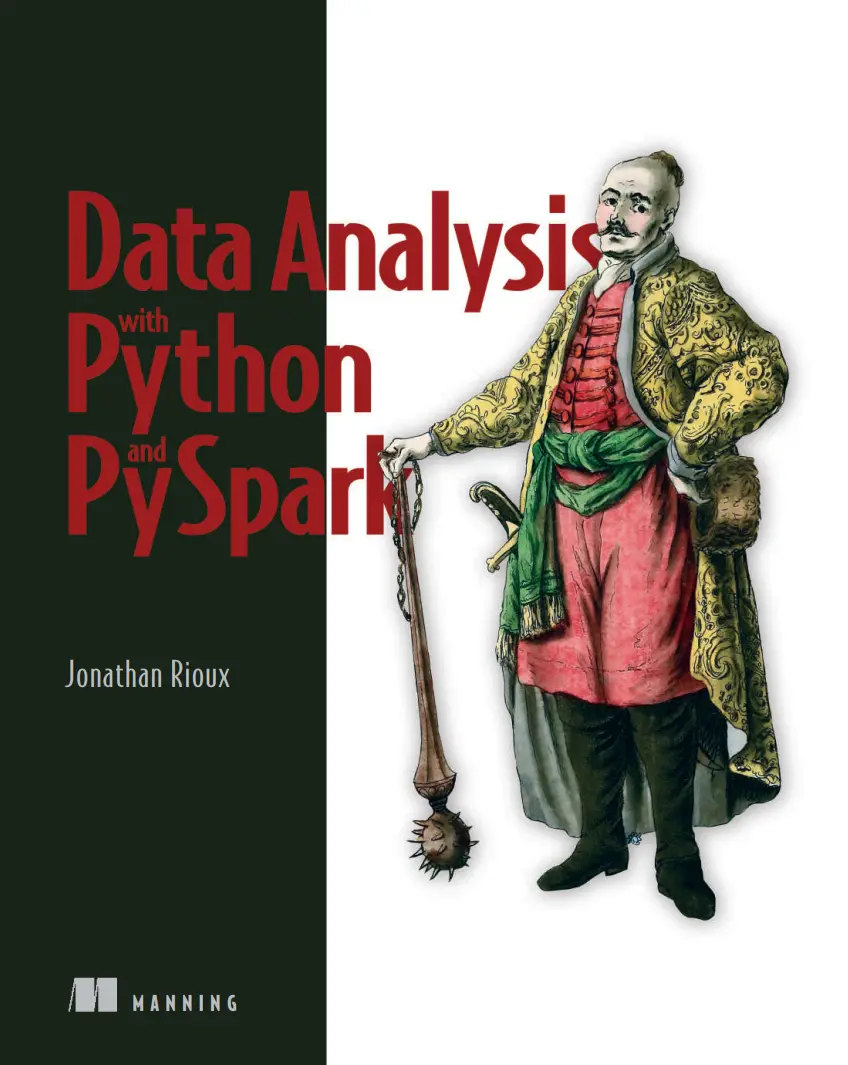
Автор: Rioux Jonathan
Дата выхода: 2022
Издательство: Manning Publications Co.
Количество страниц: 458
Размер файла: 4,3 МБ
Тип файла: PDF
Добавил: codelibs
Проверить на вирусы Дополнительные материалыData Analysis with Python and PySpark....1
contents....5
preface....13
acknowledgments....15
about this book....17
Who should read this book....17
How this book is organized: A road map....18
About the code....18
liveBook discussion forum....19
about the author....20
about the cover illustration....21
1 Introduction....23
1.1 What is PySpark?....24
1.1.1 Taking it from the start: What is Spark?....24
1.1.2 PySpark = Spark + Python....25
1.1.3 Why PySpark?....26
1.2 Your very own factory: How PySpark works....28
1.2.1 Some physical planning with the cluster manager....29
1.2.2 A factory made efficient through a lazy leader....32
1.3 What will you learn in this book?....35
1.4 What do I need to get started?....36
Summary....36
Part 1—Get acquainted: First steps in PySpark....37
2 Your first data program in PySpark....39
2.1 Setting up the PySpark shell....40
2.1.1 The SparkSession entry point....42
2.1.2 Configuring how chatty spark is: The log level....44
2.2 Mapping our program....45
2.3 Ingest and explore: Setting the stage for data transformation....46
2.3.1 Reading data into a data frame with spark.read....47
2.3.2 From structure to content: Exploring our data frame with show()....50
2.4 Simple column transformations: Moving from a sentence to a list of words....53
2.4.1 Selecting specific columns using select()....54
2.4.2 Transforming columns: Splitting a string into a list of words....55
2.4.3 Renaming columns: alias and withColumnRenamed....57
2.4.4 Reshaping your data: Exploding a list into rows....58
2.4.5 Working with words: Changing case and removing punctuation....59
2.5 Filtering rows....62
Summary....64
Additional exercises....64
Exercise 2.2....64
Exercise 2.3....65
Exercise 2.4....65
Exercise 2.5....65
Exercise 2.6....66
Exercise 2.7....66
3 Submitting and scaling your first PySpark program....67
3.1 Grouping records: Counting word frequencies....68
3.2 Ordering the results on the screen using orderBy....70
3.3 Writing data from a data frame....72
3.4 Putting it all together: Counting....74
3.4.1 Simplifying your dependencies with PySpark’s import conventions....75
3.4.2 Simplifying our program via method chaining....76
3.5 Using spark-submit to launch your program in batch mode....78
3.6 What didn’t happen in this chapter....80
3.7 Scaling up our word frequency program....80
Summary....82
Additional Exercises....82
Exercise 3.3....82
Exercise 3.4....82
Exercise 3.5....83
Exercise 3.6....83
4 Analyzing tabular data with pyspark.sql....84
4.1 What is tabular data?....85
4.1.1 How does PySpark represent tabular data?....86
4.2 PySpark for analyzing and processing tabular data....87
4.3 Reading and assessing delimited data in PySpark....89
4.3.1 A first pass at the SparkReader specialized for CSV files....89
4.3.2 Customizing the SparkReader object to read CSV data files....91
4.3.3 Exploring the shape of our data universe....94
4.4 The basics of data manipulation: Selecting, dropping, renaming, ordering, diagnosing....95
4.4.1 Knowing what we want: Selecting columns....95
4.4.2 Keeping what we need: Deleting columns....98
4.4.3 Creating what’s not there: New columns with withColumn()....100
4.4.4 Tidying our data frame: Renaming and reordering columns....103
4.4.5 Diagnosing a data frame with describe() and summary()....105
Summary....107
Additional exercises....108
Exercise 4.3....108
Exercise 4.4....108
5 Data frame gymnastics: Joining and grouping....109
5.1 From many to one: Joining data....110
5.1.1 What’s what in the world of joins....110
5.1.2 Knowing our left from our right....111
5.1.3 The rules to a successful join: The predicates....112
5.1.4 How do you do it: The join method....114
5.1.5 Naming conventions in the joining world....118
5.2 Summarizing the data via groupby and GroupedData....122
5.2.1 A simple groupby blueprint....123
5.2.2 A column is a column: Using agg() with custom column definitions....127
5.3 Taking care of null values: Drop and fill....128
5.3.1 Dropping it like it’s hot: Using dropna() to remove records with null values....129
5.3.2 Filling values to our heart’s content using fillna()....130
5.4 What was our question again? Our end-to-end program....131
Summary....134
Additional exercises....134
Exercise 5.4....134
Exercise 5.5....134
Exercise 5.6....135
Exercise 5.7....135
Part 2—Get proficient: Translate your ideas into code....137
6 Multidimensional data frames: Using PySpark with JSON data....139
6.1 Reading JSON data: Getting ready for the schemapocalypse....140
6.1.1 Starting small: JSON data as a limited Python dictionary....141
6.1.2 Going bigger: Reading JSON data in PySpark....143
6.2 Breaking the second dimension with complex data types....145
6.2.1 When you have more than one value: The array....147
6.2.2 The map type: Keys and values within a column....151
6.3 The struct: Nesting columns within columns....153
6.3.1 Navigating structs as if they were nested columns....154
6.4 Building and using the data frame schema....157
6.4.1 Using Spark types as the base blocks of a schema....157
6.4.2 Reading a JSON document with a strict schema in place....160
6.4.3 Going full circle: Specifying your schemas in JSON....163
6.5 Putting it all together: Reducing duplicate data with complex data types....166
6.5.1 Getting to the “just right” data frame: Explode and collect....168
6.5.2 Building your own hierarchies: Struct as a function....170
Summary....171
Additional exercises....172
Exercise 6.4....172
Exercise 6.5....172
Exercise 6.6....172
Exercise 6.7....172
Exercise 6.8....172
7 Bilingual PySpark: Blending Python and SQL code....173
7.1 Banking on what we know: pyspark.sql vs. plain SQL....174
7.2 Preparing a data frame for SQL....176
7.2.1 Promoting a data frame to a Spark table....176
7.2.2 Using the Spark catalog....178
7.3 SQL and PySpark....179
7.4 Using SQL-like syntax within data frame methods....181
7.4.1 Get the rows and columns you want: select and where....181
7.4.2 Grouping similar records together: group by and order by....182
7.4.3 Filtering after grouping using having....183
7.4.4 Creating new tables/views using the CREATE keyword....185
7.4.5 Adding data to our table using UNION and JOIN....186
7.4.6 Organizing your SQL code better through subqueries and common table expressions....188
7.4.7 A quick summary of PySpark vs. SQL syntax....190
7.5 Simplifying our code: Blending SQL and Python....191
7.5.1 Using Python to increase the resiliency and simplifying the data reading stage....191
7.5.2 Using SQL-style expressions in PySpark....192
7.6 Conclusion....194
Summary....195
Additional exercises....195
Exercise 7.2....195
Exercise 7.3....196
Exercise 7.4....196
Exercise 7.5....196
8 Extending PySpark with Python: RDD and UDFs....197
8.1 PySpark, freestyle: The RDD....198
8.1.1 Manipulating data the RDD way: map(), filter(), and reduce()....199
8.2 Using Python to extend PySpark via UDFs....207
8.2.1 It all starts with plain Python: Using typed Python functions....208
8.2.2 From Python function to UDFs using udf()....210
Summary....213
Additional exercises....213
Exercise 8.3....213
Exercise 8.4....213
Exercise 8.5....213
Exercise 8.6....213
9 Big data is just a lot of small data: Using pandas UDFs....214
9.1 Column transformations with pandas: Using Series UDF....216
9.1.1 Connecting Spark to Google’s BigQuery....216
9.1.2 Series to Series UDF: Column functions, but with pandas....221
9.1.3 Scalar UDF + cold start = Iterator of Series UDF....224
9.2 UDFs on grouped data: Aggregate and apply....227
9.2.1 Group aggregate UDFs....229
9.2.2 Group map UDF....230
9.3 What to use, when....232
Summary....235
Additional exercises....235
Exercise 9.2....235
Exercise 9.3....235
Exercise 9.4....235
Exercise 9.5....236
10 Your data under a different lens: Window functions....237
10.1 Growing and using a simple window function....238
10.1.1 Identifying the coldest day of each year, the long way....239
10.1.2 Creating and using a simple window function to get the coldest days....241
10.1.3 Comparing both approaches....245
10.2 Beyond summarizing: Using ranking and analytical functions....246
10.2.1 Ranking functions: Quick, who’s first?....247
10.2.2 Analytic functions: Looking back and ahead....252
10.3 Flex those windows! Using row and range boundaries....254
10.3.1 Counting, window style: Static, growing, unbounded....255
10.3.2 What you are vs. where you are: Range vs. rows....257
10.4 Going full circle: Using UDFs within windows....261
10.5 Look in the window: The main steps to a successful window function....262
Summary....263
Additional Exercises....263
Exercise 10.4....263
Exercise 10.5....263
Exercise 10.6....264
Exercise 10.7....264
11 Faster PySpark: Understanding Spark’s query planning....266
11.1 Open sesame: Navigating the Spark UI to understand the environment....267
11.1.1 Reviewing the configuration: The environment tab....269
11.1.2 Greater than the sum of its parts: The Executors tab and resource management....271
11.1.3 Look at what you’ve done: Diagnosing a completed job via the Spark UI....276
11.1.4 Mapping the operations via Spark query plans: The SQL tab....279
11.1.5 The core of Spark: The parsed, analyzed, optimized, and physical plans....282
11.2 Thinking about performance: Operations and memory....285
11.2.1 Narrow vs. wide operations....286
11.2.2 Caching a data frame: Powerful, but often deadly (for perf)....291
Summary....295
Part 3—Get confident: Using machine learning with PySpark....297
12 Setting the stage: Preparing features for machine learning....299
12.1 Reading, exploring, and preparing our machine learning data set....300
12.1.1 Standardizing column names using toDF()....301
12.1.2 Exploring our data and getting our first feature columns....303
12.1.3 Addressing data mishaps and building our first feature set....305
12.1.4 Weeding out useless records and imputing binary features....308
12.1.5 Taking care of extreme values: Cleaning continuous columns....309
12.1.6 Weeding out the rare binary occurrence columns....312
12.2 Feature creation and refinement....313
12.2.1 Creating custom features....314
12.2.2 Removing highly correlated features....315
12.3 Feature preparation with transformers and estimators....318
12.3.1 Imputing continuous features using the Imputer estimator....320
12.3.2 Scaling our features using the MinMaxScaler estimator....322
Summary....324
13 Robust machine learning with ML Pipelines....325
13.1 Transformers and estimators: The building blocks of ML in Spark....326
13.1.1 Data comes in, data comes out: The Transformer....327
13.1.2 Data comes in, transformer comes out: The Estimator....332
13.2 Building a (complete) machine learning pipeline....334
13.2.1 Assembling the final data set with the vector column type....336
13.2.2 Training an ML model using a LogisticRegression classifier....338
13.3 Evaluating and optimizing our model....341
13.3.1 Assessing model accuracy: Confusion matrix and evaluator object....342
13.3.2 True positives vs. false positives: The ROC curve....345
13.3.3 Optimizing hyperparameters with cross-validation....347
13.4 Getting the biggest drivers from our model: Extracting the coefficients....350
Summary....352
14 Building custom ML transformers and estimators....353
14.1 Creating your own transformer....354
14.1.1 Designing a transformer: Thinking in terms of Params and transformation....355
14.1.2 Creating the Params of a transformer....357
14.1.3 Getters and setters: Being a nice PySpark citizen....359
14.1.4 Creating a custom transformer’s initialization function....362
14.1.5 Creating our transformation function....363
14.1.6 Using our transformer....365
14.2 Creating your own estimator....366
14.2.1 Designing our estimator: From model to params....367
14.2.2 Implementing the companion model: Creating our own Mixin....369
14.2.3 Creating the ExtremeValueCapper estimator....372
14.2.4 Trying out our custom estimator....374
14.3 Using our transformer and estimator in an ML pipeline....375
14.3.1 Dealing with multiple inputCols....375
14.3.2 In practice: Inserting custom components into an ML pipeline....378
Summary....381
Conclusion: Have data, am happy!....381
Appendix A—Solutions to the exercises....383
Chapter 2....383
Exercise 2.1....383
Exercise 2.2....384
Exercise 2.3....384
Exercise 2.4....384
Exercise 2.5....384
Exercise 2.6....385
Exercise 2.7....385
Chapter 3....385
Exercise 3.1....385
Exercise 3.2....385
Exercise 3.3....386
Exercise 3.4....387
Exercise 3.5....387
Exercise 3.6....388
Chapter 4....388
Exercise 4.1....388
Exercise 4.2....389
Exercise 4.3....389
Exercise 4.4....389
Chapter 5....390
Exercise 5.1....390
Exercise 5.2....390
Exercise 5.3....390
Exercise 5.4....390
Exercise 5.5....390
Exercise 5.6....391
Exercise 5.7....392
Chapter 6....392
Exercise 6.1....392
Exercise 6.2....393
Exercise 6.3....393
Exercise 6.4....393
Exercise 6.5....394
Exercise 6.6....395
Exercise 6.7....395
Exercise 6.8....395
Chapter 7....395
Exercise 7.1....395
Exercise 7.2....396
Exercise 7.3....396
Exercise 7.4....397
Exercise 7.5....398
Chapter 8....399
Exercise 8.1....399
Exercise 8.2....400
Exercise 8.3....400
Exercise 8.4....401
Exercise 8.5....401
Exercise 8.6....402
Chapter 9....402
Exercise 9.1....402
Exercise 9.2....402
Exercise 9.3....403
Exercise 9.4....404
Exercise 9.5....404
Chapter 10....405
Exercise 10.1....405
Exercise 10.2....405
Exercise 10.3....407
Exercise 10.4....407
Exercise 10.5....408
Exercise 10.6....408
Exercise 10.7....409
Chapter 11....409
Exercise 11.1....409
Exercise 11.2....410
Exercise 11.3....410
Chapter 13....410
Exercise 13.1....410
Appendix B—Installing PySpark....411
B.1 Installing PySpark on your local machine....411
B.2 Windows....412
B.2.1 Install Java....412
B.2.2 Install 7-zip....412
B.2.3 Download and install Apache Spark....412
B.2.4 Configure Spark to work seamlessly with Python....414
B.2.5 Install Python....414
B.2.6 Launching an IPython REPL and starting PySpark....414
B.2.7 (Optional) Install and run Jupyter to use a Jupyter notebook....415
B.3 macOS....415
B.3.1 Install Homebrew....415
B.3.2 Install Java and Spark....416
B.3.3 Configure Spark to work seamlessly with Python....416
B.3.4 Install Anaconda/Python....417
B.3.5 Launching an IPython REPL and starting PySpark....417
B.3.6 (Optional) Install and run Jupyter to use Jupyter notebook....417
B.4 GNU/Linux and WSL....418
B.4.1 Install Java....418
B.4.2 Installing Spark....418
B.4.3 Configure Spark to work seamlessly with Python....419
B.4.4 Install Python 3, IPython, and the PySpark package....419
B.4.5 Launch PySpark with IPython....419
B.4.6 (Optional) Install and run Jupyter to use Jupyter notebook....420
B.5 PySpark in the cloud....420
B.6 AWS....421
B.7 Azure....421
B.8 GCP....421
B.9 Databricks....422
Appendix C—Some useful Python concepts....430
C.1 List comprehensions....430
C.2 Packing and unpacking arguments (*args and **kwargs)....432
C.2.1 Argument unpacking....434
C.2.2 Argument packing....434
C.2.3 Packing and unpacking keyword arguments....435
C.3 Python’s typing and mypy/pyright....435
C.4 Python closures and the PySpark transform() method....439
C.5 Python decorators: Wrapping a function to change its behavior....442
index....445
Symbols....445
Numerics....445
A....445
B....445
C....446
D....447
E....447
F....448
G....448
H....449
I....449
J....449
K....449
L....449
M....450
N....451
O....451
P....451
Q....453
R....453
S....453
T....455
U....455
V....456
W....456
In Data Analysis with Python and PySpark you will learn how to:
- Manage your data as it scales across multiple machines
- Scale up your data programs with full confidence
- Read and write data to and from a variety of sources and formats
- Deal with messy data with PySpark’s data manipulation functionality
- Discover new data sets and perform exploratory data analysis
- Build automated data pipelines that transform, summarize, and get insights from data
- Troubleshoot common PySpark errors
- Creating reliable long-running jobs
Data Analysis with Python and PySpark is your guide to delivering successful Python-driven data projects. Packed with relevant examples and essential techniques, this practical book teaches you to build pipelines for reporting, machine learning, and other data-centric tasks. Quick exercises in every chapter help you practice what you’ve learned, and rapidly start implementing PySpark into your data systems. No previous knowledge of Spark is required.
About the technology
The Spark data processing engine is an amazing analytics factory: raw data comes in, insight comes out. PySpark wraps Spark’s core engine with a Python-based API. It helps simplify Spark’s steep learning curve and makes this powerful tool available to anyone working in the Python data ecosystem.
About the book
Data Analysis with Python and PySpark helps you solve the daily challenges of data science with PySpark. You’ll learn how to scale your processing capabilities across multiple machines while ingesting data from any source—whether that’s Hadoop clusters, cloud data storage, or local data files. Once you’ve covered the fundamentals, you’ll explore the full versatility of PySpark by building machine learning pipelines, and blending Python, pandas, and PySpark code.
What's inside
- Organizing your PySpark code
- Managing your data, no matter the size
- Scale up your data programs with full confidence
- Troubleshooting common data pipeline problems
- Creating reliable long-running jobs
About the reader
Written for data scientists and data engineers comfortable with Python.


