-
1C
-
Agda
-
Agile/Scrum
-
Alef
-
APL
-
Assembler
-
AWK
-
Basic
-
Beta Programming Language
-
Big Data/DataScience
-
C
-
C#
-
C++
-
Cobol
-
Crystal
-
CSS
-
D
-
Dart
-
DataBase (SQL)
-
Delphi
-
F#
-
Flutter
-
Fortran
-
GameDev
-
Git
-
Go (Golang)
-
GPT/AI/ИИ
-
Hacking and Security
-
Haskell
-
HTML
-
Java
-
JavaScript (JS)
-
Julia
-
Kotlin
-
Machine Learning (ML)
-
Natural language processing (NLP)
-
.NET (.NET Core)
-
Pascal
-
PHP
-
Python
-
R
-
Ruby
-
Rust
-
Scratch
-
Swift
-
UML
-
UX/UI
-
Visual Basic
-
Wolfram
-
XML
-
АСУ
-
Проектирование/System Design
-
Сети/Network
-
Статьи
-
Схемотехника/электронные схемы
-
1C
-
Agda
-
Agile/Scrum
-
Alef
-
APL
-
Assembler
-
AWK
-
Basic
-
Beta Programming Language
-
Big Data/DataScience
-
C
-
C#
-
C++
-
Cobol
-
Crystal
-
CSS
-
D
-
Dart
-
DataBase (SQL)
-
Delphi
-
F#
-
Flutter
-
Fortran
-
GameDev
-
Git
-
Go (Golang)
-
GPT/AI/ИИ
-
Hacking and Security
-
Haskell
-
HTML
-
Java
-
JavaScript (JS)
-
Julia
-
Kotlin
-
Machine Learning (ML)
-
Natural language processing (NLP)
-
.NET (.NET Core)
-
Pascal
-
PHP
-
Python
-
R
-
Ruby
-
Rust
-
Scratch
-
Swift
-
UML
-
UX/UI
-
Visual Basic
-
Wolfram
-
XML
-
АСУ
-
Проектирование/System Design
-
Сети/Network
-
Статьи
-
Схемотехника/электронные схемы
Меню
Coding with AI: Examples in Python
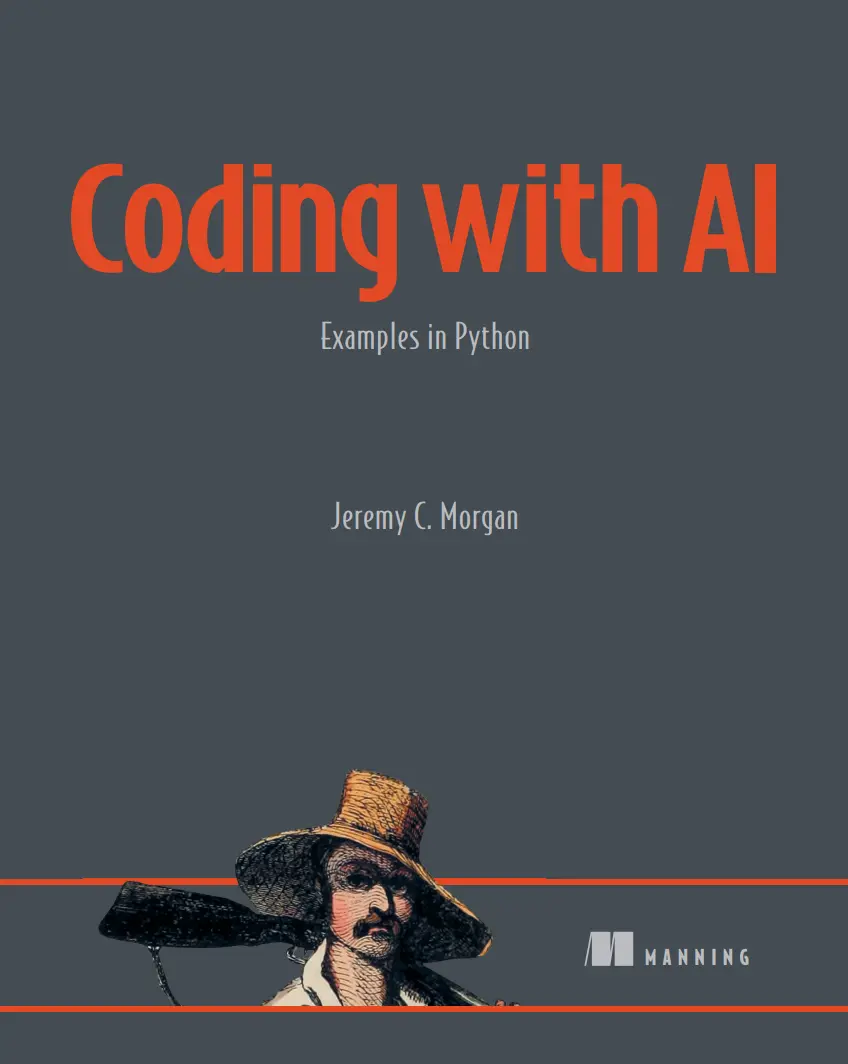
Автор: Morgan Jeremy C.
Дата выхода: 2025
Издательство: Manning Publications Co.
Количество страниц: 338
Размер файла: 11,4 МБ
Тип файла: PDF
Добавил: Aleks-5
Проверить на вирусыCoding with AI....1
brief contents....8
contents....9
preface....14
acknowledgments....16
about this book....18
Who should read this book....18
How this book is organized: A road map....18
About the code....20
liveBook discussion forum....20
about the author....21
about the cover illustration....22
Part 1....23
1 Introducing generative AI....25
1.1 Generative AI for coders....26
1.1.1 Code generation and autocompletion....26
1.1.2 Bug detection and automated fixes....27
1.1.3 Documentation generation....27
1.1.4 Code refactoring and optimization....27
1.1.5 Test case generation and mock data creation....28
1.2 Developer tools landscape....28
1.2.1 Integrated developer tools....28
1.2.2 Standalone tools....29
1.3 How does generative AI work? ....30
1.4 What is an LLM, and why should I care?....32
1.5 Why do these tools sometimes get it wrong?....34
1.5.1 How LLMs differ from databases....35
1.5.2 Training phase problems....35
1.5.3 Misinterpreting context....36
1.6 The potential of LLMs ....37
1.7 Generative AI vs. code completion ....37
1.7.1 Other types of generative AI....38
1.7.2 Why coders care about generative AI....39
1.8 Project workflow with AI assistance....39
1.8.1 Ideation and planning....40
1.8.2 Code generation and assistance....42
1.8.3 Code review and analysis....42
1.8.4 Testing and debugging....44
1.8.5 Documentation and content generation....44
1.9 Choosing the right generative AI tools....44
1.9.1 Data quality and availability....44
1.9.2 Integration with development workflows....45
1.9.3 Quality assurance....45
1.9.4 Keeping up with evolving tools....45
1.9.5 Shift in focus....46
1.10 Don’t fear the rise of AI....46
1.11 Go forth and code!....47
2 First steps with AI-assisted coding....49
2.1 What is GitHub Copilot?....50
2.1.1 How GitHub Copilot works....50
2.1.2 Interacting with GitHub Copilot....53
2.2 Common patterns....57
2.3 Context is everything....57
2.4 What is NLP? ....58
2.5 A simple Python project....59
2.5.1 Preparing your development environment ....61
2.5.2 Creating the application....64
2.5.3 Side quest: Testing the function speed....69
Part 2....77
3 Design and discovery....79
3.1 Getting to know ChatGPT....80
3.2 The problem....80
3.3 Creating the right prompt....81
3.4 Measuring the effect on the design process....82
3.5 A design document created with ChatGPT....83
3.6 Software design document: HAM radio license practice test application....85
3.7 Digging deeper....90
3.7.1 System overview (section 2) ....90
3.7.2 Technical stack (section 5)....92
3.8 Generating user stories for our project....94
3.8.1 Defining roles in prompts....95
3.8.2 The output: User stories document....95
3.8.3 Analyzing the output....97
3.8.4 User stories document in detail....97
4 Coding the first version of our application....100
4.1 Stubbing: Building the skeleton of your application....101
4.1.1 A simple code example....102
4.2 Extracting requirements from the design....103
4.2.1 Step 1: Extract the requirements using ChatGPT....104
4.2.2 Step 2: Gathering requirements from Gemini....105
4.3 Setting up our development environment....108
4.4 Flask application structure....111
4.5 Stubbing out our application....113
4.6 Running our application....119
5 Using Blackbox AI to generate base code....123
5.1 Application development with generative AI tools....124
5.2 Setting up the development environment....125
5.3 Developing core features....125
5.3.1 Creating the database....125
5.3.2 Connecting to our database....128
5.3.3 Calling our database from the frontend....135
5.3.4 Refactoring our Questions class....141
5.3.5 Modifying our entry point (App.py)....148
5.3.6 Pulling a set of questions....150
5.3.7 Creating a test session in the database....155
5.3.8 Creating code for the test session....158
5.3.9 Generating a question set....161
5.3.10 Verifying our test session was created....168
5.3.11 Conclusion ....169
6 Generating a software backend with Tabnine....171
6.1 Creating a session and our first bug....172
6.2 Creating an index page....183
6.2.1 Persisting the session....188
6.2.2 Refactoring session creation....191
6.2.3 Refactoring our question set method....193
6.2.4 Creating an end session function that ends the test....196
Part 3....199
7 Building user interfaces with ChatGPT....201
7.1 Getting our strategy from our AI tools....202
7.1.1 ChatGPT Results....204
7.1.2 Gemini Results....207
7.1.3 Blackbox AI results ....210
7.2 Creating our templates....213
7.3 Describing the flow of our application....216
7.3.1 Creating an overall design....220
7.3.2 Drafting HTML based on our wireframes....225
7.3.3 The final UI for our application....229
8 Building effective tests with generative AI....232
8.1 Why use generative AI for testing?....233
8.2 What are unit tests?....234
8.3 The tools we’ll use for Python testing....234
8.3.1 Github Copilot....235
8.3.2 Tabnine....235
8.3.3 Blackbox AI....235
8.4 Writing unit tests with generative AI....235
8.4.1 unittest or pytest?....235
8.4.2 Using Copilot for test generation....236
8.4.3 Using Tabnine for test generation....252
8.4.4 Applying Blackbox AI for test generation....256
8.4.5 Which tool should you use for testing?....264
9 Prompt engineering....266
9.1 Understanding prompt engineering....267
9.1.1 Why prompt engineering matters....270
9.2 Understanding the anatomy of a prompt....271
9.3 Crafting the ultimate prompt ....276
9.3.1 Prompt engineering principles....277
9.4 Fundamental prompt types ....279
9.4.1 Zero-shot prompting....279
9.4.2 Few-shot prompting ....280
9.4.3 Open-ended prompts....281
9.4.4 Constrained prompts....282
9.4.5 Using iterative prompts....283
9.4.6 Structured prompts....285
9.5 Advanced prompt types....287
9.5.1 Chain-of-thought prompting....287
9.5.2 Recursive prompting....291
9.5.3 Context manipulation....294
9.5.4 Instruction refinement....296
9.5.5 Output control....299
9.5.6 Wrap up....301
9.6 Prompt techniques for programmers....301
9.6.1 Examples....301
10 Vibe coding with Cursor....307
10.1 What is vibe coding?....308
10.2 What is Cursor, and why is it different?....309
10.2.1 The interface....309
10.2.2 Project-wide context and customization....310
10.3 First concept....310
10.4 The initial prompt to build our game....311
10.5 Cursor basics....312
10.5.1 Giving feedback....313
10.5.2 Adding context....314
10.5.3 Selecting a mode....315
10.5.4 Model selection....316
10.5.5 MAX mode....317
10.6 Results from the first prompt....317
10.7 Running our game for the first time....318
10.8 Making changes to our game....320
index....331
Let’s get real. You’d like to hand off a lot of tedious software development tasks to an assistant—and now you can! AI-powered coding tools like Copilot can accelerate research, design, code creation, testing, troubleshooting, documentation, refactoring and more. Coding with AI shows you how. Written for working developers, this book fast-tracks you to AI-powered productivity with bite-size projects, tested prompts, and techniques for getting the most out of AI.
In Coding with AI you’ll learn how to:
- Incorporate AI tools into your development workflow
- Create pro-quality documentation and tests
- Debug and refactor software efficiently
- Create and organize reusable prompts
Coding with AI takes you through several small Python projects with the help of AI tools, showing you exactly how to use AI to create and refine real software. This book skips the baby steps and goes straight to the techniques you’ll use on the job, every day. You’ll learn to sidestep AI inefficiencies like hallucination and identify the places where AI can save you the most time and effort.
About the technology
Taking a systematic approach to coding with Al will deliver the clarity, consistency, and scalability you need for production-grade applications. With practice, you can use AI tools to break down complex problems, generate maintainable code, enhance your models, and streamline debugging, testing, and collaboration. As you learn to work with AI’s strengths—and recognize its limitations—you’ll build more reliable software and find that the quality of your generated code improves significantly.
About the book
Coding with AI shows you how to gain massive benefits from a powerful array of AI-driven development tools and techniques. And it shares the insights and methods you need to use them effectively in professional projects. Following realistic examples, you’ll learn AI coding for database integration, designing a UI, and establishing an automated testing suite. You’ll even vibe code a game—but only after you’ve built a rock-solid foundation.
What's inside
- Incorporate AI into your development workflow
- Create pro-quality documentation and tests
- Debug and refactor software efficiently
- Create and organize reusable prompts
About the reader
For professional software developers. Examples in Python.


