-
1C
-
Agda
-
Agile/Scrum
-
Alef
-
APL
-
Assembler
-
AWK
-
Basic
-
Beta Programming Language
-
Big Data/DataScience
-
C
-
C#
-
C++
-
Cobol
-
Crystal
-
CSS
-
D
-
Dart
-
DataBase (SQL)
-
Delphi
-
F#
-
Flutter
-
Fortran
-
GameDev
-
Git
-
Go (Golang)
-
GPT/AI/ИИ
-
Hacking and Security
-
Haskell
-
HTML
-
Java
-
JavaScript (JS)
-
Julia
-
Kotlin
-
Machine Learning (ML)
-
Natural language processing (NLP)
-
.NET (.NET Core)
-
Pascal
-
PHP
-
Python
-
R
-
Ruby
-
Rust
-
Scratch
-
Swift
-
UML
-
UX/UI
-
Visual Basic
-
Wolfram
-
XML
-
АСУ
-
Проектирование/System Design
-
Сети/Network
-
Статьи
-
Схемотехника/электронные схемы
-
1C
-
Agda
-
Agile/Scrum
-
Alef
-
APL
-
Assembler
-
AWK
-
Basic
-
Beta Programming Language
-
Big Data/DataScience
-
C
-
C#
-
C++
-
Cobol
-
Crystal
-
CSS
-
D
-
Dart
-
DataBase (SQL)
-
Delphi
-
F#
-
Flutter
-
Fortran
-
GameDev
-
Git
-
Go (Golang)
-
GPT/AI/ИИ
-
Hacking and Security
-
Haskell
-
HTML
-
Java
-
JavaScript (JS)
-
Julia
-
Kotlin
-
Machine Learning (ML)
-
Natural language processing (NLP)
-
.NET (.NET Core)
-
Pascal
-
PHP
-
Python
-
R
-
Ruby
-
Rust
-
Scratch
-
Swift
-
UML
-
UX/UI
-
Visual Basic
-
Wolfram
-
XML
-
АСУ
-
Проектирование/System Design
-
Сети/Network
-
Статьи
-
Схемотехника/электронные схемы
Меню
Beginning C++ Game Programming: Learn C++ from scratch by building fun games. 3 Ed
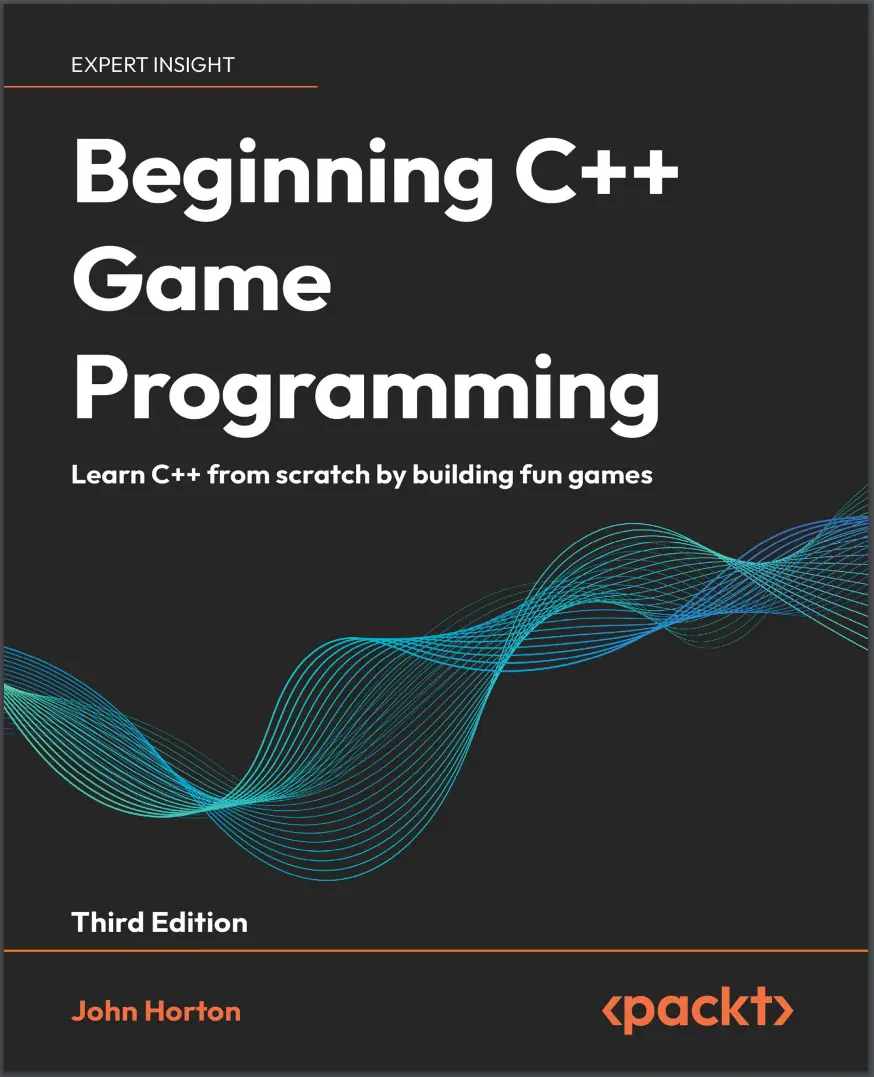
Автор: Horton John
Дата выхода: 2024
Издательство: Packt Publishing Limited
Количество страниц: 649
Размер файла: 3,9 МБ
Тип файла: PDF
Добавил: codelibs
Проверить на вирусы Дополнительные материалыCover....1
Copyright....3
Contributors....4
Preface....22
Chapter 1: Welcome to Beginning C++ Game Programming Third Edition!....32
The games we will build....33
Timber!!!....33
Pong....34
Zombie Arena....35
Platform game....35
Why you should learn game programming using C++ in 2024....36
SFML....38
Microsoft Visual Studio....39
What about Mac and Linux?....41
Installing Visual Studio 2022....41
Setting up SFML....43
Creating a new project in Visual Studio 2022....45
Configuring the project properties....49
Planning Timber!!!....51
The project assets....54
Making your own sound FX....55
Adding the assets to the project ....55
Exploring the assets....55
Understanding screen and internal coordinates....56
Getting started with coding the game....59
Making code clearer with comments....59
The main function....59
Presentation and syntax....60
Returning values from a function....61
Running the game....62
Opening a window using SFML....62
Including SFML features....63
OOP, classes, and objects....63
Using namespace sf....65
SFML VideoMode and RenderWindow....65
Running the game....66
The game loop....67
while loops....68
C-style code comments....69
Input, update, draw, repeat....69
Detecting a key press....70
Clearing and drawing the scene....70
Running the game....71
Drawing the game’s background....71
Preparing the sprite using a texture....71
Double buffering the background sprite....73
Running the game....74
Handling errors....75
Configuration errors....75
Compile errors....75
Link errors....76
Bugs....76
Summary....76
Frequently asked questions....76
Chapter 2: Variables, Operators, and Decisions: Animating Sprites....78
Learning all about C++ variables....79
Types of variables....79
User-defined types....81
Declaring and initializing variables....81
Declaring variables....81
Initializing variables....82
Declaring and initializing in one step....82
Constants....83
Uniform initialization....83
Declaring and initializing user-defined types....84
Seeing how to manipulate the variables....85
C++ arithmetic and assignment operators....85
Getting things done with expressions....86
Assignment....86
Increment and decrement....88
Adding clouds, a buzzing bee, and a tree....90
Preparing the tree....90
Preparing the bee....92
Preparing the clouds....93
Drawing the tree, the bee, and the clouds....95
Random numbers....96
Generating random numbers in C++....97
Making decisions with if and else....98
Logical operators....98
C++ if and else....100
If they come over the bridge, shoot them!....100
Else do this instead....100
Reader challenge....102
Timing....103
The frame rate problem....103
The SFML frame rate solution....104
Moving the clouds and the bee....107
Giving life to the bee....107
Blowing the clouds....111
Summary....117
Frequently Asked Questions....117
Chapter 3: C++ Strings, SFML Time: Player Input and HUD....120
Pausing and restarting the game....120
C++ strings....124
Declaring strings....124
Assigning a value to strings....124
String Concatenation....125
Getting the string length....125
Manipulating strings another way with StringStream....126
SFML Text and SFML Font....127
Adding a score and a message....128
Adding a time-bar....135
Summary....141
Frequently asked questions....142
Chapter 4: Loops, Arrays, Switch Conditions, Enumerations, and Functions: Implementing Game Mechanics....144
Loops....145
while loops....145
Breaking out of a loop....148
for loops....150
Arrays....152
Declaring an array....152
Initializing the elements of an array....153
Quickly initializing the elements of an array....153
What do these arrays really do for our games?....154
Making decisions with switch....155
Class enumerations....157
Getting started with functions....160
Who designed all this weird and frustrating syntax and why is it the way it is?....162
Function return types....164
Function names....168
Function parameters....169
The function body....170
Function prototypes....170
Organizing functions....171
Function scope....171
A final word on functions – for now....172
Growing the branches....173
Preparing the branches....174
Updating the branch sprites in each frame....175
Drawing the branches....177
Moving the branches....178
Summary....181
Frequently asked questions....181
Chapter 5: Collisions, Sound, and End Conditions: Making the Game Playable....184
Preparing the player (and other sprites)....184
Drawing the player and other sprites....186
Handling the player’s input....187
Handling setting up a new game....189
Detecting the player chopping....190
Detecting a key being released....194
Animating the chopped logs and the axe....196
Handling death....198
Simple sound effects....201
How SFML sound works....201
When to play the sounds....202
Adding the sound code....202
Improving the game and code....206
Summary....208
Frequently asked questions....208
Chapter 6: Object-Oriented Programming – Starting the Pong Game....210
Object-oriented programming....211
Encapsulation....212
Polymorphism....212
Inheritance....212
Why use OOP?....213
What exactly is a class?....214
The theory of a Pong bat....214
Declaring the class, variables, and functions....214
The class function definitions....218
Using an instance of a class....220
Creating the Pong project....221
Coding the Bat class....223
Coding Bat.h....223
Constructor functions....224
Continuing with the Bat.h explanation....225
Coding Bat.cpp....226
Using the Bat class and coding the main function....229
Summary....234
Frequently asked questions....234
Chapter 7: AABB Collision Detection and Physics – Finishing the Pong Game....236
Coding the Ball class....237
Using the Ball class....240
Collision detection and scoring....242
Running the game....245
Learning about the C++ spaceship operator....246
Summary....247
Frequently asked questions....248
Chapter 8: SFML Views – Starting the Zombie Shooter Game....250
Planning and starting the Zombie Arena game....251
Creating a new project....252
The project assets....254
Exploring the assets....255
Adding the assets to the project....256
OOP and the Zombie Arena project....256
Building the player – the first class....257
Coding the Player class header file....258
Coding the Player class function definitions....264
Controlling the game camera with SFML View....274
Starting the Zombie Arena game engine....276
Managing the code files....280
Starting to code the main game loop....282
Summary....292
Frequently asked questions....292
Chapter 9: C++ References, Sprite Sheets, and Vertex Arrays....294
Understanding C++ references....295
Summarizing references....298
SFML vertex arrays and sprite sheets....298
What is a sprite sheet?....299
What is a vertex array?....301
Building a background from tiles....301
Building a vertex array....302
Using the vertex array to draw....303
Creating a randomly generated scrolling background....304
Using the background....311
Summary....314
Frequently asked questions....314
Chapter 10: Pointers, the Standard Template Library, and Texture Management....316
Learning about pointers....316
Pointer syntax....317
Declaring a pointer....318
Initializing a pointer....319
Reinitializing pointers....320
Dereferencing a pointer....321
Pointers are versatile and powerful....323
Dynamically allocated memory....323
Passing a pointer to a function....325
Declaring and using a pointer to an object....326
Pointers and arrays....326
Summary of pointers....327
Learning about the Standard Template Library....328
What is a vector?....329
Declaring a vector....329
Adding data to a vector....329
Accessing data in a vector....330
Removing data from a vector....330
Checking the size of a vector....330
Looping/iterating through the elements of a vector....330
What is a map?....331
Declaring a map....331
Adding data to a map....332
Finding data in a map....332
Removing data from a map....332
Checking the size of a map....332
Checking for keys in a map....333
Looping/iterating through the key-value pairs of a map....333
The auto keyword....334
STL summary....334
Summary....334
Frequently asked questions....335
Chapter 11: Coding the TextureHolder Class and Building a Horde of Zombies....336
Implementing the TextureHolder class....336
Coding the TextureHolder header file....337
Coding the TextureHolder function definitions....338
What have we achieved with TextureHolder?....341
Building a horde of zombies....341
Coding the Zombie.h file....341
Coding the Zombie.cpp file....344
Using the Zombie class to create a horde....349
Bringing the horde to life (or back to life)....353
Using the TextureHolder class for all textures....358
Changing the way the background gets its textures....358
Changing the way the Player class gets its texture....359
Summary....360
Frequently asked questions....360
Chapter 12: Collision Detection, Pickups, and Bullets....362
Coding the Bullet class....363
Coding the Bullet header file....363
Coding the Bullet source file....366
Coding the shoot function....366
Calculating the gradient in the shoot function....369
Making the gradient positive in the shoot function....369
Calculating the ratio between X and Y in the shoot function....369
Finishing the shoot function explanation....370
More bullet functions....371
The Bullet class’s update function....371
Making the bullets fly....372
Including the Bullet class....373
Control variables and the bullet array....373
Reloading the gun....374
Shooting a bullet....376
Updating the bullets in each frame....378
Drawing the bullets in each frame....378
Giving the player a crosshair....379
Coding a class for pickups....383
Coding the Pickup header file....383
Coding the Pickup class function definitions....386
Using the Pickup class....391
Detecting collisions....395
Has a zombie been shot?....396
Has the player been touched by a zombie?....399
Has the player touched a pickup?....400
Summary....401
Frequently asked questions....401
Chapter 13: Layering Views and Implementing the HUD....402
Adding all the Text and HUD objects....402
Updating the HUD....406
Drawing the HUD, home, and level-up screens....409
Summary....412
Chapter 14: Sound Effects, File I/O, and Finishing the Game....414
Saving and loading the high score....414
Preparing sound effects....417
Allowing the player to level up and spawning a new wave....418
Restarting the game....421
Playing the rest of the sounds....422
Adding sound effects while the player is reloading....422
Making a shooting sound....423
Playing a sound when the player is hit....423
Playing a sound when getting a pickup....424
Making a splat sound when a zombie is shot....425
Summary....426
Frequently asked questions....426
Chapter 15: Run!....428
About the game....429
Creating the project....432
Coding the main function....434
Handling input....439
Coding the Factory class....444
Advanced OOP: inheritance and polymorphism....446
Inheritance....446
Extending a class....447
Polymorphism....449
Abstract classes: virtual and pure virtual functions....450
Design patterns....452
Entity Component System pattern....453
Why lots of diverse object types are hard to manage....453
Using a generic GameObject for better code structure....453
Prefer composition over inheritance....455
Factory pattern....457
C++ smart pointers....459
Shared pointers....459
Unique pointers....461
Casting smart pointers....462
Coding the GameObject class....463
Coding the Component class....466
Coding the Graphics class....467
Coding the Update class....469
Running the code....470
What next?....470
Summary....471
Chapter 16: Sound, Game Logic, Inter-Object Communication, and the Player....472
Coding the SoundEngine class....473
Code the Game logic....476
Coding the LevelUpdate class....477
Coding the player: Part 1....490
Coding the PlayerUpdate class....491
Coding the PlayerGraphics class....495
Coding the factory to use all our new classes....501
Remembering the texture coordinates....501
Running the game....505
Summary....506
Chapter 17: Graphics, Cameras, Action....508
Cameras, draw calls, and SFML View....508
Coding the camera classes....510
Coding the CameraUpdate class....510
Coding the CameraGraphics class part 1....515
The SFML View class....519
Coding the CameraGraphics class part 2....521
Adding camera instances to the game....526
Running the game....529
Summary....530
Chapter 18: Coding the Platforms, Player Animations, and Controls....532
Coding the platforms....532
Coding the PlatformUpdate class....533
Coding the update function for the PlatformUpdate class....535
Coding the PlatformGraphics class....539
Building some platforms in the factory....542
Running the game....543
Adding functionality to the player....544
Coding the player controls....545
Running the game....551
Coding the Animator class....552
Coding the player animations....555
Running the game....564
Summary....565
Chapter 19: Building the Menu and Making It Rain....566
Building an interactive menu....567
Coding the MenuUpdate class....567
Coding the MenuGraphics class....574
Building a menu in the factory....579
Running the game....581
Making it rain....582
Coding the RainGraphics class....582
Making it rain in the factory....587
Running the game....589
Summary....589
Chapter 20: Fireballs and Spatialization....590
What is spatialization?....590
Emitters, attenuation, and listeners....591
Handling spatialization using SFML....591
Upgrading the SoundEngine class....594
Fireballs....596
Coding the FireballUpdate class....596
Coding the FireballGraphics class....605
Coding FireballGraphics.h....606
Coding FireballGraphics.cpp....607
Building some fireballs in the factory....611
Running the code....613
Summary....613
Chapter 21: Parallax Backgrounds and Shaders....614
Learning about OpenGL, shaders, and GLSL....614
The programmable pipeline and shaders....615
Coding a hypothetical fragment shader....616
Coding a hypothetical vertex shader....617
Finishing the CameraGraphics class....618
Breaking up the new draw code....622
Coding a shader for the game....626
Running the completed game....626
Summary....627
Further reading....628
Why subscribe?....630
Other Books You May Enjoy....632
Packt....630
Index....638
Get to grips with programming and game development techniques using C++ libraries and Visual Studio 2022 with this updated edition of the bestselling series
Get With Your Book: PDF Copy, AI Assistant, and Next-Gen Reader Free
Key Features
- Create fun games in C++, with this up-to-date guide covering the latest features of C++20 and VS2022
- Build clones of popular games such as a Timberman clone, a Pong game, a Zombie Survival Shooter, and a platform endless runner game
- Discover tips to expand your finished games by thinking critically, technically, and creatively
Book Description
Always dreamed of creating your own games? With the third edition of Beginning C++ Game Programming, you can turn that dream into reality! This beginner-friendly guide is updated and improved to include the latest features of VS 2022, SFML, and modern C++20 programming techniques. You'll get a fun introduction to game programming by building four fully playable games of increasing complexity. You'll build clones of popular games such as Timberman, Pong, a Zombie survival shooter, and an endless runner.
The book starts by covering the basics of programming. You'll study key C++ topics, such as object-oriented programming (OOP) and C++ pointers and get acquainted with the Standard Template Library (STL). The book helps you learn about collision detection techniques and game physics by building a Pong game. As you build games, you'll also learn exciting game programming concepts such as vertex arrays, directional sound (spatialization), OpenGL programmable shaders, spawning objects, and much more. You’ll dive deep into game mechanics and implement input handling, levelling up a character, and simple enemy AI. Finally, you'll explore game design patterns to enhance your C++ game programming skills.
By the end of the book, you'll have gained the knowledge you need to build your own games with exciting features from scratch.
What you will learn
- Set up your game project in VS 2022 and explore C++ libraries such as SFML
- Build games in C++ from the ground up, including graphics, physics, and input handling
- Implement core game concepts such as game animation, game physics, collision detection, scorekeeping, and game sound
- Implement automatically spawning objects and AI to create rich and engaging experiences
- Learn advanced game development concepts, such as OpenGL shaders, texture atlases, and parallax backgrounds
- Scale and reuse your game code with modern game programming design patterns
Who this book is for
This book is perfect for you if you have no C++ programming knowledge, you need a beginner-level refresher course, or you want to learn how to build games or just use games as an engaging way to learn C++. Whether you aspire to publish a game (perhaps on Steam) or just want to impress friends with your creations, you'll find this book useful


