-
1C
-
Agda
-
Agile/Scrum
-
Alef
-
APL
-
Assembler
-
AWK
-
Basic
-
Beta Programming Language
-
Big Data/DataScience
-
C
-
C#
-
C++
-
Cobol
-
Crystal
-
CSS
-
D
-
Dart
-
DataBase (SQL)
-
Delphi
-
F#
-
Flutter
-
Fortran
-
GameDev
-
Git
-
Go (Golang)
-
GPT/AI/ИИ
-
Hacking and Security
-
Haskell
-
HTML
-
Java
-
JavaScript (JS)
-
Julia
-
Kotlin
-
Machine Learning (ML)
-
Natural language processing (NLP)
-
.NET (.NET Core)
-
Pascal
-
PHP
-
Python
-
R
-
Ruby
-
Rust
-
Scratch
-
Swift
-
UML
-
UX/UI
-
Visual Basic
-
Wolfram
-
XML
-
АСУ
-
Проектирование/System Design
-
Сети/Network
-
Статьи
-
Схемотехника/электронные схемы
-
1C
-
Agda
-
Agile/Scrum
-
Alef
-
APL
-
Assembler
-
AWK
-
Basic
-
Beta Programming Language
-
Big Data/DataScience
-
C
-
C#
-
C++
-
Cobol
-
Crystal
-
CSS
-
D
-
Dart
-
DataBase (SQL)
-
Delphi
-
F#
-
Flutter
-
Fortran
-
GameDev
-
Git
-
Go (Golang)
-
GPT/AI/ИИ
-
Hacking and Security
-
Haskell
-
HTML
-
Java
-
JavaScript (JS)
-
Julia
-
Kotlin
-
Machine Learning (ML)
-
Natural language processing (NLP)
-
.NET (.NET Core)
-
Pascal
-
PHP
-
Python
-
R
-
Ruby
-
Rust
-
Scratch
-
Swift
-
UML
-
UX/UI
-
Visual Basic
-
Wolfram
-
XML
-
АСУ
-
Проектирование/System Design
-
Сети/Network
-
Статьи
-
Схемотехника/электронные схемы
Меню
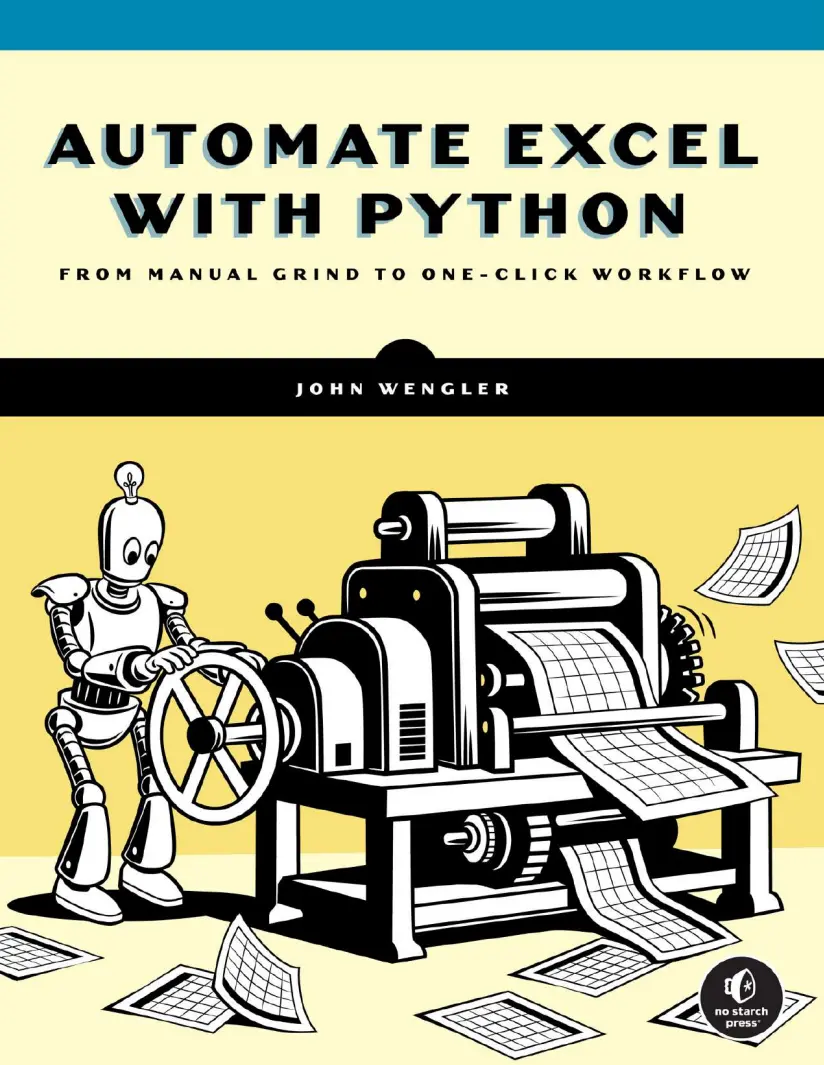
Automate Excel with Python: From Manual Grind to One-Click Workflow
Автор: Wengler John
Дата выхода: 2026
Издательство: No Starch Press, Inc.
Количество страниц: 469
Размер файла: 4,2 МБ
Тип файла: PDF
Добавил: codelibs
Проверить на вирусыCover Page....2
Title Page....3
Copyright Page....4
Dedication Page....6
About the Author....7
About the Technical Reviewer....8
BRIEF CONTENTS....9
CONTENTS IN DETAIL....10
ACKNOWLEDGMENTS....21
INTRODUCTION....23
Why This Book?....23
Why Python?....25
How This Book Is Organized....27
Dataframes, Your New Best Friends....31
PART I: FROM SPREADSHEETS TO DATAFRAMES....33
1 GETTING STARTED WITH PYTHON....34
Technical Considerations for Working with Python....34
Python Version....34
Distribution Platform....35
Integrated Development Environment....36
The IDLE Shell: A Simple Interface....36
Spyder: A More Robust Working Environment....38
Summary....40
2 DISPLAYING DATA AND UNDERSTANDING DATA TYPES....43
Printing String Variables and Strings of Strings....44
Data Types....45
Printing Numbers and Numeric Variables....47
Concatenating Different Data Types....49
Learning from Your Mistakes....49
Customizing Functionality with Parameters....52
Printing an Empty Line....53
Escape Characters and Escape Sequences....53
Potential Pitfalls for Python Novices....54
Using Quotation Marks Inconsistently....55
Ignoring Case Sensitivity....57
Not Knowing Your Data....57
Summary....58
3 CREATING AND MANIPULATING DATAFRAMES AND LISTS....61
What Exactly Is a Dataframe?....61
How to Create a Dataframe....62
Importing the pandas Module and Manually Creating a Dataframe....62
Copying a Dataframe....68
Subsetting a Dataframe by Column....68
Common Dataframe Operations....70
Counting Rows Using the len() Function....71
Counting Rows and Columns with the shape Attribute....71
Deleting Rows with a Specific Value....72
Identifying and Dropping Duplicated Rows....73
Concatenating Dataframes....73
Lists: The DNA of Dataframes....78
Creating a List....80
Isolating Unique List Values....81
Appending a Single Item to a List....81
Adding a List to a List....82
Sorting a List....82
Identifying Minimum, Maximum, and Mean List Values....83
Removing a List Element....83
Comparing Lists....84
Creating an Empty Dataframe with a List....84
Converting a Column into a List....85
Another Fragment of Dataframe DNA: The Series Object....85
Summary....87
4 ADDING, MODIFYING, AND CALCULATING COLUMN DATA....90
Defining a Column....90
Changing How Columns Appear in a Dataframe....91
Reordering Columns in a Dataframe....91
Dropping Columns....92
Renaming Columns....94
Sorting Dataframes by Column Values....95
Printing Select Columns....96
Changing Values in Columns....97
Overwriting All Column Values....97
Replacing Particular Values in Dataframes and Target Columns....97
Replacing Substrings....99
Creating New Columns....100
Adding a New Column with a Single Value....100
Duplicating a Column....101
Concatenating Two or More Columns into a New One....102
Math Methods and Operators....103
Applying the sum() Method to a Dataframe Column....104
Returning Average, Maximum, or Minimum Values....104
Calculating Median Values....105
Rounding a Single Column or Full Dataframe....106
Converting to Absolute Values....108
Stringing Together Multiple Methods....109
Storing Calculated Values in a New Column....110
Comparing Values....111
Conditional Logic....112
Controlling Execution Flow with if Logic....113
Iterating Through a List....113
Repeating a Process with the while Loop....114
Iterating Through a Dataframe....115
Replicating SUMIF with the where() Conditional Statement....116
Storing Values Returned from iterrows() in a New Column....117
Storing Conditional Results in a New Column with List Comprehensions....118
Handling Exceptions with a try-except Block....119
Summary....120
5 ACCESSING AND TRANSFORMING INDIVIDUAL CELL VALUES....123
An Overview of Values and Variables....124
Converting Integers, Floats, and Strings....126
Converting Individual Variables....126
Converting an Entire Dataframe Column....128
Converting Objects to Strings....130
Manually Inserting Values with the input() Function....130
Answering a Question and Saving the Answer....131
Selecting a Menu Option....133
Pausing Execution to Review Output....134
Working with NaN Objects....135
Manually Creating NaN Objects....135
Manually Entering NaN Objects into a Dataframe....136
Replacing NaN Objects....137
Slicing Techniques for Strings and Lists....138
Slicing a Single String....139
Slicing Within an Entire Column....140
Slicing a List from a List....142
Pulling a Select Element from a List....144
Indexing Techniques for Dataframes and Series Objects....145
Pulling Values by Index Position....145
Pulling Values by Unique Index Label....147
Targeting Single Values....147
Pulling a Value from a Series....148
Modifying Existing Cells....149
Splitting Techniques....151
Splitting a Single String....152
Handling Inconsistent Delimiters....153
Splitting Columns in a Dataframe....155
Summary....157
6 FILTERING AND DISPLAYING DATAFRAMES....160
A Closer Look at the DataFrame() Method....160
Using Optional Arguments....162
Creating an Empty Dataframe with a Column List....163
Working with Dataframe Indexes....164
Naming and Renaming an Index....165
Renumbering or Resetting an Index....165
Sorting by the Index....167
Moving Values Between the Index and a Column....168
Subsetting Dataframes....169
By Column List....170
By Relative Index Location....174
By Index Label....175
By Matching Values in Columns....178
By Excluding Values in Columns....179
By a Substring Value....179
By Column Labels in a List....180
By Inclusion....181
By Exclusion....181
By Mathematical Condition....181
By NaN Objects....182
Controlling the Appearance of Dataframe Output....183
Printing the First or Last Few Rows....184
Printing Specific Rows....184
Printing the Rightmost Columns....185
Customizing Global Display Settings....186
Working with Dictionary Objects....190
Declaring a Single Dictionary....191
Declaring a List of Dictionaries....192
Accessing and Modifying Dictionary Contents....192
Creating New Dictionary Key-Value Pairs on the Fly....193
Storing Dictionaries in Dataframes....194
Summary....195
PART II: TOOLS TO REPLICATE EXCEL FUNCTIONALITY....197
7 COUNTING AND SUMMING VALUES....198
The value_counts() Method....199
Counting Every Value in a Column....199
Counting Specific Values in a Column....200
Counting a List of Specific Values in a Column....201
Normalizing value_counts() Results....202
The crosstab() Method....204
Creating Basic Cross-Tabulations....204
Performing Math Operations....209
Adding Row and Column Totals....216
Handling Missing Values....217
Normalizing crosstab() Data....219
The pivot_table() Method....222
Breaking Down the Basic Form of pivot_table()....223
Grouping Unique Values....228
Calculating Math Values....228
Handling NaN Objects....230
Organizing Dataframe Values....232
Summary....233
8 MERGING DATAFRAMES....235
The Basics of VLOOKUP and merge()....235
How merge() Handles Orphaned Keys....238
The Full merge() Method Syntax....240
Specifying Join Type....243
Analyzing Merge Results....246
Defining Keys....249
Handling Different Key Column Labels....252
Checking Your Match Expectations....253
Quality Control with the shape Attribute....256
Summary....257
9 FORMATTING AND CALCULATING DATES AND TIMES....261
Introducing the Datetime Module and datetime.now()....261
Creating Datetime Objects....262
Isolating Units of Time as Integers....264
Converting Datetime Objects to Strings....265
Transforming Timestamps....266
Converting a Single Datetime Object to a Custom-Formatted String....270
Isolating Units of Time as Strings....271
Removing Leading Zeros from Single-Digit Time Elements....271
Working with Time Durations: The Timedelta Object....272
Comparing and Calculating Dates and Times....274
Datetime Objects in Dataframes....276
Dataframe Datetime Operations....277
Using Directives to Customize to_datetime() Results....278
Calculating Timedeltas in a New Column....279
Subsetting a Dataframe Using Datetime Objects....280
Summary....281
PART III: WORKFLOW TECHNIQUES....284
10 READING EXCEL FILES INTO DATAFRAMES....285
Creating or Downloading Your Excel Spreadsheet....286
Introducing the read_excel() Method....286
Importing a Specific Tab from a Workbook....288
Importing All Tabs at Once....290
Filtering Source Data....291
Parsing Input Spreadsheets....292
Dealing with More Complex Spreadsheets....294
Setting the Column Labels for Your Dataframe....296
Setting an Excel Column as the Dataframe Index....297
Handling Hard Returns in Excel Data....298
Reading in a CSV File....299
Summary....301
11 SAVING DATAFRAMES TO EXCEL....304
Simple Single-Tab Export....304
Exporting a More Complex Dataframe....306
Designating the Tab Name....308
Excluding the Dataframe Index....309
Freezing the View....310
The Six Steps to Exporting and Formatting Excel Files....311
Step 1: Creating a Writer Object and Excel File....313
Step 2: Adding Multiple Dataframes to One Excel Workbook....315
Step 3: Closing the Writer Object and Excel File....316
Step 4: Creating and Populating the Workbook Object and Excel File....318
Step 5: Formatting the Excel File....319
Step 6: Closing the Workbook Object and Excel File....333
Emailing from Python....335
Sending a Basic Email....335
Converting Dataframes to HTML Code....336
Sending an Email Containing HTML....337
Summary....338
12 THERE AND BACK AGAIN: AN EXCEL–PYTHON–EXCEL WORKFLOW....342
The Scenario....342
Analyzing the Vets Workbook....343
Flowcharting the Manual Process....345
Coding with Modularity....345
Writing and Calling UDFs....346
Defining Required and Optional Parameters....347
Returning One or More Values....348
Saving UDFs in a Separate Script....349
Writing Your First Script: Rolling Over a File....351
Importing Your Favorite Modules....351
Importing the Ducks UDFs....352
Printing a Header....352
Setting Your Dataframe Display Preferences....352
Setting the Date....353
Creating a New File for Todays Date....355
Automating Exception Reports and Data Management Tasks....357
Importing the Vets Workbook Tabs....357
Generating and Sending an Email....358
Automating the Overdue Invoice Process....359
Filtering Todays Appointments....362
Pausing the Programs Execution....362
Automating Daily Appointment Email....363
Recording New Appointments....366
Exporting Dataframes to Excel Tabs....366
Updating and Formatting the Excel File in Spyder....368
Automating Updates in Excel Files....374
Analyzing Trends with Dynamic Pivot Tables....379
Using Spyder as Your Daily Workflow GUI....382
Summary....382
A WORKING WITH FOLDERS, FILES, AND PATHNAMES....384
Pathnames in File Explorer vs. Python....384
Viewing and Changing Your Working Directory....386
Listing the Contents of a Folder....387
Creating a New Directory....388
Checking Whether a Pathname Exists....389
Copying a File....390
Renaming or Moving a File or Folder....391
Deleting a File....392
Deleting Folders....393
File Management Quick Reference....394
B CLEANING UP A MESSY SPREADSHEET....395
Reading a Messy Spreadsheet into a Dataframe....395
Customizing Column Labels....397
Specifying a Column as the Index....398
Dropping a Record by Index Label....398
Sorting by Index Label....399
Splitting Columns: Converting Full Names to First and Last....400
Renaming Columns....401
Reordering Columns....401
Changing a Specific Cell Value....402
Converting Strings to Datetime Objects....402
Exporting the Cleaned-Up Dataframe Back to Excel....403
Formatting the Clean Excel File....404
The Final Product....405
C THE DUCKS MODULE....407
PYTHON QUICK REFERENCE....413
INDEX....417
This practical guide will help spreadsheet pros save time and boost productivity using beginner Python tools – without having to become a programmer. Automate Excel with Python bridges the gap between Excel expertise and Python programming without forcing you to start from scratch. Unlike other programming guides, it’s specifically designed for Excel users who need more power and automation, not for professional programmers. This book focuses on enhancing your existing Excel skills rather than replacing them. You’ll learn how Python’s dataframes work like virtual spreadsheets, extending what you already know while automating repetitive tasks. You’ll be able to import and export data seamlessly between Excel and Python to integrate coding into your current workflow. Concise, practical examples throughout will get you up and running quickly. Each topic addresses real problems Excel users face, with solutions you can implement immediately. The structure is deliberately flexible. Chapters progress logically but stand independently, so you can jump to exactly what you need without reading everything that came before. This makes it perfect for solving urgent problems or learning at your own pace. You’ll apply the techniques you learn to automate reports, clean messy data, perform complex calculations, and handle large datasets that would overwhelm Excel alone—all while leveraging your existing spreadsheet knowledge.


