-
1C
-
Agda
-
Agile/Scrum
-
Alef
-
APL
-
Assembler
-
AWK
-
Basic
-
Beta Programming Language
-
Big Data/DataScience
-
C
-
C#
-
C++
-
Cobol
-
Crystal
-
CSS
-
D
-
Dart
-
DataBase (SQL)
-
Delphi
-
F#
-
Flutter
-
Fortran
-
GameDev
-
Git
-
Go (Golang)
-
GPT/AI/ИИ
-
Hacking and Security
-
Haskell
-
HTML
-
Java
-
JavaScript (JS)
-
Julia
-
Kotlin
-
Machine Learning (ML)
-
Natural language processing (NLP)
-
.NET (.NET Core)
-
Pascal
-
PHP
-
Python
-
R
-
Ruby
-
Rust
-
Scratch
-
Swift
-
UML
-
UX/UI
-
Visual Basic
-
Wolfram
-
XML
-
АСУ
-
Проектирование/System Design
-
Сети/Network
-
Статьи
-
Схемотехника/электронные схемы
-
1C
-
Agda
-
Agile/Scrum
-
Alef
-
APL
-
Assembler
-
AWK
-
Basic
-
Beta Programming Language
-
Big Data/DataScience
-
C
-
C#
-
C++
-
Cobol
-
Crystal
-
CSS
-
D
-
Dart
-
DataBase (SQL)
-
Delphi
-
F#
-
Flutter
-
Fortran
-
GameDev
-
Git
-
Go (Golang)
-
GPT/AI/ИИ
-
Hacking and Security
-
Haskell
-
HTML
-
Java
-
JavaScript (JS)
-
Julia
-
Kotlin
-
Machine Learning (ML)
-
Natural language processing (NLP)
-
.NET (.NET Core)
-
Pascal
-
PHP
-
Python
-
R
-
Ruby
-
Rust
-
Scratch
-
Swift
-
UML
-
UX/UI
-
Visual Basic
-
Wolfram
-
XML
-
АСУ
-
Проектирование/System Design
-
Сети/Network
-
Статьи
-
Схемотехника/электронные схемы
Меню
Ultimate Modern jQuery for Web App Development: Create Stunning Interactive Web Applications with Seamless DOM Manipulation, Animation, and AJAX Integration of jQuery and JavaScript
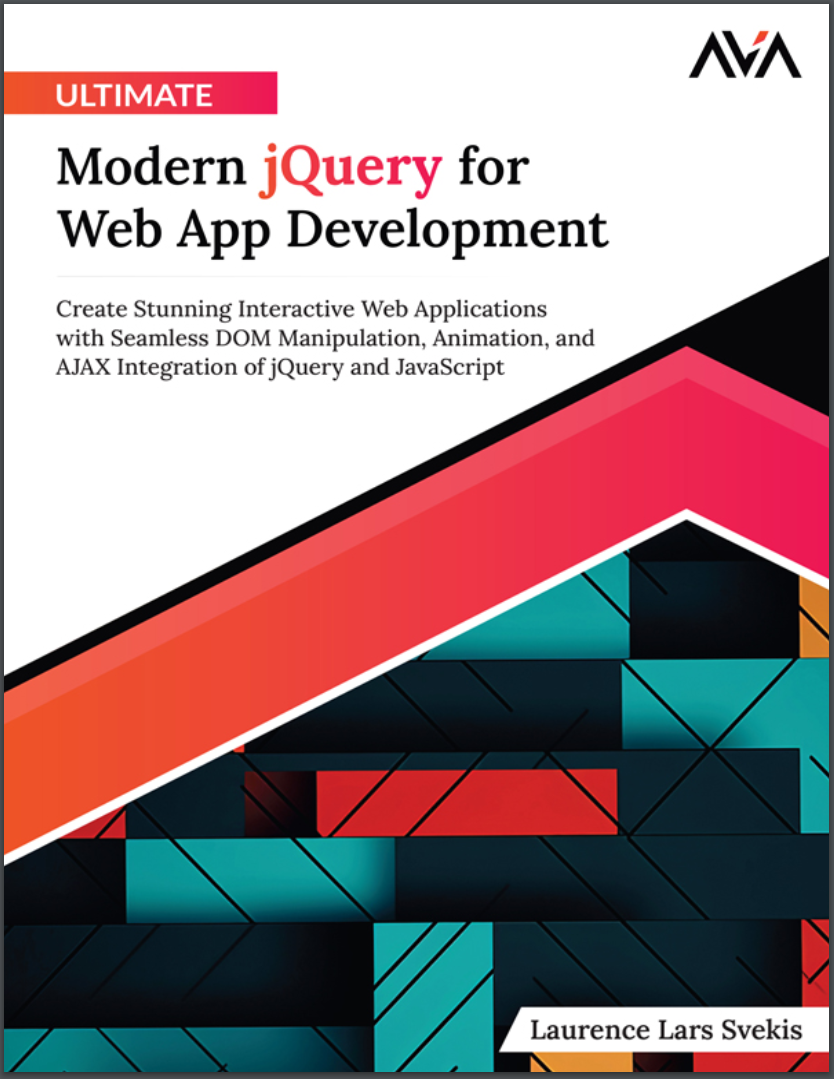
Автор: Svekis Laurence Lars
Дата выхода: 2024
Издательство: Orange Education Pvt Ltd, AVA™
Количество страниц: 211
Размер файла: 1,1 МБ
Тип файла: PDF
Добавил: codelibs
Проверить на вирусыCover Page....2
Title Page....3
Copyright Page....4
Dedication Page....5
About the Author....6
About the Technical Reviewer....8
Acknowledgements....9
Preface....10
Errata....14
Table of Contents....18
1. Getting Started with jQuery....24
Introduction....24
Structure....24
Brief Overview of jQuery....24
Getting Started using jQuery and How it Works....26
Effortlessly Handle Events....27
Animation and Effects with Ease....27
Compelling Reasons to Choose jQuery....28
Downloading and Adding jQuery to Your HTML....29
Obtaining jQuery....29
Integrating jQuery into Your HTML....29
Verify jQuery Integration....30
Using jQuery with CDN....31
Browser Dev Tools....36
Conclusion....37
2. Selection of Page Elements and DOM Element Selection jQuery....39
Introduction....39
Structure....39
Selection of Page Elements and DOM Element Selection with jQuery....39
Basic Selectors....40
Attribute Selectors....41
Pseudo Selectors....43
DOM Traversal....44
Filtering Elements....46
Chaining Methods....48
Conclusion....50
3. Element Hide and Show Methods and Animation Effects....52
Introduction....52
Structure....52
Hide and Show Methods....52
Exercise: Element hide and Show Methods and Animation effects....54
fadeIn and fadeOut Methods....57
Fading Effects with jQuery Elements....58
slideUp and slideDown Methods....60
Custom Animations with jQuery....63
CSS positioning properties....63
position....63
margin....64
transform....64
z-index....64
Creating Custom Animations with jQuery Exercise....65
Conclusion....69
Multiple Choice Questions....69
Answers....70
4. Manipulating Element Content and Inserting Elements....71
Introduction....71
Structure....71
Manipulating element content with jQuery....71
Appending and prepending content....72
Clearing element content....72
Exercise: Adding new content and elements to the page....73
Inserting elements with jQuery....75
The Power of .after() and .before()....75
Wrapping elements....76
Inserting elements outside of the selected element....76
Advanced techniques....77
Exercise: Clone and update with replace page elements....77
Conclusion....79
Multiple Choice Questions....79
Answers....81
5. DOM Manipulation and Selection....82
Introduction....82
Structure....82
Adding and removing classes with jQuery....82
Understanding classes in HTML....82
Adding classes....83
Removing classes....83
Dynamically creating and modifying elements....84
Creating new elements....84
Modifying elements....85
Removing elements....85
Selecting and manipulating multiple elements....85
Parent elements....86
Child elements....86
Siblings....86
Advanced techniques....87
Cloning elements....87
Replace elements....88
Removing wrapping elements....89
Exercise: Adding, removing, and toggling element classes....90
Conclusion....92
Multiple Choice Questions....93
Answers....93
6. jQuery Dynamic List Project - Interactive Elements....95
Introduction....95
Structure....95
Creating a Dynamic List with jQuery....95
Interactive Elements with jQuery....96
Learning Outcomes....97
Exercise: Create an Interactive List with jQuery....98
Summary....101
Conclusion....101
Points to Remember....102
Multiple Choice Questions....103
Answers....104
7. CSS Properties and Element Attributes....105
Introduction....105
Structure....105
Getting and Setting CSS Properties with jQuery....105
Example: Changing Background Color on Button Click....105
Getting and Setting Element Attributes with jQuery....106
Retrieving and Modifying Element Dimensions with jQuery....108
Example: Toggle CSS Classes on Button Click....108
Exercise: Get the Style Properties of an Element....109
Exercise: Getting and Setting Element Attributes with jQuery....112
Exercise: Get the Dimensions of Page Elements with jQuery Methods....115
Conclusion....117
Multiple Choice Questions....117
Answers....118
8. Traversing Page Elements....119
Introduction....119
Structure....119
Traversing Descendants of Page Elements with jQuery....119
Exercise: Traversing Descendants of Page Elements with jQuery Selection....120
Traversing Ancestors of Page Elements with jQuery....122
Traversing Siblings of Page Elements with jQuery....124
Exercise: Traversing Siblings Page Elements and Other Selections with jQuery....125
Filtering Page Elements to Select them with jQuery....127
Selecting Elements Based on Visibility and State....128
Conclusion....132
Multiple Choice Questions....133
Answers....134
9. jQuery Data and Element Index Method....135
Introduction....135
Structure....135
Saving values into the element object with the jQuery data method....136
jQuery Data Method .data()....136
Saving Values with .data()....136
Retrieving Data....137
Removing Data....137
Exercise data() example....137
Index of Page Element Index Method .index()....140
Using .index()....140
Element Position....141
Exercise: Use the get() method to return the DOM element object....143
Exercise: Make a selection of page elements with jQuery and return the index() value of the selected element....145
Conclusion....148
Multiple Choice Questions....149
Answers....149
10. Handling Events with jQuery....151
Introduction....151
Structure....152
Understanding Event Handling....152
jQuery Event Methods....152
.click()....153
.hover()....154
.submit()....156
.keypress()....157
Mouse Events....159
.hover()....159
.mouseup()....159
.mousedown()....160
.mouseout()....160
.mouseover()....160
.mouseleave()....161
.mouseenter()....161
.mousemove()....162
jQuery mouse moves events listeners and hover events....162
jQuery to listen for keyboard events and get values from the event object....164
jQuery form Events on submit and more....167
Conclusion....170
11. Advanced Event Handling Techniques....171
Introduction....171
Structure....171
Event delegation....171
The .on() method....172
Exercise: Attach events with the on Method with more powerful events....172
Understanding Event Bubbling and Propagation....175
Exercise: jQuery scroll event on Browser Events and Window events....177
Conclusion....180
Multiple Choice Questions....181
Answers....182
12. jQuery AJAX Methods and Callback Options....183
Introduction....183
Structure....183
Introduction to AJAX with jQuery....184
Exercise: AJAX example connects to an external file and loads the contents directly into a page element....185
Exercise: jQuery AJAX method and callback options....187
Streamlined AJAX with Shorthand Methods....190
Callback Options for Handling AJAX Responses....191
Get JSON data with jQuery get method....193
GET shorthand Methods jQuery getScript and getJSON methods....196
Conclusion....198
Multiple Choice Questions....198
Answers....200
Conclusion....201
Multiple Choice Questions....202
Answers....204
Index....205
Unlock the Full Potential of jQuery with this comprehensive resource crafted for web developers eager to excel in interactive web design and development.Beginning with an accessible introduction to jQuery syntax and integration, this book gradually immerses you in advanced concepts, including DOM manipulation and dynamic techniques. Explore the intricacies of jQuery’s hide, show, and animation methods, revolutionizing your approach to web interactivity. Delve into manipulating element contents, inserting new elements, and mastering advanced DOM manipulation for dynamic and responsive web interfaces.Engage in practical, hands-on projects, like crafting dynamic lists with interactive elements, to solidify your understanding and apply your skills in real-world scenarios. From event handling intricacies, including event bubbling and propagation, to mastering AJAX methods and callback options for responsive applications, every aspect is thoroughly covered.By the book’s conclusion, you’ll possess a robust foundation in jQuery, equipped with practical experience in AJAX, event handling, and DOM manipulation, ready to conquer the challenges of modern web development with confidence.


