-
1C
-
Agda
-
Agile/Scrum
-
Alef
-
APL
-
Assembler
-
AWK
-
Basic
-
Beta Programming Language
-
Big Data/DataScience
-
C
-
C#
-
C++
-
Cobol
-
Crystal
-
CSS
-
D
-
Dart
-
DataBase (SQL)
-
Delphi
-
F#
-
Flutter
-
Fortran
-
GameDev
-
Git
-
Go (Golang)
-
GPT/AI/ИИ
-
Hacking and Security
-
Haskell
-
HTML
-
Java
-
JavaScript (JS)
-
Julia
-
Kotlin
-
Machine Learning (ML)
-
Natural language processing (NLP)
-
.NET (.NET Core)
-
Pascal
-
PHP
-
Python
-
R
-
Ruby
-
Rust
-
Scratch
-
Swift
-
UML
-
UX/UI
-
Visual Basic
-
Wolfram
-
XML
-
АСУ
-
Проектирование/System Design
-
Сети/Network
-
Статьи
-
Схемотехника/электронные схемы
-
1C
-
Agda
-
Agile/Scrum
-
Alef
-
APL
-
Assembler
-
AWK
-
Basic
-
Beta Programming Language
-
Big Data/DataScience
-
C
-
C#
-
C++
-
Cobol
-
Crystal
-
CSS
-
D
-
Dart
-
DataBase (SQL)
-
Delphi
-
F#
-
Flutter
-
Fortran
-
GameDev
-
Git
-
Go (Golang)
-
GPT/AI/ИИ
-
Hacking and Security
-
Haskell
-
HTML
-
Java
-
JavaScript (JS)
-
Julia
-
Kotlin
-
Machine Learning (ML)
-
Natural language processing (NLP)
-
.NET (.NET Core)
-
Pascal
-
PHP
-
Python
-
R
-
Ruby
-
Rust
-
Scratch
-
Swift
-
UML
-
UX/UI
-
Visual Basic
-
Wolfram
-
XML
-
АСУ
-
Проектирование/System Design
-
Сети/Network
-
Статьи
-
Схемотехника/электронные схемы
Меню
Python Practice Lab: Learn How to Code through Interactive Examples
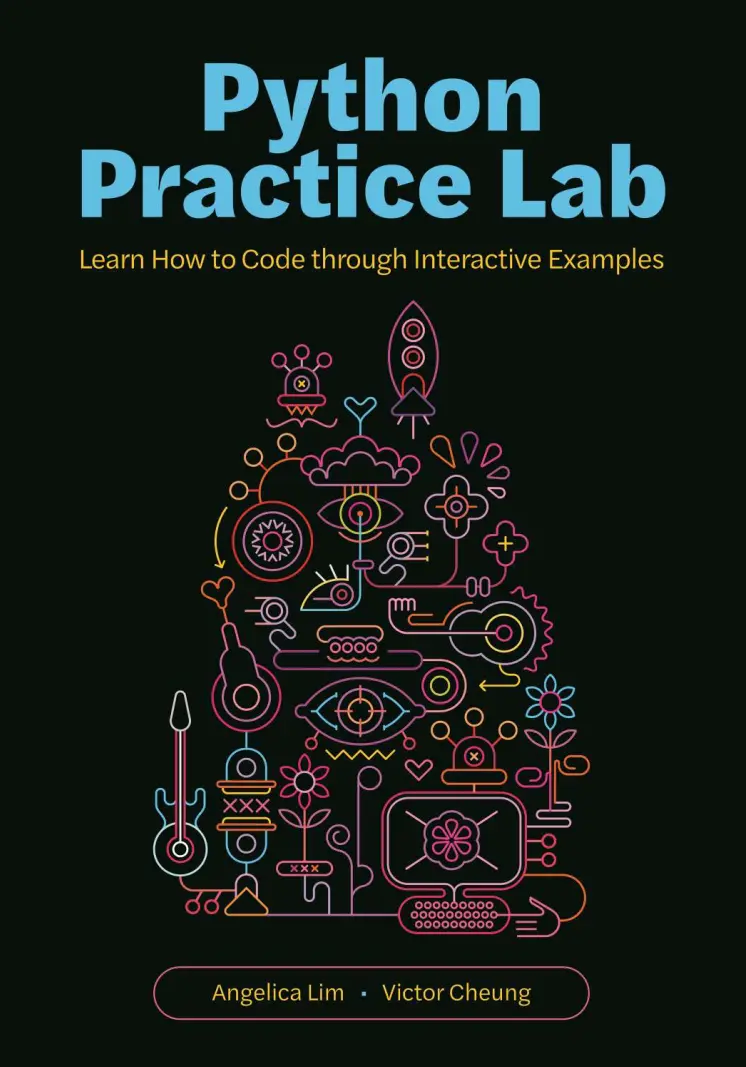
Автор: Cheung Victor , Lim Angelica
Дата выхода: 2026
Издательство: Princeton University Press
Количество страниц: 161
Размер файла: 2,0 МБ
Тип файла: PDF
Добавил: codelibs
Проверить на вирусыCover....1
Contents....6
Preface....10
Guiding Principles....14
1. Introduction to Computer Science....18
1.1. Welcome to CS!....18
1.1.1. Learning Outcomes....20
1.1.2. Alien Explanations....20
1.1.3. Writing and Running Your Programs....21
1.1.4. Motivational Quote Generator....22
1.1.5. Review Questions....23
1.1.6. Practice Exercises....24
1.1.7. Glossary....24
2. Chatbots....26
2.1. Chatbots with Personality....27
2.1.1. Learning Outcomes....28
2.1.2. Greetings Chatbot....29
2.1.3. How’s It Going Bot....35
2.1.4. Horoscope Bot....39
2.1.5. Review Questions....43
2.1.6. Practice Exercises....44
2.1.7. Glossary....45
2.2. Chatbots with Loops....46
2.2.1. Learning Outcomes....46
2.2.2. A Robust Bot....47
2.2.3. Food Bot....49
2.2.4. Measuring Things in Canada....51
2.2.5. Bubble Tea Menu....53
2.2.6. Mind Reader Game....55
2.2.7. Review Questions....59
2.2.8. Practice Exercises....60
2.2.9. Glossary....61
3. Recommendation Systems....62
3.1. Popularity Contest....63
3.1.1. Learning Outcomes....63
3.1.2. Popular Cafe Finder....63
3.1.3. Chip Rater....67
3.1.4. Movie Rater....69
3.1.5. Review Questions....71
3.1.6. Practice Exercises....73
3.1.7. Glossary....74
3.2. Finding Your Match....74
3.2.1. Learning Outcomes....74
3.2.2. Data Files....75
3.2.3. Favourite Pets....76
3.2.4. Similarity Score....82
3.2.5. Who Is Most Similar to You?....83
3.2.6. Review Questions....85
3.2.7. Practice Exercises....87
3.2.8. Glossary....88
4. Graphics and Computer Vision....89
4.1. Interactive Drawings....90
4.1.1. Learning Outcomes....90
4.1.2. Basic Turtle Commands....90
4.1.3. Interactive Drawing with Turtle....91
4.1.4. Cookie Drawer....93
4.1.5. Review Questions....96
4.2. Image Processing....98
4.2.1. Learning Outcomes....98
4.2.2. Green or Not?....99
4.2.3. Image Magic....108
4.2.4. Cool Colours Module....113
4.2.5. Review Questions....117
4.2.6. Practice Exercises....118
4.3. Drawing Trees....118
4.3.1. Learning Outcomes....118
4.3.2. Intro to Recursion....119
4.3.3. Recursion Revisited....123
4.3.4. Review Questions....127
4.3.5. Practice Exercises....127
5. Internet and Big Data....129
5.1. Searching....129
5.1.1. Learning Outcomes....130
5.1.2. Linear Search....130
5.1.3. Binary Search....132
5.1.4. Review Questions....134
5.1.5. Practice Exercises....134
5.2. Sorting....135
5.2.1. Learning Outcomes....135
5.2.2. Selection Sort....135
5.2.3. Merge Sort....139
5.2.4. Review Questions....141
5.2.5. Practice Exercises....141
5.3. Map, Filter, Reduce....142
5.3.1. Learning Outcomes....145
5.3.2. Review Questions....145
5.3.3. Practice Exercises....146
6. Expert Projects....147
6.1. Audio-Visual Language Learning Chatbot....147
6.2. Interactive Image Processor....152
Index....156
A guide to learning basic programming by writing fun, working programs that gradually become more complex
This classroom-tested, workbook-style text teaches basic programming by guiding readers to write Python programs that mimic interactive chatbots. Unlike textbooks with opaque examples explained in dry, monotonous code, Python Practice Lab engages readers immediately, with more than thirty motivating and hands-on examples. Readers learn by writing fun, working programs that gradually become more difficult as new concepts are introduced. Most exercises are open ended, promoting creativity in the process of learning. Along with coding practice, the book offers brief introductions to a range of other topics in computer science, including recommendation systems, computer vision, and big data, and relates these subjects to the programming concepts covered in the book. Python Practice Lab will be an essential resource for anyone who wants to learn to program, instructors teaching Python to beginners, and students who want to supplement their coursework by building complete and functional programs.
- Uses natural language and text strings rather than math as the main building blocks for learning about program structure
- Rewrites code comprehension exercises in equivalent code with inclusive and approachable variables rather than terse, single-letter variables
- Challenges readers to write a full program in each chapter
- Presents a selection of projects at the end of the book that integrates the concepts introduced in previous chapters


