-
1C
-
Agda
-
Agile/Scrum
-
Alef
-
APL
-
Assembler
-
AWK
-
Basic
-
Beta Programming Language
-
Big Data/DataScience
-
C
-
C#
-
C++
-
Cobol
-
Crystal
-
CSS
-
D
-
Dart
-
DataBase (SQL)
-
Delphi
-
F#
-
Flutter
-
Fortran
-
GameDev
-
Git
-
Go (Golang)
-
GPT/AI/ИИ
-
Hacking and Security
-
Haskell
-
HTML
-
Java
-
JavaScript (JS)
-
Julia
-
Kotlin
-
Machine Learning (ML)
-
Natural language processing (NLP)
-
.NET (.NET Core)
-
Pascal
-
PHP
-
Python
-
R
-
Ruby
-
Rust
-
Scratch
-
Swift
-
UML
-
UX/UI
-
Visual Basic
-
Wolfram
-
XML
-
АСУ
-
Проектирование/System Design
-
Сети/Network
-
Статьи
-
Схемотехника/электронные схемы
-
1C
-
Agda
-
Agile/Scrum
-
Alef
-
APL
-
Assembler
-
AWK
-
Basic
-
Beta Programming Language
-
Big Data/DataScience
-
C
-
C#
-
C++
-
Cobol
-
Crystal
-
CSS
-
D
-
Dart
-
DataBase (SQL)
-
Delphi
-
F#
-
Flutter
-
Fortran
-
GameDev
-
Git
-
Go (Golang)
-
GPT/AI/ИИ
-
Hacking and Security
-
Haskell
-
HTML
-
Java
-
JavaScript (JS)
-
Julia
-
Kotlin
-
Machine Learning (ML)
-
Natural language processing (NLP)
-
.NET (.NET Core)
-
Pascal
-
PHP
-
Python
-
R
-
Ruby
-
Rust
-
Scratch
-
Swift
-
UML
-
UX/UI
-
Visual Basic
-
Wolfram
-
XML
-
АСУ
-
Проектирование/System Design
-
Сети/Network
-
Статьи
-
Схемотехника/электронные схемы
Меню
Python Illustrated: Not another boring Python book, learn programming the fun way
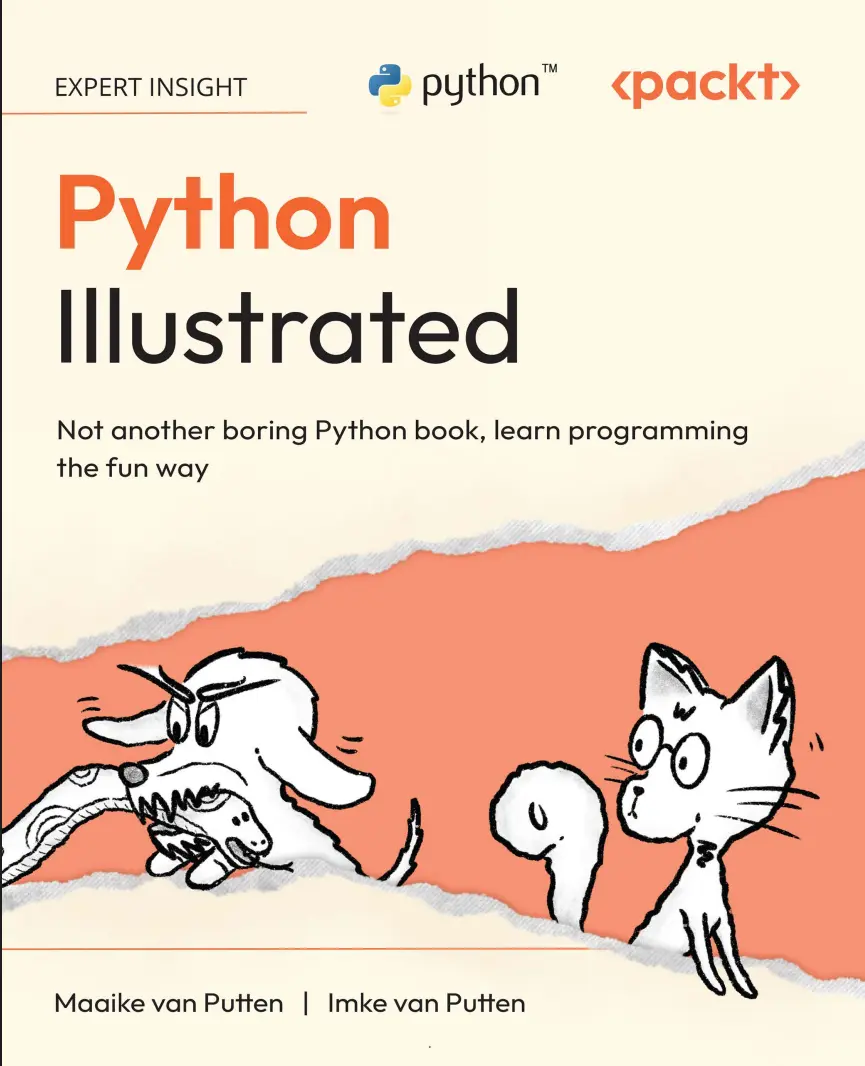
Автор: Van Putten Imke , Van Putten Maaike
Дата выхода: 2026
Издательство: Packt Publishing Limited
Количество страниц: 433
Размер файла: 26,5 МБ
Тип файла: PDF
Добавил: codelibs
Проверить на вирусыCover....1
Title Page....2
Copyright Page....3
Contributors....4
Table of Contents....8
Preface....20
Free benefits with your book....27
Introduction....30
Chapter 1: Get Your Computer Ready to Code Python....34
Exploring Python features....34
Technical requirements....35
The terminal....36
Opening a terminal....38
Speaking the terminal’s language....38
Is Python already purring on your system?....40
Understanding the response if Python is found....41
Understanding the response if Python isn’t found....42
Windows users: a tiny hiccup....42
Installing Python....42
Writing our first program....45
Running your first Python program....46
Working with an IDE....47
Introducing Visual Studio Code (commonly called VS Code)....48
What’s where?....48
Creating and running a program with an IDE....51
Alternatives for when you can’t use a computer....53
Quiz....54
Exercises....55
1.1 Getting familiar with VS Code....55
1.2 A chat with the terminal....56
Summary....56
Chapter 2: Understanding Variables and Data Types....58
What are variables?....58
Naming variables....62
Basic data types....64
Variable assignment and reassignment....65
Working with numbers....66
The int type....66
The float type....67
Operations on numbers....67
Working with text (strings)....75
Strings (str)....75
Concatenation....77
String methods....79
Boolean values....80
Comparison operators....80
Comments in code....82
Quiz....83
Exercises....84
2.1 Creating variables....84
2.2 Escape characters in action....84
2.3 How long will Wiesje’s food supply last?....84
2.4 Adventure time for Wiesje....85
2.5 Manipulating strings....85
Summary....86
Chapter 3: Working with Conditional Statements....90
The if statement....91
Comparison operators....92
The else atatement....94
The elif statement....96
Nested if statements....98
Logical operators....99
Logical and operator....100
Logical or operator....101
The not operator....102
The match statement....103
The ternary operator....106
Common mistakes and how to avoid them....107
Using = instead of ==....107
Incorrect indentation....107
Forgetting the colon....107
Quiz....108
Exercises....109
3.1 Even or odd?....109
3.2 Dachshund weight classification....110
3.3 Password checker....110
3.4 Grading system....111
3.5 Fun activities for humans per weekday....112
Summary....112
Chapter 4: Using Lists, Tuples, and Dictionaries....114
Lists....115
Creating lists....115
List with items....115
Accessing list items....116
Accessing by positive index....116
Accessing by negative index....117
Modifying lists....118
Adding items....118
Removing items....119
Changing items....121
More list actions....121
Slicing lists....121
List length....123
Checking item existence using in....124
Tuples....125
Creating tuples....126
Accessing tuple items....127
Immutability....127
Why use tuples?....128
Tuple unpacking....128
Dictionaries: key-value pairs....128
Creating dictionaries....129
Accessing values....130
Modifying dictionaries....132
Adding or updating entries....132
Removing entries....133
Dictionary methods....134
Getting all keys....134
Getting all values....135
Getting all key-value pairs....135
Checking for key existence....136
Choosing between lists, dictionaries, and tuples....137
Lists....137
Tuples....137
Dictionaries....137
Combining different data types....138
Common mistakes and how to avoid them....143
IndexError with lists and tuples....144
KeyError with dictionaries....145
Quiz....146
Exercises....148
4.1 Favorite animals....148
4.2 Favorite nap spots....148
4.3 Phone book....149
4.4 Combining data types for a library database....149
Summary ....151
Get this book’s PDF version and more....153
Chapter 5: Iterating with Loops....154
The problem with repetitive code....155
Introducing loops....156
The while loop....156
Avoiding infinite loops....159
Using while loops in practical examples....160
Introducing the for loop....162
Using range() with for loops....163
Looping over collections....166
Looping through a list....166
Looping through a tuple....167
Looping through a dictionary....168
Nested loops....170
Loop control statements....171
The break statement....171
The continue statement....173
For else....173
Common mistakes and how to avoid them....175
Infinite while loops....175
Modifying a list while looping over it....175
Off-by-one errors....178
Quiz....179
Exercises....180
5.1 Summing numbers....180
5.2 Greeting a list of friends....180
5.3 Infinite squirrel chasing?....180
5.4 Team up for game night....181
5.5 Factorial calculation....182
5.6 Secret pet gym....182
Summary....184
Chapter 6: Writing Functions and Using Built-In Functions....186
Understanding functions....186
Writing functions....187
Parameters versus arguments....188
Return values....192
Function parameters in detail....195
Default parameters....195
Keyword arguments....195
Variable-length arguments....196
Scope of variables....197
Local scope....197
Global scope....197
The global keyword (and why to use it sparingly)....199
Built-in functions overview....200
Common Python built-ins for data types....201
Exploring the standard library....201
Creating modules....202
Working with modules....202
The math module....203
The random module....205
The datetime module....206
Documentation and docstrings....208
Writing good docstrings....208
Quiz....210
Exercises....212
6.1 Temperature conversion....212
6.2 Tricky treat tracker....212
6.3 Packing lunch boxes....213
6.4 Sorting hat....213
6.5 Dachshund fetch simulator....214
6.6 Shopping cart checkout tool....215
6.7 Rock-paper-scissors against the computer....216
Summary....217
Chapter 7: Handling Files and Exceptions....220
Different types of files to handle....220
Opening and closing files....221
File path considerations....222
Basic file handling....224
Different read modes....225
Different write modes....225
The with statement....226
Reading files....226
read() versus readline() versus readlines()....226
Using read() to read a file....227
readline() to read the file one line at a time....228
readlines() to get all lines as a list....228
Iterating over a file object....229
Writing to files....229
Working with different file formats....230
CSV files....230
JSON files....232
Handling errors and exceptions....236
try-except blocks....238
Ensuring data integrity....241
Quiz....242
Exercises....244
7.1 Reading a personal letter....244
7.2 Adding your name to the list....244
7.3 Note to self....245
7.4 Wiener dog races....245
7.5 Wood type catalog....248
Summary....249
Chapter 8: Creating and Using Classes....252
Introduction to Object-Oriented Programming (OOP)....252
Understanding classes and objects....253
Benefits of working with classes and objects....255
Coding classes and objects....257
Class syntax in Python....257
Instance methods....257
The __init__ method (constructor) and attributes....258
Creating an instance....259
Class attributes (shared data)....262
Encapsulation in Python....263
Public versus private naming conventions....263
Getters and setters (when and why)....264
Decorators (Not as scary as they sound! Also, not related to parties as much as they sound)....266
The @property decorator....268
Dunder (magic) methods....270
__str__ dunder method....270
__len__(self) for counting ....271
__eq__(self, other) for comparing objects....272
__add__(self, other) for adding objects....274
Final notes on working with classes....276
Built-in classes and objects....276
Keep classes focused (single responsibility principle)....278
When to use classes versus other structures....278
Quiz....279
Exercises....281
8.1 Smoothie blender....281
8.2 Dress code: classy....282
8.3 Building a Plant class....282
8.4 Logging logins....284
Summary....285
Chapter 9: Understanding Inheritance....290
Why inheritance?....291
Duplicate code and reusability....291
Basic syntax of inheritance....294
Adding methods to the child classes....296
Adding attributes and calling the parent constructor with super()....298
Overriding methods....298
Demonstrating polymorphism....299
Types of inheritance....302
Single inheritance....302
Multilevel inheritance....303
Multiple inheritance....305
Inheritance best practices....309
Is-a versus has-a....309
Avoiding deep inheritance chains....312
Quiz....316
Exercises....318
9.1 Practicing inheritance with vehicles....318
9.2 Superheroes fighting crime with composition....319
Summary....320
Chapter 10: Debugging Our Code....322
Why debugging matters....323
Common types of bugs....323
Understanding error messages....323
Common errors in Python....324
Tools and techniques for debugging....325
Print statements....326
Using a debugger in your IDE....329
The code editor (middle panel)....332
Breakpoints (bottom-left panel)....332
Call stack (left panel above the breakpoints)....333
Variables (top-left panel)....333
Debugger controls (top center, above the code)....334
Terminal (bottom-middle panel)....334
What’s happening right now....334
The pdb module....336
Debugging workflow....339
Quiz....341
Exercises....343
10.1 Buggy cat naps....343
10.2 Museum tickets....343
10.3 How much does your cat meow?....344
10.4 Trailing bugs....345
10.5 None to say....346
Summary....347
Chapter 11: Next Steps....350
General good advice....351
Hands-on experience....351
Topics everybody benefits from....352
Git and GitHub....352
Writing tests....353
Working with APIs....353
Using virtual environments and pip....354
Path-specific advice....354
Software developer....354
Data analyst or data scientist....356
Machine learning/AI engineer....356
DevOps or automation engineer....357
Cybersecurity specialist or ethical hacker....357
QA engineer/tester....358
Researcher/academic....358
Python as a gateway language....359
Final words....359
Appendix A: Exercise Files....362
Appendix B: Quiz Answers....364
Appendix C: Exercise Solutions....368
Unlock Your Exclusive Benefits....416
Packt Page....420
Other Books You May Enjoy....422
Index....426
Learn Python coding concepts the fun way through humour, storytelling, and beginner-friendly examples that make your first step into the world of Python programming enjoyable
Key Features
- Follow an adorable, illustrated teaching cat with sharp coding instincts as your guide
- Build confidence and coding skills with step-by-step explanations that gradually increase your understanding
- Reinforce your learning through mini-projects and exercises at the end of every chapter
- Purchase of the print or Kindle book includes a free PDF eBook
Book Description
This is not your average Python programming book, because the world doesn’t need another one of those. Instead, it’s an illustrated, fun, and hands-on guide that treats learning Python like the adventure it should be. It’s designed especially for beginners who want to understand how code works without getting overwhelmed.
You’ll be guided by a cheeky, know-it-all cat who’s surprisingly good at teaching Python from scratch. Don’t worry about going through it alone; a slightly moody dachshund dog is your study buddy, learning right alongside you. Each chapter introduces a core programming concept, explains it with a playful twist, and reinforces it through human-friendly examples, analogies, and exercises. Whether you’re a software professional or someone who’s never written a single line of code, this book will help you build real Python coding skills… and even enjoy the process (shocking, right?).
Forget dry tutorials and walls of text. Python Illustrated speaks to visual learners, creative thinkers, cat lovers, dog lovers, and anyone who prefers their learning with a dash of humor. From writing your first function to understanding object-oriented programming, you’ll build a solid foundation in Python (without the usual headaches).
What you will learn
- Set up Python and write your first program
- Understand variables, data types, and conditional statements
- Use loops, lists, dictionaries, and tuples to handle data efficiently
- Write and use functions to create reusable code
- Manage files and understand object-oriented programming and inheritance
- Debug your Python code to ensure it works flawlessly
- Discover how you can keep learning and building beyond this book
Who this book is for
This book is ideal for anyone with a sense of humour who’s new to Python or programming in general. It takes a step-by-step hands-on approach that will work for anyone with a practical mindset. Whether you're a student or a professional developer looking to expand your skill set, this book offers a comprehensive and enjoyable learning experience.


