-
1C
-
Agda
-
Agile/Scrum
-
Alef
-
APL
-
Assembler
-
AWK
-
Basic
-
Beta Programming Language
-
Big Data/DataScience
-
C
-
C#
-
C++
-
Cobol
-
Crystal
-
CSS
-
D
-
Dart
-
DataBase (SQL)
-
Delphi
-
F#
-
Flutter
-
Fortran
-
GameDev
-
Git
-
Go (Golang)
-
GPT/AI/ИИ
-
Hacking and Security
-
Haskell
-
HTML
-
Java
-
JavaScript (JS)
-
Julia
-
Kotlin
-
Machine Learning (ML)
-
Natural language processing (NLP)
-
.NET (.NET Core)
-
Pascal
-
PHP
-
Python
-
R
-
Ruby
-
Rust
-
Scratch
-
Swift
-
UML
-
UX/UI
-
Visual Basic
-
Wolfram
-
XML
-
АСУ
-
Проектирование/System Design
-
Сети/Network
-
Статьи
-
Схемотехника/электронные схемы
-
1C
-
Agda
-
Agile/Scrum
-
Alef
-
APL
-
Assembler
-
AWK
-
Basic
-
Beta Programming Language
-
Big Data/DataScience
-
C
-
C#
-
C++
-
Cobol
-
Crystal
-
CSS
-
D
-
Dart
-
DataBase (SQL)
-
Delphi
-
F#
-
Flutter
-
Fortran
-
GameDev
-
Git
-
Go (Golang)
-
GPT/AI/ИИ
-
Hacking and Security
-
Haskell
-
HTML
-
Java
-
JavaScript (JS)
-
Julia
-
Kotlin
-
Machine Learning (ML)
-
Natural language processing (NLP)
-
.NET (.NET Core)
-
Pascal
-
PHP
-
Python
-
R
-
Ruby
-
Rust
-
Scratch
-
Swift
-
UML
-
UX/UI
-
Visual Basic
-
Wolfram
-
XML
-
АСУ
-
Проектирование/System Design
-
Сети/Network
-
Статьи
-
Схемотехника/электронные схемы
Меню
Modern Full-Stack React Projects: Build, maintain, and deploy modern web apps using MongoDB, Express, React, and Node.js
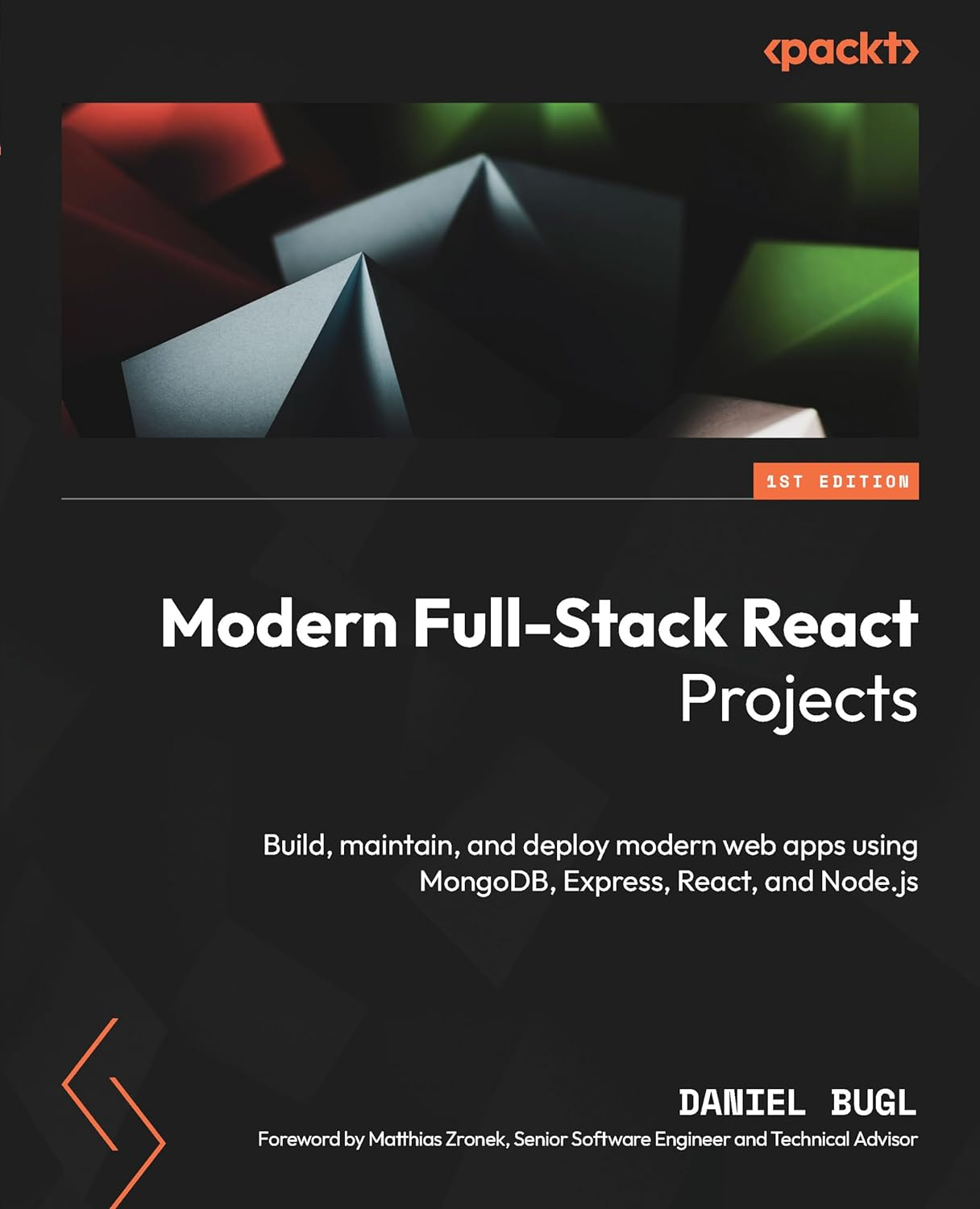
Автор: Bugl Daniel
Дата выхода: 2024
Издательство: Apress Media, LLC.
Количество страниц: 506
Размер файла: 4,5 МБ
Тип файла: PDF
Добавил: codelibs
Проверить на вирусы Дополнительные материалыCover....1
Title Page....2
Copyright and Credits....3
Dedication....4
Contributors....5
Foreword....7
Table of Contents....8
Preface....18
Part 1: Getting Started with Full-Stack Development....26
Chapter 1: Preparing for Full-Stack Development....28
Technical requirements....28
Motivation to become a full-stack developer....29
What is new in this release of Full-Stack React Projects?....29
Getting the most out of this book....29
Setting up the development environment....30
Installing VS Code and extensions....30
Setting up a project with Vite....33
Setting up ESLint and Prettier to enforce best practices and code style....36
Setting up Husky to make sure we commit proper code....41
Summary....45
Chapter 2 Getting to Know Node.js and MongoDB....46
Technical requirements....46
Writing and running scripts with Node.js....47
Similarities and differences between JavaScript in the browser and in Node.js....47
Creating our first Node.js script....48
Handling files in Node.js....49
Concurrency with JavaScript in the browser and Node.js....50
Creating our first web server....53
Extending the web server to serve our JSON file....54
Introducing Docker, a platform for containers....55
The Docker platform....56
Installing Docker....57
Creating a container....57
Accessing Docker via VS Code....59
Introducing MongoDB, a document database....59
Setting up a MongoDB server....62
Running commands directly on the database....63
Accessing the database via VS Code....67
Accessing the MongoDB database via Node.js....70
Summary....72
Part 2: Building and Deploying Our First Full-Stack Application with a REST API....74
Chapter 3: Implementing a Backend Using Express, Mongoose ODM, and Jest....76
Technical requirements....76
Designing a backend service....77
Creating the folder structure for our backend service....78
Creating database schemas using Mongoose....80
Defining a model for blog posts....81
Using the blog post model....82
Defining creation and last update dates in the blog post....84
Developing and testing service functions....85
Setting up the test environment....85
Writing our first service function: createPost....88
Defining test cases for the createPost service function....89
Defining a function to list posts....91
Defining test cases for list posts....92
Defining the get single post, update and delete post functions....96
Using the Jest VS Code extension....99
Providing a REST API using Express....100
Defining our API routes....102
Setting up Express....102
Using dotenv for setting environment variables....104
Using nodemon for easier development....106
Creating our API routes with Express....108
Summary....115
Chapter 4: Integrating a Frontend Using React and TanStack Query....116
Technical requirements....116
Principles of React....117
Setting up a full-stack React project....118
Creating the user interface for our application....119
Component structure....120
Implementing static React components....122
Integrating the backend service using TanStack Query....131
Setting up TanStack Query for React....132
Fetching blog posts....133
Implementing filters and sorting....135
Creating new posts....139
Summary....143
Chapter 5: Deploying the Application with Docker and CI/CD....144
Technical requirements....144
Creating Docker images....145
Creating the backend Dockerfile....145
Creating a .dockerignore file....147
Building the Docker image....147
Creating and running a container from our image....148
Creating the frontend Dockerfile....149
Creating the .dockerignore file for the frontend....151
Building the frontend Docker image....151
Creating and running the frontend container....152
Managing multiple images using Docker Compose....152
Cleaning up unused containers....154
Deploying our full-stack application to the cloud....155
Creating a MongoDB Atlas database....155
Creating an account on Google Cloud....156
Deploying our Docker images to a Docker registry....157
Deploying the backend Docker image to Cloud Run....159
Deploying the frontend Docker image to Cloud Run....160
Configuring CI to automate testing....161
Adding CI for the frontend....162
Adding CI for the backend....163
Configuring CD to automate the deployment....166
Getting Docker Hub credentials....166
Getting Google Cloud credentials....166
Defining the deployment workflow....167
Summary....171
Part 3: Practicing Development of Full-Stack Web Applications....172
Chapter 6: Adding Authentication with JWT....174
Technical requirements....174
What is JWT?....175
JWT header....175
JWT payload....176
JWT signature....177
Creating a JWT....177
Using JWT....178
Storing JWT....180
Implementing login, signup, and authenticated routes in the backend using JWTs....180
Creating the user model....180
Creating the signup service....181
Creating the signup route....182
Creating the login service....183
Creating the login route....185
Defining authenticated routes....187
Accessing the currently logged-in user....189
Integrating login and signup in the frontend using React Router and JWT....191
Using React Router to implement multiple routes....191
Creating the signup page....193
Linking to other routes using the Link component....195
Creating the login page and storing the JWT....197
Using the stored JWT and implementing a simple logout....199
Fetching the usernames....200
Sending the JWT header when creating posts....203
Advanced token handling....205
Summary....206
Chapter 7: Improving the Load Time Using Server-Side Rendering....208
Technical requirements....208
Benchmarking the load time of our application....209
Rendering React components on the server....216
Setting up the server....218
Defining the server-side entry point....221
Defining the client-side entry point....221
Updating index.html and package.json....222
Making React Router work with server-side rendering....223
Server-side data fetching....229
Using initial data....229
Using hydration....230
Advanced server-side rendering....234
Summary....237
Chapter 8: Making Sure Customers Find You with Search Engine Optimization....238
Technical requirements....238
Optimizing an application for search engines....239
Creating a robots.txt file....240
Creating separate pages for posts....241
Creating meaningful URLs (slugs)....246
Adding dynamic titles....247
Adding other meta tags....248
Creating a sitemap....251
Improving social media embeds....254
Open Graph meta tags....254
Using the OG article meta tags....255
Summary....257
Chapter 9: Implementing End-to-End Tests Using Playwright....258
Technical requirements....258
Setting up Playwright for end-to-end testing....259
Installing Playwright....259
Preparing the backend for end-to-end testing....260
Writing and running end-to-end tests....262
Using the VS Code extension....263
Reusable test setups using fixtures....269
Overview of built-in fixtures....270
Writing our own fixture....270
Using custom fixtures....272
Viewing test reports and running in CI....273
Viewing an HTML report....273
Running Playwright tests in CI....275
Summary....276
Chapter 10: Aggregating and Visualizing Statistics Using MongoDB and Victory....278
Technical requirements....279
Collecting and simulating events....279
Creating the event model....279
Defining a service function and route to track events....280
Collecting events on the frontend....282
Simulating events....283
Aggregating data with MongoDB....287
Getting the total number of views per post....287
Getting the number of daily views per post....289
Calculating the average session duration....291
Implementing data aggregation in the backend....293
Defining aggregation service functions....293
Defining the routes....296
Integrating and visualizing data on the frontend using Victory....297
Integrating the aggregation API....298
Visualizing data using Victory....300
Summary....304
Chapter 11: Building a Backend with a GraphQL API....306
Technical requirements....306
What is GraphQL?....307
Mutations....309
Implementing a GraphQL API in a backend....310
Implementing fields that query posts....312
Defining the Post type....314
Defining the User type....315
Trying out deeply nested queries....316
Implementing input types....319
Implementing GraphQL authentication and mutations....321
Adding authentication to GraphQL....321
Implementing mutations....322
Using mutations....324
Overview of advanced GraphQL concepts....326
Fragments....327
Introspection....328
Summary....328
Chapter 12: Interfacing with GraphQL on the Frontend Using Apollo Client....330
Technical requirements....330
Setting up Apollo Client and making our first query....331
Querying posts from the frontend using GraphQL....332
Resolving author usernames in a single query....335
Using variables in GraphQL queries....337
Using fragments to reuse parts of queries....337
Using mutations on the frontend....339
Migrating login to GraphQL....341
Migrating create post to GraphQL....342
Summary....345
Part 4: Exploring an Event-Based Full-Stack Architecture....346
Chapter 13: Building an Event-Based Backend Using Express and Socket.IO....348
Technical requirements....348
What are event-based applications?....349
What are WebSockets?....350
What is Socket.IO?....351
Connecting to Socket.IO....351
Emitting and receiving events....352
Setting up Socket.IO....353
Setting up a simple Socket.IO client....354
Creating a backend for a chat app using Socket.IO....356
Emitting events to send chat messages from the client to the server....356
Broadcasting chat messages from the server to all clients....357
Joining rooms to send messages in....358
Using acknowledgments to get information about a user....359
Adding authentication by integrating JWT with Socket.IO....361
Summary....365
Chapter 14: Creating a Frontend to Consume and Send Events....366
Technical requirements....366
Integrating the Socket.IO client with React....367
Cleaning up the project....367
Creating a Socket.IO context....368
Hooking up the context and displaying the status....371
Disconnecting socket on logout....375
Implementing chat functionality....375
Implementing the chat components....376
Implementing a useChat hook....377
Implementing the ChatRoom component....379
Implementing chat commands with acknowledgments....381
Summary....383
Chapter 15: Adding Persistence to Socket.IO Using MongoDB....384
Technical requirements....384
Storing and replaying messages using MongoDB....385
Creating the Mongoose schema....385
Creating the service functions....386
Storing and replaying messages....386
Visually distinguishing replayed messages....388
Refactoring the app to be more extensible....390
Defining service functions....390
Refactoring the Socket.IO server to use the service functions....392
Refactoring the client-side code....393
Implementing commands to join and switch rooms....395
Summary....398
Part 5: Advancing to Enterprise-Ready Full-Stack Applications....400
Chapter 16: Getting Started with Next.js....402
Technical requirements....403
What is Next.js?....403
Setting up Next.js....404
Introducing the App Router....407
Defining the folder structure....409
Creating static components and pages....411
Defining components....411
Defining pages....415
Adding links between pages....417
Summary....420
Chapter 17: Introducing React Server Components....422
Technical requirements....422
What are RSCs?....423
Adding a data layer to our Next.js app....427
Setting up the database connection....428
Creating the database models....429
Defining data layer functions....430
Using RSCs to fetch data from the database....434
Fetching a list of posts....434
Fetching a single post....435
Using Server Actions to sign up, log in, and create new posts....437
Implementing the signup page....438
Implementing the login page and JWT handling....441
Checking if the user is logged in....443
Implementing logout....444
Implementing post creation....446
Summary....447
Chapter 18: Advanced Next.js Concepts and Optimizations....448
Technical requirements....448
Defining API routes in Next.js....449
Creating an API route for listing blog posts....449
Caching in Next.js....451
Exploring static rendering in API routes....453
Making the route dynamic....455
Caching functions in the data layer....455
Revalidating the cache via Server Actions....458
Revalidating the cache via a Webhook....459
Revalidating the cache periodically....460
Opting out of caching....461
SEO with Next.js....461
Adding dynamic titles and meta tags....461
Creating a robots.txt file....462
Creating meaningful URLs (slugs)....463
Creating a sitemap....464
Optimized image and font loading in Next.js....465
The Font component....465
The Image component....467
Summary....469
Chapter 19: Deploying a Next.js App....470
Technical requirements....470
Deploying a Next.js app with Vercel....471
Setting environment variables in Vercel....472
Creating a custom deployment setup for Next.js apps....476
Summary....479
Chapter 20: Diving Deeper into Full-Stack Development....480
Overview of other full-stack frameworks....480
Next.js....481
Remix....481
Gatsby....482
Overview of UI libraries....482
Material UI (MUI)....483
Tailwind CSS....483
React Aria....483
NextUI....483
Overview of advanced state management solutions....484
Recoil....484
Jotai....484
Redux....484
MobX....484
xstate....485
Zustand....485
Pointers on maintaining large-scale projects....485
Using TypeScript....485
Setting up a Monorepo....485
Optimizing the bundle size....486
Summary....486
Index....488
Other Books You May Enjoy....501
Understanding full-stack development is vital as companies aim to bridge the gap between frontend and backend development. Recent trends show deeper integration between the two, opening numerous possibilities for building real-world web applications, through server-side technologies like Node.js, Express, and MongoDB.
Written by the author of Learning Redux and Learn React Hooks, and CEO of TouchLay, Modern Full-Stack React Projects will guide you through the entire process of advancing from a frontend developer to a full-stack developer. Starting with how to set up robust projects that can be maintained for a long time, you'll then progress toward developing a backend system and integrating it with the frontend. Throughout the book, you'll learn how to build, test, and deploy a blog application and a chat application. You'll also explore MongoDB, Express, React, Node.js (MERN) stack, best practices for frontend and backend development, different full-stack architectures, unit and end-to-end testing, and deployment of full-stack web applications. Once you get to grips with the essential concepts, you'll progress to learn how to use Next.js, an enterprise-grade full-stack web framework for React.
By the end, you'll be well-versed in the MERN stack and all set to create performant and scalable full-stack web applications.
What you will learn
- Implement a backend using Express and MongoDB, and unit-test it with Jest
- Deploy full-stack web apps using Docker, set up CI/CD and end-to-end tests using Playwright
- Add authentication using JSON Web Tokens (JWT)
- Create a GraphQL backend and integrate it with a frontend using Apollo Client
- Build a chat app based on event-driven architecture using Socket.IO
- Facilitate Search Engine Optimization (SEO) and implement server-side rendering
- Use Next.js, an enterprise-ready full-stack framework, with React Server Components and Server Actions
Who this book is for
This book is for frontend developers, JavaScript engineers, and React developers who possess a solid understanding of JavaScript and React concepts. Specifically designed for those with limited experience in the development, creation, integration, and deployment of backend and full-stack systems, this book will equip you with the necessary skills to create high-quality web applications.


