-
1C
-
Agda
-
Agile/Scrum
-
Alef
-
APL
-
Assembler
-
AWK
-
Basic
-
Beta Programming Language
-
Big Data/DataScience
-
C
-
C#
-
C++
-
Cobol
-
Crystal
-
CSS
-
D
-
Dart
-
DataBase (SQL)
-
Delphi
-
F#
-
Flutter
-
Fortran
-
GameDev
-
Git
-
Go (Golang)
-
GPT/AI/ИИ
-
Hacking and Security
-
Haskell
-
HTML
-
Java
-
JavaScript (JS)
-
Julia
-
Kotlin
-
Machine Learning (ML)
-
Natural language processing (NLP)
-
.NET (.NET Core)
-
Pascal
-
PHP
-
Python
-
R
-
Ruby
-
Rust
-
Scratch
-
Swift
-
UML
-
UX/UI
-
Visual Basic
-
Wolfram
-
XML
-
АСУ
-
Проектирование/System Design
-
Сети/Network
-
Статьи
-
Схемотехника/электронные схемы
-
1C
-
Agda
-
Agile/Scrum
-
Alef
-
APL
-
Assembler
-
AWK
-
Basic
-
Beta Programming Language
-
Big Data/DataScience
-
C
-
C#
-
C++
-
Cobol
-
Crystal
-
CSS
-
D
-
Dart
-
DataBase (SQL)
-
Delphi
-
F#
-
Flutter
-
Fortran
-
GameDev
-
Git
-
Go (Golang)
-
GPT/AI/ИИ
-
Hacking and Security
-
Haskell
-
HTML
-
Java
-
JavaScript (JS)
-
Julia
-
Kotlin
-
Machine Learning (ML)
-
Natural language processing (NLP)
-
.NET (.NET Core)
-
Pascal
-
PHP
-
Python
-
R
-
Ruby
-
Rust
-
Scratch
-
Swift
-
UML
-
UX/UI
-
Visual Basic
-
Wolfram
-
XML
-
АСУ
-
Проектирование/System Design
-
Сети/Network
-
Статьи
-
Схемотехника/электронные схемы
Меню
Leveling Up with SQL: Advanced Techniques for Transforming Data into Insights
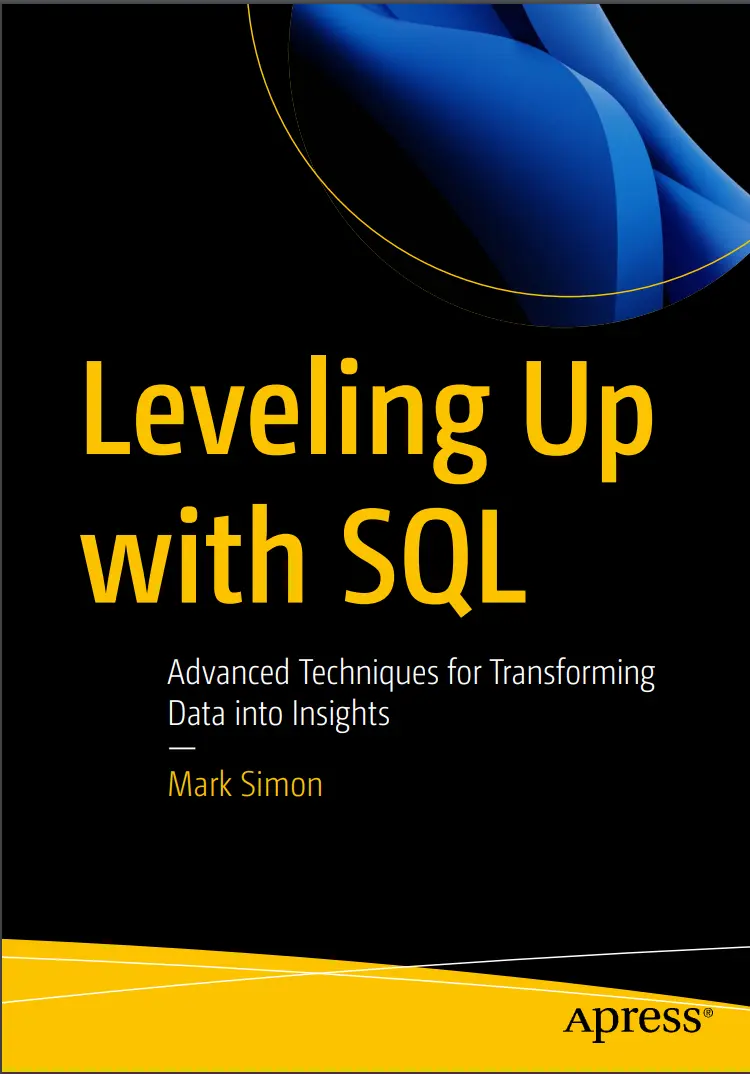
Автор: Simon Mark
Дата выхода: 2023
Издательство: Apress Media, LLC.
Количество страниц: 466
Размер файла: 1,6 МБ
Тип файла: PDF
Добавил: codelibs
Проверить на вирусы Дополнительные материалыTable of Contents....5
About the Author....13
About the Technical Reviewer....14
Acknowledgments....15
Introduction....16
Chapter 1: Getting Ready....18
About the Sample Database....18
Setting Up....20
Database Management Software....20
Database Client....21
The Sample Database....21
What You Probably Know Already....22
Some Philosophical Concepts....23
Data vs. Information vs. Values....23
Database Tables....25
Writing SQL....27
Basic SQL....27
Data Types....28
SQL Clauses....29
Filtering Data with the WHERE Clause....30
Multiple Assertions....30
Wildcard Matches....30
Sorting with the ORDER BY Clause....31
Limiting Results....31
Sorting Strings....32
Calculating Columns....32
Calculating with NULLs....33
Aliases....33
Subqueries....33
The CASE Expression....33
Casting a Value....34
Views....34
Joins....34
The ON Clause....35
Join Types....35
Aggregates....35
Working with Tables....37
Data Types....37
Constraints....37
Foreign Keys....38
Indexes....38
Manipulating Data....38
Set Operations....38
Coming Up....39
Chapter 2: Working with Table Design....41
Understanding Normalized Tables....41
Columns Should Be Independent....43
Adding the Towns Table....44
Adding a Foreign Key to the Town....45
Update the Customers Table....46
Remove the Old Address Columns....48
Create a customerdetails View....48
Drop the Address Columns....49
Changing the Town....51
Adding the Country....52
Additional Comments....54
Improving Database Integrity....54
Fixing Issues with a Nullable Column....56
Replacing NULL Quantities....57
Setting the NOT NULL Constraint for Quantity....58
Setting a DEFAULT for Quantity....58
Adding a Positive CHECK Constraint for Quantity....59
Combining the Changes....60
Making the Changes in SQLite....60
Other Adjustments....61
Ensuring the Prices Are Not Negative....63
Ensuring That an Author Is Born Before Dying....64
Adding Indexes....65
Adding an Index to the Books and Authors Tables....66
Creating a Unique Index....68
Review....70
Normal Form....70
Multiple Values....71
Altering Tables....71
Views....71
Indexes....72
The Final Product....72
Summary....73
Coming Up....74
Chapter 3: Table Relationships and Joins....75
An Overview of Relationships....76
One-to-Many Relationship....77
Counting One-to-Many Joins....80
The NOT IN Quirk....85
Creating a Books and Authors View....86
One-to-One Relationships....88
One-to-Maybe Relationships....88
Multiple Values....92
Many-to-Many Relationships....93
Joining Many-to-Many Tables....98
Summarizing Multiple Values....100
Combining the Joins....102
Many-to-Many Relationships Happen All the Time....106
Another Many-to-Many Example....106
Inserting into Related Tables....109
Adding a Book and an Author....110
Adding an Author....111
Adding a Book....113
Adding a New Sale....114
Adding a New Sale in the Sales Table....115
Adding the Sale Items and Getting the Prices....116
Completing the Sale....117
Review....118
Types of Relationships....119
Joining Tables....119
Views....120
Inserting into Related Tables....120
Summary....120
Coming Up....120
Chapter 4: Working with Calculated Data....121
Calculation Basics....122
Using Aliases....124
Alias Names....125
AS Is Optional....126
Aliases Are Not Available in the Rest of the Query....128
Dealing with NULLs....129
Coalesce....131
Fixing the Author Names....133
Using Calculations in Other Clauses....134
More Details on Calculations....138
Casting....138
Numeric Calculations....143
Basic Arithmetic....143
Mathematical Functions....144
Approximation Functions....145
Formatting Numbers....146
String Calculations....148
Case Sensitivity....149
ASCII and Unicode....150
Concatenation....151
String Functions....153
Date Operations....155
Entering and Storing a Date/Time....156
Getting the Current Date/Time....158
Grouping and Sorting by Date/Time....159
Extracting Parts of a Date/Time....160
Date Extracting in PostgreSQL, MariaDB/MySQL, and Oracle....160
Date Extracting in Microsoft SQL....161
Formatting a Date....162
Date Arithmetic....164
The CASE Expression....167
Various Uses of CASE....168
Coalesce Is like a Special Case of CASE....170
Nested CASE Expression....171
Summary....174
Aliases....175
NULLs....175
Casting Types....175
Calculating with Numbers....175
Calculating with Strings....176
Calculating with Dates....176
The CASE Expression....176
Coming Up....177
Chapter 5: Aggregating Data....178
The Basic Aggregate Functions....178
NULL....181
Understanding Aggregates....181
Aggregating Some of the Values....185
Distinct Values....185
Aggregate Filter....186
Grouping by Calculated Values....188
Grouping with CASE Statements....192
Revisiting the Delivery Status....194
Ordering by Arbitrary Strings....196
Group Concatenation....198
Summarizing the Summary with Grouping Sets....200
Preparing Data for Summarizing....201
Combining Summaries with the UNION Clause....204
Using GROUPING SETS, CUBE, and ROLLUP....210
GROUPING SETS and CUBE (PostgreSQL, MSSQL, and Oracle)....210
USING ROLLUP (PostgreSQL, MSSQL, Oracle, and MariaDB/MySQL)....211
Sorting the Results....212
Renaming Values in Oracle....214
Histograms, Mean, Mode, and Median....216
Calculating the Mean....218
Generating a Frequency Table....218
Calculating the Mode....220
Calculating the Median....222
The Standard Deviation....223
Summary....224
Basic Aggregate Functions....224
NULLs....225
The Aggregating Process....225
Aggregate Filters....225
GROUP BY....226
Mixing Subtotals....226
Statistics....227
Coming Up....227
Chapter 6: Using Views and Friends....228
Working with Views....229
Creating a View....231
Using ORDER BY in MSSQL....234
Tips for Working with View....234
Don’t Cascade Views Too Much....235
Don’t Use SELECT *....235
Avoid Using ORDER BY....235
Table-Valued Functions....236
TVFs in PostgreSQL....237
TVFs in Microsoft SQL....239
What Can You Do with a View?....240
Convenience....240
As an Interface....240
Working with External Applications....242
Caching Data and Temporary Tables....242
Computed Columns....246
Summary....248
Views....248
Table Valued Functions....248
Temporary Tables....249
Computed Columns....249
Coming Up....249
Chapter 7: Working with Subqueries and Common Table Expressions....250
Correlated and Non-correlated Subqueries....254
Subqueries in the SELECT Clause....258
Subqueries in the WHERE Clause....261
Subqueries with Simple Aggregates....261
Big Spenders....261
Last Orders, Please....264
Duplicated Customers....266
Subqueries in the FROM Clause....267
Nested Subqueries....270
Using WHERE EXISTS (Subquery)....273
WHERE EXISTS with Non-correlated Subqueries....274
WHERE EXISTS with Correlated Subqueries....274
WHERE EXISTS vs. the IN() Expression....275
LATERAL JOINS (a.k.a. CROSS APPLY) and Friends....276
Adding Columns....278
Multiple Columns....280
Working with Common Table Expressions....282
Syntax....283
Using a CTE to Prepare Calculations....284
Summary....287
Correlated and Non-correlated Subqueries....287
The WHERE EXISTS Expression....288
LATERAL JOINS (a.k.a. CROSS APPLY)....288
Common Table Expressions....288
Coming Up....288
Chapter 8: Window Functions....290
Writing Window Functions....291
Simple Aggregate Windows....292
Aggregate Functions....294
Aggregate Window Functions and ORDER BY....299
The Framing Clause....300
Creating a Daily Sales View....302
A Sliding Window....303
Window Function Subtotals....305
PARTITION BY Multiple Columns....309
Ranking Functions....311
Basic Ranking Functions....312
Ranking with PARTITION BY....315
Paging Results....317
Working with ntile....320
A Workaround for ntile....322
Working with Previous and Next Rows....324
Summary....326
Window Clauses....326
Coming Up....327
Chapter 9: More on Common Table Expressions....328
CTEs As Variables....328
Setting Hard-Coded Constants....329
Deriving Constants....331
Using Aggregates in the CTE....332
Finding the Most Recent Sales per Customer....332
Finding Customers with Duplicate Names....334
CTE Parameter Names....335
Using Multiple Common Table Expressions....336
Summarizing Duplicate Names with Multiple CTEs....337
Recursive CTEs....340
Generating a Sequence....343
Joining a Sequence CTE to Get Missing Values....346
Daily Comparison Including Missing Days....348
Traversing a Hierarchy....351
Getting a Single-Level Hierarchy....352
Multilevel Hierarchy Using Recursive CTE....353
Cleaning the Tail End of the List....356
Working with Table Literals....357
Using a Table Literal for Testing....359
Using a Table Literal for Sorting....363
Using a Table Literal As a Lookup....366
Splitting a String....368
Splitting More Complex Data....373
Summary....379
Simple CTEs....379
Parameter Names....380
Multiple CTEs....380
Recursive CTEs....380
Coming Up....380
Chapter 10: More Techniques: Triggers, Pivot Tables, and Variables....381
Understanding Triggers....382
Some Trigger Basics....383
Preparing the Data to Be Archived....384
Creating the Trigger....386
PostgreSQL Triggers....387
MySQL/MariaDB Triggers....388
MSSQL Triggers....390
SQLite Triggers....392
Oracle Triggers....392
Pros and Cons of Triggers....394
Pivoting Data....395
Pivoting the Data....396
Manually Pivoting Data....398
Using the Pivot Feature (MSSQL, Oracle)....403
Using the Unpivot Feature....405
Working with SQL Variables....408
Code Blocks....409
Updated Code to Add a Sale....410
Using Variables in PostgreSQL....411
Using Variables in MariaDB/MySQL....412
Using Variables in MSSQL....414
Using Variables in Oracle....416
Review....418
Triggers....418
Pivot Tables....419
SQL Variables....419
Summary....420
Appendix A: Cultural Notes....421
Addresses and Phone Numbers....421
Towns....421
States....421
Postcodes....422
Phone Numbers....422
Email Addresses....423
Measurements and Prices and Currency....423
Dates....423
Appendix B: DBMS Differences....424
Writing SQL....424
Semicolons....425
Data Types....425
Dates....425
Case Sensitivity....425
Quote Marks....426
Sorting (ORDER BY)....426
Limiting Results....427
Filtering (WHERE)....427
Case Sensitivity....427
String Comparisons....427
Dates....427
Wildcard Matching....428
Calculations....428
SELECT Without FROM....428
Arithmetic....429
Formatting Functions....429
Date Functions....429
Concatenation....429
String Functions....430
Joining Tables....430
Aggregate Functions....430
Manipulating Data....431
Manipulating Tables....431
Autoincremented Primary Keys....431
Other Quirks and Variations....432
PostgreSQL Quirks and Variations....432
Microsoft Quirks and Variations....432
Oracle Quirks and Variations....433
MariaDB/MySQL Quirks and Variations....433
Appendix C: Using SQL with Python....434
Installing the Database Connector Module....435
Installing the MSSQL Module on Windows....435
Installing the MSSQL Module on Macintosh or Linux....436
Creating a Connection....437
Connecting to SQLite....437
Connecting to MSSQL....438
Connecting to MariaDB/MySQL....439
Connecting to PostgreSQL....439
Connecting to Oracle....440
Fetching from the Database....440
Using Parameters in the Query....442
Adding a New Sale....444
The SQL Strings....445
SQL Strings for PostgreSQL....446
SQL Strings for SQLite....447
SQL Strings for MSSQL....447
SQL Strings for MariaDB/MySQL....448
SQL Strings for Oracle....449
Adding the Sale....450
Adding the Sale Items....451
Completing the Sale....453
Index....455
Learn to write SQL queries to select and analyze data, and improve your ability to manipulate data. This book will help you take your existing skills to the next level.
Author Mark Simon kicks things off with a quick review of basic SQL knowledge, followed by a demonstration of how efficient SQL databases are designed and how to extract just the right data from them. You’ll then learn about each individual table’s structure and how to work with the relationships between tables. As you progress through the book, you will learn more sophisticated techniques such as using common table expressions and subqueries, analyzing your data using aggregate and windowing functions, and how to save queries in the form of views and other methods. This book employs an accessible approach to work through a realistic sample, enabling you to learn concepts as they arise to improve parts of the database or to work with the data itself.
After completing this book, you will have a more thorough understanding of database structure and how to use advanced techniques to extract, manage, and analyze data.
What Will You Learn
- Gain a stronger understanding of database design principles, especially individual tables
- Understand the relationships between tables
- Utilize techniques such as views, subqueries, common table expressions, and windowing functions
Who Is This Book For:
SQL Databases users who want to improve their knowledge and techniques.


