-
1C
-
Agda
-
Agile/Scrum
-
Alef
-
APL
-
Assembler
-
AWK
-
Basic
-
Beta Programming Language
-
Big Data/DataScience
-
C
-
C#
-
C++
-
Cobol
-
Crystal
-
CSS
-
D
-
Dart
-
DataBase (SQL)
-
Delphi
-
F#
-
Flutter
-
Fortran
-
GameDev
-
Git
-
Go (Golang)
-
GPT/AI/ИИ
-
Hacking and Security
-
Haskell
-
HTML
-
Java
-
JavaScript (JS)
-
Julia
-
Kotlin
-
Machine Learning (ML)
-
Natural language processing (NLP)
-
.NET (.NET Core)
-
Pascal
-
PHP
-
Python
-
R
-
Ruby
-
Rust
-
Scratch
-
Swift
-
UML
-
UX/UI
-
Visual Basic
-
Wolfram
-
XML
-
АСУ
-
Проектирование/System Design
-
Сети/Network
-
Статьи
-
Схемотехника/электронные схемы
-
1C
-
Agda
-
Agile/Scrum
-
Alef
-
APL
-
Assembler
-
AWK
-
Basic
-
Beta Programming Language
-
Big Data/DataScience
-
C
-
C#
-
C++
-
Cobol
-
Crystal
-
CSS
-
D
-
Dart
-
DataBase (SQL)
-
Delphi
-
F#
-
Flutter
-
Fortran
-
GameDev
-
Git
-
Go (Golang)
-
GPT/AI/ИИ
-
Hacking and Security
-
Haskell
-
HTML
-
Java
-
JavaScript (JS)
-
Julia
-
Kotlin
-
Machine Learning (ML)
-
Natural language processing (NLP)
-
.NET (.NET Core)
-
Pascal
-
PHP
-
Python
-
R
-
Ruby
-
Rust
-
Scratch
-
Swift
-
UML
-
UX/UI
-
Visual Basic
-
Wolfram
-
XML
-
АСУ
-
Проектирование/System Design
-
Сети/Network
-
Статьи
-
Схемотехника/электронные схемы
Меню
Head First JavaScript Programming: A Learner's Guide to Modern JavaScript. 2 Ed
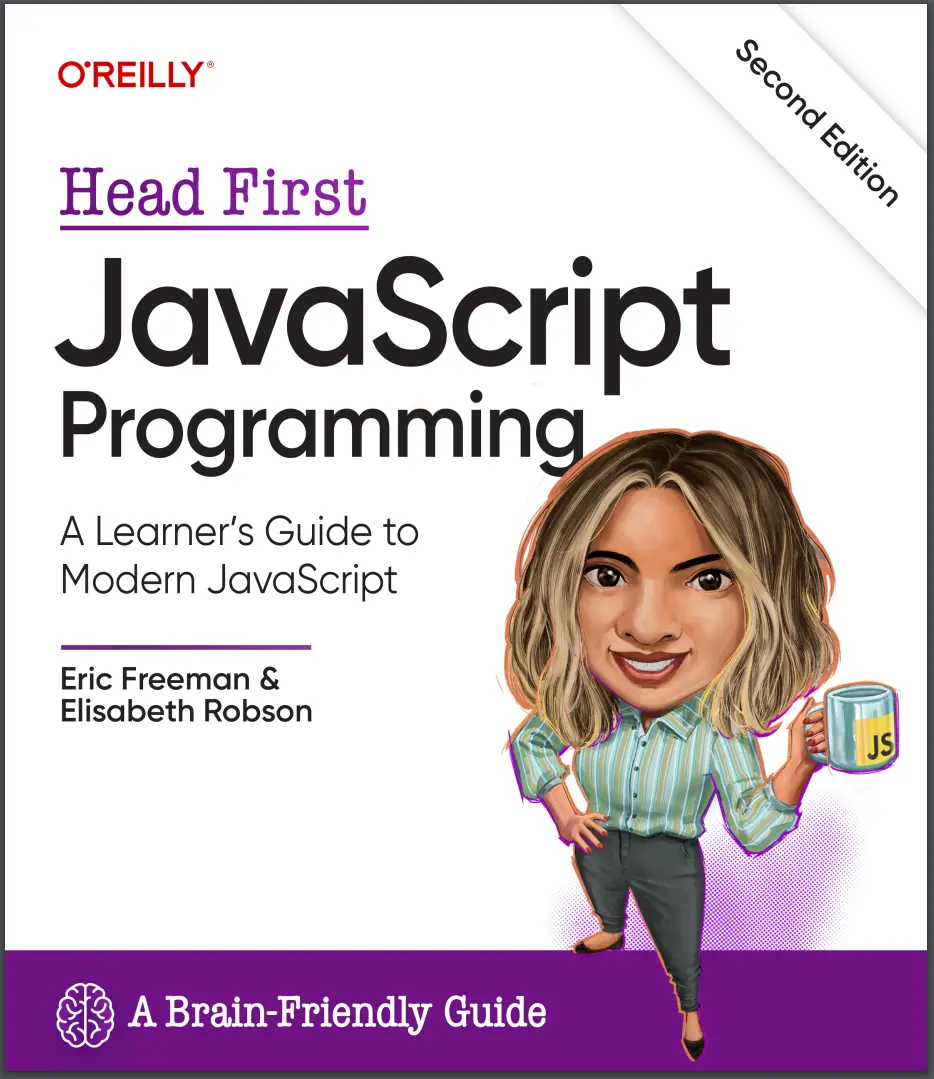
Автор: Freeman Eric , Robson Elisabeth
Дата выхода: 2024
Издательство: O’Reilly Media, Inc.
Количество страниц: 662
Размер файла: 19,5 МБ
Тип файла: PDF
Добавил: codelibs
Проверить на вирусы Дополнительные материалыCover....1
Authors of Head First JavaScript Programming....10
Table of Contents....11
Preface....25
how to use this book....25
Who is this book for?....26
Who should probably back away from this book?....26
We know what you’re thinking....27
We know what your brain is thinking....27
Metacognition: thinking about thinking....29
Here’s what WE did:....30
Here’s what YOU can do to bend ....31
Read Me....32
Tech reviewers....35
Acknowledgments for the first edition....36
Acknowledgments for the second edition....37
Chapter 1: A quick dip into JavaScript....39
The way JavaScript works....40
How you’re going to write JavaScript....41
How to get JavaScript into your page....42
JavaScript, you’ve come a long way.......44
How to make a statement....48
Variables and values....49
Constants, another kind of variable....50
Back away from that keyboard!....52
Express yourself....55
Doing things more than once....57
How the while loop works....58
Making decisions with JavaScript....62
And, when you need to make LOTS of decisions.......63
Reach out and communicate with your user....65
A closer look at console.log....67
Opening the console....68
Coding a Serious JavaScript Application ....69
How do I add code to my page? (let me count the ways!)....72
We’re going to have to separate you two....73
Chapter 2: Writing real code....85
Let’s build a Battleship game....86
Our first attempt...a simplified Battleship....86
First, a high-level design....87
A few more details.......88
Representing the ships....88
Getting user input....88
Displaying the results....88
Working through the pseudocode....89
Oh, before we go any further, don’t forget the HTML!....91
Writing the Simple Battleship code....92
Now let’s write the game logic....93
Step 1: Setting up the loop, getting some input....94
How prompt works....95
Step 2: Checking the user’s guess....96
So, do we have a hit?....98
Adding the hit detection code....99
Step 3: Hey, you sank my battleship!....99
Step 4: Provide some post-game analysis....100
And that completes the logic!....102
Doing a little quality assurance....103
Can we talk about your verbosity.......107
Finishing the Simple Battleship game....108
How to assign random locations....108
The recipe for generating a random number....109
A little more QA....111
Congrats on your first true JavaScript program, and a short word about reusing code....113
Chapter 3: Introducing functions....121
What’s wrong with the code, anyway?....123
By the way, did we happen to mention FUNCTIONS?....125
Okay, but how does it actually work?....126
What can you pass to a function?....131
JavaScript is pass-by-value....134
Weird Functions....136
Functions can return things too....137
Tracing through a function with a return statement....138
Global and local variables....141
Knowing the scope of your local and global variables....143
There’s more to the story....144
Don’t forget to declare your locals!....146
The short lives of variables....147
Chapter 4: Putting some order in your data....169
Can you help Bubbles-R-Us?....170
How to represent multiple values in JavaScript....170
How arrays work....172
How to create an array....172
How to access an array item....173
Updating a value in the array....173
How big is that array anyway?....174
The Phrase-O-Matic....176
Meanwhile, back at Bubbles-R-Us.......179
How to iterate over an array....182
But wait, there’s a better way to iterate over an array....184
Test drive the bubble report....188
It's that time again...can we talk about your verbosity?....191
Redoing the for loop with the post-increment operator....192
Creating an array from scratch (and adding to it)....196
Test drive the final report....200
And the winners are.......200
A quick survey of the code....202
Writing the printAndGetHighScore function....203
Refactoring the code using printAndGetHighScore....204
Putting it all together....206
Chapter 5: Understanding objects....219
Did someone say “objects”?!....220
Thinking about properties.......221
How to create an object....223
What is “object-oriented” anyway?....226
How properties work....227
How does a variable hold an object? Inquiring minds want to know.......232
Comparing primitives and objects....233
Initializing a primitive variable....233
Initializing an object (reference) variable....233
Doing even more with objects....234
Doing some prequalification....235
Does the taxi cut it?....235
Stepping through prequalification....236
Let’s talk a little more about passing objects to functions....238
Putting Fido on a diet....239
The Auto-O-Matic....241
Oh, behave! Or, how to add behavior to your objects....244
Improving the drive method....245
Take the fiat for a test drive....247
Why doesn’t the drive method know about the started property?....248
A test drive with “this”....249
How “this” works....250
Method shorthand....256
How behavior affects state....257
Now let’s affect the behavior with the state....258
Congrats on your first objects!....260
Guess what? There are objects all around you!....261
Chapter 6: Interacting with your web page....277
In the last chapter, we left you with a little challenge...the “crack the code challenge”....278
So what does the code do?....279
A quick recap....280
How JavaScript really interacts with your page....281
How to bake your very own DOM....282
A first taste of the DOM....283
Getting an element with getElementById....288
What, exactly, am I getting from the DOM?....289
Finding your inner HTML....290
What happens when you change the DOM....292
A test drive around the planets....295
Don’t even think about running my code until the page is fully loaded!....297
Let's try that again.......297
You say “event handler,” I say “callback”....298
Why stop now? Let’s take it further.......302
How to set an attribute with setAttribute....303
More fun with attributes!....304
What happens if my attribute doesn’t exist in the element?....304
Meanwhile, back at the solar system.......305
Test driving the planets one last time.......305
So what else is a DOM good for, anyway?....306
Chapter 7: Types, equality, and all that jazz....313
The truth is out there.......314
Watch out, you might bump into undefined when you aren’t expecting it.......316
How to use null....319
Dealing with NaN....321
It gets even weirder.......321
We have a confession to make....323
Understanding the equality operator ....324
If the two values have the same type, just compare them....324
If the two values have different types, try to convert them into the same type and then compare them....324
How equality converts its operands....325
How to get strict with equality....328
Two values are strictly equal only if they have the same type and the same value.....328
Even more type conversions....334
Another look at concatenation, and addition....334
What about the other arithmetic operators?....334
How to determine if two objects are equal....337
When we test equality of two object variables, we compare the references to those objects.....337
Two references are equal only if they reference the same object.....337
The truthy is out there.......339
What JavaScript considers falsey....340
The Secret Life of Strings....342
How a string can look like a primitive and an object....343
How template literals work....346
A five-minute tour of string properties and methods....347
Chair Wars (or How Really Knowing Types Can Change Your Life)....352
Chapter 8: Bringing it all together....369
This time, let’s build a REAL Battleship game....370
Stepping back...to HTML and CSS....371
Creating the HTML page: the Big Picture....372
Step 1: The basic HTML....372
Step 2: Creating the table....374
Step 3: Player interaction....375
Adding some more style....376
Step 4: Placing the hits and misses....378
Using the hit and miss classes....379
Designing the game....381
Implementing the view....383
How displayMessage works....383
Implementing displayMessage....384
How displayHit and displayMiss work....385
Implementing displayHit and displayMiss....386
The model....388
How the model interacts with the view....388
You’re gonna need a bigger boat...and game board....389
How we’re going to represent the ships....390
Implementing the model object....393
Thinking about the fire method....394
Setting up the fire method....394
Looking for hits....395
Putting it all together....396
Wait, can we talk about your verbosity again?....397
Meanwhile, back at the battleship.......398
A view to a kill.......399
Implementing the controller....401
Processing the player’s guess....402
Planning the code.......403
Implementing parseGuess....404
Meanwhile, back at the controller.......407
Counting guesses and firing the shot....407
Game over?....408
Getting a player’s guess....411
Adding an event handler to the Fire! button....412
Getting the player’s guess from the form....412
Passing the input to the controller....413
What’s left? Oh yeah, darn it,those hardcoded ships!....415
How to place ships....417
The generateShipLocations function....417
Writing the generateShip method....418
Generating the starting location for the new ship....419
Completing the generateShip method....420
Avoiding a collision!....421
Two final changes....422
Congrats, it’s startup time!....424
Chapter 9: Handling events....435
What are events?....437
What’s an event handler?....438
Creating an event handler....439
Getting your head around events...by creating a game....442
Implementing the game....443
Step 1: Access the image in the DOM....443
Step 2: Add the handler and update the image....444
Let’s add some more images....448
Now we need to assign the same event handler to each image’s onclick property....449
How to reuse the same handler for all the images....450
Assigning the click handler to all images on the page....450
How the event object works....453
Putting the event object to work....455
Test drive the event object and target....456
Events and queues....458
Even more events....461
How setTimeout works....462
Finishing the image game....466
Test driving the timer....467
Chapter 10: Anonymous and higher-order functions....483
The mysterious double life of the function keyword....484
How functions are values too....485
If functions are values, we can assign them to variables....488
Did we mention functions have first class status in JavaScript?....491
Taking a look at the other side of functions.......492
How to use an anonymous function....493
We need to talk about your verbosity, again....495
We can make the code even shorter with arrow functions....497
Creating arrow functions....499
Webville Cola....502
Understanding the array sort method....504
Putting it all together....505
Meanwhile, back at Webville Cola....506
Introducing higher-order functions....509
Filtering with higher-order functions....510
Don’t forget your anonymous and arrow functions....511
How to get cases sold with map....512
Get the total cases sold with reduce....513
Using reduce to get the total cases sold....514
Chaining map, filter, and reduce....516
Iterating with forEach....519
Chapter 11: Modern syntax, lexical scope, and closures....529
Getting serious about functional syntax....530
Streamlining code with default parameters ....530
Spreading out your arguments....533
There’s something we haven’t told you about functions.......535
Function declarations are “hoisted”....536
We’ve done the function declarations; now we do everything else....537
We need to talk about scope....541
Taking functions beyond global scope....542
A lexical scope refresher....545
Another look at our outer/inner functions....546
Using scope for encapsulation....548
Two important JavaScript scope rules....550
Let's make another change to our code....552
Solving the mystery....554
How to make a closure....554
Stepping through createGreeting....555
Using closures to implement a magic counter....559
Test drive your magic counter....560
Looking behind the curtain.......560
Implementing a counter with a closure....561
How makeTimer works....565
Implementing onlyOnceMaker....570
Chapter 12: Advanced object construction....581
Creating objects with object literals....582
Using conventions for objects....583
Introducing classes....585
How to define a class....586
How to create an object from a class....587
How classes work....589
Let’s add some methods....592
It’s production time!....596
The basic Car class....598
Implementing the Taxi class with extends....601
Adding new methods to the Taxi class....602
Implementing the RocketCar class....605
Overriding Car’s drive method....605
Finishing up the RocketCar class....607
What’s happening here?....607
Using an object literal to clean up our constructor....609
Creating the object literal for the cadi parameters....610
Reworking the Car constructor....612
Accessor properties....613
Using getters....614
What’s a getter without a setter?....615
Static properties and methods....620
Counting our car production....622
Appendix: Leftovers....631
#1 Modules....632
#2 JSON....634
#3 Promises....635
#4 Destructuring assignment....636
#5 Symbols and BigInt....637
#6 Map and Set....638
#7 Doing more with the DOM....641
#8 The window object....642
#9 Server-side JavaScript....643
#10 Recursion....644
Index....647
The new edition of this brain-friendly guide takes you through a comprehensive journey into modern JavaScript, covering everything from core language fundamentals to today's cutting-edge features. You'll dive into the nuances of JavaScript types and the unparalleled flexibility of its functions. You'll also learn how to expertly navigate classes and objects, and finally understand closures. But that's just the beginning. You'll also get hands-on with the browser's document object model (DOM), engaging with JavaScript in exciting ways. You won't just be reading—you'll be playing games, solving puzzles, pondering mysteries, and interacting with JavaScript as never before. And you'll write real code, lots of it, so you can start building your own applications.
What's so special about this book?
If you've read a Head First book, you know what to expect: a visually rich format designed for the way your brain works. If you haven't, you're in for a treat. With this book, you'll learn JavaScript through a multisensory experience that engages your mind—rather than a text-heavy approach that puts you to sleep.


