-
1C
-
Agda
-
Agile/Scrum
-
Alef
-
APL
-
Assembler
-
AWK
-
Basic
-
Beta Programming Language
-
Big Data/DataScience
-
C
-
C#
-
C++
-
Cobol
-
Crystal
-
CSS
-
D
-
Dart
-
DataBase (SQL)
-
Delphi
-
F#
-
Flutter
-
Fortran
-
GameDev
-
Git
-
Go (Golang)
-
GPT/AI/ИИ
-
Hacking and Security
-
Haskell
-
HTML
-
Java
-
JavaScript (JS)
-
Julia
-
Kotlin
-
Machine Learning (ML)
-
Natural language processing (NLP)
-
.NET (.NET Core)
-
Pascal
-
PHP
-
Python
-
R
-
Ruby
-
Rust
-
Scratch
-
Swift
-
UML
-
UX/UI
-
Visual Basic
-
Wolfram
-
XML
-
АСУ
-
Проектирование/System Design
-
Сети/Network
-
Статьи
-
Схемотехника/электронные схемы
-
1C
-
Agda
-
Agile/Scrum
-
Alef
-
APL
-
Assembler
-
AWK
-
Basic
-
Beta Programming Language
-
Big Data/DataScience
-
C
-
C#
-
C++
-
Cobol
-
Crystal
-
CSS
-
D
-
Dart
-
DataBase (SQL)
-
Delphi
-
F#
-
Flutter
-
Fortran
-
GameDev
-
Git
-
Go (Golang)
-
GPT/AI/ИИ
-
Hacking and Security
-
Haskell
-
HTML
-
Java
-
JavaScript (JS)
-
Julia
-
Kotlin
-
Machine Learning (ML)
-
Natural language processing (NLP)
-
.NET (.NET Core)
-
Pascal
-
PHP
-
Python
-
R
-
Ruby
-
Rust
-
Scratch
-
Swift
-
UML
-
UX/UI
-
Visual Basic
-
Wolfram
-
XML
-
АСУ
-
Проектирование/System Design
-
Сети/Network
-
Статьи
-
Схемотехника/электронные схемы
Меню
Django 5 By Example: Build powerful and reliable Python web applications from scratch. 5 Ed
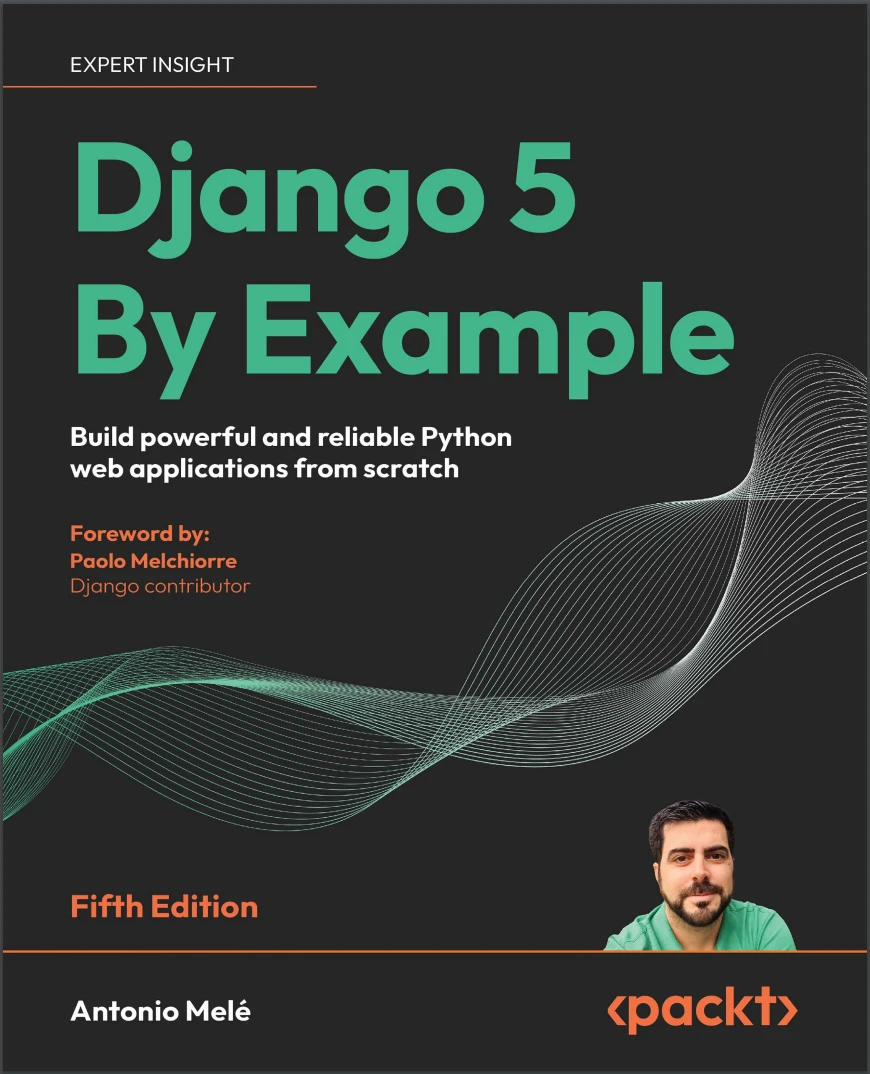
Автор: Melé Antonio
Дата выхода: 2024
Издательство: Packt Publishing Limited
Количество страниц: 821
Размер файла: 8,8 МБ
Тип файла: PDF
Добавил: codelibs
Проверить на вирусы Дополнительные материалыCover....1
Copyright....3
Foreword....5
Contributors....7
Table of Contents....12
Preface....26
Chapter 1: Building a Blog Application....34
Installing Python....35
Creating a Python virtual environment....36
Installing Django....37
Installing Django with pip....37
Django overview....37
Main framework components....38
The Django architecture....38
New features in Django 5....39
Creating your first project....40
Applying initial database migrations....42
Running the development server....43
Project settings....44
Projects and applications....45
Creating an application....46
Creating the blog data models....46
Creating the Post model....47
Adding datetime fields....48
Defining a default sort order....50
Adding a database index....51
Activating the application....52
Adding a status field....52
Adding a many-to-one relationship....55
Creating and applying migrations....56
Creating an administration site for models....59
Creating a superuser....59
The Django administration site....59
Adding models to the administration site....61
Customizing how models are displayed....63
Adding facet counts to filters....65
Working with QuerySets and managers....66
Creating objects....67
Updating objects....68
Retrieving objects....68
Filtering objects....68
Using field lookups....69
Chaining filters....71
Excluding objects....71
Ordering objects....71
Limiting QuerySets....72
Counting objects....72
Checking if an object exists....72
Deleting objects....72
Complex lookups with Q objects....73
When QuerySets are evaluated....73
More on QuerySets....73
Creating model managers....74
Building list and detail views....75
Creating list and detail views ....75
Using the get_object_or_404 shortcut....76
Adding URL patterns for your views....77
Creating templates for your views....79
Creating a base template....79
Creating the post list template....80
Accessing our application....81
Creating the post detail template....82
The request/response cycle....83
Management commands used in this chapter....84
Summary....85
Additional resources....85
Chapter 2: Enhancing Your Blog and Adding Social Features....88
Functional overview....89
Using canonical URLs for models....89
Creating SEO-friendly URLs for posts....92
Modifying the URL patterns....93
Modifying the views....94
Modifying the canonical URL for posts....94
Adding pagination....95
Adding pagination to the post list view....96
Creating a pagination template....96
Handling pagination errors....99
Building class-based views....102
Why use class-based views....103
Using a class-based view to list posts....103
Recommending posts by email....105
Creating forms with Django....106
Handling forms in views....107
Sending emails with Django....109
Working with environment variables....109
Sending emails in views....113
Rendering forms in templates....115
Creating a comment system....119
Creating a model for comments....119
Adding comments to the administration site....121
Creating forms from models....122
Handling ModelForms in views....123
Creating templates for the comment form....125
Adding comments to the post detail view....127
Adding comments to the post detail template....128
Using simplified templates for form rendering....135
Summary....136
Additional resources....137
Chapter 3: Extending Your Blog Application....138
Functional overview....139
Implementing tagging with django-taggit....140
Retrieving posts by similarity....149
Creating custom template tags and filters....155
Implementing custom template tags....156
Creating a simple template tag....156
Creating an inclusion template tag....158
Creating a template tag that returns a QuerySet....160
Implementing custom template filters....162
Creating a template filter to support Markdown syntax....162
Adding a sitemap to the site....167
Creating feeds for blog posts....172
Adding full-text search to the blog....179
Installing Docker....180
Installing PostgreSQL....180
Dumping the existing data....181
Switching the database in the project....182
Loading the data into the new database....184
Simple search lookups....185
Searching against multiple fields....185
Building a search view....186
Stemming and ranking results....189
Stemming and removing stop words in different languages....191
Weighting queries....192
Searching with trigram similarity....193
Summary....195
Expanding your project using AI....195
Additional resources....196
Chapter 4: Building a Social Website....198
Functional overview....199
Creating a social website project....200
Starting the social website project....200
Using the Django authentication framework....201
Creating a login view....202
Using Django’s built-in authentication views....208
Login and logout views....209
Change password views....215
Reset password views....218
User registration and user profiles....226
User registration....227
Extending the user model....234
Installing Pillow and serving media files....235
Creating migrations for the profile model....236
Using a custom user model....242
Summary....242
Additional resources....243
Chapter 5: Implementing Social Authentication....244
Functional overview....245
Technical requirements....245
Using the messages framework....245
Building a custom authentication backend....249
Preventing users from using an existing email address....251
Adding social authentication to your site....253
Running the development server through HTTPS....255
Authentication using Google....258
Creating a profile for users that register with social authentication....266
Summary....268
Additional resources....268
Chapter 6: Sharing Content on Your Website....270
Functional overview....271
Creating an image bookmarking website....271
Building the image model....272
Creating many-to-many relationships....274
Registering the image model in the administration site....275
Posting content from other websites....276
Cleaning form fields....276
Installing the Requests library....277
Overriding the save() method of a ModelForm....277
Building a bookmarklet with JavaScript....282
Creating a detail view for images....295
Creating image thumbnails using easy-thumbnails....297
Adding asynchronous actions with JavaScript....300
Loading JavaScript on the DOM....302
Cross-site request forgery for HTTP requests in JavaScript....303
Performing HTTP requests with JavaScript....304
Adding infinite scroll pagination to the image list....310
Summary....317
Additional resources....317
Chapter 7: Tracking User Actions....318
Functional overview....319
Building a follow system....320
Creating many-to-many relationships with an intermediate model....320
Creating list and detail views for user profiles....323
Adding user follow/unfollow actions with JavaScript....329
Creating an activity stream application....332
Using the contenttypes framework....333
Adding generic relations to your models....334
Avoiding duplicate actions in the activity stream....338
Adding user actions to the activity stream....339
Displaying the activity stream....342
Optimizing QuerySets that involve related objects....343
Using select_related()....343
Using prefetch_related()....344
Creating templates for actions....345
Using signals for denormalizing counts....348
Working with signals....348
Application configuration classes....350
Using Django Debug Toolbar....352
Installing Django Debug Toolbar....353
Django Debug Toolbar panels....356
Django Debug Toolbar commands....359
Counting image views with Redis....360
Installing Redis....360
Using Redis with Python....362
Storing image views in Redis....363
Storing a ranking in Redis....365
Next steps with Redis....368
Summary....369
Expanding your project using AI....369
Additional resources....370
Chapter 8: Building an Online Shop....372
Functional overview....373
Creating an online shop project....374
Creating product catalog models....375
Registering catalog models on the administration site....379
Building catalog views....381
Creating catalog templates....384
Building a shopping cart....389
Using Django sessions....389
Session settings....390
Session expiration....391
Storing shopping carts in sessions....391
Creating shopping cart views....395
Adding items to the cart....395
Building a template to display the cart....398
Adding products to the cart....400
Updating product quantities in the cart....402
Creating a context processor for the current cart....403
Context processors....403
Setting the cart in the request context....404
Registering customer orders....406
Creating order models....407
Including order models in the administration site....409
Creating customer orders....410
Creating asynchronous tasks....416
Working with asynchronous tasks....417
Workers, message queues, and message brokers....417
Using Django with Celery and RabbitMQ....418
Monitoring Celery with Flower....425
Summary....427
Additional resources....427
Chapter 9: Managing Payments and Orders....430
Functional overview....431
Integrating a payment gateway....432
Creating a Stripe account....432
Installing the Stripe Python library....435
Adding Stripe to your project....436
Building the payment process....437
Integrating Stripe Checkout....439
Testing the checkout process....447
Using test credit cards....449
Checking the payment information in the Stripe dashboard....452
Using webhooks to receive payment notifications....455
Creating a webhook endpoint....455
Testing webhook notifications....460
Referencing Stripe payments in orders....463
Going live....467
Exporting orders to CSV files....467
Adding custom actions to the administration site....468
Extending the administration site with custom views....471
Generating PDF invoices dynamically....476
Installing WeasyPrint....477
Creating a PDF template....477
Rendering PDF files....478
Sending PDF files by email....483
Summary....486
Additional resources....486
Chapter 10: Extending Your Shop....488
Functional overview....489
Creating a coupon system....490
Building the coupon model....490
Applying a coupon to the shopping cart....494
Applying coupons to orders....502
Creating coupons for Stripe Checkout....507
Adding coupons to orders on the administration site and to PDF invoices....510
Building a recommendation engine....513
Recommending products based on previous purchases....513
Summary....525
Additional resources....525
Chapter 11: Adding Internationalization to Your Shop....526
Functional overview....527
Internationalization with Django....528
Internationalization and localization settings....528
Internationalization management commands....529
Installing the gettext toolkit....529
How to add translations to a Django project....529
How Django determines the current language....530
Preparing your project for internationalization....530
Translating Python code....532
Standard translations....532
Lazy translations....532
Translations including variables....533
Plural forms in translations....533
Translating your own code....534
Translating templates....538
The {% translate %} template tag....538
The {% blocktranslate %} template tag....538
Translating the shop templates....539
Using the Rosetta translation interface....542
Fuzzy translations....546
URL patterns for internationalization....546
Adding a language prefix to URL patterns....546
Translating URL patterns....547
Allowing users to switch language....552
Translating models with django-parler....553
Installing django-parler....554
Translating model fields....554
Integrating translations into the administration site....557
Creating migrations for model translations....558
Using translations in QuerySets....561
Adapting views for translations....561
Format localization....564
Using django-localflavor to validate form fields....565
Expanding your project using AI....567
Summary....567
Additional resources....568
Chapter 12: Building an E-Learning Platform....570
Functional overview....570
Setting up the e-learning project....571
Serving media files....572
Building the course models....573
Registering the models in the administration site....575
Using fixtures to provide initial data for models....576
Creating models for polymorphic content....579
Using model inheritance....580
Abstract models....580
Multi-table model inheritance....581
Proxy models....582
Creating the Content models....584
Creating custom model fields....587
Adding ordering to Module and Content objects....589
Adding authentication views....593
Adding an authentication system....594
Creating the authentication templates....594
Summary....598
Additional resources....598
Chapter 13: Creating a Content Management System....600
Functional overview....601
Creating a CMS....602
Creating class-based views....602
Using mixins for class-based views....603
Working with groups and permissions....605
Restricting access to class-based views....607
Managing course modules and their contents....614
Using formsets for course modules....614
Adding content to course modules....619
Managing modules and their contents....624
Reordering modules and their contents....629
Using mixins from django-braces....630
Summary....638
Additional resources....639
Chapter 14: Rendering and Caching Content....640
Functional overview....641
Displaying the catalog of courses....642
Adding student registration....647
Creating a student registration view....648
Enrolling in courses....651
Rendering course contents....654
Accessing course contents....654
Rendering different types of content....658
Using the cache framework....661
Available cache backends....661
Installing Memcached....662
Installing the Memcached Docker image....662
Installing the Memcached Python binding....662
Django cache settings....662
Adding Memcached to your project....663
Cache levels....663
Using the low-level cache API....664
Checking cache requests with Django Debug Toolbar....666
Low-level caching based on dynamic data....669
Caching template fragments....670
Caching views....671
Using the per-site cache....672
Using the Redis cache backend....673
Monitoring Redis with Django Redisboard....674
Summary....675
Additional resources....675
Chapter 15: Building an API....678
Functional overview....679
Building a RESTful API....680
Installing Django REST framework....680
Defining serializers....681
Understanding parsers and renderers....682
Building list and detail views....683
Consuming the API....685
Extending serializers....687
Adding additional fields to serializers....687
Implementing serializer method fields....689
Adding pagination to views....690
Building the course serializer....693
Serializing relations....693
Creating nested serializers....694
Creating ViewSets and routers....695
Building custom API views....699
Handling authentication....700
Implementing basic authentication....701
Adding permissions to views....701
Adding additional actions to ViewSets....703
Creating custom permissions....704
Serializing course contents....704
Consuming the RESTful API....707
Summary....710
Additional resources....710
Chapter 16: Building a Chat Server....712
Functional overview....713
Creating a chat application....713
Implementing the chat room view....714
Real-time Django with Channels....717
Asynchronous applications using ASGI....718
The request/response cycle using Channels....719
Installing Channels and Daphne....721
Writing a consumer....723
Routing....724
Implementing the WebSocket client....726
Enabling a channel layer....732
Channels and groups....733
Setting up a channel layer with Redis....733
Updating the consumer to broadcast messages....734
Adding context to the messages....738
Modifying the consumer to be fully asynchronous....742
Persisting messages into the database....744
Creating a model for chat messages....744
Adding the message model to the administration site....746
Storing messages in the database....746
Displaying the chat history....749
Integrating the chat application with existing views....751
Summary....752
Additional resources....752
Chapter 17: Going Live....754
Creating a production environment....755
Managing settings for multiple environments....755
Local environment settings....756
Running the local environment....756
Production environment settings....757
Using Docker Compose....758
Installing Docker Compose via Docker Desktop....758
Creating a Dockerfile....759
Adding the Python requirements....760
Creating a Docker Compose file....761
Configuring the PostgreSQL service....764
Applying database migrations and creating a superuser....767
Configuring the Redis service....767
Serving Django through WSGI and NGINX....769
Using uWSGI....769
Configuring uWSGI....770
Using NGINX....771
Configuring NGINX....772
Using a hostname....775
Serving static and media assets....775
Collecting static files....775
Serving static files with NGINX....776
Securing your site with SSL/TLS....778
Checking your project for production....778
Configuring your Django project for SSL/TLS....779
Creating an SSL/TLS certificate....780
Configuring NGINX to use SSL/TLS....780
Redirecting HTTP traffic over to HTTPS....782
Configuring Daphne for Django Channels....783
Using secure connections for WebSockets....785
Including Daphne in the NGINX configuration....785
Creating a custom middleware....788
Creating subdomain middleware....791
Serving multiple subdomains with NGINX....793
Implementing custom management commands....793
Summary....796
Expanding your project using AI....796
Additional resources....797
Packt Page....800
Other Books You May Enjoy....802
Index....806
2025 EDITION: Build four fully functional real-world Django applications with authentication, content management systems, payment processing, REST APIs, and more!
Free with your book: DRM-free PDF version + access to Packt's next-gen Reader*
Key Features
- Updated with the latest Django 5.2 features, detailed app planning, improved tooling, and GPT prompts for extending projects
- Learn Django essentials, including models, ORM, views, templates, URLs, forms, authentication, signals, and middleware
- Integrate JavaScript, PostgreSQL, Redis, Celery, Docker, and Memcached into your applications
Book Description
If you want to learn Django by doing, this book is for you.
This 2025 EDITION, fully updated to Django 5.2 LTS, is the fifth edition of the best-selling Django By Example franchise that helps you build real-world web apps. This book will walk you through planning and creation, solving common problems, and implementing best practices using a step-by-step approach.
You’ll cover a wide range of web application development topics through four different projects: a blog application, a social website, an e-commerce application, and an e-learning platform. Pick up what’s new in Django 5 as you build end-to-end Python web apps, follow detailed project plans, and understand the hows and whys of Django.
This is a practical and approachable book that will have you creating web apps quickly.
*Email sign-up and proof of purchase required
What you will learn
- Use various Django modules to solve specific problems using the latest features
- Integrate third-party Django applications into your project
- Build complex web applications using Redis, Postgres, Celery/RabbitMQ and Memcached
- Set up a production environment for your project with Docker Compose
- Build a RESTful API with Django Rest Framework (DRF)
- Implement advanced functionalities, such as full-text search engines, user activity streams, payment gateways, and recommender engines
- Build real-time asynchronous (ASGI) apps with Django Channels and WebSockets
Who this book is for
This book is for readers with basic Python programming knowledge and programmers transitioning from other web frameworks who wish to learn Django by doing. If you already use Django, or have in the past, and want to learn best practices and integrate other technologies to scale your applications, then this book is for you too. This book will help you master the most relevant areas of the framework by building practical projects from scratch.
Some previous knowledge of HTML and JavaScript is assumed.


