-
1C
-
Agda
-
Agile/Scrum
-
Alef
-
APL
-
Assembler
-
AWK
-
Basic
-
Beta Programming Language
-
Big Data/DataScience
-
C
-
C#
-
C++
-
Cobol
-
Crystal
-
CSS
-
D
-
Dart
-
DataBase (SQL)
-
Delphi
-
F#
-
Flutter
-
Fortran
-
GameDev
-
Git
-
Go (Golang)
-
GPT/AI/ИИ
-
Hacking and Security
-
Haskell
-
HTML
-
Java
-
JavaScript (JS)
-
Julia
-
Kotlin
-
Machine Learning (ML)
-
Natural language processing (NLP)
-
.NET (.NET Core)
-
Pascal
-
PHP
-
Python
-
R
-
Ruby
-
Rust
-
Scratch
-
Swift
-
UML
-
UX/UI
-
Visual Basic
-
Wolfram
-
XML
-
АСУ
-
Проектирование/System Design
-
Сети/Network
-
Статьи
-
Схемотехника/электронные схемы
-
1C
-
Agda
-
Agile/Scrum
-
Alef
-
APL
-
Assembler
-
AWK
-
Basic
-
Beta Programming Language
-
Big Data/DataScience
-
C
-
C#
-
C++
-
Cobol
-
Crystal
-
CSS
-
D
-
Dart
-
DataBase (SQL)
-
Delphi
-
F#
-
Flutter
-
Fortran
-
GameDev
-
Git
-
Go (Golang)
-
GPT/AI/ИИ
-
Hacking and Security
-
Haskell
-
HTML
-
Java
-
JavaScript (JS)
-
Julia
-
Kotlin
-
Machine Learning (ML)
-
Natural language processing (NLP)
-
.NET (.NET Core)
-
Pascal
-
PHP
-
Python
-
R
-
Ruby
-
Rust
-
Scratch
-
Swift
-
UML
-
UX/UI
-
Visual Basic
-
Wolfram
-
XML
-
АСУ
-
Проектирование/System Design
-
Сети/Network
-
Статьи
-
Схемотехника/электронные схемы
Меню
C# 11 and .NET 7 - Modern Cross-Platform Development Fundamentals: Start building websites and services with ASP.NET Core 7, Blazor, and EF Core 7. 7 Ed
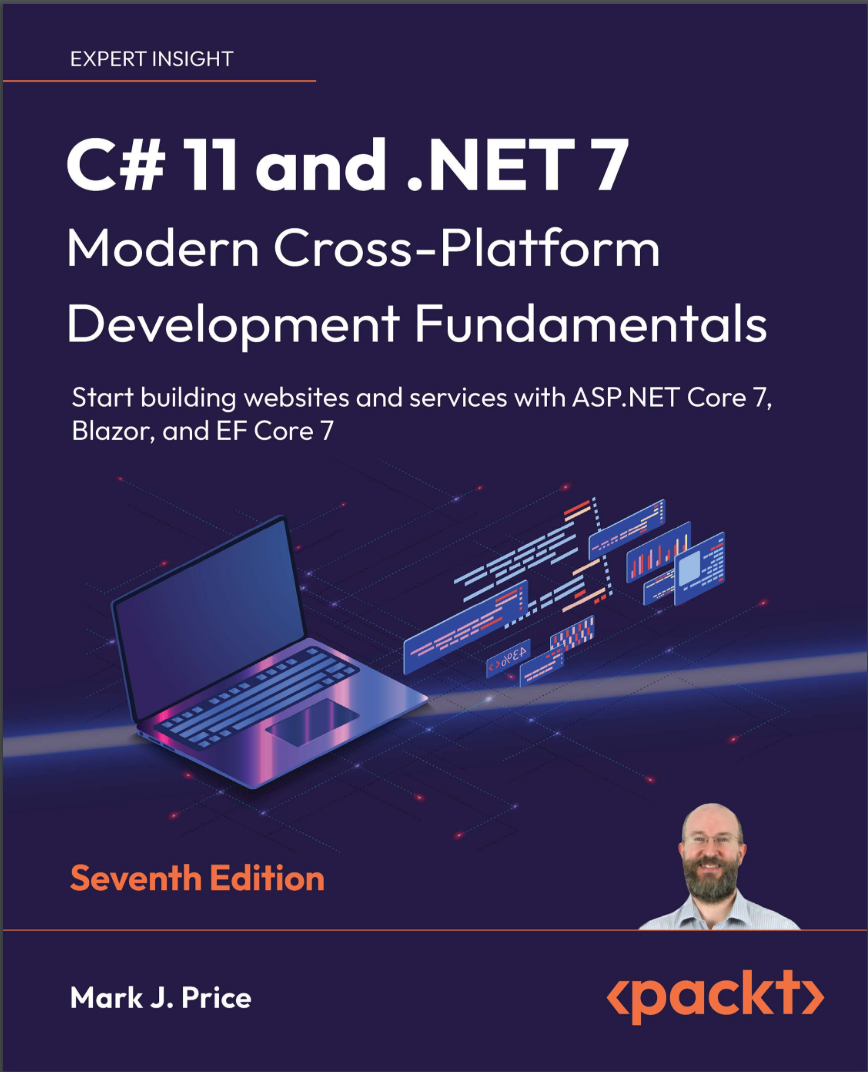
Автор: Price Mark J.
Дата выхода: 2022
Издательство: Packt Publishing Limited
Количество страниц: 819
Размер файла: 7,4 МБ
Тип файла: PDF
Добавил: codelibs
Проверить на вирусы Дополнительные материалыCover....1
Copyright....3
Contributors....4
Quick Chapter Reference....8
Table of Contents....10
Preface....36
Chapter 1: Hello, C#! Welcome, .NET!....44
Setting up your development environment....46
Choosing the appropriate tool and application type for learning....46
Pros and cons of the .NET Interactive Notebooks extension....47
Using Visual Studio Code for cross-platform development....47
Using GitHub Codespaces for development in the cloud....47
Using Visual Studio for Mac for general development....48
Using Visual Studio for Windows for general development....48
What I used....48
Deploying cross-platform....49
Downloading and installing Visual Studio 2022 for Windows....49
Microsoft Visual Studio for Windows keyboard shortcuts....50
Downloading and installing Visual Studio Code....50
Installing other extensions....51
Managing Visual Studio Code extensions at the command line....52
Understanding Microsoft Visual Studio Code versions....52
Microsoft Visual Studio Code keyboard shortcuts....52
Understanding .NET....53
Understanding .NET Framework....53
Understanding the Mono, Xamarin, and Unity projects....53
Understanding .NET Core....54
Understanding the journey to one .NET....54
Understanding Blazor WebAssembly versioning....55
Understanding .NET support....55
Understanding .NET Runtime and .NET SDK versions....57
Listing and removing versions of .NET....57
What is different about modern .NET?....58
Windows desktop development....58
Web development....58
Database development....58
Understanding .NET Standard....59
.NET platforms and tools used by the C# and .NET book editions....60
Topics covered by Apps and Services with .NET 7....61
Understanding intermediate language....61
Comparing .NET technologies....61
Building console apps using Visual Studio 2022....62
Managing multiple projects using Visual Studio 2022....62
Writing code using Visual Studio 2022....62
Compiling and running code using Visual Studio....64
Understanding the compiler-generated folders and files....65
Understanding top-level programs....65
Implicitly imported namespaces....66
Revealing the hidden code by throwing an exception....67
Adding a second project using Visual Studio 2022....67
Building console apps using Visual Studio Code....68
Managing multiple projects using Visual Studio Code....69
Writing code using Visual Studio Code....69
Compiling and running code using the dotnet CLI....72
Adding a second project using Visual Studio Code....73
Exploring code using .NET Interactive Notebooks....75
Using .NET Interactive Notebooks for the code in this book....75
Reviewing the folders and files for projects....75
Understanding the common folders and files....76
Understanding the solution code on GitHub....76
Making good use of the GitHub repository for this book....76
Raising issues with the book....77
Giving me feedback....77
Downloading solution code from the GitHub repository....78
Using Git with Visual Studio Code and the command line....78
Cloning the book solution code repository....79
Looking for help....79
Reading Microsoft documentation....79
Getting help for the dotnet tool....79
Getting definitions of types and their members....80
Looking for answers on Stack Overflow....83
Searching for answers using Google....83
Subscribing to the official .NET blog....83
Watching Scott Hanselman’s videos....84
A companion book to continue your learning journey....84
Practicing and exploring....85
Exercise 1.1 – Test your knowledge....85
Exercise 1.2 – Practice C# anywhere with a browser....85
Exercise 1.3 – Explore topics....85
Exercise 1.4 – Explore themes of modern .NET....86
Summary....86
Chapter 2: Speaking C#....88
Introducing the C# language....88
Understanding language versions and features....89
Project COOL....89
C# 1....89
C# 1.2....89
C# 2....89
C# 3....89
C# 4....90
C# 5....90
C# 6....90
C# 7.0....90
C# 7.1....91
C# 7.2....91
C# 7.3....91
C# 8....91
C# 9....91
C# 10....92
C# 11....92
Understanding C# standards....92
Discovering your C# compiler versions....93
How to output the SDK version....94
Enabling a specific language version compiler....94
Switching the C# compiler for .NET 6....95
Understanding C# grammar and vocabulary....95
Showing the compiler version....96
Understanding C# grammar....97
Statements....97
Comments....97
Blocks....98
Examples of statements and blocks....99
Understanding C# vocabulary....99
Comparing programming languages to human languages....99
Changing the color scheme for C# syntax....100
Help for writing correct code....100
Importing namespaces....101
Implicitly and globally importing namespaces....102
Verbs are methods....105
Nouns are types, variables, fields, and properties....106
Revealing the extent of the C# vocabulary....106
Working with variables....109
Naming things and assigning values....109
Literal values....110
Storing text....110
Verbatim strings....111
Raw string literals....111
Raw interpolated string literals....112
Summarizing options for storing text....113
Storing numbers....113
Storing whole numbers....114
Exploring whole numbers....115
Storing real numbers....115
Writing code to explore number sizes....116
Comparing double and decimal types....117
Storing Booleans....119
Storing any type of object....119
Storing dynamic types....120
Declaring local variables....121
Specifying the type of a local variable....121
Inferring the type of a local variable....122
Using target-typed new to instantiate objects....123
Getting and setting the default values for types....124
Exploring more about console apps....125
Displaying output to the user....125
Formatting using numbered positional arguments....125
Formatting using interpolated strings....126
Understanding format strings....127
Getting text input from the user....128
Simplifying the usage of the console....129
Importing a static type for a single file....130
Importing a static type for all code files in a project....130
Getting key input from the user....131
Passing arguments to a console app....132
Setting options with arguments....134
Handling platforms that do not support an API....136
Understanding async and await....138
Improving responsiveness for console apps....138
Practicing and exploring....139
Exercise 2.1 – Test your knowledge....139
Exercise 2.2 – Test your knowledge of number types....140
Exercise 2.3 – Practice number sizes and ranges....140
Exercise 2.4 – Explore topics....141
Summary....141
Chapter 3: Controlling Flow, Converting Types, and Handling Exceptions....142
Operating on variables....142
Exploring unary operators....143
Exploring binary arithmetic operators....144
Assignment operators....145
Exploring logical operators....146
Exploring conditional logical operators....147
Exploring bitwise and binary shift operators....148
Miscellaneous operators....150
Understanding selection statements....151
Branching with the if statement....151
Why you should always use braces with if statements....152
Pattern matching with the if statement....152
Branching with the switch statement....153
Pattern matching with the switch statement....155
Simplifying switch statements with switch expressions....157
Understanding iteration statements....158
Looping with the while statement....158
Looping with the do statement....159
Looping with the for statement....159
Looping with the foreach statement....160
Understanding how foreach works internally....160
Storing multiple values in an array....161
Working with single-dimensional arrays....161
Working with multi-dimensional arrays....162
Working with jagged arrays....164
List pattern matching with arrays....166
Summarizing arrays....168
Casting and converting between types....169
Casting numbers implicitly and explicitly....169
Converting with the System.Convert type....170
Rounding numbers....171
Understanding the default rounding rules....171
Taking control of rounding rules....172
Converting from any type to a string....173
Converting from a binary object to a string....173
Parsing from strings to numbers or dates and times....174
Errors using Parse....175
Avoiding exceptions using the TryParse method....175
Handling exceptions....176
Wrapping error-prone code in a try block....176
Catching all exceptions....178
Catching specific exceptions....179
Catching with filters....180
Checking for overflow....180
Throwing overflow exceptions with the checked statement....181
Disabling compiler overflow checks with the unchecked statement....182
Practicing and exploring....183
Exercise 3.1 – Test your knowledge....183
Exercise 3.2 – Explore loops and overflow....184
Exercise 3.3 – Practice loops and operators....184
Exercise 3.4 – Practice exception handling....185
Exercise 3.5 – Test your knowledge of operators....185
Exercise 3.6 – Explore topics....185
Summary....186
Chapter 4: Writing, Debugging, and Testing Functions....188
Writing functions....188
Understanding top-level programs and functions....189
Times table example....191
Writing a times table function....191
A brief aside about arguments and parameters....193
Writing a function that returns a value....195
Converting numbers from cardinal to ordinal....197
Calculating factorials with recursion....198
Documenting functions with XML comments....202
Using lambdas in function implementations....203
Debugging during development....206
Using the Visual Studio Code integrated terminal during debugging....206
Creating code with a deliberate bug....207
Setting a breakpoint and starting debugging....207
Using Visual Studio 2022....208
Navigating with the debugging toolbar....209
Using Visual Studio Code....210
Debugging windows....211
Stepping through code....211
Customizing breakpoints....212
Hot reloading during development....214
Hot reloading using Visual Studio 2022....215
Hot reloading using Visual Studio Code and the command line....215
Logging during development and runtime....216
Understanding logging options....216
Instrumenting with Debug and Trace....216
Writing to the default trace listener....217
Configuring trace listeners....218
Switching trace levels....220
Adding packages to a project in Visual Studio 2022....220
Adding packages to a project in Visual Studio Code....221
Reviewing project packages....221
Logging information about your source code....225
Unit testing....226
Understanding types of testing....227
Creating a class library that needs testing....227
Writing unit tests....229
Running unit tests using Visual Studio 2022....231
Running unit tests using Visual Studio Code....231
Fixing the bug....232
Throwing and catching exceptions in functions....232
Understanding usage errors and execution errors....232
Commonly thrown exceptions in functions....233
Understanding the call stack....234
Where to catch exceptions....237
Rethrowing exceptions....237
Implementing the tester-doer pattern....239
Problems with the tester-doer pattern....239
Practicing and exploring....240
Exercise 4.1 – Test your knowledge....240
Exercise 4.2 – Practice writing functions with debugging and unit testing....240
Exercise 4.3 – Explore topics....241
Summary....241
Chapter 5: Building Your Own Types with Object-Oriented Programming....242
Talking about OOP....242
Building class libraries....243
Creating a class library....244
Defining a class in a namespace....245
Understanding members....246
Instantiating a class....247
Importing a namespace to use a type....248
Avoiding a namespace conflict with a using alias....249
Renaming a type with a using alias....249
Understanding objects....250
Inheriting from System.Object....250
Storing data within fields....251
Defining fields....251
Understanding access modifiers....251
Setting and outputting field values....252
Storing a value using an enum type....253
Storing multiple values using an enum type....254
Storing multiple values using collections....256
Understanding generic collections....256
Making a field static....257
Making a field constant....258
Making a field read-only....259
Initializing fields with constructors....260
Defining multiple constructors....260
Writing and calling methods....261
Returning values from methods....261
Combining multiple returned values using tuples....262
C# language support for tuples....263
Naming the fields of a tuple....263
Deconstructing tuples....264
Deconstructing types....264
Defining and passing parameters to methods....265
Overloading methods....266
Passing optional and named parameters....267
Naming parameter values when calling methods....268
Controlling how parameters are passed....268
Simplified out parameters....269
Understanding ref returns....270
Splitting classes using partial....270
Controlling access with properties and indexers....270
Defining read-only properties....271
Defining settable properties....272
Requiring properties to be set during instantiation....274
Defining indexers....276
More about methods....278
Implementing functionality using methods....278
Implementing functionality using operators....281
Implementing functionality using local functions....283
Pattern matching with objects....284
Defining flight passengers....284
Enhancements to pattern matching in C# 9 or later....286
Working with records....287
Init-only properties....287
Understanding records....288
Positional data members in records....289
Simplifying data members in records....289
Practicing and exploring....290
Exercise 5.1 – Test your knowledge....290
Exercise 5.2 – Explore topics....290
Summary....290
Chapter 6: Implementing Interfaces and Inheriting Classes....292
Setting up a class library and console application....293
Making types safely reusable with generics....294
Working with non-generic types....294
Working with generic types....295
Raising and handling events....296
Calling methods using delegates....297
Defining and handling delegates....298
Defining and handling events....300
Implementing interfaces....301
Common interfaces....302
Comparing objects when sorting....302
Comparing objects using a separate class....306
Implicit and explicit interface implementations....308
Defining interfaces with default implementations....309
Managing memory with reference and value types....310
Defining reference and value types....311
How reference and value types are stored in memory....311
Equality of types....312
Defining struct types....314
Defining record struct types....315
Releasing unmanaged resources....316
Ensuring that Dispose is called....318
Working with null values....319
Making a value type nullable....319
Understanding null-related initialisms....321
Understanding nullable reference types....321
Controlling the nullability warning check feature....322
Declaring non-nullable variables and parameters....322
Checking for null....325
Checking for null in method parameters....326
Inheriting from classes....327
Extending classes to add functionality....328
Hiding members....328
Overriding members....329
Inheriting from abstract classes....330
Preventing inheritance and overriding....331
Understanding polymorphism....332
Casting within inheritance hierarchies....334
Implicit casting....334
Explicit casting....334
Avoiding casting exceptions....335
Using is to check a type....335
Using as to cast a type....336
Inheriting and extending .NET types....336
Inheriting exceptions....336
Extending types when you can’t inherit....338
Using static methods to reuse functionality....338
Using extension methods to reuse functionality....339
Writing better code....340
Treating warnings as errors....340
Understanding warning waves....343
Using an analyzer to write better code....344
Suppressing warnings....347
Fixing the code....348
Understanding common StyleCop recommendations....350
Practicing and exploring....351
Exercise 6.1 – Test your knowledge....351
Exercise 6.2 – Practice creating an inheritance hierarchy....351
Exercise 6.3 – Explore topics....352
Summary....352
Chapter 7: Packaging and Distributing .NET Types....354
The road to .NET 7....354
.NET Core 1.0....355
.NET Core 1.1....355
.NET Core 2.0....355
.NET Core 2.1....356
.NET Core 2.2....356
.NET Core 3.0....356
.NET Core 3.1....356
.NET 5.0....357
.NET 6.0....357
.NET 7.0....358
Improving performance with .NET 5 and later....358
Checking your .NET SDKs for updates....358
Understanding .NET components....359
Assemblies, NuGet packages, and namespaces....359
What is a namespace?....359
Dependent assemblies....359
Microsoft .NET project SDKs....360
Namespaces and types in assemblies....361
NuGet packages....361
Understanding frameworks....362
Importing a namespace to use a type....362
Relating C# keywords to .NET types....363
Mapping C# aliases to .NET types....364
Understanding native-sized integers....364
Revealing the location of a type....364
Sharing code with legacy platforms using .NET Standard....365
Understanding defaults for class libraries with different SDKs....366
Creating a .NET Standard 2.0 class library....367
Controlling the .NET SDK....367
Publishing your code for deployment....368
Creating a console app to publish....369
Understanding dotnet commands....371
Creating new projects....371
Getting information about .NET and its environment....371
Managing projects....372
Publishing a self-contained app....373
Publishing a single-file app....374
Reducing the size of apps using app trimming....376
Enabling assembly-level trimming....376
Enabling type-level and member-level trimming....376
Decompiling .NET assemblies....377
Decompiling using the ILSpy extension for Visual Studio 2022....377
Viewing source links with Visual Studio 2022....381
No, you cannot technically prevent decompilation....382
Packaging your libraries for NuGet distribution....383
Referencing a NuGet package....383
Fixing dependencies....384
Packaging a library for NuGet....385
Publishing a package to a public NuGet feed....387
Publishing a package to a private NuGet feed....389
Exploring NuGet packages with a tool....389
Testing your class library package....390
Porting from .NET Framework to modern .NET....391
Could you port?....391
Should you port?....392
Differences between .NET Framework and modern .NET....393
.NET Portability Analyzer....393
.NET Upgrade Assistant....393
Using non-.NET Standard libraries....394
Working with preview features....395
Requiring preview features....396
Enabling preview features....396
Practicing and exploring....396
Exercise 7.1 – Test your knowledge....396
Exercise 7.2 – Explore topics....397
Exercise 7.3 – Explore PowerShell....397
Summary....397
Chapter 8: Working with Common .NET Types....398
Working with numbers....398
Working with big integers....399
Working with complex numbers....400
Understanding quaternions....401
Generating random numbers for games and similar apps....401
Working with text....402
Getting the length of a string....402
Getting the characters of a string....403
Splitting a string....403
Getting part of a string....403
Checking a string for content....404
Joining, formatting, and other string members....405
Building strings efficiently....406
Pattern matching with regular expressions....407
Checking for digits entered as text....407
Regular expression performance improvements....408
Understanding the syntax of a regular expression....409
Examples of regular expressions....409
Splitting a complex comma-separated string....410
Activating regular expression syntax coloring....412
Improving regular expression performance with source generators....415
Storing multiple objects in collections....417
Common features of all collections....417
Improving performance by ensuring the capacity of a collection....419
Understanding collection choices....419
Lists....419
Dictionaries....420
Stacks....421
Queues....422
Sets....422
Collection methods summary....422
Working with lists....423
Working with dictionaries....424
Working with queues....425
Sorting collections....428
More specialized collections....429
Working with a compact array of bit values....429
Working with efficient lists....429
Working with immutable collections....429
Good practice with collections....430
Working with spans, indexes, and ranges....430
Using memory efficiently using spans....431
Identifying positions with the Index type....431
Identifying ranges with the Range type....431
Using indexes, ranges, and spans....432
Working with network resources....433
Working with URIs, DNS, and IP addresses....433
Pinging a server....435
Practicing and exploring....436
Exercise 8.1 – Test your knowledge....436
Exercise 8.2 – Practice regular expressions....436
Exercise 8.3 – Practice writing extension methods....437
Exercise 8.4 – Explore topics....437
Summary....437
Chapter 9: Working with Files, Streams, and Serialization....438
Managing the filesystem....438
Handling cross-platform environments and filesystems....438
Managing drives....441
Managing directories....441
Managing files....443
Managing paths....444
Getting file information....445
Controlling how you work with files....446
Reading and writing with streams....447
Understanding abstract and concrete streams....447
Understanding storage streams....448
Understanding function streams....448
Understanding stream helpers....448
Writing to text streams....449
Writing to XML streams....451
Simplifying disposal by using the using statement....453
Compressing streams....454
Working with tar archives....456
Reading and writing tar entries....460
Encoding and decoding text....460
Encoding strings as byte arrays....461
Encoding and decoding text in files....464
Reading and writing with random access handles....464
Serializing object graphs....465
Serializing as XML....465
Generating compact XML....468
Deserializing XML files....469
Serializing with JSON....469
High-performance JSON processing....471
Controlling JSON processing....472
New JSON extension methods for working with HTTP responses....475
Migrating from Newtonsoft to new JSON....475
Practicing and exploring....475
Exercise 9.1 – Test your knowledge....476
Exercise 9.2 – Practice serializing as XML....476
Exercise 9.3 – Explore topics....477
Summary....477
Chapter 10: Working with Data Using Entity Framework Core....478
Understanding modern databases....478
Understanding legacy Entity Framework....479
Using the legacy Entity Framework 6.3 or later....479
Understanding Entity Framework Core....479
Understanding Database First and Code First....480
Performance improvements in EF Core 7....480
Creating a console app for working with EF Core....481
Using a sample relational database....481
Using SQLite....482
Setting up SQLite for Windows....482
Setting up SQLite for macOS....483
Setting up SQLite for other OSes....483
Creating the Northwind sample database for SQLite....483
If you are using Visual Studio 2022....484
Managing the Northwind sample database with SQLiteStudio....484
Using the lightweight ADO.NET provider for SQLite....486
Using SQL Server for Windows....486
Setting up EF Core....486
Choosing an EF Core database provider....487
Connecting to a database....487
Defining the Northwind database context class....487
Defining EF Core models....489
Using EF Core conventions to define the model....489
Using EF Core annotation attributes to define the model....489
Using the EF Core Fluent API to define the model....491
Understanding data seeding with the Fluent API....491
Building EF Core models for the Northwind tables....491
Defining the Category and Product entity classes....492
Adding tables to the Northwind database context class....494
Setting up the dotnet-ef tool....495
Scaffolding models using an existing database....496
Customizing the reverse engineering templates....500
Configuring preconvention models....500
Querying EF Core models....500
Filtering included entities....503
Filtering and sorting products....505
Getting the generated SQL....507
Logging EF Core....508
Filtering logs by provider-specific values....509
Logging with query tags....510
Pattern matching with Like....510
Generating a random number in queries....511
Defining global filters....512
Loading patterns with EF Core....513
Eager loading entities using the Include extension method....513
Enabling lazy loading....514
Explicit loading entities using the Load method....515
Modifying data with EF Core....517
Inserting entities....518
Updating entities....520
Deleting entities....522
More efficient updates and deletes....523
Pooling database contexts....527
Working with transactions....527
Controlling transactions using isolation levels....527
Defining an explicit transaction....528
Defining Code First EF Core models....529
Practicing and exploring....529
Exercise 10.1 – Test your knowledge....529
Exercise 10.2 – Practice exporting data using different serialization formats....530
Exercise 10.3 – Explore topics....530
Exercise 10.4 – Explore NoSQL databases....530
Summary....530
Chapter 11: Querying and Manipulating Data Using LINQ....532
Why LINQ?....532
Comparing imperative and declarative language features....532
Writing LINQ expressions....533
What makes LINQ?....533
Building LINQ expressions with the Enumerable class....534
Understanding deferred execution....536
Filtering entities with Where....537
Targeting a named method....539
Simplifying the code by removing the explicit delegate instantiation....540
Targeting a lambda expression....540
Sorting entities....540
Sorting by a single property using OrderBy....541
Sorting by a subsequent property using ThenBy....541
Sorting by the item itself....542
Declaring a query using var or a specified type....542
Filtering by type....542
Working with sets and bags using LINQ....544
Using LINQ with EF Core....546
Building an EF Core model....546
Using Visual Studio 2022 with SQLite databases....549
Filtering and sorting sequences....549
Projecting sequences into new types....551
Joining and grouping sequences....553
Joining sequences....553
Group-joining sequences....555
Aggregating sequences....556
Be careful with Count!....558
Paging with LINQ....560
Sweetening LINQ syntax with syntactic sugar....564
Using multiple threads with parallel LINQ....565
Creating your own LINQ extension methods....565
Trying the chainable extension method....567
Trying the mode and median methods....568
Working with LINQ to XML....569
Generating XML using LINQ to XML....569
Reading XML using LINQ to XML....570
Practicing and exploring....571
Exercise 11.1 – Test your knowledge....571
Exercise 11.2 – Practice querying with LINQ....572
Exercise 11.3 – Explore topics....572
Summary....572
Chapter 12: Introducing Web Development Using ASP.NET Core....574
Understanding ASP.NET Core....574
Classic ASP.NET versus modern ASP.NET Core....575
Building websites using ASP.NET Core....576
Building websites using a content management system....576
Building web applications using SPA frameworks....577
Building web and other services....578
New features in ASP.NET Core....578
ASP.NET Core 1.0....578
ASP.NET Core 1.1....578
ASP.NET Core 2.0....578
ASP.NET Core 2.1....578
ASP.NET Core 2.2....579
ASP.NET Core 3.0....579
ASP.NET Core 3.1....580
Blazor WebAssembly 3.2....580
ASP.NET Core 5.0....580
ASP.NET Core 6.0....580
ASP.NET Core 7.0....581
Structuring projects....581
Structuring projects in a solution or workspace....581
Building an entity model for use in the rest of the book....582
Creating a class library for entity models using SQLite....583
Improving the class-to-table mapping....584
Creating a class library for a Northwind database context....588
Creating a class library for entity models using SQL Server....592
Testing the class libraries....595
Understanding web development....596
Understanding Hypertext Transfer Protocol....596
Understanding the components of a URL....597
Assigning port numbers for projects in this book....598
Using Google Chrome to make HTTP requests....598
Understanding client-side web development technologies....600
Practicing and exploring....601
Exercise 12.1 – Test your knowledge....601
Exercise 12.2 – Know your webbreviations....601
Exercise 12.3 – Explore topics....602
Summary....602
Chapter 13: Building Websites Using ASP.NET Core Razor Pages....604
Exploring ASP.NET Core....604
Creating an empty ASP.NET Core project....604
Testing and securing the website....606
Enabling stronger security and redirecting to a secure connection....610
Controlling the hosting environment....611
Enabling a website to serve static content....613
Creating a folder for static files and a web page....613
Enabling static and default files....614
Exploring ASP.NET Core Razor Pages....615
Enabling Razor Pages....615
Adding code to a Razor Page....616
Using shared layouts with Razor Pages....617
Using code-behind files with Razor Pages....619
Using Entity Framework Core with ASP.NET Core....621
Configuring Entity Framework Core as a service....622
Manipulating data using Razor Pages....624
Enabling a model to insert entities....624
Defining a form to insert a new supplier....625
Injecting a dependency service into a Razor Page....626
Using Razor class libraries....626
Disabling compact folders for Visual Studio Code....627
Creating a Razor class library....627
Implementing a partial view to show a single employee....630
Using and testing a Razor class library....631
Configuring services and the HTTP request pipeline....632
Understanding endpoint routing....632
Configuring endpoint routing....632
Reviewing the endpoint routing configuration in our project....633
Setting up the HTTP pipeline....635
Summarizing key middleware extension methods....636
Visualizing the HTTP pipeline....637
Implementing an anonymous inline delegate as middleware....637
Enabling request decompression support....639
Enabling HTTP/3 support....640
Practicing and exploring....642
Exercise 13.1 – Test your knowledge....642
Exercise 13.2 – Practice building a data-driven web page....642
Exercise 13.3 – Practice building web pages for console apps....642
Exercise 13.4 – Explore topics....643
Summary....643
Chapter 14: Building Websites Using the Model-View-Controller Pattern....644
Setting up an ASP.NET Core MVC website....644
Creating an ASP.NET Core MVC website....645
Creating the authentication database for SQL Server LocalDB....646
Exploring the default ASP.NET Core MVC website....648
Starting the MVC website project....649
Exploring visitor registration....650
Reviewing an MVC website project structure....651
Reviewing the ASP.NET Core Identity database....653
Exploring an ASP.NET Core MVC website....653
ASP.NET Core MVC initialization....653
The default MVC route....656
Controllers and actions....657
The ControllerBase class....657
The Controller class....657
The responsibilities of a controller....658
The view search path convention....660
Logging using the dependency service....661
Entity and view models....662
Views....665
Understanding how cache busting with Tag Helpers works....667
Customizing an ASP.NET Core MVC website....667
Defining a custom style....668
Setting up the category images....668
Razor syntax and expressions....668
Defining a typed view....669
Passing parameters using a route value....672
Model binders in more detail....674
Disambiguating action methods....676
Passing a route parameter....677
Passing a form parameter....678
Validating the model....678
Defining views with HTML Helper methods....681
Defining views with Tag Helpers....681
Cross-functional filters....682
Using a filter to secure an action method....682
Enabling role management and creating a role programmatically....683
Using a filter to define a custom route....686
Using a filter to cache a response....687
Using output caching....688
Output caching endpoints....688
Output caching MVC views....689
Varying cached data by query string....691
Querying a database and using display templates....693
Improving scalability using asynchronous tasks....696
Making controller action methods asynchronous....696
Practicing and exploring....697
Exercise 14.1 – Test your knowledge....697
Exercise 14.2 – Practice implementing MVC by implementing a category detail page....698
Exercise 14.3 – Practice improving scalability by understanding and implementing async action methods....698
Exercise 14.4 – Practice unit testing MVC controllers....698
Exercise 14.5 – Explore topics....698
Summary....699
Chapter 15: Building and Consuming Web Services....700
Building web services using the ASP.NET Core Web API....700
Understanding web service acronyms....700
Understanding HTTP requests and responses for Web APIs....701
Creating an ASP.NET Core Web API project....703
Reviewing the web service’s functionality....706
Creating a web service for the Northwind database....708
Creating data repositories for entities....710
Implementing a Web API controller....713
Understanding action method return types....714
Configuring the customer repository and Web API controller....715
Specifying problem details....719
Controlling XML serialization....720
Documenting and testing web services....721
Testing GET requests using a browser....721
Testing HTTP requests with the REST Client extension....722
Making GET requests using REST Client....722
Making other requests using REST Client....723
Understanding Swagger....725
Testing requests with Swagger UI....726
Enabling HTTP logging....729
Support for logging additional request headers in W3CLogger....731
Consuming web services using HTTP clients....731
Understanding HttpClient....732
Configuring HTTP clients using HttpClientFactory....732
Getting customers as JSON in the controller....733
Starting multiple projects....735
If you are using Visual Studio 2022....735
If you are using Visual Studio Code....736
Starting the web service and MVC client projects....737
Implementing advanced features for web services....738
Building web services using Minimal APIs....738
Testing the minimal weather service....741
Adding weather forecasts to the Northwind website home page....741
Practicing and exploring....743
Exercise 15.1 – Test your knowledge....743
Exercise 15.2 – Practice creating and deleting customers with HttpClient....744
Exercise 15.3 – Explore topics....744
Summary....744
Chapter 16: Building User Interfaces Using Blazor....746
Understanding Blazor....746
JavaScript and friends....746
Silverlight – C# and .NET using a plugin....747
WebAssembly – a target for Blazor....747
Blazor hosting models....747
Blazor components....748
What is the difference between Blazor and Razor?....749
Comparing Blazor project templates....749
Reviewing the Blazor Server project template....749
CSS and JavaScript isolation....755
Blazor routing to page components....756
How to define a routable page component....756
How to navigate Blazor routes....756
How to pass route parameters....756
Understanding base component classes....757
How to use the navigation link component with routes....758
Running the Blazor Server project template....759
Reviewing the Blazor WebAssembly project template....760
Deployment choices for Blazor WebAssembly apps....761
Differences between Blazor Server and Blazor WebAssembly projects....761
Similarities between Blazor Server and Blazor WebAssembly projects....765
Building components using Blazor Server....765
Defining and testing a simple Blazor Server component....765
Making the component a routable page component....766
Getting entities into a component....767
Abstracting a service for a Blazor component....770
Defining forms using the EditForm component....773
Building a shared customer detail component....774
Building customer create, edit, and delete components....775
Testing the customer components....778
Building components using Blazor WebAssembly....778
Configuring the server for Blazor WebAssembly....779
Configuring the client for Blazor WebAssembly....782
Testing the Blazor WebAssembly components and service....785
Improving Blazor WebAssembly apps....787
Practicing and exploring....787
Exercise 16.1 – Test your knowledge....787
Exercise 16.2 – Practice by creating a times table component....787
Exercise 16.3 – Practice by creating a country navigation item....787
Exercise 16.4 – Explore topics....788
Summary....789
Chapter 17: Epilogue....790
The next steps on your C# and .NET learning journey....790
Polishing your skills with design guidelines....790
A companion book to continue your learning journey....791
Other books to take your learning further....791
The eighth edition coming November 2023....792
Good luck!....792
Index....794
An accessible guide for beginner-to-intermediate programmers to concepts, real-world applications, and latest features of C# 11 and .NET 7, with hands-on exercises using Visual Studio 2022 and Visual Studio Code.
Key Features
- Explore the newest additions to C# 11, the .NET 7 class libraries, and Entity Framework Core 7
- Create professional websites and services with ASP.NET Core 7 and Blazor
- Build your confidence with step-by-step code examples and tips for best practices
Book Description
Extensively revised to accommodate the latest features that come with C# 11 and .NET 7, this latest edition of our guide will get you coding in C# with confidence.
You'll learn object-oriented programming, writing, testing, and debugging functions, implementing interfaces, and inheriting classes. Next, you'll take on .NET APIs for performing tasks like managing and querying data, working with the filesystem, and serialization. As you progress, you'll also explore examples of cross-platform projects you can build and deploy, such as websites and services using ASP.NET Core.
Instead of distracting you with unnecessary graphical user interface code, the first eleven chapters will teach you about C# language constructs and many of the .NET libraries through simple console applications. Having mastered the basics, you'll then start building websites, web services, and browser apps.
By the end of this book, you'll be able to create rich web experiences and have a solid grasp of object-oriented programming that you can build upon.
What you will learn
- Build rich web experiences using Blazor, Razor Pages, the Model-View-Controller (MVC) pattern, and other features of ASP.NET Core
- Write, test, and debug functions
- Query and manipulate data using LINQ
- Integrate and update databases in your apps using Entity Framework Core models
- Build and consume powerful services using the latest technologies, including Web API and Minimal API
For .NET 6 developers:
- C# 11 can be used with .NET 6, including features like raw string literals
- EF Core 7 targets .NET 6, so you can benefit from its new features like ExecuteUpdate and ExecuteDelete for more efficient data modifications
Who this book is for
This book is primarily for beginners, but intermediate-level C# and .NET programmers who have worked with C# in the past and want to catch up with the changes made in the past few years will also find plenty of useful information in it. Prior exposure to C# or .NET is not a prerequisite, but you should have a general understanding of programming before you jump in.
If you already have some C# and .NET skills and want to focus on developing apps, we recommend that you pick up Mark's other .NET book, Apps and Services with .NET 7, instead.


