-
1C
-
Agda
-
Agile/Scrum
-
Alef
-
APL
-
Assembler
-
AWK
-
Basic
-
Beta Programming Language
-
Big Data/DataScience
-
C
-
C#
-
C++
-
Cobol
-
Crystal
-
CSS
-
D
-
Dart
-
DataBase (SQL)
-
Delphi
-
F#
-
Flutter
-
Fortran
-
GameDev
-
Git
-
Go (Golang)
-
GPT/AI/ИИ
-
Hacking and Security
-
Haskell
-
HTML
-
Java
-
JavaScript (JS)
-
Julia
-
Kotlin
-
Machine Learning (ML)
-
Natural language processing (NLP)
-
.NET (.NET Core)
-
Pascal
-
PHP
-
Python
-
R
-
Ruby
-
Rust
-
Scratch
-
Swift
-
UML
-
UX/UI
-
Visual Basic
-
Wolfram
-
XML
-
АСУ
-
Проектирование/System Design
-
Сети/Network
-
Статьи
-
Схемотехника/электронные схемы
-
1C
-
Agda
-
Agile/Scrum
-
Alef
-
APL
-
Assembler
-
AWK
-
Basic
-
Beta Programming Language
-
Big Data/DataScience
-
C
-
C#
-
C++
-
Cobol
-
Crystal
-
CSS
-
D
-
Dart
-
DataBase (SQL)
-
Delphi
-
F#
-
Flutter
-
Fortran
-
GameDev
-
Git
-
Go (Golang)
-
GPT/AI/ИИ
-
Hacking and Security
-
Haskell
-
HTML
-
Java
-
JavaScript (JS)
-
Julia
-
Kotlin
-
Machine Learning (ML)
-
Natural language processing (NLP)
-
.NET (.NET Core)
-
Pascal
-
PHP
-
Python
-
R
-
Ruby
-
Rust
-
Scratch
-
Swift
-
UML
-
UX/UI
-
Visual Basic
-
Wolfram
-
XML
-
АСУ
-
Проектирование/System Design
-
Сети/Network
-
Статьи
-
Схемотехника/электронные схемы
Меню
C# 12 and .NET 8. Modern Cross-Platform Development Fundamentals: Start building websites and services with ASP.NET Core 8, Blazor, and EF Core 8. 8 Ed
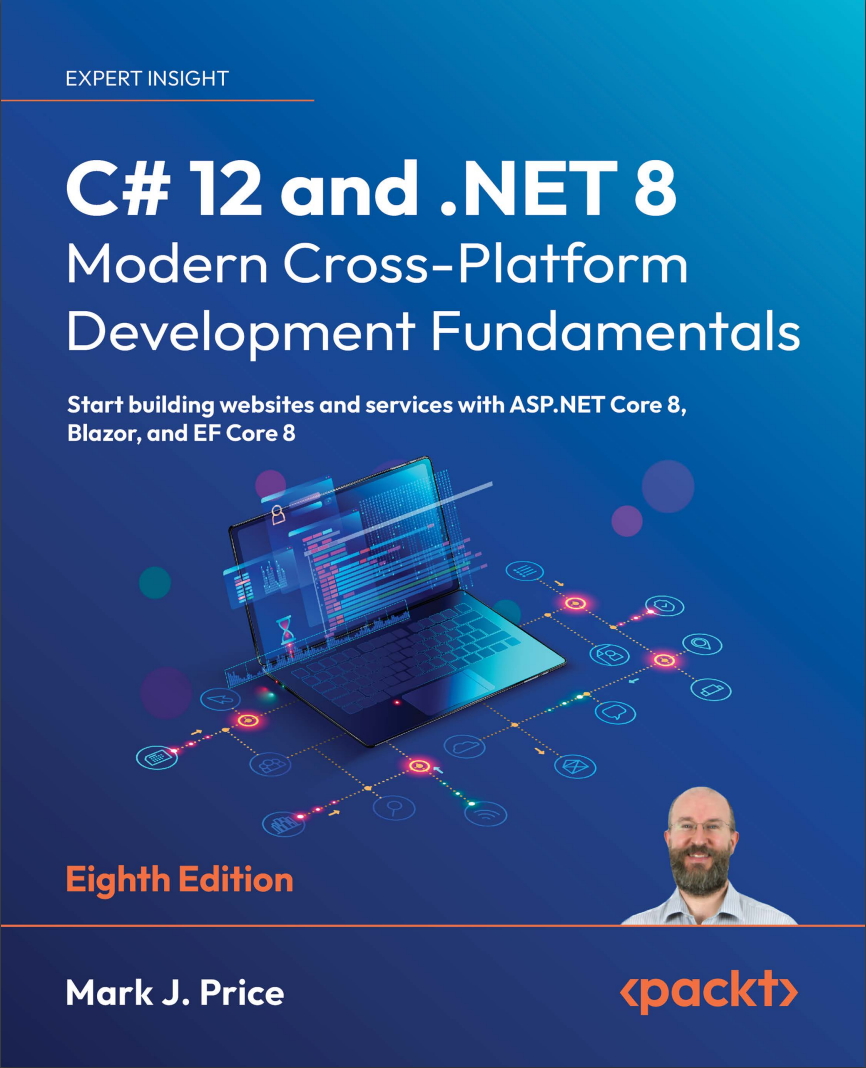
Автор: Price Mark J.
Дата выхода: 2023
Издательство: Packt Publishing Limited
Количество страниц: 827
Размер файла: 7,4 МБ
Тип файла: PDF
Добавил: codelibs
Проверить на вирусы Дополнительные материалыCover....1
Copyright....3
Contributors....4
Table of Contents....8
Preface....14
Chapter 1: Hello, C#! Welcome, .NET!....20
Introducing this book and its contents....20
Setting up your development environment....23
Understanding .NET....31
Building console apps using Visual Studio 2022....36
Building console apps using Visual Studio Code....45
Making good use of the GitHub repository for this book....53
Looking for help....56
Practicing and exploring....69
Summary....71
Chapter 2: Speaking C#....72
Introducing the C# language....72
Discovering your C# compiler version....74
Understanding C# grammar and vocabulary....78
Working with variables....94
Exploring more about console apps....114
Understanding async and await....130
Practicing and exploring....131
Summary....133
Chapter 3: Controlling Flow, Converting Types, and Handling Exceptions....134
Operating on variables....134
Understanding selection statements....144
Understanding iteration statements....153
Storing multiple values in an array....157
Casting and converting between types....165
Handling exceptions....175
Checking for overflow....180
Practicing and exploring....183
Summary....186
Chapter 4: Writing, Debugging, and Testing Functions....188
Writing functions....188
Debugging during development....208
Hot reloading during development....218
Logging during development and runtime....220
Unit testing....233
Throwing and catching exceptions in functions....239
Practicing and exploring....248
Summary....249
Chapter 5: Building Your Own Types with Object-Oriented Programming....250
Talking about OOP....250
Building class libraries....252
Storing data in fields....261
Working with methods and tuples....277
Controlling access with properties and indexers....291
Pattern matching with objects....298
Working with record types....302
Practicing and exploring....308
Summary....310
Chapter 6: Implementing Interfaces and Inheriting Classes....312
Setting up a class library and console application....313
Static methods and overloading operators....315
Making types safely reusable with generics....323
Raising and handling events....326
Implementing interfaces....332
Managing memory with reference and value types....342
Working with null values....353
Inheriting from classes....363
Casting within inheritance hierarchies....371
Inheriting and extending .NET types....374
Summarizing custom type choices....378
Practicing and exploring....383
Summary....385
Chapter 7: Packaging and Distributing .NET Types....386
The road to .NET 8....386
Understanding .NET components....388
Publishing your code for deployment....400
Native ahead-of-time compilation....410
Decompiling .NET assemblies....415
Packaging your libraries for NuGet distribution....421
Working with preview features....430
Practicing and exploring....431
Summary....433
Chapter 8: Working with Common .NET Types....434
Working with numbers....434
Working with text....440
Pattern matching with regular expressions....447
Storing multiple objects in collections....457
Working with spans, indexes, and ranges....478
Practicing and exploring....480
Summary....481
Chapter 9: Working with Files, Streams, and Serialization....482
Managing the filesystem....482
Reading and writing with streams....493
Encoding and decoding text....507
Serializing object graphs....511
Working with environment variables....524
Practicing and exploring....529
Summary....531
Chapter 10: Working with Data Using Entity Framework Core....532
Understanding modern databases....532
Setting up EF Core in a .NET project....537
Defining EF Core models....544
Querying EF Core models....560
Loading and tracking patterns with EF Core....577
Modifying data with EF Core....586
Practicing and exploring....596
Summary....598
Chapter 11: Querying and Manipulating Data Using LINQ....600
Writing LINQ expressions....600
LINQ in practice....604
Sorting and more....610
Using LINQ with EF Core....617
Joining, grouping, and lookups....626
Aggregating and paging sequences....633
Practicing and exploring....642
Summary....644
Chapter 12: Introducing Web Development Using ASP.NET Core....646
Understanding ASP.NET Core....646
Structuring projects....651
Building an entity model for use in the rest of the book....652
Understanding web development....667
Practicing and exploring....671
Summary....672
Chapter 13: Building Websites Using ASP.NET Core Razor Pages....674
Exploring ASP.NET Core....674
Exploring ASP.NET Core Razor Pages....687
Using Entity Framework Core with ASP.NET Core....699
Configuring services and the HTTP request pipeline....705
Practicing and exploring....712
Summary....714
Chapter 14: Building and Consuming Web Services....716
Building web services using the ASP.NET Core Web API....716
Creating a web service for the Northwind database....725
Documenting and testing web services....741
Consuming web services using HTTP clients....754
Practicing and exploring....760
Summary....761
Chapter 15: Building User Interfaces Using Blazor....764
History of Blazor....764
Reviewing the Blazor Web App project template....768
Building components using Blazor....779
Enabling client-side execution using WebAssembly....795
Practicing and exploring....796
Summary....798
Epilogue....800
Next steps on your C# and .NET learning journey....800
The ninth edition, coming November 2024....802
Good luck!....803
Index....804
This latest edition of the bestselling Packt series will give you a solid foundation to start building projects using modern C# and .NET with confidence.
You'll learn about object-oriented programming; writing, testing, and debugging functions; and implementing interfaces. You'll take on .NET APIs for managing and querying data, working with the fi lesystem, and serialization. As you progress, you'll explore examples of cross-platform projects you can build and deploy, such as websites and services using ASP.NET Core.
This latest edition integrates .NET 8 enhancements into its examples: type aliasing and primary constructors for concise and expressive code. You'll handle errors robustly through the new built-in guard clauses and explore a simplified implementation of caching in ASP.NET Core 8.
If that's not enough, you'll also see how native ahead-of-time (AOT) compiler publish lets web services reduce memory use and run faster. You'll work with the seamless new HTTP editor in Visual Studio 2022 to enhance the testing and debugging process. You'll even get introduced to Blazor Full Stack with its new unified hosting model for unparalleled web development flexibility.
What you will learn
- Discover C# 12's new features, including aliasing any type and primary constructors
- Try out the native AOT publish capability for ASP.NET Core 8 Minimal APIs web services
- Build rich web experiences using Blazor Full Stack, Razor Pages, and other ASP.NET Core features
- Integrate and update databases in your apps using Entity Framework Core models
- Query and manipulate data using LINQ
- Build and consume powerful services using Web API and Minimal API
Who this book is for
This book is for beginners as well as intermediate-level C# and .NET programmers who have worked with C# in the past and want to catch up with the changes made in the last few years.
Prior exposure to C# or .NET is not a prerequisite. A general understanding of programming will help you to work through the book more comfortably, though the content is suitable for those completely new to programming.
If you already have some C# and .NET skills and want to focus on developing practical apps, you can pick up Mark’s other .NET book, Apps and Services with .NET 8, instead.


