-
1C
-
Agda
-
Agile/Scrum
-
Alef
-
APL
-
Assembler
-
AWK
-
Basic
-
Beta Programming Language
-
Big Data/DataScience
-
C
-
C#
-
C++
-
Cobol
-
Crystal
-
CSS
-
D
-
Dart
-
DataBase (SQL)
-
Delphi
-
F#
-
Flutter
-
Fortran
-
GameDev
-
Git
-
Go (Golang)
-
GPT/AI/ИИ
-
Hacking and Security
-
Haskell
-
HTML
-
Java
-
JavaScript (JS)
-
Julia
-
Kotlin
-
Machine Learning (ML)
-
Natural language processing (NLP)
-
.NET (.NET Core)
-
Pascal
-
PHP
-
Python
-
R
-
Ruby
-
Rust
-
Scratch
-
Swift
-
UML
-
UX/UI
-
Visual Basic
-
Wolfram
-
XML
-
АСУ
-
Проектирование/System Design
-
Сети/Network
-
Статьи
-
Схемотехника/электронные схемы
-
1C
-
Agda
-
Agile/Scrum
-
Alef
-
APL
-
Assembler
-
AWK
-
Basic
-
Beta Programming Language
-
Big Data/DataScience
-
C
-
C#
-
C++
-
Cobol
-
Crystal
-
CSS
-
D
-
Dart
-
DataBase (SQL)
-
Delphi
-
F#
-
Flutter
-
Fortran
-
GameDev
-
Git
-
Go (Golang)
-
GPT/AI/ИИ
-
Hacking and Security
-
Haskell
-
HTML
-
Java
-
JavaScript (JS)
-
Julia
-
Kotlin
-
Machine Learning (ML)
-
Natural language processing (NLP)
-
.NET (.NET Core)
-
Pascal
-
PHP
-
Python
-
R
-
Ruby
-
Rust
-
Scratch
-
Swift
-
UML
-
UX/UI
-
Visual Basic
-
Wolfram
-
XML
-
АСУ
-
Проектирование/System Design
-
Сети/Network
-
Статьи
-
Схемотехника/электронные схемы
Меню
BiteSize Python for Absolute Beginners: With Practice Labs, Real-World Examples, and Generative AI Assistance
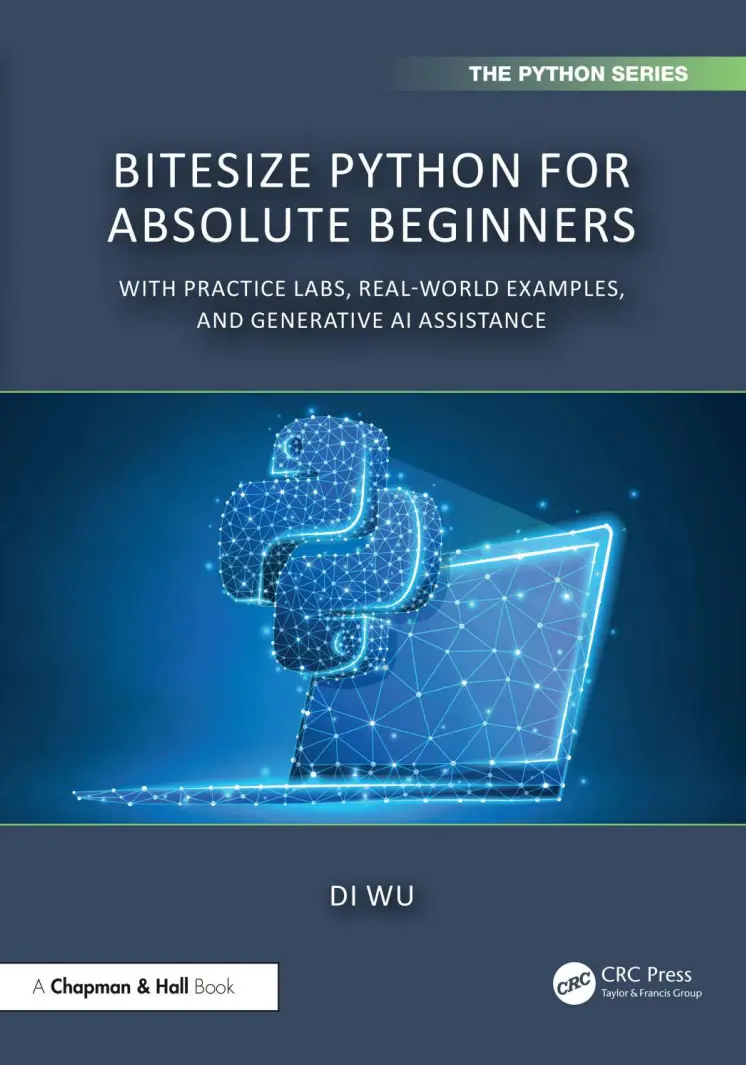
Автор: Wu Di
Дата выхода: 2026
Издательство: CRC Press is an imprint of Taylor & Francis Group, LLC
Количество страниц: 241
Размер файла: 1,0 МБ
Тип файла: PDF
Добавил: codelibs
Проверить на вирусыCover....1
Half Title....2
Series Page....3
Title Page....4
Copyright Page....5
Dedication....6
Contents....8
List of Figures....18
List of Tables....20
Foreword....22
Preface....24
Author Bios....28
SECTION I: Python Fundamentals....30
CHAPTER 1: Introduction to Python....32
1.1. WHAT IS PYTHON?....32
1.2. WHY PYTHON?....33
1.3. SCRIPT VERSUS INTERACTIVE PYTHON....33
1.4. WHY INTERACTIVE PYTHON?....34
1.5. JUPYTER....35
1.6. LOCAL OR CLOUD....36
1.7. LEARNING PYTHON....37
CHAPTER 2: Input and Output....39
2.1. HELLO, WORLD!....39
2.1.1. Demonstration....39
2.1.2. Practice....40
2.2. SINGLE OR DOUBLE....40
2.2.1. Explanation....40
2.2.2. Demonstration....41
2.2.3. Practice....41
2.3. TRIPLE QUOTATIONS....42
2.3.1. Explanation....42
2.3.2. Practice....43
2.4. PRINT MULTIPLE VALUES....44
2.4.1. Demonstration....44
2.4.2. Practice....44
2.5. INTERACT WITH GENAI....44
2.6. GET INPUTS....45
2.6.1. Demonstration....45
2.6.2. Practice....45
2.7. COMBINE PRINT() AND INPUT()....46
2.7.1. Explanation....46
2.7.2. Demonstration....46
2.7.3. Practice....46
2.8. INTERACT WITH GENAI....47
CHAPTER 3: Variables....48
3.1. WHAT ARE VARIABLES....48
3.1.1. Explanation....48
3.1.2. Practice....49
3.2. NAMING RULES....49
3.2.1. Explanation....49
3.2.2. Practice....50
3.3. DATA TYPES....50
3.3.1. Explanation....50
3.3.2. Practice....51
3.4. DATA TYPES CONVERT....52
3.4.1. Explanation....52
3.4.2. Demonstration....52
3.4.3. Practice....53
3.5. INTERACT WITH GENAI....54
CHAPTER 4: Operations....55
4.1. ASSIGNMENT OPERATIONS....55
4.1.1. Explanation....55
4.1.2. Practice....56
4.2. ARITHMETIC OPERATIONS....56
4.2.1. Explanation....56
4.2.2. Demonstration....57
4.2.3. Practice....58
4.3. RELATIONAL OPERATIONS....59
4.3.1. Explanation....59
4.3.2. Practice....59
4.4. LOGICAL OPERATIONS....60
4.4.1. Explanation....60
4.4.2. Practice....61
4.5. INTERACT WITH GENAI....63
CHAPTER 5: String....65
5.1. WHAT IS STR?....65
5.1.1. Explanation....65
5.1.2. Thinking....65
5.2. STRING CREATION....65
5.2.1. Demonstration....66
5.3. STRING ACCESS....66
5.3.1. Demonstraton....66
5.3.2. Practice....68
5.4. STRING SLICING....69
5.4.1. Demonstration....70
5.4.2. Practice....71
5.5. STRING CONCATENATION....71
5.5.1. Demonstration....71
5.6. STRING FORMAT....72
5.6.1. Demonstration....72
5.6.2. Practice....74
5.7. USEFUL FUNCTIONS....75
5.7.1. Demonstration....75
5.7.2. Practice....77
5.8. INTERACT WITH GENAI....80
CHAPTER 6: Case Studies of Python Fundamentals....81
6.1. SIMPLE CHECK OUT....81
6.2. TIPS SPLIT....82
6.3. COMPOUND INTEREST....83
SECTION II: Flow Control and Functions....84
CHAPTER 7: Branching....86
7.1. OPTIONAL BRANCHING....86
7.1.1. Demonstration....87
7.1.2. Practice....88
7.2. ALTERNATIVE BRANCHING....89
7.2.1. Demonstration....89
7.2.2. Practice....90
7.3. MULTIPLE BRANCHING....91
7.3.1. Demonstration....92
7.3.2. Practice....93
7.4. CASE STUDIES OF BRANCHING....95
7.4.1. What day is today?....95
7.4.2. Tax calculator....95
7.4.3. A simple calculator....96
7.4.4. Taxi fare calculator....97
7.5. INTERACT WITH GENAI....98
CHAPTER 8: Repetition....99
8.1. CONDITION-BASED REPETITION....99
8.1.1. Explanation....99
8.1.2. Demonstration....100
8.1.3. Practice....101
8.2. COUNT-BASED REPETITION....103
8.2.1. Explanation....103
8.2.2. Demonstration....104
8.2.3. Practice....105
8.3. MAGIC CONTROL....107
8.3.1. Demonstration....107
8.3.2. Practice....108
8.4. CASE STUDIES OF REPETITION....109
8.4.1. Prime numbers....109
8.4.2. A simple grade book....109
8.4.3. Fahrenheit to Celsius converter....110
8.4.4. How many E and e are in a sentence?....111
8.5. INTERACT WITH GENAI....111
CHAPTER 9: Functions....113
9.1. WHAT ARE FUNCTIONS?....113
9.1.1. Explanation....113
9.1.2. Example: Bread toaster....114
9.1.3. Practice....114
9.2. TYPES OF FUNCTIONS....115
9.2.1. Explanation....115
9.3. DEFINE A FUNCTION....115
9.3.1. Demonstration....115
9.3.2. Practice....116
9.4. PARAMETERS AND ARGUMENTS....118
9.4.1. Explanation....118
9.4.2. Demonstration....118
9.4.3. Practice....119
9.5. TWO PARAMETERS....121
9.5.1. Demonstration....122
9.5.2. Practice....122
9.6. HOW TO PASS ARGUMENTS....124
9.6.1. Demonstration....124
9.6.2. Practice....125
9.7. DEFAULT VALUE....125
9.7.1. Demonstration....125
9.7.2. Practice....126
9.8. RETURN VALUES....128
9.8.1. Explanation....128
9.8.2. Demonstration....128
9.9. RETURN NUMERIC VALUES....129
9.9.1. Demonstration....129
9.9.2. Practice....129
9.10. RETURN STR VALUES....131
9.10.1. Demonstration....131
9.10.2. Practice....131
9.11. RETURN BOOLEAN VALUES....131
9.11.1. Demonstration....132
9.11.2. Practice....132
9.12. RETURN MULTIPLE VALUES....133
9.12.1. Demonstration....133
9.12.2. Practice....133
9.13. INTERACT WITH GENAI....135
CHAPTER 10: Advanced Functions....136
10.1. NESTED FUNCTIONS....136
10.1.1. Explanation....136
10.1.2. Demonstration....136
10.1.3. Practice....137
10.2. HIERARCHICAL FUNCTIONS....139
10.2.1. Explanation....139
10.2.2. Demonstration....139
10.3. INTERACT WITH GENAI....141
10.4. RECURSIVE FUNCTIONS....141
10.4.1. Explanation....141
10.4.2. Demonstration....142
10.4.3. Practice....142
10.5. INTERACT WITH GENAI....144
SECTION III: Data Structures....146
CHAPTER 11: List....148
11.1. WHAT IS A LIST....148
11.2. CREATE A LIST....149
11.2.1. Demonstration....149
11.2.2. Practice....150
11.3. HETEROGENEITY....151
11.3.1. Demonstration....151
11.3.2. Practice....152
11.3.3. Test your understanding....152
11.4. ACCESS A LIST BY INDEX....153
11.4.1. Demonstration....153
11.4.2. Practice....154
11.5. ACCESS A LIST BY ITERATION....155
11.5.1. Demonstration....155
11.5.2. Practice....156
11.6. LIST MANIPULATION....157
11.6.1. Demonstration....157
11.6.2. Practice....158
11.7. MORE MANIPULATION OF A LIST....159
11.7.1. Demonstration....159
11.7.2. Practice....160
11.8. SLICE A LIST....162
11.8.1. Demonstration....162
11.8.2. Practice....164
11.9. LIST COMPREHENSION....165
11.9.1. Demonstration....165
11.9.2. Practice....167
11.10. ADVANCED LIST COMPREHENSION....168
11.10.1. Demonstration....168
11.10.2. Practice....169
11.11. INTERACT WITH GENAI....171
11.12. EXPLORE MORE OF LIST....171
CHAPTER 12: Tuple....172
12.1. WHAT IS A TUPLE....172
12.1.1. Explanation....172
12.2. CREATE A TUPLE....173
12.2.1. Demonstration....173
12.2.2. Practice....174
12.3. HETEROGENEOUS TUPLE IN PYTHON....175
12.3.1. Demonstration....175
12.3.2. Practice....176
12.4. ACCESS ELEMENTS IN A TUPLE BY INDEX....176
12.4.1. Demonstration....176
12.4.2. Practice....178
12.5. ACCESS ELEMENTS IN A TUPLE BY ITERATION....179
12.5.1. Demonstration....179
12.5.2. Practice....180
12.6. SLICE A TUPLE....181
12.6.1. Demonstration....181
12.6.2. Practice....182
12.7. TUPLE COMPREHENSION....183
12.7.1. Demonstration....183
12.7.2. Practice....184
12.8. INTERACT WITH GENAI....186
12.9. EXPLORE MORE OF TUPLE....186
CHAPTER 13: Set....187
13.1. WHAT IS A SET....187
13.1.1. Explanation....187
13.1.2. Practice....187
13.2. CREATE A SET....188
13.2.1. Demonstration....188
13.2.2. Practice....189
13.3. ELEMENTS IN A SET....190
13.3.1. Demonstration....190
13.3.2. Practice....190
13.4. SET OPERATIONS....191
13.4.1. Demonstration....191
13.4.2. Practice....193
13.5. SET METHODS....194
13.5.1. Demonstration....194
13.5.2. Practice....195
13.6. SET COMPREHENSION....196
13.6.1. Demonstration....196
13.7. INTERACT WITH GENAI....197
13.8. EXPLORE MORE OF SET....198
CHAPTER 14: Dictionary....199
14.1. WHAT IS A DICTIONARY....199
14.1.1. Explanation....199
14.1.2. Practice....200
14.2. CREATE A DICTIONARY....200
14.2.1. Demonstration....200
14.2.2. Practice....201
14.3. ACCESS A DICTIONARY....202
14.3.1. Demonstration....202
14.3.2. Practice....203
14.4. DICTIONARY METHODS....205
14.4.1. Demonstration....205
14.4.2. Practice....206
14.5. DICTIONARY COMPREHENSION....207
14.5.1. Demonstration....207
14.5.2. Practice....208
14.6. INTERACT WITH GENAI....209
14.7. EXPLORE MORE OF DICTIONARY....209
CHAPTER 15: Case Studies of Data Structures....210
15.1. WARM-UP....210
15.2. DATA CREATION....211
15.3. USING LISTS....211
15.4. USING TUPLES....213
15.5. USING SETS....214
15.6. USING DICTIONARIES....214
15.7. FURTHERMORE....216
15.8. COMPLEXITY....216
SECTION IV: Data Collections....218
CHAPTER 16: Named Tuple....220
16.1. WHAT IS A NAMED TUPLE....220
16.1.1. Explanation....220
16.1.2. Demonstration....220
16.2. PACKAGE MANAGEMENT....221
16.3. CASE STUDY: CAR....222
16.4. INTERACT WITH GENAI....222
16.5. EXPLORE MORE OF NAMED TUPLE....223
CHAPTER 17: Default Dictionary....224
17.1. WHAT IS A DEFAULT DICTIONARY....224
17.2. DEFAULT INT....226
17.2.1. Demonstration....226
17.2.2. Practice....226
17.3. DEFAULT LIST....227
17.3.1. Demonstration....227
17.3.2. Practice....228
17.4. DEFAULT SET....228
17.4.1. Demonstration....228
17.4.2. Practice....229
17.5. CASE STUDY: HACKATHON....229
17.6. INTERACT WITH GENAI....231
17.7. EXPLORE MORE OF DEFAULT DICTIONARY....231
CHAPTER 18: Counters....232
18.1. WHAT IS A COUNTER....232
18.2. MORE ABOUT COUNTER....233
18.2.1. Explanation....233
18.2.2. Demonstration....233
18.2.3. Practice....234
18.3. CASE STUDY: ROMEO AND JULIET....235
18.4. INTERACT WITH GENAI....236
18.5. EXPLORE MORE OF COUNTER....236
What is Next?....238
Index....240
As an introduction to Python, this book allows readers to take a slow and steady approach to understanding Python code, explaining concepts, connecting programming with real-life examples, writing Python programs, and completing case studies.
While there are many books, websites, and online courses about the topic, we break down Python programming into easily digestible lessons of less than 5 minutes each, following our BiteSize approach. Each lesson begins with a clear and short introduction to the topic. This gives you a strong base to start from and gets you ready for deeper learning. Then, you will see coding demonstrations that show the ideas discussed. These examples are simple and useful, helping you really understand the concepts. You’ll then practice tasks at different difficulty levels, so you can test your knowledge and increase your confidence. You’ll also play with case studies to solve real-world problems. Tips are included to show how you can incorporate generative AI into your learning toolkit, using it for feedback, practice exercises, code reviews, and exploring advanced topics. Recommended AI prompts can help you identify areas for improvement, review key concepts, and track your progress.
This book is designed for absolute beginners with no prior programming experience. It is ideal for individuals with busy schedules or limited time for studying.


