-
1C
-
Agda
-
Agile/Scrum
-
Alef
-
APL
-
Assembler
-
AWK
-
Basic
-
Beta Programming Language
-
Big Data/DataScience
-
C
-
C#
-
C++
-
Cobol
-
Crystal
-
CSS
-
D
-
Dart
-
DataBase (SQL)
-
Delphi
-
F#
-
Flutter
-
Fortran
-
GameDev
-
Git
-
Go (Golang)
-
GPT/AI/ИИ
-
Hacking and Security
-
Haskell
-
HTML
-
Java
-
JavaScript (JS)
-
Julia
-
Kotlin
-
Machine Learning (ML)
-
Natural language processing (NLP)
-
.NET (.NET Core)
-
Pascal
-
PHP
-
Python
-
R
-
Ruby
-
Rust
-
Scratch
-
Swift
-
UML
-
UX/UI
-
Visual Basic
-
Wolfram
-
XML
-
АСУ
-
Проектирование/System Design
-
Сети/Network
-
Статьи
-
Схемотехника/электронные схемы
-
1C
-
Agda
-
Agile/Scrum
-
Alef
-
APL
-
Assembler
-
AWK
-
Basic
-
Beta Programming Language
-
Big Data/DataScience
-
C
-
C#
-
C++
-
Cobol
-
Crystal
-
CSS
-
D
-
Dart
-
DataBase (SQL)
-
Delphi
-
F#
-
Flutter
-
Fortran
-
GameDev
-
Git
-
Go (Golang)
-
GPT/AI/ИИ
-
Hacking and Security
-
Haskell
-
HTML
-
Java
-
JavaScript (JS)
-
Julia
-
Kotlin
-
Machine Learning (ML)
-
Natural language processing (NLP)
-
.NET (.NET Core)
-
Pascal
-
PHP
-
Python
-
R
-
Ruby
-
Rust
-
Scratch
-
Swift
-
UML
-
UX/UI
-
Visual Basic
-
Wolfram
-
XML
-
АСУ
-
Проектирование/System Design
-
Сети/Network
-
Статьи
-
Схемотехника/электронные схемы
Меню
Pro Angular 16. 6 Ed
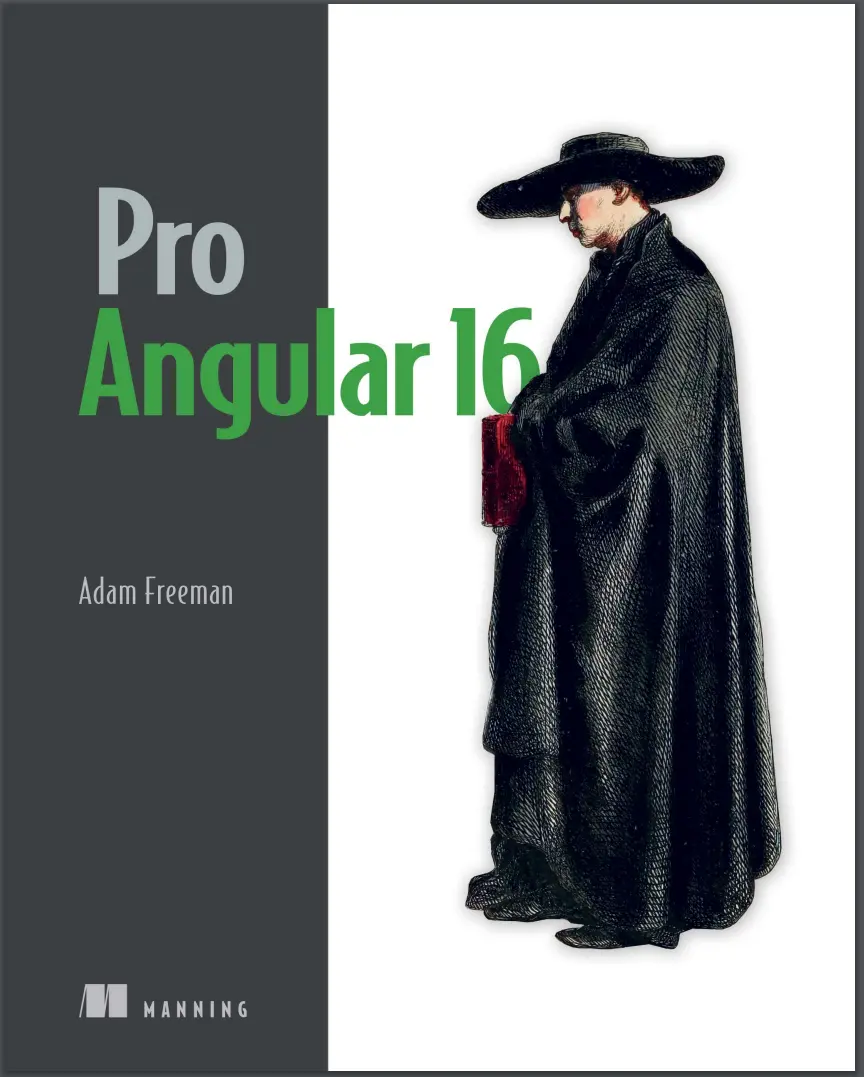
Автор: Freeman Adam
Дата выхода: 2024
Издательство: Manning Publications Co.
Количество страниц: 848
Размер файла: 8,8 МБ
Тип файла: PDF
Добавил: codelibs
Проверить на вирусы1.1 Understanding where Angular excels....13
1.1.1 Understanding round-trip and single-page applications....13
1.2 Comparing Angular to React....14
1.3 What do you need to know?....14
1.4 What is the structure of this book?....14
1.4.1 Part 1: Getting started with Angular....14
1.4.2 Part 2: Angular in detail....14
1.4.3 Part 3: Advanced Angular features....14
1.5 What doesn’t this book cover?....15
1.6 What software do you need for Angular?....15
1.7 How do you set up the development environment?....15
1.8 What if you have problems following the examples?....15
1.9 What if you find an error in the book?....16
1.10 Are there lots of examples?....16
1.11 Where can you get the example code?....18
1.12 How do you contact the author?....18
1.13 What if you really enjoyed this book?....18
1.14 What if this book has made you angry?....18
1.15 Summary....19
2.1 Getting ready....21
2.1.1 Installing Node.js....22
2.1.2 Installing an editor....23
2.1.3 Installing the Angular development package....23
2.1.4 Choosing a browser....24
2.2 Creating an Angular project....24
2.2.1 Opening the project for editing....24
2.2.2 Starting the Angular development tools....25
2.3 Adding features to the application....27
2.3.1 Creating a data model....27
Creating the to-do list class....29
2.3.2 Displaying data to the user....29
2.3.3 Updating the component....30
Understanding the imports....31
Understanding the decorator....32
Understanding the class....33
2.4 Styling the application content....34
2.4.1 Applying Angular Material components....35
2.4.2 Defining the spacer CSS style....37
2.5 Displaying the list of to-do items....38
2.5.1 Defining additional styles....41
2.6 Creating a two-way data binding....42
2.7 Filtering completed to-do items....45
2.8 Adding to-do items....46
2.9 Finishing up....49
2.10 Summary....52
3.1 Preparing the example project....53
3.2 Understanding HTML....55
3.2.1 Understanding void elements....57
3.2.2 Understanding attributes....57
3.2.3 Applying attributes without values....57
3.2.4 Quoting literal values in attributes....57
3.2.5 Understanding element content....58
3.2.6 Understanding the document structure....58
3.3 Understanding CSS and the Bootstrap framework....60
3.4 Understanding TypeScript/JavaScript....61
3.4.1 Understanding the TypeScript workflow....61
3.4.2 Understanding JavaScript vs. TypeScript....62
Compiling the function with TypeScript....63
Using a more specific type....65
Using a type union....66
Accessing type features....68
3.4.3 Understanding the basic TypeScript/JavaScript features....69
3.4.4 Defining variables and constants....69
3.4.5 Dealing with unassigned and null values....69
3.4.6 Using the JavaScript primitive types....71
Working with Booleans....71
Working with Strings....71
Using template strings....72
Working with Numbers....72
Working with null and undefined values....73
3.4.7 Using the JavaScript operators....73
Using conditional statements....74
The equality operator vs. the identity operator....74
Explicitly converting types....76
Converting Numbers to Strings....76
Converting Strings to Numbers....77
Using the null and nullish coalescing operators....78
Using the optional chaining operator....79
3.5 Summary....80
4.1 Preparing for this chapter....82
4.2 Defining and using functions....83
4.2.1 Defining optional function parameters....84
4.2.2 Defining default parameter values....84
4.2.3 Defining rest parameters....85
4.2.4 Defining functions that return results....85
4.2.5 Using functions as arguments to other functions....86
Defining functions using the arrow syntax....87
Understanding value closure....87
4.3 Working with arrays....88
4.3.1 Reading and modifying the contents of an array....89
4.3.2 Enumerating the contents of an array....89
4.3.3 Using the spread operator....90
4.3.4 Using the built-in array methods....90
4.4 Working with objects....92
4.4.1 Understanding literal object types....93
Defining optional properties in a type annotation....94
4.4.2 Defining classes....94
Adding methods to a class....96
Access controls and simplified constructors....97
Using class inheritance....98
4.4.3 Checking object types....99
4.5 Working with JavaScript modules....100
4.5.1 Creating and using modules....100
4.6 Summary....102
5.1 Preparing the project....104
5.1.1 Installing the additional NPM packages....104
Adding the CSS style sheets to the application....104
5.1.2 Preparing the RESTful web service....105
5.1.3 Preparing the HTML file....107
5.1.4 Creating the folder structure....108
5.1.5 Running the example application....108
5.1.6 Starting the RESTful web service....109
5.2 Preparing the Angular project features....109
5.2.1 Updating the root component....109
5.2.2 Inspecting the root module....110
5.2.3 Inspecting the bootstrap file....111
5.3 Starting the data model....111
5.3.1 Creating the model classes....112
5.3.2 Creating the dummy data source....112
5.3.3 Creating the model repository....114
5.3.4 Creating the feature module....115
5.4 Starting the store....116
5.4.1 Creating the store component and template....116
5.4.2 Creating the store feature module....118
5.4.3 Updating the root component and root module....118
5.5 Adding store features....119
5.5.1 Displaying the product details....120
5.5.2 Adding category selection....121
5.5.3 Adding product pagination....124
5.5.4 Creating a custom directive....128
5.6 Summary....131
6.1 Preparing the example application....132
6.2 Creating the cart....132
6.2.1 Creating the cart model....133
6.2.2 Creating the cart summary components....135
6.2.3 Integrating the cart into the store....137
6.3 Adding URL routing....140
6.3.1 Creating the cart detail and checkout components....141
6.3.2 Creating and applying the routing configuration....142
6.3.3 Navigating through the application....143
6.3.4 Guarding the routes....146
6.4 Completing the cart detail feature....148
6.5 Processing orders....151
6.5.1 Extending the model....151
Updating the repository and data source....152
Updating the feature module....154
6.5.2 Collecting the order details....155
6.6 Using the RESTful web service....158
6.6.1 Applying the data source....159
6.7 Summary....162
7.1 Preparing the example application....163
7.1.1 Creating the module....164
7.1.2 Configuring the URL routing system....166
7.1.3 Navigating to the administration URL....167
7.2 Implementing authentication....169
7.2.1 Understanding the authentication system....169
7.2.2 Extending the data source....170
7.2.3 Creating the authentication service....171
7.2.4 Enabling authentication....172
7.3 Extending the data source and repositories....174
7.4 Installing the component library....178
7.5 Creating the administration feature structure....179
7.5.1 Creating the placeholder components....180
7.5.2 Preparing the common content and the feature module....181
7.5.3 Implementing the product table feature....185
Using the table component features....189
7.5.4 Implementing the product editor....193
7.5.5 Implementing the order table feature....197
7.6 Summary....202
8.1 Preparing the example application....203
8.2 Using pre-rendering....203
8.2.1 Installing the SSR packages....204
8.2.2 Creating the platform service....205
8.2.3 Changing the web service URL....207
8.2.4 Disabling elements....207
8.2.5 Prerendering the application....210
8.3 Adding progressive features....211
8.3.1 Installing the PWA Package....211
8.3.2 Caching the data URLs....211
8.3.3 Responding to connectivity changes....212
8.3.4 Testing the progressive features....214
8.4 Preparing the application for deployment....216
8.4.1 Creating the data file....216
8.4.2 Creating the server....216
8.4.3 Changing the web service URL in the repository class....218
8.5 Building and testing the application....219
8.6 Containerizing the SportsStore application....220
8.6.1 Installing Docker....220
8.6.2 Preparing the application....220
8.6.3 Creating the Docker container....221
8.6.4 Running the application....222
8.7 Summary....224
9.1 Creating a new Angular project....226
9.2 Understanding the project structure....228
9.2.1 Understanding the source code folder....230
9.2.2 Understanding the packages folder....231
Adding packages with schematics to an Angular project....235
9.3 Using the Angular development tools....236
9.3.1 Understanding the development HTTP server....237
9.3.2 Understanding the build process....237
Understanding the application bundle....239
Understanding the polyfills bundle....240
Understanding the styles bundle....240
9.3.3 Using the linter....243
9.4 Understanding how an Angular application works....246
9.4.1 Understanding the HTML document....247
9.4.2 Understanding the application bootstrap....248
9.4.3 Understanding the root Angular module....249
9.4.4 Understanding the Angular component....250
9.4.5 Understanding content display....250
9.5 Understanding the production build process....251
9.5.1 Running the production build....252
9.6 Starting development in an Angular project....253
9.6.1 Creating the data model....253
Creating the descriptive model class....254
Creating the data source....254
Creating the model repository....255
9.6.2 Creating a component and template....256
9.6.3 Configuring the root Angular module....258
9.7 Summary....259
10.1 Preparing for this chapter....262
10.2 Understanding Angular data flow....263
10.2.1 Adding user interaction....264
10.3 Understanding Angular change detection....267
10.3.1 The advantage of Angular change detection....269
10.3.2 The disadvantage of Angular change detection....269
10.4 Understanding Angular Signals....271
10.4.1 Using writeable signals....271
10.4.2 Using computed signals....273
10.4.3 Using effects....275
10.4.4 Using signals outside of components....276
10.5 Working with Reactive Extensions....280
10.5.1 Understanding observables....280
10.5.2 Using observables with signals....282
10.6 Summary....285
11.1 Preparing for this chapter....287
11.2 Understanding one-way data bindings....288
11.2.1 Understanding the binding target....290
Understanding property bindings....291
11.2.2 Understanding the expression....292
11.2.3 Understanding the brackets....293
11.2.4 Understanding the host element....294
11.3 Using the standard property and attribute bindings....294
11.3.1 Using the standard property binding....294
11.3.2 Using the string interpolation binding....296
11.3.3 Using the attribute binding....297
11.4 Setting classes and styles....298
11.4.1 Using the class bindings....298
Setting all of an element’s classes with the standard binding....299
Setting individual classes using the special class binding....300
Setting classes using the ngClass directive....302
11.4.2 Using the style bindings....305
Setting a single style property....305
Setting styles using the ngStyle directive....307
11.5 Summary....309
12.1 Preparing the example project....312
12.2 Using the built-in directives....313
12.2.1 Using the ngIf directive....314
12.2.2 Using the ngSwitch directive....316
Avoiding literal value problems....318
12.2.3 Using the ngFor directive....319
Using other template variables....321
Using the Index and Count Value....322
Using the odd and even values....323
Using the first and last values....326
Minimizing element operations....327
12.2.4 Using the ngTemplateOutlet directive....331
Providing context data....332
12.2.5 Using directives without an HTML element....334
12.3 Understanding one-way data binding restrictions....335
12.3.1 Using idempotent expressions....335
12.3.2 Understanding the expression context....337
12.4 Summary....339
13.1 Preparing the example project....341
13.2 Using the event binding....343
13.2.1 Using event data....347
13.2.2 Handling events in the component....350
13.2.3 Using template reference variables....351
13.3 Using two-way data bindings....353
13.3.1 Using the ngModel directive....355
13.4 Working with forms....358
13.4.1 Adding a form to the example application....358
13.4.2 Adding form data validation....361
Styling elements using validation classes....362
Displaying field-level validation messages....364
Using the component to display validation messages....368
13.4.3 Validating the entire form....370
Displaying summary validation messages....373
Disabling the submit button....375
13.4.4 Completing the form....377
13.5 Summary....378
14.1 Preparing the example project....382
14.2 Creating a simple attribute directive....384
14.2.1 Applying a custom directive....385
14.3 Accessing application data in a directive....387
14.3.1 Reading host element attributes....387
Using a single host element attribute....389
14.3.2 Creating data-bound input properties....390
14.3.3 Responding to input property changes....393
14.3.4 Requiring input property values....395
14.4 Creating custom events....397
14.4.1 Binding to a custom event....399
14.5 Creating host element bindings....400
14.6 Creating a two-way binding on the host element....402
14.7 Exporting a directive for use in a template variable....406
14.8 Summary....408
15.1 Preparing the example project....411
15.2 Creating a simple structural directive....414
15.2.1 Implementing the structural directive class....415
15.2.2 Enabling the structural directive....418
15.2.3 Using the concise structural directive syntax....419
15.3 Creating iterating structural directives....420
15.3.1 Providing additional context data....424
15.3.2 Using the concise structure syntax....426
15.3.3 Dealing with property-level data changes....427
15.3.4 Dealing with collection-level data changes....429
Minimizing Updates....432
Keeping track of views....435
15.4 Querying the host element content....439
15.4.1 Querying multiple content children....444
15.4.2 Receiving query change notifications....446
15.5 Summary....448
16.1 Preparing the example project....451
16.2 Structuring an application with components....451
16.2.1 Creating new components....453
Understanding the new application structure....455
16.2.2 Defining templates....457
Defining external templates....458
Using data bindings in component templates....459
Using input properties to coordinate between components....460
Using directives in a child component template....463
Using output properties to coordinate components....464
Projecting host element content....466
16.2.3 Completing the component restructure....469
16.3 Using component styles....470
16.3.1 Defining external component styles....471
16.4 Querying template content....473
16.5 Summary....475
17.1 Preparing the example project....477
17.2 Understanding pipes....480
17.3 Creating a custom pipe....482
17.3.1 Registering a custom pipe....483
17.3.2 Applying a custom pipe....484
17.3.3 Combining pipes....486
17.3.4 Creating impure pipes....487
17.4 Using the built-in pipes....491
17.4.1 Formatting numbers....492
17.4.2 Formatting currency values....496
17.4.3 Formatting percentages....499
17.4.4 Formatting dates....501
17.4.5 Changing string case....507
17.4.6 Serializing data as JSON....510
17.4.7 Slicing data arrays....511
17.4.8 Formatting key-value pairs....513
17.4.9 Selecting values....514
17.4.10 Pluralizing values....516
17.4.11 Using the async pipe....518
17.5 Summary....520
18.1 Preparing the example project....523
18.2 Understanding the object distribution problem....524
18.2.1 Demonstrating the problem....525
18.2.2 Distributing objects as services using dependency injection....530
Preparing the service....530
Preparing the dependent components....531
Registering the service....533
Reviewing the dependency injection changes....534
18.2.3 Declaring dependencies in other building blocks....537
Declaring a dependency in a pipe....537
Declaring dependencies in directives....539
18.3 Understanding the test isolation problem....543
18.3.1 Isolating components using services and dependency injection....544
Preparing the services....544
Registering the services....545
Preparing the dependent component....546
18.4 Completing the adoption of services....547
18.4.1 Updating the root component and template....548
18.4.2 Updating the child components....548
18.5 Summary....550
19.1 Preparing the example project....552
19.2 Understanding the root module....554
19.2.1 Understanding the imports property....556
19.2.2 Understanding the declarations property....556
19.2.3 Understanding the providers property....557
19.2.4 Understanding the bootstrap property....557
19.3 Creating feature modules....560
19.3.1 Creating a model module....561
Creating the module definition....562
Updating the other classes in the application....563
Updating the root module....565
19.3.2 Creating a utility feature module....567
Creating the module folder and moving the files....567
Updating the classes in the new module....568
Creating the module definition....568
Understanding the imports....569
Understanding the providers....569
Understanding the declarations....569
Understanding the exports....570
Updating the other classes in the application....570
Updating the root module....571
19.3.3 Creating a feature module with components....572
Creating the module folder and moving the files....573
Creating the module definition....574
Updating the other classes....574
Updating the root module....576
19.4 Summary....577
20.1 Starting the example project....579
20.1.1 Adding and configuring the Bootstrap CSS package....579
20.1.2 Creating the project structure....580
20.2 Creating the model module....580
20.2.1 Creating the product data type....580
20.2.2 Creating the data source and repository....581
20.2.3 Completing the model module....582
20.3 Creating the messages module....583
20.3.1 Creating the message model and service....583
20.3.2 Creating the component and template....584
20.3.3 Completing the message Module....584
20.4 Creating the core module....585
20.4.1 Creating the shared state service....585
20.4.2 Creating the table component....585
Creating the table component template....586
20.4.3 Creating the form component....587
Creating the form component template....588
Creating the form component styles....589
20.4.4 Completing the core module....589
20.5 Completing the project....590
20.6 Summary....591
21.1 Preparing for this chapter....593
21.2 Understanding the reactive forms API....594
21.3 Rebuilding the form using the API....595
21.3.1 Responding to form control changes....598
21.3.2 Managing control state....601
21.3.3 Managing control validation....603
21.3.4 Adding additional controls....609
21.4 Working with multiple form controls....612
21.4.1 Using a form group with a form element....616
21.4.2 Accessing the form group from the template....618
21.4.3 Displaying validation messages with a form group....621
21.5 Summary....625
22.1 Preparing for this chapter....627
22.2 Creating form components dynamically....628
22.2.1 Using a form array....629
22.2.2 Adding and removing form controls....635
22.2.3 Validating dynamically created form controls....637
22.2.4 Filtering the FormArray values....639
22.3 Creating custom form validation....642
22.3.1 Creating a directive for a custom validator....644
22.3.2 Validating across multiple fields....648
Improving cross-field validation....651
22.3.3 Performing validation asynchronously....654
22.4 Summary....657
23.1 Preparing the example project....659
23.1.1 Configuring the model feature module....660
23.1.2 Creating the data file....660
23.1.3 Running the example project....661
23.2 Understanding RESTful web services....662
23.3 Replacing the static data source....663
23.3.1 Creating the new data source service....664
Setting up the HTTP request....664
Processing the response....665
23.3.2 Configuring the data source....665
23.3.3 Using the REST data source....666
23.3.4 Saving and deleting data....667
23.4 Consolidating HTTP requests....670
23.5 Making cross-origin requests....672
23.6 Configuring request headers....673
23.7 Handling errors....675
23.7.1 Generating user-ready messages....676
23.7.2 Handling the errors....677
23.8 Summary....679
24.1 Preparing the example project....681
24.2 Getting started with routing....682
24.2.1 Creating a routing configuration....683
24.2.2 Creating the routing component....685
24.2.3 Updating the root module....685
24.2.4 Completing the Configuration....686
24.2.5 Adding navigation links....687
24.2.6 Understanding the effect of routing....689
24.3 Completing the routing implementation....692
24.3.1 Handling route changes in components....692
24.3.2 Using route parameters....695
Receiving route data with input properties....697
Using multiple route parameters....698
Using optional route parameters....701
24.3.3 Navigating in code....703
24.3.4 Receiving navigation events....705
24.3.5 Removing the event bindings and supporting code....708
24.4 Summary....710
25.1 Preparing the example project....713
25.1.1 Adding components to the project....716
25.2 Using wildcards and redirections....718
25.2.1 Using wildcards in routes....719
25.2.2 Using redirections in routes....721
25.3 Navigating within a component....723
25.3.1 Responding to ongoing routing changes....723
25.3.2 Styling links for active routes....724
25.3.3 Fixing the All button....727
25.4 Creating child routes....728
25.4.1 Creating the child route outlet....730
25.4.2 Accessing parameters from child routes....732
25.5 Summary....735
26.1 Preparing the example project....736
26.2 Guarding routes....737
26.2.1 Delaying navigation with a resolver....738
Creating a resolver service....740
Registering the resolver service....741
Applying the resolver....742
Displaying placeholder content....743
Using a resolver to prevent URL entry problems....744
26.2.2 Preventing navigation with guards....746
Preventing route activation....747
Consolidating child route guards....751
Preventing route deactivation....754
26.3 Summary....758
27.1 Preparing the example project....760
27.2 Understanding the delivery problem....761
27.3 Loading feature modules dynamically....763
27.3.1 Creating a simple feature module....763
27.3.2 Loading the module dynamically....764
Creating a route to dynamically load a module....765
Using a dynamically loaded module....766
27.3.3 Guarding dynamic modules....767
Applying a dynamic loading guard....769
27.4 Using server-side rendering....770
27.4.1 Installing the server-side rendering packages....770
27.4.2 Preparing the application....772
Undoing the routing configuration change....772
Enabling the hydration feature....773
Adding a platform detection service....774
Avoiding browser APIs....775
27.4.3 Building and running the SSR application....776
27.4.4 Enabling navigation....778
27.4.5 Modifying the terms guard....781
27.4.6 Dealing with direct navigation....782
27.4.7 Testing rehydration....786
27.5 Using prerendering....787
27.5.1 Preparing the application....787
27.5.2 Prerendering the application....788
27.6 Summary....789
28.1 Preparing for this chapter....792
28.1.1 Removing buttons....793
28.1.2 Adjusting the HTML file....794
28.1.3 Running the project....794
28.2 Using the library components....795
28.2.1 Using the Angular Material button directive....795
Adding the margin style....797
Importing the component module....798
28.2.2 Using the Angular Material table....800
Using the built-in table features....804
28.3 Matching the component library theme....807
28.3.1 Creating the custom component....807
28.3.2 Using the Angular Material theme....810
28.3.3 Applying the ripple effect....815
28.4 Summary....817
29.1 Preparing the example project....820
29.2 Running a simple unit test....822
29.3 Working with Jasmine....823
29.4 Testing an Angular component....825
29.4.1 Working with the TestBed class....825
Configuring the test bed for dependencies....827
29.4.2 Testing data bindings....829
29.4.3 Testing a component with an external template....831
29.4.4 Testing component events....833
29.4.5 Testing output properties....835
29.4.6 Testing input properties....838
29.5 Testing an Angular directive....840
29.6 Summary....842
Symbols....843
A....843
B....843
C....843
D....843
E....844
F....844
H....845
J....845
L....845
M....845
N....846
P....846
R....846
S....846
T....847
U....847
V....848
W....848
Pro Angular 16 - rimske.pdf....1
How this book is organized—a roadmap....1
About the code....1
liveBook discussion forum....1
Get Pro Angular 16, the most comprehensive guide to the Angular web framework available.Thousands of web developers have relied on Adam Freeman’s Pro Angular series to get the most out of the Angular framework. Now in this revised sixth edition, Adam takes you from Angular’s basic components to its most complex functions, highlighting common pitfalls and new features such as signals.
In this thoroughly updated bestseller, you’ll learn how to:
- Set up Angular dev tools and create projects
- Use features such as components, directives, services, and pipes
- Manage data changes with signals
- Navigate app features with URL routing
- Optimize Angular apps with pre-rendering and server-side rendering
- Use popular component libraries
Pro Angular 16 gives you everything you need to build Angular apps that are easy to test, easy to maintain, and easy to extend and scale. You’ll start with the basics—plus a refresher on HTML and TypeScript. You’ll quickly move on to explore Angular’s built-in functionalities and customization options, then dive into advanced features like asynchronous HTTP requests and component libraries.
About the technology
Angular is a powerful professional web framework suitable for building everything from lightweight prototypes to full-featured business applications. Created by Google and honed to perfection by millions of developers worldwide, Angular helps you deliver fast, predictable results when it counts.
About the book
Now in its sixth edition, Pro Angular 16 shows you the path to Angular mastery. This thoroughly revised book helps you build a toolbox of Angular skills, from directives and components to creating services and optimizing application delivery. Throughout, you’ll use your skills to build a professional-level project—a SportStore e-commerce complete with checkout, administration, and deployment. Along the way, you’ll pick up some great TypeScript techniques that will boost your web dev productivity.
What's inside
- Set up Angular dev tools and create projects
- Manage data changes with signals
- Navigate app features with URL routing
- Use popular component libraries
About the reader
For web developers who know basic JavaScript and HTML.


