-
1C
-
Agda
-
Agile/Scrum
-
Alef
-
APL
-
Assembler
-
AWK
-
Basic
-
Beta Programming Language
-
Big Data/DataScience
-
C
-
C#
-
C++
-
Cobol
-
Crystal
-
CSS
-
D
-
Dart
-
DataBase (SQL)
-
Delphi
-
F#
-
Flutter
-
Fortran
-
GameDev
-
Git
-
Go (Golang)
-
GPT/AI/ИИ
-
Hacking and Security
-
Haskell
-
HTML
-
Java
-
JavaScript (JS)
-
Julia
-
Kotlin
-
Machine Learning (ML)
-
Natural language processing (NLP)
-
.NET (.NET Core)
-
Pascal
-
PHP
-
Python
-
R
-
Ruby
-
Rust
-
Scratch
-
Swift
-
UML
-
UX/UI
-
Visual Basic
-
Wolfram
-
XML
-
АСУ
-
Проектирование/System Design
-
Сети/Network
-
Статьи
-
Схемотехника/электронные схемы
-
1C
-
Agda
-
Agile/Scrum
-
Alef
-
APL
-
Assembler
-
AWK
-
Basic
-
Beta Programming Language
-
Big Data/DataScience
-
C
-
C#
-
C++
-
Cobol
-
Crystal
-
CSS
-
D
-
Dart
-
DataBase (SQL)
-
Delphi
-
F#
-
Flutter
-
Fortran
-
GameDev
-
Git
-
Go (Golang)
-
GPT/AI/ИИ
-
Hacking and Security
-
Haskell
-
HTML
-
Java
-
JavaScript (JS)
-
Julia
-
Kotlin
-
Machine Learning (ML)
-
Natural language processing (NLP)
-
.NET (.NET Core)
-
Pascal
-
PHP
-
Python
-
R
-
Ruby
-
Rust
-
Scratch
-
Swift
-
UML
-
UX/UI
-
Visual Basic
-
Wolfram
-
XML
-
АСУ
-
Проектирование/System Design
-
Сети/Network
-
Статьи
-
Схемотехника/электронные схемы
Меню
PowerShell for Penetration Testing: Explore the capabilities of PowerShell for pentesters across multiple platforms
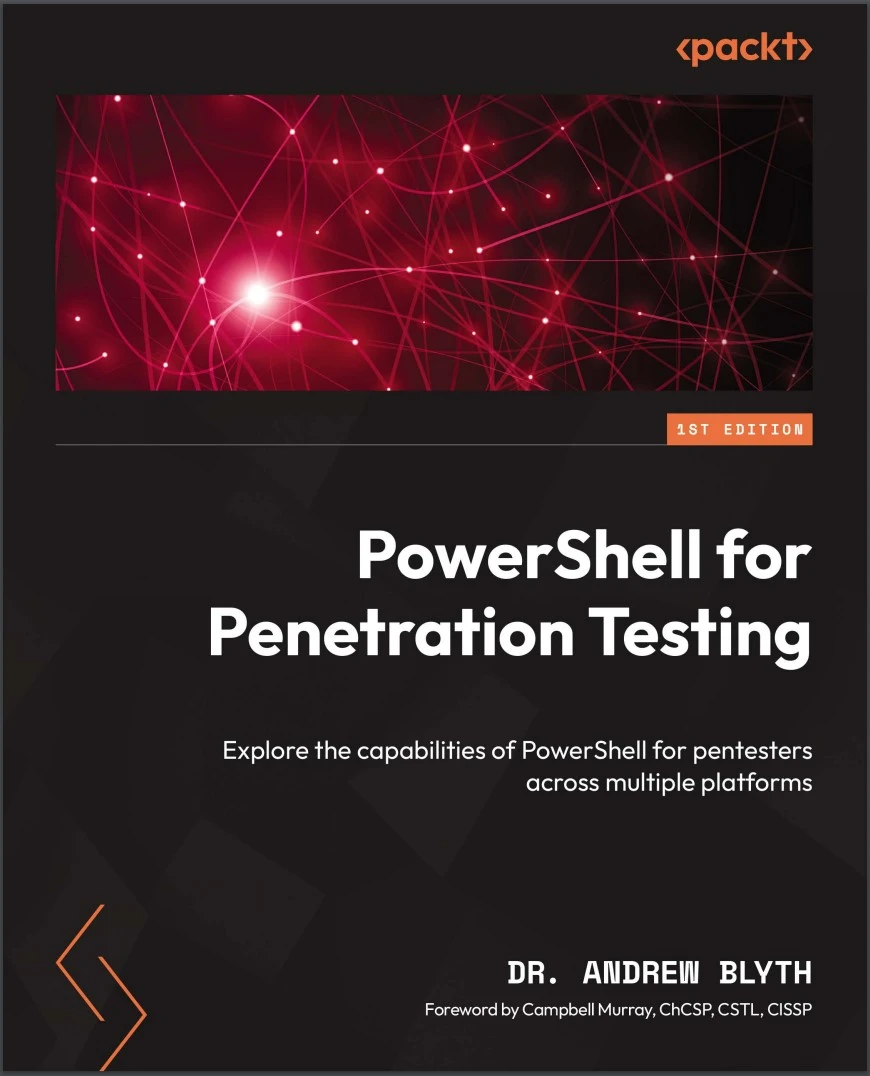
Автор: Blyth Andrew
Дата выхода: 2024
Издательство: Packt Publishing Limited
Количество страниц: 298
Размер файла: 1,4 МБ
Тип файла: PDF
Добавил: codelibs
Проверить на вирусыCover....1
Title Page....2
Copyright and Credits....2
Foreword....4
Contributors....6
Table of Contents....8
Preface....20
Part 1: Introduction to Penetration Testing and PowerShell....26
Chapter 1: Introduction to Penetration Testing....28
What is penetrating testing?....28
Stakeholders....29
Ethical, legal, and regulatory requirements....30
Managing and executing a penetration test....32
Using the cyber kill chain....33
Standards in penetration testing....34
Report writing....35
Summary....36
Chapter 2: Programming Principles in PowerShell....38
Basic concepts of PowerShell and pipelines in PowerShell....39
JSON in PowerShell....44
Retrieving JSON data from web APIs....44
Parsing JSON data....44
JSON manipulation for payloads....45
Interacting with JSON from files....45
Web scraping and data extraction....46
XML in PowerShell....46
Reading and parsing XML files....47
Extracting information from XML nodes....47
Modifying XML data....48
Crafting XML payloads....48
XML injection testing....49
COM, WMI, and .NET in PowerShell....49
Using WMI for system information gathering....50
Querying WMI for network information....50
Interacting with COM objects....51
Using .NET for cryptographic operations....51
Using .NET for network operations....52
Analyzing .NET assemblies for vulnerabilities....52
Summary....53
Part 2: Identification and Exploitation....54
Chapter 3: Network Services and DNS....56
Network services....56
TCPIP network services....57
The IP addresses....57
The TCPUDP port numbers....58
The OSI stack....58
DNS and types of DNS queries....59
DNS overview....59
Types of DNS queries....60
DNS and PowerShell....61
Summary....67
Chapter 4: Network Enumeration and Port Scanning....68
Network enumeration using PowerShell....68
TCP port scanning using PowerShell....69
Single port scanning with Test-NetConnection....70
Multiple port scanning with Test-NetConnection....70
Enumerating open ports with Test-NetConnection....71
Single port scanning with .NET....71
Multiple port scanning with .NET....72
Enumerating all open ports with .NET....72
UDP port scanning using PowerShell....73
Using PowerShell tools for port scanning....73
Summary....74
Chapter 5: The WEB, REST, and SOAP....76
PowerShell and the web....76
Web application security testing with PowerShell....77
REST application security testing with PowerShell....78
SOAP application security testing with PowerShell....78
Encoding JSON and XML in PowerShell....79
Encoding JSON in PowerShell....79
Decoding JSON in PowerShell....80
Encoding XML in PowerShell....80
Decoding XML in PowerShell....81
PowerShell and REST....81
OWASP analysis – injection....81
OWASP analysis – broken authentication....82
OWASP analysis – sensitive data exposure....82
OWASP analysis – XML External Entities (XXE)....82
OWASP analysis – broken access control....82
OWASP analysis – security misconfiguration....83
OWASP analysis – Cross-Site Scripting (XSS)....83
OWASP analysis – Cross-Site Request Forgery (CSRF)....83
OWASP analysis – unvalidated redirects and forwards....84
OWASP analysis – insecure deserialization....84
PowerShell and SOAP....84
OWASP analysis – injection....84
OWASP analysis – XXE....85
OWASP analysis – authentication bypass....86
OWASP analysis – insecure deserialization....86
OWASP analysis – unvalidated redirects and forwards....87
Summary....88
Chapter 6: SMB, Active Directory, LDAP and Kerberos....90
PowerShell and SMB....91
Enumerating SMB shares....91
An SMB version assessment....91
Testing for weak passwords....91
SMB vulnerability scanning....92
Assessing SMB signing and encryption....92
The enumeration of active SMB sessions....93
Checking for guest access....93
Evaluating share permissions....93
SMB session monitoring....93
Automated ransomware detection....94
PowerShell, AD, and LDAP....94
The enumeration of active directory objects....95
Assessing user account security....95
Identifying inactive user accounts....95
Auditing group memberships....96
Identifying privileged accounts....96
Auditing password policy....96
Assessing LDAP permissions....96
Testing LDAP authentication....97
Identifying unsecured LDAP ports....97
Monitoring LDAP traffic....97
Testing LDAP with LDAPS....98
Identifying anomalies with PowerShell scripts....98
PowerShell and Kerberos....98
The enumeration of Kerberos tickets....99
Service Principal Name (SPN) enumeration....99
Credential harvesting with Mimikatz....99
Detecting golden ticket attacks....100
Kerberos ticket renewal analysis....100
Analyzing event logs....100
Password spray attacks....100
Summary....101
Chapter 7: Databases: MySQL, PostgreSQL, and MSSQL....102
Accessing SQL databases using PowerShell....103
PowerShell and MySQL....103
Introduction to PowerShell and MySQL....103
Connecting to MySQL with PowerShell....103
Vulnerability assessment....106
Penetration testing....106
Access control verification....107
Security policy testing....108
Data protection and encryption....108
Logging and monitoring....109
PowerShell and PostgreSQL....109
Introduction to PowerShell and PostgreSQL....110
Connecting to PostgreSQL with PowerShell....110
Vulnerability assessment....114
Penetration testing....116
Access control verification....117
Security policy testing....119
Data protection and encryption....121
Logging and monitoring....123
PowerShell and Microsoft SQL (MSSQL)....124
Vulnerability assessment....125
Penetration testing....126
Access control verification....130
Security policy testing....131
Data protection and encryption....132
Logging and monitoring....133
Summary....134
Chapter 8: Email Services: Exchange, SMTP, IMAP, and POP....136
PowerShell and Exchange....137
Enumeration with PowerShell....138
Autodiscover enumeration....138
Exploitation with PowerShell....138
PowerShell and SMTP....140
Enumeration with PowerShell....140
Exploitation with PowerShell....141
PowerShell and IMAP....143
Vulnerabilities in IMAP servers....143
Establishing an IMAP connection....144
Scanning for IMAP servers....144
PowerShell and POP....146
Port identification....146
Authentication checks....146
Brute-forcing....147
Banner grabbing....148
Summary....148
Chapter 9: PowerShell and FTP, SFTP, SSH, and TFTP....150
PowerShell and FTP....151
Banner grabbing for FTP....151
Connecting to an FTP server....151
Brute-forcing authentication of an FTP connection....152
Anonymous access check....152
SSLTLS support for an FTP server....152
Listing files on the FTP server....153
Uploading a file to an FTP server....153
Downloading a file from an FTP server....153
Strong password policies for FTP....154
Firewall and access control lists for FTP....155
PowerShell and TFTP....155
Identifying the TFTP server....155
Enumerating a TFTP server configuration....155
Verifying access controls for TFTP....156
PowerShell and SSH, SCP, and SFTP....156
SSH server configuration assessment....156
Brute-forcing authentication for SSH....157
SSH server access control....157
Reviewing user access....158
SCP server configuration assessment....158
SFTP server configuration assessment....158
Reviewing SFTP configuration....158
Security auditing tools for SSH....159
User authentication and authorization....159
Monitoring and logging....159
Modules....159
Summary....162
Chapter 10: Brute Forcing in PowerShell....164
Brute forcing, in general, using PowerShell....165
Automated scripting....165
Password list attacks....166
Dictionary attacks....166
Credential stuffing....166
Rate limiting and stealth....166
Brute forcing FTP using PowerShell....167
Setting up the environment....167
Creating credential lists....167
FTP login attempt script....167
Handling FTP server responses....168
Rate limiting and stealth....169
Logging and reporting....169
Brute forcing SSH using PowerShell....170
Setting up the environment....170
Creating credential lists....170
SSH login attempt script....170
Handling SSH server responses....171
Rate limiting and stealth....171
Logging and reporting....172
Brute forcing web services using PowerShell....172
Understanding the web service....172
Setting up the environment....173
Installing required modules....173
Creating credential lists....173
Web service authentication....173
Handling web service responses....175
Rate limiting and stealth....176
Logging and reporting....176
Adapting to web service specifics....176
Handling CAPTCHA and multifactor authentication....177
Iterating and refining....177
Bruteforcing a hash....177
Understanding hash brute forcing....177
Setting up the environment....177
Hash types and hashcat....177
PowerShell script for hash brute forcing....178
Customization for different hash algorithms....179
Salting....179
Handling larger character sets and optimizing....179
Summary....179
Chapter 11: PowerShell and Remote Control and Administration....182
Remote access and PowerShell....182
Enabling PowerShell remoting....183
Configuring WinRM....183
Connecting to a remote machine....183
Executing commands on remote machines....183
Remoting with credentials....184
Configuring trusted hosts....184
Session configuration....185
Parallel remoting....185
PowerShell and remote administration....185
Establishing remote sessions....185
Executing commands on remote machines....186
Remote variable usage....186
Remote script execution....186
Handling background jobs....186
Parallel remoting....187
Remote registry manipulation....187
Remote event log retrieval....187
Remote service management....188
Remote software installation....188
Remoting to Azure virtual machines....188
Remote network configuration....188
Remote user management....189
Security considerations....189
Remote file copy....189
Using PowerShell for SNMP....189
SNMP module installation....190
SNMP agent query....190
SNMP walking....190
SNMP settings....190
SNMP trap handling....191
SNMP bulk requests....191
SNMP monitoring with PowerShell....191
SNMP and PowerShell integration....192
SNMP and graphical interfaces....192
SNMP and logging....193
Summary....193
Part 3: Penetration Testing on Azure and AWS cloud Environments....194
Chapter 12: Using PowerShell in Azure....196
Introduction to Azure....197
Azure architecture and governance....197
Azure Policy enforcement....199
Role-based access control (RBAC)....200
Resource tagging....200
Resource locking....200
Azure blueprint deployment....200
Compliance reporting....201
Accessing Azure....201
Install and import the Azure PowerShell module....201
Authenticate and connect to Azure....201
Networking in Azure....202
Resource discovery....203
Virtual network enumeration....203
Subnet analysis....203
Network security group exploration....203
Public IP address enumeration....203
Azure Active Directory (AAD) reconnaissance....204
Service principal enumeration....204
Constructing the network map....204
Identity Management and Role-Based Access Control....205
Gathering information about users and Identity Management....205
Exploring RBAC assignments....205
Reviewing access control settings for resources....205
Modifying RBAC assignments for simulation....206
Automating Identity Management and RBAC analysis....206
Azure Data Storage and permissions....207
Analyzing Azure Data Storage....207
Investigating data permissions....207
Checking RBAC settings....208
Analyzing data security with Azure Key Vault....208
Automating Data Storage and permissions analysis....208
Azure and SQL....209
Analyzing Azure Identity....209
Analyzing Azure SQL....210
Automating Identity and SQL analysis....210
Azure and key vaults....211
Analyzing Azure resources....212
Analyzing Azure Key Vaults....212
Automating the analysis of Azure resources and Key Vaults....213
Azure and virtual machines....213
Azure and Web Services....214
Analyzing Azure resources....215
Analyzing Web Services in Azure....216
Automating the analysis of Azure resources and Web Services....216
Summary....217
Chapter 13: Using PowerShell in AWS....218
AWS governance and components....219
Accessing AWS and reconnaissance....220
AWS CLI and PowerShell integration....221
AWS Tools for PowerShell....221
AWS service enumeration....221
AWS resource profiling....221
Security group analysis....221
AWS Lambda function assessment....222
CloudTrail analysis....222
AWS credential validation....222
Continuous monitoring....222
Reporting and documentation....222
Networking in AWS....223
Amazon VPC enumeration....223
Subnet discovery....223
Security group assessment....223
Network ACL inspection....223
Elastic load balancer profiling....223
Route table analysis....224
VPN connection assessment....224
Direct Connect....224
Network flow logging....224
DNS configuration inspection....224
S3 bucket access check....225
Monitoring for anomalies....225
Continuous network scanning....225
Reporting and documentation....225
Data storage and S3 buckets....225
Listing all S3 buckets....225
Retrieving the bucket policy....226
Checking bucket permissions....226
Object listing and metadata....226
Downloading objects....226
Versioning checking....226
Server-side encryption assessment....227
Logging configuration....227
S3 bucket replication status....227
Cross-origin resource sharing (CORS) configuration....227
Intelligent-tiering configuration....228
Data classification and tagging....228
Continuous monitoring....228
Reporting and documentation....228
AWS and databases....228
Amazon RDS enumeration....229
Database configuration details....229
Security group analysis....229
IAM database authentication status....229
Database snapshots....229
Amazon Aurora cluster profiling....229
Database parameter groups....230
Database events....230
Encryption assessment....230
Database log files....230
Connection pooling configuration....230
Continuous monitoring....230
Reporting and documentation....231
AWS and security....231
AWS security group analysis....231
IAM user permissions assessment....231
KMS audit....231
AWS CloudTrail analysis....232
Amazon GuardDuty findings....232
AWS Inspector assessment....232
S3 bucket permissions....232
NACL inspections....232
Continuous monitoring....232
Reporting and documentation....233
AWS and containers....233
Amazon Elastic Container Registry (ECR) enumeration....233
Docker image analysis....233
ECS task definition examinations....233
Kubernetes cluster information....234
kubeconfig file validation....234
ECS service analysis....234
Kubernetes Pod inspection....234
Container security scanning....234
ECS task log retrieval....234
Kubernetes RBAC assessment....235
Continuous monitoring....235
ECS Container Insights....235
Reporting and documentation....235
AWS and web services....235
AWS API Gateway enumeration....235
Lambda function analysis....236
CloudFront distribution profiling....236
Amazon S3 website configuration....236
Route 53 DNS record inspection....236
AWS Certificate Manager (ACM) certificates....237
Application Load Balancer (ALB) profiling....237
AWS WAF Web ACL configuration....237
Amazon RDS for web application databases....237
WAF logging....237
AWS X-Ray for tracing....237
Continuous monitoring....238
Reporting and documentation....238
Security headers inspection....238
SSLTLS configuration assessment....238
Cross-site scripting (XSS) vulnerability testing....238
SQL injection testing....238
Summary....239
Part 4: Post Exploitation and Command and Control....240
Chapter 14: Command and Control....242
Post-exploitation, C2, and the cyber kill chain....243
PowerShell components used for C2....243
Cmdlets for network communication....243
Scripting for payload delivery....244
Encoded payloads to evade detection....244
Dynamic code loading with functions....244
DNS tunneling for covert communication....245
Living-off-the-land techniques....245
Using Empire for C2....246
An introduction to PowerShell Empire....246
Generating and delivering payloads....247
Executing commands on compromised systems....247
Post-exploitation modules for advanced tasks....247
Exfiltrating data....248
Web drive-by attacks....248
Evading antivirus detection....248
Dynamic scripting....249
Defensive measures....249
Using Meterpreter and PowerShell for C2....249
An introduction to Meterpreter....249
Setting up the attack environment....250
Exploiting a vulnerability....250
Utilizing Meterpreter....250
Post-exploitation with Meterpreter....250
Integrating PowerShell for enhanced capabilities....251
Obfuscating PowerShell commands....252
Using PowerShell for C2....252
Defensive measures....253
Summary....253
Chapter 15: Post-Exploitation in Microsoft Windows....254
The role of post-exploitation in Microsoft Windows on a penetration test....255
Post-exploitation on Microsoft Windows....256
Privilege escalation....256
Credential dumping....256
Persistence....256
Lateral movement....257
Data exfiltration....257
Covering tracks....257
Profiling a user with PowerShell on Microsoft Windows....258
User information....258
Running processes....258
Network connections....258
File and directory access....259
Installed software....259
Recent activities....259
File permissions in Microsoft Windows....259
Viewing file permissions....260
Granting file permissions....260
Modifying file permissions....260
Revoking file permissions....261
Using PowerShell for privilege escalation on Microsoft Windows....261
Checking the current users privileges....261
Enumerating local administrators....262
Exploiting unquoted service paths....262
Exploiting insecure service permissions....262
DLL hijacking....263
Registry manipulation....263
Exploiting weak folder permissions....264
Scheduled task exploitation....264
Exploiting unattended installations....264
Summary....265
Chapter 16: Post-Exploitation in Linux....266
The role of post-exploitation in Linux on a penetration test....267
Post-exploitation on Linux....268
Establishing persistence....268
Privilege escalation....268
Enumerating users and groups....268
Network enumeration....269
File and directory enumeration....269
Data exfiltration....269
Covering tracks....270
Profiling a user with PowerShell in Linux....270
User information....270
Running processes....270
Network connections....271
File and directory access....271
Installed software....271
Recent activities....271
Data exfiltration....272
File permissions in Linux....272
Viewing file permissions....272
Granting file permissions....273
Modifying file permissions....273
Revoking file permissions....273
Changing ownership....274
Checking effective permissions....274
Inheriting permissions....274
Checking Access Control Lists (ACLs)....274
Using PowerShell for privilege escalation in Linux....275
Checking the current users privileges....275
Enumerating local groups and users....275
Checking sudo configuration....276
Checking executable file permissions....276
Exploiting weak service configurations....276
Exploiting crontab entries....277
Exploiting world-writable directories....277
DLL hijacking....277
Password files and sensitive information....278
Exploiting wildcard injection....278
Exploiting setuid and setgid binaries....278
Exploiting environment variables....278
Index....280
Other Books You May Enjoy....295
A practical guide to vulnerability assessment and mitigation with PowerShell
Key Features
- Leverage PowerShell's unique capabilities at every stage of the Cyber Kill Chain, maximizing your effectiveness
- Perform network enumeration techniques and exploit weaknesses with PowerShell's built-in and custom tools
- Learn how to conduct penetration testing on Microsoft Azure and AWS environments
- Purchase of the print or Kindle book includes a free PDF eBook
Book Description
PowerShell for Penetration Testing is a comprehensive guide designed to equip you with the essential skills you need for conducting effective penetration tests using PowerShell.
You'll start by laying a solid foundation by familiarizing yourself with the core concepts of penetration testing and PowerShell scripting. In this part, you'll get up to speed with the fundamental scripting principles and their applications across various platforms. You’ll then explore network enumeration, port scanning, exploitation of web services, databases, and more using PowerShell tools. Hands-on exercises throughout the book will solidify your understanding of concepts and techniques. Extending the scope to cloud computing environments, particularly MS Azure and AWS, this book will guide you through conducting penetration tests in cloud settings, covering governance, reconnaissance, and networking intricacies. In the final part, post-exploitation techniques, including command-and-control structures and privilege escalation using PowerShell, will be explored. This section encompasses post-exploitation activities on both Microsoft Windows and Linux systems.
By the end of this book, you’ll have covered concise explanations, real-world examples, and exercises that will help you seamlessly perform penetration testing techniques using PowerShell.
What you will learn
- Get up to speed with basic and intermediate scripting techniques in PowerShell
- Automate penetration tasks, build custom scripts, and conquer multiple platforms
- Explore techniques to identify and exploit vulnerabilities in network services using PowerShell
- Access and manipulate web-based applications and services with PowerShell
- Find out how to leverage PowerShell for Active Directory and LDAP enumeration and exploitation
- Conduct effective pentests on cloud environments using PowerShell's cloud modules
Who this book is for
This book is for aspiring and intermediate pentesters as well as other cybersecurity professionals looking to advance their knowledge. Anyone interested in PowerShell scripting for penetration testing will also find this book helpful. A basic understanding of IT systems and some programming experience will help you get the most out of this book.


