-
1C
-
Agda
-
Agile/Scrum
-
Alef
-
APL
-
Assembler
-
AWK
-
Basic
-
Beta Programming Language
-
Big Data/DataScience
-
C
-
C#
-
C++
-
Cobol
-
Crystal
-
CSS
-
D
-
Dart
-
DataBase (SQL)
-
Delphi
-
F#
-
Flutter
-
Fortran
-
GameDev
-
Git
-
Go (Golang)
-
GPT/AI/ИИ
-
Hacking and Security
-
Haskell
-
HTML
-
Java
-
JavaScript (JS)
-
Julia
-
Kotlin
-
Machine Learning (ML)
-
Natural language processing (NLP)
-
.NET (.NET Core)
-
Pascal
-
PHP
-
Python
-
R
-
Ruby
-
Rust
-
Scratch
-
Swift
-
UML
-
UX/UI
-
Visual Basic
-
Wolfram
-
XML
-
АСУ
-
Проектирование/System Design
-
Сети/Network
-
Статьи
-
Схемотехника/электронные схемы
-
1C
-
Agda
-
Agile/Scrum
-
Alef
-
APL
-
Assembler
-
AWK
-
Basic
-
Beta Programming Language
-
Big Data/DataScience
-
C
-
C#
-
C++
-
Cobol
-
Crystal
-
CSS
-
D
-
Dart
-
DataBase (SQL)
-
Delphi
-
F#
-
Flutter
-
Fortran
-
GameDev
-
Git
-
Go (Golang)
-
GPT/AI/ИИ
-
Hacking and Security
-
Haskell
-
HTML
-
Java
-
JavaScript (JS)
-
Julia
-
Kotlin
-
Machine Learning (ML)
-
Natural language processing (NLP)
-
.NET (.NET Core)
-
Pascal
-
PHP
-
Python
-
R
-
Ruby
-
Rust
-
Scratch
-
Swift
-
UML
-
UX/UI
-
Visual Basic
-
Wolfram
-
XML
-
АСУ
-
Проектирование/System Design
-
Сети/Network
-
Статьи
-
Схемотехника/электронные схемы
Меню
MongoDB in Action: Building on the Atlas Data Platform. 3 Ed
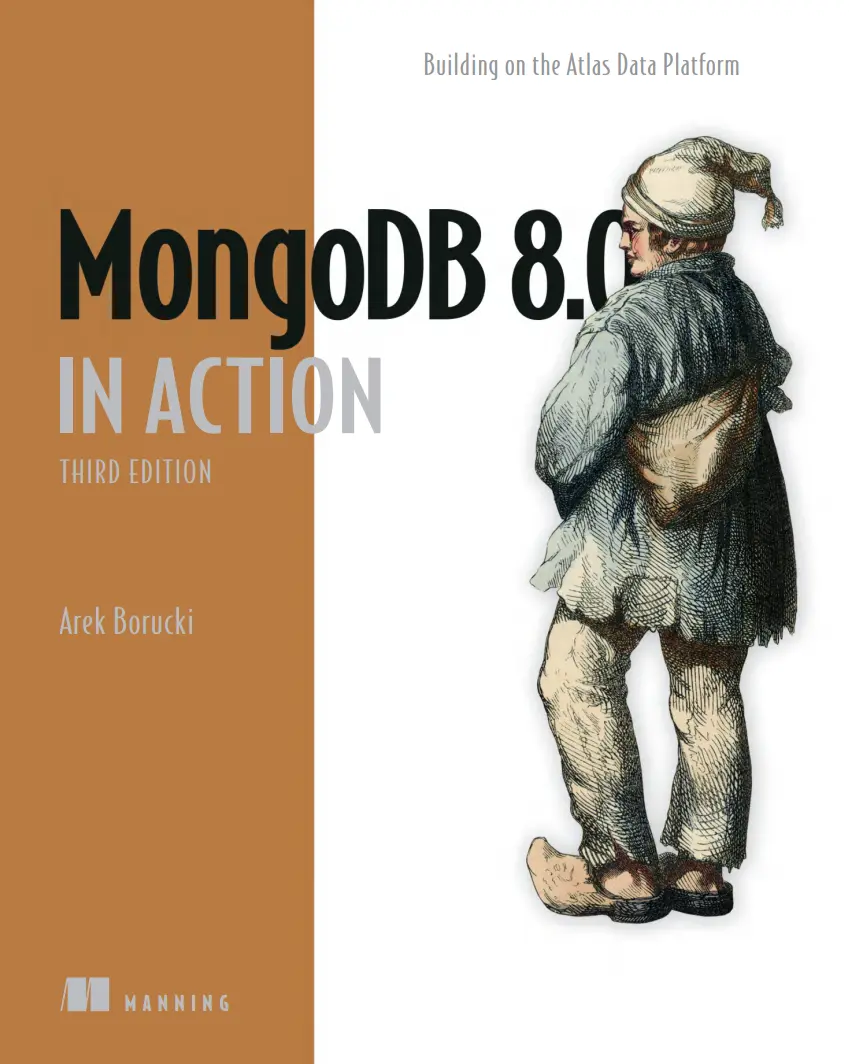
Автор: Borucki Arek
Дата выхода: 2025
Издательство: Manning Publications Co.
Количество страниц: 578
Размер файла: 2,8 МБ
Тип файла: PDF
Добавил: Aleks-5
Проверить на вирусы Дополнительные материалыMongoDB 8.0 in Action, Third Edition....1
brief contents....8
contents....10
preface....20
acknowledgments....22
about this book....24
Who should read this book....24
How this book is organized: A road map....24
About the code....26
liveBook discussion forum....27
about the author....28
about the cover illustration....29
Part 1 A database for modern ....31
1 Understanding the world of MongoDB....33
1.1 Examining the document-oriented data model....34
1.2 Scaling data horizontally....36
1.3 Exploring the MongoDB ecosystem....38
1.3.1 Learning the core MongoDB server features....39
1.3.2 Learning MongoDB Atlas concepts....39
1.4 Enhancing the TCMalloc version....41
1.5 Discovering MongoDB Query API....41
2 Getting started with Atlas and MongoDB data....44
2.1 Setting up your first Atlas cluster using Atlas CLI....45
2.1.1 Installing the Atlas CLI....45
2.1.2 Creating an Atlas account....45
2.1.3 Creating an organization....46
2.1.4 Creating an Atlas project....47
2.1.5 Creating a MongoDB Atlas cluster....48
2.1.6 Navigating the Atlas user interface....49
2.2 Loading a sample data set....49
2.3 Adding an IP address to the project access list....50
2.4 Creating a user....51
2.5 Establishing a connection to MongoDB through MongoDB Shell....51
2.6 Managing data with databases, collections, and documents....53
2.6.1 Working with dynamic schema....53
2.6.2 Working with databases....55
2.6.3 Working with collections....56
2.6.4 Working with documents....61
3 Communicating with MongoDB....64
3.1 Interacting via MongoDB Wire Protocol....65
3.2 Discovering mongosh....65
3.2.1 Connecting to MongoDB Atlas....66
3.2.2 Connecting to self-hosted deployments....66
3.2.3 Performing operations....66
3.2.4 Viewing mongosh logs....68
3.2.5 Running scripts in mongosh....68
3.2.6 Configuring mongosh....70
3.2.7 Using .mongoshrc.js....72
3.3 Playing with MongoDB Compass....73
3.4 Connecting using MongoDB drivers....75
3.5 Using the Node.js driver....75
3.6 Employing Python drivers....79
3.6.1 PyMongo....79
3.6.2 Motor....81
3.6.3 PyMongo vs. Motor....83
3.7 Integrating Ruby drivers....83
3.8 Learning Mongoid....85
4 Executing CRUD operations....87
4.1 Connecting to mongosh for CRUD operations....88
4.2 Inserting documents....88
4.3 Updating documents....91
4.3.1 Using update operators....92
4.3.2 Updating many documents....93
4.4 Updating arrays....94
4.4.1 Adding elements to an array....94
4.4.2 Removing elements from an array....96
4.4.3 Updating array elements....97
4.4.4 Updating using array filters....98
4.5 Replacing documents....100
4.6 Reading documents....101
4.6.1 Using logical operators....102
4.6.2 Using comparison operators....104
4.6.3 Working with projections....105
4.6.4 Searching for null values and absent fields....106
4.7 Performing regular-expression searches....107
4.8 Querying arrays....108
4.9 Querying embedded/nested documents....111
4.9.1 Querying on a nested field with dot notation....112
4.9.2 Matching an embedded/nested document....113
4.9.3 Querying an array of embedded documents....113
4.10 Sorting, skipping, and limiting....114
4.10.1 The sort operation....114
4.10.2 The skip operation....114
4.10.3 The limit operation....115
4.11 Deleting documents....115
4.12 Using bulkWrite()....116
4.13 Understanding cursors....118
4.13.1 Using manual iteration....118
4.13.2 Returning an array of all documents....119
4.14 Employing MongoDB Stable API....119
5 Designing a MongoDB schema....122
5.1 Organizing the MongoDB data model....123
5.1.1 Determining the workload of the application....123
5.1.2 Mapping the schema relationship....125
5.1.3 Applying a design pattern....127
5.2 Embedding vs. referencing....128
5.3 Understanding schema design patterns....131
5.3.1 Approximation pattern....132
5.3.2 Archive pattern....132
5.3.3 Attribute pattern....133
5.3.4 Bucket pattern....134
5.3.5 Computed pattern....135
5.3.6 Document Versioning pattern....136
5.3.7 Extended Reference pattern....136
5.3.8 Outlier pattern....137
5.3.9 Polymorphic pattern....138
5.3.10 Preallocation pattern....139
5.3.11 Schema Versioning pattern....140
5.3.12 Subset pattern....141
5.3.13 Tree pattern....142
5.4 Schema validations....143
5.4.1 Specifying JSON schema validation....144
5.4.2 Testing a schema validation rule....145
5.4.3 Modifying schema validator behavior....147
5.4.4 Bypassing schema validation....148
5.5 MongoDB schema antipatterns....149
6 Building aggregation pipelines....151
6.1 Understanding the aggregation framework....152
6.1.1 Writing an aggregation pipeline....153
6.1.2 Viewing the aggregation pipeline stages....154
6.1.3 Using $set and $unset instead of $project....157
6.1.4 Scenarios for $set and $unset operators....158
6.1.5 Scenario for the $project operator....159
6.1.6 Saving the results of aggregation pipelines....159
6.2 Joining collections....161
6.2.1 Creating a MongoDB view using $lookup....162
6.2.2 Using $lookup with $mergeobjects....163
6.3 Deconstructing arrays with $unwind....164
6.4 Working with accumulators....166
6.5 Using the MongoDB Atlas aggregation pipeline builder....167
7 Indexing for query performance....170
7.1 MongoDB query planner....171
7.1.1 Viewing query plan cache information....171
7.1.2 MongoDB plan cache purges....175
7.2 Supported index types....175
7.2.1 Creating single field indexes....176
7.2.2 Understanding compound indexes....181
7.2.3 Using multikey indexes....186
7.2.4 Using text indexes....188
7.2.5 Creating wildcard index....190
7.2.6 Geospatial indexes....192
7.2.7 Hashed indexes....194
7.3 Dropping indexes....195
7.4 MongoDB index attributes....195
7.4.1 Partial indexes....195
7.4.2 Sparse indexes....196
7.4.3 Time-to-live indexes....197
7.4.4 Hidden indexes....199
7.5 Understanding index builds....200
7.5.1 Monitoring in-progress index builds....201
7.5.2 Terminating in-progress index builds....202
7.6 Managing indexes....202
7.6.1 Discovering the $indexStats aggregation pipeline stage....202
7.6.2 Modifying indexes....203
7.6.3 Controlling index use with hint ()....204
7.6.4 Using indexes with $OR queries....204
7.6.5 Using indexes with the $NE, $NIN, and $NOT operators....205
7.6.6 Ensuring that indexes fit in RAM....205
7.6.7 Sorting on multiple fields....206
7.6.8 Introducing covered queries....207
7.7 When to not use an index....207
8 Executing multidocument ACID transactions....210
8.1 WiredTiger storage engine....211
8.1.1 Snapshots and checkpoints....211
8.1.2 Journaling....212
8.1.3 Compression....212
8.1.4 Memory use....212
8.2 Single-document transaction....212
8.3 Defining ACID....213
8.4 Multidocument transactions....214
8.4.1 Differentiating the Core and Callback APIs....214
8.4.2 Using transactions with mongosh....215
8.4.3 Using transactions with the Callback API....217
8.5 MongoDB transaction considerations....224
9 Using replication and sharding....226
9.1 Ensuring data high availability with replication....227
9.1.1 Distinguishing replica set members....227
9.1.2 Electing primary replica-set member....230
9.1.3 Understanding the oplog collection....231
9.2 Understanding change streams....236
9.2.1 Connections for a change stream....237
9.2.2 Changing streams with Node.js....239
9.2.3 Modifying the output of a change stream....240
9.3 Scaling data horizontally through sharding....241
9.3.1 Viewing sharded cluster architecture....242
9.3.2 Creating sharded clusters via Atlas CLI....244
9.3.3 Working with a shard key....246
9.3.4 Choosing a shard key....246
9.3.5 Using a shard-key analyzer....247
9.3.6 Detecting shard-data imbalance or uneven data distribution....252
9.3.7 Resharding a collection....252
9.3.8 Understanding chunk balancing....254
9.3.9 Administrating chunks....255
9.3.10 Automerging chunks....258
9.4 MongoDB 8.0 sharded cluster features....259
9.4.1 Embedding config servers in sharded clusters....260
9.4.2 Moving unsharded collections seamlessly between shards....260
9.4.3 Fragmentation....261
9.4.4 Faster resharding....261
9.4.5 Unsharding collections....262
9.5 Managing data consistency and availability....263
9.5.1 Write Concern....263
9.5.2 Read Concern....265
9.5.3 Read Preference....267
Part 2 MongoDB Atlas data platform....271
10 Delving into Database as a Service....273
10.1 Shared M0 and Flex clusters....274
10.2 Dedicated clusters....277
10.2.1 Atlas clusters for low-traffic applications....278
10.2.2 Atlas clusters for high-traffic applications....279
10.2.3 Autoscaling clusters and storage....279
10.2.4 Customizing Atlas cluster storage....281
10.3 Atlas Global Clusters....283
10.4 Going multiregion with workload isolation....284
10.4.1 Adding electable nodes for high availability....286
10.4.2 Adding read-only nodes for local reads....286
10.4.3 Using analytics nodes for workload isolation....286
10.5 Using predefined replica set tags for querying....287
10.5.1 Routing queries to analytics nodes....288
10.5.2 Isolating normal application secondary reads from analytics nodes....288
10.5.3 Routing local reads for geographically distributed applications....288
10.6 Understanding the Atlas custom Write Concerns....289
11 Carrying out full-text search using Atlas Search....292
11.1 Implementing full-text search....293
11.2 Understanding Apache Lucene....295
11.3 Getting to know Atlas Search....297
11.3.1 Learning Atlas Search architecture....298
11.3.2 Using Atlas Search Nodes....299
11.3.3 Atlas Search indexes....300
11.4 Building an Atlas Search index....304
11.5 Running Atlas Search queries....308
11.5.1 Using the $search aggregation pipeline stage....309
11.5.2 Executing the $searchMeta aggregation pipeline stage....324
11.6 Learning Atlas Search commands....327
11.7 Using Atlas Search Playground....328
12 Learning semantic techniques and Atlas Vector Search....332
12.1 Starting with embeddings....333
12.1.1 Converting text to embeddings....335
12.1.2 Understanding vector databases....338
12.2 Using embeddings with Atlas Vector Search....339
12.2.1 Building an Atlas Vector Search index....340
12.2.2 Selecting a Vector Search source....340
12.2.3 Defining your Vector Search index....342
12.2.4 Creating an Atlas Vector Search index....344
12.3 Running Atlas Vector Search queries....345
12.3.1 Querying with embeddings....346
12.3.2 Using prefiltering with Atlas Vector Search....350
12.4 Executing vector search with programming languages....352
12.4.1 Using vector search with JavaScript....352
12.4.2 Using vector search and prefiltering with Python....353
12.4.3 Using vector search with prefilters in Ruby....355
12.5 Using Atlas Triggers for automated embeddings creation....356
12.6 Workload isolation with vector search dedicated nodes....361
12.7 Improving Atlas Vector Search performance....361
13 Developing AI applications locally with the Atlas CLI....365
13.1 Introducing local Atlas clusters....366
13.2 Creating an Atlas cluster locally with Atlas CLI....367
13.2.1 Configuring Docker....368
13.2.2 Building your first local Atlas cluster....370
13.3 Managing your local Atlas cluster....371
13.3.1 Stopping, starting, checking, and deleting your local cluster....371
13.3.2 Loading a sample data set....374
13.4 Diving into a local Atlas cluster....376
13.4.1 Displaying processes....379
13.4.2 Executing into the container....380
13.5 Creating search indexes....382
13.5.1 Executing full-text search locally....382
13.5.2 Executing vector search locally....385
14 Building retrieval-augmented generation AI chatbots....388
14.1 Gaining insight into retrieval-augmented generation....389
14.2 Embedding LangChain in the RAG ecosystem....390
14.3 Introducing the MongoDB Atlas Vector Search RAG template....392
14.4 Getting started with AI chatbots....392
14.4.1 Describing LangChain capabilities....393
14.4.2 Starting with the LangChain CLI....394
14.5 Creating an AI-powered MongoDB chatbot....394
14.5.1 Setting up a new application....395
14.5.2 Inserting embeddings into MongoDB Atlas....397
14.5.3 Creating an Atlas Vector Search index....404
14.5.4 Testing a chatbot with LangServe....406
14.5.5 Communicating programmatically with a chatbot....411
15 Building event-driven applications....414
15.1 Understanding event-driven technology....415
15.2 Examining the concepts of stream processing....417
15.2.1 Differentiating event time and processing time....417
15.2.2 Using time windows....418
15.3 Starting with Atlas Stream Processing....418
15.4 Exploring Atlas Stream Processing....420
15.4.1 Discovering Atlas Stream Processing components....420
15.4.2 Understanding Atlas Stream Processing capabilities....422
15.5 Structuring a stream processor aggregation pipeline....424
15.5.1 Taking a deep dive into the $source aggregation stage....425
15.5.2 Using the stream processor $validate aggregation stage....430
15.5.3 Viewing all supported aggregation pipeline stages....430
15.6 Mastering Atlas Stream Processing....432
15.6.1 Adopting new stream processor methods....432
15.6.2 Using the Atlas CLI with stream processing....432
15.6.3 Creating your first stream processor....434
15.6.4 Learning the anatomy of a stream processor....436
15.6.5 Setting up a streams Connection Registry....449
15.6.6 Ensuring persistence in stream processing....450
15.7 Controlling the stream processing flow....455
15.7.1 Capturing the state....455
15.7.2 Using a dead-letter queue....455
15.8 Securing Atlas Stream Processing....456
15.8.1 Discovering new roles....457
15.8.2 Learning new privilege actions....457
15.8.3 Protecting network access....457
15.8.4 Auditing events....457
16 Optimizing data processing with Atlas Data Federation....460
16.1 Querying Amazon S3 and Azure Blob Store data via the Query API....460
16.2 Learning Atlas Data Federation architecture....462
16.3 Deploying an Atlas Federated Database instance....463
16.4 Limitations of Atlas Data Federation....464
16.5 Charges for Atlas Data Federation....465
17 Archiving online with Atlas Online Archive....467
17.1 Archiving your data....468
17.1.1 Seeing how Atlas archives data....468
17.1.2 Deleting archived documents....470
17.2 Initializing Online Archive....470
17.3 Connecting and querying Online Archive....474
17.4 Restoring archived data....476
18 Querying Atlas using SQL....479
18.1 Introducing the Atlas SQL interface....480
18.2 Connecting to the Atlas SQL interface....481
18.2.1 Enabling the interface....481
18.2.2 Accessing the interface....482
18.3 Querying MongoDB using SQL....483
18.3.1 Aggregation pipeline Atlas SQL syntax....483
18.3.2 Short-form Atlas SQL syntax....484
18.3.3 UNWIND and FLATTEN with Atlas SQL....485
19 Creating charts, database triggers, and functions....489
19.1 Visualizing data with Atlas Charts....490
19.1.1 Using natural language to build visualizations....492
19.1.2 Using billing dashboards....495
19.2 Atlas Application Services....496
19.2.1 Triggering server-side logic with Atlas Database Triggers....497
19.2.2 Writing Atlas Functions....504
Part 3 MongoDB security and operations....509
20 Understanding Atlas and MongoDB security features....511
20.1 Understanding the shared responsibility model....512
20.2 Managing authentication....515
20.2.1 Choosing an Atlas database cluster authentication method....516
20.2.2 Integrating with HashiCorp Vault....517
20.2.3 Choosing the authentication method....518
20.3 Handling authorization....518
20.3.1 Understanding the principle of least privilege....519
20.3.2 Differentiating Atlas user roles....519
20.3.3 Using MongoDB RBAC....520
20.4 Auditing Atlas....522
20.5 Encrypting data in Atlas....525
20.5.1 Encrypting data in transit....525
20.5.2 Encrypting data at rest....526
20.5.3 Managing encryption keys yourself....526
20.5.4 Encrypting during processing....527
20.6 Securing the network....530
20.6.1 Using an IP access list....530
20.6.2 Peering networks....531
20.6.3 Using private endpoints....532
20.7 Implementing defense in depth....533
21 Operational excellence with Atlas....537
21.1 Crafting backup strategies and practices....538
21.1.1 Discovering Atlas backup methods....538
21.1.2 Restoring an Atlas cluster....542
21.2 Inspecting the performance of your Atlas cluster....546
21.2.1 Finding slow queries....546
21.2.2 Improving your schema....550
21.2.3 Using native MongoDB diagnostic commands....551
21.3 Alerting and logging....554
21.3.1 Setting alert conditions....554
21.3.2 Logging in Atlas....556
21.4 Upgrading your Atlas cluster....557
index....561
Deliver flexible, scalable, and high-performance data storage that's perfect for AI and other modern applications with MongoDB 8.0 and MongoDB Atlas multi-cloud data platform.
In MongoDB 8.0 in Action, Third Edition you'll find comprehensive coverage of the latest version of MongoDB 8.0 and the MongoDB Atlas multi-cloud data platform. Learn to utilize MongoDB’s flexible schema design for data modeling, scale applications effectively using advanced sharding features, integrate full-text and vector-based semantic search, and more. This totally revised new edition delivers engaging hands-on tutorials and examples that put MongoDB into action!
In MongoDB 8.0 in Action, Third Edition you'll:
- Master new features in MongoDB 8.0
- Create your first, free Atlas cluster using the Atlas CLI
- Design scalable NoSQL databases with effective data modeling techniques
- Master Vector Search for building GenAI-driven applications
- Utilize advanced search capabilities in MongoDB Atlas, including full-text search
- Build Event-Driven Applications with Atlas Stream Processing
- Deploy and manage MongoDB Atlas clusters both locally and in the cloud using the Atlas CLI
- Leverage the Atlas SQL interface for familiar SQL querying
- Use MongoDB Atlas Online Archive for efficient data management
- Establish robust security practices including encryption
- Master backup and restore strategies
- Optimize database performance and identify slow queries
MongoDB 8.0 in Action, Third Edition offers a clear, easy-to-understand introduction to everything in MongoDB 8.0 and MongoDB Atlas—including new advanced features such as embedded config servers in sharded clusters, or moving an unsharded collection to a different shard. The book also covers Atlas stream processing, full text search, and vector search capabilities for generative AI applications. Each chapter is packed with tips, tricks, and practical examples you can quickly apply to your projects, whether you're brand new to MongoDB or looking to get up to speed with the latest version.
About the technology
MongoDB is the database of choice for storing structured, semi-structured, and unstructured data like business documents and other text and image files. MongoDB 8.0 introduces a range of exciting new features—from sharding improvements that simplify the management of distributed data, to performance enhancements that stay resilient under heavy workloads. Plus, MongoDB Atlas brings vector search and full-text search features that support AI-powered applications.
About the book
MongoDB 8.0 in Action, Third Edition you’ll learn how to take advantage of all the new features of MongoDB 8.0, including the powerful MongoDB Atlas multi-cloud data platform. You’ll start with the basics of setting up and managing a document database. Then, you’ll learn how to use MongoDB for AI-driven applications, implement advanced stream processing, and optimize performance with improved indexing and query handling. Hands-on projects like creating a RAG-based chatbot and building an aggregation pipeline mean you’ll really put MongoDB into action!
What's inside
- The new features in MongoDB 8.0
- Get familiar with MongoDB’s Atlas cloud platform
- Utilizing sharding enhancements
- Using vector-based search technologies
- Full-text search capabilities for efficient text indexing and querying
About the reader
For developers and DBAs of all levels. No prior experience with MongoDB required.


