-
1C
-
Agda
-
Agile/Scrum
-
Alef
-
APL
-
Assembler
-
AWK
-
Basic
-
Beta Programming Language
-
Big Data/DataScience
-
C
-
C#
-
C++
-
Cobol
-
Crystal
-
CSS
-
D
-
Dart
-
DataBase (SQL)
-
Delphi
-
F#
-
Flutter
-
Fortran
-
GameDev
-
Git
-
Go (Golang)
-
GPT/AI/ИИ
-
Hacking and Security
-
Haskell
-
HTML
-
Java
-
JavaScript (JS)
-
Julia
-
Kotlin
-
Machine Learning (ML)
-
Natural language processing (NLP)
-
.NET (.NET Core)
-
Pascal
-
PHP
-
Python
-
R
-
Ruby
-
Rust
-
Scratch
-
Swift
-
UML
-
UX/UI
-
Visual Basic
-
Wolfram
-
XML
-
АСУ
-
Проектирование/System Design
-
Сети/Network
-
Статьи
-
Схемотехника/электронные схемы
-
1C
-
Agda
-
Agile/Scrum
-
Alef
-
APL
-
Assembler
-
AWK
-
Basic
-
Beta Programming Language
-
Big Data/DataScience
-
C
-
C#
-
C++
-
Cobol
-
Crystal
-
CSS
-
D
-
Dart
-
DataBase (SQL)
-
Delphi
-
F#
-
Flutter
-
Fortran
-
GameDev
-
Git
-
Go (Golang)
-
GPT/AI/ИИ
-
Hacking and Security
-
Haskell
-
HTML
-
Java
-
JavaScript (JS)
-
Julia
-
Kotlin
-
Machine Learning (ML)
-
Natural language processing (NLP)
-
.NET (.NET Core)
-
Pascal
-
PHP
-
Python
-
R
-
Ruby
-
Rust
-
Scratch
-
Swift
-
UML
-
UX/UI
-
Visual Basic
-
Wolfram
-
XML
-
АСУ
-
Проектирование/System Design
-
Сети/Network
-
Статьи
-
Схемотехника/электронные схемы
Меню
Learn React with TypeScript: A beginner's guide to reactive web development with React 18 and TypeScript. 2 Ed
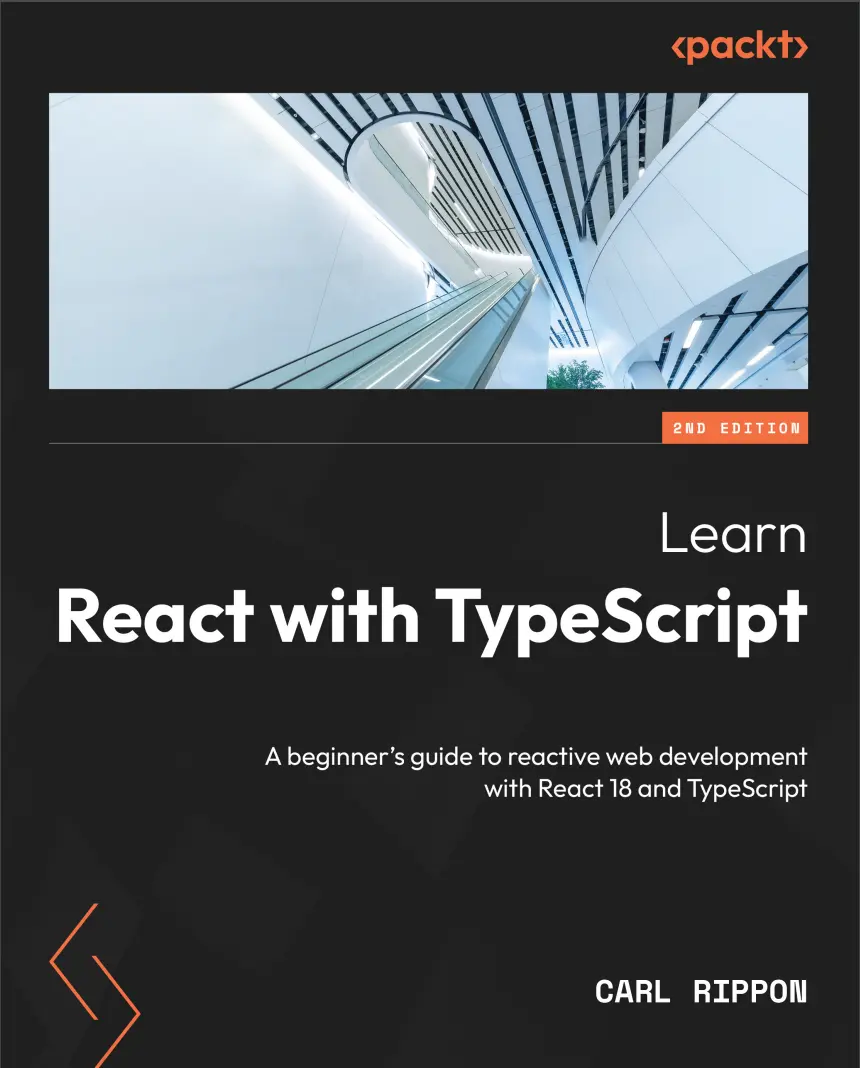
Автор: Rippon Carl
Дата выхода: 2023
Издательство: Packt Publishing Limited
Количество страниц: 474
Размер файла: 3,3 МБ
Тип файла: PDF
Добавил: codelibs
Проверить на вирусы Дополнительные материалыPreface....14
Part 1: Introduction....20
Chapter 1: Introducing React....22
Technical requirements....23
Understanding the benefits of React....23
Understanding JSX....24
Creating a component....27
Creating a CodeSandbox project....27
Understanding the React entry point....28
Understanding the React component tree....29
Creating a basic alert component....30
Understanding imports and exports....33
Understanding the importance of modules....33
Using export statements....33
Using import statements....35
Adding Alert to the App component....35
Using props....37
Understanding props....37
Adding props to the alert component....38
Using state....41
Understanding state....41
Implementing a visible state in the alert component....42
Adding a close button to Alert....43
Using events....46
Understanding events....46
Implementing a close button click handler in the alert....47
Implementing an alert close event....48
Summary....51
Questions....51
Answers....53
Chapter 2: Introducing TypeScript....56
Technical requirements....56
Understanding the benefits of TypeScript....57
Understanding TypeScript....57
Catching type errors early....58
Improving developer experience and productivity with IntelliSense....60
Understanding JavaScript types....61
Using basic TypeScript types....63
Using type annotations....63
Using type inference....65
Using the Date type....66
Using the any type....68
Using the unknown type....68
Using the void type....71
Using the never type....72
Using arrays....74
Creating TypeScript types....75
Using object types....75
Creating type aliases....77
Creating interfaces....79
Creating classes....80
Creating enumerations....83
Creating union types....85
Using the TypeScript compiler....87
Summary....91
Questions....92
Answers....92
Chapter 3: Setting Up React and TypeScript....94
Technical requirements....94
Creating a project with webpack....95
Introducing webpack....95
Creating the folder structure....95
Creating package.json....95
Adding a web page....96
Adding TypeScript....96
Adding React....98
Adding Babel....100
Adding webpack....102
Creating a project with Create React App....107
Using Create React App....107
Adding linting to Visual Studio Code....108
Adding code formatting....110
Starting the app in development mode....113
Producing a production build....115
Creating a React and TypeScript component....116
Adding a props type....116
Adding a state type....118
Using React DevTools....119
Summary....123
Questions....123
Answers....124
Chapter 4: Using React Hooks....126
Technical requirements....126
Using the effect Hook....127
Understanding the effect Hook parameters....127
The rules of Hooks....128
Effect cleanup....130
Creating the project....131
Fetching data using the effect Hook....133
Using state Hooks....136
Using useState....137
Understanding useReducer....140
Using useReducer....141
Using the ref Hook....144
Understanding the ref Hook....144
Using the ref Hook....145
Using the memo Hook....148
Understanding the memo Hook....148
Using the memo Hook....149
Using the callback Hook....151
Understanding the callback Hook....151
Understanding when a component is re-rendered....152
Using the callback Hook....153
Summary....158
Questions....159
Answers....162
Part 2: App Fundamentals....164
Chapter 5: Approaches to Styling React Frontends....166
Technical requirements....166
Using plain CSS....167
Creating the project....167
Understanding how to reference CSS....167
Using plain CSS in the alert component....169
Experiencing CSS clashes....173
Using CSS modules....174
Understanding CSS modules....174
Using CSS modules in the alert component....175
Using CSS-in-JS....178
Understanding CSS-in-JS....179
Using Emotion in the alert component....180
Using Tailwind CSS....184
Understanding Tailwind CSS....184
Installing and configuring Tailwind CSS....186
Using Tailwind CSS....187
Using SVGs....191
Understanding how to use SVGs in React....191
Adding SVGs to the alert component....192
Summary....194
Questions....194
Answers....196
Chapter 6: Routing with React Router....198
Technical requirements....199
Introducing React Router....199
Creating the project....199
Understanding React Router....199
Installing React Router....200
Declaring routes....200
Creating the products list page....200
Understanding React Router’s router....203
Declaring the products route....204
Creating navigation....206
Using the Link component....207
Using the NavLink component....210
Using nested routes....211
Understanding nested routes....211
Using nested routes in the app....214
Using route parameters....216
Understanding route parameters....216
Using route parameters in the app....217
Creating an error page....222
Understanding error pages....222
Adding an error page....223
Using index routes....226
Understanding index routes....226
Using an index route in the app....226
Using search parameters....228
Understanding search parameters....228
Adding search functionality to the app....229
Navigating programmatically....233
Using form navigation....235
Implementing lazy loading....237
Understanding React lazy loading....237
Adding a lazy admin page to the app....238
Summary....241
Questions....241
Answers....244
Chapter 7: Working with Forms....246
Technical requirements....246
Using controlled fields....247
Creating the project....247
Creating a contact form....248
Using uncontrolled fields....255
Using React Router Form....257
Using native validation....262
Using React Hook Form....265
Understanding React Hook Form....265
Using React Hook Form....268
Adding validation....271
Summary....277
Questions....277
Answers....280
Part 3: Data....282
Chapter 8: State Management....284
Technical requirements....284
Creating the project....285
Using prop drilling....289
Using React context....293
Understanding React context....293
Using React context....295
Using Redux....301
Understanding Redux....301
Installing Redux....304
Using Redux....304
Summary....310
Questions....311
Answers....312
Chapter 9: Interacting with RESTful APIs....314
Technical requirements....314
Creating the project....315
Setting up the project....315
Understanding the component structure....315
Creating a REST API....316
Using the effect hook with fetch....318
Getting blog posts using fetch....318
Strongly typing response data....319
Creating a blog posts list component....322
Creating a blog posts page component....323
Posting data with fetch....327
Creating new blog posts using fetch....327
Creating a blog post form component....329
Using React Router....335
Understanding React Router data loading....335
Using React Router for data loading....336
Deferred React Router data fetching....338
Using React Query....341
Installing React Query....341
Adding the React Query provider....341
Getting data using React Query....342
Updating data using React Query....346
Using React Router with React Query....349
Summary....352
Questions....352
Answers....353
Chapter 10: Interacting with GraphQL APIs....356
Technical requirements....356
Understanding the GraphQL syntax....357
Returning flat data....357
Returning hierarchical data....360
Specifying query parameters....362
GraphQL mutations....363
Setting up the project....365
Creating the project....365
Creating a PAT for the GitHub GraphQL API....365
Creating environment variables....366
Using React Query with fetch....367
Creating the header....367
Creating the repository page....373
Using Apollo Client....385
Understanding Apollo Client....385
Installing Apollo Client....385
Refactoring the App component....385
Refactoring the Header component....386
Refactoring the repository page....387
Summary....390
Questions....390
Answers....392
Part 4: Advanced React....394
Chapter 11: Reusable Components....396
Technical requirements....396
Creating the project....397
Using generic props....397
Understanding generics....397
Creating a basic list component....399
Using props spreading....403
Using render props....406
Understanding the render props pattern....406
Adding a renderItem prop....407
Adding checked functionality....410
Creating custom hooks....413
Understanding custom hooks....413
Extracting checked logic into a custom hook....414
Allowing the internal state to be controlled....417
Understanding how the internal state can be controlled....417
Allowing checkedIds to be controlled....419
Summary....424
Questions....425
Answers....428
Chapter 12: Unit Testing with Jest and React Testing Library....432
Technical requirements....433
Testing pure functions....433
Understanding a Jest test....433
Testing isChecked....435
Testing exceptions....436
Running tests....438
Testing components....441
Understanding React Testing Library....442
Implementing checklist component tests....444
Using test IDs....446
Simulating user interactions....448
Understanding fireEvent and user-event....449
Implementing checklist tests for checking items....449
Getting code coverage....453
Running code coverage....454
Understanding the code coverage report....454
Gaining full coverage on the checklist component....457
Ignoring files in the coverage report....458
Summary....459
Questions....460
Answers....461
Index....462
Other Books You May Enjoy....471
Reading, navigating, and debugging a large frontend codebase is a major issue faced by frontend developers. This book is designed to help web developers like you learn about ReactJS and TypeScript, both of which power large-scale apps for many organizations.
This second edition of Learn React with TypeScript is updated, enhanced, and improved to cover new features of React 18 including hooks, state management libraries, and features of TypeScript 4. The book will enable you to create well-structured and reusable React components that are easy to read and maintain, leveraging modern design patterns.
You’ll be able to ensure that all your components are type-safe, making the most of TypeScript features, including some advanced types. You’ll also learn how to manage complex states using Redux and how to interact with a GraphQL web API. Finally, you’ll discover how to write robust unit tests for React components using Jest.
By the end of the book, you’ll be well-equipped to use both React and TypeScript.
What you will learn
- Gain first-hand experience of TypeScript and its productivity features
- Understand how to transpile your TypeScript code into JavaScript for running in a browser
- Build a React frontend codebase with hooks
- Interact with REST and GraphQL web APIs
- Design and develop strongly typed reusable components
- Create automated component tests
Who this book is for
This book is for experienced frontend developers looking to build large scale web applications using React and TypeScript. Intermediate knowledge of JavaScript, HTML and CSS is a prerequisite.


