-
1C
-
Agda
-
Agile/Scrum
-
Alef
-
APL
-
Assembler
-
AWK
-
Basic
-
Beta Programming Language
-
Big Data/DataScience
-
C
-
C#
-
C++
-
Cobol
-
Crystal
-
CSS
-
D
-
Dart
-
DataBase (SQL)
-
Delphi
-
F#
-
Flutter
-
Fortran
-
GameDev
-
Git
-
Go (Golang)
-
GPT/AI/ИИ
-
Hacking and Security
-
Haskell
-
HTML
-
Java
-
JavaScript (JS)
-
Julia
-
Kotlin
-
Machine Learning (ML)
-
Natural language processing (NLP)
-
.NET (.NET Core)
-
Pascal
-
PHP
-
Python
-
R
-
Ruby
-
Rust
-
Scratch
-
Swift
-
UML
-
UX/UI
-
Visual Basic
-
Wolfram
-
XML
-
АСУ
-
Проектирование/System Design
-
Сети/Network
-
Статьи
-
Схемотехника/электронные схемы
-
1C
-
Agda
-
Agile/Scrum
-
Alef
-
APL
-
Assembler
-
AWK
-
Basic
-
Beta Programming Language
-
Big Data/DataScience
-
C
-
C#
-
C++
-
Cobol
-
Crystal
-
CSS
-
D
-
Dart
-
DataBase (SQL)
-
Delphi
-
F#
-
Flutter
-
Fortran
-
GameDev
-
Git
-
Go (Golang)
-
GPT/AI/ИИ
-
Hacking and Security
-
Haskell
-
HTML
-
Java
-
JavaScript (JS)
-
Julia
-
Kotlin
-
Machine Learning (ML)
-
Natural language processing (NLP)
-
.NET (.NET Core)
-
Pascal
-
PHP
-
Python
-
R
-
Ruby
-
Rust
-
Scratch
-
Swift
-
UML
-
UX/UI
-
Visual Basic
-
Wolfram
-
XML
-
АСУ
-
Проектирование/System Design
-
Сети/Network
-
Статьи
-
Схемотехника/электронные схемы
Меню
Head First C#: A Learner's Guide to Real-World Programming with C# and .NET. 5 Ed
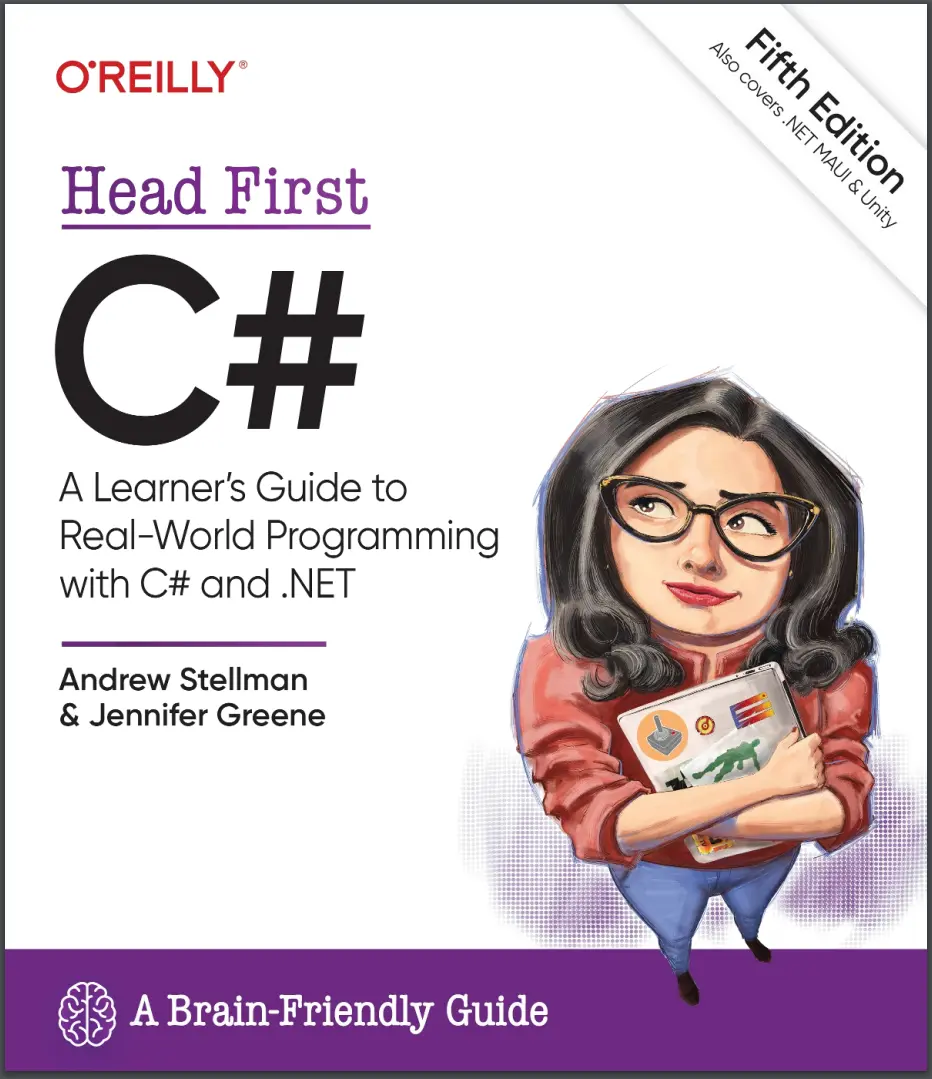
Автор: Greene Jennifer , Stellman Andrew
Дата выхода: 2024
Издательство: O’Reilly Media, Inc.
Количество страниц: 838
Размер файла: 62,7 МБ
Тип файла: PDF
Добавил: codelibs
Проверить на вирусы Дополнительные материалыTitle page....6
Copyright....8
About the authors....10
Table of Contents....10
Introduction....31
Who is this book for?....32
We know what you’re thinking....33
We know what your brain is thinking....33
Metacognition: thinking about thinking....35
Here’s what WE did....36
README.md....38
The technical review team....40
Acknowledgments....42
Chapter 1....43
Learn C#…and learn to become a great developer....44
Write code and explore C# with Visual Studio ....45
Install Visual Studio Community Edition....46
Run Visual Studio....47
Create and run your first C# project in Visual Studio....48
You can use Visual Studio Code with Head First C#....54
Install the C# extensions....55
Create and run your first project in Visual Studio Code....56
Set up Visual Studio Code for the next project....59
Let’s build a game!....60
Break up large projects into smaller parts....62
Here’s how you’ll build your game....63
Create a .NET MAUI project in Visual Studio....64
Run your new .NET MAUI app....66
MAUI apps work on all of your devices....67
Here’s the page that you’ll build....68
Start editing your XAML code....69
Add the XAML for a Button and a Label....70
Use a FlexLayout to make a grid of animal buttons....76
Write C# code to add the animals to the buttons....80
Start editing the PlayAgainButton event handler method....81
Add more statements to your event handler....82
Add animals to your buttons....84
Run your app! ....88
Visual Studio makes it easy to use Git....93
Add C# code to handle mouse clicks....94
Enter the code for the event handler....97
Run your app and find all the pairs....98
Finish the game by adding a timer....101
Add a timer to your game’s code....102
Finish the code for your game....104
Even better ifs…....106
Chapter 2....107
Take a closer look at the files in your console app....108
Statements are the building blocks for your apps....110
Statements live inside methods....111
Your methods use variables to work with data....112
Generate a new method to work with variables....114
Add code that uses operators to your method....115
Use the debugger to watch your variables change....116
Use code snippets to help write loops....118
Use operators to work with variables....119
if statements make decisions....120
Loops perform an action over and over....121
Controls drive the mechanics of your user interfaces....130
Other controls you’ll use in this book....131
Build a .NET MAUI app to experiment with controls....132
Create a new app to experiment with controls....133
Explore your new MAUI app and figure out how it works....134
Add an Entry control to your app....138
Add properties to your Entry control....139
Make your Entry control update a Label control....140
Combine horizontal and vertical stack layouts....145
Add a Picker control to display a list of choices....146
Unity Lab #1....153
Unity is a powerful tool for game design....154
Download Unity Hub....155
Use Unity Hub to create a new project....156
Your scene is a 3D environment....158
Unity games are made with GameObjects....159
Use the Move Gizmo to move your GameObjects....160
The Inspector shows your GameObject’s components....161
Add a material to your Sphere GameObject....162
Rotate your sphere....165
Get creative!....168
Chapter 3....169
Classes help you organize your code....170
If code is useful, classes can help you reuse it....171
Some methods take parameters and return a value....172
Visual Studio helps you explore parameters and return values....173
Let’s build an app that picks random cards....174
You’ll use an array to store the cards....175
Create an app with a Main method....176
Add a class called CardPicker to your app....178
Use Quick Actions to remove unnecessary using lines....180
Convert between namespace styles....181
Use the new keyword to create an array of strings....182
Ana’s working on her next game....187
Ana’s game is evolving…....188
Build a paper prototype for a classic game....190
Build a MAUI version of your random card app....192
Make your MAUI app pick random cards....195
Reuse your CardPicker class....196
Add a using directive to use code in another namespace....197
Ana's prototypes look great…....199
Ana can use objects to solve her problem....200
You use a class to build an object....201
When you create a new object from a class, it’s called an instance of that class....202
A better solution for Ana…brought to you by objects....203
An instance uses fields to keep track of things....207
Thanks for the memory....210
What’s on your app’s mind....211
Sometimes code can be difficult to read....212
Most code doesn’t come with a manual....213
Use intuitive class and method names....214
Build a class to work with some guys....220
There’s an easier way to initialize objects with C# ....222
Use the C# Interactive window or csi to run C# code....230
Chapter 4....231
Owen could use our help!....232
Character sheets store different types of data on paper....233
A variable’s type determines what kind of data it can store....234
C# has several types for storing integers....235
Types for storing really HUGE and really numbers....236
Let’s talk about strings....237
A literal is a value written directly into your code....238
A variable is like a data to-go cup....241
Other types come in different sizes too....242
10 pounds of data in a 5-pound bag....243
Casting lets you copy values that C# can’t automatically convert to another type....244
C# does some conversions automatically....247
When you call a method, the arguments need to be compatible with the types of the parameters....248
Owen is constantly improving his game…....250
Let’s help Owen experiment with ability scores....252
Fix the compiler error by adding a cast....254
Use reference variables to access your objects....264
References are like sticky notes for your objects....265
If there aren’t any more references,your object gets garbage-collected....266
Multiple references and their side effects....268
Two references mean TWO variables that can change the same object’s data....275
Objects use references to talk to each other....276
Arrays hold multiple values....278
Arrays can contain reference variables....279
null means a reference points to nothing....283
Use the string? type when a string might be null....285
Welcome to Sloppy Joe’s Budget House o’ Discount Sandwiches!....288
Sloppy Joe's menu app uses a Grid layout....289
Grid controls ....290
Define the rows and columns for a Grid....291
Create the Sloppy Joe's menu app and set up the grid....292
The C# code for the main page....294
Can we make the app more accessible? ....297
Use the SetValue method to change a control’s semantic properties....298
Unity Lab #2....299
C# scripts add behavior to your GameObjects....300
Add a C# script to your GameObject....301
Write C# code to rotate your sphere....302
Add a breakpoint and debug your game....304
Use the debugger to understand Time.deltaTime....305
Add a cylinder to show where the Y axis is....306
Add fields to your class for the rotation angle and speed....307
Use Debug.DrawRay to explore how 3D vectors work....308
Run the game to see the ray in the Scene view....309
Rotate your ball around a point in the scene....310
Use Unity to take a closer look at rotation and vectors....311
Get creative!....312
Chapter 5....313
Let’s help Owen roll for damage....314
Create a console app to calculate damage....315
Design a MAUI version of the damage calculator app....317
Tabletop talk (or maybe…dice discussion?)....321
Let’s try to fix that bug....322
Use Debug.WriteLine to print diagnostic information....323
It’s easy to accidentally misuse your objects....326
Encapsulation means keeping some data in a class private....327
Use encapsulation to control access to your class’s methods and fields....328
But is the RealName field REALLY protected?....329
Private fields and methods can only be accessed from instances of the same class....330
Why encapsulation? Think of an object as an opaque box…....335
Let’s use encapsulation toimprove the SwordDamage class....339
Encapsulation keeps your data safe....340
Write a console app to test the PaintballGun class....341
Properties make encapsulation easier....342
Modify your top-level statements to use the Balls property....343
Auto-implemented properties simplify your code....344
Use a private setter to create a read-only property....345
What if we want to change the magazine size?....346
Use a constructor with parameters to initialize properties....347
Specify arguments when you use the new keyword....348
Initialize fields and properties inline or in the constructor....355
Make the screen reader announce each roll....363
A few useful facts about methods and properties....364
Chapter 6....367
Calculate damage for MORE weapons....368
Use a switch statement to match several candidates....369
One more thing…can we calculate damage for a dagger? And a mace? And a staff? and.......371
When your classes use inheritance, you only need to write your code once....372
Build up your class model by starting general and getting more specific....373
How would you design a zoo simulator?....374
Different animals have different behaviors....376
Every subclass extends its base class....379
Any place where you can use a base class, you can use one of its subclasses instead....380
Use a colon to extend a base class....384
We know that inheritance adds the base class fields, properties, and methods to the subclass…....385
A subclass can override methods to change or replace members it inherited....386
Some members are only implemented in a subclass....391
Use the debugger to understand how overriding works....392
Build an app to explore virtual and override....394
A subclass can hide methods in the base class....396
Use the override and virtual keywords to inherit behavior....398
A subclass can access its base class using the base keyword....400
When a base class has a constructor, your subclass needs to call it....401
A subclass and base class can have different constructors....402
It’s time to finish the job for Owen....403
A class should do one thing....408
Build a beehive management system....412
How the Beehive Management System app works....413
The page uses a grid to lay out the controls for the UI....414
The Beehive Management System class model....417
All bees in the system extend the Bee class....418
All the constants are in their own static class....419
The worker bees extend the Bee class....420
The Queen class: how she manages the worker bees....423
Here’s the code-behind for MainPage.xaml.cs....424
Feedback drives your beehive management game....430
The Beehive Management System is turn-based…now let’s convert it to real-time....432
Some classes should never be instantiated....434
An abstract class is an intentionally incomplete class....436
Like we said, some classes should never be instantiated....438
An abstract method doesn’t have a body....439
Abstract properties work just like abstract methods....440
The Deadly Diamond of Death....443
Unity Lab #3....445
Let’s build a game in Unity!....446
Create a new material inside the Materials folder....447
Spawn a billiard ball at a random point in the scene....448
Use the debugger to understand Random.value....449
Turn your GameObject into a prefab....450
Create a script to control the game....451
Attach the GameController script to the Main Camera....452
Press Play to run your code....453
Use the Inspector to work with GameObject instances ....454
Use physics to keep balls from overlapping....455
Get creative!....456
Chapter 7....457
The beehive is under attack!....458
We could use casting to call the DefendHive method…....459
An interface defines methods and properties that a class must implement…....460
Interfaces let unrelated classes do the same job....461
Get a little practice using interfaces....462
If you’re given… What’s the picture?....464
If you’re given… What’s the declaration?....465
You can’t instantiate an interface, but you can reference an interface....468
Interface references are ordinary object references....471
The RoboBee 4000 can do a worker bee’s job without using valuable honey....472
The IWorker's Job property is a hack....476
Use is to check the type of an object....477
Use is to access methods in a subclass....478
What if we want different animals to swim or hunt in packs?....480
Use interfaces to work with classes that do the same job....481
Safely navigate your class hierarchy with is....482
C# has another tool for safe type conversion: the as keyword....483
Use upcasting and downcasting tomove up and down a class hierarchy....484
A quick example of upcasting ....485
Upcasting turns your CoffeeMaker into an Appliance....486
Downcasting turns your Appliance back into a CoffeeMaker....487
Upcasting and downcasting work with interfaces too....488
Interfaces can inherit from other interfaces....490
Interfaces can have static members....497
Default implementations give bodies to interface methods....498
Add a ScareAdults method with a default implementation....499
Data binding updates MAUI controls automatically....501
Add data binding to the default MAUI app....502
Make Moods implement the INotifyPropertyChanged interface....504
Use the PropertyChanged event to make data binding work....505
Polymorphism means that one object can take many different forms....511
Chapter 8....515
If a constructor just sets fields, use a primary constructor instead....516
A primary constructor can extend a base constructor....517
Strings don’t always work for storing categories of data....518
Enums let you work with a set of valid values....519
Enums let you represent numbers with names ....520
We could use an array to create a deck of cards…....523
Arrays can be annoying to work with....524
Lists make it easy to store collections of…anything....525
Lists are more flexible than arrays....526
Let’s build an app to store shoes....529
Generic collections can store any type....532
You can use collection expressions to create Lists....538
Let’s create a List of Ducks....539
Sorting lists can be tricky....540
IComparable helps your List sort its Ducks....541
Use IComparer to tell your List how to sort....542
Create an instance of your comparer object....543
Comparers can do complex comparisons....544
Overriding a ToString method lets an object describe itself ....547
Update your foreach loops to let your Ducks and Cards write themselves to the console....548
You can upcast an entire list using IEnumerable....552
Use a Dictionary to store keys and values....554
The Dictionary functionality rundown....555
Write an app that uses a Dictionary ....557
And yet MORE collection types… ....558
A queue is FIFO—first in, first out....559
A stack is LIFO—last in, first out....560
CollectionView is a MAUI control built for displaying collections....566
ObservableCollection is a collection made for data binding....567
Add your Card class to the project....568
Use XAML to instantiate your objects for data binding....571
Modify your app to use a resource Dictionary....572
Modify the event handlers to use the resource Dictionary....574
Use what you’ve learned to build an app with two decks....575
Unity Lab #4....581
Add a score that goes up when the player clicks a ball....582
Add two different modes to your game....583
Add game mode to your game....584
Add a UI to your game....586
Set up the Text that will display the score in the UI....587
Add a Button that calls a method to start the game....588
Make the Play Again button and Score Text work....589
Finish the code for the game....590
Get creative!....594
Chapter 9....595
Jimmy’s a Captain Amazing superfan…....596
…but his collection’s all over the place....597
Use LINQ to query your collections....598
LINQ works with any sequence....600
LINQ’s query syntax....603
LINQ works with objects....605
Use a LINQ query to finish the app for Jimmy....606
The var keyword lets C# figure out variable types for you....608
LINQ is versatile....614
LINQ queries aren’t run until you access their results....615
Use a group query to separate your sequence into groups....616
Use join queries to merge data from two sequences....619
Use the new keyword to create anonymous types ....620
Unit tests help you make sure your code works....629
Start writing your first test method....630
Give your unit tests access to the classes they’re testing....631
One project can only access public classes in another project....632
Use the Arrange-Act-Assert pattern to write an effective test....633
Finish your first unit test....634
Write a unit test for the GetReviews method....636
Write unit tests to handle edge cases and weird data....637
Use the => operator to create lambda expressions....640
Refactor a clown with lambdas....642
Use the ?: operator to make your lambdas make choices....645
LINQ queries are made up of methods....646
LINQ declarative syntax can be refactored into chained methods....648
Use the => operator to create switch expressions....651
Explore the Enumerable class....655
Create an enumerable sequence by hand....656
Use yield return to create your own sequences....657
Use yield return to refactor ManualSportSequence....658
Downloadable exercise: Go Fish....662
Chapter 10....663
.NET uses streams to read and write data....664
Different streams read and write different things....665
A FileStream reads and writes bytes in a file....666
Write text to a file in three simple steps....667
The Swindler launches another diabolical plan....668
Use a StreamReader to read a file....671
Data can go through more than one stream....672
Use the static File and Directory classes to work with files and directories....676
IDisposable makes sure objects are closed properly....679
Avoid filesystem errors with using statements....680
Use a MemoryStream to stream data to memory....681
What happens to an object when it’s serialized?....687
But what exactly IS an object’s state?What needs to be saved?....688
When an object is serialized, all of the objects it refers to get serialized too…....689
Use JsonSerializer to serialize your objects....690
JSON only includes data, not specific C# types....693
Next up: we’ll take a deep dive into our data....695
C# strings are encoded with Unicode....697
Visual Studio works really well with Unicode....699
.NET uses Unicode to store characters and text ....700
C# can use byte arrays to move data around....702
Use a BinaryWriter to write binary data....703
Use BinaryReader to read the data back in....704
A hex dump lets you see the bytes in your files....706
Use StreamReader to build a hex dumper....707
Use Stream.Read to read bytes from a stream....708
Modify your hex dumper to read directly from the stream....709
Run your app from the command line....710
Pass command-line arguments to an app run in the IDE....711
Downloadable exercise: Hide and Seek....714
Unity Lab #5....715
Create a new Unity project and start to set up the scene....716
Set up the camera....717
Create a GameObject for the player....718
Introducing Unity’s navigation system....719
Install the AI Navigation package....720
Things you’ll do with navigation....721
Set up the NavMesh....722
Make your player automatically navigate the play area....725
Chapter 11....728
The life and death of an object....732
Use the GC class (with caution) to force garbage collection....733
Your last chance to DO something…your object’s finalizer....734
When EXACTLY does a finalizer run?....735
Finalizers can’t depend on other objects....737
A struct looks like an object…....741
Values get copied; references get assigned....742
Structs are value types; objects are reference types....743
The stack vs. the heap: more on memory....745
Use out parameters to make a methodreturn more than one value....748
Pass by reference using the ref modifier ....749
Use optional parameters to set default values....750
A null reference doesn’t refer to any object....751
Non-nullable reference types help you avoid NREs....752
Nullable value types can be null…and handled safely....755
The null-coalescing operator ?? checks for nulls automatically....756
“Captain” Amazing…not so much....757
Records give your objects value equality automatically....759
Don’t modify records—copy them....760
Extension methods add new behavior to EXISTING classes....765
Extending a fundamental type: string....766
Chapter 12....773
Your hex dumper reads a filenamefrom the command line....774
When your program throws an exception, the CLR generates an Exception object....778
All Exception objects inherit from System.Exception....779
There are some files you just can’t dump....782
What happens when a method you want to call is risky?....783
Handle exceptions with try and catch....784
Use the debugger to follow the try/catch flow....785
If you have code that ALWAYS needs to run, use a finally block....786
Catch-all exceptions handle System.Exception....787
Use the right exception for the situation....792
Exception filters help you create precise handlers....796
The worst catch block EVER: catch-all plus comments....798
Temporary solutions are OK (temporarily)....799
Use NuGet to add a logging library to your app....801
Add logging to your ExceptionExperiment app....802
Unity Lab #6....805
Let’s pick up where the last Unity Lab left off....806
Add a platform to your scene....807
Use bake options to make the platform walkable....808
Include the stairs and ramp in the NavMesh....809
Make the player navigate around the obstacles....811
Get creative!....812
Downloadable exercise: animal match boss battle....813
Thank you for reading our book!....814
Index....815
Create apps, games, and more using this engaging, highly visual introduction to C#, .NET, and Visual Studio. In the first chapter you'll dive right in, building a fully functional game using C# and .NET MAUI that can run on Windows, Mac, and even Android and iOS devices. You'll learn how to use classes and object-oriented programming, create 3D games in Unity, and query data with LINQ. And you'll do it all by solving puzzles, doing hands-on exercises, and building real-world applications. Interested in a development career? You'll learn important development techniques and ideas—many who learned to code with this book are now professional developers, team leads, coding streamers, and more. There's no experience required except the desire to learn. And this is the best place to start.
What's so special about this book?
If you've read a Head First book, you know what to expect: a visually rich format designed for the way your brain works. If you haven't, you're in for a treat. With this book, you'll learn C# through a multisensory experience that engages your mind—rather than a text-heavy approach that puts you to sleep.


