-
1C
-
Agda
-
Agile/Scrum
-
Alef
-
APL
-
Assembler
-
AWK
-
Basic
-
Beta Programming Language
-
Big Data/DataScience
-
C
-
C#
-
C++
-
Cobol
-
Crystal
-
CSS
-
D
-
Dart
-
DataBase (SQL)
-
Delphi
-
F#
-
Flutter
-
Fortran
-
GameDev
-
Git
-
Go (Golang)
-
GPT/AI/ИИ
-
Hacking and Security
-
Haskell
-
HTML
-
Java
-
JavaScript (JS)
-
Julia
-
Kotlin
-
Machine Learning (ML)
-
Natural language processing (NLP)
-
.NET (.NET Core)
-
Pascal
-
PHP
-
Python
-
R
-
Ruby
-
Rust
-
Scratch
-
Swift
-
UML
-
UX/UI
-
Visual Basic
-
Wolfram
-
XML
-
АСУ
-
Проектирование/System Design
-
Сети/Network
-
Статьи
-
Схемотехника/электронные схемы
-
1C
-
Agda
-
Agile/Scrum
-
Alef
-
APL
-
Assembler
-
AWK
-
Basic
-
Beta Programming Language
-
Big Data/DataScience
-
C
-
C#
-
C++
-
Cobol
-
Crystal
-
CSS
-
D
-
Dart
-
DataBase (SQL)
-
Delphi
-
F#
-
Flutter
-
Fortran
-
GameDev
-
Git
-
Go (Golang)
-
GPT/AI/ИИ
-
Hacking and Security
-
Haskell
-
HTML
-
Java
-
JavaScript (JS)
-
Julia
-
Kotlin
-
Machine Learning (ML)
-
Natural language processing (NLP)
-
.NET (.NET Core)
-
Pascal
-
PHP
-
Python
-
R
-
Ruby
-
Rust
-
Scratch
-
Swift
-
UML
-
UX/UI
-
Visual Basic
-
Wolfram
-
XML
-
АСУ
-
Проектирование/System Design
-
Сети/Network
-
Статьи
-
Схемотехника/электронные схемы
Меню
Hacks, Leaks, and Revelations: The Art of Analyzing Hacked and Leaked Data
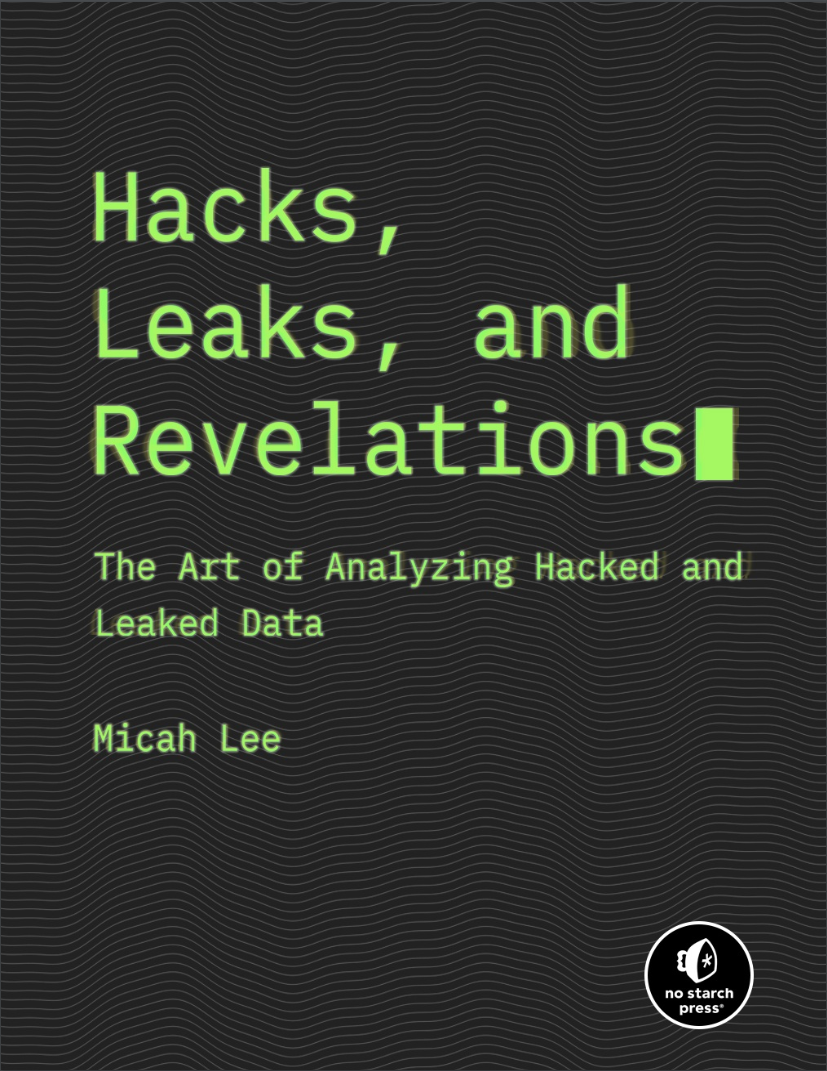
Автор: Lee Micah
Дата выхода: 2024
Издательство: No Starch Press, Inc.
Количество страниц: 706
Размер файла: 5,6 МБ
Тип файла: PDF
Добавил: codelibs
Проверить на вирусы Дополнительные материалыPraise for Hacks, Leaks, and Revelations....12
Title Page....14
Copyright....15
Dedication....17
About the Author and Technical Reviewer....18
Acknowledgments....19
Introduction....20
Why I Wrote This Book....21
What You’ll Learn....22
What You’ll Need....26
Part I: Sources and Datasets....28
1. Protecting Sources and Yourself....29
Safely Communicating with Sources....30
Working with Public Data....31
Protecting Sensitive Information....31
Minimizing the Digital Trail....32
Working with Hackers and Whistleblowers....33
Secure Storage for Datasets....34
Low-Sensitivity Datasets....34
Medium-Sensitivity Datasets....35
High-Sensitivity Datasets....36
Authenticating Datasets....38
The AFLDS Dataset....39
The WikiLeaks Twitter Group Chat....40
Redaction....44
What Data to Publish....44
What to Redact....45
Making Requests for Comment....48
Password Managers....49
Disk Encryption....53
Exercise 1-1: Encrypt Your Internal Disk....54
Windows....55
macOS....57
Linux....57
Exercise 1-2: Encrypt a USB Disk....58
Windows....59
macOS....62
Linux....62
Protecting Yourself from Malicious Documents....63
Exercise 1-3: Install and Use Dangerzone....65
Summary....67
2. Acquiring Datasets....69
The End of WikiLeaks....70
Distributed Denial of Secrets....72
Downloading Datasets with BitTorrent....73
The Origins of BlueLeaks....75
Exercise 2-1: Download the BlueLeaks Dataset....76
Communicating with Encrypted Messaging Apps....77
Exercise 2-2: Install and Practice Using Signal....80
Encrypting Messages with PGP....80
Staying Anonymous Online with Tor and OnionShare....81
Exercise 2-3: Play with Tor and OnionShare....86
Communicating with My Tea Party Patriots Source....87
Other Options for Acquiring Datasets from Sources....88
Encrypted USB Drives....89
Virtual Private Servers....90
Whistleblower Submission Systems....91
Summary....92
Part II: Tools of the Trade....93
3. The Command Line Interface....94
Introducing the Command Line....95
The Shell....95
Users and Paths....96
User Privileges....97
Exercise 3-1: Install Ubuntu in Windows....99
Basic Command Line Usage....102
Opening a Terminal....103
Clearing Your Screen and Exiting the Shell....104
Exploring Files and Directories....104
Navigating Relative and Absolute Paths....107
Changing Directories....107
Using the help Argument....109
Accessing Man Pages....110
Tips for Navigating the Terminal....110
Entering Commands with Tab Completion....110
Editing Commands....112
Dealing with Spaces in Filenames....112
Using Single Quotes Around Double Quotes....114
Installing and Uninstalling Software with Package Managers....115
Exercise 3-2: Manage Packages with Homebrew on macOS....116
Exercise 3-3: Manage Packages with apt on Windows or Linux....119
Exercise 3-4: Practice Using the Command Line with cURL....122
Download a Web Page with cURL....122
Save a Web Page to a File....123
Text Files vs. Binary Files....124
Exercise 3-5: Install the VS Code Text Editor....125
Exercise 3-6: Write Your First Shell Script....127
Navigate to Your USB Disk....127
Create an Exercises Folder....128
Open a VS Code Workspace....129
Write the Shell Script....130
Run the Shell Script....131
Exercise 3-7: Clone the Book’s GitHub Repository....133
Summary....134
4. Exploring Datasets in the Terminal....135
Introducing for Loops....135
Exercise 4-1: Unzip the BlueLeaks Dataset....138
Unzip Files on macOS or Linux....138
Unzip Files on Windows....141
Organize Your Files....143
How the Hacker Obtained the BlueLeaks Data....144
Exercise 4-2: Explore BlueLeaks on the Command Line....146
Calculate How Much Disk Space Folders Use....146
Use Pipes and Sort Output....148
Create an Inventory of Filenames in a Dataset....150
Count the Files in a Dataset....151
Exercise 4-3: Find Revelations in BlueLeaks with grep....152
Filter for Documents Mentioning Antifa....152
Filter for Certain Types of Files....154
Use grep with Regular Expressions....155
Search Files in Bulk with grep....156
Encrypted Data in the BlueLeaks Dataset....159
Data Analysis with Servers in the Cloud....161
Exercise 4-4: Set Up a VPS....164
Generate an SSH Key....164
Add Your Public Key to the Cloud Provider....165
Create a VPS....166
SSH into Your Server....167
Start a Byobu Session....169
Install Updates....170
Exercise 4-5: Explore the Oath Keepers Dataset Remotely....170
Summary....177
5. Docker, Aleph, and Making Datasets Searchable....178
Introducing Docker and Linux Containers....179
Exercise 5-1: Initialize Docker Desktop on Windows and macOS....180
Exercise 5-2: Initialize Docker Engine on Linux....181
Running Containers with Docker....183
Running an Ubuntu Container....183
Listing and Killing Containers....185
Mounting and Removing Volumes....186
Passing Environment Variables....192
Running Server Software....192
Freeing Up Disk Space....195
Exercise 5-3: Run a WordPress Site with Docker Compose....196
Make a docker-compose.yaml File....196
Start Your WordPress Site....198
Introducing Aleph....200
Exercise 5-4: Run Aleph Locally in Linux Containers....201
Using Aleph’s Web and Command Line Interfaces....204
Indexing Data in Aleph....206
Exercise 5-5: Index a BlueLeaks Folder in Aleph....207
Mount Your Datasets into the Aleph Shell....207
Index the icefishx Folder....208
Check Indexing Status....209
Explore BlueLeaks with Aleph....212
Additional Aleph Features....214
Dedicated Aleph Servers....216
Summary....218
6. Reading Other People’s Email....219
The Email Protocol and Message Structure....220
File Formats for Email Dumps....222
EML Files....222
MBOX Files....223
PST Outlook Data Files....223
Exercise 6-1: Download Email Dumps from Three Datasets....224
The Nauru Police Force Dataset....224
The Oath Keepers Dataset....225
The Heritage Foundation Dataset....225
Researching Email Dumps with Thunderbird....226
Exercise 6-2: Configure Thunderbird for Email Dumps....227
Reading Individual EML Files with Thunderbird....228
Exercise 6-3: Import the Nauru Police Force EML Email Dump....229
Searching Email in Thunderbird....231
Quick Filter Searches....232
The Search Messages Dialog....232
Exercise 6-4: Import the Oath Keepers MBOX Email Dump....233
Exercise 6-5: Import the Heritage Foundation PST Email Dump....234
Other Tools for Researching Email Dumps....237
Microsoft Outlook....237
Aleph....240
Summary....241
Part III: Python Programming....243
7. An Introduction to Python....244
Exercise 7-1: Install Python....245
Windows....245
Linux....245
macOS....245
Exercise 7-2: Write Your First Python Script....246
Python Basics....247
The Interactive Python Interpreter....248
Comments....248
Math with Python....249
Strings....252
Exercise 7-3: Write a Python Script with Variables, Math, and Strings....253
Lists and Loops....255
Defining and Printing Lists....256
Running for Loops....259
Control Flow....261
Comparison Operators....262
if Statements....263
Nested Code Blocks....265
Searching Lists....266
Logical Operators....267
Exception Handling....269
Exercise 7-4: Practice Loops and Control Flow....272
Functions....275
The def Keyword....275
Default Arguments....277
Return Values....278
Docstrings....281
Exercise 7-5: Practice Writing Functions....282
Summary....283
8. Working with Data in Python....284
Modules....284
Python Script Template....287
Exercise 8-1: Traverse the Files in BlueLeaks....288
List the Filenames in a Folder....288
Count the Files and Folders in a Folder....290
Traverse Folders with os.walk()....292
Exercise 8-2: Find the Largest Files in BlueLeaks....294
Third-Party Modules....297
Exercise 8-3: Practice Command Line Arguments with Click....300
Avoiding Hardcoding with Command Line Arguments....302
Exercise 8-4: Find the Largest Files in Any Dataset....303
Dictionaries....305
Defining Dictionaries....305
Getting and Setting Values....306
Navigating Dictionaries and Lists in the Conti Chat Logs....308
Exploring Dictionaries and Lists Full of Data in Python....308
Selecting Values in Dictionaries and Lists....312
Analyzing Data Stored in Dictionaries and Lists....313
Exercise 8-5: Map Out the CSVs in BlueLeaks....318
Accept a Command Line Argument....319
Loop Through the BlueLeaks Folders....320
Fill Up the Dictionary....321
Display the Output....324
Reading and Writing Files....326
Opening Files....326
Writing Lines to a File....327
Reading Lines from a File....328
Exercise 8-6: Practice Reading and Writing Files....329
Summary....332
Part IV: Structured Data....333
9. Blueleaks, Black Lives Matter, and the CSV File Format....334
Installing Spreadsheet Software....335
Introducing the CSV File Format....336
Exploring CSV Files with Spreadsheet Software and Text Editors....338
My BlueLeaks Investigation....342
Focusing on a Fusion Center....342
Introducing NCRIC....343
Investigating a SAR....343
Reading and Writing CSV Files in Python....349
Exercise 9-1: Make BlueLeaks CSVs More Readable....351
Accept the CSV Path as an Argument....352
Loop Through the CSV Rows....353
Display CSV Fields on Separate Lines....354
How to Read Bulk Email from Fusion Centers....357
Lists of Black Lives Matter Demonstrations....358
“Intelligence” Memos from the FBI and DHS....363
A Brief HTML Primer....365
Exercise 9-2: Make Bulk Email Readable....367
Accept the Command Line Arguments....368
Create the Output Folder....369
Define the Filename for Each Row....370
Write the HTML Version of Each Bulk Email....372
Discovering the Names and URLs of BlueLeaks Sites....379
Exercise 9-3: Make a CSV of BlueLeaks Sites....381
Open a CSV for Writing....382
Find All the Company.csv Files....383
Add BlueLeaks Sites to the CSV....385
Summary....388
10. Blueleaks Explorer....389
Undiscovered Revelations in BlueLeaks....390
Exercise 10-1: Install BlueLeaks Explorer....391
Create the Docker Compose Configuration File....391
Bring Up the Containers....392
Initialize the Databases....393
The Structure of NCRIC....395
Exploring Tables and Relationships....396
Searching for Keywords....399
Building Your Own BlueLeaks Structure....400
Defining the JRIC Structure....401
Showing Useful Fields....404
Changing Field Types....407
Adding JRIC’s Leads Table....409
Building a Relationship....411
Verifying BlueLeaks Data....414
Exercise 10-2: Finish Building the Structure for JRIC....416
The Technology Behind BlueLeaks Explorer....417
The Backend....418
The Frontend....418
Summary....419
11. Parler, the January 6 Insurrection, and the JSON File format....420
The Origins of the Parler Dataset....421
How the Parler Videos Were Archived....421
The Dataset’s Impact on Trump’s Second Impeachment....423
Exercise 11-1: Download and Extract Parler Video Metadata....424
Download the Metadata....424
Uncompress and Download Individual Parler Videos....426
Extract Parler Metadata....429
The JSON File Format....431
Understanding JSON Syntax....432
Parsing JSON with Python....435
Handling Exceptions with JSON....438
Tools for Exploring JSON Data....440
Counting Videos with GPS Coordinates Using grep....440
Formatting and Searching Data with the jq Command....442
Exercise 11-2: Write a Script to Filter for Videos with GPS from January 6, 2021....444
Accept the Parler Metadata Path as an Argument....445
Loop Through Parler Metadata Files....446
Filter for Videos with GPS Coordinates....448
Filter for Videos from January 6, 2021....450
Working with GPS Coordinates....452
Searching by Latitude and Longitude....452
Converting Between GPS Coordinate Formats....454
Calculating GPS Distance in Python....457
Finding the Center of Washington, DC....459
Exercise 11-3: Update the Script to Filter for Insurrection Videos....460
Plotting GPS Coordinates on a Map with simplekml....465
Exercise 11-4: Create KML Files to Visualize Location Data....467
Create a KML File for All Videos with GPS Coordinates....469
Create KML Files for Videos from January 6, 2021....473
Visualizing Location Data with Google Earth....476
Viewing Metadata with ExifTool....481
Summary....483
12. Epik Fail, Extremism Research, and SQL Databases....484
The Structure of SQL Databases....485
Relational Databases....486
Clients and Servers....487
Tables, Columns, and Types....489
Exercise 12-1: Create and Test a MySQL Server Using Docker and Adminer....490
Run the Server....490
Connect to the Database with Adminer....492
Create a Test Database....493
Exercise 12-2: Query Your SQL Database....494
INSERT Statements....495
SELECT Statements....497
JOIN Clauses....503
UPDATE Statements....508
DELETE Statements....508
Introducing the MySQL Command Line Client....509
Exercise 12-3: Install and Test the Command Line MySQL Client....510
MySQL-Specific Queries....512
The History of Epik....515
The Epik Hack....516
Epik’s WHOIS Data....518
Exercise 12-4: Download and Extract Part of the Epik Dataset....521
Exercise 12-5: Import Epik Data into MySQL....522
Create a Database for api_system....522
Import api_system Data....522
Exploring Epik’s SQL Database....524
The domain Table....525
The privacy Table....527
The hosting and hosting_server Tables....530
Working with Epik Data in the Cloud....532
Summary....535
Part V: Case Studies....537
13. Pandemic Profiteers and Covid-19 Disinformation....538
The Origins of AFLDS....540
The Cadence Health and Ravkoo Datasets....543
Extracting the Data into an Encrypted File Container....543
Analyzing the Data with Command Line Tools....545
Creating a Single Spreadsheet of Patients....554
Calculating Revenue from Prescriptions Filled by Ravkoo....560
Finding the Price and Quantity of Drugs Sold....560
Categorizing Prescription Data by Drug....564
A Deeper Look at the Cadence Health Patient Data....568
Finding Cadence’s Partners....568
Searching for Patients by City....572
Searching for Patients by Age....577
Authenticating the Data....582
The Aftermath....584
HIPAA’s Breach Notification Rule....585
Congressional Investigation....585
Simone Gold’s New Business Venture....586
Scandal and Infighting at AFLDS....587
Summary....588
14. Neo-Nazis and their Chatrooms....589
How Antifascists Infiltrated Neo-Nazi Discord Servers....591
Analyzing Leaked Chat Logs....592
Making JSON Files Readable....593
Exploring Objects, Keys, and Values with jq....594
Converting Timestamps....601
Finding Usernames....602
The Discord History Tracker....604
A Script to Search the JSON Files....607
My Discord Analysis Code....613
Designing the SQL Database....614
Importing Chat Logs into the SQL Database....619
Building the Web Interface....627
Using Discord Analysis to Find Revelations....635
The Pony Power Discord Server....639
The Launch of DiscordLeaks....643
The Aftermath....644
The Lawsuit Against Unite the Right....645
The Patriot Front Chat Logs....646
Summary....647
Afterword....648
A. Solutions to Common WSL Problems....650
Understanding WSL’s Linux Filesystem....651
The Disk Performance Problem....654
Solving the Disk Performance Problem....655
Storing Only Active Datasets in Linux....655
Storing Your Linux Filesystem on a USB Disk....656
Next Steps....662
B. Scraping the Web....664
Legal Considerations....665
HTTP Requests....666
Scraping Techniques....667
Loading Pages with HTTPX....667
Parsing HTML with Beautiful Soup....674
Automating Web Browsers with Selenium....682
Next Steps....689
Index....691
Data-science investigations have brought journalism into the 21st century, and—guided by The Intercept’s infosec expert Micah Lee— this book is your blueprint for uncovering hidden secrets in hacked datasets.Unlock the internet’s treasure trove of public interest data with Hacks, Leaks, and Revelations by Micah Lee, an investigative reporter and security engineer. This hands-on guide blends real-world techniques for researching large datasets with lessons on coding, data authentication, and digital security. All of this is spiced up with gripping stories from the front lines of investigative journalism.Dive into exposed datasets from a wide array of sources: the FBI, the DHS, police intelligence agencies, extremist groups like the Oath Keepers, and even a Russian ransomware gang. Lee’s own in-depth case studies on disinformation-peddling pandemic profiteers and neo-Nazi chatrooms serve as blueprints for your research.Gain practical skills in searching massive troves of data for keywords like “antifa” and pinpointing documents with newsworthy revelations. Get a crash course in Python to automate the analysis of millions of files.
You will also learn how to:
- Master encrypted messaging to safely communicate with whistleblowers.
- Secure datasets over encrypted channels using Signal, Tor Browser, OnionShare, and SecureDrop.
- Harvest data from the BlueLeaks collection of internal memos, financial records, and more from over 200 state, local, and federal agencies.
- Probe leaked email archives about offshore detention centers and the Heritage Foundation.
- Analyze metadata from videos of the January 6 attack on the US Capitol, sourced from the Parler social network.
We live in an age where hacking and whistleblowing can unearth secrets that alter history. Hacks, Leaks, and Revelations is your toolkit for uncovering new stories and hidden truths. Crack open your laptop, plug in a hard drive, and get ready to change history.


