-
1C
-
Agda
-
Agile/Scrum
-
Alef
-
APL
-
Assembler
-
AWK
-
Basic
-
Beta Programming Language
-
Big Data/DataScience
-
C
-
C#
-
C++
-
Cobol
-
Crystal
-
CSS
-
D
-
Dart
-
DataBase (SQL)
-
Delphi
-
F#
-
Flutter
-
Fortran
-
GameDev
-
Git
-
Go (Golang)
-
GPT/AI/ИИ
-
Hacking and Security
-
Haskell
-
HTML
-
Java
-
JavaScript (JS)
-
Julia
-
Kotlin
-
Machine Learning (ML)
-
Natural language processing (NLP)
-
.NET (.NET Core)
-
Pascal
-
PHP
-
Python
-
R
-
Ruby
-
Rust
-
Scratch
-
Swift
-
UML
-
UX/UI
-
Visual Basic
-
Wolfram
-
XML
-
АСУ
-
Проектирование/System Design
-
Сети/Network
-
Статьи
-
Схемотехника/электронные схемы
-
1C
-
Agda
-
Agile/Scrum
-
Alef
-
APL
-
Assembler
-
AWK
-
Basic
-
Beta Programming Language
-
Big Data/DataScience
-
C
-
C#
-
C++
-
Cobol
-
Crystal
-
CSS
-
D
-
Dart
-
DataBase (SQL)
-
Delphi
-
F#
-
Flutter
-
Fortran
-
GameDev
-
Git
-
Go (Golang)
-
GPT/AI/ИИ
-
Hacking and Security
-
Haskell
-
HTML
-
Java
-
JavaScript (JS)
-
Julia
-
Kotlin
-
Machine Learning (ML)
-
Natural language processing (NLP)
-
.NET (.NET Core)
-
Pascal
-
PHP
-
Python
-
R
-
Ruby
-
Rust
-
Scratch
-
Swift
-
UML
-
UX/UI
-
Visual Basic
-
Wolfram
-
XML
-
АСУ
-
Проектирование/System Design
-
Сети/Network
-
Статьи
-
Схемотехника/электронные схемы
Меню
CSS in Depth. 2 Ed
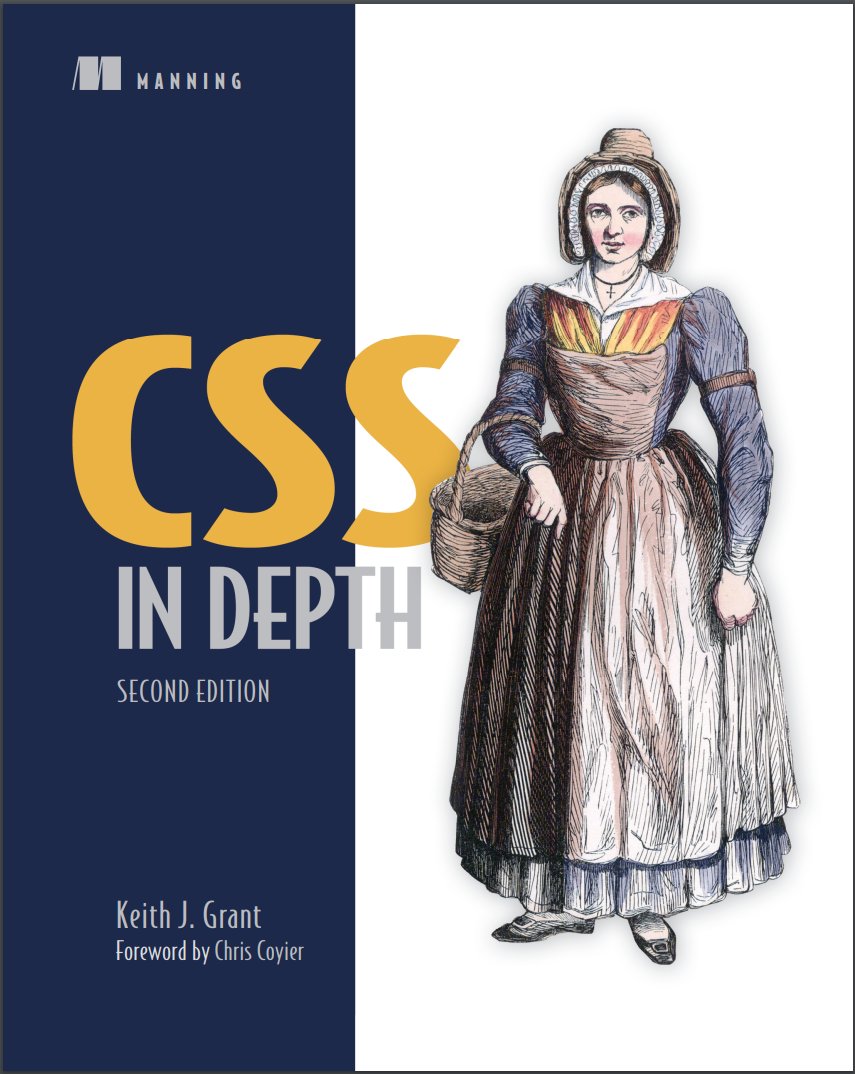
Автор: Grant Keith J.
Дата выхода: 2024
Издательство: Manning Publications Co.
Количество страниц: 545
Размер файла: 10,2 МБ
Тип файла: PDF
Добавил: codelibs
Проверить на вирусы Дополнительные материалыCSS in Depth, Second Edition....1
Praise for the first edition....3
brief contents....7
contents....9
foreword....17
preface....19
acknowledgments....21
about this book....23
Who should read this book?....23
How this book is organized: A roadmap....24
Code conventions and repository....25
liveBook discussion forum....26
Browser versions....27
about the author....28
about the cover illustration....29
Part 1—Reviewing the fundamentals....31
1 Cascade, specificity, and inheritance....33
1.1 The cascade....35
1.1.1 Stylesheet origin....38
1.1.2 Inline styles....41
1.1.3 Selector specificity....41
1.1.4 Source order....46
1.2 Inheritance....49
1.3 Special values....51
1.3.1 The inherit keyword....51
1.3.2 The initial keyword....53
1.3.3 The unset keyword....53
1.3.4 The revert keyword....54
1.4 Shorthand properties....55
1.4.1 Beware shorthands silently overriding other styles....55
1.4.2 Remember the order of shorthand values....56
1.5 Progressive enhancement....59
1.5.1 Using the cascade for progressive enhancement....59
1.5.2 Progressively enhancing selectors....60
1.5.3 Feature queries using @supports()....61
Summary....63
2 Working with relative units....65
2.1 The power of relative units....66
2.1.1 The rise of responsive design....66
2.2 Ems and rems....67
2.2.1 Using ems to define font-size....69
2.2.2 Using rems for font-size....73
2.3 Stop thinking in pixels....74
2.3.1 Setting a sane default font size....75
2.3.2 Making the panel responsive....77
2.3.3 Resizing a single component....78
2.4 Viewport-relative units....80
2.4.1 Selecting from the newer viewport units....82
2.4.2 Using viewport units for font size....84
2.5 Unitless numbers and line-height....85
2.6 Custom properties (aka CSS variables)....87
2.6.1 Changing custom properties dynamically....89
Summary....91
3 Document flow and the box model....92
3.1 Normal document flow....93
3.1.1 Centering content horizontally....95
3.1.2 Using logical properties....97
3.1.3 Adopting useful shorthand logical properties....99
3.2 The box model....100
3.2.1 Avoiding magic numbers....102
3.2.2 Adjusting the box model....103
3.2.3 Using universal border box sizing....104
3.3 Element height....105
3.3.1 Controlling overflow behavior....105
3.3.2 Using alternatives to percentage-based heights....106
3.3.3 Using min-height and max-height....107
3.4 Negative margins....108
3.5 Collapsed margins....109
3.5.1 Collapsing between text....110
3.5.2 Collapsing multiple margins....110
3.5.3 Collapsing outside a container....111
3.6 Spacing elements within a container....113
3.6.1 Considering changing content....115
3.6.2 Creating a more general solution....116
Summary....118
Part 2—Mastering layout....121
4 Flexbox....123
4.1 Flexbox principles....124
4.1.1 Building a basic flexbox menu....127
4.1.2 Adding padding and spacing....128
4.2 Flex item sizes....130
4.2.1 Flex basis....132
4.2.2 Flex grow....132
4.2.3 Flex shrink....134
4.2.4 Some practical examples....135
4.3 Flex direction....136
4.3.1 Changing the flex direction....138
4.3.2 Styling the login form....139
4.4 Alignment, spacing, and other details....140
4.4.1 Understanding flex container properties....144
4.4.2 Understanding flex item properties....146
4.4.3 Using alignment properties....147
Summary....148
5 Grid layout....149
5.1 Building a basic grid....150
5.2 Anatomy of a grid....152
5.2.1 Numbering grid lines....157
5.2.2 Working together with flexbox....158
5.3 Alternate syntaxes....162
5.3.1 Naming grid lines....162
5.3.2 Naming grid areas....164
5.4 Explicit and implicit grid....166
5.4.1 Adding variety....170
5.4.2 Adjusting grid items to fill the grid track....172
5.5 Subgrid....176
5.5.1 Additional options....180
5.6 Alignment properties....180
Summary....182
6 Positioning and stacking contexts....183
6.1 Fixed positioning....184
6.1.1 Creating a modal dialog with fixed positioning....184
6.1.2 Preventing the screen from scrolling while the modal dialog is open....188
6.1.3 Controlling the size of positioned elements....189
6.2 Absolute positioning....190
6.2.1 Absolutely positioning the Close button....190
6.2.2 Positioning a pseudo-element....191
6.3 Relative positioning....192
6.3.1 Creating a dropdown menu....193
6.3.2 Creating a CSS triangle....196
6.4 Stacking contexts and z-index....199
6.4.1 Understanding the rendering process and stacking order....199
6.4.2 Manipulating stacking order with z-index....201
6.4.3 Understanding stacking contexts....202
6.5 Sticky positioning....205
Summary....208
7 Responsive design....209
7.1 Mobile first....210
7.1.1 Creating a mobile menu....218
7.1.2 Adding the viewport meta tag....221
7.2 Media queries....222
7.2.1 Understanding types of media queries....224
7.2.2 Adding breakpoints to the page....227
7.2.3 Adding responsive columns....230
7.3 Fluid layouts....232
7.3.1 Adding styles for a large viewport....233
7.3.2 Dealing with tables....234
7.4 Responsive images....236
7.4.1 Using multiple images for different viewport sizes....236
7.4.2 Using srcset to serve the correct image....237
Summary....238
Part 3—Modern code organization....239
8 Cascade layers and nesting....241
8.1 Manipulating the cascade with layers....242
8.1.1 Defining layers....242
8.1.2 Layer order and priority....246
8.1.3 The revert-layer keyword....249
8.2 A recommended organization for cascade layers....251
8.2.1 Reset layer....251
8.2.2 Theme layer....253
8.2.3 Global layer....254
8.2.4 Layout layer....255
8.2.5 Modules layer....256
8.2.6 Utilities layer....257
8.2.7 Additional layers....258
8.3 The :is() and :where() pseudo-classes....258
8.3.1 More forgiving selectors....259
8.3.2 Manipulating specificity....259
8.4 Nesting....260
8.4.1 Using the nesting selector....261
8.4.2 Understanding the nuances of the nesting selector....263
8.4.3 Nesting media queries and other at-rules....265
Summary....267
9 Modular CSS and scope....268
9.1 Defining modules....269
9.1.1 Modules and global styles....270
9.1.2 A simple module....271
9.1.3 Variations of a module....272
9.1.4 Modules with multiple elements....276
9.2 Modules composed into larger structures....279
9.2.1 Dividing multiple responsibilities among modules....280
9.2.2 Naming modules....284
9.3 CSS scope....286
9.3.1 Scope proximity....288
9.3.2 Scoping limit....291
9.3.3 Implicit scope....294
9.3.4 Scope and layers....295
9.4 Pattern libraries....295
9.4.1 Using a CSS-first workflow....296
9.4.2 Refactoring and breaking changes....297
Summary....298
10 Container queries....300
10.1 A basic example of a container query....301
10.1.1 Using container size queries....304
10.2 A closer look at containers....306
10.2.1 Container types....306
10.2.2 Container names....308
10.2.3 Containers and modular CSS....309
10.3 Container-relative units....310
10.4 Container style queries....313
10.4.1 Decoupling a module from its container....314
10.4.2 Reducing code duplication....315
Summary....319
Part 4—Visual enhancements....321
11 Color and contrast....323
11.1 Communicating with contrast....325
11.1.1 Establishing patterns....326
11.1.2 Implementing the design....327
11.2 Defining color....329
11.2.1 Gamuts and color spaces....336
11.2.2 CSS color notations....338
11.3 Using OKLCH to work with color....343
11.3.1 Switching the stylesheet to OKLCH....345
11.3.2 Naming color variables....346
11.3.3 Selecting new colors for the palette....348
11.3.4 Deriving colors from others on the page....348
11.4 Considering contrast for font colors....353
Summary....355
12 Typography and spacing....356
12.1 Spacing....357
12.1.1 Using ems vs. px....357
12.1.2 Factoring in line height....359
12.1.3 Spacing inline elements....363
12.2 Web fonts....365
12.3 Google fonts....367
12.4 How @font-face works....371
12.4.1 Font formats and fallbacks....372
12.4.2 Multiple variants of the same typeface....373
12.5 Performance considerations....374
12.5.1 The font-display property....376
12.5.2 Variable fonts....378
12.6 Adjusting space for readability....380
12.6.1 Body copy spacing....381
12.6.2 Headings, small elements, and spacing....383
Summary....386
13 Gradients, shadows, and blend modes....387
13.1 Gradients....388
13.1.1 Multiple color stops....390
13.1.2 Color interpolation....393
13.1.3 Radial gradients....396
13.1.4 Conic gradients....398
13.2 Shadows....400
13.2.1 Adding depth with gradients and shadows....400
13.2.2 Creating elements with a flat design....402
13.2.3 Creating buttons with a hybrid look....403
13.3 Blend modes....404
13.3.1 Tinting an image....406
13.3.2 Types of blend modes....407
13.3.3 Adding texture to an image....408
13.3.4 Mix blend modes....410
Summary....411
14 Masks, shapes, and clipping....413
14.1 Filters....414
14.1.1 Types of filters....416
14.1.2 Backdrop filter....417
14.2 Masks....419
14.2.1 Masking with a gradient....421
14.2.2 Masking using luminance....422
14.2.3 Other mask properties....423
14.3 Clipping paths....424
14.3.1 Polygon clipping paths....426
14.3.2 Firefox clip-path tools....427
14.3.3 Other clip-path types....429
14.4 Floats and shapes....429
14.4.1 Floating....430
14.4.2 Defining a shape....434
Summary....438
Part 5—Adding motion....439
15 Transitions....441
15.1 From here to there....442
15.2 Timing functions....445
15.2.1 Custom Bézier curves....446
15.2.2 Steps....449
15.3 Non-animatable properties....450
15.3.1 Properties that cannot be animated....453
15.3.2 Fading in and out....454
15.4 Transitioning to auto height....456
15.5 Transitioning custom properties....458
Summary....460
16 Transforms....461
16.1 Rotate, translate, scale, and skew....462
16.1.1 Changing the transform origin....465
16.1.2 Applying multiple transforms....466
16.1.3 Individual transform properties....466
16.2 Transforms in motion....467
16.2.1 Scaling up the icon....473
16.2.2 Creating “fly in” labels....476
16.2.3 Staggering the transitions....478
16.3 Animation performance....479
16.3.1 Looking at the rendering pipeline....479
16.4 3D transforms....481
16.4.1 Controlling perspective....482
16.4.2 Implementing advanced 3D transforms....485
Summary....487
17 Animations....489
17.1 Keyframes....490
17.2 Animating 3D transforms....493
17.2.1 Building the layout without animations....493
17.2.2 Adding animation to the layout....496
17.3 Animation delay and fill mode....498
17.4 Conveying meaning through animation....501
17.4.1 Responding to user interaction....501
17.4.2 Drawing the user’s attention....505
17.5 Scroll-based timelines....507
17.6 One final piece of advice....509
Summary....509
Appendix A—Selectors reference....511
A.1 Basic selectors....511
A.2 Combinators....511
A.3 Compound selectors....512
A.4 Pseudo-class selectors....512
A.4.1 General-purpose pseudo-classes....512
A.4.2 Selecting based on position among sibling elements....514
A.4.3 Form field pseudo-classes....515
A.5 Pseudo-element selectors....515
A.6 Attribute selectors....516
Appendix B—Preprocessors....518
B.1 Sass....519
B.1.1 Installing Sass....519
B.1.2 Running Sass....520
B.1.3 Understanding important Sass features....520
B.2 PostCSS....528
B.2.1 Autoprefixer....528
B.2.2 cssnano....529
B.3 Lightning CSS....529
index....531
Symbols....531
Numerics....531
A....531
B....532
C....532
D....534
E....534
F....534
G....535
H....536
I....536
J....536
K....536
L....536
M....537
N....538
O....538
P....538
Q....539
R....539
S....540
T....541
U....542
V....542
W....542
Z....542
Getting good—really good—at CSS means learning everything that CSS is capable of. This totally revised new edition of CSS in Depth expands your CSS skills with the patterns, layouts, and methods you need to deliver truly beautiful front ends.
In CSS in Depth, Second Edition you will learn how to:
- Create a web page with layout methods
- Develop essential website components, like dropdown menus and dialog boxes
- Make your website fully responsive across devices
- Organize your CSS for easy future maintenance
- Implement designer mockups with attention to detail
- Use animations to guide user focus
- Avoid common CSS pitfalls
The more you know about CSS, the more confident you’ll be at tackling any tricky website design! CSS in Depth has given thousands of web developers the tools and the inspiration to make sites that really pop. This second edition is packed with the latest best practices, new CSS language features, and essential advice on how to organize and maintain your CSS codebase.
About the technology
To deliver truly beautiful frontends, you need to know CSS inside and out. And as CSS grows and matures, even experienced CSS developers will find a whole new set of skills to catch up on! This guide will help you discover everything that CSS is capable of—from the must-knows and brand-new features to the hidden insights you won’t find anywhere else!
About the book
CSS in Depth, Second Edition, deep dives into the CSS techniques used by the world’s most skilled web developers. Inside, you’ll learn how to build and organize a modular CSS codebase that’s easy to understand, maintain, and reuse. This new edition is fully revised to cover the CSS standard’s latest additions, including cascade layers, logical properties, new color functions, subgrid, and container queries.
What's inside
- Vertical centering, margin collapsing, and positioning
- Dropdown menus and modal dialog boxes
- Animations to guide user focus
- Avoiding common CSS pitfalls
About the reader
Written for web developers who know the basics of CSS and HTML.


