-
1C
-
Agda
-
Agile/Scrum
-
Alef
-
APL
-
Assembler
-
AWK
-
Basic
-
Beta Programming Language
-
Big Data/DataScience
-
C
-
C#
-
C++
-
Cobol
-
Crystal
-
CSS
-
D
-
Dart
-
DataBase (SQL)
-
Delphi
-
F#
-
Flutter
-
Fortran
-
GameDev
-
Git
-
Go (Golang)
-
GPT/AI/ИИ
-
Hacking and Security
-
Haskell
-
HTML
-
Java
-
JavaScript (JS)
-
Julia
-
Kotlin
-
Machine Learning (ML)
-
Natural language processing (NLP)
-
.NET (.NET Core)
-
Pascal
-
PHP
-
Python
-
R
-
Ruby
-
Rust
-
Scratch
-
Swift
-
UML
-
UX/UI
-
Visual Basic
-
Wolfram
-
XML
-
АСУ
-
Проектирование/System Design
-
Сети/Network
-
Статьи
-
Схемотехника/электронные схемы
-
1C
-
Agda
-
Agile/Scrum
-
Alef
-
APL
-
Assembler
-
AWK
-
Basic
-
Beta Programming Language
-
Big Data/DataScience
-
C
-
C#
-
C++
-
Cobol
-
Crystal
-
CSS
-
D
-
Dart
-
DataBase (SQL)
-
Delphi
-
F#
-
Flutter
-
Fortran
-
GameDev
-
Git
-
Go (Golang)
-
GPT/AI/ИИ
-
Hacking and Security
-
Haskell
-
HTML
-
Java
-
JavaScript (JS)
-
Julia
-
Kotlin
-
Machine Learning (ML)
-
Natural language processing (NLP)
-
.NET (.NET Core)
-
Pascal
-
PHP
-
Python
-
R
-
Ruby
-
Rust
-
Scratch
-
Swift
-
UML
-
UX/UI
-
Visual Basic
-
Wolfram
-
XML
-
АСУ
-
Проектирование/System Design
-
Сети/Network
-
Статьи
-
Схемотехника/электронные схемы
Меню
Conquering JavaScript: Three.js
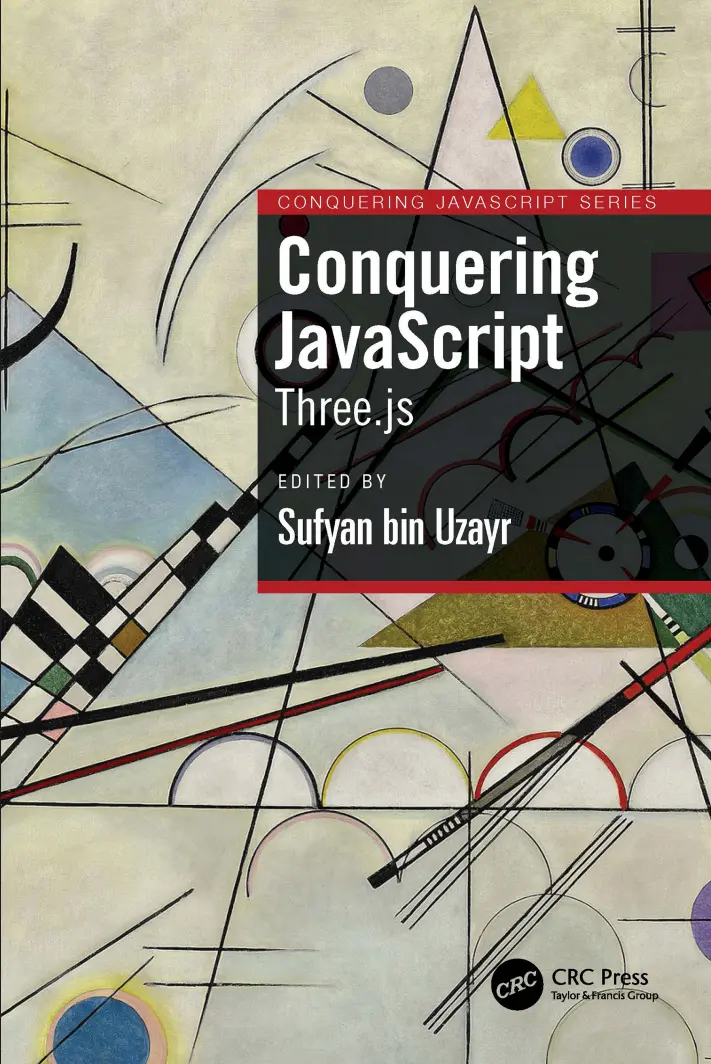
Автор: Bin Uzayr Sufyan
Дата выхода: 2024
Издательство: CRC Press is an imprint of Taylor & Francis Group, LLC
Количество страниц: 212
Размер файла: 1,3 МБ
Тип файла: PDF
Добавил: codelibs
Проверить на вирусыBook title
Inner title
Copyright
Dedicated
About the Authors
About the Reviewer
Acknowledgements
Preface
Code Bundle and Coloured Images
Piracy
Table of Contents
Chapter 1: tkinter Introduction
Introduction
Structure
Objectives
Introduction to tkinter
Basic Python GUI program
Some standard attributes of Python tkinter GUI
Dimensions
highlightthickness
padX, padY
wraplength
height
underline
width
Colors
activebackground
background
activeforeground
foreground
disabledforeground
highlightbackground
selectbackground
selectforeground
Fonts
By creating a font object
By using tuple
Anchors
Placing widget position when anchor = N
Placing widget position when anchor = S
Placing widget position when anchor = E
Placing widget position when anchor = W
Placing widget position when anchor = NE
Placing widget position when anchor = NW
Placing widget position when anchor = SE
Placing widget position when anchor = SW
Placing widget position when anchor = CENTER
Relief styles
Bitmaps
Cursors
Python tkinter geometry management
pack()
grid()
place()
Geometry method in tkinter
Conclusion
Points to remember
Questions
Chapter 2: Inbuilt Variable Classes for Python tkinter GUI Widgets
Introduction
Structure
Objectives
Inbuilt variable classes
StringVar()
BooleanVar()
IntVar()
DoubleVar()
GUI creation using classes and objects
Conclusion
Points to remember
Questions
Chapter 3: Getting Insights of Button Widgets in tkinter
Introduction
Structure
Objectives
tkinter Button Widget
Events and bindings
event type
tkinter Checkbutton widget
tkinter Radiobutton widget
tkinter OptionMenu widget
Conclusion
Points of remember
Questions
Chapter 4: Getting Insights of Input Widgets in tkinter
Introduction
Structure
Objectives
tkinter Entry widget
Validation in the Entry widget
tkinter Scrollbar widget
Scrollbar attached to Listbox
Scrollbar attached to Text
Scrollbar attached to Canvas
Scrollbar attached to Entry
tkinter Spinbox widget
tkinter Scale widget
tkinter Text widget
tkinter Combobox Widget
Conclusion
Points to remember
Questions
Chapter 5: Getting Insights of Display Widgets in tkinter
Introduction
Structure
Objectives
tkinter Label Widget
tkinter Message Widget
tkinter MessageBox Widget
showinfo()
showwarning()
showerror()
askquestion()
askokcancel()
askyesno()
askretrycancel()
Conclusion
Points of remember
Questions
Chapter 6: Getting Insights of Container Widgets in tkinter
Introduction
Structure
Objectives
tkinter Frame Widget
tkinter LabelFrame Widget
tkinter Tabbed/Notebook Widget
tkinter PanedWindow widget
tkinter Toplevel widget
Conclusion
Points of remember
Questions
Chapter 7: Getting Insights of Item Widgets in tkinter
Introduction
Structure
Objectives
tkinter Listbox widget
Conclusion
Points of remember
Questions
Chapter 8: Getting Insights of tkinter User Interactive Widgets
Introduction
Structure
Objectives
tkinter Menu widget
tkinter Menubutton widget
tkinter Canvas widget
Conclusion
Points to remember
Questions
Chapter 9: Handling File Selection in tkinter
Introduction
Structure
Objectives
Handling file selection in tkinter
Conclusion
Points of remember
Questions
Chapter 10: Getting Widget Information and Trace in tkinter
Introduction
Structure
Getting widget information
Trace in tkinter
trace_add()
trace_remove()
trace_info()
Points to remember
Questions
Chapter 11: UserLogin Project in tkinter GUI Library with sqlite3 Database
Introduction
Structure
Objectives
GUI interaction with sqlite3 database
Displaying a GUI application
Conclusion
Points to remember
Questions
Index
Back title
Have you ever considered how these visuals and games are shown in a web browser? What technology is at the heart of it? Of course, employing HTML and CSS alone will not be sufficient. Three.js is a free JavaScript toolkit for displaying images, 3D, and 2D objects in web browsers that enables you to render graphics and 3D objects on a canvas in the web browser using your GPU (Graphics Processing Unit).
Conquering JavaScript: Three.js helps the reader master the Three.js framework for faster and robust development. The book is a detailed guide that will help developers and coders do more with Three.js. It covers the basics in brief, and then moves on to more advanced and detailed exercises to help readers quickly gain the required knowledge.
Key Features:
Examines JavaScript specific content, with emphasis on graphics libraries.
Discusses using Three.js for animated graphic creation.
Provides code optimization tips and solutions.
This book is a valuable reference for Three.js developers as well as those involved in game development, mobile apps, progressive applications, and now even desktop apps.


