-
1C
-
Agda
-
Agile/Scrum
-
Alef
-
APL
-
Assembler
-
AWK
-
Basic
-
Beta Programming Language
-
Big Data/DataScience
-
C
-
C#
-
C++
-
Cobol
-
Crystal
-
CSS
-
D
-
Dart
-
DataBase (SQL)
-
Delphi
-
F#
-
Flutter
-
Fortran
-
GameDev
-
Git
-
Go (Golang)
-
GPT/AI/ИИ
-
Hacking and Security
-
Haskell
-
HTML
-
Java
-
JavaScript (JS)
-
Julia
-
Kotlin
-
Machine Learning (ML)
-
Natural language processing (NLP)
-
.NET (.NET Core)
-
Pascal
-
PHP
-
Python
-
R
-
Ruby
-
Rust
-
Scratch
-
Swift
-
UML
-
UX/UI
-
Visual Basic
-
Wolfram
-
XML
-
АСУ
-
Проектирование/System Design
-
Сети/Network
-
Статьи
-
Схемотехника/электронные схемы
-
1C
-
Agda
-
Agile/Scrum
-
Alef
-
APL
-
Assembler
-
AWK
-
Basic
-
Beta Programming Language
-
Big Data/DataScience
-
C
-
C#
-
C++
-
Cobol
-
Crystal
-
CSS
-
D
-
Dart
-
DataBase (SQL)
-
Delphi
-
F#
-
Flutter
-
Fortran
-
GameDev
-
Git
-
Go (Golang)
-
GPT/AI/ИИ
-
Hacking and Security
-
Haskell
-
HTML
-
Java
-
JavaScript (JS)
-
Julia
-
Kotlin
-
Machine Learning (ML)
-
Natural language processing (NLP)
-
.NET (.NET Core)
-
Pascal
-
PHP
-
Python
-
R
-
Ruby
-
Rust
-
Scratch
-
Swift
-
UML
-
UX/UI
-
Visual Basic
-
Wolfram
-
XML
-
АСУ
-
Проектирование/System Design
-
Сети/Network
-
Статьи
-
Схемотехника/электронные схемы
Меню
C# 12 for Cloud, Web, and Desktop Applications: Modern concepts and techniques for software development with C# 12
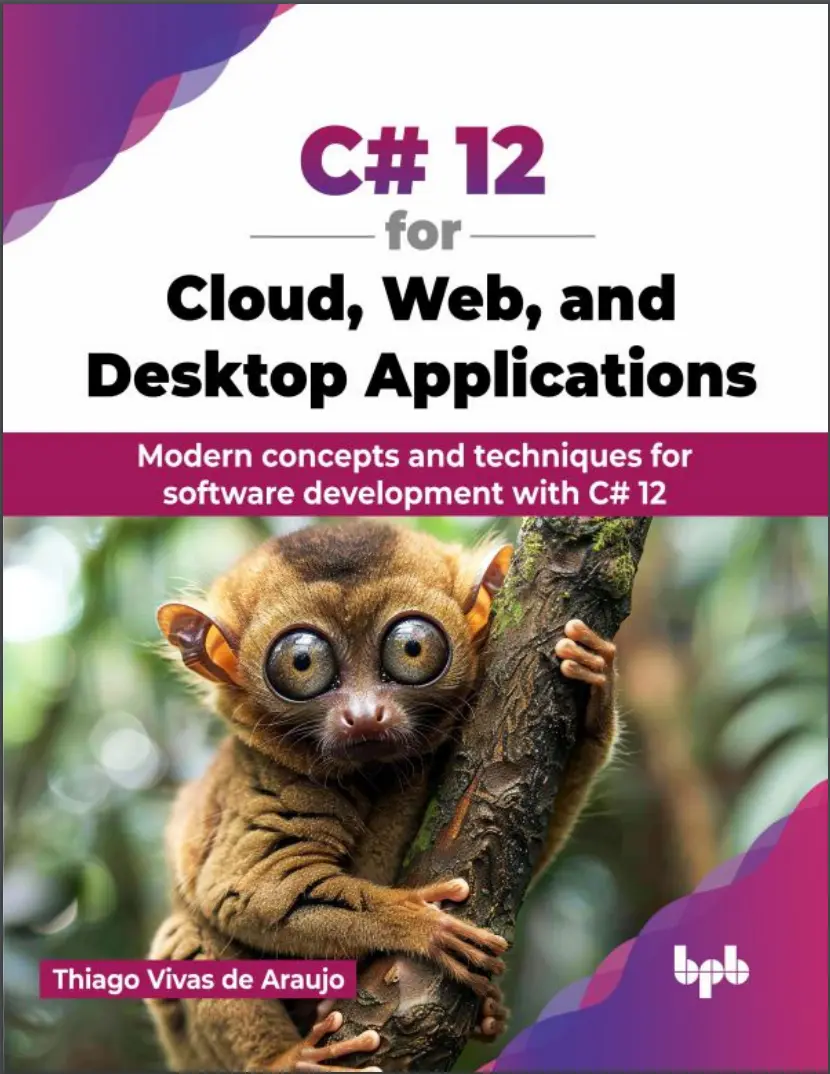
Автор: Vivas de Araujo Thiago
Дата выхода: 2024
Издательство: BPB Publications
Количество страниц: 542
Размер файла: 4,5 МБ
Тип файла: PDF
Добавил: codelibs
Проверить на вирусы Дополнительные материалыCover....2
Title Page....3
Copyright Page....5
Dedication Page....6
About the Author....7
About the Reviewers....8
Acknowledgement....10
Preface....11
Table of Contents....18
1. Introduction to Visual Studio 2022....29
Introduction....29
Structure....29
Objectives....30
Significant changes from Visual Studio 2019....30
Performance improvements....31
64 -bit support....33
Smarter IntelliCode....34
Razor editor improvements....34
Hot reload with new capabilities....35
Multi-repository support....36
Interactive staging support....36
Interface improvements and customization....37
Live unit testing....39
Using the live unit testing....39
Supported testing frameworks....41
Exclude and include test projects and test methods....42
Configuring according to your needs....43
Snapshot debugging....44
Using snapshot debugging....45
Supported frameworks and environments....49
Required permissions and limitations....50
Time Travelling Debugging....51
Using time travelling debug....51
Recording a snapshot....51
Viewing the snapshots....53
Time travelling debug limitation....53
Conclusion....54
2. What is New in C# 12....55
Introduction....55
Structure....56
Objectives....57
C# 11 updates....57
Raw string literals....57
Generic math support....59
Generic attributes....61
Unicode Transformation Format-8 string literals....63
Newlines in string interpolation expressions....64
List patterns....66
File-local types....72
Required members....74
Auto-default structs....77
Pattern match Span on a constant string....79
Extended nameof scope....80
Numeric IntPtr and UIntPtr....82
ref fields and scoped ref....83
Improved method group conversion to delegate....85
Warning wave 7....88
C# 12 updates....89
Primary constructors....90
Collection expressions....91
Inline arrays....92
Default lambda parameters....93
ref readonly parameters....94
Alias any type....97
Conclusion....97
3. Mastering Entity Framework Core....99
Introduction....99
Structure....100
Objectives....100
Mastering Entity Framework Core....101
Database First....101
Benefits of using Database First....102
Implementation step-by-step....102
Code First....104
Benefits of using Code First....105
Implementation step-by-step....105
LINQ to Entities....109
Data Annotations....111
Most common Data Annotations....111
Applying Data Annotations....112
Data Modeling....115
One-to-one relationship....116
Required one-to-one....116
Optional one-to-one....118
One-to-many relationship....120
Required one-to-many....120
Optional one-to-many....123
Many-to-many relationship....124
Data Management....127
Normal usage....128
Unit of work....131
Repository pattern....133
Conclusion....138
4. Getting Started with Azure Functions....141
Introduction....141
Structure....142
Objectives....142
Getting started with Azure Functions....143
Azure Function triggers....145
Azure Function bindings....147
Practical case-study....149
Creating the Azure Function....149
Selecting the trigger....152
Pickinging an appropriate binding....154
Testing the output....162
Conclusion....165
Points to remember....166
Exercises....168
5. Azure SQL, Cosmos DB and Blob Storage....169
Introduction....169
Structure....170
Objectives....171
Azure SQL, Cosmos DB and Blob Storage....171
Azure SQL....171
Scaling Azure SQL Server....173
Usage example....175
Creating the Azure resource....175
Connecting to the database....178
Cosmos DB....184
Cosmos DB Containers....186
Scaling Cosmos DB....186
Triggers, stored procedures, and UDFs....187
Change feed notifications with Cosmos DB....189
Usage examples of Cosmos DB for NoSQL....190
Creating the Azure Resource....190
Connecting to the Database....192
Blob Storage....200
Scaling Blob Storage....202
Usage example....204
Creating the Azure Resource....204
Connecting to the Database....207
Conclusion....210
6. Unleashing the Power of Async Operations with Azure Service Bus....213
Introduction....213
Structure....214
Objectives....214
Async operations with Service Bus....215
Azure Service Bus Queues....217
Session Queues....220
Azure Service Bus Topics....220
Azure Service Bus Subscriptions....222
Azure Service Bus vs Azure Queue Storage Queues....224
Case study....226
Creating a new Azure Service Bus....228
Publishing to Azure Service Bus....235
Consuming messages....239
Consuming message batches....242
Message processor....244
Consuming sessions....247
Session processor....249
Consuming Topics and Subscriptions....254
Conclusion....256
7. Securing Your Apps with Azure Key Vault....260
Introduction....260
Structure....261
Objectives....262
Azure Key Vault Overview....262
Azure Key Vault Authentication....264
Azure Key Vault Access policies....266
Case study....268
Creating Azure Key Vault....269
Managing Key Vault Access policies....271
Accessing a key....272
Conclusion....280
8. Building Dynamic Web Apps with Blazor and ASP.NET....283
Introduction....283
Structure....284
Objectives....284
Web Apps with Blazor and.NET....284
Hot reload....285
Supported frameworks and application types....286
Unsupported Scenarios....288
Configuring Hot Reload....289
Security....291
Blazor server authentication....292
Blazor WebAssembly authentication....292
Authorization....293
AuthorizeView component....294
Authorize attribute....294
Data binding....295
Two-way data binding....296
Chained data binding....296
Blazor vs Razor....297
Best practices....298
Practical case study....300
Creating a Blazor Server App project....300
Working of hot reload....306
Authorization and authentication....309
Data binding....321
Conclusion....325
9. Real-time Communication with SignalR and ASP.NET....328
Introduction....328
Structure....329
Objectives....329
Real-time communication with SignalR and ASP.NET....330
Where to use SignalR....330
Message transports....331
Hubs....332
SignalR methods....332
Configuration....333
JSON encoding....334
MessagePack encoding....334
Server configuration options....335
Advanced HTTP configuration....337
Client configuration options....340
Configure logging....340
Configure allowed transports....341
Configure Bearer authentication....342
Additional options....342
Authentication and authorization....346
Cookie authentication....347
Bearer token authentication....347
Identity server JWT authentication....348
Windows authentication....349
Claims....350
Policies for hubs and hubs methods authorization....351
Authorization handlers....352
Streaming hub....352
Server-to-client streaming hub....353
Client-to-server streaming hub....354
Case study....354
Authorization and authentication....367
Custom authorization policy....382
Conclusion....389
10. Implementing MicroServices with Web APIs....392
Introduction....392
Structure....393
Objectives....393
Implementing MicroServices with WebAPIs....394
Asynchronous communication....394
RabbitMQ....396
MicroServices scalability....403
Horizontal scalability....404
Vertical scalability....407
Orchestrators....410
Most used architectural patterns....412
Backend for frontend....412
Command Query Responsibility Segregation....414
Domain Driven Design....417
Case study....419
Conclusion....438
11. CI/CD with Docker and Azure DevOps....441
Introduction....441
Structure....442
Objectives....443
Overview....443
Docker....444
Docker containers....445
Container images....446
Docker images....448
Container images X Docker images....449
Docker advantages for your apps....450
Understanding the Dockerfile....451
Dockerfile for multi-stage builds....453
Docker commands....455
Azure DevOps....456
Continuous integration....458
Benefits of continuous integration....458
Continuous deployment....460
Benefits of continuous deployment....460
Case study....461
Creating the Dockerfile....463
Creating the Docker image....464
Run the image....466
Applying continuous integration....467
Applying continuous deployment....474
Conclusion....476
12. Building Multi-platform Apps with .NET MAUI and Blazor Hybrid....479
Introduction....479
Structure....480
Objectives....481
.NET MAUI overview....481
Differences between Blazor X Blazor Hybrid....483
Case study with step-by-step implementation....484
Creating the .NET MAUI project....484
Using Blazor Hybrid UI from Desktop client....485
Using Blazor Hybrid UI from mobile client....488
Conclusion....491
13. Windows UI Library: Crafting Native Windows Experience....493
Introduction....493
Structure....494
Objectives....494
Windows UI Library Introduction....495
Fluent Design System....497
Key principles of Fluent Design System....497
Applications of the Fluent Design System....498
Case study with step-by-step implementation....499
Creating the project....499
Designing the user interface....500
Implementing the cache....503
Data transfer between pages....504
Conclusion....518
14. Unit Testing and Debugging....520
Introduction....520
Structure....521
Objectives....521
Unit testing with xUnit....521
Making usage of mocks....523
Mastering debugging....526
Applying xUnit and mocks....528
Conclusion....532
Index....534
Description
The world of application development is constantly changing with the rise of open-source languages and technologies. Since Microsoft made the .NET platform and C# open-source in 2014, a vibrant community of developers has contributed to the language's evolution on GitHub. Microsoft releases a new version of .NET every year, leading to newer patterns, frameworks, and design approaches in active application development.
Learn C# 11 & 12 and use Entity Framework Core for data management. Explore cloud development with Azure Functions, Azure SQL Database, Cosmos DB, and Blob Storage. Implement async communication with Azure Service Bus and secure apps with Azure Key Vault. Build web apps with Blazor and ASP.NET, and add real-time features with SignalR. Discover microservices with Web APIs, and streamline your workflow using Azure DevOps and Docker. Develop applications for mobile, desktop, and Windows with .NET MAUI, Blazor Hybrid, and WinUI.
Upon completion, readers will have a solid understanding of the latest C# features and how they fit into current design approaches. The book is not intended to be an exhaustive reference on the subject, but rather a jumping-off point for developers with some experience to begin working with the newest concepts.
Key Features
- Learn the new features of C# 12 and how to apply them in programming.
- Understand how to develop cloud-based applications using Azure.
- Discover how to build applications for desktop using .NET MAUI.
What you will learn
- Learning the fundamentals of C# 12 programming language.
- Understanding advanced concepts like LINQ and asynchronous programming.
- Building web applications using ASP.NET Core, MVC and Blazor.
- Crafting cross-platform desktop applications using .NET MAUI.
- Unit testing using NUnit for robust code validation.
Who this book is for
This book is geared towards intermediate to advanced .NET developers and software engineers seeking to expand their skill set in building modern cloud-based applications, web apps, and mobile experiences.


