-
1C
-
Agda
-
Agile/Scrum
-
Alef
-
APL
-
Assembler
-
AWK
-
Basic
-
Beta Programming Language
-
Big Data/DataScience
-
C
-
C#
-
C++
-
Cobol
-
Crystal
-
CSS
-
D
-
Dart
-
DataBase (SQL)
-
Delphi
-
F#
-
Flutter
-
Fortran
-
GameDev
-
Git
-
Go (Golang)
-
GPT/AI/ИИ
-
Hacking and Security
-
Haskell
-
HTML
-
Java
-
JavaScript (JS)
-
Julia
-
Kotlin
-
Machine Learning (ML)
-
Natural language processing (NLP)
-
.NET (.NET Core)
-
Pascal
-
PHP
-
Python
-
R
-
Ruby
-
Rust
-
Scratch
-
Swift
-
UML
-
UX/UI
-
Visual Basic
-
Wolfram
-
XML
-
АСУ
-
Проектирование/System Design
-
Сети/Network
-
Статьи
-
Схемотехника/электронные схемы
-
1C
-
Agda
-
Agile/Scrum
-
Alef
-
APL
-
Assembler
-
AWK
-
Basic
-
Beta Programming Language
-
Big Data/DataScience
-
C
-
C#
-
C++
-
Cobol
-
Crystal
-
CSS
-
D
-
Dart
-
DataBase (SQL)
-
Delphi
-
F#
-
Flutter
-
Fortran
-
GameDev
-
Git
-
Go (Golang)
-
GPT/AI/ИИ
-
Hacking and Security
-
Haskell
-
HTML
-
Java
-
JavaScript (JS)
-
Julia
-
Kotlin
-
Machine Learning (ML)
-
Natural language processing (NLP)
-
.NET (.NET Core)
-
Pascal
-
PHP
-
Python
-
R
-
Ruby
-
Rust
-
Scratch
-
Swift
-
UML
-
UX/UI
-
Visual Basic
-
Wolfram
-
XML
-
АСУ
-
Проектирование/System Design
-
Сети/Network
-
Статьи
-
Схемотехника/электронные схемы
Меню
Azure SQL Hyperscale Revealed: High-performance Scalable Solutions for Critical Data Workloads
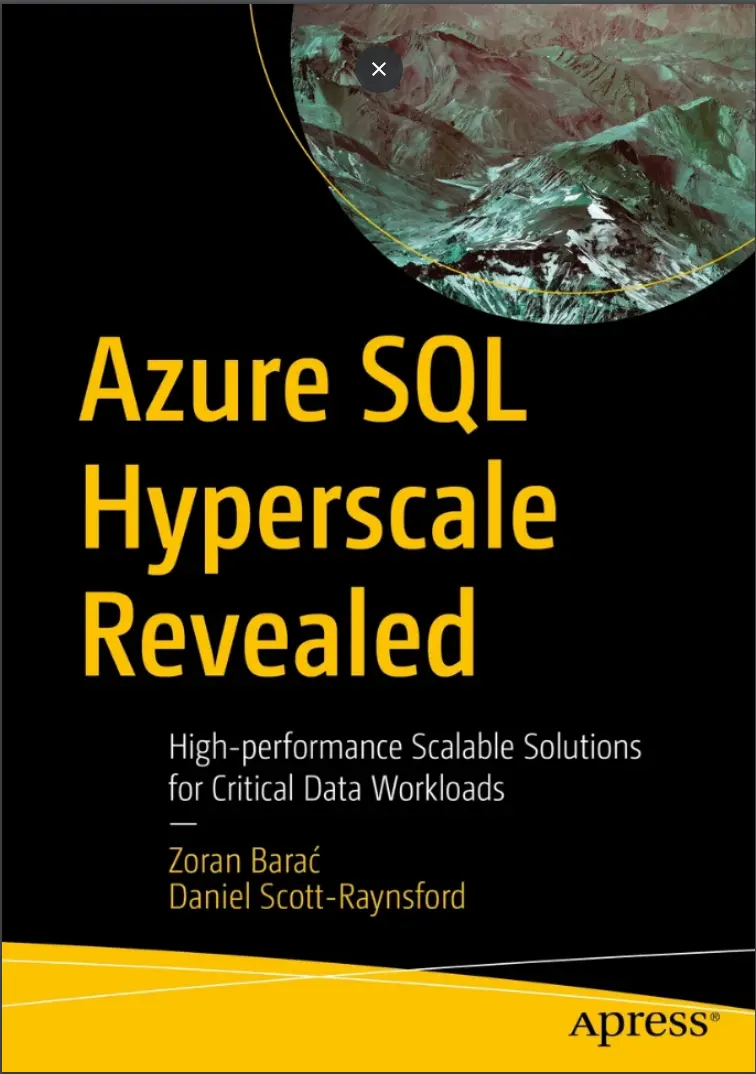
Автор: Scott-Raynsford Daniel , Zoran Barać
Дата выхода: 2023
Издательство: Apress Media, LLC.
Количество страниц: 459
Размер файла: 20,2 МБ
Тип файла: PDF
Добавил: codelibs
Проверить на вирусы Дополнительные материалыTable of Contents....4
About the Authors....11
About the Technical Reviewers....12
Introduction....13
Chapter 1: The Journey to Hyperscale Architecture in Azure SQL....15
SQL on Azure....17
The Basics of Azure SQL....17
Azure SQL Platform as a Service....19
Deployment Models....21
Purchasing Models and Service Tiers....22
Availability Models and Redundancy....25
Standard Availability Model: Locally Redundant Availability....27
General Purpose Service Tier: Zone-Redundant Availability....28
Premium and Business Critical Service Tier: Locally Redundant Availability....30
Premium and Business Critical Service Tier: Zone-Redundant Availability....31
Protecting Against Regional Outages Using Failover Groups with Geo-redundant Availability....33
The Hyperscale Service Tier....34
Hyperscale Architecture Overview....36
Deploying Your First Hyperscale Database....37
Cleaning Up....46
Summary....47
Chapter 2: Azure SQL Hyperscale Architecture Concepts and Foundations....49
Hyperscale Azure SQL Scalability and Durability....50
Foundations of Azure SQL Hyperscale....52
The Buffer Pool Extension....53
The Resilient Buffer Pool Extension....53
Investigating the Size of RBPEX....53
Example 1: RBPEX on a Two-vCore Hyperscale Database....54
Example 2: RBPEX on a Four-vCore Hyperscale Database....56
Row Versioning–Based Isolation Level....57
Accelerated Database Recovery....60
Multitier Architecture Concepts in Hyperscale....61
Compute Nodes....62
Primary Compute Node....64
Secondary Compute Node....64
High-Availability Replicas....65
Named Replicas....66
Geo Replicas....69
Log Service....70
How the Log Service Works in Hyperscale....71
Log Service Rate Throttling....73
Page Servers....73
Azure Standard Storage....80
How Do the Tiers Work Together?....82
Summary....86
Chapter 3: Planning an Azure SQL DB Hyperscale Environment....87
Considerations When Planning for Hyperscale....87
The Azure SQL Database Logical Server....88
Considerations for Reliability....91
High-Availability Replicas....92
Named Replicas....96
Geo Replica....99
Backup....100
Considerations for Network Connectivity....104
Public Endpoint....105
Public Endpoint Access Rules....107
Public Endpoint Protection....109
Private Endpoints....110
Outbound Networking....113
Connection Policy....113
Connection Encryption....116
Understanding Network Connectivity Requirements....117
Common Considerations for Network Connectivity....118
Considerations for Security....118
Authentication....119
Microsoft Defender for SQL....122
Logical Server Identity....124
Transparent Data Encryption....126
Ledger....127
Considerations for Operational Excellence....129
Diagnostic Settings....130
Azure SQL Auditing....131
Summary....134
Chapter 4: Deploying a Highly Available Hyperscale Database into a Virtual Network....135
An Example Hyperscale Production Environment....136
The Starting Environment....139
The Starting Environment Deployment Script....141
Deploying the Starting Environment Using the Azure Cloud Shell....143
Creating a SQL Administrators Group....146
Deploying a Highly Available Hyperscale Database into a Virtual Network....149
Basic Configuration of the Database....151
Configuring Network Connectivity....156
The Final Configuration Tasks and Deployment....160
Deleting the Example Environment....165
Summary....167
Chapter 5: Administering a Hyperscale Database in a Virtual Network in the Azure Portal....169
Administering a Hyperscale Database in a Virtual Network....170
Deploying a Management VM and Azure Bastion....173
Using the Management VM with an Azure Bastion....177
Summary....180
Chapter 6: Configuring Transparent Data Encryption to Bring Your Own Key....181
Enabling Customer-Managed Key Transparent Data Encryption....182
Creating a User-Assigned Managed Identity....184
Granting the Key Vault Crypto Officer Role to a User....185
Generating a Key in the Azure Key Vault....188
Granting Access to the Key by the User-Assigned Managed Identity....190
Assigning the User-Assigned Managed Identity to the Logical Server....192
Enabling Customer-Managed TDE....194
Summary....195
Chapter 7: Enabling Geo-replication for Disaster Recovery....197
Deploying a Hyperscale Geo Replica....198
Creating a Logical Server in the Failover Region....199
Connecting a Logical Server to a Virtual Network with Private Link....201
Enabling the Customer-Managed Key TDE....206
Enabling Geo-replication of a Hyperscale Database....208
Summary....210
Chapter 8: Configuring Security Features and Enabling Diagnostic and Audit Logs....212
Enabling Microsoft Defender for SQL....213
Storing Diagnostic and Audit Logs....215
Sending Audit Logs to a Log Analytics Workspace....216
Sending Database Diagnostic Logs to Log Analytics....218
Summary....220
Chapter 9: Deploying Azure SQL DB Hyperscale Using PowerShell....221
Introduction to Infrastructure as Code....222
Imperative vs. Declarative Infrastructure as Code....223
Deploying Hyperscale Using Azure PowerShell....224
The Azure PowerShell Modules....224
Deploying the Starting Environment....226
The Complete Deployment PowerShell Script....226
Azure PowerShell Commands in Detail....228
Creating Helper Variables....228
Create the User-Assigned Managed Identity for the Hyperscale Database....230
Prepare the TDE Protector Key in the Key Vault....231
Create the Logical Server in the Primary Region....234
Connect the Primary Logical Server to the Virtual Network....236
Create the Hyperscale Database in the Primary Region....239
Configure Diagnostic and Audit Logs to Be Sent to a Log Analytics Workspace....241
Create the Logical Server in the Failover Region and Connect It to the VNet....243
Create the Replica Hyperscale Database in the Failover Region....244
Configure Diagnostic and Audit Logs....246
Remove the Key Vault Crypto Officer Role from the Key Vault....246
Summary....247
Chapter 10: Deploying Azure SQL DB Hyperscale Using Bash and Azure CLI....248
Deploying Hyperscale Using the Azure CLI....248
The Azure CLI....249
Supported Azure CLI Environments....249
Installing the Azure CLI....249
Deploying the Starting Environment....250
The Complete Deployment Bash Script....252
Azure CLI Commands in Detail....254
Creating Helper Variables....254
Create the User-Assigned Managed Identity for the Hyperscale Database....255
Prepare the TDE Protector Key in the Key Vault....256
Create the Logical Server in the Primary Region....259
Connect the Primary Logical Server to the Virtual Network....260
Create the Hyperscale Database in the Primary Region....262
Configure Diagnostic and Audit Logs to Be Sent to the Log Analytics Workspace....264
Create the Logical Server in the Failover Region and Connect It to the Virtual Network....267
Create the Replica Hyperscale Database in the Failover Region....268
Configure Diagnostic and Audit Logs....270
Remove the Key Vault Crypto Officer Role from the Key Vault....271
Summary....271
Chapter 11: Deploying Azure SQL DB Hyperscale Using Azure Bicep....273
About Azure Bicep....274
Deploying Using Azure Bicep....274
A Complete Azure Bicep Deployment....274
Deploying Using PowerShell....275
Deploying Using Bash....276
Hyperscale Resources in Azure Bicep....277
Creating the User-Assigned Managed Identity....278
Configuring the Key Vault for Customer-Managed Encryption....278
Creating the Azure SQL Logical Server....280
Connecting the Logical Server to the Virtual Network....281
Configuring Audit Logs to Be Sent to Log Analytics....283
Creating the Hyperscale Database....285
Configuring Diagnostic Logs to Be Sent to Log Analytics....286
Creating the Failover Resources and Replica Hyperscale Database....287
Putting It All Together....289
Summary....290
Chapter 12: Testing Hyperscale Database Performance Against Other Azure SQL Deployment Options....291
HammerDB....292
HammerDB TPROC-C Workload....293
HammerDB Step-by-Step....293
Schema Build....294
Driver Script Options....299
Virtual User Options....303
Autopilot Options....305
Run the Virtual Users and Execute the TPROC-C Workload....306
Schema Build Performance Metrics....307
Azure SQL Database General Purpose Service Tier (GP_Gen5_8)....308
Azure SQL Database Business Critical General Service Tier (BC_Gen5_8)....311
Azure SQL Database Hyperscale Service Tier (HS_Gen5_8)....314
Summary of Schema Build Performance Results....317
TPROC-C Workload Metrics....318
Azure SQL Database General Purpose Service Tier (GP_Gen5_8)....321
Azure SQL Database Business Critical Service Tier (BC_Gen5_8)....324
Azure SQL Database Hyperscale Service Tier (HS_Gen5_8)....327
Summary of TPROC-C Workload Performance Results....341
Summary....342
Chapter 13: Monitoring and Scaling....344
Monitoring Platform Metrics....345
Viewing Metrics with the Metrics Explorer....345
Streaming Metrics to a Log Analytics Workspace....347
Alerting on Platform Metrics....348
Monitoring and Tuning Database Performance....354
Monitoring Query Performance....354
Performance Recommendations....355
Automatically Tuning Database Performance....355
Gathering Insights from the Database....356
SQL Analytics....357
Scaling a Hyperscale Database....360
Manually Scaling Up a Hyperscale Database....361
Manually Scaling Out a Hyperscale Database....362
Autoscaling a Hyperscale Database....363
Summary....363
Chapter 14: Backup, Restore, and Disaster Recovery....364
Hyperscale Database Backups....364
Backup Retention Policy....365
Backup Storage Redundancy....368
Monitoring Backup Storage Consumption with Azure Monitor Metrics....370
Hyperscale Database Restores....371
Example 1: Restore to Same Region, LRS to LRS....372
Example 2: Restore to Same Region, LRS to GRS....374
Example 3: Restore to the Same Region, GRS to GRS....375
Example 4: Geo Restore to Different Region, GRS to LRS....375
Example 5: Geo-restore to Different Region, GRS to GRS....376
Comparing Restore Performance of Hyperscale to Traditional Azure SQL Databases....378
Disaster Recovery....380
Summary....382
Chapter 15: Security and Updating....384
Azure SQL Database Security Overview....384
Network Security....387
Public Network Access....387
Firewall and Virtual Network Rules....388
Connection Policy....389
Access Management....390
Logical Server Authentication....391
Role-Based Access Control....392
Permissions on the Database Engine....393
Row-Level Security....393
Auditing and Azure Threat Detection....393
Azure SQL Database Auditing....393
Microsoft Defender for Cloud....394
Information Protection....395
TLS Encryption in Transit....395
Encryption at Rest with Transparent Data Encryption....396
Always Encrypted: Encryption in Use....397
Data Masking....397
Updating and Maintenance Events....399
Summary....401
Chapter 16: Managing Costs....402
Azure Hybrid Benefit....402
Reserving Capacity....404
Purchasing Reserved Capacity....404
Estimating Reserved Capacity Benefits....405
Utilizing Reservations....405
Scaling In and Scaling Down Replicas....406
Summary....408
Chapter 17: Determining Whether Hyperscale Is Appropriate....409
Key Considerations for Hyperscale....409
Scalability....410
Reliability....413
Business Continuity....413
Cost....416
Summary....418
Chapter 18: Migrating to Hyperscale....419
Common Migration Methods....419
In-Place Conversion of an Azure SQL Database to Hyperscale....421
Copying an Existing Azure SQL Database....423
Changing an Existing Azure SQL Database to Hyperscale....423
Migrating to Hyperscale with Data Migration Assistant....425
Migrating with DMS....426
Accelerating a DMS Migration....431
Migrating to Hyperscale with the Azure Database Migration Service....432
Database Migration Service Network Connectivity....433
Registering the DMS Resource Provider....434
Creating a DMS Resource....436
Performing a Migration with DMS....438
Migrating with ADS with the Azure SQL Migration Extension....443
Migrating to Hyperscale Using Import Database....444
Migrating to Hyperscale Using a Data Sync and Cutover....446
Summary....447
Chapter 19: Reverse Migrating Away from Hyperscale....448
Reverse Migration Methods....449
Reverse Migration Using the Azure Portal....449
Monitor Reverse Migration Using the Azure Portal....451
Reverse Migration Using Transact SQL....452
Monitor Reverse Migration Using T-SQL....453
Reverse Migration Using Azure CLI....453
Monitor Reverse Migration Using the Azure CLI....454
Common Pitfalls of the Reverse Migration Process....455
Migrating to an Unsupported Service Tier....455
Database Not Eligible for Reverse Migration....456
Summary....456
Chapter 20: Conclusion....458
Capture.PNG....1
Take a deep dive into the Azure SQL Database Hyperscale Service Tier and discover a new form of cloud architecture from Microsoft that supports massive databases. The new horizontally scalable architecture, formerly code-named Socrates, allows you to decouple compute nodes from storage layers. This radically different approach dramatically increases the scalability of the service. This book shows you how to leverage Hyperscale to provide next-level scalability, high throughput, and fast performance from large databases in your environment.The book begins by showing how Hyperscale helps you eliminate many of the problems of traditional high-availability and disaster recovery architecture. You’ll learn how Hyperscale overcomes storage capacity limitations and issues with scale-up times and costs. With Hyperscale, your costs do not increase linearly with database size and you can manage more data than ever at a lower cost.The book teaches you how todeploy, configure, and monitor an Azure SQL Hyperscale database in a production environment. The book also covers migrating your current workloads from traditional architecture to Azure SQL Hyperscale.
What You Will Learn
- Understand the advantages of Hyperscale over traditional architecture
- Deploy a Hyperscale database on the Azure cloud (interactively and with code)
- Configure the advanced features of the Hyperscale database tier
- Monitor and scale database performance to suit your needs
- Back up and restore your Azure SQL Hyperscale databases
- Implement disaster recovery and failover capability
- Compare performance of Hyperscale vs traditional architecture
- Migrate existing databases to the Hyperscale service tier
Who This Book Is For
SQL architects, data engineers, and DBAs who want the most efficient and cost-effective cloud technologies to run their critical data workloads, and those seeking rapid scalability and high performance and throughput while utilizing large databases


