-
1C
-
Agda
-
Agile/Scrum
-
Alef
-
APL
-
Assembler
-
AWK
-
Basic
-
Beta Programming Language
-
Big Data/DataScience
-
C
-
C#
-
C++
-
Cobol
-
Crystal
-
CSS
-
D
-
Dart
-
DataBase (SQL)
-
Delphi
-
F#
-
Flutter
-
Fortran
-
GameDev
-
Git
-
Go (Golang)
-
GPT/AI/ИИ
-
Hacking and Security
-
Haskell
-
HTML
-
Java
-
JavaScript (JS)
-
Julia
-
Kotlin
-
Machine Learning (ML)
-
Natural language processing (NLP)
-
.NET (.NET Core)
-
Pascal
-
PHP
-
Python
-
R
-
Ruby
-
Rust
-
Scratch
-
Swift
-
UML
-
UX/UI
-
Visual Basic
-
Wolfram
-
XML
-
АСУ
-
Проектирование/System Design
-
Сети/Network
-
Статьи
-
Схемотехника/электронные схемы
-
1C
-
Agda
-
Agile/Scrum
-
Alef
-
APL
-
Assembler
-
AWK
-
Basic
-
Beta Programming Language
-
Big Data/DataScience
-
C
-
C#
-
C++
-
Cobol
-
Crystal
-
CSS
-
D
-
Dart
-
DataBase (SQL)
-
Delphi
-
F#
-
Flutter
-
Fortran
-
GameDev
-
Git
-
Go (Golang)
-
GPT/AI/ИИ
-
Hacking and Security
-
Haskell
-
HTML
-
Java
-
JavaScript (JS)
-
Julia
-
Kotlin
-
Machine Learning (ML)
-
Natural language processing (NLP)
-
.NET (.NET Core)
-
Pascal
-
PHP
-
Python
-
R
-
Ruby
-
Rust
-
Scratch
-
Swift
-
UML
-
UX/UI
-
Visual Basic
-
Wolfram
-
XML
-
АСУ
-
Проектирование/System Design
-
Сети/Network
-
Статьи
-
Схемотехника/электронные схемы
Меню
AI-Assisted Coding: The Practical Guide for Software Development
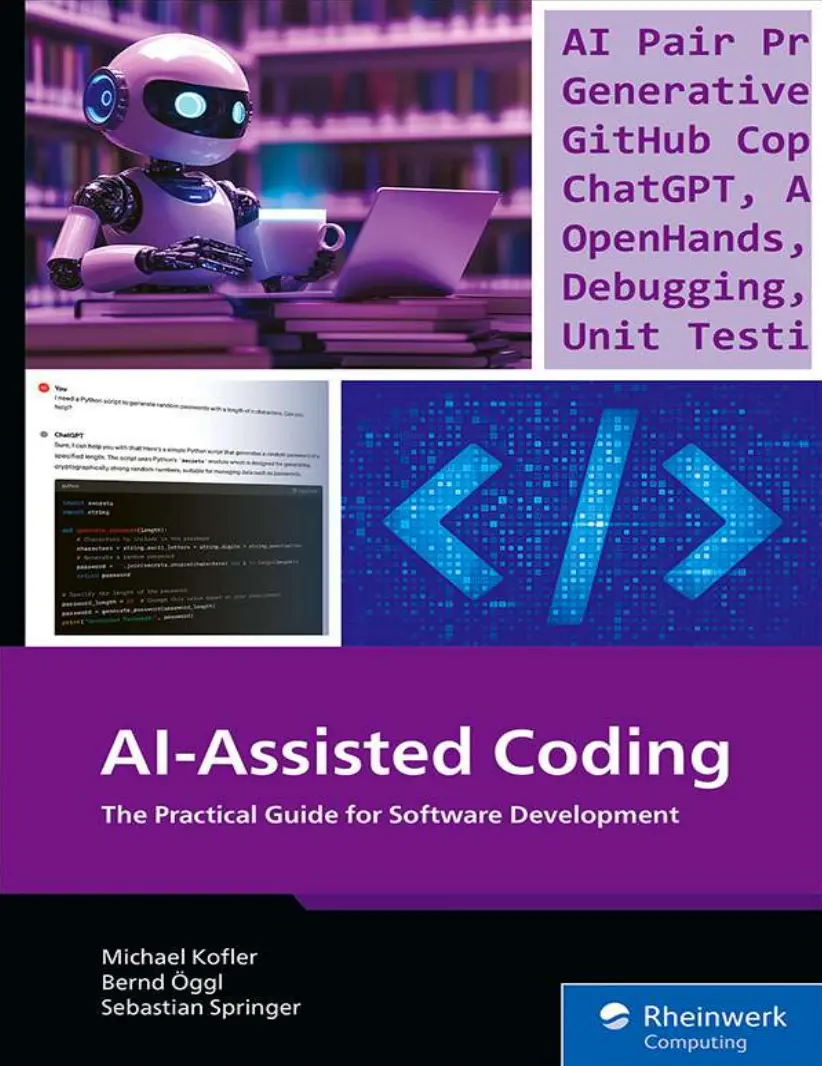
Автор: Kofler Michael , Öggl Bernd , Springer Sebastian
Дата выхода: 2025
Издательство: Rheinwerk Computing
Количество страниц: 642
Размер файла: 3,4 МБ
Тип файла: PDF
Добавил: codelibs
Проверить на вирусыNotes on Usage....5
Table of Contents....7
Preface....22
Local Execution of Language Models....22
Coding with AI Support for Advanced Users....23
AI Makes Mistakes and Hallucinates....25
The Three Stages of Using AI....26
There’s No Getting around AI Tools....27
Part I Coding with AI Support....30
1 Introduction....31
1.1 Coding via Chat....31
1.1.1 Password Generator....32
1.1.2 Python: Searching and Replacing Dates....33
1.1.3 SQL: Analysis of a Table....36
1.1.4 PHP: Bearer Token Authentication....38
1.1.5 Porting a Bash Script for PowerShell....40
1.1.6 Paid ChatGPT Offers....42
1.1.7 Anthropic Claude....44
1.2 The Art of Prompting....45
1.2.1 Prompt Frameworks....49
1.2.2 A Question of Context....50
1.2.3 Custom GPTs....53
1.2.4 Comparing Custom GPTs, Fine-Tuning, and Retrieval-Augmented Generation....55
1.3 Code Wizards....57
1.3.1 Installing GitHub Copilot....59
1.3.2 First Steps with Visual Studio Code and GitHub Copilot....60
1.3.3 Switching between Code Suggestions....61
1.3.4 Tips and Tricks....63
1.3.5 Chat Mode with Additional Keywords....64
1.3.6 Chat Examples....66
1.3.7 Alternatives to the Chat Sidebar....69
1.3.8 Other Functions....70
1.3.9 Security and Data Protection....71
1.3.10 Trouble in Remote Mode....72
1.4 Chat or Wizard?....74
1.5 Basic Principles of Large Language Models....76
1.5.1 From the Human Brain to Neural Networks....76
1.5.2 Machine Learning through Backpropagation....78
1.5.3 Large Language Models....79
1.5.4 The Transformer Model....82
1.5.5 Generative Pretrained Transformer (GPT)....84
1.5.6 Training: From Training Material to Language Model....86
1.5.7 Large Language Model Application: From Prompt to Response....88
1.5.8 The Limits of Linguistic “Intelligence”....90
1.5.9 The Size of the Context Window....93
1.5.10 The Fill-in-the-Middle Approach....95
2 Pair Programming....97
2.1 Structuring Code into Functions....99
2.1.1 Defining Functions Yourself....100
2.1.2 Defining Functions and Parameters....101
2.1.3 Detailed Questions about Functions and Parameters....104
2.1.4 Code Optimization....107
2.1.5 Code Reuse....109
2.1.6 Splitting Code across Multiple Files....110
2.2 Example: IBAN Validation....114
2.2.1 Start....114
2.2.2 Checking the IBAN Length....116
2.2.3 Troubleshooting....116
2.2.4 Test....118
2.2.5 Removing Spaces from the IBAN....119
2.2.6 Checksum Test....120
2.2.7 Trouble with the Test Data....122
2.2.8 Code Optimization....122
2.3 Object-Oriented Programming....124
2.3.1 Example: User Account Class....125
2.3.2 Output of the Object....127
2.3.3 JSON Export and Constructor....128
2.3.4 Example: Bank Account....129
2.3.5 Example: Sorting Photos Based on EXIF Data....131
2.3.6 Example: Dealing with Singletons....133
2.4 Example: Quiz....136
2.4.1 Class Design....136
2.4.2 Implementing the Question Class....138
2.4.3 A Pool of Questions for Testing....139
2.4.4 Methods for the Question Class....140
2.4.5 UML Diagram....142
2.4.6 AI Bot or Code Wizard?....143
2.5 Example: Solving Sudoku....145
2.5.1 Class Setup....145
2.5.2 Detaching Individual Fields in Rows....147
2.5.3 Solving Individual Fields in Columns and in Blocks....149
2.5.4 Test Code and Issues with the Test Data....150
2.5.5 Brainstorming....151
2.5.6 Storing Solution Candidates per Field....153
2.5.7 Filling in Fields Where Only One Solution Number Is Possible....154
2.5.8 Personal Conclusion....155
2.5.9 Alternative Procedure....156
2.5.10 Prompting Correctly....158
3 Debugging....159
3.1 Web Applications....161
3.1.1 CSS Fixes....161
3.1.2 iCal Download in the Browser....164
3.1.3 Backend Frontend without a Proxy Server....165
3.1.4 JavaScript Fetch with the Wrong Content Type....168
3.1.5 JamGPT....170
3.2 App Development....173
3.2.1 Flutter and Null Safety Values....173
3.2.2 Layouts in Flutter....175
3.3 Developing on Raspberry Pi....178
3.3.1 Step-by-Step Debugging on a Raspberry Pi....178
3.3.2 Help for Creating Log Entries....180
3.4 Visual Studio and Visual Studio Code....183
3.4.1 Missing Python Modules in VS Code....183
3.4.2 Visual Studio Exception Debugging....184
3.5 Conclusion....187
4 Refactoring....188
4.1 Introduction to Refactoring....189
4.1.1 Objectives of Refactoring....189
4.2 Refactoring Using AI Tools....191
4.2.1 Recognizing the Need for Refactoring....191
4.3 Best Practices....207
4.3.1 Only the Internal Structure May Be Changed....207
4.3.2 Small-Step Approach....207
4.3.3 Test-Driven Refactoring....208
4.3.4 Defining Clear Goals....208
4.4 Conclusion....210
5 Testing Software....212
5.1 Generating Test Data....213
5.2 AI-Supported Test Automation....219
5.2.1 Creating AI-Supported Unit Tests....220
5.3 Test-Driven Development with AI....227
5.3.1 Implementing the First Test....228
5.3.2 The Second Test....230
5.3.3 The Third Test....231
5.3.4 Generating Test Data....233
5.4 Using Dependencies....236
5.5 Optimizing Tests....243
5.5.1 Optimizing Test Code....243
5.5.2 Writing Missing Tests....247
5.6 End-to-End Tests....251
5.6.1 Generating an End-to-End Test....252
5.6.2 Creating a Page Object....254
5.7 Conclusion....257
6 Documenting Software....258
6.1 Challenges with Documentation....260
6.2 Inline Documentation....262
6.2.1 Sample Inline Documentation....263
6.3 Function and Class Documentation....267
6.3.1 Benefits and Drawbacks of Function and Class Documentation....268
6.3.2 Sample Function and Class Documentation....268
6.4 API Documentation....273
6.4.1 Sample API Documentation....273
6.5 Outdated Documentation....277
6.6 Conclusion....281
7 Databases....282
7.1 Database Design....283
7.1.1 Example: Database for an Online Store....283
7.1.2 Database Management System Selection....289
7.1.3 Example: Cloud Shopping List....292
7.1.4 Changing the Database Schema....294
7.2 SQL Commands....299
7.2.1 Date Calculation....299
7.2.2 Troubleshooting....300
7.2.3 WordPress Image Search....302
7.2.4 Complex Query with Subquery or Self Join....304
7.2.5 Formatting an SQL Command....308
7.3 Administration....310
7.3.1 PostgreSQL: User Administration....310
7.3.2 SQL Server: Automated Backup....312
7.3.3 Determining the Schema of a Database....315
7.3.4 MariaDB Tuning....317
7.4 Client Programming....321
8 Scripting and System Administration....323
8.1 Scripting....324
8.1.1 Bash: Loop Over a Text File....324
8.1.2 PowerShell: Sorting Photos....325
8.1.3 Python: SQLite Application....327
8.1.4 Bash Troubleshooting....331
8.1.5 Python: Recursive Search for Files....331
8.1.6 Other Prompt Examples....332
8.2 Example: Converting a Python Script to PHP Code....335
8.2.1 Conclusion....337
8.3 Regular Expressions....339
8.3.1 Searching and Replacing Dates....341
8.3.2 File Search Using grep....342
8.4 System Administration....345
8.4.1 SSH Authentication by Key....345
8.4.2 Docker Setup....347
8.4.3 Proxy Server....349
8.4.4 Fixing Network Issues in a Virtual Machine with a Web Server....351
8.4.5 Linux Server Setup....353
8.4.6 Additional Prompts....354
8.5 Example: “wget” Script Plus “tmpfs” Configuration....356
8.5.1 Developing a “wget” Script....356
8.5.2 Linux Server Configuration with “tmpfs”....360
8.5.3 Conclusion....362
8.6 Calling GitHub Copilot and ChatGPT in the Terminal....364
8.6.1 GitHub Command-Line Interface (“gh”)....364
8.6.2 Shell-GPT (“sgpt”)....365
8.6.3 Using Language Models in the Terminal (“llm”)....367
Part II Local Language Models and Advanced AI Tools....369
9 Executing Language Models Locally....370
9.1 Spoiled for Choice of Large Language Model....371
9.1.1 Which Models Solve Which Problems?....372
9.1.2 Hardware Requirements....375
9.1.3 Alternatives to the Local Execution of Models....378
9.2 GPT4All....380
9.2.1 Installation and Use....381
9.2.2 Chat with Your Files....383
9.2.3 Conclusion....384
9.3 Ollama....385
9.3.1 Benefits of Ollama....385
9.3.2 General Structure of Ollama....387
9.3.3 Local Installation and Execution....388
9.3.4 Running Ollama in a Docker Container....391
9.4 Open WebUI for Ollama....394
9.4.1 Installing Open WebUI....395
9.4.2 Using Custom Documents in Open WebUI....397
9.4.3 Custom Workspace Models....400
9.5 Continue....405
9.5.1 Installation....405
9.5.2 Usage....407
9.6 Ollama API....410
9.6.1 Ollama REST API....410
9.6.2 Libraries for Accessing the Ollama API....413
9.7 Tabby....415
9.7.1 Installing the Tabby Server and the Plug-In....415
9.7.2 Usage....416
9.8 Conclusion....419
10 Automated Code Processing....421
10.1 OpenAI API....422
10.1.1 Setting Up an API Account....423
10.1.2 Hello, World!....424
10.1.3 Formulating the Prompt....427
10.1.4 Chat System....429
10.1.5 Processing the Response....432
10.1.6 Uploading and Downloading Files....434
10.1.7 Uploads for Special Applications....436
10.1.8 Playground....436
10.2 Ollama API....438
10.2.1 Manipulating Code....439
10.3 Groq API....441
10.4 Example: Automated Commenting of Code....443
10.4.1 Real-Life Experience....445
10.4.2 Extracting Code from the Response....448
10.4.3 Genuine Errors....449
10.4.4 Trouble with Large Code Files....450
10.4.5 Translating Existing Comments....452
10.4.6 Conclusion....453
10.5 Example: From Python 2 to Python 3....455
10.5.1 Real-Life Experience....456
11 Level 3 Tools: OpenHands and Aider....459
11.1 OpenHands....461
11.1.1 Installation....463
11.1.2 The Web Interface....465
11.2 Using OpenHands....470
11.2.1 Not Too Much at Once!....473
11.2.2 Conclusion....474
11.3 Aider....476
11.3.1 Installation....476
11.3.2 Start....478
11.3.3 Aider Commands....478
11.3.4 Multiline Prompts....481
11.3.5 Coding Rules and Conventions....481
11.3.6 Aider in the Web Browser....481
11.4 Using Aider....483
11.4.1 Example 1: Sorting Photos....483
11.4.2 Example 2: Web Scraping....490
11.4.3 Example 3: Implementing Changes in a Large Project....493
11.4.4 More Prompting Examples and Video Tips....494
12 Retrieval-Augmented Generation and Text-to-SQL....496
12.1 RAG Quick Start....497
12.2 The Viel-Falter (Many Butterflies) Project....502
12.3 Loading Documents....504
12.3.1 SimpleDirectoryReader and SimpleWebPageReader....505
12.4 Creating an Index....507
12.4.1 The Embedding Model....509
12.5 Vector Store Databases....512
12.6 RAG Queries....516
12.6.1 Source Code....518
12.6.2 Conclusion....521
12.7 Text-to-SQL....522
12.7.1 Database Export from MongoDB to SQLite....522
12.7.2 Text-to-SQL with LlamaIndex....527
12.7.3 Sample Queries....529
12.7.4 Conclusion....536
13 Risks and Outlook....538
13.1 Issues and Limitations of Using AI Tools....539
13.1.1 Old, Cumbersome Code....539
13.1.2 The Question of Maintainability....540
13.1.3 Privacy....540
13.1.4 A New Kind of Dependency....542
13.1.5 Learning to Program in the Age of AI....543
13.2 Exemplary AI Failure....544
13.2.1 Outdated Information....544
13.2.2 Hallucinations....547
13.2.3 Logic Errors....549
13.2.4 Security Issues....551
13.2.5 Less Than Ideal Solutions....556
13.3 Ethical Issues....561
13.3.1 The Origin of AI Knowledge....561
13.3.2 Jobless IT Experts....563
13.3.3 Unlimited Energy Consumption....565
13.4 Conclusions and Outlook....567
13.4.1 Better Results with More Prior Knowledge and Experience....567
13.4.2 Cloud or Local AI?....568
13.4.3 Quality Enhancement through Training with AI-Generated Code....570
13.4.4 The Coming Few Years....570
13.4.5 Conclusion....572
The Authors....574
Index....576
Service Pages....596
Legal Notes....600
Generative AI is transforming software development. Stay on the cutting edge with this guide to AI pair programming! Learn how to make the most of modern tools like ChatGPT and GitHub Copilot to improve your coding. Automate refactoring, debugging, and other tedious tasks, and use techniques such as prompt engineering and retrieval-augmented generation to get the code you need. Follow practical examples that show how you can program faster, more efficiently, and with fewer errors with the help of AI.
What You'll Learn
- Optimize your daily development tasks with AI
- Work with tools like GitHub Copilot, ChatGPT, and OpenHands to generate code, refactor programs, and debug scripts
- Explore AI options for database design, unit testing, documentation, administration, and more
Hype versus Reality
Learn from expert developers to understand the possibilities (and pitfalls) of AI tools. With the help of practical code examples, see how to use AI helpers correctly to their full potential.
Assistants for All Tasks
This guide gives you an up-to-date overview of all aspects of AI-assisted coding: GitHub Copilot autocompletions, project bootstrapping with OpenHands, debugging and refactoring, application development, and more.
In the Cloud or Local?
Use OpenAI’s API to integrate AI models directly into your own scripts and automations—or use local large language models (LLMs) to work independently of cloud services.


