-
1C
-
Agda
-
Agile/Scrum
-
Alef
-
APL
-
Assembler
-
AWK
-
Basic
-
Beta Programming Language
-
Big Data/DataScience
-
C
-
C#
-
C++
-
Cobol
-
Crystal
-
CSS
-
D
-
Dart
-
DataBase (SQL)
-
Delphi
-
F#
-
Flutter
-
Fortran
-
GameDev
-
Git
-
Go (Golang)
-
GPT/AI/ИИ
-
Hacking and Security
-
Haskell
-
HTML
-
Java
-
JavaScript (JS)
-
Julia
-
Kotlin
-
Machine Learning (ML)
-
Natural language processing (NLP)
-
.NET (.NET Core)
-
Pascal
-
PHP
-
Python
-
R
-
Ruby
-
Rust
-
Scratch
-
Swift
-
UML
-
UX/UI
-
Visual Basic
-
Wolfram
-
XML
-
АСУ
-
Проектирование/System Design
-
Сети/Network
-
Статьи
-
Схемотехника/электронные схемы
-
1C
-
Agda
-
Agile/Scrum
-
Alef
-
APL
-
Assembler
-
AWK
-
Basic
-
Beta Programming Language
-
Big Data/DataScience
-
C
-
C#
-
C++
-
Cobol
-
Crystal
-
CSS
-
D
-
Dart
-
DataBase (SQL)
-
Delphi
-
F#
-
Flutter
-
Fortran
-
GameDev
-
Git
-
Go (Golang)
-
GPT/AI/ИИ
-
Hacking and Security
-
Haskell
-
HTML
-
Java
-
JavaScript (JS)
-
Julia
-
Kotlin
-
Machine Learning (ML)
-
Natural language processing (NLP)
-
.NET (.NET Core)
-
Pascal
-
PHP
-
Python
-
R
-
Ruby
-
Rust
-
Scratch
-
Swift
-
UML
-
UX/UI
-
Visual Basic
-
Wolfram
-
XML
-
АСУ
-
Проектирование/System Design
-
Сети/Network
-
Статьи
-
Схемотехника/электронные схемы
Меню
AI Agents in Action
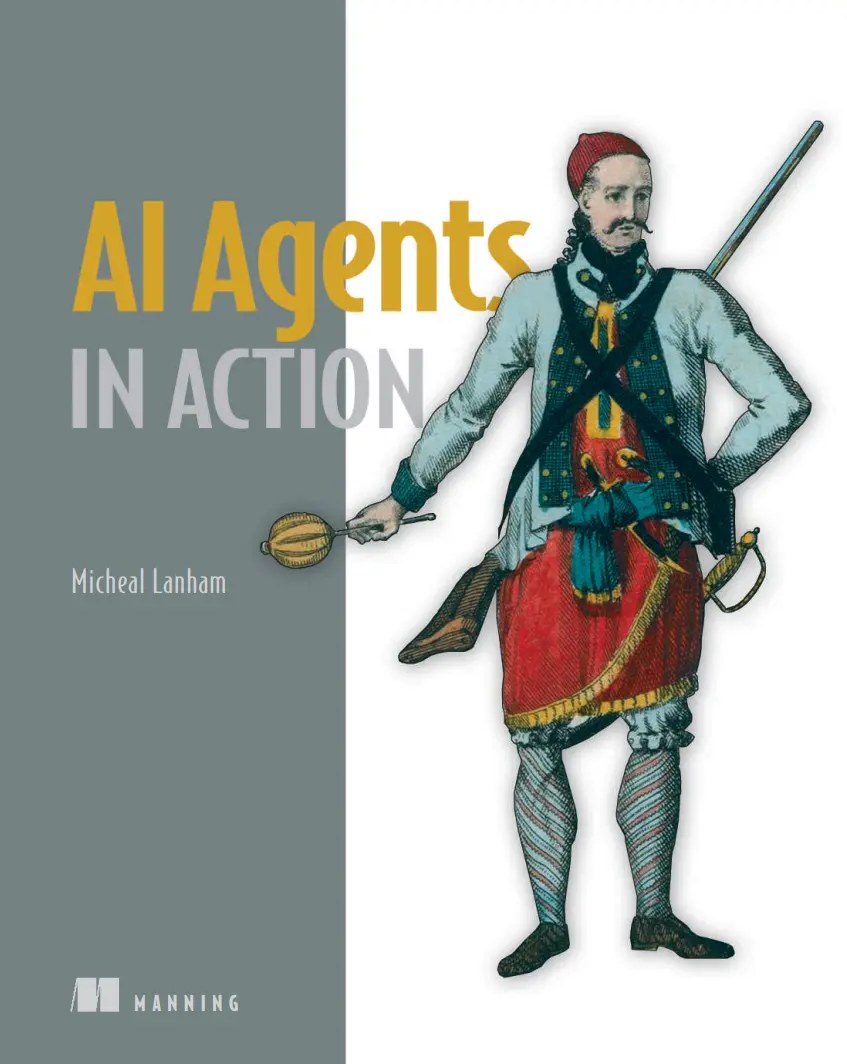
Автор: Lanham Michael
Дата выхода: 2025
Издательство: Manning Publications Co.
Количество страниц: 346
Размер файла: 16,4 МБ
Тип файла: PDF
Добавил: codelibs
Проверить на вирусы Дополнительные материалыAI Agents in Action....1
brief contents....8
contents....9
preface....15
acknowledgments....17
about this book....19
Who should read this book....19
How this book is organized: A road map....20
About the code....21
liveBook discussion forum....22
about the author....23
about the cover illustration....24
1 Introduction to agents and their world....25
1.1 Defining agents....25
1.2 Understanding the component systems of an agent....28
1.3 Examining the rise of the agent era: Why agents?....33
1.4 Peeling back the AI interface....35
1.5 Navigating the agent landscape....36
Summary....36
2 Harnessing the power of large language models....38
2.1 Mastering the OpenAI API....40
2.1.1 Connecting to the chat completions model....40
2.1.2 Understanding the request and response....42
2.2 Exploring open source LLMs with LM Studio....44
2.2.1 Installing and running LM Studio....44
2.2.2 Serving an LLM locally with LM Studio....47
2.3 Prompting LLMs with prompt engineering....49
2.3.1 Creating detailed queries....52
2.3.2 Adopting personas....53
2.3.3 Using delimiters....54
2.3.4 Specifying steps....55
2.3.5 Providing examples....56
2.3.6 Specifying output length....57
2.4 Choosing the optimal LLM for your specific needs....58
2.5 Exercises....60
Summary....61
3 Engaging GPT assistants....63
3.1 Exploring GPT assistants through ChatGPT....64
3.2 Building a GPT that can do data science....68
3.3 Customizing a GPT and adding custom actions....73
3.3.1 Creating an assistant to build an assistant....73
3.3.2 Connecting the custom action to an assistant....77
3.4 Extending an assistant’s knowledge using file uploads....80
3.4.1 Building the Calculus Made Easy GPT....80
3.4.2 Knowledge search and more with file uploads....82
3.5 Publishing your GPT....85
3.5.1 Expensive GPT assistants....86
3.5.2 Understanding the economics of GPTs....87
3.5.3 Releasing the GPT....87
3.6 Exercises....89
Summary....90
4 Exploring multi-agent systems....92
4.1 Introducing multi-agent systems with AutoGen Studio....93
4.1.1 Installing and using AutoGen Studio....94
4.1.2 Adding skills in AutoGen Studio....97
4.2 Exploring AutoGen....101
4.2.1 Installing and consuming AutoGen....101
4.2.2 Enhancing code output with agent critics....103
4.2.3 Understanding the AutoGen cache....105
4.3 Group chat with agents and AutoGen....106
4.4 Building an agent crew with CrewAI....108
4.4.1 Creating a jokester crew of CrewAI agents....108
4.4.2 Observing agents working with AgentOps....111
4.5 Revisiting coding agents with CrewAI....114
4.6 Exercises....119
Summary....120
5 Empowering agents with actions....122
5.1 Defining agent actions....123
5.2 Executing OpenAI functions....125
5.2.1 Adding functions to LLM API calls....125
5.2.2 Actioning function calls....127
5.3 Introducing Semantic Kernel....131
5.3.1 Getting started with SK semantic functions....132
5.3.2 Semantic functions and context variables....133
5.4 Synergizing semantic and native functions....135
5.4.1 Creating and registering a semantic skill/plugin....135
5.4.2 Applying native functions....139
5.4.3 Embedding native functions within semantic functions....141
5.5 Semantic Kernel as an interactive service agent....142
5.5.1 Building a semantic GPT interface....143
5.5.2 Testing semantic services....145
5.5.3 Interactive chat with the semantic service layer....146
5.6 Thinking semantically when writing semantic services....149
5.7 Exercises....151
Summary....152
6 Building autonomous assistants....153
6.1 Introducing behavior trees....154
6.1.1 Understanding behavior tree execution....155
6.1.2 Deciding on behavior trees....156
6.1.3 Running behavior trees with Python and py_trees....158
6.2 Exploring the GPT Assistants Playground....160
6.2.1 Installing and running the Playground....160
6.2.2 Using and building custom actions....162
6.2.3 Installing the assistants database....164
6.2.4 Getting an assistant to run code locally....164
6.2.5 Investigating the assistant process through logs....166
6.3 Introducing agentic behavior trees....167
6.3.1 Managing assistants with assistants....167
6.3.2 Building a coding challenge ABT....169
6.3.3 Conversational AI systems vs. other methods....173
6.3.4 Posting YouTube videos to X....174
6.3.5 Required X setup....175
6.4 Building conversational autonomous multi-agents....177
6.5 Building ABTs with back chaining....179
6.6 Exercises....180
Summary....182
7 Assembling and using an agent platform....184
7.1 Introducing Nexus, not just another agent platform....185
7.1.1 Running Nexus....186
7.1.2 Developing Nexus....187
7.2 Introducing Streamlit for chat application development....189
7.2.1 Building a Streamlit chat application....189
7.2.2 Creating a streaming chat application....192
7.3 Developing profiles and personas for agents....194
7.4 Powering the agent and understanding the agent engine....196
7.5 Giving an agent actions and tools....198
7.6 Exercises....202
Summary....203
8 Understanding agent memory and knowledge....204
8.1 Understanding retrieval in AI applications....205
8.2 The basics of retrieval augmented generation (RAG)....206
8.3 Delving into semantic search and document indexing....208
8.3.1 Applying vector similarity search....208
8.3.2 Vector databases and similarity search....212
8.3.3 Demystifying document embeddings....213
8.3.4 Querying document embeddings from Chroma....214
8.4 Constructing RAG with LangChain....216
8.4.1 Splitting and loading documents with LangChain....216
8.4.2 Splitting documents by token with LangChain....219
8.5 Applying RAG to building agent knowledge....220
8.6 Implementing memory in agentic systems....224
8.6.1 Consuming memory stores in Nexus....226
8.6.2 Semantic memory and applications to semantic, episodic, and procedural memory....228
8.7 Understanding memory and knowledge compression....231
8.8 Exercises....233
Summary....234
9 Mastering agent prompts with prompt flow....236
9.1 Why we need systematic prompt engineering....237
9.2 Understanding agent profiles and personas....240
9.3 Setting up your first prompt flow....241
9.3.1 Getting started....242
9.3.2 Creating profiles with Jinja2 templates....246
9.3.3 Deploying a prompt flow API....247
9.4 Evaluating profiles: Rubrics and grounding....248
9.5 Understanding rubrics and grounding....252
9.6 Grounding evaluation with an LLM profile....254
9.7 Comparing profiles: Getting the perfect profile....256
9.7.1 Parsing the LLM evaluation output....256
9.7.2 Running batch processing in prompt flow....259
9.7.3 Creating an evaluation flow for grounding....262
9.7.4 Exercises....266
Summary....267
10 Agent reasoning and evaluation....268
10.1 Understanding direct solution prompting....269
10.1.1 Question-and-answer prompting....270
10.1.2 Implementing few-shot prompting....272
10.1.3 Extracting generalities with zero-shot prompting....274
10.2 Reasoning in prompt engineering....276
10.2.1 Chain of thought prompting....277
10.2.2 Zero-shot CoT prompting....281
10.2.3 Step by step with prompt chaining....282
10.3 Employing evaluation for consistent solutions....285
10.3.1 Evaluating self-consistency prompting....286
10.3.2 Evaluating tree of thought prompting....290
10.4 Exercises....294
Summary....295
11 Agent planning and feedback....296
11.1 Planning: The essential tool for all agents/assistants....297
11.2 Understanding the sequential planning process....301
11.3 Building a sequential planner....302
11.4 Reviewing a stepwise planner: OpenAI Strawberry....309
11.5 Applying planning, reasoning, evaluation, and feedback to assistant and agentic systems....312
11.5.1 Application of assistant/agentic planning....312
11.5.2 Application of assistant/agentic reasoning....314
11.5.3 Application of evaluation to agentic systems....315
11.5.4 Application of feedback to agentic/assistant applications....317
11.6 Exercises....320
Summary....321
appendix A—Accessing OpenAI large language models....323
A.1 Accessing OpenAI accounts and keys....323
A.2 Azure OpenAI Studio, keys, and deployments....326
appendix B—Python development environment....329
B.1 Downloading the source code....329
B.2 Installing Python....330
B.3 Installing VS Code....330
B.4 Installing VS Code Python extensions....330
B.5 Creating a new Python environment with VS Code....332
B.6 Using VS Code Dev Containers (Docker)....333
index....335
A....335
B....336
C....336
D....337
E....337
F....337
G....337
I....337
J....338
K....338
L....338
M....338
N....338
O....338
P....339
Q....339
R....339
S....340
T....340
U....340
V....340
W....341
X....341
Y....341
Z....341
From script-free customer service chatbots to fully independent agents operating seamlessly in the background, AI-powered assistants represent a breakthrough in machine intelligence. In AI Agents in Action, you'll master a proven framework for developing practical agents that handle real-world business and personal tasks.
Author Micheal Lanham combines cutting-edge academic research with hands-on experience to help you:
- Understand and implement AI agent behavior patterns
- Design and deploy production-ready intelligent agents
- Leverage the OpenAI Assistants API and complementary tools
- Implement robust knowledge management and memory systems
- Create self-improving agents with feedback loops
- Orchestrate collaborative multi-agent systems
- Enhance agents with speech and vision capabilities
You won't find toy examples or fragile assistants that require constant supervision. AI Agents in Action teaches you to build trustworthy AI capable of handling high-stakes negotiations. You'll master prompt engineering to create agents with distinct personas and profiles, and develop multi-agent collaborations that thrive in unpredictable environments. Beyond just learning a new technology, you'll discover a transformative approach to problem-solving.
About the technology
Most production AI systems require many orchestrated interactions between the user, AI models, and a wide variety of data sources. AI agents capture and organize these interactions into autonomous components that can process information, make decisions, and learn from interactions behind the scenes. This book will show you how to create AI agents and connect them together into powerful multi-agent systems.
About the book
In AI Agents in Action, you’ll learn how to build production-ready assistants, multi-agent systems, and behavioral agents. You’ll master the essential parts of an agent, including retrieval-augmented knowledge and memory, while you create multi-agent applications that can use software tools, plan tasks autonomously, and learn from experience. As you explore the many interesting examples, you’ll work with state-of-the-art tools like OpenAI Assistants API, GPT Nexus, LangChain, Prompt Flow, AutoGen, and CrewAI.
What's inside
- Knowledge management and memory systems
- Feedback loops for continuous agent learning
- Collaborative multi-agent systems
- Speech and computer vision
About the reader
For intermediate Python programmers.


