-
1C
-
Agda
-
Agile/Scrum
-
Alef
-
APL
-
Assembler
-
AWK
-
Basic
-
Beta Programming Language
-
Big Data/DataScience
-
C
-
C#
-
C++
-
Cobol
-
Crystal
-
CSS
-
D
-
Dart
-
DataBase (SQL)
-
Delphi
-
F#
-
Flutter
-
Fortran
-
GameDev
-
Git
-
Go (Golang)
-
GPT/AI/ИИ
-
Hacking and Security
-
Haskell
-
HTML
-
Java
-
JavaScript (JS)
-
Julia
-
Kotlin
-
Machine Learning (ML)
-
Natural language processing (NLP)
-
.NET (.NET Core)
-
Pascal
-
PHP
-
Python
-
R
-
Ruby
-
Rust
-
Scratch
-
Swift
-
UML
-
UX/UI
-
Visual Basic
-
Wolfram
-
XML
-
АСУ
-
Проектирование/System Design
-
Сети/Network
-
Статьи
-
Схемотехника/электронные схемы
-
1C
-
Agda
-
Agile/Scrum
-
Alef
-
APL
-
Assembler
-
AWK
-
Basic
-
Beta Programming Language
-
Big Data/DataScience
-
C
-
C#
-
C++
-
Cobol
-
Crystal
-
CSS
-
D
-
Dart
-
DataBase (SQL)
-
Delphi
-
F#
-
Flutter
-
Fortran
-
GameDev
-
Git
-
Go (Golang)
-
GPT/AI/ИИ
-
Hacking and Security
-
Haskell
-
HTML
-
Java
-
JavaScript (JS)
-
Julia
-
Kotlin
-
Machine Learning (ML)
-
Natural language processing (NLP)
-
.NET (.NET Core)
-
Pascal
-
PHP
-
Python
-
R
-
Ruby
-
Rust
-
Scratch
-
Swift
-
UML
-
UX/UI
-
Visual Basic
-
Wolfram
-
XML
-
АСУ
-
Проектирование/System Design
-
Сети/Network
-
Статьи
-
Схемотехника/электронные схемы
Меню
Tiny CSS Projects
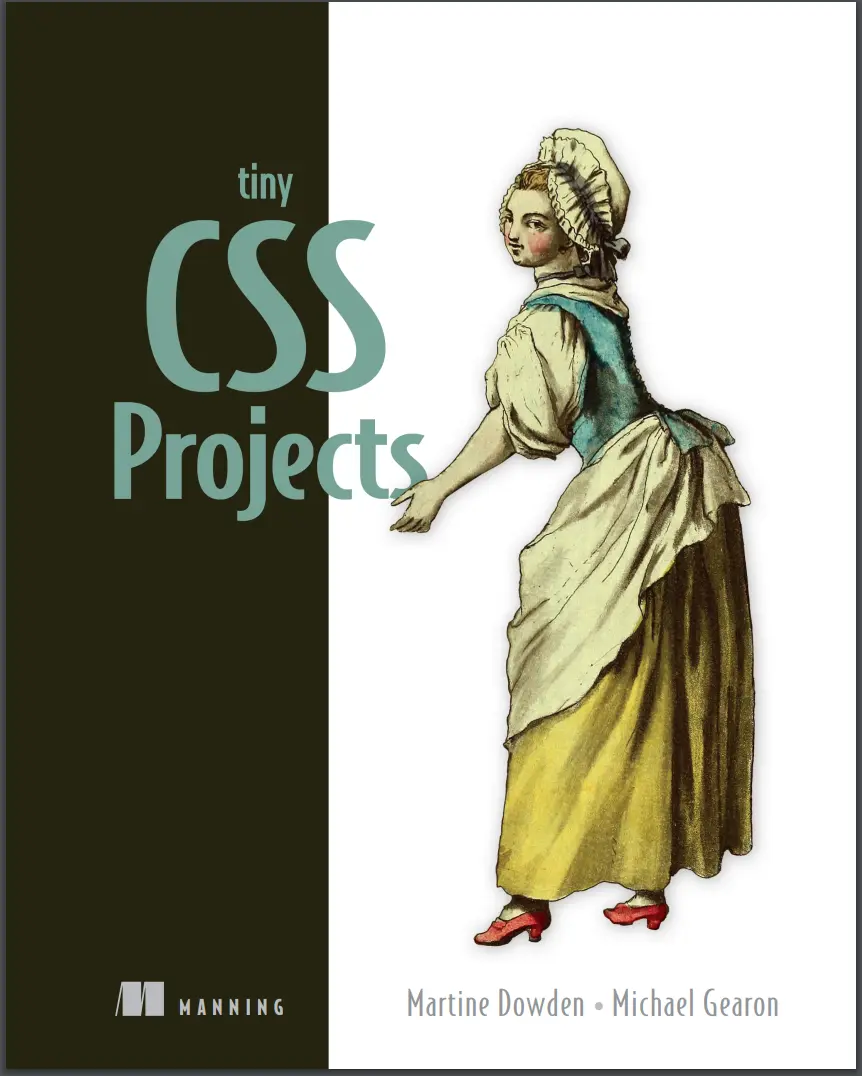
Автор: Dowden Martine , Gearon Michael
Дата выхода: 2023
Издательство: Manning Publications Co.
Количество страниц: 392
Размер файла: 12,9 МБ
Тип файла: PDF
Добавил: codelibs
Проверить на вирусы Дополнительные материалыTiny CSS Projects....1
brief contents....7
preface....14
acknowledgments....15
about this book....17
Who should read this book?....17
How this book is organized: A roadmap....17
About the code....18
liveBook discussion forum....19
Other online resources....19
about the authors....20
about the cover illustration....21
1 CSS introduction....23
1.1 Overview of CSS....23
1.1.1 Separation of Concerns....24
1.1.2 What is CSS?....25
1.2 Getting started with CSS by creating an article layout....26
1.3 Adding CSS to our HTML....30
1.3.1 Inline CSS....30
1.3.2 Embedded CSS....32
1.3.3 External CSS....34
1.4 The cascade of CSS....35
1.4.1 User-agent stylesheets....35
1.4.2 Author stylesheets....35
1.4.3 User stylesheets....35
1.4.4 CSS reset....36
1.4.5 Normalizer....37
1.4.6 The !important annotation....39
1.5 Specificity in CSS....39
1.6 CSS selectors....41
1.6.1 Basic selectors....41
1.6.2 Combinators....44
1.6.3 Pseudo-class and pseudo-element selectors....49
1.6.4 Attribute value selectors....53
1.6.5 Universal selector....54
1.7 Different ways to write CSS....54
1.7.1 Shorthand....54
1.7.2 Formatting....56
Summary....57
2 Designing a layout using CSS Grid....59
2.1 CSS Grid....60
2.2 Display grid....64
2.3 Grid tracks and lines....65
2.3.1 Repeating columns....66
2.3.2 The minmax() function....67
2.3.3 The auto keyword....67
2.3.4 The fractions (fr) unit....67
2.4 Grid template areas....70
2.4.1 The grid-area property....73
2.4.2 The gap property....75
2.5 Media queries....76
2.6 Accessibility considerations....78
Summary....80
3 Creating a responsive animated loading screen....82
3.1 Setup....83
3.2 SVG basics....83
3.2.1 Positions of SVG elements....85
3.2.2 Viewport....86
3.2.3 Viewbox....88
3.2.4 Shapes in SVG....89
3.3 Applying styles to SVGs....90
3.4 Animating elements in CSS....93
3.4.1 Keyframe and animation-name....93
3.4.2 The duration property....97
3.4.3 The iteration-count property....98
3.4.4 The animation shorthand property....99
3.4.5 The animation-delay property....99
3.4.6 The transform-origin property....101
3.5 Accessibility and the prefers-reduced-motion media query....103
3.6 Styling an HTML progress bar....105
3.6.1 Styling the progress bar....105
3.6.2 Styling the progress bar for -webkit- browsers....107
3.6.3 Styling the progress bar for -moz- browsers....109
Summary....111
4 Creating a responsive web newspaper layout....113
4.1 Setting up our theme....115
4.1.1 Fonts....116
4.1.2 The font-weight property....119
4.1.3 The font shorthand property....120
4.1.4 Visual hierarchy....120
4.1.5 Inline versus block elements....121
4.1.6 Quotes....123
4.2 Using CSS counters....124
4.2.1 The symbols descriptor....125
4.2.2 The system descriptor....125
4.2.3 The suffix descriptor....125
4.2.4 Putting everything together....126
4.2.5 @counter versus list-style-image....126
4.3 Styling images....126
4.3.1 Using the filter property....127
4.3.2 Handling broken images....128
4.3.3 Formatting captions....130
4.4 Using the CSS Multi-column Layout Module....132
4.4.1 Creating media queries....132
4.4.2 Defining and styling columns....132
4.4.3 Using the column-rule property....134
4.4.4 Adjusting spacing with the column-gap property....135
4.4.5 Making content span multiple columns....136
4.4.6 Controlling content breaks....137
4.5 Adding the finishing touches....137
4.5.1 Justifying and hyphenating text....138
4.5.2 Wrapping the text around the image....140
4.5.3 Using max-width and a margin value of auto....141
Summary....142
5 Summary cards with hover interactions....143
5.1 Getting started....145
5.2 Laying out the page using grid....146
5.2.1 Layout using grid....147
5.2.2 Media queries....149
5.3 Styling the header using the background-clip property....152
5.3.1 Setting the font....152
5.3.2 Using background-clip....153
5.4 Styling the cards....155
5.4.1 Outer card container....155
5.4.2 Inner container and content....157
5.5 Using transitions to animate content on hover and focus-within....161
Summary....167
6 Creating a profile card....168
6.1 Starting the project....169
6.2 Setting CSS custom properties....171
6.3 Creating full-height backgrounds....172
6.4 Styling and centering the card using Flexbox....173
6.5 Styling and positioning the profile picture....176
6.5.1 The object-fit property....177
6.5.2 Negative margins....178
6.6 Setting the background size and position....182
6.7 Styling the content....185
6.7.1 Name and job title....185
6.7.2 The space-around and gap properties....187
6.7.3 The flex-basis and flex-shrink properties....189
6.7.4 The flex-direction property....190
6.7.5 Paragraph....191
6.7.6 The flex-wrap property....192
6.8 Styling the actions....194
Summary....196
7 Harnessing the full power of float....198
7.1 Adding a drop cap....202
7.1.1 Leading....202
7.1.2 Justification....202
7.1.3 First letter....203
7.2 Styling the quote....205
7.3 Curving text around the compass....206
7.3.1 Adding shape-outside: circle....207
7.3.2 Adding a clip-path....209
7.3.3 Creating a shape using border-radius....210
7.4 Wrapping text around the dog....212
7.4.1 Using path() . . . or not yet....212
7.4.2 Floating the image....213
7.4.3 Adding shape-margin....214
Summary....217
8 Designing a checkout cart....218
8.1 Getting started....219
8.2 Theming....222
8.2.1 Typography....222
8.2.2 Links and buttons....224
8.2.3 Input fields....228
8.2.4 Table....229
8.2.5 Description list....234
8.2.6 Cards....235
8.3 Mobile layout....237
8.3.1 Table mobile view....237
8.3.2 Description list....243
8.3.3 Call-to-action links....245
8.3.4 Padding, margin, and margin collapse....246
8.4 Medium screen layout....247
8.4.1 Right-justified numbers....247
8.4.2 Left-justifying the first two columns....250
8.4.3 Right-justifying numbers in the input fields....251
8.4.4 Cell padding and margin....251
8.5 Wide screens....252
Summary....256
9 Creating a virtual credit card....258
9.1 Getting started....259
9.2 Creating the layout....261
9.2.1 Sizing the card....262
9.2.2 Styling the front of the card....263
9.2.3 Laying out the back of the card....267
9.3 Working with background images....270
9.3.1 Background property shorthand....270
9.3.2 Text color....272
9.4 Typography....274
9.4.1 @font-face....275
9.4.2 Creating fallbacks using @supports....277
9.4.3 Font sizing and typography improvements....279
9.5 Creating the flipping-over effect....281
9.5.1 Position....281
9.5.2 Transitions and backface-visibility....283
9.5.3 The transition property....285
9.5.4 The cubic-bezier() function....285
9.6 Border radius....288
9.7 Box and text shadows....289
9.7.1 The drop-shadow function versus the box-shadow property....289
9.7.2 Text shadows....290
9.8 Wrapping up....291
Summary....292
10 Styling forms....293
10.1 Setting up....294
10.2 Resetting fieldset styles....297
10.3 Styling input fields....298
10.3.1 Styling text and email inputs....298
10.3.2 Making selects and textareas match the input styles....300
10.3.3 Styling radio inputs and check boxes....302
10.3.4 Using the :where() and :is() pseudo-classes....306
10.3.5 Styling selected radio and checkbox inputs....306
10.3.6 Using the :checked pseudo-class....308
10.3.7 Shaping the selected radio buttons’ inner disk....309
10.3.8 Using CSS shapes to create the check mark....310
10.3.9 Calculating specificity with :is() and :where()....312
10.4 Styling drop-down menus....312
10.5 Styling labels and legends....315
10.6 Styling the placeholder text....316
10.7 Styling the Send button....317
10.8 Error handling....318
10.9 Adding hover and focus styles to form elements....322
10.9.1 Using :focus versus :focus-visible....323
10.9.2 Adding hover styles....325
10.10 Handling forced-colors mode....325
Summary....328
11 Animated social media share links....330
11.1 Working with CSS architecture....331
11.1.1 OOCSS....331
11.1.2 SMACSS....331
11.1.3 BEM....332
11.2 Setting up....332
11.3 Sourcing icons....334
11.3.1 Media icons....334
11.3.2 Icon libraries....335
11.4 Styling the block....335
11.5 Styling the elements....336
11.5.1 Share button....336
11.5.2 Share menu....337
11.5.3 Share links....338
11.5.4 scale()....339
11.5.5 The inherit property value....340
11.6 Animating the component....341
11.6.1 Creating a transition....341
11.6.2 Opening and closing the component....342
11.6.3 Animating the menu....348
Summary....351
12 Using preprocessors....352
12.1 Running the preprocessor....353
12.1.1 Setup instructions for npm....353
12.1.2 .sass versus .scss....355
12.1.3 Setup instructions for CodePen....356
12.1.4 Starting HTML and SCSS....356
12.2 Sass variables....360
12.2.1 @extend....363
12.3 @mixin and @include....364
12.3.1 object-fit property....365
12.3.2 Interpolation....366
12.3.3 Using mixins....366
12.3.4 border-radius shorthand....369
12.4 Nesting....369
12.5 @each....371
12.6 Color functions....375
12.7 @if and @else....377
12.8 Final thoughts....379
Summary....381
appendix....382
Working with vendor prefixes and feature flags....382
Using browser developer tools....383
index....385
Symbols....385
Numerics....385
A....385
B....385
C....386
D....386
E....386
F....387
G....387
H....387
I....387
J....387
K....387
L....388
M....388
N....388
O....388
P....388
Q....388
R....388
S....388
T....389
U....389
V....389
W....390
X....390
Y....390
The projects may be tiny, but the CSS skills you’ll learn are huge! Tiny CSS Projects teaches you how to make beautiful websites and applications by guiding you through a dozen fun coding challenges. You’ll learn important skills through hands-on practice as you tinker with your own code and make real creative decisions about the projects you’re building. You’ll rapidly master the basics and then press on into CSS’s exciting layout features including grid and flexbox, animations, transitions, and media queries.
About the Technology
Don’t settle for boring web pages! With Cascading Style Sheets you can control color, layout, and typography to make your sites both functional and beautiful. CSS is an essential skill for web developers and designers. This book will help you get started the right way.
About the Book
Tiny CSS Projects builds your CSS skills by guiding you through 12 creative mini-projects. Each interesting challenge starts with a downloadable HTML skeleton. As you flesh it out with your own design ideas, you’ll master CSS concepts like transitions, layout, and styling forms, and explore powerful features including Flexbox and Grid. All the skills you’ll learn are easy to transfer to full-size applications. When you finish, you’ll have an exciting portfolio of designs ready to go for your next project.
What's Inside
- Transitions and animations using keyframes
- Layout techniques including Grid and Flexbox
- Styling form elements including radio buttons
- Embedding fonts and typography-related styles
- Conditional styling using pseudo-elements and media queries
About the reader
For readers who know the basics of HTML and frontend development. No previous experience with CSS is required.


