-
1C
-
Agda
-
Agile/Scrum
-
Alef
-
APL
-
Assembler
-
AWK
-
Basic
-
Beta Programming Language
-
Big Data/DataScience
-
C
-
C#
-
C++
-
Cobol
-
Crystal
-
CSS
-
D
-
Dart
-
DataBase (SQL)
-
Delphi
-
F#
-
Flutter
-
Fortran
-
GameDev
-
Git
-
Go (Golang)
-
GPT/AI/ИИ
-
Hacking and Security
-
Haskell
-
HTML
-
Java
-
JavaScript (JS)
-
Julia
-
Kotlin
-
Machine Learning (ML)
-
Natural language processing (NLP)
-
.NET (.NET Core)
-
Pascal
-
PHP
-
Python
-
R
-
Ruby
-
Rust
-
Scratch
-
Swift
-
UML
-
UX/UI
-
Visual Basic
-
Wolfram
-
XML
-
АСУ
-
Проектирование/System Design
-
Сети/Network
-
Статьи
-
Схемотехника/электронные схемы
-
1C
-
Agda
-
Agile/Scrum
-
Alef
-
APL
-
Assembler
-
AWK
-
Basic
-
Beta Programming Language
-
Big Data/DataScience
-
C
-
C#
-
C++
-
Cobol
-
Crystal
-
CSS
-
D
-
Dart
-
DataBase (SQL)
-
Delphi
-
F#
-
Flutter
-
Fortran
-
GameDev
-
Git
-
Go (Golang)
-
GPT/AI/ИИ
-
Hacking and Security
-
Haskell
-
HTML
-
Java
-
JavaScript (JS)
-
Julia
-
Kotlin
-
Machine Learning (ML)
-
Natural language processing (NLP)
-
.NET (.NET Core)
-
Pascal
-
PHP
-
Python
-
R
-
Ruby
-
Rust
-
Scratch
-
Swift
-
UML
-
UX/UI
-
Visual Basic
-
Wolfram
-
XML
-
АСУ
-
Проектирование/System Design
-
Сети/Network
-
Статьи
-
Схемотехника/электронные схемы
Меню
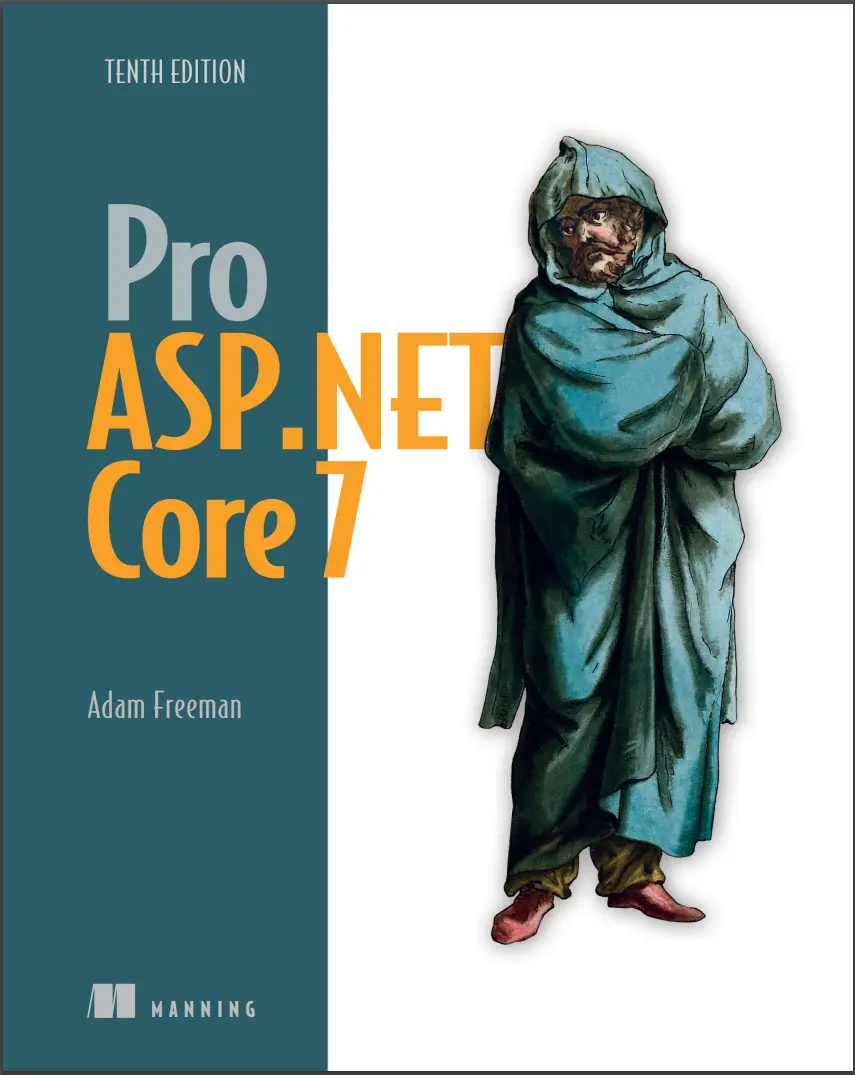
Pro ASP.NET Core 7. 10 Ed
Автор: Freeman Adam
Дата выхода: 2023
Издательство: Manning Publications Co.
Количество страниц: 1256
Размер файла: 10,4 МБ
Тип файла: PDF
Добавил: Федоров_АИ
Проверить на вирусы Дополнительные материалыPro ASP.NET Core 7, Tenth Edition....1
Praises from reviewers of Pro ASP.NET Core 7, Tenth Edition....2
dedication....6
contents....8
preface....28
about this book....30
Who should read this book....30
How this book is organized: a roadmap....30
About the code....31
liveBook discussion forum....31
about the author....32
about the cover illustration....33
1 Putting ASP.NET Core in context....34
1.1 Understanding the application frameworks ....36
1.1.1 Understanding the MVC Framework ....36
1.1.2 Understanding Razor Pages....37
1.1.3 Understanding Blazor ....37
1.1.4 Understanding the utility frameworks ....38
1.1.5 Understanding the ASP.NET Core platform ....38
1.2 Understanding this book....39
1.2.1 What software do I need to follow the examples?....39
1.2.2 What platform do I need to follow the examples?....39
1.2.3 What if I have problems following the examples?....39
1.2.4 What if I find an error in the book?....40
1.2.5 What does this book cover?....40
1.2.6 What doesn’t this book cover?....41
1.2.7 How do I contact the author?....41
1.2.8 What if I really enjoyed this book?....42
1.2.9 What if this book has made me angry and I want to complain?....42
Summary....42
Part 1....44
2 Getting started....46
2.1 Choosing a code editor....46
2.1.1 Installing Visual Studio....47
2.1.2 Installing Visual Studio Code ....49
2.2 Creating an ASP.NET Core project....52
2.2.1 Opening the project using Visual Studio....53
2.2.2 Opening the project with Visual Studio Code ....54
2.3 Running the ASP.NET Core application....55
2.3.1 Understanding endpoints....56
2.3.2 Understanding routes....58
2.3.3 Understanding HTML rendering ....58
2.3.4 Putting the pieces together....63
Summary....63
3 Your first ASP.NET Core application....64
3.1 Setting the scene....64
3.2 Creating the project ....65
3.2.1 Preparing the project ....65
3.2.2 Adding a data model....67
3.2.3 Creating a second action and view....68
3.2.4 Linking action methods....70
3.2.5 Building the form....71
3.2.6 Receiving form data....72
3.2.7 Adding the thanks view....75
3.2.8 Displaying responses....77
3.2.9 Adding validation....79
3.2.10 Styling the content....84
Summary....90
4 Using the development tools....91
4.1 Creating ASP.NET Core projects....92
4.1.1 Creating a project using the command line....92
4.2 Adding code and content to projects....95
4.2.1 Understanding item scaffolding....97
4.3 Building and running projects....97
4.3.1 Using the hot reload feature ....99
4.4 Managing packages....101
4.4.1 Managing NuGet packages....101
4.4.2 Managing tool packages ....102
4.4.3 Managing client-side packages ....102
4.5 Debugging projects ....104
Summary....105
5 Essential C# features....106
5.1 Preparing for this chapter....107
5.1.1 Opening the project ....108
5.1.2 Enabling the MVC Framework....108
5.1.3 Creating the application components ....108
5.1.4 Selecting the HTTP port....110
5.1.5 Running the example application ....111
5.2 Understanding top-level statements....111
5.3 Understanding global using statements....112
5.3.1 Understanding implicit using statements....113
5.4 Understanding null state analysis....114
5.4.1 Ensuring fields and properties are assigned values....115
5.4.2 Providing a default value for non-nullable types ....117
5.4.3 Using nullable types ....117
5.4.4 Checking for null values ....119
5.4.5 Overriding null state analysis ....122
5.4.6 Disabling null state analysis warnings ....122
5.5 Using string interpolation ....123
5.6 Using object and collection initializers....123
5.6.1 Using an index initializer ....125
5.7 Using target-typed new expressions....126
5.8 Pattern Matching....127
5.8.1 Pattern matching in switch statements ....127
5.9 Using extension methods....128
5.9.1 Applying extension methods to an interface....130
5.9.2 Creating filtering extension methods....132
5.10 Using lambda expressions....133
5.10.1 Defining functions....135
5.10.2 Using lambda expression methods and properties ....138
5.11 Using type inference and anonymous types....140
5.11.1 Using anonymous types....140
5.12 Using default implementations in interfaces....142
5.13 Using asynchronous methods....144
5.13.1 Working with tasks directly ....144
5.13.2 Applying the async and await keywords....145
5.13.3 Using an asynchronous enumerable....147
5.14 Getting names....150
Summary....151
6 Testing ASP.NET Core applications....152
6.1 Preparing for this chapter....153
6.1.1 Opening the project ....154
6.1.2 Selecting the HTTP port....154
6.1.3 Enabling the MVC Framework ....155
6.1.4 Creating the application components ....155
6.1.5 Running the example application ....157
6.2 Creating a unit test project....157
6.3 Writing and running unit tests....158
6.3.1 Running tests with the Visual Studio Test Explorer....160
6.3.2 Running tests with Visual Studio Code ....161
6.3.3 Running tests from the command line ....161
6.3.4 Correcting the unit test ....162
6.3.5 Isolating components for unit testing ....163
6.3.6 Using a mocking package ....168
6.3.7 Creating a mock object....168
Summary....170
7 SportsStore: A real application....171
7.1 Creating the projects....172
7.1.1 Creating the unit test project....173
7.1.2 Opening the projects....173
7.1.3 Configuring the HTTP port ....173
7.1.4 Creating the application project folders....174
7.1.5 Preparing the services and the request pipeline....175
7.1.6 Configuring the Razor view engine....176
7.1.7 Creating the controller and view ....177
7.1.8 Starting the data model....177
7.1.9 Checking and running the application ....178
7.2 Adding data to the application ....178
7.2.1 Installing the Entity Framework Core packages ....179
7.2.2 Defining the connection string....179
7.2.3 Creating the database context class....180
7.2.4 Configuring Entity Framework Core ....181
7.2.5 Creating a repository....181
7.2.6 Creating the database migration ....184
7.2.7 Creating seed data....184
7.3 Displaying a list of products....187
7.3.1 Preparing the controller ....187
7.3.2 Updating the view....189
7.3.3 Running the application....190
7.4 Adding pagination....190
7.4.1 Displaying page links....192
7.4.2 Improving the URLs....200
7.5 Styling the content....202
7.5.1 Installing the Bootstrap package....202
7.5.2 Applying Bootstrap styles....202
7.5.3 Creating a partial view....205
Summary....207
8 SportsStore: Navigation and cart....208
8.1 Adding navigation controls....208
8.1.1 Filtering the product list....209
8.1.2 Refining the URL scheme....213
8.1.3 Building a category navigation menu....217
8.1.4 Correcting the page count....224
8.2 Building the shopping cart....227
8.2.1 Configuring Razor Pages....227
8.2.2 Creating a Razor Page ....229
8.2.3 Creating the Add to Cart buttons....230
8.2.4 Enabling sessions....232
8.2.5 Implementing the cart feature....233
Summary....243
9 SportsStore: Completing the cart....244
9.1 Refining the cart model with a service....244
9.1.1 Creating a storage-aware cart class....245
9.1.2 Registering the service....247
9.1.3 Simplifying the cart Razor Page....248
9.2 Completing the cart functionality....250
9.2.1 Removing items from the cart....250
9.2.2 Adding the cart summary widget....253
9.3 Submitting orders....256
9.3.1 Creating the model class....256
9.3.2 Adding the checkout process....257
9.3.3 Creating the controller and view....258
9.3.4 Implementing order processing....260
9.3.5 Completing the order controller....263
9.3.6 Displaying validation errors....267
9.3.7 Displaying a summary page....269
Summary....270
10 SportsStore: Administration....271
10.1 Preparing Blazor Server....272
10.1.1 Creating the imports file....273
10.1.2 Creating the startup Razor Page....273
10.1.3 Creating the routing and layout components ....274
10.1.4 Creating the Razor Components ....275
10.1.5 Checking the Blazor setup....275
10.2 Managing orders....276
10.2.1 Enhancing the model....277
10.2.2 Displaying orders to the administrator....278
10.3 Adding catalog management ....282
10.3.1 Expanding the repository ....282
10.3.2 Applying validation attributes to the data model....283
10.3.3 Creating the list component ....284
10.3.4 Creating the detail component ....286
10.3.5 Creating the editor component ....287
10.3.6 Deleting products....290
Summary....292
11 SportsStore: Security and deployment....293
11.1 Creating the Identity database....294
11.1.1 Installing the Identity package for Entity Framework Core ....294
11.1.2 Creating the context class ....294
11.1.3 Defining the connection string....295
11.1.4 Configuring the application ....295
11.1.5 Creating and applying the database migration....297
11.1.6 Defining the seed data ....297
11.2 Adding a conventional administration feature....300
11.3 Applying a basic authorization policy ....301
11.4 Creating the account controller and views....302
11.5 Testing the security policy ....306
11.6 Preparing ASP.NET Core for deployment ....307
11.6.1 Configuring error handling....307
11.6.2 Creating the production configuration settings....309
11.6.3 Creating the Docker image ....310
11.6.4 Running the containerized application ....313
Summary....314
Part 2....316
12 Understanding the ASP.NET Core platform ....318
12.1 Preparing for this chapter....319
12.1.1 Running the example application ....321
12.2 Understanding the ASP.NET Core platform....321
12.2.1 Understanding middleware and the request pipeline....321
12.2.2 Understanding services....322
12.3 Understanding the ASP.NET Core project....322
12.3.1 Understanding the entry point....324
12.3.2 Understanding the project file....325
12.4 Creating custom middleware ....326
12.4.1 Defining middleware using a class ....330
12.4.2 Understanding the return pipeline path ....332
12.4.3 Short-Circuiting the request pipeline ....333
12.4.4 Creating pipeline branches....335
12.4.5 Creating terminal middleware ....337
12.5 Configuring middleware....339
12.5.1 Using the options pattern with class-based middleware ....341
Summary....343
13 Using URL routing....344
13.1 Preparing for this chapter....345
13.1.1 Understanding URL routing ....348
13.1.2 Adding the routing middleware and defining an endpoint ....349
13.1.3 Simplifying the pipeline configuration ....352
13.1.4 Understanding URL patterns....354
13.1.5 Using segment variables in URL patterns....355
13.1.6 Generating URLs from routes....359
13.2 Managing URL matching ....363
13.2.1 Matching multiple values from a single URL segment ....363
13.2.2 Using default values for segment variables....364
13.2.3 Using optional segments in a URL Pattern....366
13.2.4 Using a catchall segment variable ....367
13.2.5 Constraining segment matching ....369
13.2.6 Defining fallback routes....373
13.3 Advanced routing features ....374
13.3.1 Creating custom constraints....374
13.3.2 Avoiding ambiguous route exceptions....375
13.3.3 Accessing the endpoint in a middleware component ....377
Summary....380
14 Using dependency injection....381
14.1 Preparing for this chapter....383
14.1.1 Creating a middleware component and an endpoint....383
14.1.2 Configuring the request pipeline ....384
14.2 Understanding service location and tight coupling ....385
14.2.1 Understanding the service location problem....386
14.2.2 Understanding the tightly coupled components problem....388
14.3 Using dependency injection....390
14.3.1 Using a Service with a Constructor Dependency ....392
14.3.2 Getting services from the HttpContext object ....393
14.4 Using Service Lifecycles....397
14.4.1 Creating transient services....398
14.4.2 Avoiding the transient service reuse pitfall....399
14.4.3 Using scoped services....402
14.5 Other dependency injection features....407
14.5.1 Creating dependency chains ....407
14.5.2 Accessing services in the Program.cs file ....409
14.5.3 Using service factory functions....410
14.5.4 Creating services with multiple implementations ....412
14.5.5 Using unbound types in services ....414
Summary....416
15 Using the platform features, part 1....417
15.1 Preparing for this chapter....418
15.2 Using the configuration service....420
15.2.1 Understanding the environment configuration file....420
15.2.2 Accessing configuration settings....421
15.2.3 Using the configuration data in the Program.cs file ....423
15.2.4 Using configuration data with the options pattern ....423
15.2.5 Understanding the launch settings file ....425
15.2.6 Using the environment service....430
15.2.7 Storing user secrets....431
15.3 Using the logging service ....434
15.3.1 Generating logging messages ....434
15.3.2 Logging messages with attributes ....438
15.3.3 Configuring minimum logging levels....440
15.3.4 Logging HTTP requests and responses....442
15.4 Using static content and client-side packages ....444
15.4.1 Adding the static content middleware ....445
15.4.2 Using client-side packages ....448
Summary....450
16 Using the platform features, part 2....451
16.1 Preparing for this chapter....452
16.2 Using cookies....453
16.2.1 Enabling cookie consent checking....455
16.2.2 Managing cookie consent ....457
16.3 Using sessions ....459
16.3.1 Configuring the session service and middleware ....459
16.3.2 Using session data ....462
16.4 Working with HTTPS connections....464
16.4.1 Enabling HTTPS connections ....464
16.4.2 Detecting HTTPS requests....466
16.4.3 Enforcing HTTPS requests....467
16.4.4 Enabling HTTP strict transport security....468
16.5 Using rate limits....470
16.6 Handling exceptions and errors....474
16.6.1 Returning an HTML error response....475
16.6.2 Enriching status code responses....477
16.7 Filtering requests using the host header....479
Summary....482
17 Working with data....483
17.1 Preparing for this chapter....485
17.2 Caching data....485
17.2.1 Caching data values ....487
17.2.2 Using a shared and persistent data cache....490
17.3 Caching responses ....494
17.4 Caching output....497
17.4.1 Defining a custom cache policy....500
17.5 Using Entity Framework Core ....502
17.5.1 Installing Entity Framework Core....502
17.5.2 Creating the data model ....503
17.5.3 Configuring the database service....504
17.5.4 Creating and applying the database migration ....506
17.5.5 Seeding the database....506
17.5.6 Using data in an endpoint....509
Summary....512
Part 3....514
18 Creating the example project....516
18.1 Creating the project....517
18.2 Adding a data model....518
18.2.1 Adding NuGet packages to the project ....518
18.2.2 Creating the data model....518
18.2.3 Preparing the seed data....520
18.2.4 Configuring EF Core services and middleware ....521
18.2.5 Creating and applying the migration ....522
18.3 Adding the CSS framework ....523
18.4 Configuring the request pipeline....523
18.5 Running the example application ....524
19 Creating RESTful web services....525
19.1 Preparing for this chapter....526
19.2 Understanding RESTful web services....527
19.2.1 Understanding request URLs and methods....527
19.2.2 Understanding JSON ....528
19.3 Creating a web service using the minimal API....529
19.4 Creating a web service using a controller ....531
19.4.1 Enabling the MVC Framework ....532
19.4.2 Creating a controller ....533
19.5 Improving the web service ....543
19.5.1 Using asynchronous actions....544
19.5.2 Preventing over-binding....545
19.5.3 Using action results....547
19.5.4 Validating data ....552
19.5.5 Applying the API controller attribute ....554
19.5.6 Omitting Null properties ....556
19.5.7 Applying a rate limit ....559
Summary....562
20 Advanced web service features....563
20.1 Preparing for this chapter....564
20.1.1 Dropping the database....565
20.1.2 Running the example application ....565
20.2 Dealing with related data ....566
20.2.1 Breaking circular references in related data ....568
20.3 Supporting the HTTP PATCH method....569
20.3.1 Understanding JSON Patch ....569
20.3.2 Installing and configuring the JSON Patch package ....570
20.3.3 Defining the action method ....571
20.4 Understanding content formatting....573
20.4.1 Understanding the default content policy ....573
20.4.2 Understanding content negotiation....575
20.4.3 Specifying an action result format....580
20.4.4 Requesting a format in the URL ....581
20.4.5 Restricting the formats received by an action method....582
20.4.6 Caching output ....584
20.5 Documenting and exploring web services....586
20.5.1 Resolving action conflicts ....586
20.5.2 Installing and configuring the Swashbuckle package ....587
20.5.3 Fine-Tuning the API description....589
Summary....593
21 Using controllers with views, part I....594
21.1 Preparing for this chapter....595
21.1.1 Dropping the database....596
21.1.2 Running the example application ....596
21.2 Getting started with views....597
21.2.1 Configuring the application ....597
21.2.2 Creating an HTML controller ....598
21.2.3 Creating a Razor View....601
21.2.4 Selecting a View by name....604
21.3 Working with Razor Views....608
21.3.1 Setting the view model type ....611
21.3.2 Understanding the view model type pitfall....617
21.4 Understanding the Razor syntax....620
21.4.1 Understanding directives ....620
21.4.2 Understanding content expressions....621
21.4.3 Setting element content ....622
21.4.4 Setting attribute values....623
21.4.5 Using conditional expressions....624
21.4.6 Enumerating sequences....627
21.4.7 Using Razor code blocks ....629
Summary....631
22 Using controllers with views, part II....632
22.1 Preparing for this chapter....633
22.1.1 Dropping the database....634
22.1.2 Running the example application ....634
22.2 Using the view bag....635
22.3 Using temp data ....637
22.4 Working with layouts....640
22.4.1 Configuring layouts using the view bag....642
22.4.2 Using a view start file ....643
22.4.3 Overriding the default layout ....645
22.4.4 Using layout sections....648
22.5 Using partial views....655
22.5.1 Enabling partial views....655
22.5.2 Creating a partial view....655
22.5.3 Applying a partial view ....656
22.6 Understanding content-encoding....658
22.6.1 Understanding HTML encoding ....659
22.6.2 Understanding JSON encoding....661
Summary....662
23 Using Razor Pages....663
23.1 Preparing for this chapter....665
23.1.1 Running the example application ....665
23.2 Understanding Razor Pages....666
23.2.1 Configuring Razor Pages....666
23.2.2 Creating a Razor Page ....667
23.3 Understanding Razor Pages routing....672
23.3.1 Specifying a routing pattern in a Razor Page ....673
23.3.2 Adding routes for a Razor Page ....675
23.4 Understanding the Page model class....677
23.4.1 Using a code-behind class file ....677
23.4.2 Understanding action results in Razor Pages ....680
23.4.3 Handling multiple HTTP methods....684
23.4.4 Selecting a handler method....686
23.5 Understanding the Razor Page view ....689
23.5.1 Creating a layout for Razor Pages....689
23.5.2 Using partial views in Razor Pages....691
23.5.3 Creating Razor Pages without page models....692
Summary....694
24 Using view components....695
24.1 Preparing for this chapter....696
24.1.1 Dropping the database....699
24.1.2 Running the example application ....699
24.2 Understanding view components....700
24.3 Creating and using a view component ....700
24.3.1 Applying a view component ....701
24.4 Understanding view component results....704
24.4.1 Returning a partial view ....705
24.4.2 Returning HTML fragments....708
24.5 Getting context data ....711
24.5.1 Providing context from the parent view using arguments ....712
24.5.2 Creating asynchronous view components....716
24.6 Creating view components classes....718
24.6.1 Creating a hybrid controller class....721
Summary....723
25 Using tag helpers....724
25.1 Preparing for this chapter....725
25.1.1 Dropping the database....727
25.1.2 Running the example application ....727
25.2 Creating a tag helper....728
25.2.1 Defining the tag helper class....728
25.2.2 Registering tag helpers....731
25.2.3 Using a tag helper....731
25.2.4 Narrowing the scope of a tag helper....733
25.2.5 Widening the scope of a tag helper ....734
25.3 Advanced tag helper features....736
25.3.1 Creating shorthand elements ....736
25.3.2 Creating elements programmatically ....739
25.3.3 Prepending and appending content and elements....740
25.3.4 Getting view context data....743
25.3.5 Working with model expressions....745
25.3.6 Coordinating between tag helpers....751
25.3.7 Suppressing the output element ....753
25.4 Using tag helper components ....754
25.4.1 Creating a tag helper component ....754
25.4.2 Expanding tag helper component element selection ....756
Summary....758
26 Using the built-in tag helpers....759
26.1 Preparing for this chapter....760
26.1.1 Adding an image file....762
26.1.2 Installing a client-side package....762
26.1.3 Dropping the database....763
26.1.4 Running the example application ....763
26.2 Enabling the built-in tag helpers....763
26.3 Transforming anchor elements....764
26.3.1 Using anchor elements for Razor Pages ....766
26.4 Using the JavaScript and CSS tag helpers....768
26.4.1 Managing JavaScript files....768
26.4.2 Managing CSS stylesheets....776
26.5 Working with image elements ....779
26.6 Using the data cache ....781
26.6.1 Setting cache expiry....783
26.7 Using the hosting environment tag helper....786
Summary....787
27 Using the forms tag helpers....788
27.1 Preparing for this chapter....789
27.1.1 Dropping the database....791
27.1.2 Running the example application ....791
27.2 Understanding the form handling pattern....791
27.2.1 Creating a controller to handle forms ....792
27.2.2 Creating a Razor Page to handle forms....794
27.3 Using tag helpers to improve HTML forms....797
27.3.1 Working with form elements ....797
27.3.2 Transforming form buttons ....799
27.4 Working with input elements....800
27.4.1 Transforming the input element type attribute ....802
27.4.2 Formatting input element values ....804
27.4.3 Displaying values from related data in input elements....808
27.5 Working with label elements ....812
27.6 Working with select and option elements....814
27.6.1 Populating a select element ....816
27.7 Working with text areas....818
27.8 Using the anti-forgery feature ....820
27.8.1 Enabling the anti-forgery feature in a controller ....822
27.8.2 Enabling the anti-forgery feature in a Razor Page....823
27.8.3 Using anti-forgery tokens with JavaScript clients....823
28 Using model binding....827
28.1 Preparing for this chapter....829
28.1.1 Dropping the database....830
28.1.2 Running the example application ....830
28.2 Understanding model binding....830
28.3 Binding simple data types....832
28.3.1 Binding simple data types in Razor Pages ....833
28.3.2 Understanding default binding values....835
28.4 Binding complex types....838
28.4.1 Binding to a property ....840
28.4.2 Binding nested complex types ....842
28.4.3 Selectively binding properties....846
28.5 Binding to arrays and collections....849
28.5.1 Binding to arrays....849
28.5.2 Binding to simple collections....853
28.5.3 Binding to dictionaries....853
28.5.4 Binding to collections of complex types....855
28.6 Specifying a model binding source....857
28.6.1 Selecting a binding source for a property ....860
28.6.2 Using headers for model binding ....860
28.6.3 Using request bodies as binding sources ....862
28.7 Manual model binding....863
29 Using model validation....866
29.1 Preparing for this chapter....868
29.1.1 Dropping the database....869
29.1.2 Running the example application ....869
29.2 Understanding the need for model validation ....870
29.3 Validating data....870
29.3.1 Displaying validation messages....874
29.3.2 Understanding the implicit validation checks ....876
29.3.3 Performing explicit validation ....877
29.3.4 Configuring the default validation error messages ....880
29.3.5 Displaying property-level validation messages....883
29.3.6 Displaying model-level messages....884
29.4 Explicitly validating data in a Razor Page ....887
29.5 Specifying validation rules using metadata....890
29.5.1 Creating a custom property validation attribute....894
29.5.2 Creating a custom model validation attribute ....895
29.6 Performing client-side validation....899
29.7 Performing remote validation....902
29.7.1 Performing remote validation in Razor Pages ....905
30 Using filters....908
30.1 Preparing for this chapter....909
30.1.1 Enabling HTTPS Connections....911
30.1.2 Dropping the database....912
30.1.3 Running the example application ....913
30.2 Using filters....913
30.3 Understanding filters....918
30.4 Creating custom filters....920
30.4.1 Understanding authorization filters....920
30.4.2 Understanding resource filters....923
30.4.3 Understanding action filters....927
30.4.4 Understanding page filters....932
30.4.5 Understanding result filters....936
30.4.6 Understanding exception filters....941
30.4.7 Creating an exception filter ....942
30.5 Managing the filter lifecycle....944
30.5.1 Creating filter factories....946
30.5.2 Using dependency injection scopes to manage filter lifecycles....948
30.6 Creating global filters....949
30.7 Understanding and changing filter order....951
31 Creating form applications....957
31.1 Preparing for this chapter....957
31.1.1 Dropping the database....961
31.1.2 Running the example application ....961
31.2 Creating an MVC forms application ....961
31.2.1 Preparing the view model and the view....961
31.2.2 Reading data....964
31.2.3 Creating data....966
31.2.4 Editing data....969
31.2.5 Deleting data ....972
31.3 Creating a Razor Pages forms application ....973
31.3.1 Creating common functionality ....975
31.3.2 Defining pages for the CRUD operations....978
31.4 Creating new related data objects....981
31.4.1 Providing the related data in the same request....981
31.4.2 Breaking out to create new data....985
Part 4....992
32 Creating the example project....994
32.1 Creating the project....995
32.1.1 Adding NuGet packages to the project ....996
32.2 Adding a data model....996
32.2.1 Preparing the seed data....998
32.2.2 Configuring Entity Framework Core ....999
32.2.3 Creating and applying the migration ....1000
32.3 Adding the Bootstrap CSS framework ....1000
32.4 Configuring the services and middleware....1001
32.5 Creating a controller and view....1002
32.6 Creating a Razor Page....1004
32.7 Running the example application ....1006
33 Using Blazor Server, part 1....1007
33.1 Preparing for this chapter....1009
33.2 Understanding Blazor Server....1009
33.2.1 Understanding the Blazor Server advantages ....1011
33.2.2 Understanding the Blazor Server disadvantages ....1011
33.2.3 Choosing between Blazor Server and Angular/React/Vue.js....1011
33.3 Getting started with Blazor ....1011
33.3.1 Configuring ASP.NET Core for Blazor Server....1012
33.3.2 Creating a Razor Component ....1014
33.4 Understanding the basic Razor Component features....1019
33.4.1 Understanding Blazor events and data bindings....1019
33.4.2 Working with data bindings....1027
33.5 Using class files to define components....1033
33.5.1 Using a code-behind class....1033
33.5.2 Defining a Razor Component class....1035
34 Using Blazor Server, part 2....1037
34.1 Preparing for this chapter....1038
34.2 Combining components ....1039
34.2.1 Configuring components with attributes....1041
34.2.2 Creating custom events and bindings....1045
34.3 Displaying child content in a component ....1050
34.3.1 Creating template components....1052
34.3.2 Using generic type parameters in template components....1055
34.3.3 Cascading parameters....1061
34.4 Handling errors....1064
34.4.1 Handling connection errors....1064
34.4.2 Handling uncaught application errors....1067
34.4.3 Using error boundaries....1069
35 Advanced Blazor features....1075
35.1 Preparing for this chapter....1077
35.2 Using component routing....1077
35.2.1 Preparing the Razor Page....1078
35.2.2 Adding routes to components....1080
35.2.3 Navigating between routed components....1083
35.2.4 Receiving routing data....1086
35.2.5 Defining common content using layouts....1088
35.3 Understanding the component lifecycle methods....1090
35.3.1 Using the lifecycle methods for asynchronous tasks....1093
35.4 Managing component interaction....1095
35.4.1 Using references to child components ....1095
35.4.2 Interacting with components from other code....1098
35.4.3 Interacting with components using JavaScript....1103
36 Blazor forms and data....1113
36.1 Preparing for this chapter....1114
36.1.1 Dropping the database and running the application ....1118
36.2 Using the Blazor form components....1118
36.2.1 Creating custom form components....1121
36.2.2 Validating form data....1125
36.2.3 Handling form events....1129
36.3 Using Entity Framework Core with Blazor....1131
36.3.1 Understanding the EF Core context scope issue....1131
36.3.2 Understanding the repeated query issue ....1136
36.4 Performing CRUD operations ....1142
36.4.1 Creating the list component ....1143
36.4.2 Creating the details component ....1144
36.4.3 Creating the editor component....1146
36.5 Extending the Blazor form features....1148
36.5.1 Creating a custom validation constraint....1149
36.5.2 Creating a valid-only submit button component ....1152
37 Using Blazor WebAssembly....1155
37.1 Preparing for this chapter....1156
37.1.1 Dropping the database and running the application ....1158
37.2 Setting Up Blazor WebAssembly....1159
37.2.1 Creating the shared project ....1159
37.2.2 Creating the Blazor WebAssembly project ....1159
37.2.3 Preparing the ASP.NET Core project....1160
37.2.4 Adding the solution references....1160
37.2.5 Opening the projects ....1160
37.2.6 Completing the Blazor WebAssembly configuration....1161
37.2.7 Testing the placeholder components ....1163
37.3 Creating a Blazor WebAssembly component....1164
37.3.1 Importing the data model namespace ....1164
37.3.2 Creating a component....1164
37.3.3 Creating a layout....1169
37.3.4 Defining CSS styles....1170
37.4 Completing the Blazor WebAssembly Form application ....1171
37.4.1 Creating the details component ....1171
37.4.2 Creating the editor component ....1172
38 Using ASP.NET Core Identity....1176
38.1 Preparing for this chapter....1177
38.2 Preparing the project for ASP.NET Core Identity ....1178
38.2.1 Preparing the ASP.NET Core Identity database....1179
38.2.2 Configuring the application ....1180
38.2.3 Creating and applying the Identity database migration ....1181
38.3 Creating user management tools....1181
38.3.1 Preparing for user management tools....1183
38.3.2 Enumerating user accounts....1184
38.3.3 Creating users....1185
38.3.4 Editing users....1193
38.3.5 Deleting users....1195
38.4 Creating role management tools....1196
38.4.1 Preparing for role management tools....1198
38.4.2 Enumerating and deleting roles....1198
38.4.3 Creating roles....1200
38.4.4 Assigning role membership....1201
39 Applying ASP.NET Core Identity....1205
39.1 Preparing for this chapter....1206
39.2 Authenticating users....1207
39.2.1 Creating the login feature....1208
39.2.2 Inspecting the ASP.NET Core Identity cookie....1210
39.2.3 Creating a Sign-Out page ....1211
39.2.4 Testing the authentication feature ....1212
39.2.5 Enabling the Identity authentication middleware ....1212
39.3 Authorizing access to endpoints....1216
39.3.1 Applying the authorization attribute ....1216
39.3.2 Enabling the authorization middleware ....1217
39.3.3 Creating the access denied endpoint ....1217
39.3.4 Creating the seed data....1218
39.3.5 Testing the authentication sequence....1220
39.4 Authorizing access to Blazor applications....1221
39.4.1 Performing authorization in Blazor components ....1223
39.4.2 Displaying content to authorized users....1225
39.5 Authenticating and authorizing web services....1227
39.5.1 Building a simple JavaScript client ....1229
39.5.2 Restricting access to the web service ....1231
39.5.3 Using cookie authentication ....1232
39.5.4 Using bearer token authentication ....1235
39.5.5 Creating tokens....1236
39.5.6 Authenticating with tokens ....1239
39.5.7 Restricting access with tokens ....1241
39.5.8 Using tokens to request data ....1241
index....1244
Now in its tenth edition, this industry-leading guide to ASP.NET Core teaches everything you need to know to create easy, extensible, and cloud-native web applications.
Inside Pro ASP.NET Core 7 you will learn how to:
- Configure the ASP.NET Core request pipeline to handle requests
- Create RESTful web services with MVC controllers
- Create HTML responses with Razor and Razor Pages
- Create richly interactive web applications with Blazor
- Access data using Entity Framework Core
- Authenticate requests using ASP.NET Core Identity
Pro ASP.NET Core is an acclaimed bestseller, and a bible for .NET web developers. Tens of thousands of readers have benefited from its comprehensive coverage of ASP.NET’s key tools and techniques. Now in its tenth edition, this revised guide has been fully updated to .NET 7, with extensive chapters on Razor Pages, Blazor, and the MVC framework. It maintains the style and structure of popular previous editions, with content updated for ASP.NET Core’s latest evolution.
About the technology
ASP.NET Core 7 gives you everything you need to create awesome web apps in C#. This powerful framework handles anything you throw at it, from high-volume HTTP requests and RESTful web services, to efficient HTML and CSS round trips and WebAssembly for rich user interactions.
About the book
Pro ASP.NET Core 7 is the industry-leading guide to building web applications with ASP.NET Core. In it, you’ll build a realistic online store as you learn about web services, authentication and authorization, container deployment, and more. Author Adam Freeman’s comfortable style mentors you through advanced topics like RESTful web services, Razor Pages for HTML responses, and data access with Entity Framework Core. Engaging hands-on examples show you how each tool works in action.
What’s inside
- The ASP.NET Core request pipeline
- RESTful web services with MVC controllers
- Rich interactive applications with Blazor
- Authenticate requests using ASP.NET Core Identity
About the reader
For web developers experienced with C# and the basics of .NET.
About the author
Adam Freeman has written over a dozen bestselling books on software development. He has held numerous senior IT positions, most recently as CTO and COO of a global bank. The technical editor on this book is Fabio Claudio Ferracchiati.


