-
1C
-
Agda
-
Agile/Scrum
-
Alef
-
APL
-
Assembler
-
AWK
-
Basic
-
Beta Programming Language
-
Big Data/DataScience
-
C
-
C#
-
C++
-
Cobol
-
Crystal
-
CSS
-
D
-
Dart
-
DataBase (SQL)
-
Delphi
-
F#
-
Flutter
-
Fortran
-
GameDev
-
Git
-
Go (Golang)
-
GPT/AI/ИИ
-
Hacking and Security
-
Haskell
-
HTML
-
Java
-
JavaScript (JS)
-
Julia
-
Kotlin
-
Machine Learning (ML)
-
Natural language processing (NLP)
-
.NET (.NET Core)
-
Pascal
-
PHP
-
Python
-
R
-
Ruby
-
Rust
-
Scratch
-
Swift
-
UML
-
UX/UI
-
Visual Basic
-
Wolfram
-
XML
-
АСУ
-
Проектирование/System Design
-
Сети/Network
-
Статьи
-
Схемотехника/электронные схемы
-
1C
-
Agda
-
Agile/Scrum
-
Alef
-
APL
-
Assembler
-
AWK
-
Basic
-
Beta Programming Language
-
Big Data/DataScience
-
C
-
C#
-
C++
-
Cobol
-
Crystal
-
CSS
-
D
-
Dart
-
DataBase (SQL)
-
Delphi
-
F#
-
Flutter
-
Fortran
-
GameDev
-
Git
-
Go (Golang)
-
GPT/AI/ИИ
-
Hacking and Security
-
Haskell
-
HTML
-
Java
-
JavaScript (JS)
-
Julia
-
Kotlin
-
Machine Learning (ML)
-
Natural language processing (NLP)
-
.NET (.NET Core)
-
Pascal
-
PHP
-
Python
-
R
-
Ruby
-
Rust
-
Scratch
-
Swift
-
UML
-
UX/UI
-
Visual Basic
-
Wolfram
-
XML
-
АСУ
-
Проектирование/System Design
-
Сети/Network
-
Статьи
-
Схемотехника/электронные схемы
Меню
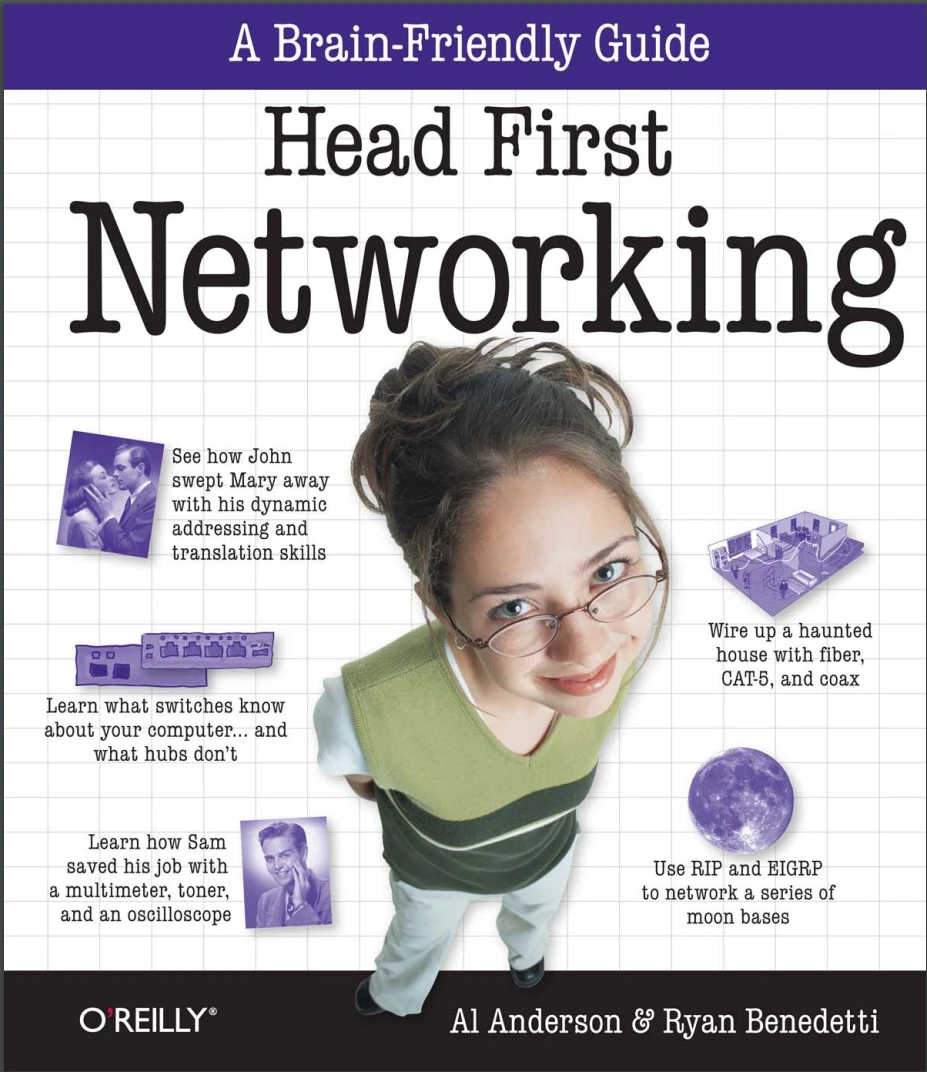
Head First Networking: A Brain-Friendly Guide
Автор: Anderson Al , Benedetti Ryan
Дата выхода: 2009
Издательство: O’Reilly Media, Inc.
Количество страниц: 538
Размер файла: 12,9 МБ
Тип файла: PDF
Добавил: zedchi
Проверить на вирусыAuthors of Head First Networking....10
Table of Contents (Summary)....11
Table of Contents (the real thing)....11
Intro....27
Who is this book for?....28
We know what you’re thinking....29
We know what your brain is thinking....29
Metacognition: thinking about thinking....31
Here’s what WE did:....32
Here’s what YOU can do to bendyour brain into submission....33
Read Me....34
The technical review team....36
Acknowledgments....37
Safari® Books Online....38
Chapter 1. Walking on Wires....39
Coconut Airways has a network problem....40
The booking system network cable is busted....42
How do we fix the cable?....43
But how do we do this?....43
Introducing the CAT-5 cable....44
The CAT-5 cable dissected....45
So why are the pairs twisted?....45
So what’s with all the colors?....46
Test Drive....47
Let’s fix the broken CAT-5 cable....49
Where you put each wire is important.....49
A closer look at the RJ-45 connector....50
So which wire goes where?....50
So what are the physical steps?....55
You fixed the CAT-5 cable....57
Coconut Airways has more than one network....58
Introducing the coaxial cable....61
Coaxial networks are bus networks....62
So can we fix the cable?....63
The network’s still not working....64
So what goes on inside a coaxial cable?....66
But what if there’s a break in the conductor?....66
What about connectors and terminators?....67
Use toner-tracer sets to listen to electrons....68
No sound means no electrons....69
So how do we find the continuity break?....69
Cablecross....74
You’ve fixed the coaxial cable....75
Introducing fiber-optic cables....76
Fiber-optics have connectors too....76
The Coconut Airways cable’s over-bent....77
So what’s a fusion splicer?....77
How to fix fiber-optics with afusion splicer....78
A fiber-optic connector needs fitting too....80
We’re nearly ready to fix the connector....82
There are two types of fiber....83
Single mode fiber....83
Multimode fiber....83
Which mode fiber should you use?....84
Let’s fit the connector on the fiber-optic....85
Coconut Airways is sky high....87
Chapter 2. Networking in the Dark....89
Ghost Watch needs your help!....90
Every good network needs a good plan....91
So how does the device list help usplan a network?....92
How to plan a network layout....93
Let’s plan the cabling with a floorplan....94
Ready to plot some network cables?....98
So where have we got to?....101
We need to decide on the cable management hardware....102
Uh oh! The cabling is a mess....103
Ghost Watch needs cable management hardware....104
Things that go bump.......106
You’ve really cleaned up that noise and straightened out MOST of the cables!....111
Let’s start by labeling the cables....112
But there are still lots of cables....113
So what’s a patch panel?....114
Behind the scenes of a patch panel....115
The wires go into a punch down block....116
Roll the cameras!....121
Chapter 3. Into the Wire....123
Mighty Gumball won the Super Bowl contract....124
A toner and tracer can check for a signal.......126
...but can’t check for signal quality....126
Introducing the multimeter....130
Use a multimeter to measure resistance....130
So what’s resistance?....131
When resistance is low....131
When resistance is high....131
So how well did the multimeter do?....137
An oscilloscope shows voltage changes....139
Voltage is really electrical pressure....140
Where does noise on network cables come from?....141
So how well did the oscilloscope perform for Mighty Gumball?....146
A logical analyzer uses voltage too....148
When is a logical analyzer useful?....153
So which tool is best?....153
The Mighty Gumball bonus went to Jill....155
A LAN analyzer combines the functions of all the other tools....156
A LAN analyzer understands thenetwork traffic in the signal....157
So which tool is best?....158
The Mighty Gumball problems are fixed!....161
Chapter 4. You’ve Been Framed....163
What’s the secret message?....164
So how do we extract a message from a signal?....164
Network cards handle encoding....168
So how does the NIC encode the data?....168
To get the message, reverse the encoding....169
So how do we decode the signal?....169
The Ethernet standard tells hardwarehow to encode the data....170
A quick guide to binary....174
So how do we convert a binary to decimal?....174
Computers read numbers, humans read letters....180
But isn’t there an easier way?....180
Hexadecimal to the rescue....182
So how do we convert a hexadecimal to decimal?....182
We can convert to ASCII using hex....183
Back at the spy agency.......190
Protocols define the structure of a message....191
Frames and Packets Up Close....192
Network frames have lots of layers....199
Your friendly packet field guide....200
UDP Packet - Protocol Type 17....200
ICMP Packet - Protocol Type 1....200
TCP Packet - Protocol Type 6....201
So can we decode the secret message?....206
We’ve got all the right packets...but not necessarily in the right order....207
The packet tells you the correct order....208
Networkcross....211
Chapter 5. How Smart is Your Network?....213
You’ve decoded the secret message.......214
...but how do we know who sent it?....214
The packet information tells us where the packet came from....217
So who’s the mole?....218
There’s more to networks than computers....219
Hubs are dumb....220
Hubs don’t change the MAC address....221
So which device sent the packet to the hub?....221
A hub sends signals, and sends them everywhere....222
Hubs think in terms of electricity....222
So what passed the signal to the hub?....223
A switch sends frames, and only sends them where they need to go....224
Switches think in terms of frames....224
Switches are smart....225
Switches store MAC addresses in a lookup table to keep the frames flowing smoothly....226
The switch has the information.......230
We can use software to monitor packets....232
Let’s hook Wireshark up to the switch....233
Wireshark gives us traffic information....234
Routers have MAC addresses too....237
Network ports Routers are really smart....238
We’re closing in!....239
You’ve found the mole!....241
Chapter 6. Bringing Things Together....243
Networking on the moon....244
We need to connect two networks together....247
The light’s on, but nobody’s home....248
What do you think the flashing LEDs have to do with traffic on the network?....248
Let’s see what traffic is on our network!....250
MAC address versus IP address....252
IP addresses give our networks a sense of location, and network nodes a sense of belonging to that location....253
We retrieve IP addresses using the MAC address and the Address Resolution Protocol (ARP)....254
So what’s the problem with the Moonbase?....259
How do we get network traffic to move between networks?....260
How the router moves data across networks....262
Back to the Moonbase problem....264
The secret of IP numbers is.......265
Routers connect networks by doing the math.......266
The Router Exposed....269
Back at the Moonbase.......273
Are you ready to program the router?....274
You just created this router config file!....276
Let the router tell us what’s wrong.......278
Chapter 7. It’s a Matter of Protocol....281
Houston, we have a problem.......282
Routing tables tell routers where to send packets....283
We can see routes in the table using the show command....283
Each line represents a different route....284
So how do we enter routes?....286
Routes help routers figure out where to send network traffic....287
So are the moonbases now connected?....291
Back on the moon.......293
So how do we troubleshoot bad routes?....294
We can start with the ping command....294
The traceroute command is useful too....295
So what’s the problem with the network connection?....299
The network address changes keepon coming.......300
Use RIP to get routes to update themselves....302
So what does this mean for Moonbase 1?....303
So how do we set up RIP?....308
But there’s still a problem.......309
There are too many hops....310
RIP can only use the hop count to find the best route.....310
There are other routing protocols.....313
The routing protocol zoo....314
EIGRP Up Close....318
EIGRP uses the Diffusing Update Algorithm....319
EIGRP uses the Reliable Transport Protocol to send its information....319
EIGRP only sends route updates when there are changes....319
So how do we setup EIGRP?....320
We have lift off!....326
Chapter 8. Names to Numbers....329
The Head First Health Club needs a website....330
Hello, my domain name is.......331
So how do we get a domain name?....331
Let’s go buy a domain name....332
Uh-oh! We’re in trouble....334
And she’s not the only one....334
Introducing the DNS....336
The DNS relies on name servers....336
How the DNS sees your domain....337
So how does this affect the Health Club?....342
First install a DNS name server.......344
...then configure the name server....345
The Nameserver Exposed....351
The anatomy of a DNS zone file....352
Here’s what the DNS zone file tells us about the Health Club servers....353
Name Servers....353
Mail Server....353
Other Servers....353
The Health Club can’t send emails....355
So what’s the problem?....356
Email servers use RDNS to fight SPAM....356
Check your sources with reverse DNS....357
The dig command can do a reverse DNS lookup....358
Your name server has another important zone file.......360
The emails are working!....365
Chapter 9. Listen to Your Network's Troubles....367
Pajama Death are back on tour....368
So here’s your challenge.......368
So where would you start troubleshooting a misfiring network?....369
Start troubleshooting your network problems by checking in with your network devices....371
Troubleshoot network connectivity with the ping command....372
If you can ping, you get timings....372
But what if you can’t ping?....372
If the ping fails, check the cables....373
Get started with the show interface command....379
The interface’s network statistics are a goldmine of troubleshooting information....379
Cisco Show Command Exposed....380
The ticket network’s still not fixed....383
How can we quickly troubleshoot networks without SSH or telnet?....383
SNMP to the rescue!....384
SNMP is a network admininistrator’s communication tool....385
SNMP does allow some access control....385
How to configure SNMP on a Cisco device....386
One hour to go.......391
SNMP gets most of the information, but not all of it.....391
Get devices to send you their problems....392
How to configure syslogd on a Cisco device....393
How do you tell what’s in the logs?....394
syslogd lets you fix problems before they’re problems....394
Too much information can be just as bad as not enough....397
What you need is relevant information....397
How do you know which events are important?....398
Pajama Death’s a sell-out!....399
Chapter 10. Working Without Wires....401
Your new gig at Starbuzz Coffee....402
Starbuzz Coffee needs a wireless hotspot....402
Wireless access points create networks using radio waves....403
Let’s fit the wireless access point....404
What about the network configuration?....411
Maybe she has a point.....411
So what’s DHCP?....412
DHCP allocates IP addresses....413
First make sure the client has DHCP turned on.......414
Second, make the wireless access point a DHCP server.......414
...and then specify an acceptable range of IP addresses....415
The DHCP Server Exposed....416
So has setting up DHCP solved the problem?....416
This time it’s personal....417
We’ve run out of IP addresses....418
We can get around the IP address problem by implementing NAT.....418
NAT works by reallocating IP addresses....419
So how do we configure NAT?....420
So has this fixed the problem?....423
There’s more than one wireless protocol....424
Most newer access point support multiple protocols....424
The central Starbuzz server needs to access the cash register....428
Port mapping to the rescue!....430
So port mapping is a bit like NAT in reverse....431
Let’s set up port mapping on the Starbuzz access point....432
Wireless Security Up Close....435
The wireless access point is a success!....436
Chapter 11. Get Defensive....437
The bad guys are everywhere....438
And it’s not just the NETWORK that gets hurt.......439
The big four in network security....440
Defend your network against MAC address spoofing....443
So how do we defend against MAC address spoofing?....448
Defend your network against ARP poisoning attacks....449
So what can we do about ARP poisoning attacks?....450
It’s all about the access, baby!....452
If an attacker can get past your router, then he’s on your network!....452
Set up your router’s Access Control Lists to keep attackers out....453
So how do we configure the Access Control List?....455
Firewalls filter packets between networks....458
Packet-filtering rules!....459
Get smart with stateful packet-filters....464
Master the static packet filter....460
Humans are the weakest link in your security chain....467
So how do social engineers operate?....468
Smash social engineering with a clear and concise security policy....470
You’ve hardened your network....473
Chapter 12. You Gotta Have a Plan!....475
Now you have to plan a network from scratch!....476
You have to know what the needs are before you can plan....479
So you’ve developed your questions, now what?....481
Look at your action plan....482
So you have a physical layout, what’s next?....485
Blueprints show everything in a building’s design....486
You may have to modify your network design based on what you see in the blueprints!....487
So you’ve got your physical network layout, what’s next?....494
You have got several options to segment this into two networks....497
Finally, you need an implementation plan....502
Congratulations, you’ve designed an awesome network from scratch.....505
It’s been great having you here in Networkville!....506
appendix i: leftovers....507
#1 Network topologies....508
Star topology....508
Bus topology....509
Token Ring topology....509
#2 Installing Wireshark....510
Windows Install....510
Mac OS X Install....511
Linux Install (Ubuntu)....511
#3 How to get to the console or terminal....512
Windows....512
Linux....512
Mac OS X....512
#4 The TCP Stack....513
#5 VLANS....514
#6 Cisco IOS Simulators....514
#7 BGP....515
#8 VPN....515
#9 Intrusion Detection Systems....516
#10 Cisco Certification....516
appendix ii: ascii tables....517
ASCII tables 0-31....518
ASCII code tables 32-63....519
ASCII code tables 64-95....520
ASCII code tables 96-127....521
appendix iii: installing bind....523
#1 Installing BIND on Windows (XP, 2000, Vista)....524
#2 Installing BIND Mac OS X Server....525
#3 Installing BIND Mac OS X Client & Linux....525
Index....527
Numbers....527
A....527
B....527
C....527
D....528
E....529
F....529
G....530
H....530
I....531
J....531
L....531
M....531
N....532
O....533
P....533
R....534
S....535
T....536
U....537
V....537
W....537
Frustrated with networking books so chock-full of acronyms that your brain goes into sleep mode? Head First Networking's unique, visually rich format provides a task-based approach to computer networking that makes it easy to get your brain engaged. You'll learn the concepts by tying them to on-the-job tasks, blending practice and theory in a way that only Head First can.With this book, you'll learn skills through a variety of genuine scenarios, from fixing a malfunctioning office network to planning a network for a high-technology haunted house. You'll learn exactly what you need to know, rather than a laundry list of acronyms and diagrams.
This book will help you:
- Master the functionality, protocols, and packets that make up real-world networking
- Learn networking concepts through examples in the field
- Tackle tasks such as planning and diagramming networks, running cables, and configuring network devices such as routers and switches
- Monitor networks for performance and problems, and learn troubleshooting techniques
- Practice what you've learned with nearly one hundred exercises, questions, sample problems, and projects
Head First's popular format is proven to stimulate learning and retention by engaging you with images, puzzles, stories, and more. Whether you're a network professional with a CCNA/CCNP or a student taking your first college networking course, Head First Networking will help you become a network guru.


