-
1C
-
Agda
-
Agile/Scrum
-
Alef
-
APL
-
Assembler
-
AWK
-
Basic
-
Beta Programming Language
-
Big Data/DataScience
-
C
-
C#
-
C++
-
Cobol
-
Crystal
-
CSS
-
D
-
Dart
-
DataBase (SQL)
-
Delphi
-
F#
-
Flutter
-
Fortran
-
GameDev
-
Git
-
Go (Golang)
-
GPT/AI/ИИ
-
Hacking and Security
-
Haskell
-
HTML
-
Java
-
JavaScript (JS)
-
Julia
-
Kotlin
-
Machine Learning (ML)
-
Natural language processing (NLP)
-
.NET (.NET Core)
-
Pascal
-
PHP
-
Python
-
R
-
Ruby
-
Rust
-
Scratch
-
Swift
-
UML
-
UX/UI
-
Visual Basic
-
Wolfram
-
XML
-
АСУ
-
Проектирование/System Design
-
Сети/Network
-
Статьи
-
Схемотехника/электронные схемы
-
1C
-
Agda
-
Agile/Scrum
-
Alef
-
APL
-
Assembler
-
AWK
-
Basic
-
Beta Programming Language
-
Big Data/DataScience
-
C
-
C#
-
C++
-
Cobol
-
Crystal
-
CSS
-
D
-
Dart
-
DataBase (SQL)
-
Delphi
-
F#
-
Flutter
-
Fortran
-
GameDev
-
Git
-
Go (Golang)
-
GPT/AI/ИИ
-
Hacking and Security
-
Haskell
-
HTML
-
Java
-
JavaScript (JS)
-
Julia
-
Kotlin
-
Machine Learning (ML)
-
Natural language processing (NLP)
-
.NET (.NET Core)
-
Pascal
-
PHP
-
Python
-
R
-
Ruby
-
Rust
-
Scratch
-
Swift
-
UML
-
UX/UI
-
Visual Basic
-
Wolfram
-
XML
-
АСУ
-
Проектирование/System Design
-
Сети/Network
-
Статьи
-
Схемотехника/электронные схемы
Меню
C# 10.0 All-in-One For Dummies
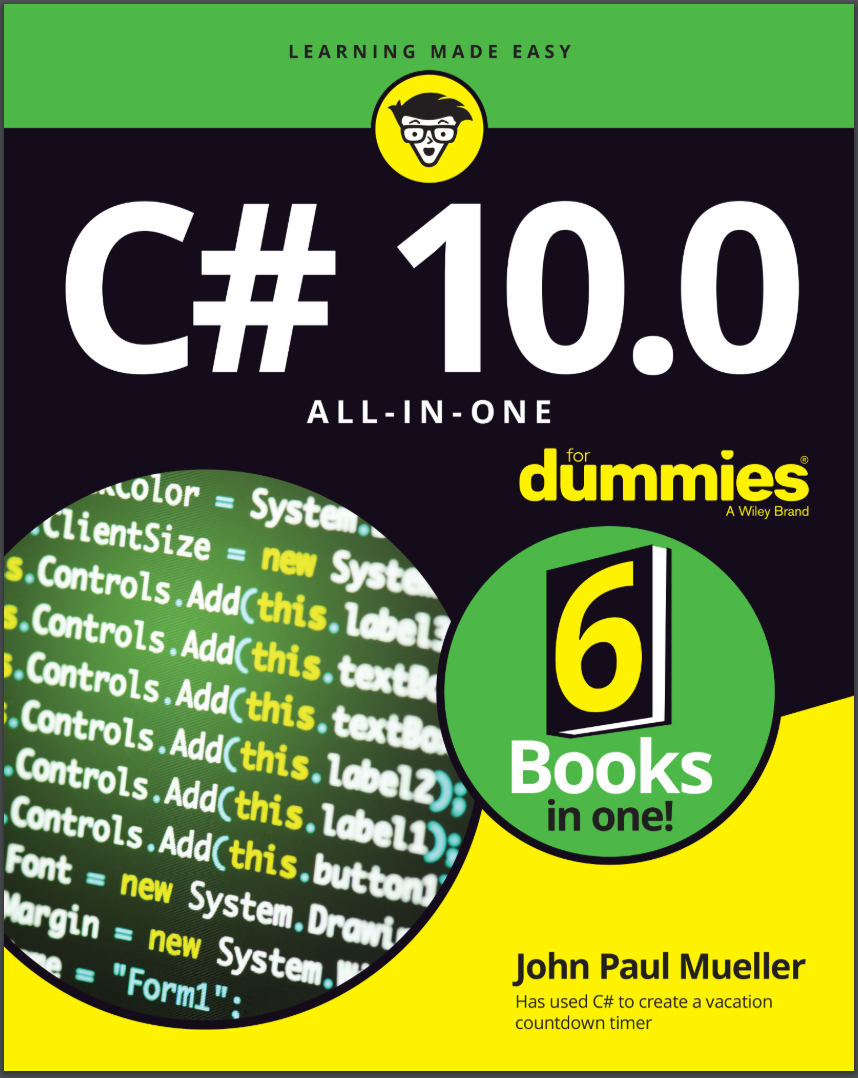
Автор: Mueller John Paul
Дата выхода: 2022
Издательство: John Wiley & Sons, Inc.
Количество страниц: 867
Размер файла: 7,1 МБ
Тип файла: PDF
Добавил: codelibs
Проверить на вирусыTitle Page....5
Copyright Page....6
Table of Contents....9
Introduction....25
About This Book....25
Foolish Assumptions....26
Icons Used in This Book....27
Beyond the Book....27
Where to Go from Here....28
Book 1 The Basics of C# Programming....29
Chapter 1 Creating Your First C# Console Application....31
Getting a Handle on Computer Languages, C#, and .NET....32
What’s a program?....32
What’s C#?....33
What’s .NET?....33
What is Visual Studio 2022?....34
Creating Your First Console Application....35
Creating the source program....35
Taking it out for a test drive....41
Making Your Console App Do Something....41
Reviewing Your Console Application....42
The program framework....43
Comments....43
The meat of the program....43
Replacing All that Ceremonial Code: Top-Level Statements....44
Introducing the Toolbox Trick....45
Saving code in the Toolbox....46
Reusing code from the Toolbox....46
Interacting with C# Online....47
Working with Jupyter Notebook: The Short Version....47
Chapter 2 Living with Variability — Declaring Value-Type Variables....49
Declaring a Variable....50
What’s an int?....51
Rules for declaring variables....52
Variations on a theme: Different types of int....52
Representing Fractions....54
Handling Floating-Point Variables....55
Declaring a floating-point variable....55
Examining some limitations of floating-point variables....56
Using the Decimal Type: Is It an Integer or a Float?....58
Declaring a decimal....59
Comparing decimals, integers, and floating-point types....59
Examining the bool Type: Is It Logical?....60
Checking Out Character Types....60
The char variable type....60
Special chars....61
The string type....61
What’s a Value Type?....63
Comparing string and char....64
Calculating Leap Years: DateTime....65
Declaring Numeric Constants....67
Changing Types: The Cast....68
Letting the C# Compiler Infer Data Types....70
Chapter 3 Pulling Strings....73
The Union Is Indivisible, and So Are Strings....74
Performing Common Operations on a String....75
Comparing Strings....76
Equality for all strings: The Compare() method....76
Would you like your compares with or without case?....80
What If I Want to Switch Case?....80
Distinguishing between all-uppercase and all-lowercase strings....80
Converting a string to upper- or lowercase....81
Looping through a String....82
Searching Strings....83
Can I find it?....83
Is my string empty?....84
Using advanced pattern matching....84
Getting Input from Users in Console Applications....85
Trimming excess white space....86
Parsing numeric input....86
Handling a series of numbers....88
Joining an array of strings into one string....90
Controlling Output Manually....91
Using the Trim() and Pad() methods....91
Using the Concatenate() method....93
Go Ahead and Split() that concatenate program....95
Formatting Your Strings Precisely....96
Using the String.Format() method....96
Using the interpolation method....101
StringBuilder: Manipulating Strings More Efficiently....101
Chapter 4 Smooth Operators....105
Performing Arithmetic....105
Simple operators....106
Operating orders....106
The assignment operator....108
The increment operator....108
Performing Logical Comparisons — Is That Logical?....109
Comparing floating-point numbers: Is your float bigger than mine?....110
Compounding the confusion with compound logical operations....111
Matching Expression Types at TrackDownAMate.com....113
Calculating the type of an operation....113
Assigning types....115
Changing how an operator works: Operator overloading....116
Chapter 5 Getting into the Program Flow....119
Branching Out with if and switch....120
Introducing the if statement....121
Examining the else statement....124
Avoiding even the else....125
Nesting if statements....126
Running the switchboard....128
Here We Go Loop-the-Loop....134
Looping for a while....135
Doing the do . . . while loop....138
Breaking up is easy to do....139
Looping until you get it right....140
Focusing on scope rules....144
Looping a Specified Number of Times with for....144
A for loop example....145
Why do you need another loop?....146
Nesting loops....147
Chapter 6 Lining Up Your Ducks with Collections....149
The C# Array....150
The argument for the array....150
The fixed-value array....151
The variable-length array....153
Initializing an array....156
Processing Arrays by Using foreach....157
Working with foreach loops in a standard way....157
Relying on GetEnumerator support....158
Sorting Arrays of Data....160
Using var for Arrays....163
Loosening Up with C# Collections....164
Understanding Collection Syntax....165
Figuring out ....166
Going generic....166
Using Lists....167
Instantiating an empty list....167
Creating a list of type int....168
Converting between lists and arrays....168
Searching lists....168
Performing other list tasks....169
Using Dictionaries....169
Creating a dictionary....169
Searching a dictionary....170
Iterating a dictionary....170
Array and Collection Initializers....171
Initializing arrays....172
Initializing collections....172
Using Sets....173
Performing special set tasks....173
Creating a set....174
Adding items to a set....174
Performing a union....175
Performing an intersection....176
Performing a difference....177
Chapter 7 Stepping through Collections....179
Iterating through a Directory of Files....180
Using the LoopThroughFiles program....180
Getting started....181
Obtaining the initial input....181
Creating a list of files....183
Formatting the output lines....184
Displaying the hexadecimal output....185
Running from inside Visual Studio....187
Iterating foreach Collections: Iterators....188
Accessing a collection: The general problem....188
Letting C# access data foreach container....191
Accessing Collections the Array Way: Indexers....193
Indexer format....193
An indexer program example....194
Looping Around the Iterator Block....197
Creating the required iterator block framework....198
Iterating days of the month: A first example....200
What a collection is, really....201
Iterator syntax gives up so easily....202
Iterator blocks of all shapes and sizes....204
Chapter 8 Buying Generic....211
Writing a New Prescription: Generics....212
Generics are type-safe....212
Generics are efficient....213
Classy Generics: Writing Your Own....214
Shipping packages at OOPs....214
Queuing at OOPs: PriorityQueue....215
Unwrapping the package....218
Touring Main()....220
Writing generic code the easy way....221
Saving PriorityQueue for last....222
Using a (nongeneric) Simple Factory class....225
Understanding Variance in Generics....229
Contravariance....230
Covariance....232
Chapter 9 Some Exceptional Exceptions....233
Using an Exceptional Error-Reporting Mechanism....234
About try blocks....235
About catch blocks....235
About finally blocks....236
What happens when an exception is thrown....237
Throwing Exceptions Yourself....239
Can I Get an Exceptional Example?....240
Working with Custom Exceptions....244
Planning Your Exception-Handling Strategy....245
Some questions to guide your planning....245
Guidelines for code that handles errors well....246
How to find out which methods throw which exceptions....247
Grabbing Your Last Chance to Catch an Exception....249
Throwing Expressions....250
Chapter 10 Creating Lists of Items with Enumerations....253
Seeing Enumerations in the Real World....254
Working with Enumerations....255
Using the enum keyword....255
Creating enumerations with initializers....257
Specifying an enumeration data type....258
Creating Enumerated Flags....259
Defining Enumerated Switches....261
Working with Enumeration Methods....262
Book 2 Object-Oriented C# Programming....265
Chapter 1 Showing Some Class....267
A Quick Overview of Object-Oriented Programming....268
Considering OOP basics....268
Extending classes to meet other needs....268
Keeping objects safe....269
Working with objects....270
Defining a Class and an Object....270
Defining a class....271
What’s the object?....273
Accessing the Members of an Object....274
Working with Object-Based Code....274
Using the traditional approach....274
Using the C# 9.0 approach....276
Discriminating between Objects....277
Can You Give Me References?....278
Classes That Contain Classes Are the Happiest Classes in the World....280
Generating Static in Class Members....281
Defining const and readonly Data Members....283
Chapter 2 We Have Our Methods....285
Defining and Using a Method....286
Method Examples for Your Files....287
Understanding the problem....288
Working with standard coding methods....289
Applying a refactoring approach....292
Working with local functions....295
Having Arguments with Methods....297
Passing an argument to a method....297
Passing multiple arguments to methods....298
Matching argument definitions with usage....300
Overloading a method doesn’t mean giving it too much to do....300
Implementing default arguments....302
Using the Call-by-Reference Feature....304
Defining a Method with No Return Value....305
Returning Multiple Values Using Tuples....306
Using a tuple....307
Relying on the Create() method....308
Creating tuples with more than two items....308
Chapter 3 Let Me Say This about this....311
Passing an Object to a Method....312
Comparing Static and Instance Methods....314
Employing static properties and methods effectively....315
Employing instance properties and methods effectively....317
Expanding a method’s full name....319
Accessing the Current Object....320
What is the this keyword?....322
When is the this keyword explicit?....323
Using Local Functions....324
Creating a basic local function....324
Using attributes with local functions....325
Chapter 4 Holding a Class Responsible....327
Restricting Access to Class Members....327
A public example of public BankAccount....328
Jumping ahead — other levels of security....330
Why You Should Worry about Access Control....331
Accessor methods....332
Working with init-only setters....333
Access control to the rescue — an example....335
Defining Class Properties....337
Static properties....339
Properties with side effects....339
Accessors with access levels....340
Using Target Typing for Your Convenience....340
Dealing with Covariant Return Types....343
Getting Your Objects Off to a Good Start — Constructors....344
The C#-Provided Constructor....345
Replacing the Default Constructor....346
Constructing something....348
Initializing an object directly with an initializer....350
Seeing that construction stuff with initializers....350
Initializing an object without a constructor....351
Using Expression-Bodied Members....353
Creating expression-bodied methods....353
Defining expression-bodied properties....353
Defining expression-bodied constructors and destructors....354
Defining expression-bodied property accessors....354
Defining expression-bodied event accessors....355
Chapter 5 Inheritance: Is That All I Get?....357
Why You Need Inheritance....358
Inheriting from a BankAccount Class (a More Complex Example)....359
Working with the basic update....360
Tracking the BankAccount and SavingsAccount classes features....363
IS_A versus HAS_A — I’m So Confused_A....366
The IS_A relationship....366
Gaining access to BankAccount by using containment....367
The HAS_A relationship....369
When to IS_A and When to HAS_A....370
Other Features That Support Inheritance....370
Substitutable classes....370
Invalid casts at runtime....371
Avoiding invalid conversions with the is operator....372
Avoiding invalid conversions with the as operator....373
Chapter 6 Poly-what-ism?....377
Overloading an Inherited Method....378
It’s a simple case of method overloading....378
Different class, different method....379
Peek-a-boo — hiding a base class method....379
Polymorphism....385
Using the declared type every time (Is that so wrong?)....386
Using is to access a hidden method polymorphically....388
Declaring a method virtual and overriding it....389
Getting the most benefit from polymorphism....392
C# During Its Abstract Period....392
Class factoring....393
The abstract class: Left with nothing but a concept....397
How do you use an abstract class?....398
Creating an abstract object — not!....401
Sealing a Class....401
Chapter 7 Interfacing with the Interface....403
Introducing CAN_BE_USED_AS....403
Knowing What an Interface Is....405
How to implement an interface....406
Using the newer C# 8.0 additions....407
How to name your interface....410
Why C# includes interfaces....410
Mixing inheritance and interface implementation....411
And he-e-e-re’s the payoff....411
Using an Interface....412
As a method return type....413
As the base type of an array or collection....413
As a more general type of object reference....414
Using the C# Predefined Interface Types....414
Looking at a Program That CAN_BE_USED_AS an Example....415
Creating your own interface at home in your spare time....415
Implementing the incomparable IComparable interface....416
Creating a list of students....418
Testing everything using Main()....419
Unifying Class Hierarchies....420
Hiding Behind an Interface....423
Inheriting an Interface....425
Using Interfaces to Manage Change in Object-Oriented Programs....426
Making flexible dependencies through interfaces....427
Abstract or concrete: When to use an abstract class and when to use an interface....428
Doing HAS_A with interfaces....429
Chapter 8 Delegating Those Important Events....431
E.T., Phone Home — The Callback Problem....432
Defining a Delegate....432
Pass Me the Code, Please — Examples....435
Delegating the task....435
First, a simple example....436
Considering the Action, Func, and Predicate delegate types....437
A More Real-World Example....439
Putting the app together....440
Setting the properties and adding event handlers....442
Looking at the workhorse code....443
Shh! Keep It Quiet — Anonymous Methods....445
Defining the basic anonymous method....445
Using static anonymous methods....446
Working with lambda discard parameters....448
Stuff Happens — C# Events....448
The Observer design pattern....449
What’s an event? Publish/Subscribe....449
How a publisher advertises its events....450
How subscribers subscribe to an event....451
How to publish an event....451
How to pass extra information to an event handler....452
A recommended way to raise your events....453
How observers “handle” an event....454
Chapter 9 Can I Use Your Namespace in the Library?....457
Dividing a Single Program into Multiple Source Files....458
Working with Global using Statements....459
Dividing a Single Program into Multiple Assemblies....461
Executable or library?....461
Assemblies....461
Executables....462
Class libraries....463
Putting Your Classes into Class Libraries....463
Creating the projects for a class library....463
Creating a stand-alone class library....464
Adding a second project to an existing solution....466
Creating the code for the library....469
Using a test application to test a library....470
Going Beyond Public and Private: More Access Keywords....472
Internal: For CIA eyes only....472
Protected: Sharing with subclasses....475
Putting Classes into Namespaces....477
Declaring a namespace....478
Using file-scoped namespaces....480
Relating namespaces to the access keyword story....480
Using fully qualified names....482
Working with partial classes....483
Working with Partial Methods....487
Defining what partial methods do....487
Creating a partial method....488
Chapter 10 Improving Productivity with Named and Optional Parameters....489
Exploring Optional Parameters....490
Working with optional value parameters....490
Avoiding optional reference types....492
Looking at Named Parameters....494
Using Alternative Methods to Return Values....494
Output (out) parameters....495
Working with out variables....495
Returning values by reference....496
Dealing with null Parameters....497
Chapter 11 Interacting with Structures....499
Comparing Structures to Classes....500
Considering struct limits....500
Understanding the value type difference....501
Determining when to use struct versus class....501
Creating Structures....502
Defining a basic struct....502
Including common struct elements....503
Using supplemental struct elements....506
Working with Read-only Structures....509
Working with Reference Structures....511
Using Structures as Records....513
Managing a single record....513
Adding structures to arrays....513
Overriding methods....514
Using the New Record Type....515
Comparing records to structures and classes....515
Working with a record....516
Using the positional syntax for property definition....517
Understanding value equality....518
Creating safe changes: Nondestructive mutation....518
Using the field keyword....519
Book 3 Designing for C#....521
Chapter 1 Writing Secure Code....523
Designing Secure Software....524
Determining what to protect....524
Documenting the components of the program....525
Decomposing components into functions....526
Identifying potential threats in functions....526
Building Secure Windows Applications....527
Authentication using Windows logon....527
Encrypting information....531
Deployment security....531
Using System.Security....532
Chapter 2 Accessing Data....533
Getting to Know System.Data....534
How the Data Classes Fit into the Framework....536
Getting to Your Data....536
Using the System.Data Namespace....537
Setting up a sample database schema....537
Creating the data access project....538
Connecting to a data source....538
Working with the visual tools....543
Writing data code....545
Chapter 3 Fishing the File Stream....549
Going Where the Fish Are: The File Stream....549
Streams....550
Readers and writers....551
StreamWriting for Old Walter....552
Using the stream: An example....553
Using some better fishing gear: The using statement....558
Pulling Them Out of the Stream: Using StreamReader....561
More Readers and Writers....563
Exploring More Streams than Lewis and Clark....565
Chapter 4 Accessing the Internet....567
Getting to Know System.Net....568
How Net Classes Fit into the Framework....569
Understanding the System.Net subordinate namespaces....569
Working with the System.Net classes....572
Using the System.Net Namespace....573
Checking the network status....573
Downloading a file from the Internet....575
Emailing a status report....577
Logging network activity....580
Chapter 5 Creating Images....583
Getting to Know System.Drawing....584
Graphics....585
Pens....586
Brushes....587
Text....587
How the Drawing Classes Fit into the Framework....588
Using the System.Drawing Namespace....589
Getting started....589
Setting up the project....591
Handling the score....591
Creating an event connection....593
Drawing the board....594
Printing the score....596
Starting a new game....598
Chapter 6 Programming Dynamically!....599
Shifting C# Toward Dynamic Typing....600
Employing Dynamic Programming Techniques....602
Putting Dynamic to Use....604
Classic examples....604
Making static operations dynamic....605
Understanding what’s happening under the covers....605
Running with the Dynamic Language Runtime....606
Using Static Anonymous Functions....609
Book 4 A Tour of Visual Studio....611
Chapter 1 Getting Started with Visual Studio....613
Versioning the Versions....614
An overview of Visual Studio 2022 updates....614
Community edition....616
Professional edition....618
Enterprise edition....618
MSDN....619
Installing Visual Studio....620
Breaking Down the Projects....621
Exploring the Create a New Project dialog box....624
Understanding solutions and projects....625
Chapter 2 Using the Interface....627
Designing in the Designer....628
Universal Windows Platform (UWP) application....628
Windows Presentation Foundation (WPF)....631
Windows Forms....633
Data View....633
Paneling the Studio....634
Solution Explorer....634
Properties....637
The Toolbox....638
Server Explorer....639
Class View....641
Coding in the Code Editor....642
Exercising the Code Editor....642
Exploring the auxiliary windows....643
Using the Tools of the Trade....645
The Tools menu....646
Building....647
Using the Debugger as an Aid to Learning....647
Stepping through code....647
Going to a particular code location....648
Watching application data....649
Viewing application internals....650
Chapter 3 Customizing Visual Studio....651
Setting Options....652
Environment....653
Language....654
Neat stuff....655
Creating Your Own Templates....656
Developing a project template....656
Developing an item template....659
Book 5 Windows Development with WPF....663
Chapter 1 Introducing WPF....665
Understanding What WPF Can Do....666
Introducing XAML....667
Diving In! Creating Your First WPF Application....668
Declaring an application-scoped resource....671
Making the application do something....672
Whatever XAML Can Do, C# Can Do Better!....674
Chapter 2 Understanding the Basics of WPF....677
Using WPF to Lay Out Your Application....678
Arranging Elements with Layout Panels....679
The Stack panel....680
The Wrap panel....684
The Dock panel....685
Canvas....686
The Grid....686
Putting it all together with a simple data entry form....693
Exploring Common XAML Controls....696
Display-only controls....696
Basic input controls....698
List-based controls....701
Chapter 3 Data Binding in WPF....705
Getting to Know Dependency Properties....706
Exploring the Binding Modes....707
Investigating the Binding Object....707
Defining a binding with XAML....708
Defining a binding with C#....710
Editing, Validating, Converting, and Visualizing Your Data....711
Validating data....717
Converting your data....721
Finding Out More about WPF Data Binding....729
Chapter 4 Practical WPF....731
Commanding Attention....732
Traditional event handling....732
ICommand....733
Routed commands....734
Using Built-In Commands....735
Using Custom Commands....737
Defining the interface....737
Creating the window binding....738
Ensuring that the command can execute....738
Performing the task....739
Using Routed Commands....741
Defining the Command class....741
Making the namespace accessible....742
Adding the command bindings....742
Developing a user interface....742
Developing the custom command code-behind....743
Chapter 5 Programming for Windows 10 and Above....745
What is the Universal Windows Platform (UWP)?....746
Devices Supported by the UWP....749
Creating Your Own UWP App....750
Configuring Developer Mode....750
Defining the project....756
Creating an interface....758
Adding some background code....762
Choosing a test device....763
Working with .NET Core Applications....764
Book 6 Web Development with ASP.NET....767
Chapter 1 Creating a Basic ASP.NET Core App....769
Understanding the ASP.NET Core Templates....770
Starting with nothing using ASP.NET Core Empty....770
Creating a basic app using the ASP.NET Core Web App....772
Fumbling around with HTTPS-enabled sites....773
Building in business logic using ASP.NET Core App (Model-View-Controller)....775
Developing a programming interface using ASP.NET Core Web API....776
An overview of those other weird templates....777
Developing a Basic Web App....778
Creating the project....778
Considering the development process....780
Adding web content....781
Making some basic changes to the first page....783
Chapter 2 Employing the Razor Markup Language....785
Avoiding Nicks from Razor....786
Comparing Razor to its predecessors....786
Considering the actual file layout....787
Understanding the syntax rules for C#....790
Working with some Razor basics....791
Creating Variables....794
Keeping Things Logical....795
Starting simply by using if....795
Sleeping at the switch....795
Implementing Loops....796
Creating an array....796
Performing tasks a specific number of times using for....797
Processing an unknown number of times using foreach and while....797
Chapter 3 Generating and Consuming Data....799
Understanding Why These Projects Are Important....800
Serialized Data Isn’t for Breakfast....801
Developing a Data Generator and API....802
Creating the WeatherForecast project....802
Making the data believable....805
Looking at the API configuration....807
Checking the API for functionality....808
Creating a Consumer Website....810
Creating the RetrieveWeatherForecast project....810
Developing a user interface....811
Getting and deserializing the data....813
Seeing the application in action....817
Index....819
EULA....867
C# is one of the most popular programming languages, and frequent updates help it keep pace as the world of coding changes. You can keep pace too, thanks to C# 10.0 All-in-One For Dummies, where you'll learn the basics of the language itself, how to code in Visual Studio, and how to take advantage of the new features in the latest release. At every stage of your career, you'll need to know the cutting-edge trends and techniques that clients want. This book has your back, with info on object-oriented programming, writing secure code, building web applications, and more.
The six standalone mini-books you'll find inside this all-in-one will take you through the changes to C# and the practical applications and dev tools that you need to know. New features covered include records, init only setters, top-level statements, pattern matching enhancements, fit and finish features, and a lot more. Plus, this version is packed with more examples and code snippets, so you can sharply see C# in action!
- Learn the very basics of C# programming, even if you have no prior experience
- Refresh your knowledge of the language and learn how to use the new features in the 10.0 version release
- Read six mini-books on hot coding topics like object-oriented programming, Visual Studio, and Windows 10 development
- Enhance your employability and join the 6.5-million-strong community of C# developers
You need an easy-to-read C# guide that will help you understand the incoming updates, and this For Dummies reference is it.


