-
1C
-
Agda
-
Agile/Scrum
-
Alef
-
APL
-
Assembler
-
AWK
-
Basic
-
Beta Programming Language
-
Big Data/DataScience
-
C
-
C#
-
C++
-
Cobol
-
Crystal
-
CSS
-
D
-
Dart
-
DataBase (SQL)
-
Delphi
-
F#
-
Flutter
-
Fortran
-
GameDev
-
Git
-
Go (Golang)
-
GPT/AI/ИИ
-
Hacking and Security
-
Haskell
-
HTML
-
Java
-
JavaScript (JS)
-
Julia
-
Kotlin
-
Machine Learning (ML)
-
Natural language processing (NLP)
-
.NET (.NET Core)
-
Pascal
-
PHP
-
Python
-
R
-
Ruby
-
Rust
-
Scratch
-
Swift
-
UML
-
UX/UI
-
Visual Basic
-
Wolfram
-
XML
-
АСУ
-
Проектирование/System Design
-
Сети/Network
-
Статьи
-
Схемотехника/электронные схемы
-
1C
-
Agda
-
Agile/Scrum
-
Alef
-
APL
-
Assembler
-
AWK
-
Basic
-
Beta Programming Language
-
Big Data/DataScience
-
C
-
C#
-
C++
-
Cobol
-
Crystal
-
CSS
-
D
-
Dart
-
DataBase (SQL)
-
Delphi
-
F#
-
Flutter
-
Fortran
-
GameDev
-
Git
-
Go (Golang)
-
GPT/AI/ИИ
-
Hacking and Security
-
Haskell
-
HTML
-
Java
-
JavaScript (JS)
-
Julia
-
Kotlin
-
Machine Learning (ML)
-
Natural language processing (NLP)
-
.NET (.NET Core)
-
Pascal
-
PHP
-
Python
-
R
-
Ruby
-
Rust
-
Scratch
-
Swift
-
UML
-
UX/UI
-
Visual Basic
-
Wolfram
-
XML
-
АСУ
-
Проектирование/System Design
-
Сети/Network
-
Статьи
-
Схемотехника/электронные схемы
Меню
Building Web APIs with ASP.NET Core
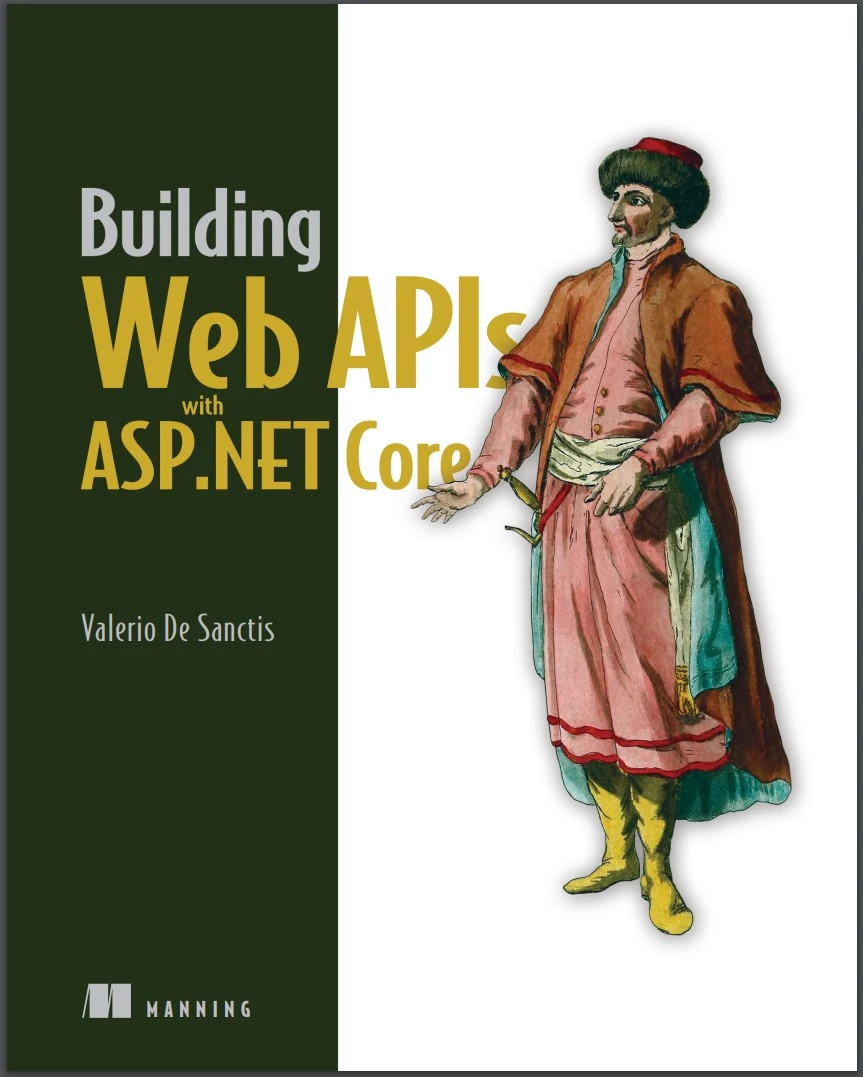
Автор: De Sanctis Valerio
Дата выхода: 2023
Издательство: Manning Publications Co.
Количество страниц: 474
Размер файла: 7,0 МБ
Тип файла: PDF
Добавил: codelibs
Проверить на вирусы Дополнительные материалыBuilding Web APIs with ASP.NET Core....1
brief contents....7
contents....8
preface....15
acknowledgments....17
about this book....19
Who should read this book....19
How this book is organized: A road map....19
About the code....21
liveBook discussion forum....21
about the author....23
about the cover illustration....24
Part 1Getting started....25
1 Web APIs at a glance....27
1.1 Web APIs....28
1.1.1 Overview....29
1.1.2 Real-world example....30
1.1.3 Types of web APIs....32
1.1.4 Architectures and message protocols....33
1.2 ASP.NET Core....39
1.2.1 Architecture....40
1.2.2 Program.cs....42
1.2.3 Controllers....43
1.2.4 Minimal APIs....44
1.2.5 Task-based asynchronous pattern....45
Summary....47
2 Our first web API project....48
2.1 System requirements....49
2.1.1 .NET SDK....49
2.1.2 Integrated development environment....49
2.2 Installing Visual Studio....50
2.3 Creating the web API project....51
2.4 MyBGList project overview....54
2.4.1 Reviewing launchSettings.json....55
2.4.2 Configuring the appsettings.json....57
2.4.3 Playing with the Program.cs file....59
2.4.4 Inspecting the WeatherForecastController....66
2.4.5 Adding the BoardGameController....69
2.5 Exercises....71
2.5.1 launchSettings.json....71
2.5.2 appsettings.json....72
2.5.3 Program.cs....72
2.5.4 BoardGame.cs....72
2.5.5 BoardGameControllers.cs....73
Summary....73
3 RESTful principles and guidelines....75
3.1 REST guiding constraints....76
3.1.1 Client-server approach....76
3.1.2 Statelessness....83
3.1.3 Cacheability....84
3.1.4 Layered system....88
3.1.5 Code on demand....89
3.1.6 Uniform interface....92
3.2 API documentation....98
3.2.1 Introducing OpenAPI....98
3.2.2 ASP.NET Core components....99
3.3 API versioning....101
3.3.1 Understanding versioning....101
3.3.2 Should we really use versions?....102
3.3.3 Implementing versioning....104
3.4 Exercises....112
3.4.1 CORS....112
3.4.2 Client-side caching....113
3.4.3 COD....113
3.4.4 API documentation and versioning....113
Summary....113
Part 2Basic concepts....115
4 Working with data....117
4.1 Choosing a database....118
4.1.1 Comparing SQL and NoSQL....119
4.1.2 Making a choice....122
4.2 Creating the database....124
4.2.1 Obtaining the CSV file....124
4.2.2 Installing SQL Server....125
4.2.3 Installing SSMS or ADS....127
4.2.4 Adding a new database....127
4.3 EF Core....131
4.3.1 Reasons to use an ORM....131
4.3.2 Setting up EF Core....134
4.3.3 Creating the DbContext....135
4.3.4 Setting up the DbContext....145
4.3.5 Creating the database structure....149
4.4 Exercises....151
4.4.1 Additional fields....151
4.4.2 One-to-many relationship....152
4.4.3 Many-to-many relationship....152
4.4.4 Creating a new migration....152
4.4.5 Applying the new migration....153
4.4.6 Reverting to a previous migration....153
Summary....153
5 CRUD operations....154
5.1 Introducing LINQ....155
5.1.1 Query syntax vs. method syntax....155
5.1.2 Lambda expressions....156
5.1.3 The IQueryable interface....157
5.2 Injecting the DbContext....159
5.2.1 The sync and async methods....160
5.2.2 Testing the ApplicationDbContext....162
5.3 Seeding the database....162
5.3.1 Setting up the CSV file....163
5.3.2 Installing the CsvHelper package....163
5.3.3 Creating the BggRecord class....164
5.3.4 Adding the SeedController....166
5.3.5 Reading the CSV file....168
5.3.6 Executing the SeedController....172
5.4 Reading data....176
5.4.1 Paging....176
5.4.2 Sorting....179
5.4.3 Filtering....183
5.5 Updating and deleting data....184
5.5.1 Updating a BoardGame....185
5.5.2 Deleting a BoardGame....188
5.6 Exercises....190
5.6.1 Create....190
5.6.2 Read....191
5.6.3 Update....191
5.6.4 Delete....191
Summary....191
6 Data validation and error handling....193
6.1 Data validation....194
6.1.1 Model binding....195
6.1.2 Data validation attributes....196
6.1.3 A nontrivial validation example....197
6.1.4 Data validation and OpenAPI....203
6.1.5 Binding complex types....209
6.2 Error handling....216
6.2.1 The ModelState object....216
6.2.2 Custom error messages....217
6.2.3 Manual model validation....218
6.2.4 Exception handling....223
6.3 Exercises....226
6.3.1 Built-in validators....226
6.3.2 Custom validators....227
6.3.3 IValidatableObject....227
6.3.4 ModelState validation....227
6.3.5 Exception handling....227
Summary....228
Part 3Advanced concepts....229
7 Application logging....231
7.1 Application logging overview....232
7.1.1 From boats to computers....232
7.1.2 Why do we need logs?....233
7.2 ASP.NET logging....233
7.2.1 A quick logging test....234
7.2.2 Log levels....235
7.2.3 Logging configuration....236
7.2.4 Logging providers....237
7.2.5 Event IDs and templates....241
7.2.6 Exception logging....243
7.3 Unstructured vs. structured logging....244
7.3.1 Unstructured logging pros and cons....245
7.3.2 Structured logging advantages....246
7.3.3 Application Insights logging provider....247
7.4 Third-party logging providers....251
7.4.1 Serilog overview....252
7.4.2 Installing Serilog....252
7.4.3 Configuring Serilog....253
7.4.4 Testing Serilog....254
7.4.5 Improving the logging behavior....254
7.5 Exercises....262
7.5.1 JSON console logging....262
7.5.2 Logging provider configuration....262
7.5.3 Exception loggings new property....262
7.5.4 New Serilog enricher....263
7.5.5 New Serilog sink....263
Summary....263
8 Caching techniques....265
8.1 Caching overview....266
8.2 HTTP response caching....267
8.2.1 Setting the cache-control header manually....267
8.2.2 Adding a default caching directive....268
8.2.3 Defining cache profiles....270
8.2.4 Server-side response caching....272
8.2.5 Response caching vs. client reload....273
8.3 In-memory caching....274
8.3.1 Setting up the in-memory cache....275
8.3.2 Injecting the IMemoryCache interface....275
8.3.3 Using the in-memory cache....276
8.4 Distributed caching....279
8.4.1 Distributed cache providers overview....280
8.4.2 SQL Server....280
8.4.3 Redis....285
8.5 Exercises....289
8.5.1 HTTP response caching....289
8.5.2 Cache profiles....289
8.5.3 Server-side response caching....289
8.5.4 In-memory caching....289
8.5.5 Distributed caching....290
Summary....290
9 Authentication and authorization....292
9.1 Basic concepts....293
9.1.1 Authentication....293
9.1.2 Authorization....294
9.2 ASP.NET Core Identity....299
9.2.1 Installing the NuGet packages....299
9.2.2 Creating the user entity....300
9.2.3 Updating the ApplicationDbContext....301
9.2.4 Adding and applying a new migration....301
9.2.5 Setting up the services and middleware....303
9.2.6 Implementing the AccountController....306
9.3 Authorization settings....316
9.3.1 Adding the authorization HTTP header....316
9.3.2 Setting up the [authorize] attribute....318
9.3.3 Testing the authorization flow....320
9.4 Role-based access control....321
9.4.1 Registering new users....322
9.4.2 Creating the new roles....322
9.4.3 Assigning users to roles....326
9.4.4 Adding role-based claims to JWT....326
9.4.5 Setting up role-based auth rules....327
9.4.6 Testing the RBAC flow....327
9.4.7 Using alternative authorization methods....328
9.5 Exercises....331
9.5.1 Adding a new role....331
9.5.2 Creating a new user....331
9.5.3 Assigning a user to roles....331
9.5.4 Implementing a test endpoint....332
9.5.5 Testing the RBAC flow....332
Summary....332
10 Beyond REST....333
10.1 REST drawbacks....334
10.1.1 Overfetching....334
10.1.2 Underfetching....335
10.2 GraphQL....338
10.2.1 GraphQL advantages....338
10.2.2 GraphQL drawbacks....340
10.2.3 Implementing GraphQL....341
10.2.4 Working with GraphQL....349
10.3 Google Remote Procedure Call....354
10.3.1 gRPC pros....354
10.3.2 gRPC cons....354
10.3.3 Installing the NuGet packages....356
10.3.4 Implementing the gRPC Server....356
10.3.5 Implementing the gRPC client....359
10.3.6 Adding Authorization support....361
10.4 Other REST alternatives....364
10.4.1 Newline Delimited JSON (NDJSON)....364
10.4.2 Falcor....365
10.4.3 Thrift....365
10.5 Exercises....365
10.5.1 Write a new GraphQL query....366
10.5.2 Fetch GraphQL data for a mutation....366
10.5.3 Implement new gRPC server features....366
10.5.4 Add new gRPC client wrappers....367
10.5.5 Test the new gRPC features....367
Summary....367
Part 4Toward production....369
11 API documentation....371
11.1 Web API potential audience....372
11.1.1 Prospectors....372
11.1.2 Contractors....372
11.1.3 Builders....372
11.2 API documentation best practices....373
11.2.1 Adopt an automated description tool....373
11.2.2 Describe endpoints and input parameters....374
11.2.3 Add XML documentation support....375
11.2.4 Work with Swashbuckle annotations....378
11.2.5 Describe responses....382
11.2.6 Add request and response samples....384
11.2.7 Group endpoints into sections....386
11.2.8 Exclude reserved endpoints....390
11.3 Filter-based Swagger customization....390
11.3.1 Emphasizing the authorization requirements....391
11.3.2 Changing the application title....394
11.3.3 Adding a warning text for passwords....396
11.3.4 Adding custom keyvalue pairs....398
11.4 Exercises....402
11.4.1 Use XML documentation....403
11.4.2 Use Swashbuckle annotations....403
11.4.3 Exclude some endpoints....403
11.4.4 Add a custom filter....403
11.4.5 Add custom keyvalue pairs....404
Summary....404
12 Release and deployment....406
12.1 Prepublishing tasks....407
12.1.1 Considering security....407
12.1.2 Choosing a domain name....408
12.1.3 Setting up a CDN....408
12.1.4 Fine-tuning our APP....414
12.1.5 Understanding the .NET publishing modes....419
12.2 Creating a Windows VM server....422
12.2.1 Accessing Azure....423
12.2.2 Creating and setting up the Windows VM....423
12.2.3 Working with the VM public IP address....426
12.2.4 Creating an SSLTLS origin certificate....429
12.2.5 Setting Cloudflare Encryption Mode to Full....430
12.3 Configuring the Windows VM server....431
12.3.1 Installing IIS....432
12.3.2 Installing the ASP.NET Core hosting bundle....432
12.3.3 Installing the Web Deploy component....432
12.3.4 Opening the 8172 TCP port....433
12.3.5 Configuring IIS....433
12.3.6 Creating the production database....437
12.3.7 Creating the appsettings.Production.json file....438
12.4 Publishing and deploying....439
12.4.1 Introducing Visual Studio publish profiles....439
12.4.2 Creating an Azure VM publish profile....441
12.4.3 Configuring the publish profile....442
12.4.4 Publishing, deployment, and testing....443
12.4.5 Final thoughts....448
Summary....448
appendix....450
Installing SQL Server....450
Installing Internet Information Services....451
Installing the IIS Management Service....452
Installing the ASP.NET Core Windows hosting bundle....452
Installing Web Deploy....453
Adding an inbound port rule in Azure....453
index....455
Numerics....455
A....455
B....457
C....458
D....459
E....461
F....461
G....461
H....462
I....462
J....463
K....463
L....463
M....464
N....465
O....465
P....466
Q....466
R....466
S....468
T....470
U....470
V....471
W....471
X....472
Build fully-featured APIs with ASP.NET Core! This all-practical guide is written like a real development project, taking you hands-on with modern APIs utilizing REST and GraphQL standards.
In Building Web APIs with ASP.NET Core you will learn how to:
- Set up your environment with VS 2022, Node, Git, and more
- Create a ASP.NET Core project from scratch
- Integrate with SQL Server
- Use Entity Framework Core to set up a data model
- Create back-end controllers
- Design an API to serve data
- Write API documentation using Swagger and Swashbuckle
- Consume an API using typical web client-side frameworks
- Handle requests and routes using controllers and Minimal API
- Release and deploy your Web API in production on cloud-based hosting services such as MS Azure
Building Web APIs with ASP.NET Core is a practical beginner’s guide to creating your first web APIs using ASP.NET Core. In it, you’ll develop an API that feeds web-based services, including websites and mobile apps, for a board games application. The book is cleverly structured to mirror a real-world development project, with each chapter introducing a new feature request. You’ll build your API with an ecosystem of ASP.NET Core tools that help simplify everything from setting up your data model to generating documentation.
About the Technology
Web APIs are the front door to an application, providing controlled access to its data and features. ASP.NET Core, Microsoft’s web framework, simplifies and accelerates API creation with powerful, developer-friendly features, including an innovative “no compile” coding experience. It is reliable, fast, free, open-source, and backed by Microsoft’s legendary support.
About the Book
Building Web APIs with ASP.NET Coreteaches you how to write safe, maintainable, and performant REST APIs. It’s full of best practices for modern and classic API styles, including REST and GraphQL. You’ll love the groundbreaking Minimal API model that helps you build pro-quality APIs with just a few lines of code. Each chapter contains realistic user stories, backlog items, and development tasks.
What’s Inside
- Create an ASP.NET Core project from scratch
- Set up a data model with Entity Framework Core
- Create backend controllers
- Design an API to serve data
About the Reader
For developers with some experience using the .NET Framework.


